BlogProduct Updates
A More Flexible Way to Work Across Companies and Conversations

BridgeApp Team
5 min read
This update brings those changes together into a more flexible and intuitive experience.
One Account, Multiple Companies
BridgeApp now fully supports a multi-company reality.
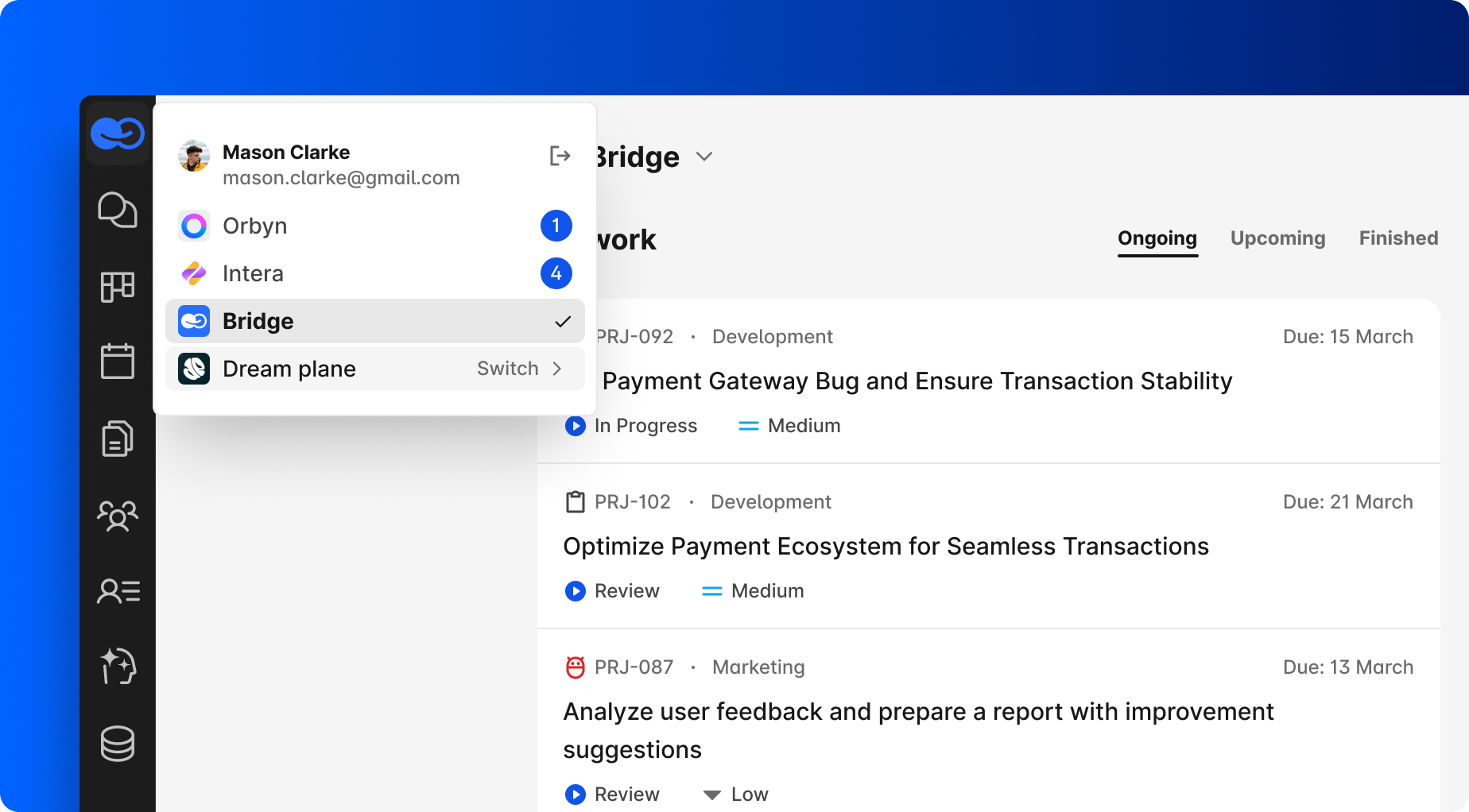
With one BridgeApp account registered under a single email, you can work across multiple companies and projects, switching between them easily.
At the same time, you can connect with people simply as contacts, using BridgeApp like a messenger across organizational boundaries.
You can always see all companies where you are a user or a contact, making it clear where conversations live and in what context.
Direct Messages
We’ve introduced a new Directs tab — available on both web and mobile.
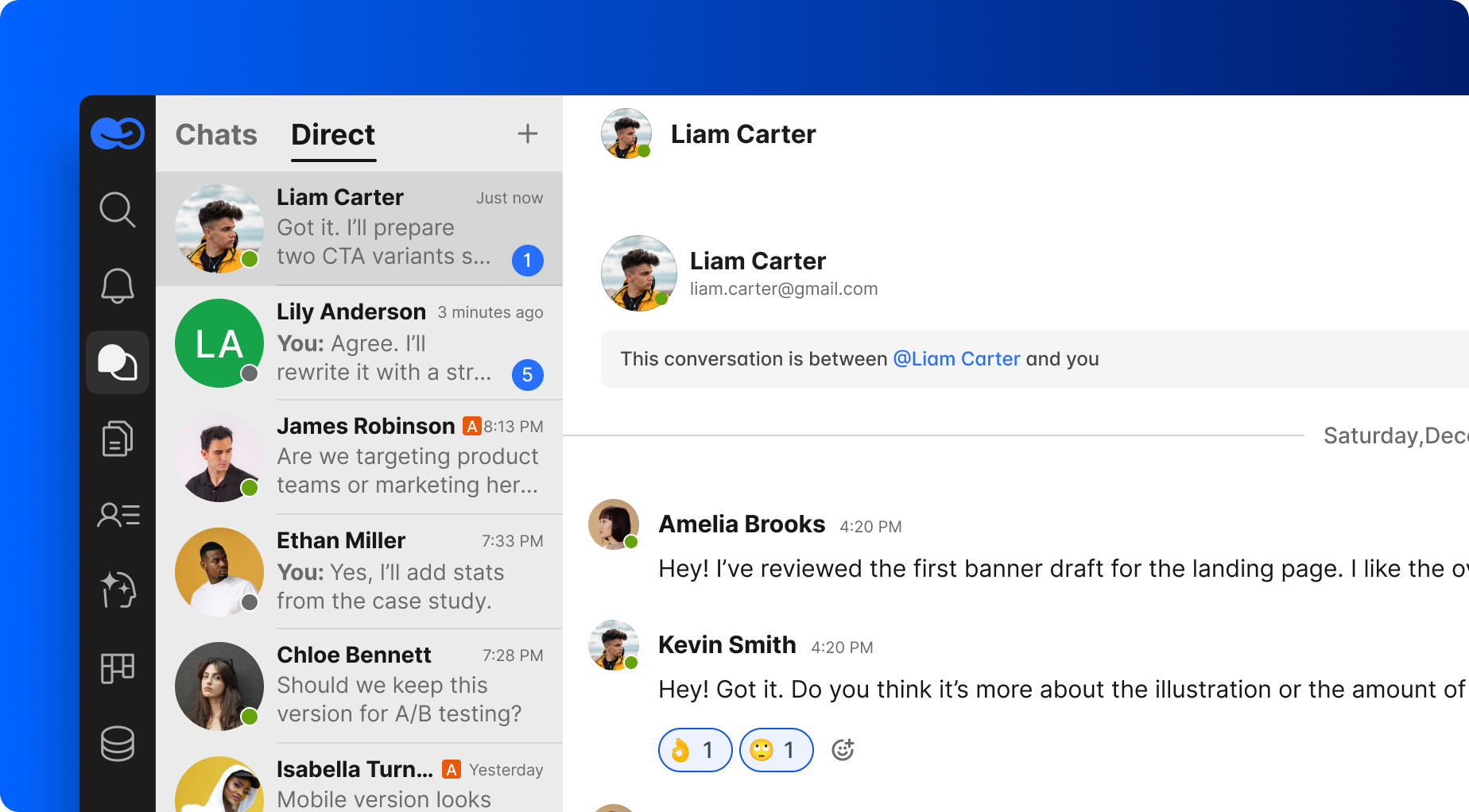
It’s a single place for all your private conversations, even if they belong to different workspaces.
No more switching contexts just to find a DM.
A New Contacts System — Built for Real Networks
BridgeApp now includes a dedicated Contacts section that reflects how people actually collaborate today.
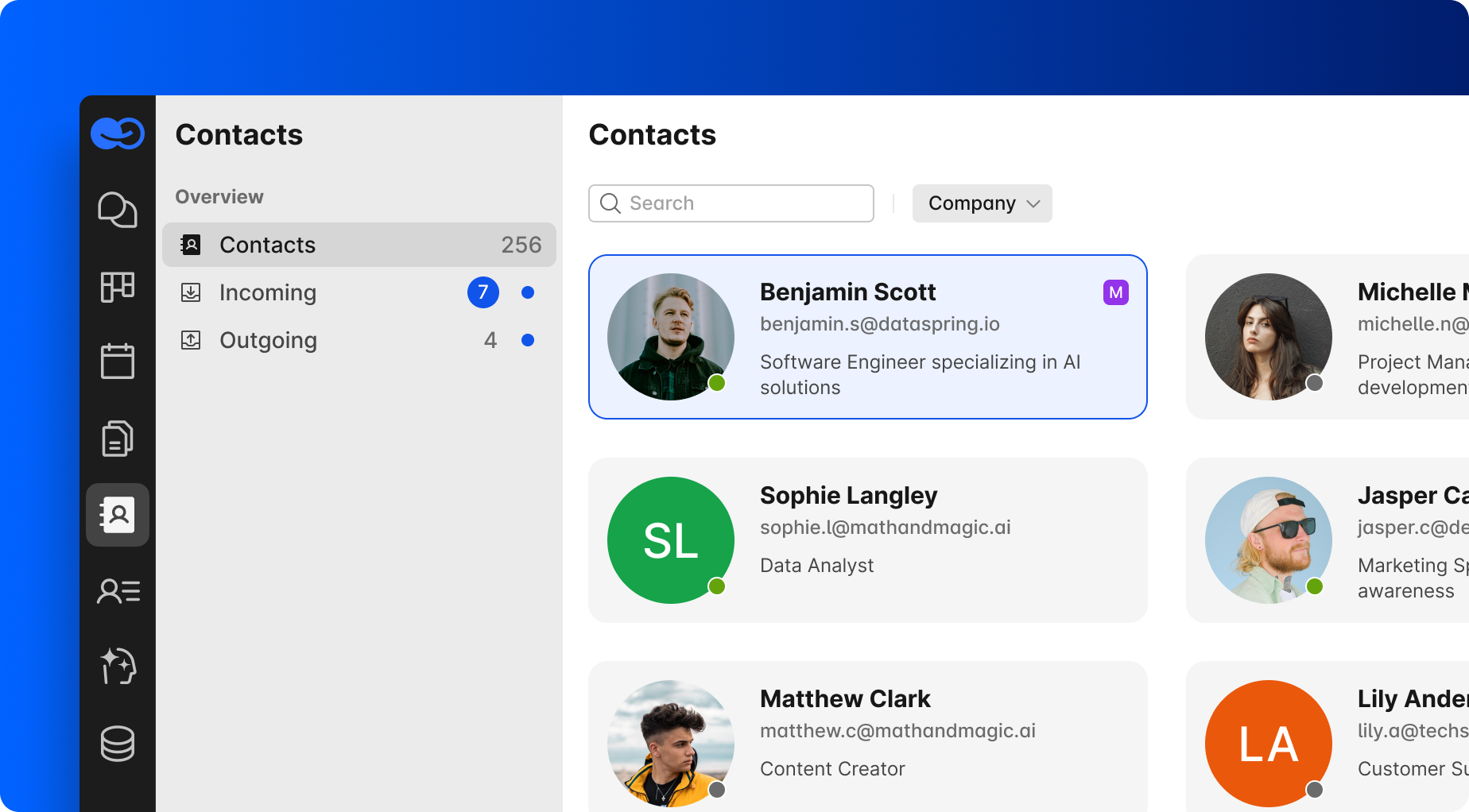
It includes your internal colleagues (users from your workspace) and contacts added to your workspace via the invite link or QR code.
You can also see incoming contact requests, outgoing invitations you’ve sent, and their current statuses.
External Collaboration
Contacts can be added to specific workspace chats, as long as you’ve connected with them first. After the invitation, the contact will see only this specific channel, and it will appear for them in the Chats module. They will not have access to any other modules or parts of your workspace.
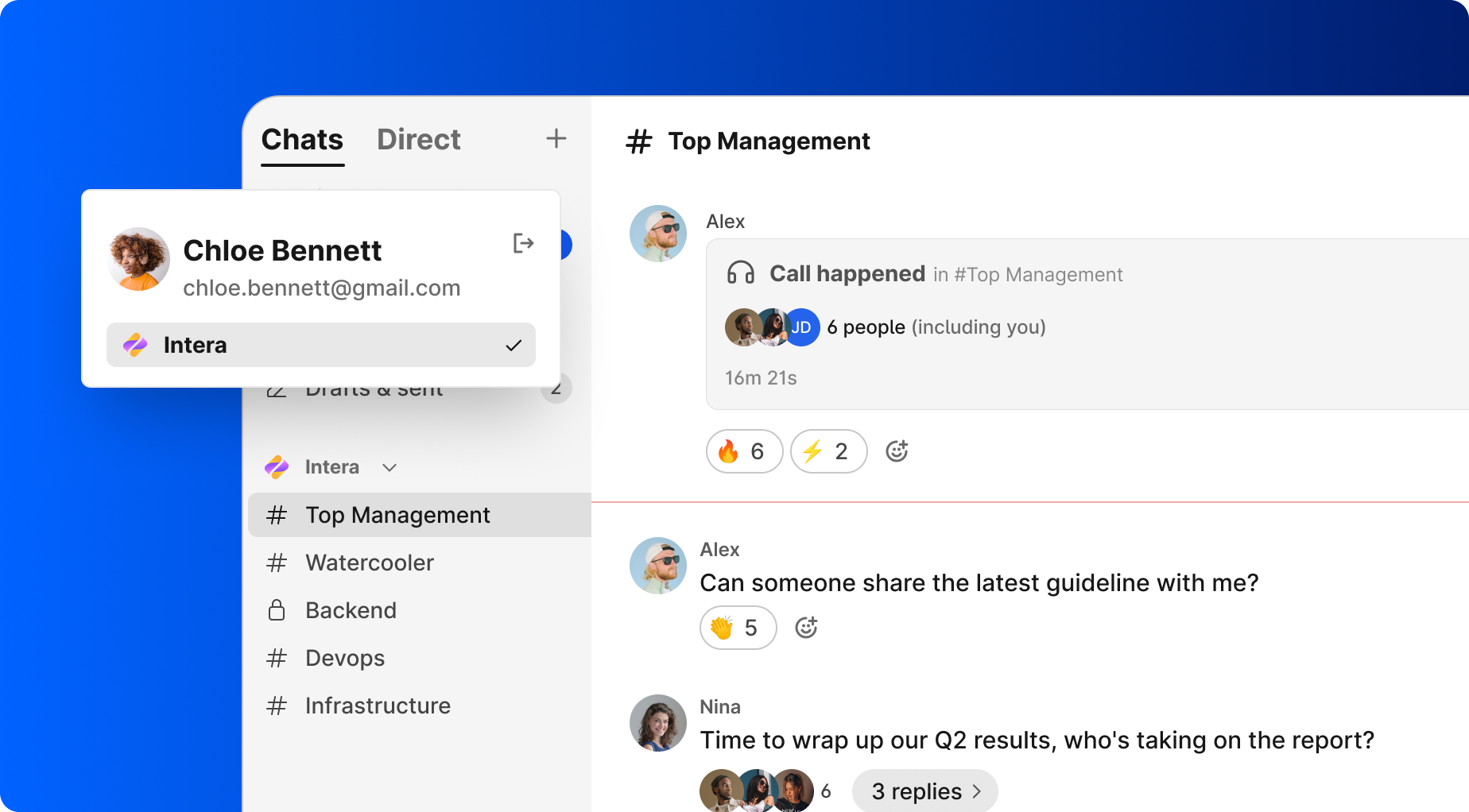
This makes it easy to collaborate with partners, clients, or contractors without pulling them fully into your company structure.
Clear User Management Inside Workspaces
User management now lives where it belongs — in Workspace Settings.
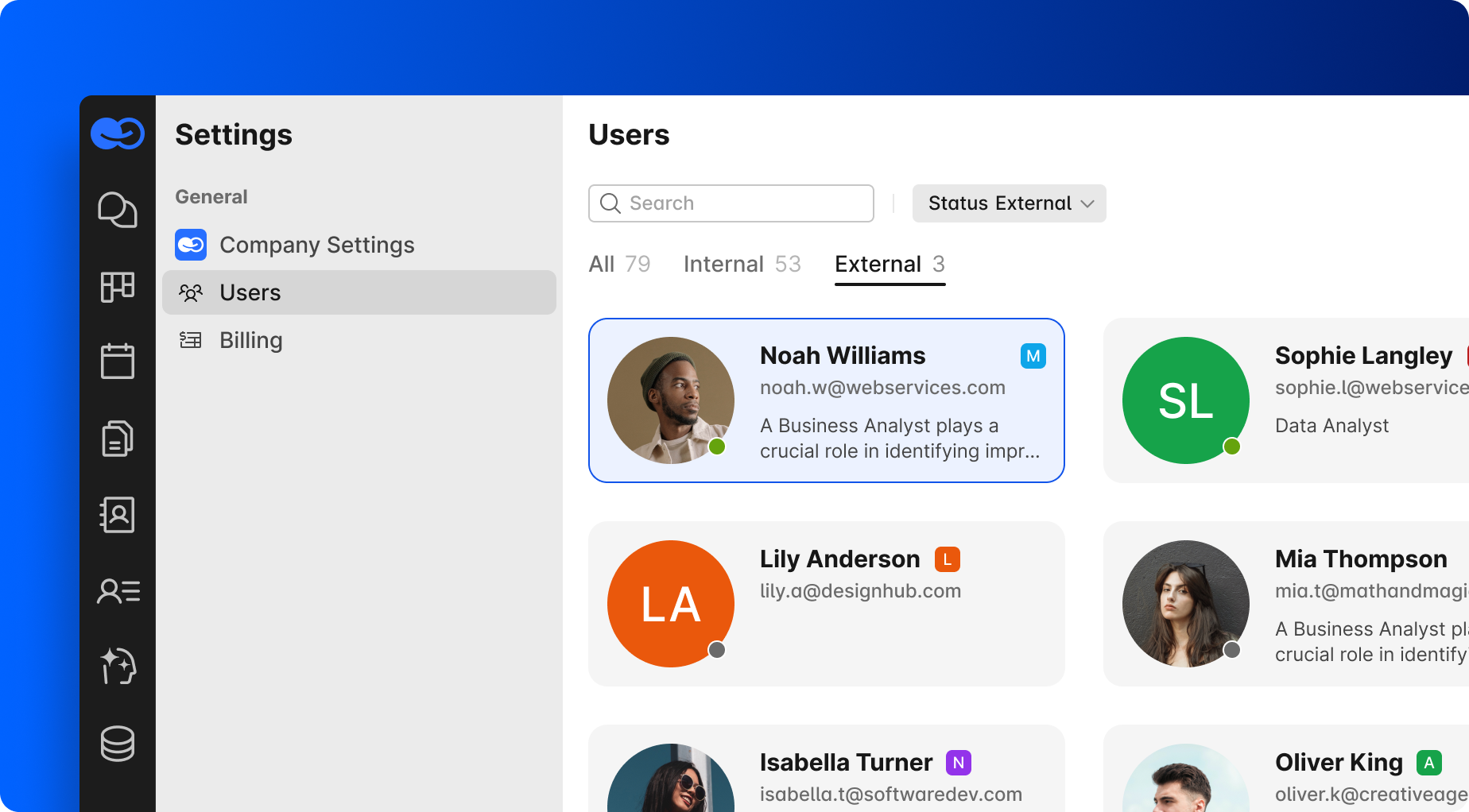
Workspace admins can easily add employees to the company, invite new users by email, and manage who belongs to the workspace.