BlogHow-To Guides
What Can an AI Copilot Do and How to Create it?

Konstantin BuzzResearch Lead
8 min read
Imagine stepping onto the bridge of a liner as its captain. By day’s end, it must leave port. Thousands of passengers, tons of cargo, and a crew spread across the vessel depend on you. They’ll await orders. They’ll have questions. You need to know everything: what each blinking monitor and light means, which winch to use, which hatch to seal. And on top of that—safety drills, delivery protocols, the ship’s log.
Your job: get the ship moving—fast, and safely. The destination must match the charted course. Not drifting into shoals. Not circling aimlessly. Not docking in the wrong harbor. Course. Speed. Arrival.
Wouldn’t it be nice not to mess that up? Wouldn’t it be easier if someone stood beside you on the bridge? Pointing out how to steer while leaving harbor and what’s showing on the radar. “Sir, the fairway is two degrees to starboard. Lights there. Charts here.” Someone who nudges you at the right time, knows the maps, reminds you of details, logs your notes, makes plans, answers questions, gathers incoming transmissions.
Can a captain sail without a first officer? Technically yes. But would he? Who else handles the grind scattered across instruments, logs, and decks? Who carries out orders, keeps watch, and never gets tired? Think Spock. Or Chewbacca.
You see where this is going. A highly skilled assistant matters.
The AI Copilot is that sidekick. On the bridge, at the chief’s console. A crewmate who never tires—helping you choose the right actions, highlight routes, and surface insights. It knows where the course leads. It listens to your commands, organizes the log, turns notes into tasks, answers the questions that matter, and automates the routines that keep the ship on course. And it doesn’t stop with one voyage. It will help you navigate many routes, even through dire straits. It can even design other “robots” ad hoc—if that’s what it takes to get you out of a tight spot.
Let’s find out how to get your own Copilot.
Who needs a Copilot? Anyone who cares about quality and wants a sharp set of eyes at their side. Whatever you ship, whatever business you’re in, whichever team you’re on—IT, Marketing, HR, Sales, Operations. Real work is messy: endless coordination, constant follow-ups, too many “where’s that data?” moments. A copilot can start help right away. Even in specialized domains, copilots are delivering measurable gains. GitHub reports that developers using Copilot are up to 55% more productive at writing code and 75% more satisfied with their work—numbers that show how contextual assistants compress high-friction tasks across knowledge jobs of every kind. What can an AI Copilot actually do?
AI copilot reduces drag. You fly the mission; it keeps a close eye on things and helps in the nick of time.
For example, it can:
- Pre-flight the route: turn a brief into a plan–checklist, timeline, owners, risks. “Here’s the map, we need to land here; here’s who’s on controls and who’s on the radio there”.
- Automate routine: summarize, extract, file, remind, triage, nudge the right people at the right time, and close loops so nothing stalls on the runway. Ensure tasks are created, owners pinged, counterparties notified–nothing drifts.
- Keep situational awareness with context in the loop: answer “What changed?” with a crisp narrative or chart, pulling from your data in real time (data analysis without the wait). With Copilot’s help, you talk to docs, tickets, tasks, and databases directly. When you ask “Where’s the latest spec/ticket/contract?” it locates it, cites the source, and offers the next action if needed.
- Shorten time-to-insight managing comms and data retrieval: ask a question, get a chart or narrative answer. Ask it to analyze long threads and meetings into clear decisions, action items, and follow-ups.
- Enable no-code automation and reusable agents: turn repeated moves into skills and workflows you can run on command—no engineering needed.
- Enforce SOPs & guardrails: applies your standards, checklists, RBAC rules; routes changes through approve/modify/deny.
- Handle turbulence: during incidents while the team works the problem, Copilot captures timeline, owners, fixes, and drafts the report.
- Guard your fuel: checks resources, service availability, subscription validity, next payment terms, etc.
What a Copilot Looks Like in Action
1) Pre-flight the route: turn a brief into a plan
You: @Copilot, preflight the Q3 launch. Who owns what, by when?
Copilot: Done. In Q3 we’re launching a Kickstarter for a bicycle that can ride alongside you while you’re walking. I turned the brief into a checklist, timeline, owners, and risks. I flagged the scarcity and weak lineup of early-bird rewards as a high risk. Do you want me to create tasks in Tracker to expand the reward options and ping owners in Messenger?
2) Automate routine: summarize, extract, file, remind, triage; close loops
You: @Copilot, turn yesterday’s Hoverboard thread and supplier emails into actions—and keep everyone moving.
Copilot: Pulled 9 action items; assigned owners and due dates; sent nudges. Opened follow-ups with the frame supplier about the late CAD revisions and added a dependency for battery-shipping compliance (new rules flagged). Drafted a two-line update for backers about the sidewalk-use claim so Legal can approve before we post. Nothing’s dangling.
3) Keep situational awareness with context in the loop: answer “What changed?”
You: @Copilot, what shifted week over week on preorders for the self-warming selfie mug? Keep it tight.
Copilot: Preorders +11% WoW; spike tied to the TikTok collab. Refund rate +0.6 pp, mostly “lid leak” mentions. Pulling sources: /Marketing/TikTok_Creator_Ava.csv, /Ops/Inventory/mug_lids_v3.xlsx. I can open a QC ticket on lids, add an FAQ note, and draft a copy tweak (“spill-tested v3 lid”) for review. Do you want me to proceed?
4) Keep situational awareness with context in the loop (another example)
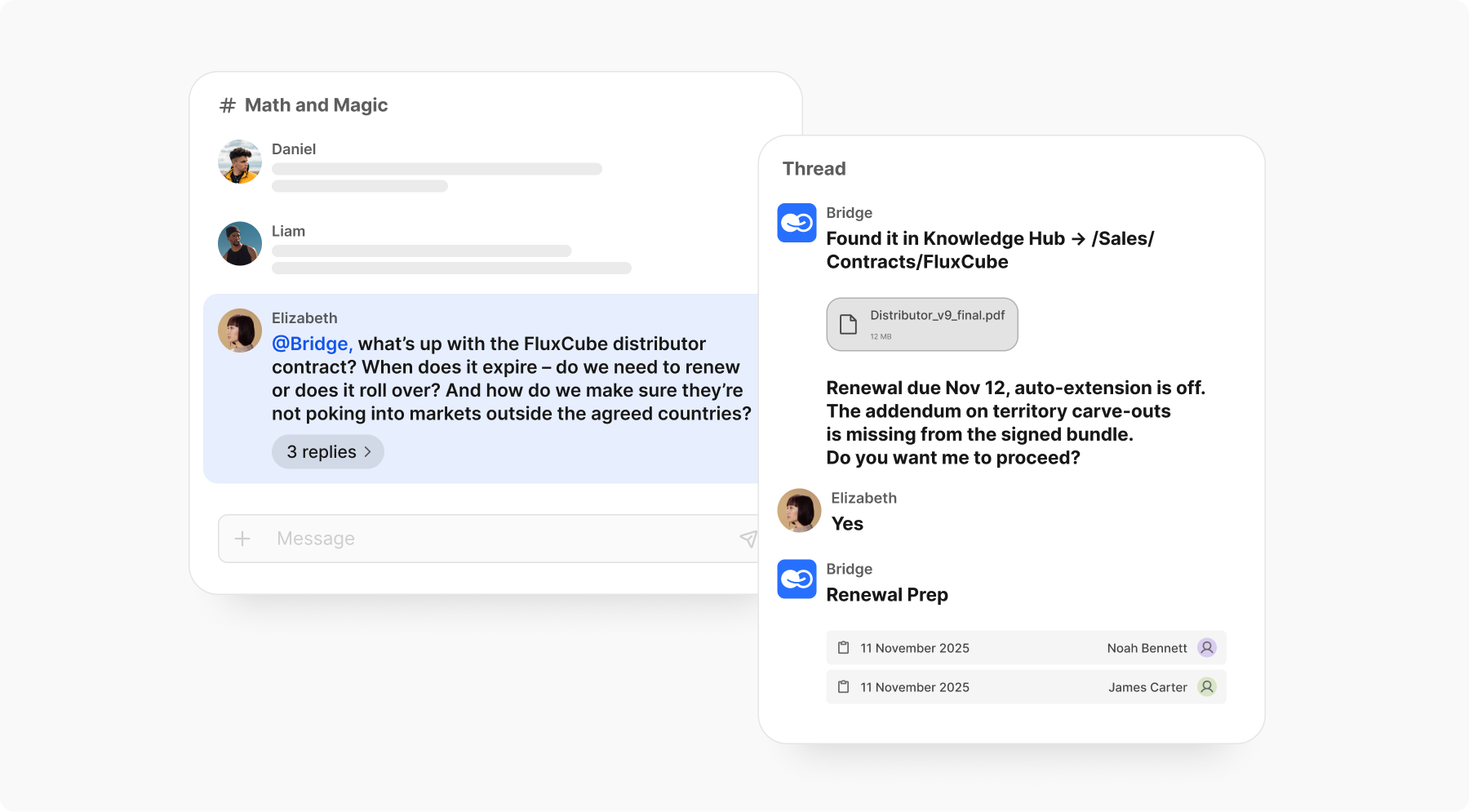
You: @Bridge, what’s up with the FluxCube distributor contract? When does it expire—do we need to renew or does it roll over? And how do we make sure they’re not poking into markets outside the agreed countries?
Copilot: Found it in Knowledge Hub → /Sales/Contracts/FluxCube/Distributor_v9_final.pdf. Renewal due Nov 12; auto-extension is off. The addendum on territory carve-outs is missing from the signed bundle. I can open a Renewal Prep checklist, draft a note to the distributor about the addendum, and set a reminder for Legal review. Do you want me to proceed?
5) Shorten time-to-insight: manage comms and data retrieval
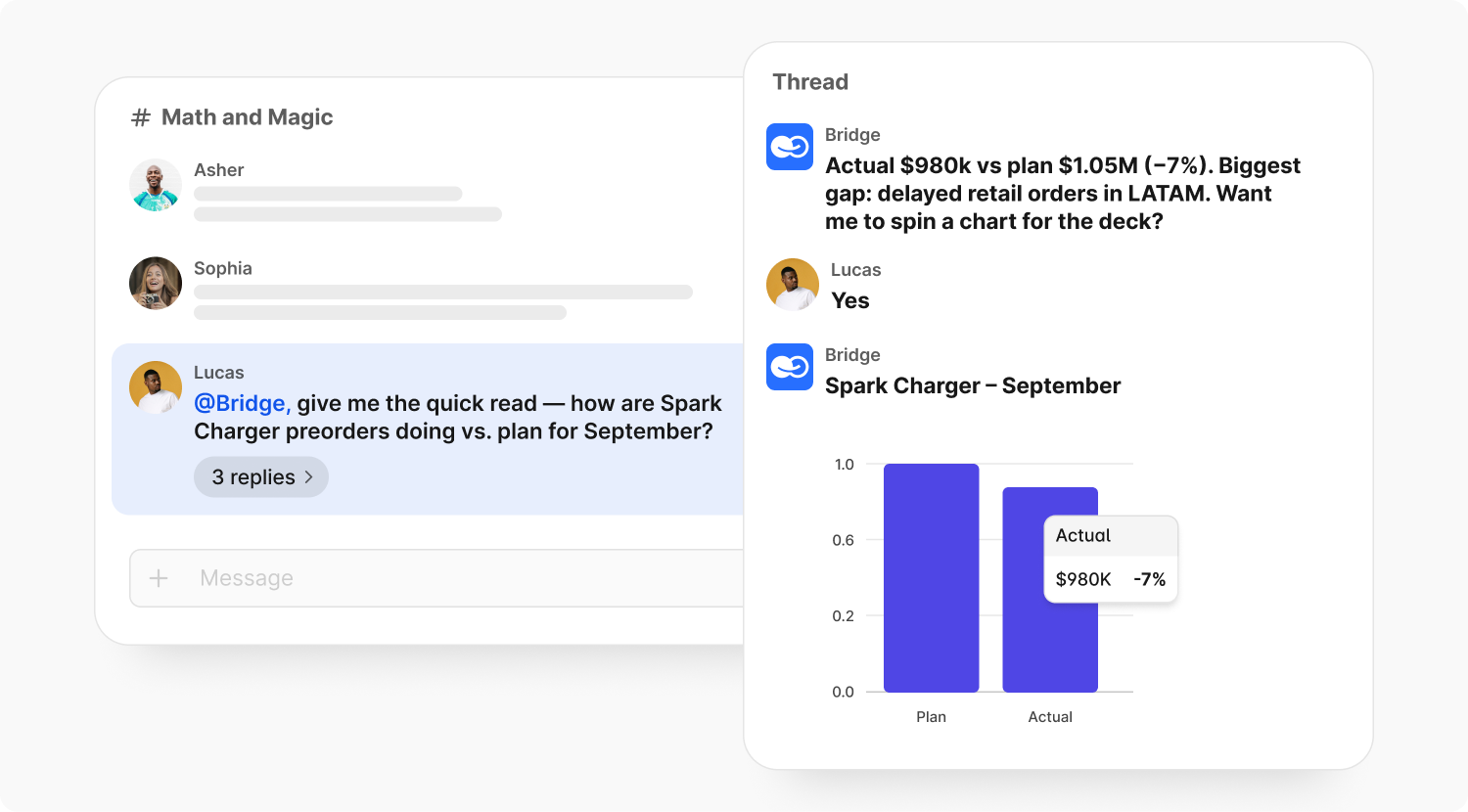
You: @Bridge, give me the quick read — how are Spark Charger preorders doing vs. plan for September?
Copilot: Actual $980k vs plan $1.05M (−7%). Biggest gap: delayed retail orders in LATAM. Want me to spin a chart for the deck and drop a note to Ops on LATAM fulfillment?
6) Shorten time-to-insight: distill long threads & meetings
You: Discord’s Sea Breeze Fan support thread was a wall of text. Can you boil it down?
Copilot: Condensed 132 comments into: 4 decisions, 6 action items, 3 open questions. Main pain point: overheating above 32°C. Shall I create a follow-up checklist for Engineering and a draft update for Customer Support?
7) Enable no-code automation: wrap patterns into an auto-triggered agent
You: Every week we do the same FluxCube investor update. Can we wrap it into an agent?
Copilot: Created “Investor Buddy”: pulls metrics, builds a slide pack, and posts draft notes. Scheduled for Thursdays at 5 PM. Want me to activate the auto-post to #investors?
8) Enable no-code automation (another example), building ad-hoc skill on the fly to use once or a few times
You: Copilot, let’s make a skill for Flare Flask App launches — I don’t want to redo this every time.
Copilot: Built “Flask Launch Brief”: it pulls 7 days of comments, questions, and tickets, grabs new specs and marketing angles, then produces a one-pager and a draft social pack. Want me to stitch it into an agent that triggers whenever a new product doc lands in /Launches?
9) Enforce SOPs & guardrails: apply standards, route changes via approve/modify/deny
You: Update the mobile car-charging station service manual with the new warranty clause. But keep it inside compliance rails.
Copilot: Drafted the changes, but per RBAC I can’t push live. Submitted a PR for Compliance to approve. I can notify Legal and the Service Lead to review today. Do you want me to?
10) Handle turbulence: incident mode (offline crisis)
You: The Sun wrote that our Pen with Mouth Freshener contains THC. Even if it doesn’t tank our sales, it’ll bury us under inspections and bleed us dry in legal fees. We need an urgent response. @Copilot! Draft the timeline, assign owners, and propose fixes.
Copilot: Skimmed the original publication in The Sun and logged 6 key reposts already spreading. Created an incident channel and tagged Legal and PR as owners. Drafted a proposed fix list: immediate press response, lab test statement, and cease-and-desist letter. Do you want me to send this draft to the exec chat now?
11) Guard your fuel: watch resources, subscriptions, payments
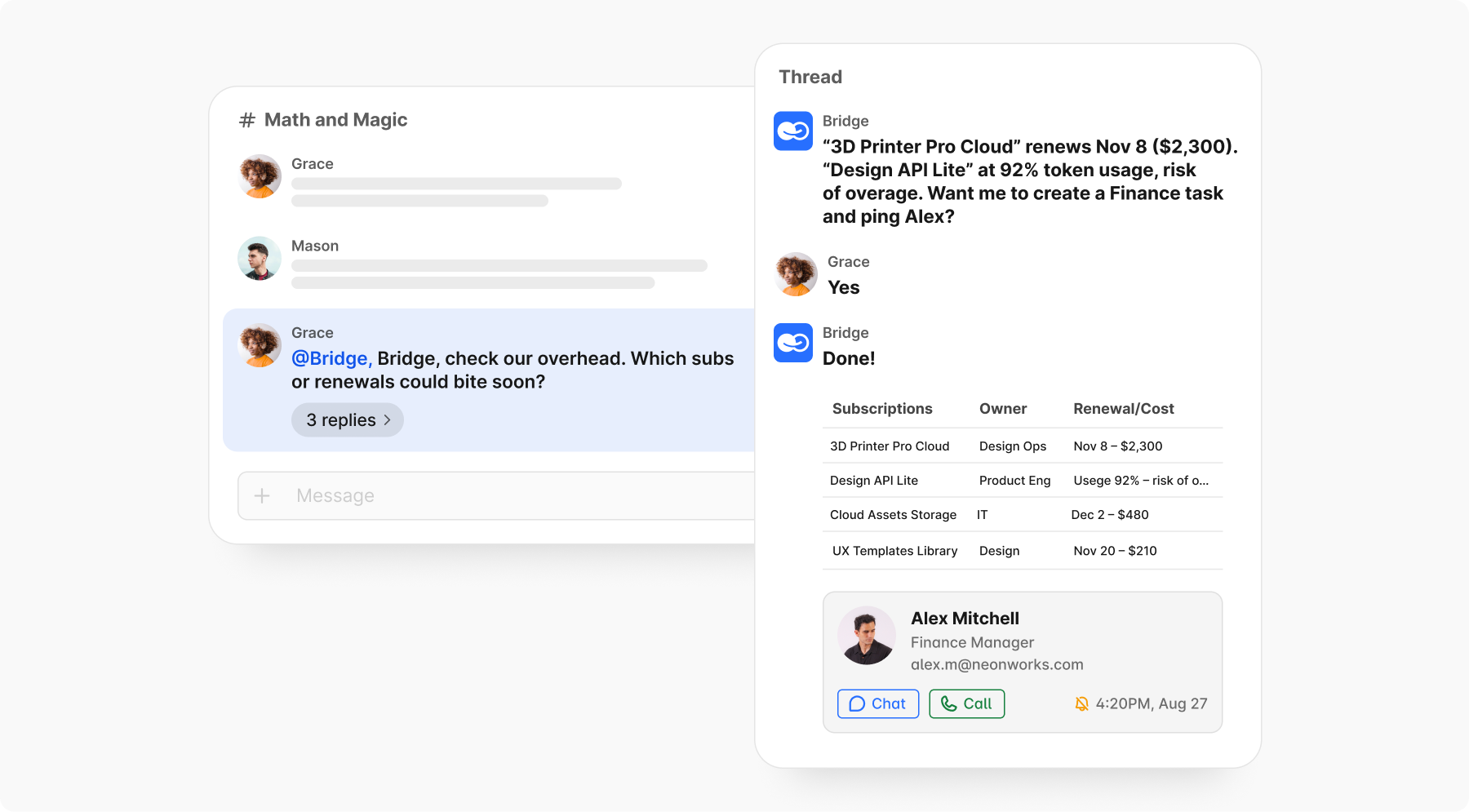
You: Bridge, check our overhead. Which subs or renewals could bite soon?
Copilot: “3D Printer Pro Cloud” renews Nov 8 ($2,300). “Design API Lite” at 92% token usage, risk of overage. Want me to create a Finance task and ping Alex?
12) Dialogue with your workspace: show me decisions
You: @Bridge, what did we actually decide on the Spark Charger rollout last week? No fluff.
Copilot: Six decisions: ship date locked to Nov 14; LATAM pilot limited to 200 units; price floor $129; and three more. Also, we agreed to be very careful about how we spread the news of our design award, since the prototype caught fire during load testing (still won an award, somehow).
Post the digest to #product-updates and open tasks for the two follow-ups?
How to set up your own AI Copilot
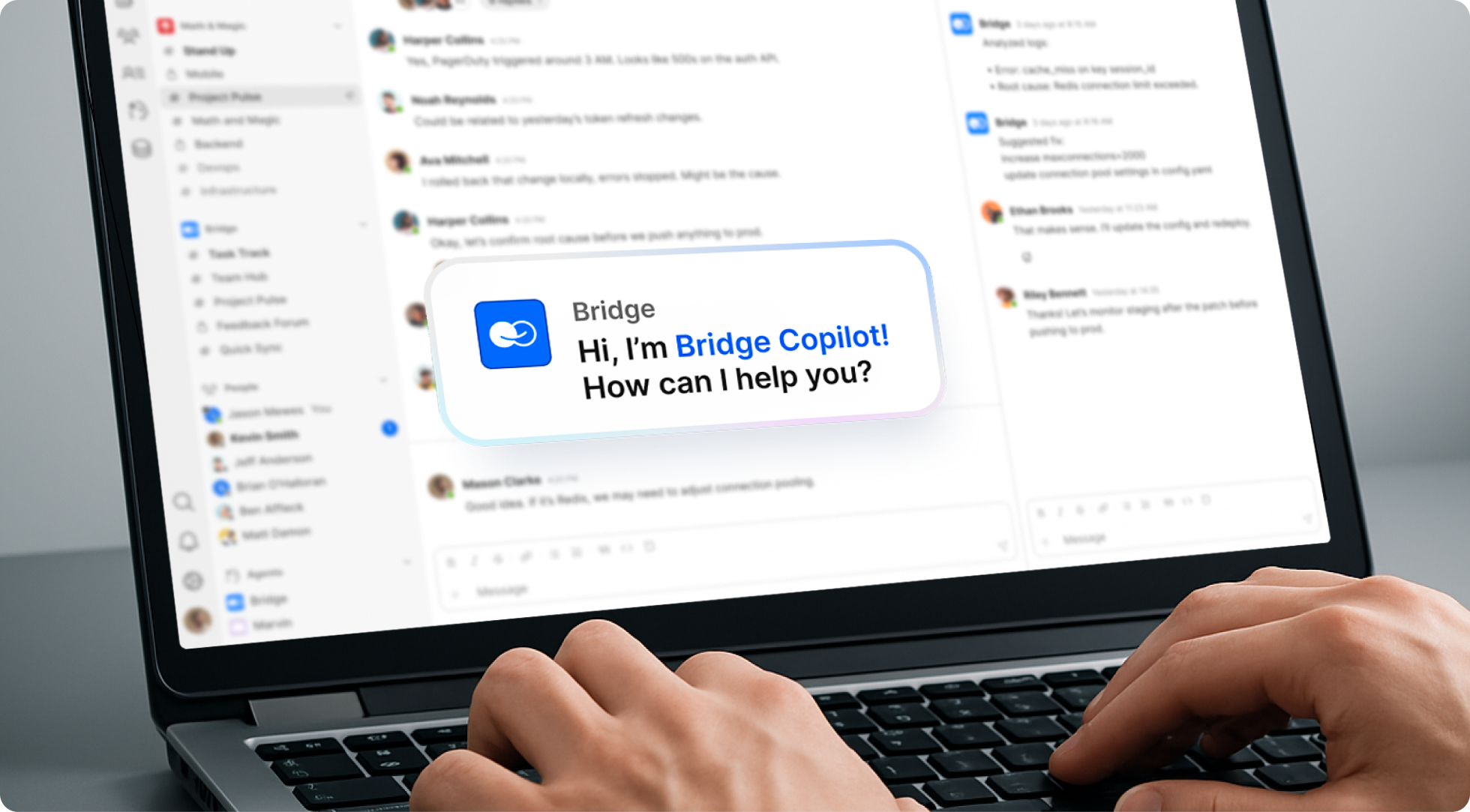
Think of this as workflow automation with a conversation layer:
- Pick one lane, one outcome
Start narrow (e.g., “PM weekly: action items + risk list + status post”). Small wins snowball. Just mention @Bridge in the chat where you need its help. - Connect the right context
Point the copilot at the sources it should use: meeting notes, docs, tasks, databases, and your internal knowledge base. BridgeApp is designed to be compliant with EU regulations, including GDPR requirements, making it suitable for enterprises, regulated industries, and public sector organizations operating within the European Union. By enabling sovereign deployment options and strict access controls, BridgeApp helps teams meet security, compliance, and data protection standards without compromising collaboration or AI-driven productivity.’s pitch focuses on talking to everything in your BridgeApp workspace (Messenger, Task Tracker, Knowledge Hub, Databases) through the copilot.
- Define guardrails
- What it can/can’t answer or change.
- Which spaces are read-only vs. read-write.
- Who can run which skills.
- Author your first no-code skills
Turn recurring patterns into no-code AI skills: “Summarize retro weekly,” “Based on #Product_announcements and #Customer_Q&A draft Monthly customer update, place it for approval in #PR,” “Turn actionable thread into tasks, give it for review in #authomatically_generated_tasks, after my approval there put in #to_do .” Bridge Copilot explicitly supports designing AI skills without complex coding. - Close the loop with human-in-the-loop
Keep approve/modify/deny steps for early rollouts. Let your team shape the outputs until you trust the flow. (Measure saves—minutes add up to hours, hours to days.) - Instrument and iterate
Set up tracking: time saved, handoffs avoided, quality of answers, etc. Promote the most used flows to one-click skills.
If you’re in another ecosystem, think Microsoft’s stack, Copilot Studio also offers low-code agent building with knowledge sources, topics, and agent flows you can trigger or schedule. It’s meant to extend Microsoft 365 Copilot or stand alone, and it can publish to channels like Teams or the web.
Other Copilots worth mentioning
Microsoft Copilot
- Agent + flows: Copilot Studio models a copilot as an agent with flows that coordinate instructions, knowledge, actions, and triggers—event- or schedule-driven—and publish across Teams, web, and Microsoft 365.
- Build with natural language and grounded in your data. Create agents in a graphical/NL interface for non-devs, plug in knowledge sources, test fast, iterate, ship.
- Additional “Companion” features for end users. Voice input, Pages (long-form workspace), and Deep Research extend beyond basic chat.
Learn more: Microsoft Copilot Studio
GitHub Copilot
- Delegate issues like a boss. Assign a task; the coding agent plans work, edits code, runs tests, opens a PR—and iterates from review comments.
- Model choice + control. Pick models per task and keep human/agent-in-the-loop with approvals and reviews.
- Works where devs live. In-editor and on GitHub; spins up an isolated environment, reads the repo, and reports back with a draft change.
Learn more: GitHub Copilot
Salesforce Agentforce (formerly Einstein Copilot)
- A copilot for sellers, service agents, and marketers that works in the flow of Salesforce. It is grounded in your org’s data and governance (Trust Layer), can answer + act (retrieve data, plan, execute), and is built/extended with familiar platform pieces (Flows, Apex, MuleSoft) via Agent Builder.
Learn more: Salesforce’s Agentforce
Conclusion
Productivity AI is shifting from “nice-to-have” to the operating system of work. Steering a modern company is as different from running a ’90s garage startup as commanding a liner is from captaining a pirate sloop.
Whatever you choose as your captain’s cockpit—your project management environment—make sure it’s an ecosystem with a Copilot built in. A third-party bolt-on rarely fits the wheel.
Take Jeffrey Skiles, the real copilot on US Airways Flight 1549—the “Miracle on the Hudson.” Skiles once predicted his fame would vanish as soon as he left the studio, while Captain Sullenberger would remain in the spotlight. Yet he went on to become a respected voice on corporate reform and crisis management. He was, quite literally, one of the reasons a miracle happened.
That’s why every leader needs a trusted first officer—someone to gather facts, surface insights, suggest decisions, react to change, and keep the course steady, no matter the odds.
That’s the backup every leader gets at BridgeApp.
Try it now. Register, set it up, and give your business a second-in-command.
Full speed ahead.