BlogIndustry Insights
Best AI Project Management Tools in 2026

BridgeApp Team
7 min read

This 2026 guide presents the 10 best AI project management tools, meticulously tailored for specific business types like agencies, SaaS, and construction. AI in project management is transforming the field by enhancing efficiency, automating routine tasks, and improving decision-making through advanced analytics and collaboration features. We’ve ensured that our recommendations are up-to-date and free from bias, tested by project management-certified experts. Whether you’re an SEO beginner seeking your first solution or a seasoned pro looking for the latest innovations, this guide provides reliable insights and a clear path to enhancing your project management efficiency, while helping you prepare for the future of project management with AI.
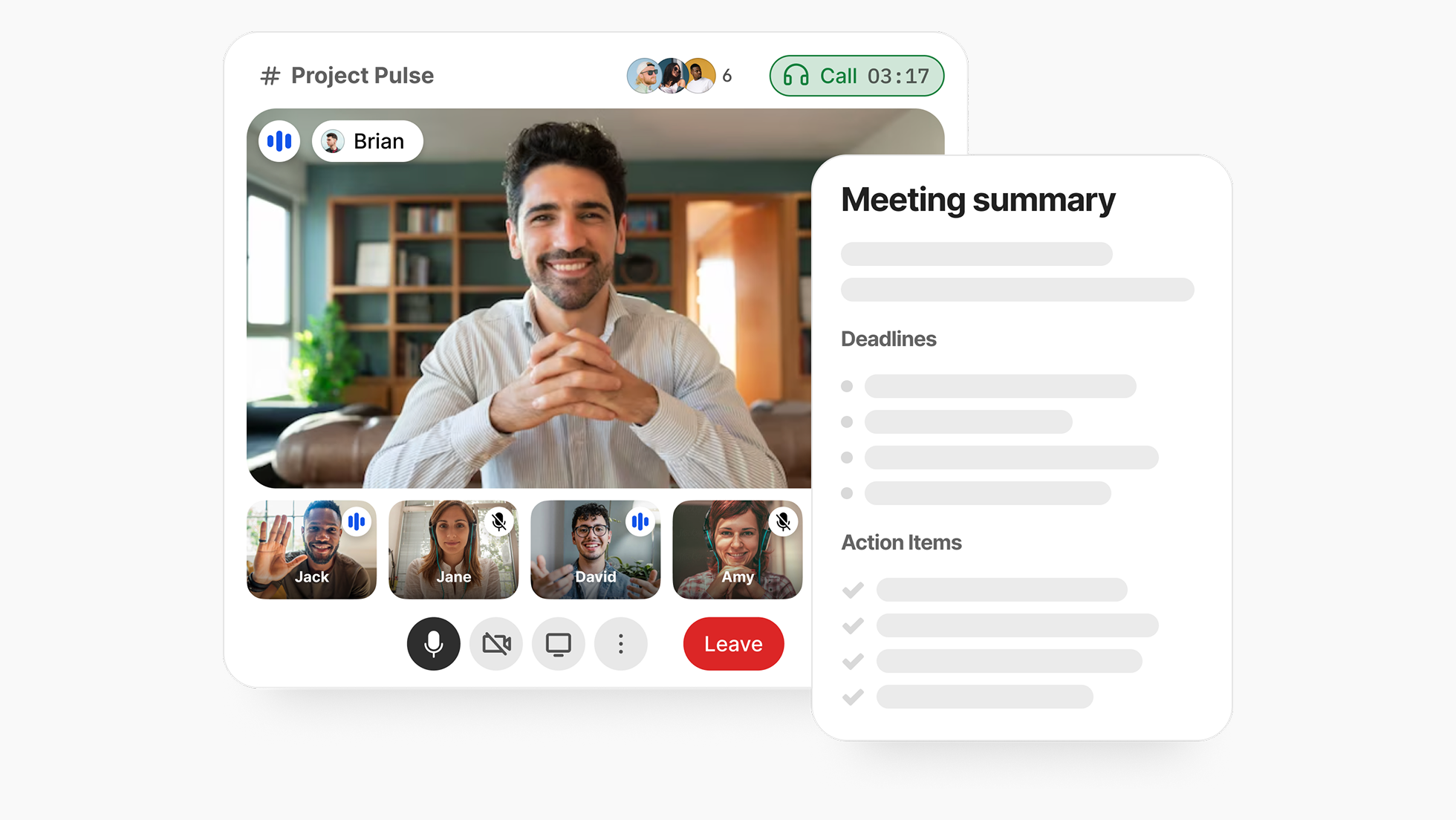
When evaluating the best AI tools for project management, we focused on advanced features such as task automation, predictive analytics, and workflow optimization that drive team efficiency and cost savings.

What Are AI Project Management Tools?
AI project management tools are software solutions that leverage artificial intelligence to enhance project planning, execution, and monitoring. By automating repetitive tasks and daily tasks, these tools free up time for project teams to focus on more strategic work, increasing overall productivity and ROI. By analyzing data and providing actionable insights, these tools help teams work more efficiently and make better decisions.
AI-powered project management platforms also improve collaboration within the project team by streamlining communication and workflow automation. AI can help summarize discussions and improve communication by automatically capturing and transcribing audio from meetings, then summarizing discussions for easy reference and better information sharing. Additionally, advanced features like content generation and editing assist teams in brainstorming, drafting, and refining project documentation, reports, and planning materials, ensuring clarity and accuracy throughout the project lifecycle.
TL;DR: Key Use Cases
- Automating status updates: Save time by letting AI handle routine progress reports.
- Predicting project bottlenecks: Use data-driven insights to foresee and mitigate delays before they happen.
- Generating meeting summaries: Quickly create concise summaries of discussions to keep everyone on the same page.
- Generating ideas and user stories: Leverage AI to brainstorm new concepts, organize thoughts, and automatically create user stories for agile project planning.
Imagine a project manager juggling multiple tasks—scheduling meetings, tracking progress, and ensuring deadlines are met. AI project management tools streamline these processes by automating mundane tasks like status updates and reminders. For instance, instead of manually updating everyone on project changes, a tool can automatically send notifications based on real-time data, freeing up valuable time for more strategic work.
Additionally, AI can help forecast potential roadblocks by analyzing past project data. By identifying patterns, it predicts when a project might hit a snag, allowing teams to proactively address issues before they escalate. These tools not only enhance productivity but also foster better collaboration among team members, making it easier to align efforts towards common goals.
Benefits of AI Project Management
AI project management tools are transforming the way organizations approach project delivery by offering a host of powerful benefits. By automating routine tasks such as task assignment, progress tracking, and status updates, these tools free up project managers to focus on higher-level strategy, stakeholder engagement, and long-term planning. This automation not only saves time but also reduces the risk of human error, leading to improved accuracy across all stages of project management.
One of the standout advantages of AI project management is the ability to leverage data-driven insights and predictive analytics. AI tools can analyze vast amounts of project data to identify trends, forecast potential risks, and highlight opportunities for improvement. Advanced features like generative AI can even help teams brainstorm solutions and generate project documentation, further streamlining workflows.
With AI project management tools, teams can collaborate more effectively, make faster and more informed decisions, and ensure that projects stay on track and within budget. Enhanced resource allocation means less waste and better use of team capacity, while automated progress tracking ensures that everyone is aligned and aware of project status. Ultimately, adopting AI project management leads to increased productivity, better project outcomes, and a stronger competitive edge.
Types of AI Solutions
The landscape of AI solutions for project management is diverse, offering a range of tools designed to address different aspects of the project lifecycle. At the core, AI-powered project management tools can be grouped into several key categories:
- Task Management and Automation: These AI tools streamline the creation, assignment, and tracking of tasks, reducing manual effort and ensuring nothing falls through the cracks. Automated reminders and intelligent scheduling help teams stay on top of deadlines and priorities.
- Risk Management and Predictive Analytics: Leveraging machine learning, these solutions analyze historical project data to predict potential risks, delays, or resource bottlenecks. This allows project managers to proactively address issues before they impact project progress.
- Team Collaboration and Communication: AI-driven collaboration tools enhance team communication by summarizing meeting notes, extracting action items, and facilitating knowledge sharing. Natural language processing can turn conversations into structured project documentation, making it easier to keep everyone on the same page.
- Integration with Other Tools: Many AI project management tools are designed to integrate seamlessly with existing platforms, such as CRM systems, file storage, and communication apps. This creates a unified project management ecosystem that supports efficient workflows and data sharing.
By leveraging these types of AI solutions, project managers can streamline their processes, improve project documentation, and drive better results across all types of projects.
Features of AI Project Management Software
Modern AI project management software is packed with features designed to support every phase of project planning, execution, and monitoring. Here are some of the key features you can expect from leading AI project management tools:
- Task Automation: Automatically create, assign, and update tasks based on project needs, reducing manual workload and ensuring consistency.
- Predictive Analytics: Use AI to forecast project timelines, identify potential risks, and suggest corrective actions before issues arise.
- Advanced Reporting: Generate detailed progress reports and dashboards with minimal effort, providing real-time insights into project health.
- AI-Powered Writing Assistance: Draft meeting notes, project documentation, and status updates with the help of generative AI, saving time and improving clarity.
- Intelligent Suggestions: Receive recommendations for resource allocation, task prioritization, and workflow improvements based on data analysis.
- Meeting Notes Summarization: Automatically capture and summarize key points from meetings, ensuring that important decisions and action items are documented.
- Seamless Integrations: Connect with other tools and platforms—such as CRM, accounting, and collaboration software—to create a unified project management experience.
- Resource Allocation and Progress Tracking: Monitor team capacity, track project timelines, and adjust plans as needed to keep projects on schedule.
By taking advantage of these features, project managers can optimize workflows, enhance team collaboration, and deliver projects more efficiently and effectively.
How Did We Test and Choose These Tools?
We tested each tool by conducting a thorough evaluation process that combined hands-on experience, expert insights, and user feedback. Our team comprised certified project managers with extensive backgrounds in various industries, ensuring that our assessments were grounded in real-world applications. To maintain transparency, we linked to user discussions, such as those found on Reddit, where project managers share their firsthand insights on AI tools.
Testing Steps
- Install the Tool: We started by installing each tool to evaluate the setup process.
- Set Up a Sample Project: We created a sample project to understand the user interface and overall experience.
- Run Automation Features: We tested the automation capabilities, including task assignments, notifications, and report generation.
- Stress-Test Functionality: We pushed the tools to their limits by simulating high-demand project scenarios to assess performance and reliability.
- Gather User Feedback: We reviewed feedback from various platforms, including Reddit and G2, to gain insights into common user experiences and challenges.
Evaluation Criteria
Our assessment was based on the following criteria:
- Features: Functionality offered, including AI capabilities, and how effectively the tool enables users to create, manage, and track a project plan.
- Pricing: Cost analysis, including free tiers and premium options.
- User Experience (UX): Ease of use and interface design.
- Real AI Integration: The depth of AI features and their practical applications.
- Business-Type Fit: Suitability for different industries and project types.
By combining our expert evaluations with real user feedback, we aimed to present a comprehensive and trustworthy guide to the best AI project management tools available in 2026.
Which 10 AI Project Management Tools Are Best in 2026?
Here’s our unbiased 2026 side-by-side table of the 10 top-rated AI project management tools, designed to give you a quick overview of features, pricing, integrations, and the best use cases for various business types. Each of these tools leverages the latest AI capabilities, making them suitable for agencies, SaaS companies, and construction teams alike.
| Tool Name | Key Features | AI Capabilities | Pricing (USD/EUR) | Best For |
|---|---|---|---|---|
| BridgeApp | Task automation, workspace integration, and on-premise deployment. White labeling, agentic capabilities, team collaboration features | Intelligent task generation, enterprise plans | Free / €9/user/month (€90 billed annually) | Teams needing unity and security control |
| Motion | Auto-scheduling, calendar management, project plans | Real-time task reprioritization | Free / $12 - $25/month (billed option) | Schedule-heavy teams |
| Smartsheet | Gantt charts, reporting, and project plans | Predictive analytics, enterprise plans | $14 - $25/user/month (billed annually) | Enterprises |
| Wrike | Time tracking, resource management, and project plans | AI-driven workload forecasting, actual capacity assessment, and enterprise plans | Free / $9.80 - $24.80/user (billed annually) | Agencies |
| Procore | Construction management, budgeting, and project plans | Resource optimization, actual capacity analysis, and enterprise plans | $375/month (billed annually) | Construction teams |
| Zoho Projects | Task management, team collaboration, project plans | AI-powered insights | Free / $5 - $10/user/month (billed annually) | Startups |
| Monday.com | Custom workflows, visual project tracking, and project plans | Automation workflows, enterprise plans | $8 - $16/user/month (billed annually) | Creative teams |
| Asana | Task assignment, project timelines, project plans | Automated reporting, enterprise plans | Free / $10.99 - $24.99/user (billed annually) | General use |
| ClickUp | All-in-one platform, goal tracking, project plans | Smart suggestions, AI-generated subtasks, natural language automation builders, enterprise plans | Free / $5 - $19/user/month (billed annually) | Agile teams |
| Trello | Kanban boards, checklist features, project plans, and AI-powered brainstorming for ideas | AI-enhanced board automation, ideas generation, and enterprise plans | Free / $12.50 - $20.83/user (billed annually) | Small teams |
As you consider which tool to adopt, weigh factors like your team’s size, specific needs, and integration capabilities with your existing systems. Each of these tools excels in different areas, so picking the right one can significantly enhance your project management efficiency in 2026.
Is BridgeApp the Best All-in-One AI Project Workspace?
For teams grappling with the chaos of juggling multiple tools—be it chat apps, task managers, or documentation platforms—BridgeApp offers a compelling solution. The fragmentation caused by switching between these separate systems can drastically reduce productivity. In fact, studies show that employees waste an average of 4.6 hours each week just managing these transitions. BridgeApp stands out as an AI-native, unified workspace designed to minimize context switching and streamline workflows. However, the extensive range of features can be a bit overwhelming for new users, especially those unfamiliar with all-in-one platforms.
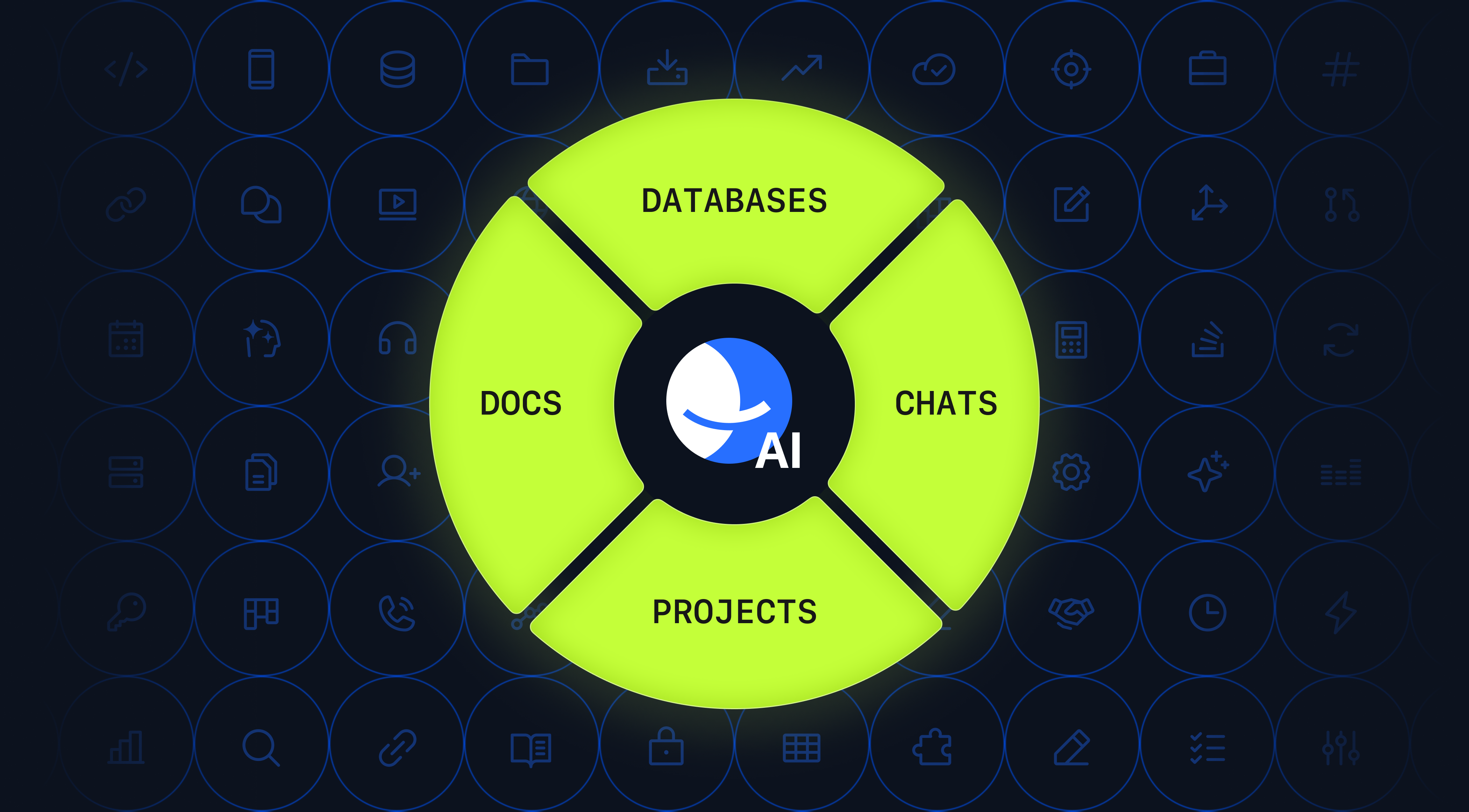
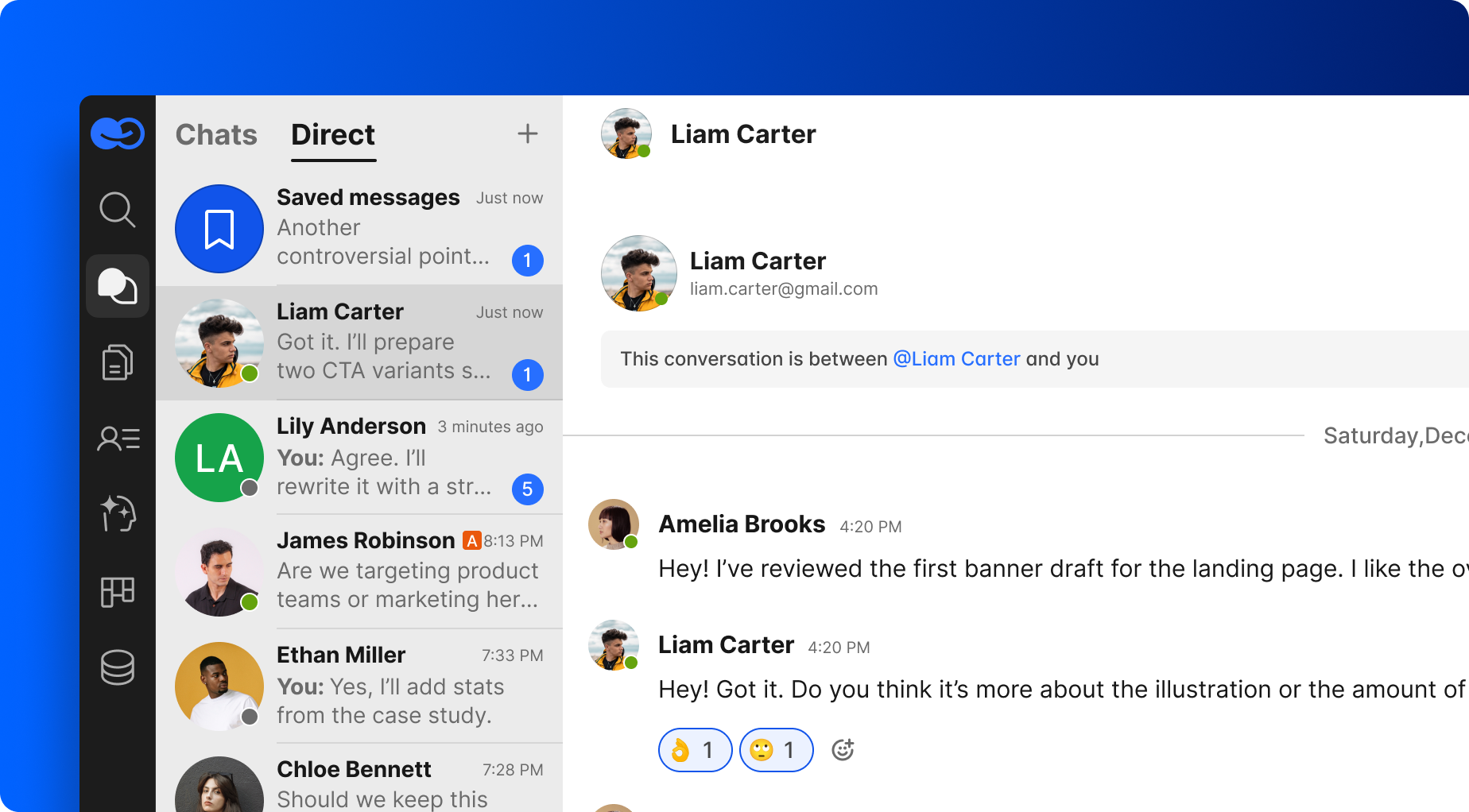
One of the standout features of BridgeApp is its ability to automate routine tasks such as meeting summaries and task breakdowns. BridgeApp uses AI and copilot agents to independently handle workflows and routine processes, such as creating tasks or managing hiring pipelines, further reducing manual work. By leveraging AI, BridgeApp enables teams to focus on what truly matters, rather than getting bogged down in administrative details. For instance, the platform can auto-generate tasks from chat conversations, saving approximately 10 minutes per task. For a team of ten, this adds up to an impressive 46 hours each week—time that can be redirected toward strategic initiatives and creative problem-solving. Additionally, BridgeApp helps teams assess their actual capacity, allowing managers to accurately plan resources, prevent overbooking, and improve project scheduling.
Comparison Table: BridgeApp vs. Fragmented Stack
| Feature | BridgeApp | Slack + Asana + Notion | Microsoft 365/Teams | Notion |
|---|---|---|---|---|
| Core Features | Unified workspace with AI automations | Separate tools | Integrated apps | Documentation-focused |
| Deployment Options | Cloud-based and On-Premise | Cloud + Desktop | Cloud + Desktop | Cloud + Desktop |
| Context Switching Reduction | 60% | N/A | N/A | N/A |
| AI Flexibility | High | Low | Medium | Medium |
| Time Saved | 4.6 hours/week | Varies | Varies | Varies |
One of the major advantages of using BridgeApp is the significant reduction in context switching, up to 60% less than using a fragmented stack of tools like Slack, Asana, and Notion. This is especially crucial in today’s fast-paced work environment, where every minute counts.
In summary, if your team is seeking a cohesive, all-in-one AI project workspace that reduces context switching and enhances productivity, BridgeApp is well worth considering. It not only saves time but also transforms the way teams collaborate, enabling them to work smarter, not harder.
When Should You Use Motion for AI-Assisted Scheduling?
Motion is best when you need real-time, AI-driven auto-scheduling that adapts to the fast-paced dynamics of project management. Motion and similar tools help teams plan their schedules more efficiently by automatically organizing tasks and timelines based on shifting priorities. Imagine a busy agency managing multiple client projects simultaneously. Each day, project deadlines shift, new tasks emerge, and team members juggle competing priorities. In such environments, manual scheduling can quickly become overwhelming and inefficient. This is where Motion shines.
For instance, consider a project timeline before using Motion: tasks are manually assigned with static deadlines, leading to confusion and missed timelines as priorities shift. After implementing Motion’s AI capabilities, the same project can see tasks auto-reassigned and deadlines adjusted in mere seconds. Motion’s real-time AI analyzes team availability and project urgencies, ensuring that the most critical tasks are prioritized without the clutter of manual intervention. Tools like Hive and Lark allow managers to plan projects from a single prompt, instantly generating phases, tasks, and timelines, further streamlining the planning process with AI.
However, it’s essential to acknowledge the usability trade-off. Motion excels for complex, calendar-driven teams—like agencies or consultancies—where fast-paced scheduling is crucial. On the other hand, it may not be as effective for teams that rely heavily on documentation or require deep enterprise integration, where a more traditional approach might be beneficial.
In summary, if your team thrives on agility and quick adaptations to changing workloads, Motion could be your go-to solution for seamless scheduling.
What Makes Smartsheet anf BridgeApp a Top Pick for Enterprise Teams?
Smartsheet stands out for its robust integration capabilities and legacy system compatibility, making it a prime choice for enterprise project managers. It excels in connecting with IT, CRM, and existing workflows, which is a critical need for larger organizations that often rely on established systems. According to their detailed product guide, automation templates and predictive workflows are designed to be plug-and-play, facilitating seamless management of extensive project portfolios.
For instance, consider a global client that successfully migrated their Gantt and Agile boards into Smartsheet. They leveraged its advanced automation features to auto-identify “at-risk” tasks for the upcoming year, enhancing their proactive project management approach. This capability allows teams to stay ahead of potential bottlenecks and allocate resources effectively, ultimately driving project success.
Smartsheet’s advanced features, such as Gantt charts and AI-powered automation, are typically available in enterprise plans, with costs often billed annually. This pricing structure is designed for larger teams that require comprehensive project management capabilities.
However, it’s essential to note some trade-offs. Smartsheet may not be as nimble for very small teams, and its annual costs can be higher compared to simpler tools. Therefore, if you need comprehensive integration with existing enterprise systems and are managing large-scale projects, Smartsheet is your go-to option. Conversely, if you’re part of a small team looking for a budget-friendly solution with fewer complexities, other tools might better suit your needs. For example, Monday.com integrates AI for task prioritization, automated reminders, and customizable progress tracking, which may be preferable for teams seeking more intuitive AI features.
| Decision Framework | Use Smartsheet if… | Pick another tool if… |
|---|---|---|
| You need extensive integrations | You require seamless legacy system compatibility | You’re a small team with limited budgets |
| You manage large project portfolios | You prefer simpler, more intuitive interfaces | You want minimal setup complexity |
| You aim for proactive risk management | You prioritize lower annual costs | You need basic task management features |
Which AI Tools Are Best for Agencies, SaaS, and Construction?
Here's how different industries approach project management in 2026, and why BridgeApp offers a superior alternative.
While platforms like Motion, Asana, and ClickUp provide AI-assisted features, they require multiple subscriptions and integrations to cover communication, documentation, and data management. BridgeApp eliminates this fragmentation by unifying all capabilities in one customizable platform, allowing teams to build exactly what they need without tool sprawl or integration headaches.
| Industry | Best Tool(s) | Why BridgeApp Fits Better | BridgeApp-Powered Workflow |
| Agencies | Motion | Unifies client communication, project management, and file sharing in one platform. Eliminates switching between Slack, Motion, and Google Drive. Custom AI agents automate client updates and reporting. | An agency creates a custom AI agent that automatically generates project structures from client briefs, manages external collaborator access, and sends status updates—all without leaving BridgeApp. |
| ClickUp | Native integration eliminates fragile tool connections. Build custom client portals and billable hour tracking with flexible databases. One subscription replaces multiple services. | A marketing agency builds automated campaign workflows using BridgeApp databases, with AI agents populating reports and team communication happening in the same workspace as task management. | |
| SaaS/Startups | Trello | Replaces 6-7 subscriptions with one platform. Access to all AI models (GPT-4, Claude, Gemini) without extra costs. API access for developer integration without middleware. | A startup builds an integrated system where GitHub commits create tasks, customer feedback triggers feature requests in databases, and AI agents prioritize backlog—no Zapier needed. |
| Asana | Rapid customization without waiting for vendor updates. Build exactly what you need using visual no-code tools. Cost-efficient scaling critical for managing burn rate. | A SaaS company creates custom product roadmap databases with automated sprint planning, investor reporting dashboards, and customer success workflows all in one unified platform. | |
| Construction | Procore | Field-to-office communication unified with project tracking. Mobile chat for workers, powerful databases for managers. On-premise deployment for sensitive projects. | Field supervisors photograph site issues via mobile, BridgeApp AI extracts details and creates tasks for subcontractors (external collaborators), updates timelines, and logs in the RFI database automatically. |
| Smartsheet | Custom document control with approval workflows built-in. External collaborator access for subcontractors without full licenses. AI agents monitor safety compliance and certification dates. | A construction firm creates an integrated system managing multiple job sites with automated reporting, subcontractor coordination in dedicated channels, and compliance tracking—all replacing separate tools. |
In 2026, leading platforms like Motion, Asana, ClickUp, Wrike, and Monday.com incorporate AI features for project management assistance. Most 2026 platforms aim to automate 30-40% of administrative tasks, allowing managers to focus on strategy.
However, these tools still require multiple integrations and subscriptions to cover communication, documentation, and data management—creating fragmentation that BridgeApp eliminates by unifying all these capabilities in one customizable platform.
Mini-Vignettes
- Agencies: A digital marketing agency leveraging Motion can dynamically adjust schedules based on client demands, allowing teams to focus on creativity rather than logistics. The result? A significant reduction in administrative overhead and improved client satisfaction.
- SaaS/Startups: With Asana, a software startup can seamlessly manage the release process, integrating feedback loops that ensure updates are timely and aligned with user needs. AI-driven features can automatically generate and organize user stories, streamlining agile project management and enhancing team collaboration. This workflow not only enhances productivity but also fosters a culture of agility and responsiveness.
- Construction: Utilizing Procore, a construction company can forecast project bottlenecks by analyzing resource allocation trends and assessing the actual capacity of team members for more accurate resource planning. This ensures they are always prepared to meet deadlines and stay within budget. This predictive capability transforms how projects are managed on-site, minimizing downtime and maximizing efficiency.
By matching these tools to your industry needs, you can harness the power of AI to transform project management into a streamlined, effective process that drives results.
AI Project Management for Small Businesses
For small businesses, adopting AI project management tools can be a game-changer. With limited resources and tight budgets, small teams need to maximize efficiency and minimize overhead. AI project management software helps by automating routine tasks, such as scheduling, task assignment, and progress tracking, freeing up valuable time for business owners and team members to focus on growth and innovation.
These tools also provide data-driven insights that help small businesses manage complex projects, allocate resources wisely, and make informed decisions. Many AI project management tools offer affordable pricing plans, including free versions or trials, making them accessible even for startups and small teams. Integration with popular platforms like Google Workspace or Microsoft 365 ensures that small businesses can build a comprehensive project management solution without disrupting their existing workflows.
By leveraging AI project management, small businesses can streamline operations, improve productivity, and achieve their business goals more efficiently. The result is better project delivery, reduced costs, and a stronger competitive position in the market.
AI Project Management for Remote Teams
Remote teams face unique challenges in project management, from communication gaps to difficulties in tracking project progress. AI project management tools are specifically designed to address these issues, providing a centralized platform where remote teams can collaborate, manage tasks, and stay aligned no matter where they are.
AI project management software automates essential functions like meeting notes summarization, task assignment, and progress tracking, ensuring that everyone is up to date and accountable. Features such as real-time messaging, video conferencing integration, and file sharing further enhance communication and collaboration among distributed team members.
With AI-powered management tools, remote teams can easily track project progress, prioritize tasks, and allocate resources effectively. This not only improves productivity but also leads to better project outcomes and higher team morale. By adopting AI project management, remote teams can overcome the challenges of distance and deliver successful projects, staying connected and productive in a digital-first world.
What’s New in AI Project Management Tools for 2026?
Here’s what’s new in AI project management for 2026, and how this list stays current: significant advancements are reshaping how teams collaborate and manage projects. These innovations are shaping the future of project management, with AI poised to improve project success rates, provide real-time insights, and transform the industry landscape. Unlike static lists you might find elsewhere, we’re committed to providing quarterly updates, ensuring you have access to the latest features and tools.
This year, we’re seeing the arrival of:
- Large-Language-Model (LLM) Automation Agents: These agents (also known as autopilot agents) streamline workflows by automating routine tasks, making project management more efficient.
- Natural Language Report Generation: Teams can now generate comprehensive reports using simple language prompts, saving time on documentation.
- Natural Language Processing for Project Insights: Users can ask questions about project status or generate charts via chat prompts, making information retrieval and visualization faster and more intuitive.
- Cross-Tool AI Integrations: Enhanced connectivity among various platforms allows for smoother operations and data sharing, reducing siloed information.
- Predictive Analytics for Risk Management: Tools now leverage AI to forecast potential project risks, helping teams proactively address issues before they escalate.
- Enhanced User Experience with AI-Driven Dashboards: More intuitive interfaces help users navigate tools more effectively, tailoring experiences based on user behavior.
While competitors like Morgen often overlook these new features in their lists, we’re dedicated to keeping our content fresh and relevant. Keep an eye on this space, as we’ll update our recommendations quarterly to reflect the latest innovations in AI project management.
How Do Free vs Paid AI Project Management Tools Compare?
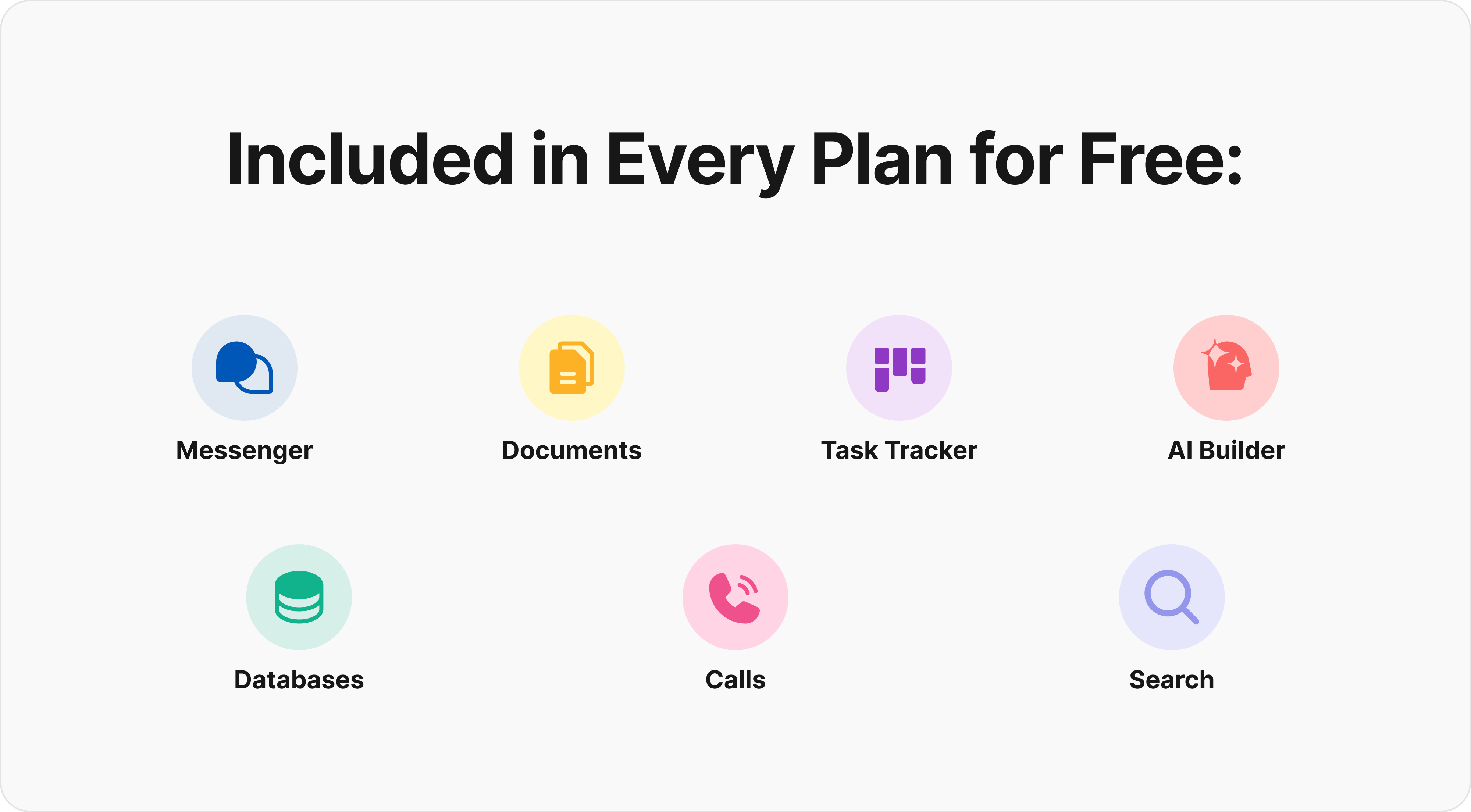
Not all free AI project management tools are created equal. While many offer basic functionalities, the limitations can hinder the productivity of budget-conscious teams. Below is a comparison matrix to help you understand the trade-offs between free and paid versions of popular AI project management tools, including notes on features available in enterprise plans and pricing that may be billed annually.
| Tool | Free Tier Limits | Key Paid Features | Who Should Upgrade |
|---|---|---|---|
| BridgeApp | Unlimited members, full project management, AI agents, team collaboration | €9/user/month (€90 annually) - Integration with messengers, CRM, advanced search, role-based access, unlimited databases, security control. Enterprise: On-premise deployment, white labeling, BYOK | Teams wanting all-in-one solution without tool fragmentation. Pro for growing businesses. Enterprise for large organizations needing data sovereignty |
| Trello | 10 boards, limited automation | Unlimited boards, advanced automation (billed annually on paid plans, advanced features in enterprise plans) | Teams needing complex workflows |
| ClickUp | 100 MB storage, basic AI insights | Unlimited storage, AI-driven reporting (billed annually, enterprise plans offer advanced tools) | Larger teams with heavy data needs |
| Asana | 15 team members, limited integrations | Unlimited members, premium integrations (billed annually, enterprise plans include advanced features) | Growing teams requiring scalability |
| Wrike | 5 users, basic dashboards | Advanced reporting, custom fields (billed annually, enterprise plans for comprehensive project management) | Teams needing extensive reporting tools |
| Notion | 1,000 blocks, no advanced AI features | Unlimited blocks, AI enhancements (billed annually, enterprise plans unlock more AI capabilities) | Teams looking for rich documentation |
Providing adequate training for team members is crucial to maximizing the value of AI tools in project management.
Summary
Starting with a free tier is ideal for small teams or those testing the waters of AI project management. If your projects scale or require advanced features—like custom reporting or increased storage—upgrading becomes necessary. Expect that paid plans not only expand capabilities but also enhance collaboration and reporting, crucial for larger teams or complex projects. For teams just beginning, the free tiers can provide a solid foundation, but as you grow, the value of paid features becomes clear.