BlogIndustry Insights
Discord Alternatives for Collaboration in 2026

Konstantin BuzzResearch Lead
13 min read

“We were too dumb,” Elon Musk admitted after a commenter suggested Starship SN9 should have lit all three engines for landing instead of the two SpaceX used. Two seemed tidy—until one under-performed and the vehicle pancaked into the pad in a fireball. Boom!
That kind of blunt post-mortem is rare. Advice from someone with “less authority” (or fewer followers) often gets waved off—until reality does its work.
Think of an architect walking onto the Tower of Babel site: “You’re building too high on a thin base, and your teams don’t speak the same language.” The answer he’d get? “Save the lecture for your mom.” We know how that ends.
Good engineering culture bakes in alternatives, so you can choose the right one at the right time. Light three, land on two. In software terms: keep knowledge open, base decisions on it, coordinate well, and replace anything that feels shoehorned—before it fails.
This article is about that margin for collaboration. When channels are all noise and no context, you’re still trying to land on one failing engine. Discord deserves credit—its voice chat is phenomenal, its public energy and countless clean sweeps undeniable—but when something serious is cooking, operational clarity matters more than vibes. Below, we explore alternatives to Discord for internal and cross-team communication—what to use, when, and why.
Why teams search for Discord alternatives in 2026
In fast-moving teams, the pain shows up the same way every week: chat noise in communication tools drowns out the signal, context fades in the scrollback, and you end up trying to land critical projects on one engine.
The first friction is synchronous chatter. People love real-time talk—until they can’t recall what was decided, by whom, or why. Voice and video calls, multiple channels, low-latency talk, and massive live rooms are Discord’s A-game; its real-time stack shines for public energy and ad-hoc sync. But at the same time, Discord can be overwhelming with notifications, especially when you’re managing multiple servers.
Second, context loss. Threads help, but there’s no native model for task management or knowledge that compounds—requirements, rationale, and tasks living in one place. Plus, security doesn’t pick up the slack: spam bots can still slip in and wreak havoc in group chats, even on calm, well-moderated servers.
Third, paywalls and limits. Discord’s free plan provides modest upload caps and basic perks, while Nitro unlocks larger file sharing, fancy profiles, and server boosts—great for communities, less so for operational work. For teams collaborating on tasks, hitting these caps feels like the eye of a needle.
Fourth, privacy and encryption posture. Discord has introduced end-to-end encryption for group calls through its DAVE protocol and plans to retire non-E2EE calls—a welcome step forward. But as a messaging app Discord still remains outside that shield, which makes a difference for regulated teams and anyone handling sensitive data or compliance-bound workflows.
Fifth, moderation and false positives. Automated moderation tools are necessary at Discord’s scale, but it can also create headline-level grief for legitimate users and organizations. A typical complaint reads: “Discord’s automated moderation system has a massive false-positive problem… completely harmless conversations are being flagged.” When your core work or customer support lives inside the platform, random lockouts and opaque appeal loops aren’t just annoying—they’re existential risks for any business relying on real-time collaboration.
Sixth, customer support expectations. Community platforms optimize for scale, while enterprise work expects enterprise response times. On Discord, delays are the norm—endless ticket loops and limited recourse when accounts or servers get flagged, precisely when teams most need a human escalation path.
Add it up and the pattern is clear: Discord excels at public vibe; teams need private, aim-centered throughput. That’s why searches for “Discord alternatives” aren’t about swapping one chat app for another—they’re about moving to collaboration platforms where context, structure, and automation are first-class citizens, and where end-to-end encryption and real support match the stakes of the work.
Key Criteria to Evaluate Discord Alternatives for Work: A Radar Map of Discord’s Performance Field
Sector 1 — UX & Flow – Frictionless UI beats noisy chat
Test questions: Can people find what they need in two clicks? Is navigation consistent across web and desktop apps? Are threads, pins, and search strong enough to prevent repetitive questions?
Sector 2 — Performance at Scale – Smooth at 50 → stable at 5,000
Test questions: Does latency stay low under peak load? Are voice and video calls reliable? Do heavy channels load quickly? Stress-test screen sharing, channel switching, and search during real team activity.
Sector 3 — Security & Privacy – Encrypt what matters, log what happens
Test questions: Is there end-to-end encryption for sensitive text and media? Are admin audit logs, retention policies, and DLP tools available? Map security features to your compliance posture, not the other way around.
Sector 4 — Data Sovereignty – Your data, your boundary
Test questions: Can you deploy on-prem or in a private cloud? Do you have BYOK (bring your own key), clean export/archival routes, and zero lock-in? If you must leave, your evidence and knowledge should come with you.
Sector 5 — Context over Chat – Don’t just talk—remember
Test questions: Threads aren’t a knowledge base. Look for a knowledge hub that connects chats, docs, tasks, and databases, supported by full-text search and entity linking.
Sector 6 — Automation & Observability – Agents do; dashboards prove
Test questions: Does the platform include native task management and API/database integrations? Are AI agents available to run workflows? Do dashboards make status, blockers, and next steps visible at a glance? If you can’t observe it, you can’t scale it.
Sector 7 — Scale & Admin – Govern without slowing down
Test questions: Are roles and permissions granular enough? Does it support SSO/SAML, guest access, and reasonable file limits? Look for bulk admin tools, full auditability, and predictable cost curves as your organization grows.
Quick Scorecard: Mapping Top Discord Alternatives to Criteria
Below, we’ll break down the leading Discord alternatives and then plot them—color-coded—on the same radar map: who’s enterprise-grade, who’s privacy-first, and who dominates community or gaming. Different jobs, different tools—a fintech team under audit isn’t chasing the same wins as a creator guild mid-launch. Think horses for courses; the right tool for the right job. Use this scorecard as your north star—pick the spike that fits your reality, not the loudest logo.
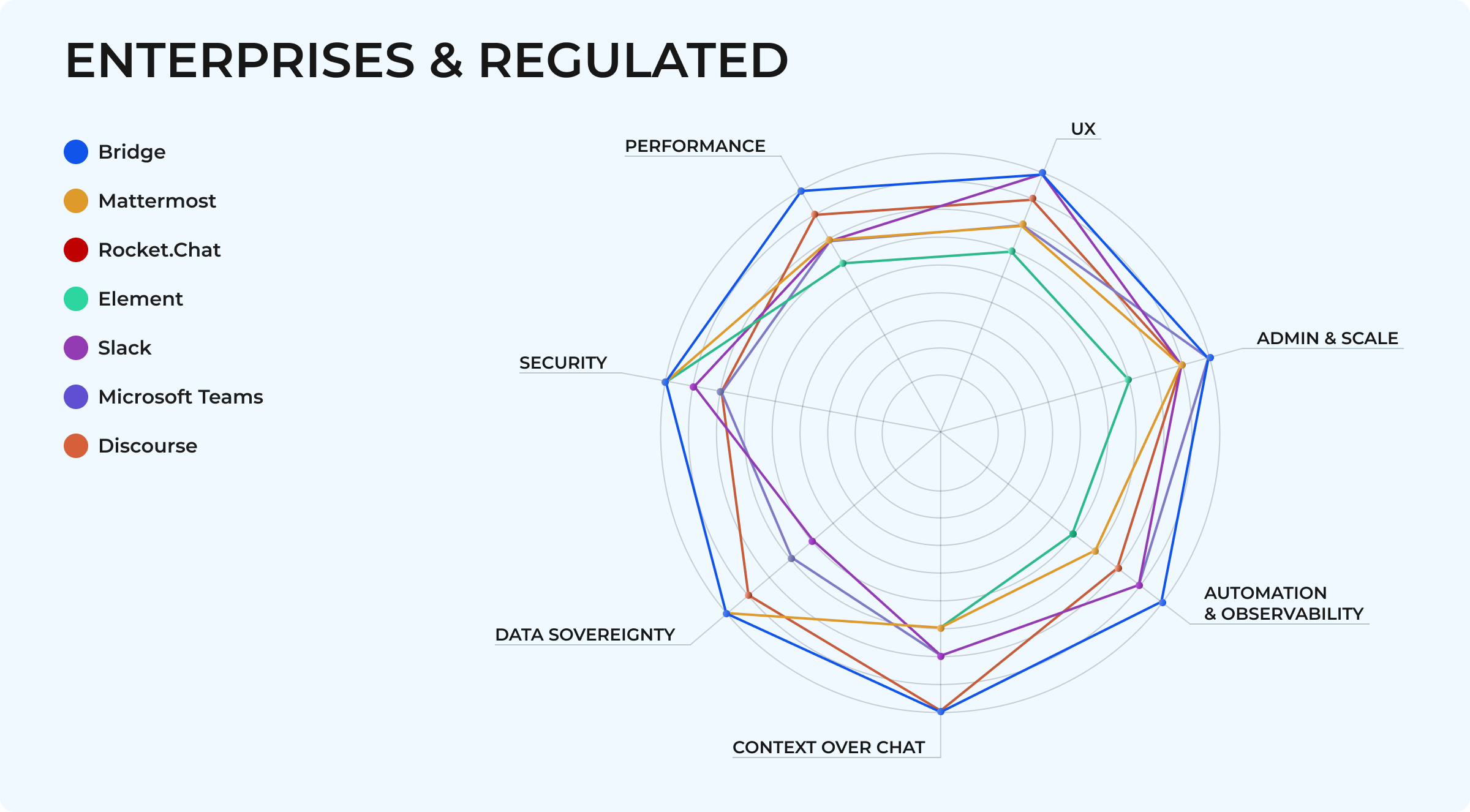

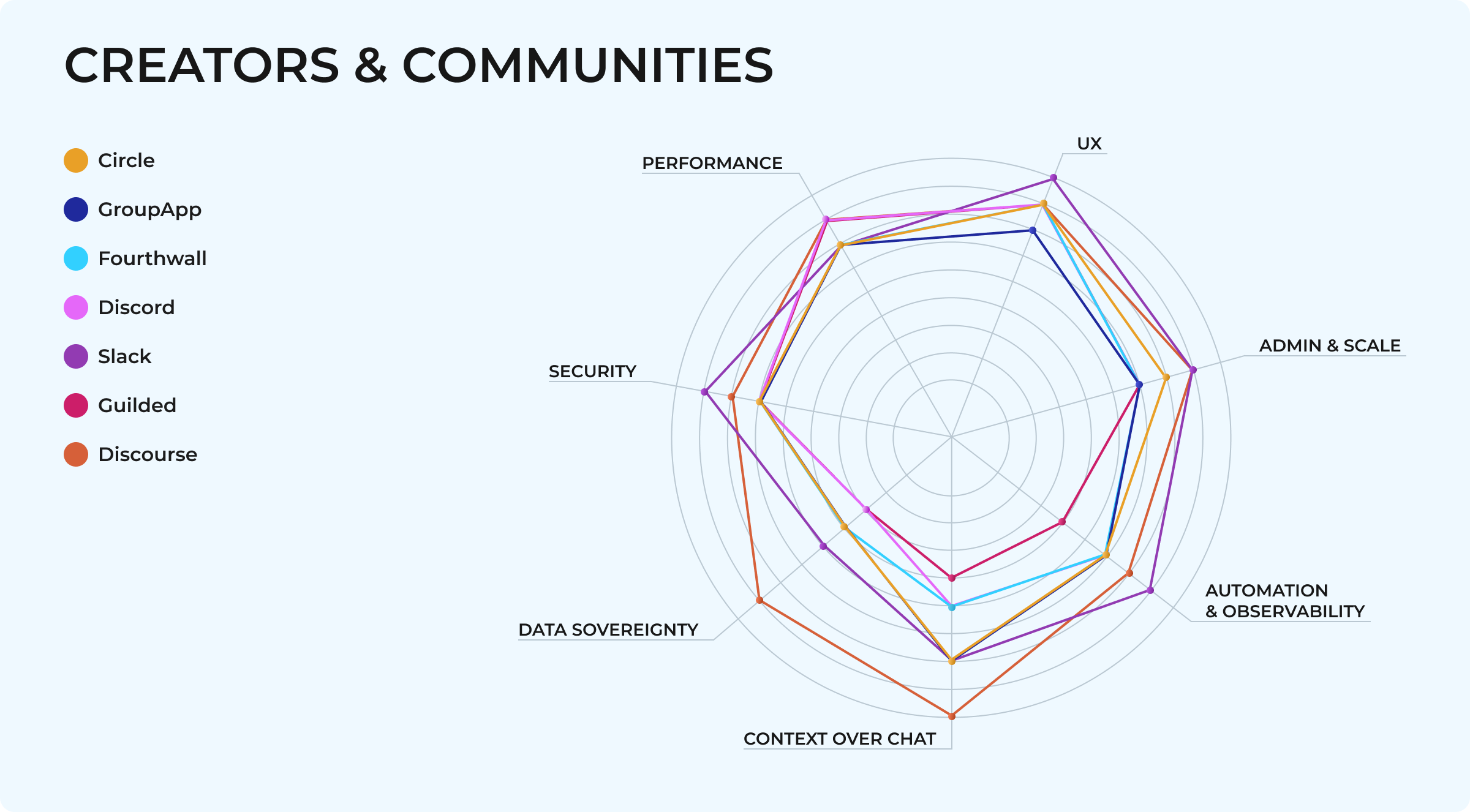
Best Discord alternatives — overview list
BridgeApp — internal collaboration OS for focusing without horsing around
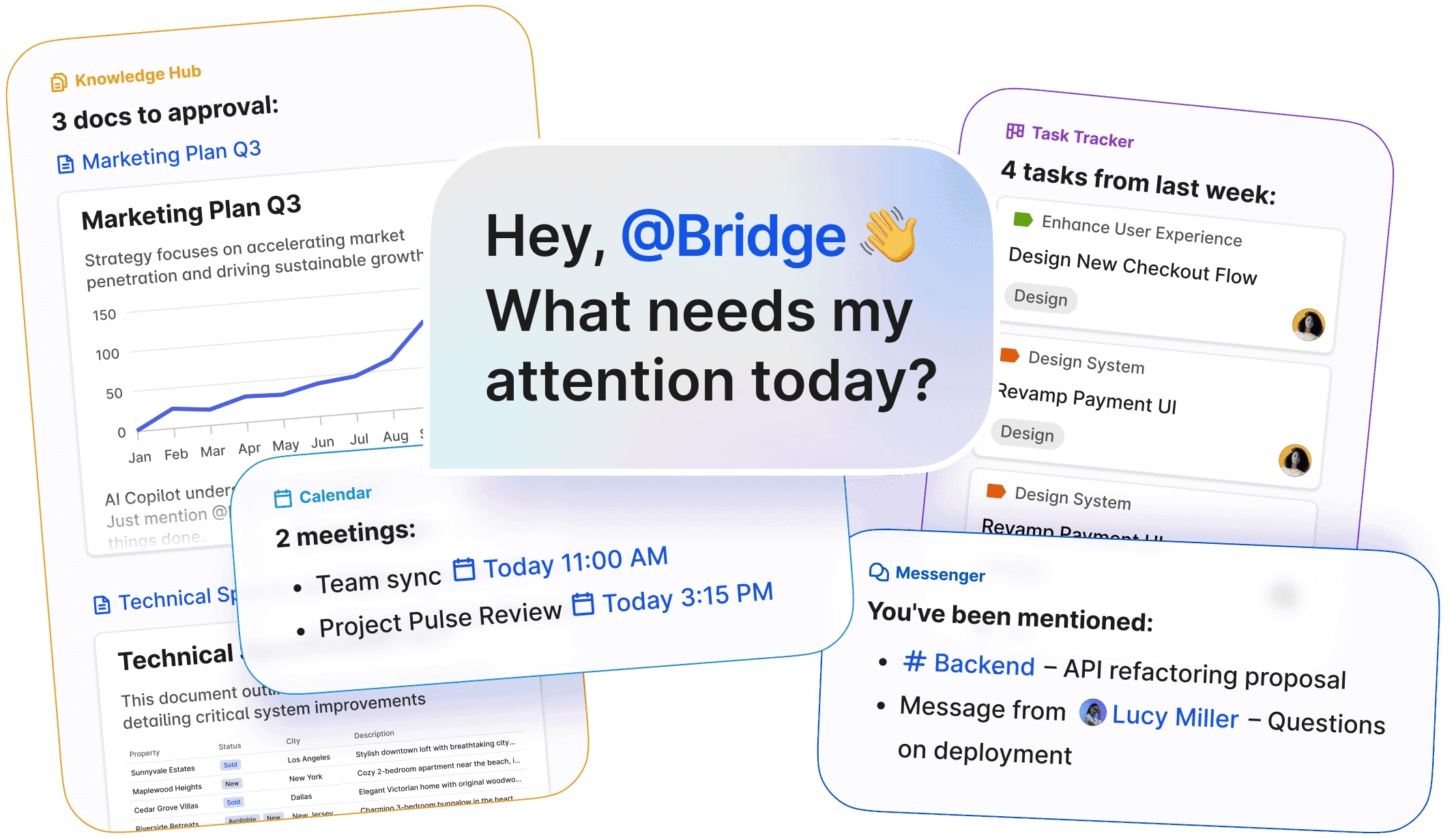
If Discord is where communities perform in public, BridgeApp is where large, distributed remote teams actually get work done—because the “third engine” isn’t optional at scale. Here, those three engines are observable structure, durable context, and AI automation working in concert. Chat is the surface; underneath, a task manager, real-time databases, and a knowledge hub keep decisions tied to their evidence—searchable, auditable, and persistent—whether deployed in the cloud or on-prem/private cloud when data control matters most.
Strengths: context-centric architecture (chat ↔ tasks ↔ DBs ↔ knowledge hub), configurable AI agents for real workflows, custom dashboards for live visibility, enterprise controls, and flexible on-prem/lifetime licensing for full data sovereignty.
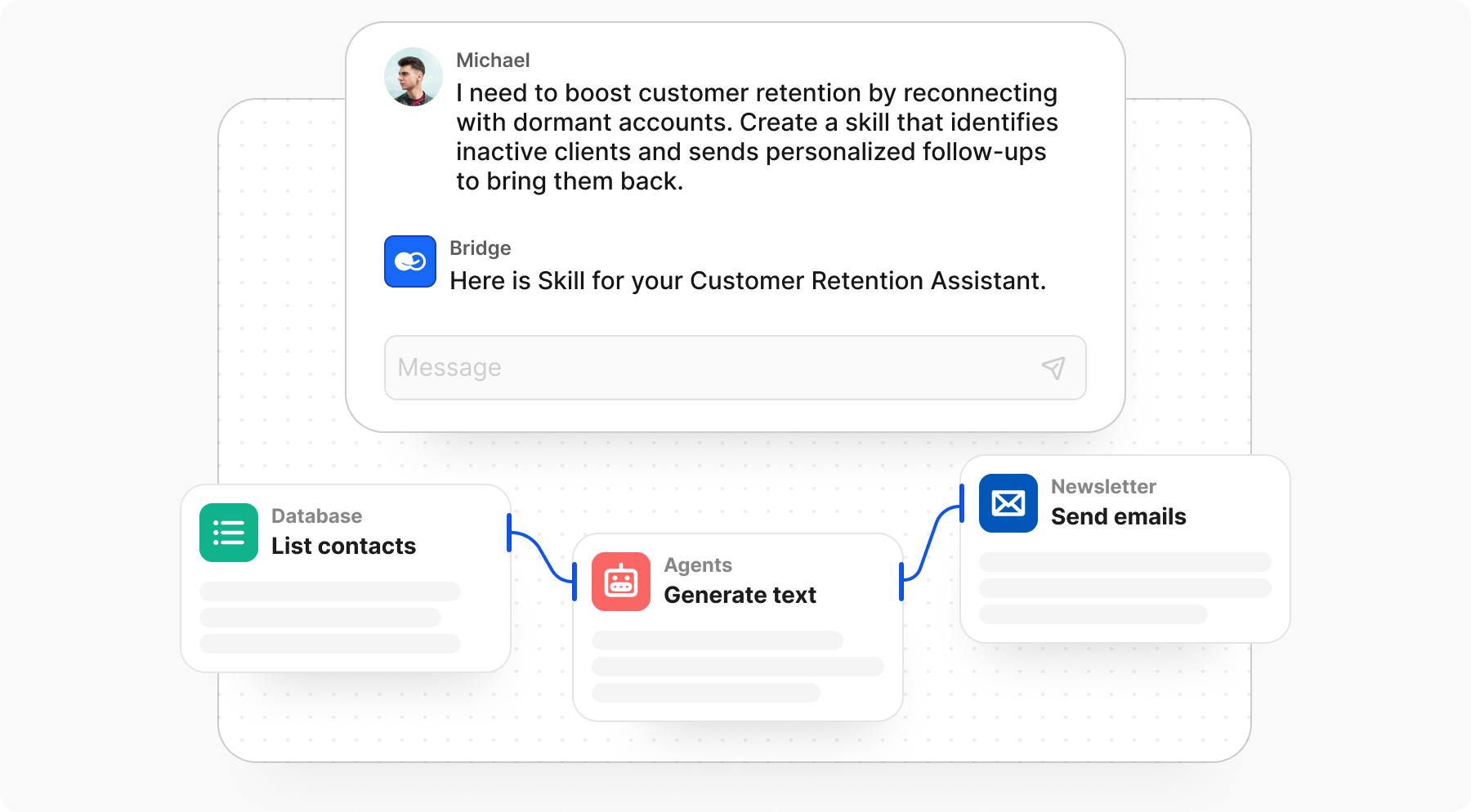
But, it is not a public fandom hub. BridgeApp is built for internal communication, operations, and delivery—not for open community growth or customer support. Use it to run the ops, not to show off.
Slack — ubiquitous business chat that plugs into everything
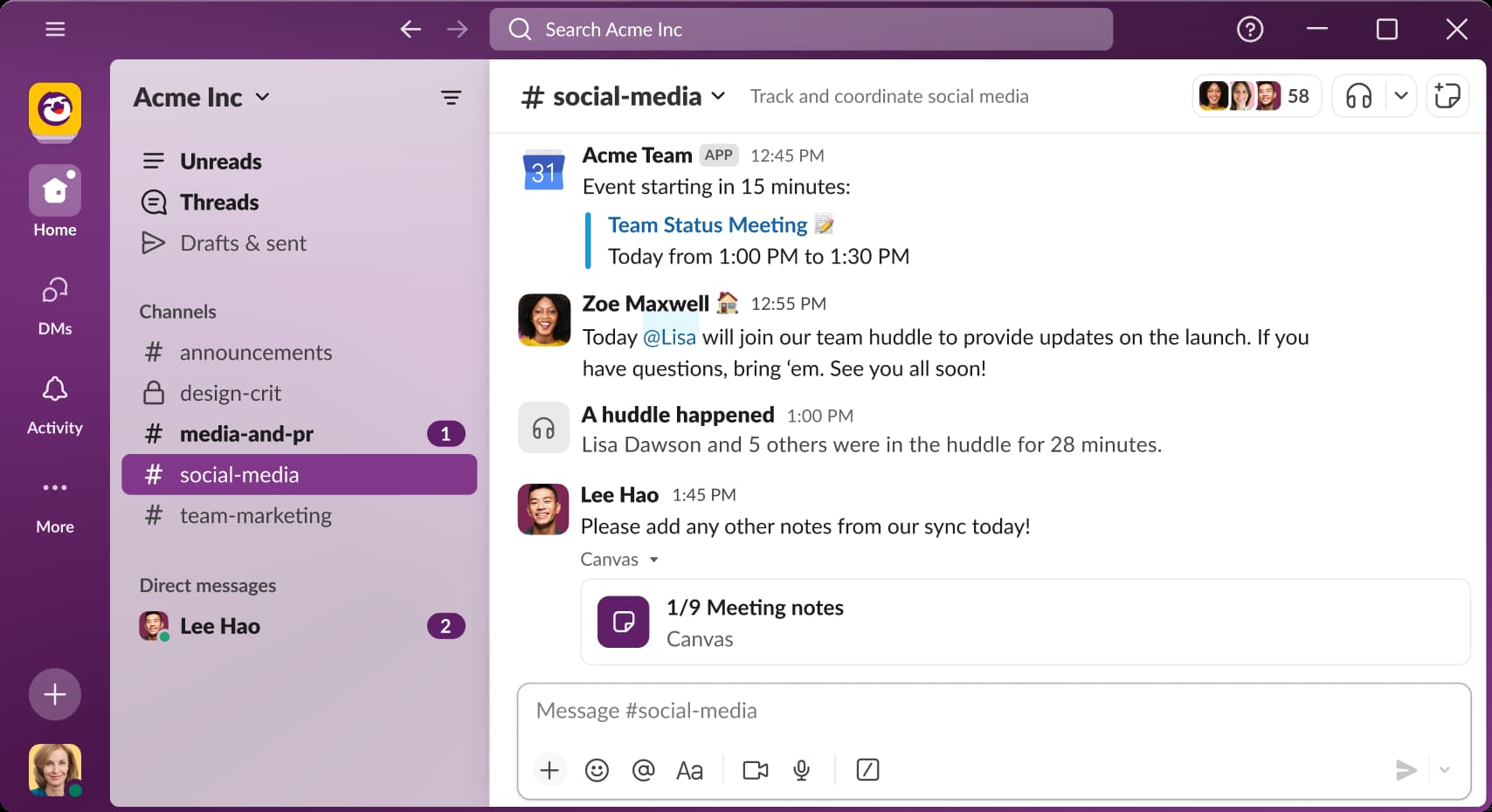
Still the default team messaging and collaboration platform for many organizations, Slack keeps workplace talk tidy with channels and threads, while a deep third-party integrations ecosystem (Jira, Google Workspace, Zoom, custom apps) pulls work directly into the conversation. Enterprise tiers add SSO/SAML, audit and discovery APIs, DLP, legal holds, and optional Enterprise Key Management when security teams need the big guns. However, it’s SaaS-only—no on-prem rollout or self-hosting.
Strengths: familiar UX for knowledge workers; vast integrations catalog; solid admin and compliance controls on upper tiers.
Trade-offs: cost scales per seat—especially from Pro to Business+/Enterprise+ as AI and security features move up-tier—and the free plan trims message history to a 90-day window. Slack also remains chat-first: without added tooling, context still tends to sprawl.
Microsoft Teams — 365-native work hub with ballroom-sized meetings
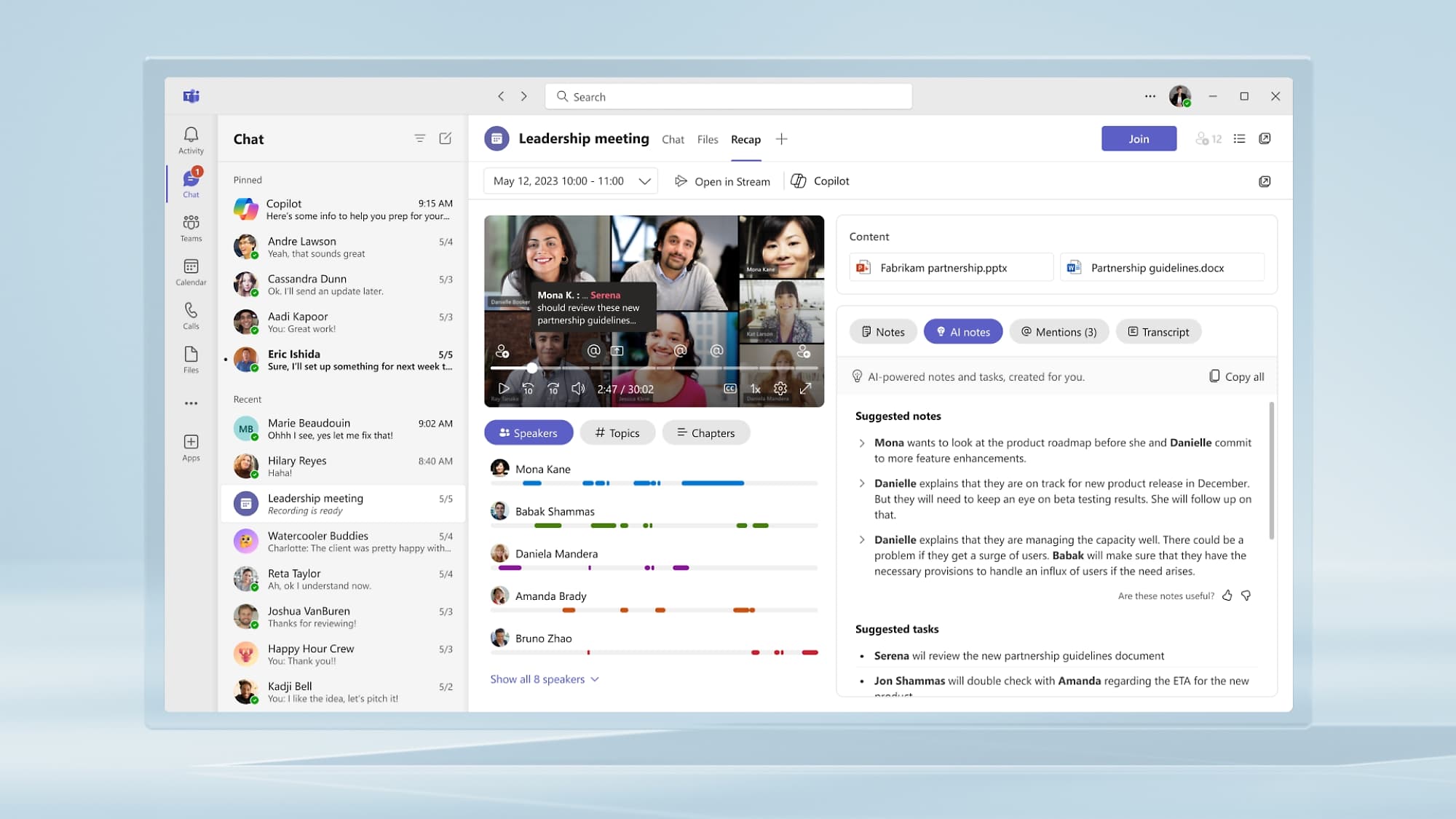
A 365-ecosystem-native platform with big-business muscle, Microsoft Teams feels like home if you already live inside Microsoft 365. Every channel ties back to SharePoint and OneDrive for files, while chats and calendars sit on Exchange. You can pin Office docs, Planner, or Power BI dashboards directly into the workspace for real-time collaboration. For online events it allows to create large groups up to 1,000 interactive participants and a view-only overflow of 11,000—perfect for group meetings, webinars, and “town hall” broadcasts.
Strengths: deep 365 integration (files, identity, meetings) that reduces context-switching; robust enterprise controls and the hallmark Microsoft compliance posture out of the box; dependable voice and video calls, screen sharing, live captions, and breakout rooms for smooth video conferencing at any scale.
Trade-offs (as reported by users): noticeable performance and RAM usage, slower load times on some setups, occasional connectivity or freeze issues during meetings, and noisy notifications/UI friction. Setup and daily use can feel heavy if you’re not all-in on the Microsoft ecosystem—Mac users especially mention rough edges.
Google Chat (and Workspace) — Casper-light chat hiding in plain sight
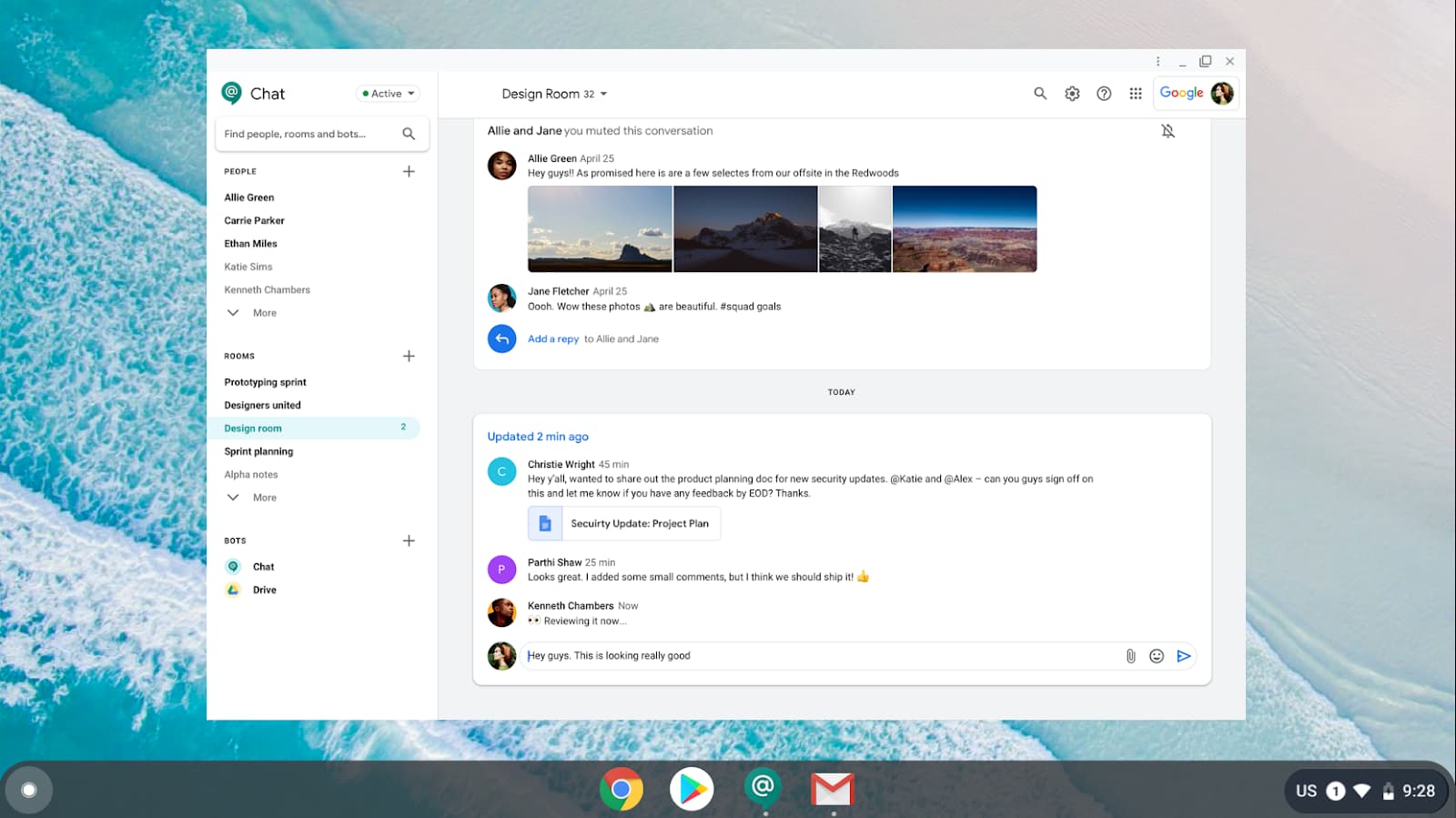
A lightweight team messaging tool woven through nearly every corner of Google Workspace, Google Chat is the ghost you keep bumping into while working on something else. For doc-centric teams, it slots neatly into Gmail, Drive, Docs, Meet, and Calendar—you can share a Doc inline, start a Meet from a thread, or keep files in 'spaces' tied to Drive permissions.
Yet many Workspace users still stumble on Chat “by accident”—editing a Doc or replying in Gmail without realizing chat sits a click away in the same pane. It isn’t broken by design, but it’s easy to overlook. Google keeps tightening the experience: inline threading for private and group chats is rolling out, and Gemini AI features are gradually appearing in Workspace side panels.
Strengths: native Workspace fit (files, meetings, identity) that minimizes context-switching; reviewers highlight its simplicity, quick file sharing from Drive, and smooth mobile/desktop sync; cost-effective if you’re already paying for Workspace.
Trade-offs: fewer advanced features or deep integrations than Slack-class tools; some lag reported under load; a 200 MB upload cap pushes larger files or videos into Drive links. Workspace still feels like a set of strong individual apps rather than a cohesive communication cockpit—many teams use only one to three Google tools in their workflow, which makes sustained project management and focused execution uneven across organizations.
Element (Matrix) — federated E2EE messaging for digital sovereignty
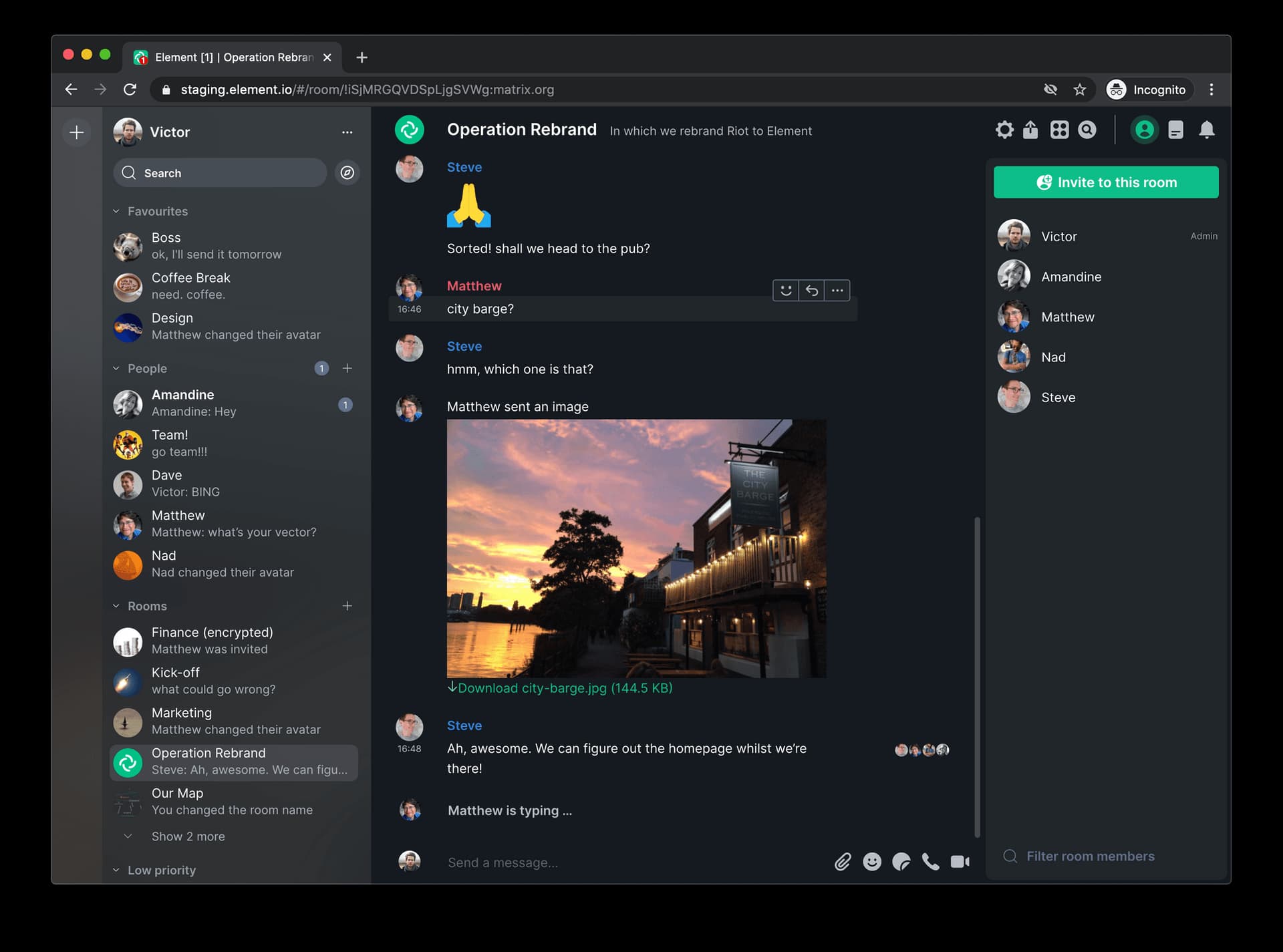
A sovereignty-first communication ecosystem built on the open Matrix protocol for real-time communication (IM/VoIP), Element connects independent “homeservers” that interoperate—like email—so you’re never locked into a single vendor. It powers multiple public-sector and government messaging services, including France’s Tchap, Germany’s BundesMessenger, and NATO’s NI2CE, all chosen for their focus on end-to-end encryption and data control.
Strengths: fully decentralized and self-hosted by design—keep your data in your jurisdiction while still federating externally; E2EE throughout the ecosystem; multiple client/server options and a large open-source community.
Trade-offs: more technical setup and ops overhead than centralized SaaS (you run or contract a server); UX and stability can vary across clients and deployments; key management and federation policy demand upfront governance. Teams new to self-hosting should plan a pilot phase or allocate internal DevOps capacity before scaling.
Rocket.Chat — data-sovereign chat you can shape.
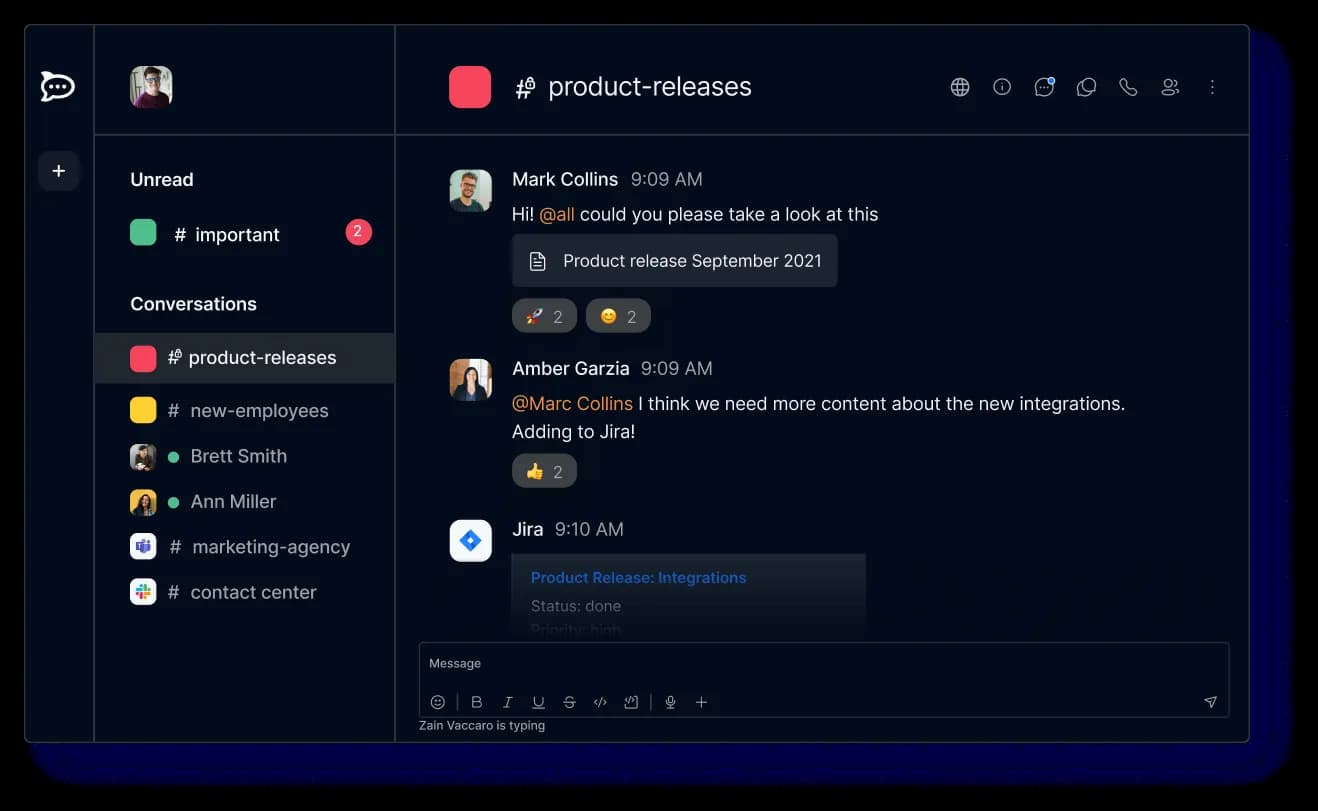
A security-first, open-source communication tool that runs on-prem or in the Rocket.Chat Cloud, offering deep customization and compliance flexibility. For privacy-driven teams, it’s the “do-it-your-way” messenger—easy to wire into a zero-trust architecture or a classified mission stack.
Strengths: strong data-privacy posture; on-prem or cloud deployment; modular integrations (including Jitsi and Pexip for group video calls); full encryption and white-labeling options for regulated organizations.
Trade-offs: that flexibility comes at a cost—more configuration and ongoing maintenance than a plug-and-play SaaS. Key feature polish and UX smoothness can vary across modules, depending on setup and version.
Zoom Team Chat (Zoom Workplace) — pandemic meetings, still talking.
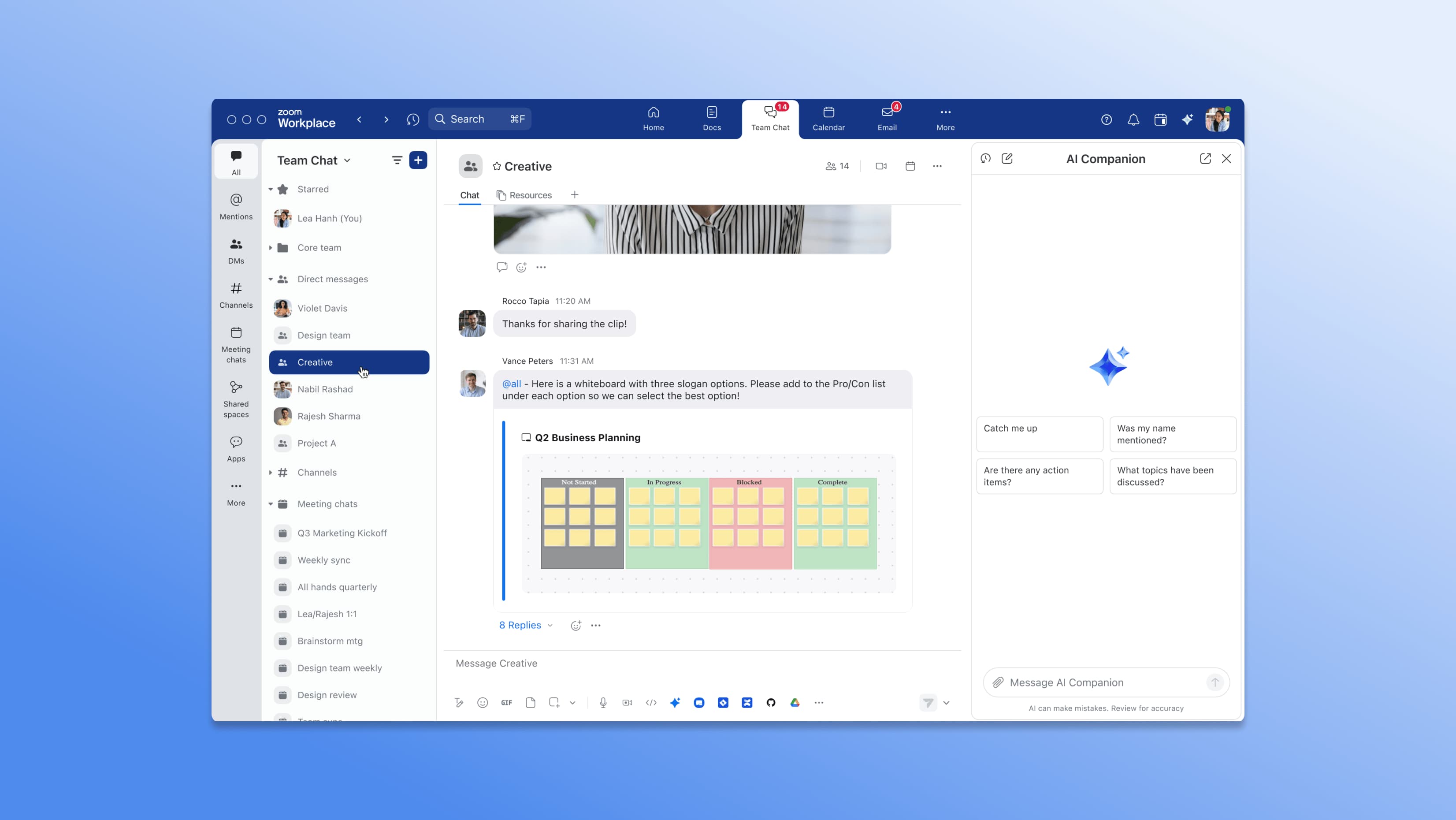
If your rhythm still revolves around Zoom, Team Chat keeps asynchronous conversation inside the same communication hub. It’s built into the broader Zoom Workplace suite with a refreshed web app and desktop experience. Team Chat feels like “thought-to-thread”—drop a file or link mid-call and keep rolling.
Strengths: native tie-ins with Zoom Meetings and Whiteboard; fast-evolving Team Chat interface; consistent stream of updates as Zoom claims to evolve beyond “just video conferencing.”
Trade-offs: lacks the community-building and engagement features of Discord-class tools; best suited for Zoom-first teams—especially small organizations running webinars, online classes, or hybrid events. Outside that orbit, its standalone value can feel thinner.
Guilded — gaming communities with events built-in.
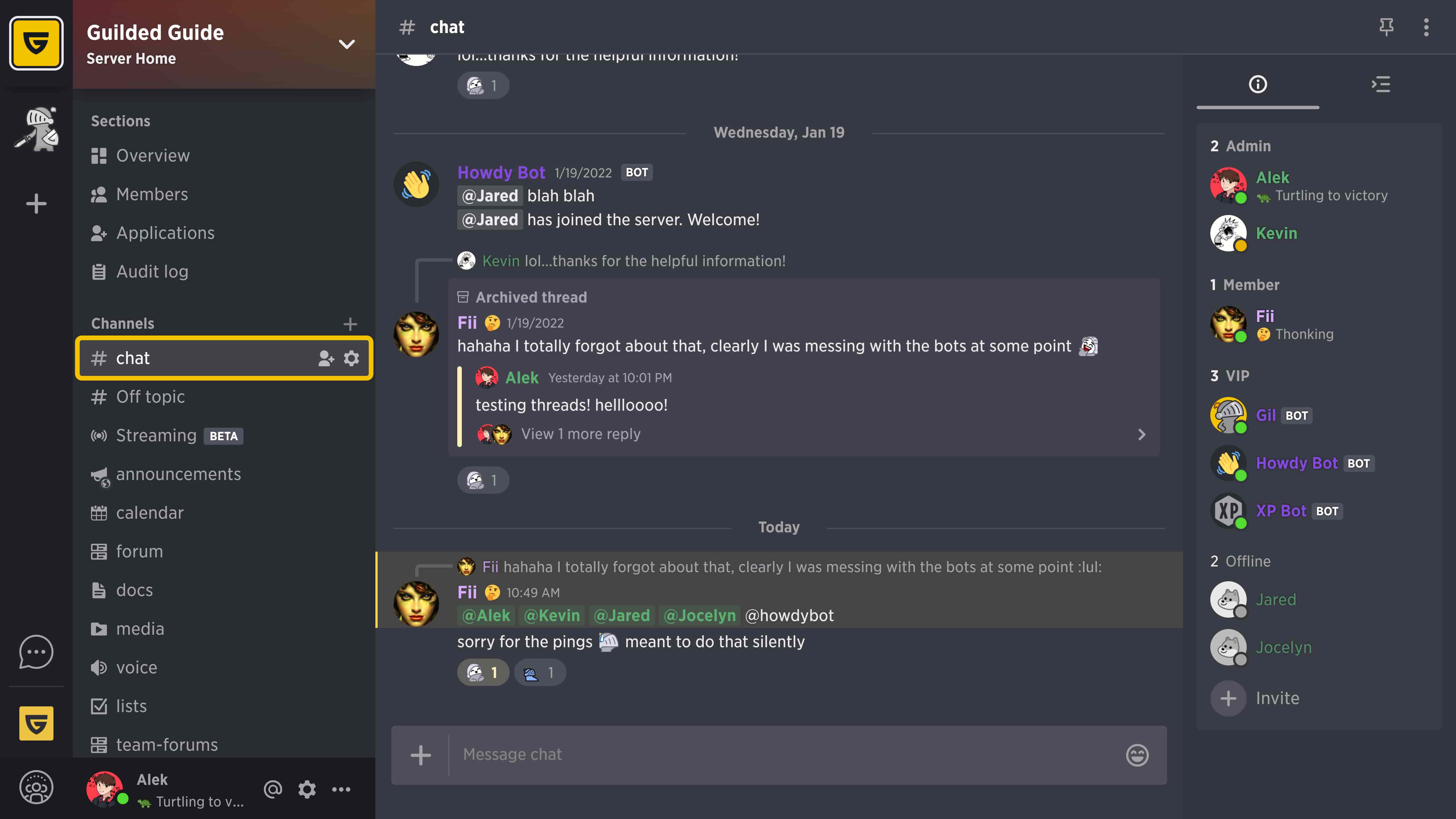
Purpose-built for gamers, Guilded brings calendars, forums, recruiting tools, tiered voice chat, and high-resolution video calls/screen sharing—all free to start. For players who live by raid schedules, it’s “ready to roll out of the box”: events, discussion forums, generous file sharing, and even a free bot builder built right in.
Strengths: server-level tooling for squads and clans (scheduling, team organization, threaded chat) and a solid real-time voice stack for scrims and tournaments.
Trade-offs: since 2024, Guilded requires a Roblox account for sign-up and ongoing access; the ecosystem remains tightly focused on gaming rather than enterprise communication or workflow integration.
TeamSpeak — low-latency voice with hard controls.
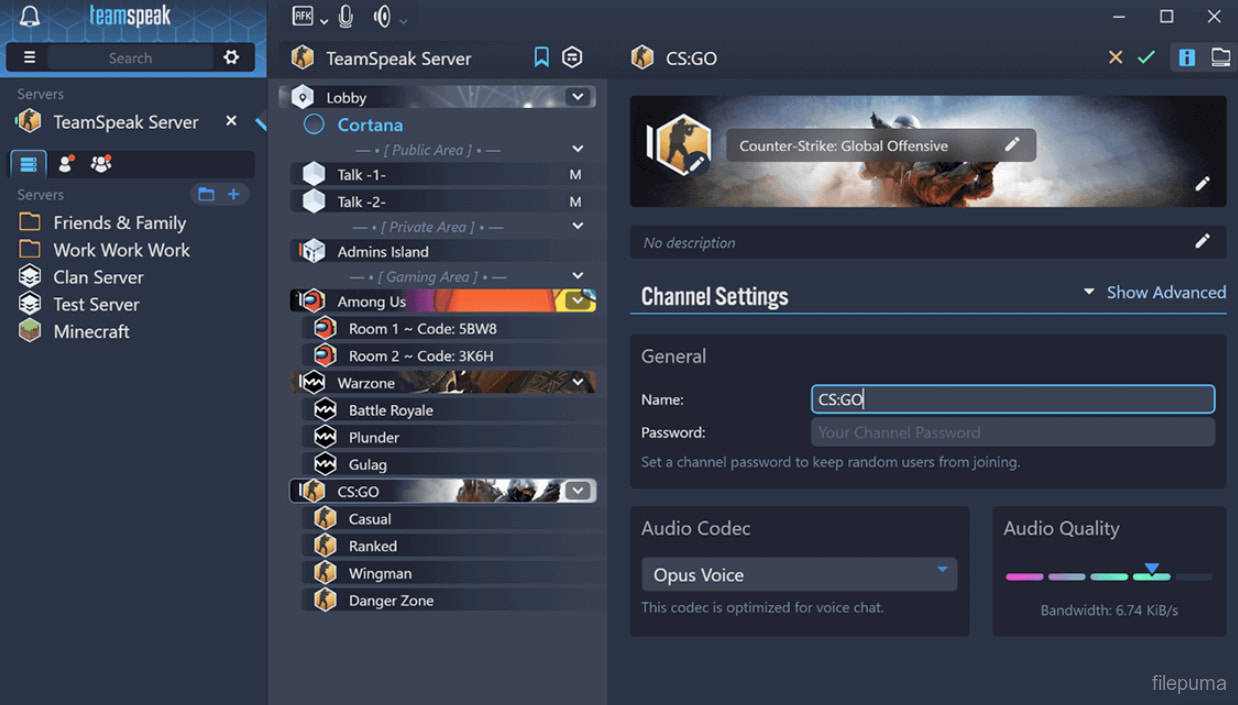
A veteran of esports and ops comms, TeamSpeak delivers very low-latency voice chat, hierarchical permissions, and AES-based, military-grade encryption for Spec Ops–level clarity. A classic VoIP communication app, it remains a favorite among esports pros and mission-critical teams where reliability and control outweigh flash. It can be deployed in the cloud or fully self-hosted on-prem for maximum sovereignty.
Strengths: rock-solid voice quality under load; granular server and channel permissions; flexible deployment options for secure or regulated environments.
Trade-offs: limited integrations and no native video conferencing—you’ll likely pair it with other communication tools for documents, task management, or databases.
Mumble — feather-light, open, ultra-low latency voice chat.
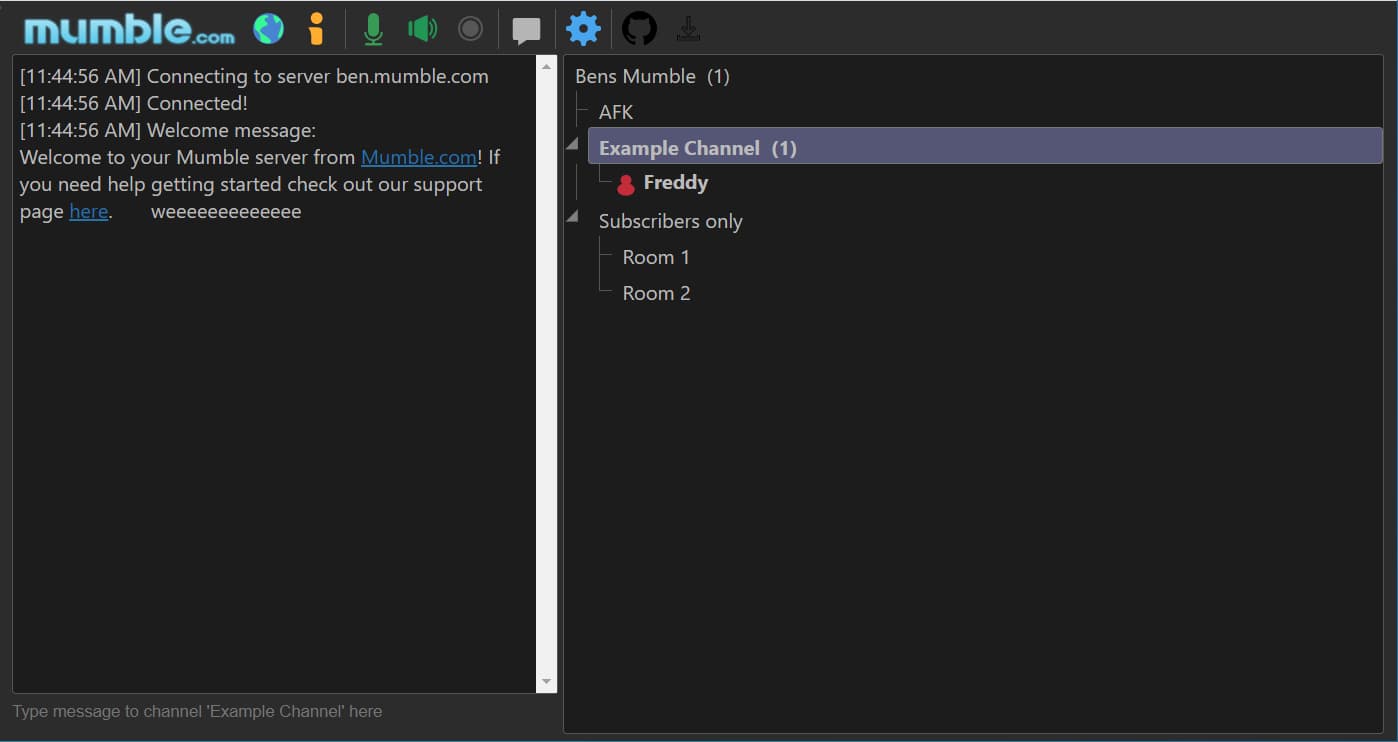
An open-source VoIP communication app that prioritized true low-latency audio long before it became fashionable, Mumble keeps things lean: feather-light clients and servers make it a go-to for massive fleets, esports squads, and technical teams that value minimal overhead and maximum stability.
Strengths: completely free and self-hosted, blazing-fast voice comms even on modest hardware, battle-tested by gaming and operations communities worldwide.
Trade-offs: voice-only by design—no native task management, docs, or deep integrations—so teams often pair it with other communication tools to fill the workflow gaps.
Stoat (ex.Revolt) — open-source Discord-style chat with self-host paths.
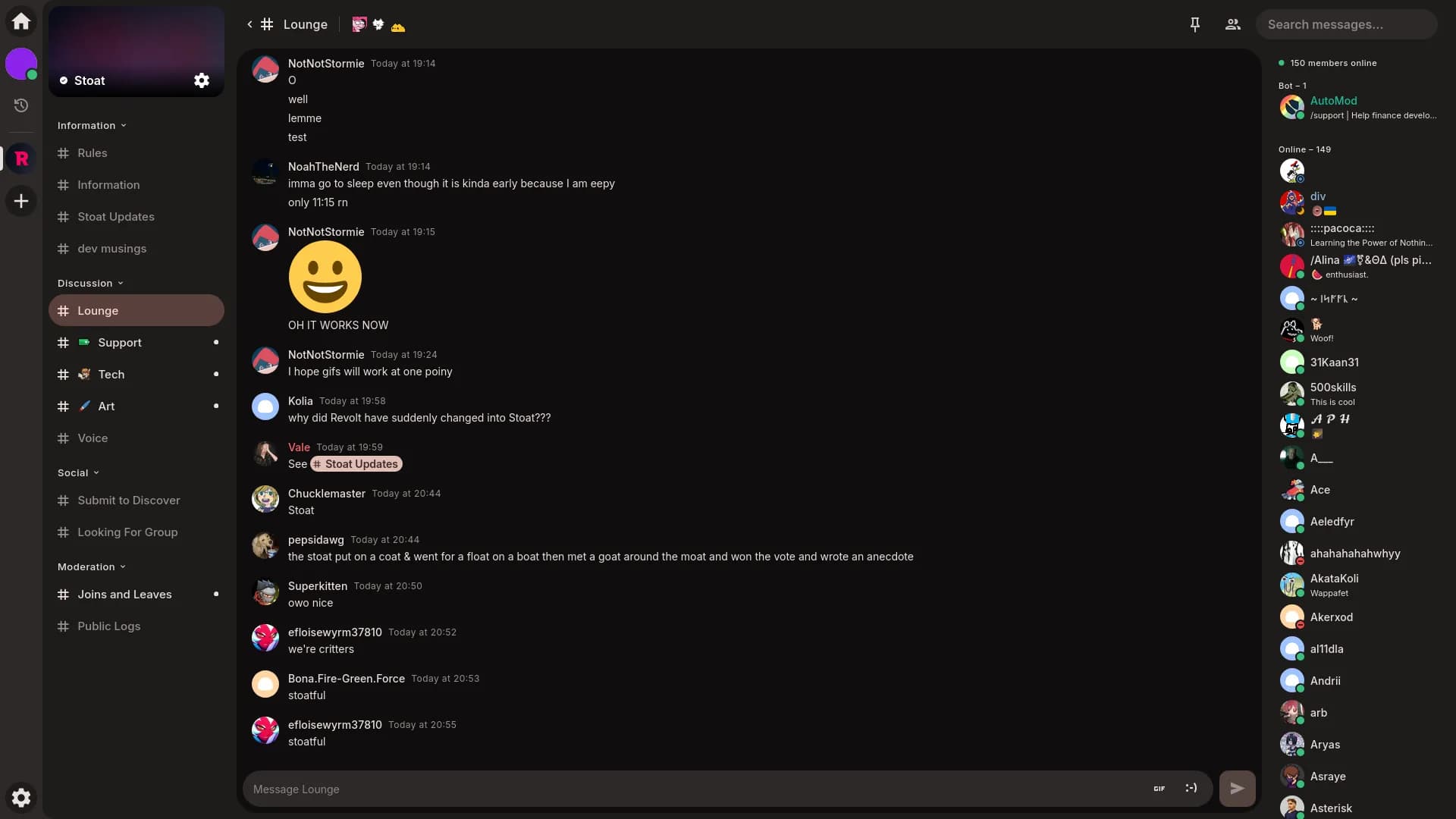
A community-driven, open-source communication platform with a familiar server/channel architecture and a clear path to self-host via the project’s maintained stacks (now under the Stoat organization). It carries a “no-Nitro, hack-friendly” vibe—fast dev responses, flexible customization features, and built-in themes that make tinkering genuinely fun.
Strengths: privacy-minded, fully customizable, and hacker-friendly; a solid fit for developers or community builders who want to host their own small-to-mid-sized servers under a free plan and stay close to the code.
Trade-offs: young ecosystem and some DIY friction around hosting (docs improving, but expect trial and error); community and network effects are still far smaller than Discord’s.
Circle — community + courses + memberships under one roof.

A complete community platform that blends discussions, live events, DMs, and basic course hosting with paid memberships and analytics—letting creators run a branded hub without duct-taping multiple tools together. Its current roadmap emphasizes spaces, events, courses, and monetization tools, positioning Circle as an all-in-one home for creators and community builders alike.
Strengths: purpose-built for member engagement—spaces, live streams, courses, and paid tiers—with a clean UX tailored for “community plus learning.”
Trade-offs: the “all-in-one” design is opinionated; advanced LMS or e-commerce needs may outgrow the built-ins, and pricing scales with plan tiers and usage. Still, for growing an online community under a single brand, Circle remains one of the most elegant and cohesive options.
GroupApp — learning-first community with checkout control.
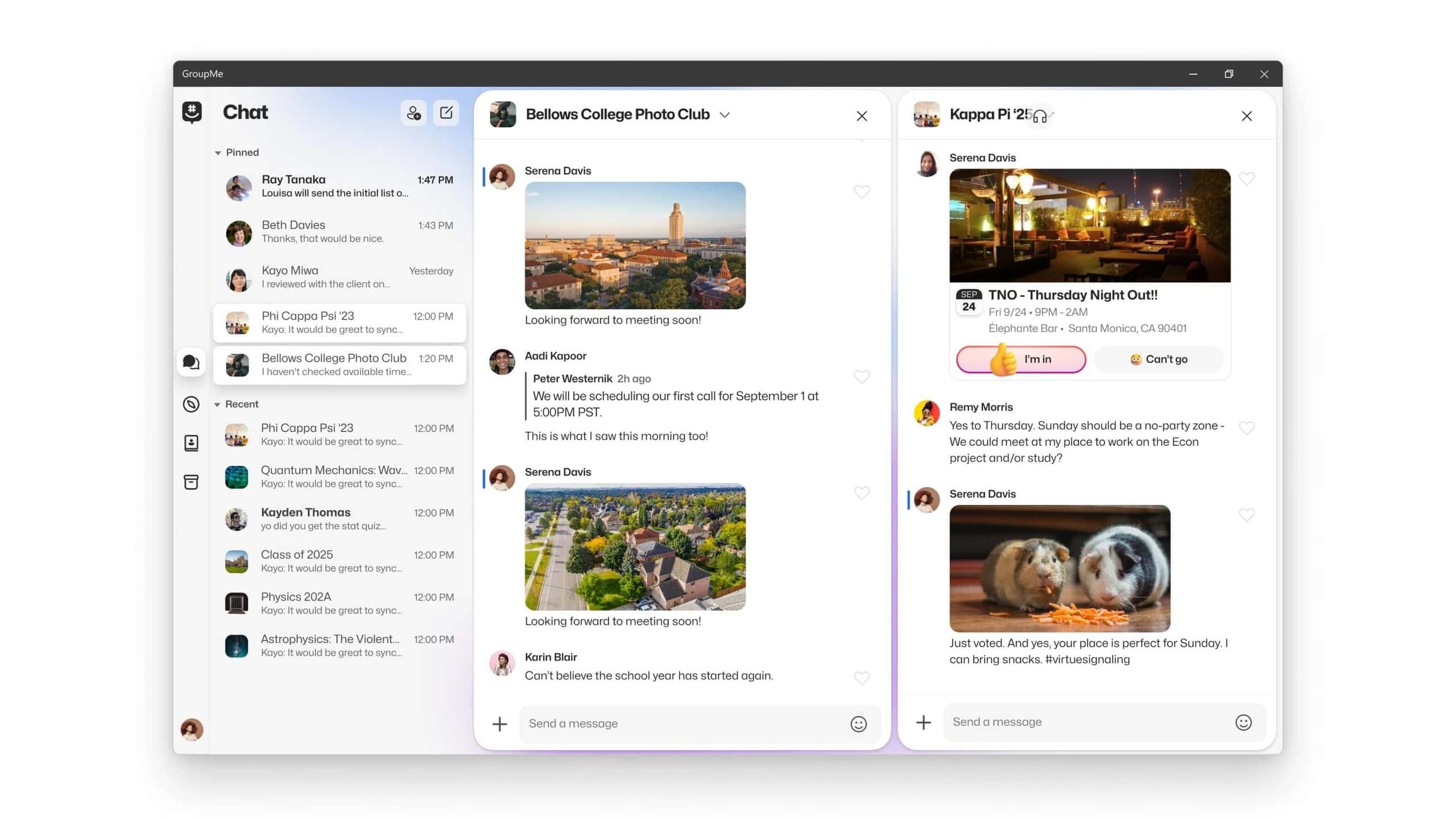
GroupApp is a learning-first community platform that merges online courses, memberships, and events with built-in discussion channels and a simple content library. It also includes customizable checkout flows—pricing tiers, coupons, and multi-currency support—geared toward maximizing conversion. The platform targets educators and communities who want curriculum and community to move in sync.
Strengths: seamless integration of courses and community; flexible payment and monetization tools; streamlined, conversion-focused checkout.
Trade-offs: still a younger ecosystem compared to established players; reviewers mention they’re “waiting on features” as the product matures. That said, its free plan and lightweight setup make it appealing for smaller learning communities testing new formats.
Fourthwall — storefront, memberships, and revenue management for creators

Fourthwall is a creator platform that blends e-commerce and club membership hustle in one hub. You can launch a branded shop, add paid tiers or tipping, and connect it directly to YouTube, Twitch, or Discord to build your online community around real products. Its appeal lies in a frictionless no-code setup and a simple fee model—no monthly payment, the platform just takes a cut of sales.
Strengths: free to start; built-in fulfillment and payments; fast setup praised by creators and reviewers for ease of use; smooth entry point for testing monetization tools.
Trade-offs: limited customization features compared to Shopify-class e-commerce stacks; fewer print and fulfillment partners. Best for creators who value speed and simplicity over deep store mechanics.
Discourse — forum-first, searchable by default.
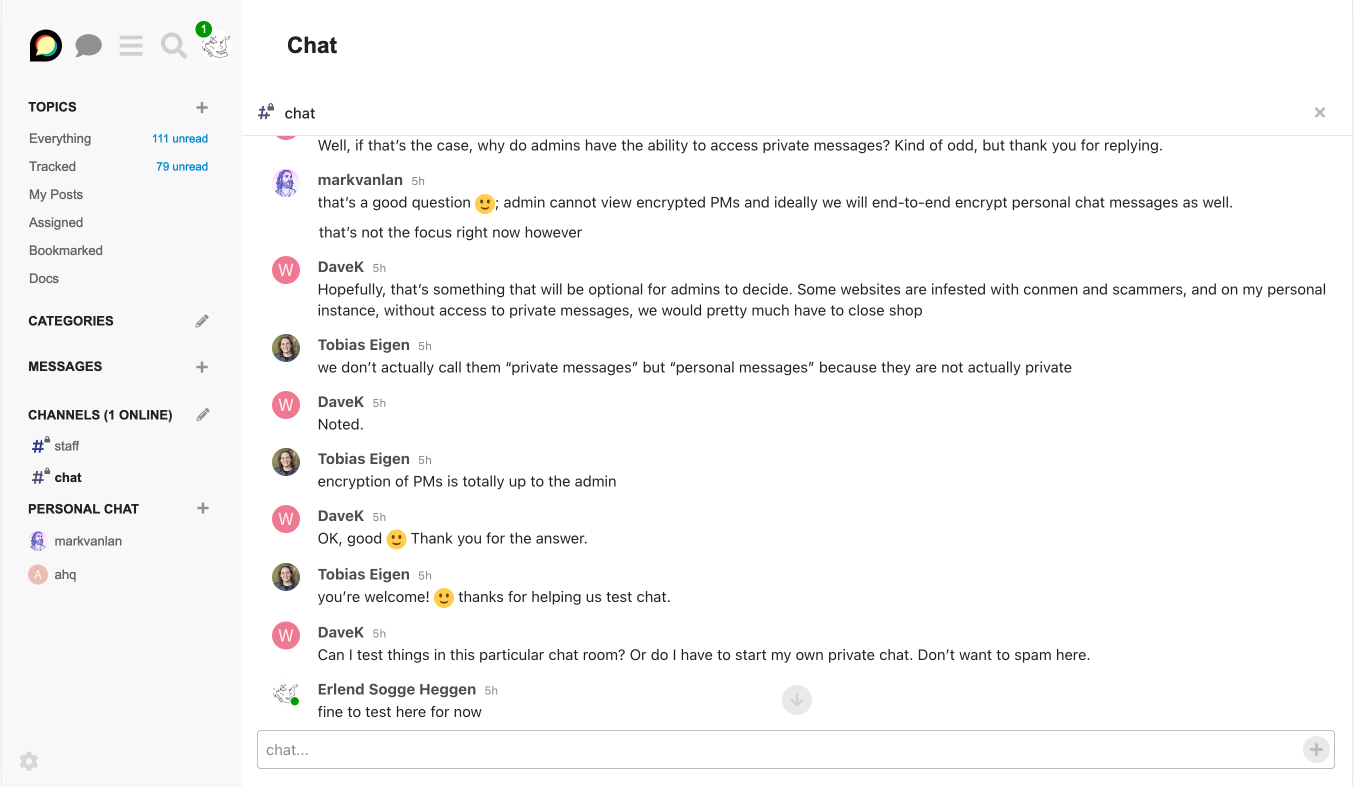
An open-source communication platform built for evergreen, indexable knowledge, Discourse organizes content into categories, tags, and threads with a powerful search engine—ideal when you want answers to be Googleable and durable, not buried in chat scrollback. If your community’s wisdom should outlive the chat window, Discourse feels like “answers with an address,” not messages lost to the feed. It offers managed hosting or self-hosting, a rich plugin ecosystem, robust moderation tools, APIs and webhooks, SSO via DiscourseConnect, and even built-in real-time communication through (threaded chat, channels, DMs) for faster exchanges alongside long-form discussions.
Strengths: forum-as-knowledge-base by design (great SEO and public archives); flexible hosting (open source or cloud plans); native Chat bridging synchronous and asynchronous conversations; mature admin and moderation tooling with broad integrations. Developers and community builders often cite discoverability and reduced lock-in versus chat-only environments as key reasons to adopt Discourse.
Trade-offs: not a drop-in Discord alternative for real-time social presence or large voice and video calls; best suited for structured, searchable discussion forums where knowledge matters more than chatter. Advanced role granularity and ops choices (especially in self-hosted setups) can demand admin time.
Cohort Guide: Who Actually Needs Which Discord Alternatives
Self-evidently, teams don’t all want the same “Discord alternative.” There are at least seven clear cohorts with different stakes and rhythms. What “good” looks like shifts with the task.
Enterprises & Regulated Teams — business communication with audit trails
Best-fit platforms to evaluate: BridgeApp, Mattermost, and Rocket.Chat
Enterprises and regulated teams assess team communication platforms through the lens of control and provability. They want on-prem or private cloud deployment, end-to-end encryption where sensitive data lives, BYOK, audit trails, SSO/SAML, retention, and clean export—so security can own the boundary and keep evidence in-jurisdiction. Stability and integration depth matter too. That’s why platforms like BridgeApp, Mattermost, and Rocket.Chat repeatedly appear in RFP shortlists competing with Slack and other corporate behemoths.
Naturally, Big Tech aims to buy, absorb, or outcompete such challengers—yet these alternatives to Discord thrive where governance, data sovereignty, and compliance take priority over hype.
Fit test (3 quick checks):
– Can security own the boundary?
– Are text and files governed by policy?
– Do you get traceability by default?
Small Businesses, Startups & Dev Teams — fast lanes of collaboration
Best-fit platforms to evaluate: BridgeApp; Slack; Google Chat; Mattermost and Rocket.Chat.
Privacy-first and open-source startups—often DevOps-heavy—optimize for independence, customization, and cost control. These teams move fast, experiment often, value instant messaging that connects to pipelines and prioritizes task management. The ideal Discord alternative for this cohort reduce noise while keeping full visibility into who’s doing what—and why. End-to-end encryption is essential, as is the right to deploy or self-host without vendor lock-in. Element/Matrix fits that bill; BridgeApp adds structured automation and knowledge management; Google Chat remains a lightweight, almost free plan choice inside Workspace; and Mattermost and Rocket.Chat offer enough freedom to define your own governance.
Fit test (3 quick checks):
– Can one sprint run end-to-end inside the tool?
– Do bots help or just add noise?
– Is message/search history durable on your plan—and can it search by meaning, not just keywords?
Brand Communities & Customer Support Spaces — where engagement equals retention
Best-fit platforms to evaluate: Circle, GroupApp, Fourthwall
Creator-led communities and brand clubs play a different game—membership economics built on courses, live events, and gated spaces, all under one roof. Their best alternatives to Discord aren’t Slack-likes at all but community-commerce platforms such as Circle, GroupApp, and Fourthwall. These tools combine discussions with paid plans, courses, events, and storefronts, so you’re not duct-taping chat between Patreon, Teachable, and a checkout plug-in.
They also bring real community engagement features: clean interfaces for public and private channels, straightforward messaging features, and clear analytics loops that show what resonates. If your funnel is content → subscription → retention, these platforms are built exactly for that flow.
Fit test (3 quick checks):
– Can you sell tiers, run courses, and host events without duct-taping tools?
– Do you get analytics you’ll actually use?
– Does it scale your community engagement rather than scatter it?
Gamers & Real-Time Ops — where milliseconds decide outcomes
Best-fit platforms to evaluate: TeamSpeak, Mumble, Guilded
Gaming voice has its own physics: sub-100 ms audio, stability under chaos, and granular channel control. That’s why TeamSpeak, Mumble, and Guilded remain the go-to communication tools for competitive gaming communities—purpose-built for real-time voice chat, coordinated group calls, and uninterrupted focus.
The trade-off is clear: you won’t pair these with task boards or docs, but when “clear comms, no excuses” is the mission, these stacks deliver—low latency, crisp voice calls, and even basic background noise reduction features that keep command channels clean.
Fit test (3 quick checks):
– Does voice stay clear at peak load?
– Are permissions and channels easy to manage by non-admins?
– Can your players or operators rely on it when other platforms lag or fail?
Open-Source & Maintainer Communities — making knowledge lasting, public, and open for all contributors
Best-fit platforms to evaluate: Discourse, Element/Matrix, BridgeApp
Open-source projects thrive on searchable, evergreen knowledge—public archives, transparent decision trails, and easy contribution paths. For these teams, forum- and thread-based chat platforms win over transient text chat tools. Many maintainers raise concerns about discoverability and vendor lock-in with Discord for long-term docs and Q&A, often debating how to organize discussions so that knowledge remains public and indexed.
A pragmatic model has emerged: keep instant messaging channels for live coordination, but turn your docs repository or open-source communication platform into the permanent knowledge hub—the home for architecture decisions and “solved problems.” Public and private channels can coexist, but what matters most is that answers stay findable.
Fit test (3 quick checks):
– Will newcomers find past answers through web search?
– Can you link one canonical thread per decision or ADR?
– Is there a bridge that lifts valuable text chat into a public, indexed space?
DAOs & Web3 orgs — governance at warp speed
Best-fit platforms to evaluate: BridgeApp (on-prem for governed workflows), Rocket.Chat, and Matrix/Element for security-first operations.
DAOs live fast—governance votes, contributor onboarding, and collaboration across time zones—and Discord still serves as the daily lounge. But the risk surface is real: phishing attacks and access-control exploits dominate Web3 loss reports, and attackers regularly target Discord servers with fake bots and hijacked links.
The fix: harden your comms. Set up verification gates, enforce role hygiene, and maintain incident playbooks. Or move sensitive coordination into security-first communication platforms like BridgeApp, Rocket.Chat, or Matrix, where end-to-end encryption, granular permissions, and private channels protect both assets and people. Reserve Discord for community engagement and announcements; pair it with on-chain governance and treasury tooling so decisions don’t vanish in text chat.
Fit test (3 quick checks):
– Do you have phishing-resistant verification and clear role policies?
– Are critical decisions mirrored on-chain or in docs, not buried in chat logs?
– Can you quarantine incidents without freezing the entire community?
Public Sector & Educators — privacy, policy, and proof
Best-fit platforms to evaluate: Element/Matrix; BridgeApp; Microsoft Teams (for 365 old-school).
In this cohort, student and citizen privacy, policy compliance, and record retention lead the list of requirements. Universities and agencies sometimes use Discord to boost engagement, but official guidance stresses FERPA-safe handling—no grades, IDs, or sensitive records in chat. Most institutions instead rely on sovereign or 365-native stacks for auditability and control.
Matrix/Element is proven in government environments for digital sovereignty; Microsoft Teams aligns seamlessly with school identity, records, and collaboration features; and BridgeApp on-prem provides controlled internal spaces where chat links directly to tasks, docs, and productivity tools with managed export policies.
Fit test (3 quick checks):
– Can you meet FERPA and records rules by default?
– Is there department-level hosting or residency control?
– Will staff find past decisions without trawling endless chat logs?
Thanks for sticking with the tour. We’ve left links so you can click through, poke around, and decide what you actually need. Most tools here don’t just work differently from Discord—they often do more, and many could replace other platforms in your stack, not just chat. Pick for your workflow, your risk model, and your team’s attention budget.
Take BridgeApp as a concrete example. It isn’t a public Discord clone; it’s an internal operating space that scales with context—chat stitched to tasks, databases, and a knowledge hub, with AI copilots and automation on top. External channels like Discord are perfect for community energy; BridgeApp is built for structure, evidence, and observability—the environment where hybrid human–AI teams actually ship.
If you’re enterprise or regulated, you’ll likely lean toward platforms that let security own the boundary. If privacy and open source are your north star, on-prem/private-cloud deployment make sense. When in doubt, test against your real workflow: one sprint, one incident, one launch. We suggest you run a one-sprint pilot in BridgeApp: spin up a workspace, import one real project, wire chat ↔ tasks ↔ databases ↔ knowledge, and point copilots and agents at your actual backlog.
If the platform keeps context attached to decisions, handles peak load, and leaves an auditable trail, you’re in the right neighborhood. If not, keep walking—the ideal is the one that makes tomorrow’s work easier than today’s.
FAQ
What types of teams can be successfully coordinated using Discord?
Open communities, creator fanbases, gaming groups, and lightweight internal squads do well—anything that benefits from high-energy chat/voice and fast onboarding. Regulated orgs and process-heavy teams usually outgrow it without heavy add-ons.
Should I switch to a different team communication tool if my business process starts with the same community on Discord?
Often yes—keep Discord for the public surface, move execution (tasks, decisions, records) to a context-centric tool where evidence and access are governed. That hybrid handoff is the sane default for many companies.
What are the benefits of managing collaboration and community building on Discord?
Low friction, great real-time voice/video, rich bot ecosystem, huge community reach, and (for creators) Server Subscriptions to monetize tiers.
What are the drawbacks of collaboration and teamwork on Discord?
Context decays in scrollback; text isn’t end-to-end encrypted; no on-prem deployment or strict data residency controls; limited audit/export for full org records without third-party tools.
Can I run task management on Discord? Can I manage and oversee project tasks in Discord?
You can approximate it with bots and embeds, but Discord isn’t a task manager; you’ll fight discoverability, reporting, and governance. Use bots sparingly and anchor tasks in a system of record.
Can Discord replace our team's task manager/knowledge base/instant messaging?
Not cleanly. Bots and pinned docs help, but you’ll lack structured fields, history controls, and auditability that real PM/KB tools provide.
Is Discord good for resource management?
No built-in resource planning; you’d be stitching third-party bots and spreadsheets. If forecasting and utilization matter, use dedicated software.
Is Discord suitable for managing agile projects?
It’s fine for ceremonies and chatter; it’s weak for backlog/state/metrics without external tools. Keep Jira/Linear/etc. as the source of truth and link in.
How can I improve project management on Discord?
Minimize channels, enforce threads, add a small bot set (not a zoo), and mirror decisions to a KB. Treat Discord as the lobby, not the filing cabinet.
Is Discord secure enough for confidential text and files (does it support end-to-end encryption for text)?
Discord is rolling E2EE for audio/video (DAVE) and will require DAVE-capable clients for calls by March 1, 2026, but text messages are not encrypted. Keep sensitive text/files in governed systems.
Can I deploy on-prem or keep strict data residency with Discord, or do I need a self-hosted alternative?
Discord is SaaS-only; self-hosted/on-prem is “not planned.” If residency/sovereignty is required, consider self-hosted stacks (e.g., Mattermost/Rocket.Chat/Element) or platforms that offer on-prem/private cloud.
How do I migrate from Discord without losing message history, files, and knowledge context?
Officially, you can request your personal data (DMs you sent, etc.), but there’s no native, admin-level full-server export. Teams either snapshot content into a KB or use third-party exporters (with the usual caveats).
What does “security owning the boundary” mean in practice (BYOK, audit/export, legal holds), and which tools support it best?
It means identity, retention, encryption keys, and audit are under your control (or contract). You’ll get that with self-hosted or enterprise platforms that offer BYOK, audit logs, and export—not with consumer-grade chat alone. (BridgeApp on-prem/private cloud, Mattermost, Rocket.Chat, Element are typical fits.)
Is Discord suitable for incident coordination? Can I run incident response on Discord, or should I pair it with a dedicated incident platform (runbooks, on-call, escalation)?
Use Discord for human sync only; pair it with an incident platform (on-call, paging, runbooks, automation, postmortems). That’s table stakes for reliable IR.
Where do AI agents fit—can they safely automate workflows inside Discord, or is there anything better for governed automation?
Bots can help with alerts and light workflows, but governance is limited to roles/permissions. For regulated automation (data access, audit, runs), use an internal OS where agents operate against governed data and leave trails.
What’s a sane hybrid model by starting a managing team on Discord?
Keep public community and top-of-funnel energy on Discord; move internal execution to a context-centric platform (chat ↔ tasks ↔ KB ↔ DBs) that supports dashboards, audit, and optional on-prem. BridgeApp is designed for exactly that split.
Is Discord suitable for managing agile projects? (Scrum/Kanban specifics)
Run standups and quick Q&A on Discord; track backlog/flow elsewhere. If you can’t pull a reliable burndown/CFD from your setup, the tool isn’t your PM system.
Can I safely use AI/bots in Discord without leaking data?
Treat bots as external apps: least-privilege permissions, vetted vendors only, and no sensitive payloads via bot DMs. If you need AI on private data with audit/limits, run it where you control keys and logs.