BlogIndustry Insights
Finding a ClickUp Alternative for Hybrid Team Project Management

Konstantin BuzzResearch Lead
12 min read
Modern task and project management tools can get messy fast. Teams and businesses need more than to-do lists and Gantt charts — but overloaded suites often make the process confusing and exhausting. In this guide, we break down the best ClickUp alternatives and highlight horizontal, context-aware workspaces that let you move work forward instead of servicing the tool.
Imagine you’re an urban design team asked to build a functioning city in the middle of a desert. You need a serious work management platform, you scan the market, and you land on ClickUp. At first, it feels like a masterstroke.
ClickUp is a heavyweight “Work OS”: multiple task views (from Gantt to Kanban), collaborative whiteboards, and an AI layer (ClickUp Brain) that can summarize work and automate routines. It sells the promise of "enhanced flexibility"—as the ultimate “everything app” for getting work done.
As your project grows, however, a strange transformation occurs. Rather than expanding horizontally with bustling streets, clear districts, shared rules, and local autonomy, the town becomes something closer to a walking fortress or a Miyazaki-esque moving castle. It's a towering, hierarchical structure—a massive organism controlled by myriad buttons and nested menus. It doesn't move unless a well-trained admin is piloting it. The whole thing is an engineering masterpiece, with everything you could want, from night vision to air humidity controls.
Those who manage their work in ClickUp are like the pilots of this fortress. With detailed CRM, content plans, HR, finances, bugs, and OKRs, it can turn into a high-tech captain's bridge. However, even if you spot a good place to land, the pilot might not be able to find the proper lever for the landing gear. It's buried in a third-level submenu labeled "Atmospheric Interaction."
The Everything Paradox: When "Feature-Rich" Becomes a Focus Tax
Our research, which includes a dozen in-depth interviews with long-term ClickUp users, reveals a recurring issue: the platform has become a system that demands more maintenance than it saves. While having every possible tool in one place sounds efficient, ClickUp's user interface feels perpetually cluttered due to feature bloat.
As project databases grow and custom fields multiply, ClickUp’s interface often struggles to keep pace. Users report a "shaky" user experience (UX): significant lag when switching between views and a mobile app experience that is often described as a "slower, watered-down, less robust version" of the desktop app.
A widening chasm exists in modern team collaboration. On one side are the "High Priests": the power users who juggle formulas, dashboards, and complex connections daily. On the other side are the actual participants: engineers, designers, and operations leads who are competent in their fields but have no desire to become "workflow engineers." Onboarding requires a manual, and simple actions require "too many clicks," which leads to widespread "click fatigue."
These issues are driving a surge in searches for ClickUp alternatives. To efficiently move projects forward, teams need a simple, universal platform accessible to everyone, not just superusers. Wise managers are no longer looking for platforms with the most features. They are looking for context-aware clarity that feels like a conversation, not a database maintenance chore.
Best ClickUp Alternatives: Selection Criteria
Modern project management and work should feel horizontal. We don't really need a vertical cockpit where one pilot pulls a lever; we need a collaborative environment where the infrastructure itself stimulates connections. If your team is spending more time "managing the manager" than they are shipping code or closing deals, you’ve hit the ClickUp wall. This is where the shift to a more agile ClickUp alternative becomes a matter of survival.
To find a project management tool that won’t just move your mess to a different bucket, you must look past the marketing gloss and focus on the underlying architecture. Prioritize these five pillars:
- Performance as a Feature: Look for "sub-second" interactions. In a high-stakes engineering environment, a five-second lag is a dealbreaker. The ideal tool must be "crispy" and responsive, regardless of database size.
- Information Architecture over "Density": A superior tool provides a clear hierarchy that reflects how your team actually thinks. The system should show you exactly what you need to see, exactly when you need to see it, without the menu maze.
- Native Context (The Anti-Silo Factor): True team collaboration happens when the "why" lives alongside the task. Seek out tools with built-in documentation and "stitched" team communication, where tasks and threads are natively linked. AI assistants should have access to this entire history to provide meaningful support.
- Agent-Native Collaboration: AI is no longer a separate chatbot or a feature you use; it’s a coworker you onboard, stitched into the very fabric of your work environment. So, one more differentiator is AI-native design—where AI agents participate in threads, can take ownership of tasks, and answer queries as peers to human teammates within the same workspace, basing their knowledge on actual context: history of actions, docs, databases.
- Data Sovereignty: A self-hosted deployment can remove vendor standing access paths, keep sensitive project data inside your security perimeter, and align with strict residency and compliance requirements. It does not eliminate leakage risk completely, but it gives you stronger controls. If you grant AI agents any level of autonomy, on-prem deployment helps enforce guardrails—scoped permissions, tool allowlists, approval workflows, and isolated execution—so agents can act on internal context without creating uncontrolled external exposure.
Shortlist: The Heavy Hitters and Their Key Features
The "best" ClickUp alternative isn't just another feature-dense app list; it’s rather the list of tools that solve the specific friction between project planning and team management. Here is the shortlist of platforms that are actually winning back team focus.
1. BridgeApp: The "Context-First" OS
BridgeApp is a context-first workspace designed for hybrid human-AI teams. It integrates conversations, tasks (Kanban-style), databases, and documentation into a single operating layer, allowing teams to focus more on execution and less on management.
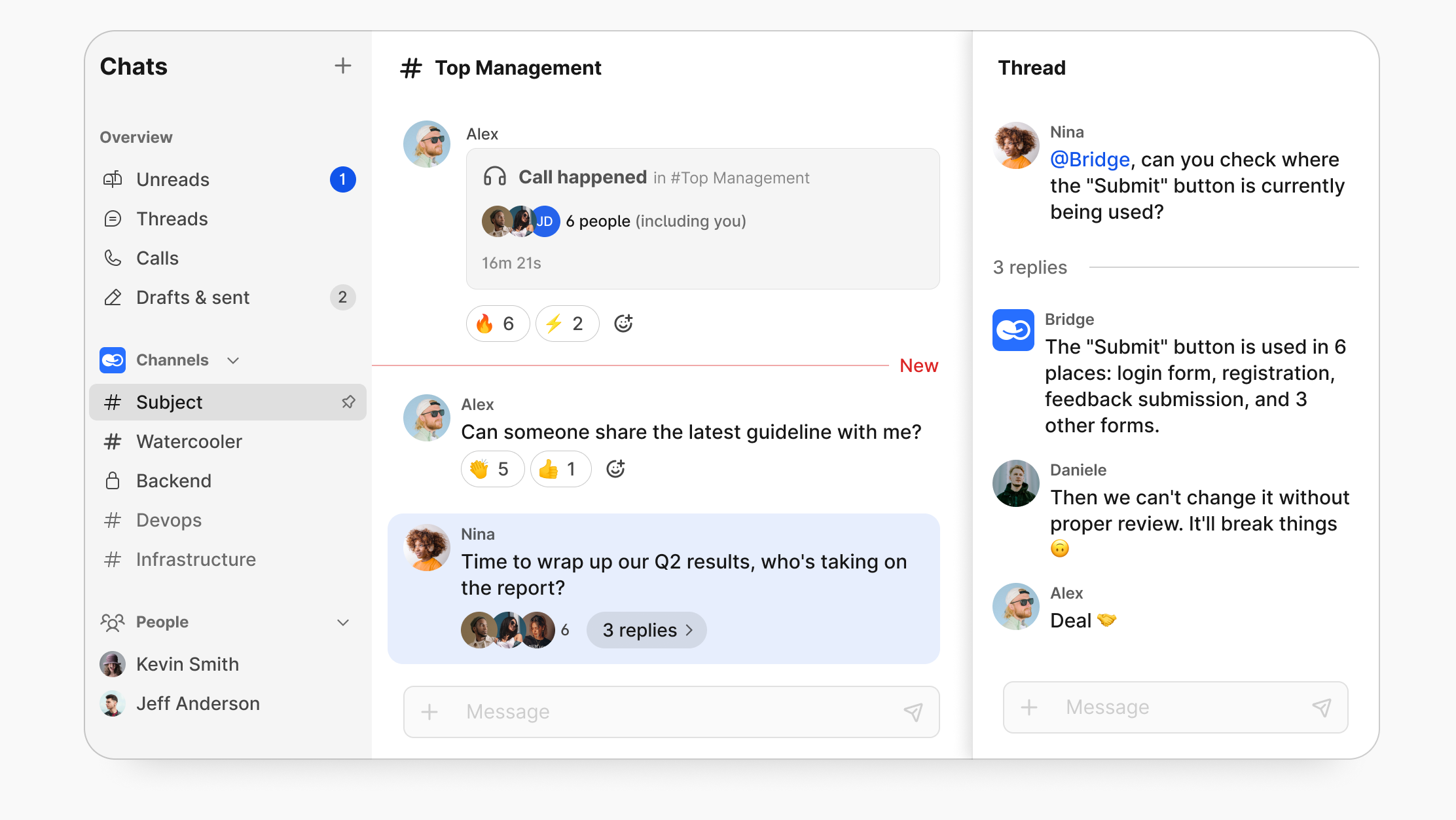
BridgeApp's flat architecture keeps your project data and conversations in a single operating layer that keeps conversations and work artifacts linked. The suite includes a native agent framework for building and deploying custom AI teammates, assigning them skills, and wiring them into your workflows. For enterprise teams, Bridge Appoffers sovereign deployment, letting you run your entire project management software in a private cloud environment where you own the keys.
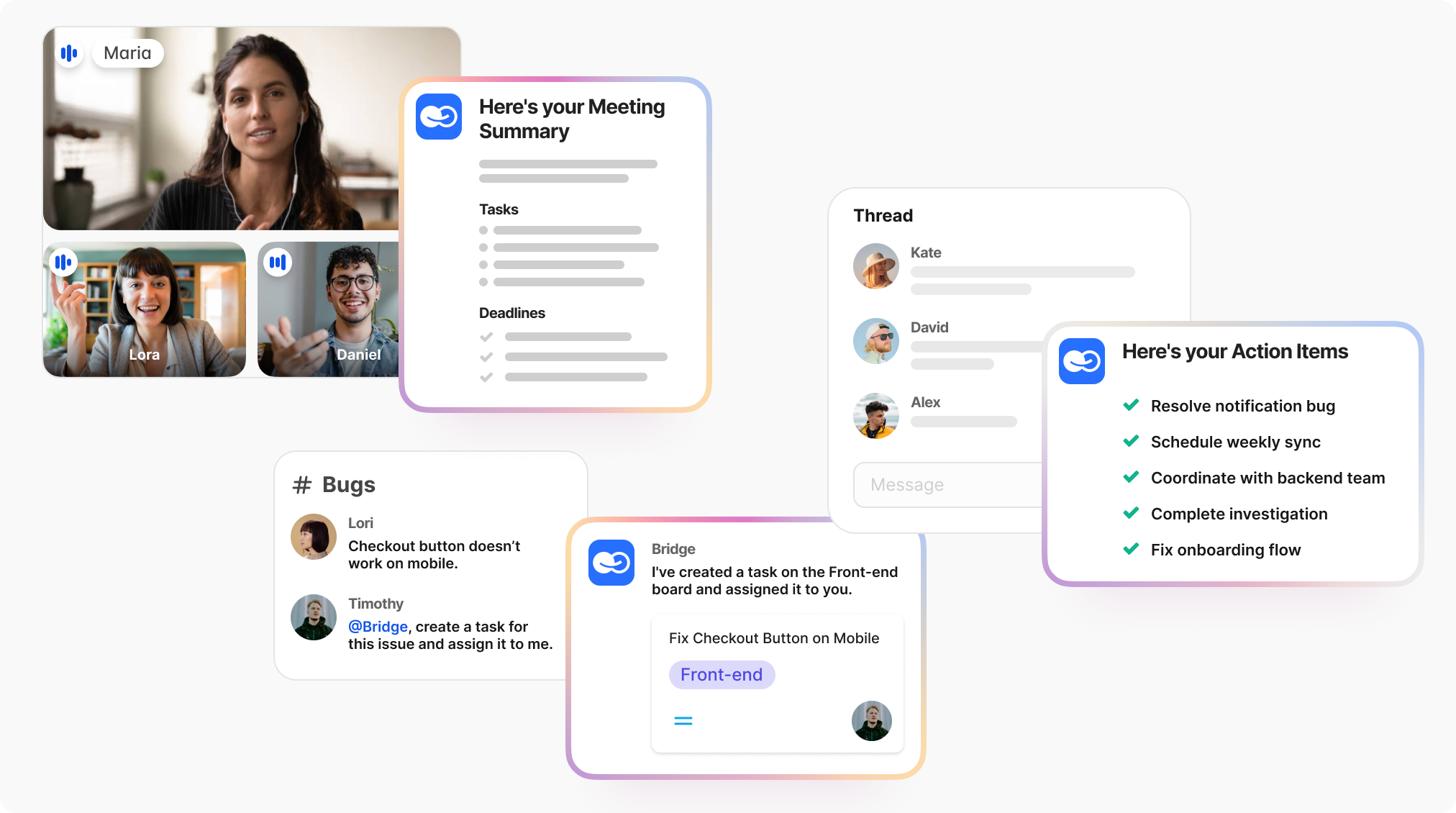
- Who it’s best for: Distributed teams, AI-native startups, and security-conscious operations leaders who need enterprise-grade security and zero-lag collaboration. It also fits DevOps-heavy teams, with webhooks and bots that pull GitHub or GitLab updates directly into your communication channels.
- The Trade-offs: teams looking for a casual task list with playful gamification might find it too focused on efficiency.
2. Linear: The Velocity King for agile teams
Linear is what happens when you decide that "performance" is the only feature that actually matters. It’s a task management tool built specifically for those who think in sprints and ship code daily.
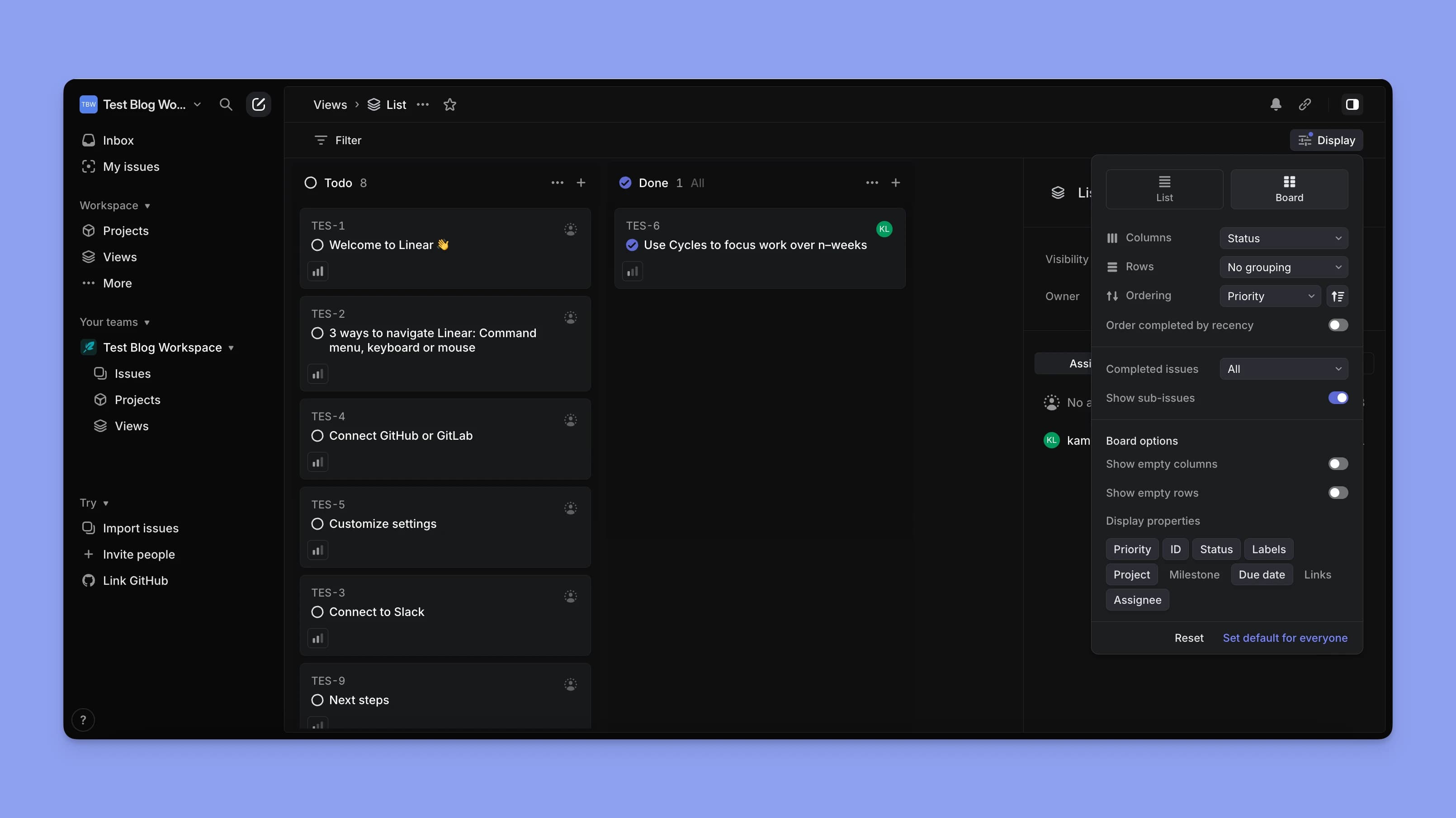
It’s essentially the "anti-ClickUp." Where ClickUp lags, Linear is famous for its sub-second UI. There are no complex dashboards to configure; instead, you get a streamlined user interface optimized for keyboard shortcuts and high-velocity teams. It’s the closest thing to a "Zero Latency" project tracker on the market.
- Who it’s best for: Product-led engineering teams and software engineers who hate "ceremony" and just want to clear their backlog at the speed of thought.
- The Trade-offs: It’s intentionally opinionated. If you need a Gantt chart or a complex CRM-style view for your marketing team, Linear’s "minimalist-only" philosophy will feel like a straitjacket.
3. Notion: The Knowledge Canvas
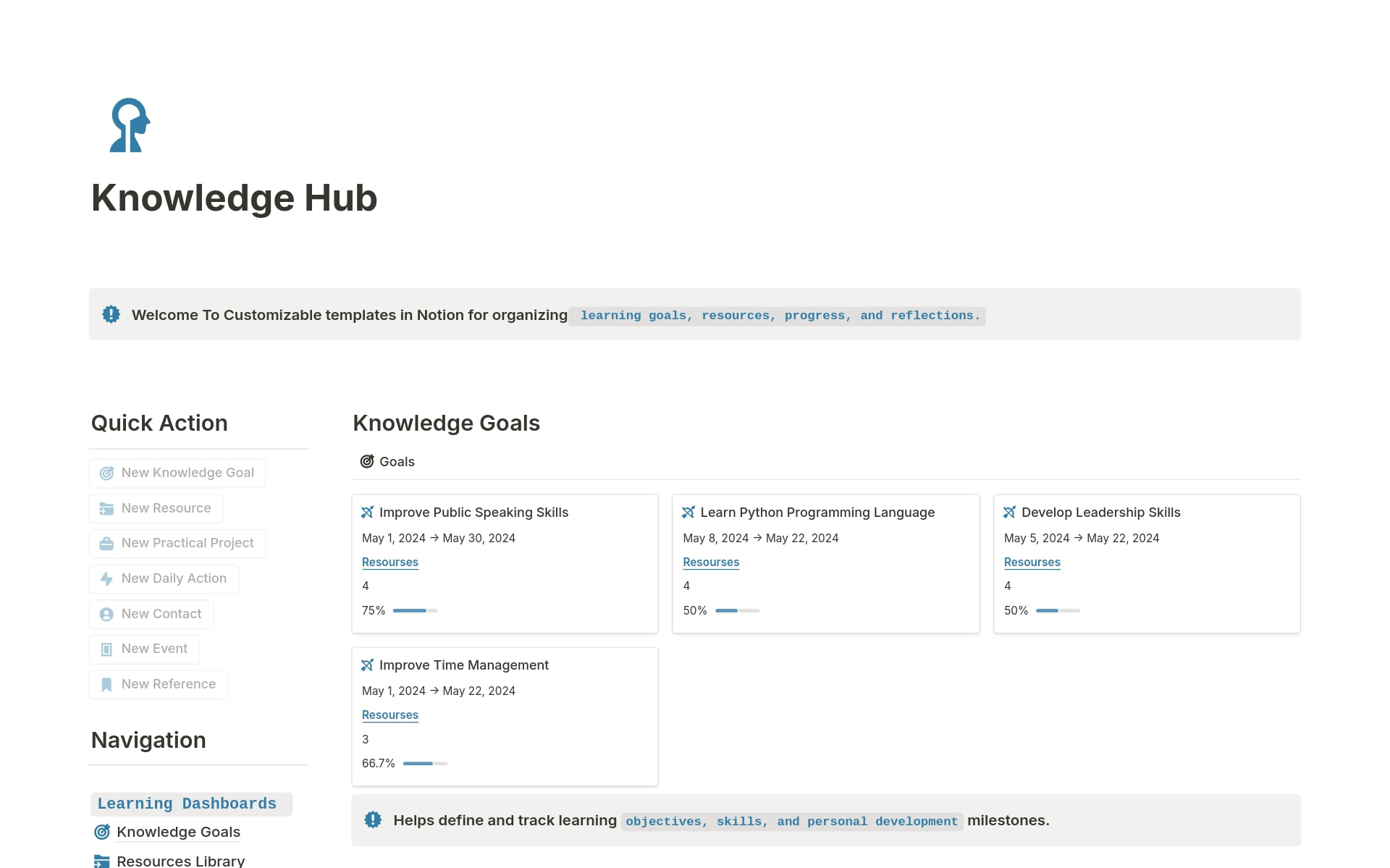
Notion treats your work as a story rather than just a list of chores. It’s a centralized platform that excels when your projects are 80% thinking and 20% tracking. Its built-in documentation and relational databases allow you to build an internal Wiki that actually lives alongside your task tracking. It’s the ultimate "everything-at-your-fingertips" workspace for teams that value deep documentation.
- Who it’s best for: Content creators, designers, and knowledge-based startups that need to manage multiple projects where the "why" is just as important as the "when."
- The Trade-offs: The "blank canvas" problem. Because it’s so flexible, you can easily end up building your own version of the "feature maze" if you aren’t disciplined with your workspace structure.
4. Monday.com: The Visual Goal Tracking
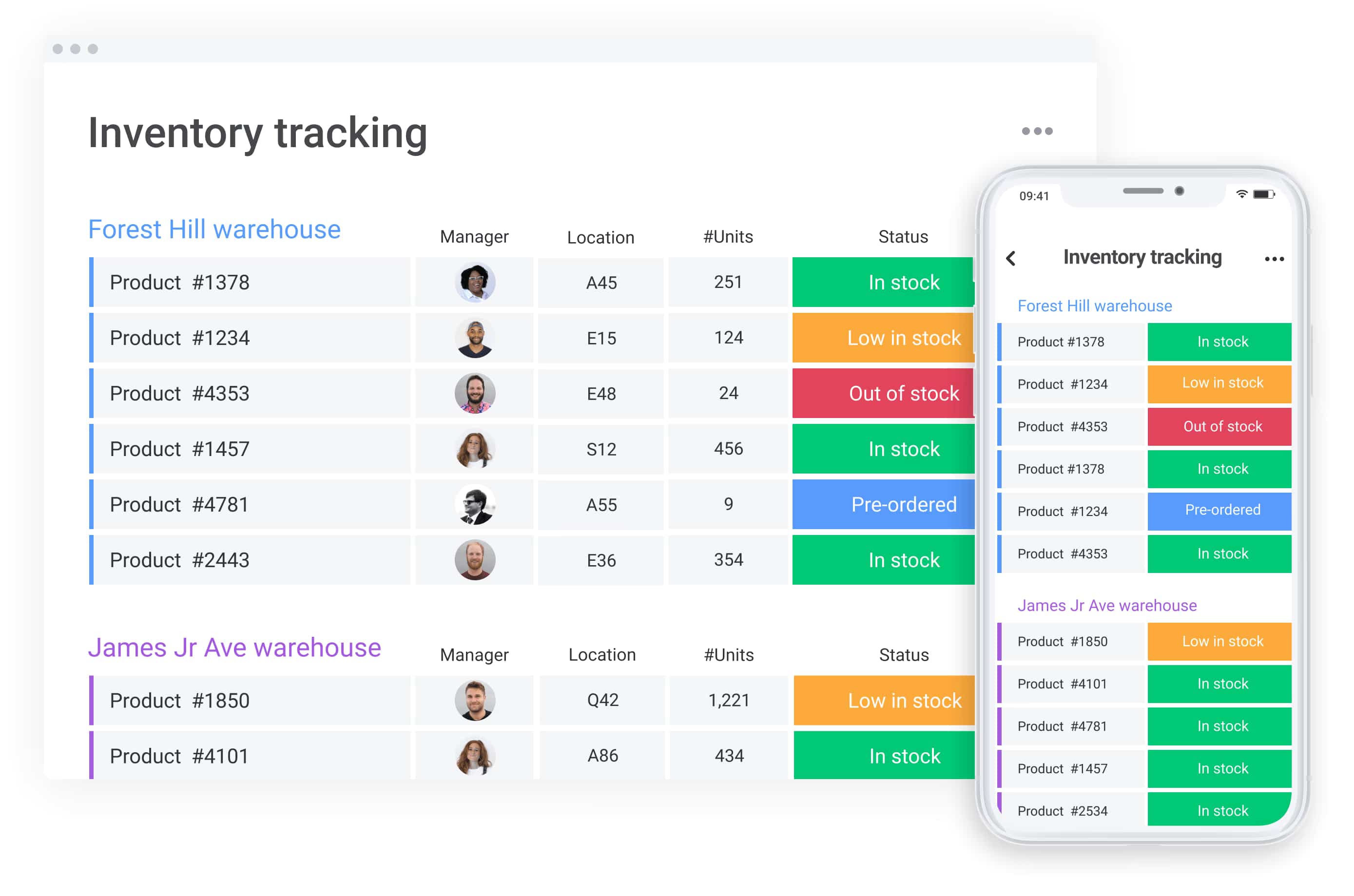
Monday.com is the glossy, high-res dashboard, the visual "control room" for teams that need to see their project progress at a glance. It’s good for multiple project views (Gantt, Timeline, Workload) and provides automated workflows that are significantly more intuitive than those in ClickUp, allowing users to wire together complex data pipelines from Google Sheets, CRM tools, and internal boards without a CS degree.
- Who it’s best for: Marketing agencies, sales teams, and HR departments who need to monitor progress across complex projects using high-level visual reporting.
- The Trade-offs: The price tag. Once you start needing advanced features and enterprise security, the "per seat" cost climbs quickly.
5. Asana: The Standard of Project Management Tools
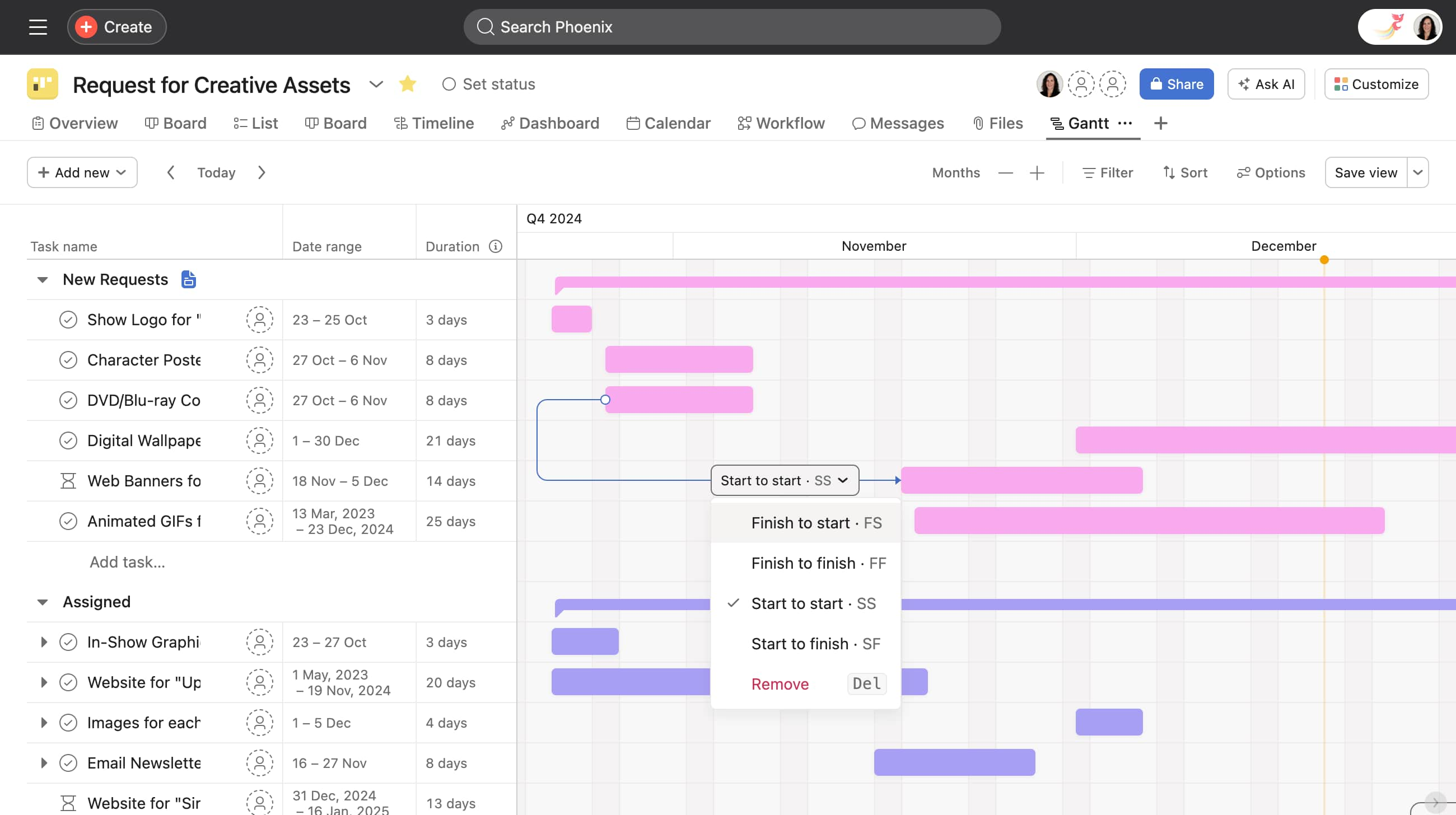
Asana is the adult in the room, one of the most renowned ticketing and task management suite on the market. It’s the project management tool you choose when you need a system that doesn’t break when you add your 500th user. It always prioritizes stability and user-friendly navigation over flashy experimental features. Asana’s "Goal Tracking" and "Workload" views provide a level of cross-functional collaboration that feels much more polished and "Enterprise-ready" than ClickUp's hierarchy.
- Who it’s best for: Mid-market and enterprise companies where "uptime" and "intuitive interface" are non-negotiable for 100+ employees.
- The Trade-offs: It can feel a bit "corporate." If you’re looking for a tool with a "digital native" vibe or a cutting-edge AI agency, Asana’s polished, safe approach might feel a bit slow-moving.
6. Jira + Jira Work Management: The Ticket Empire
If, as we framed above, ClickUp is a "Walking City," Jira is a sprawling bureaucratic empire where every action leaves a "paper trail". It remains the de facto standard for software development, attempting to pivot toward business teams through Jira Work Management.
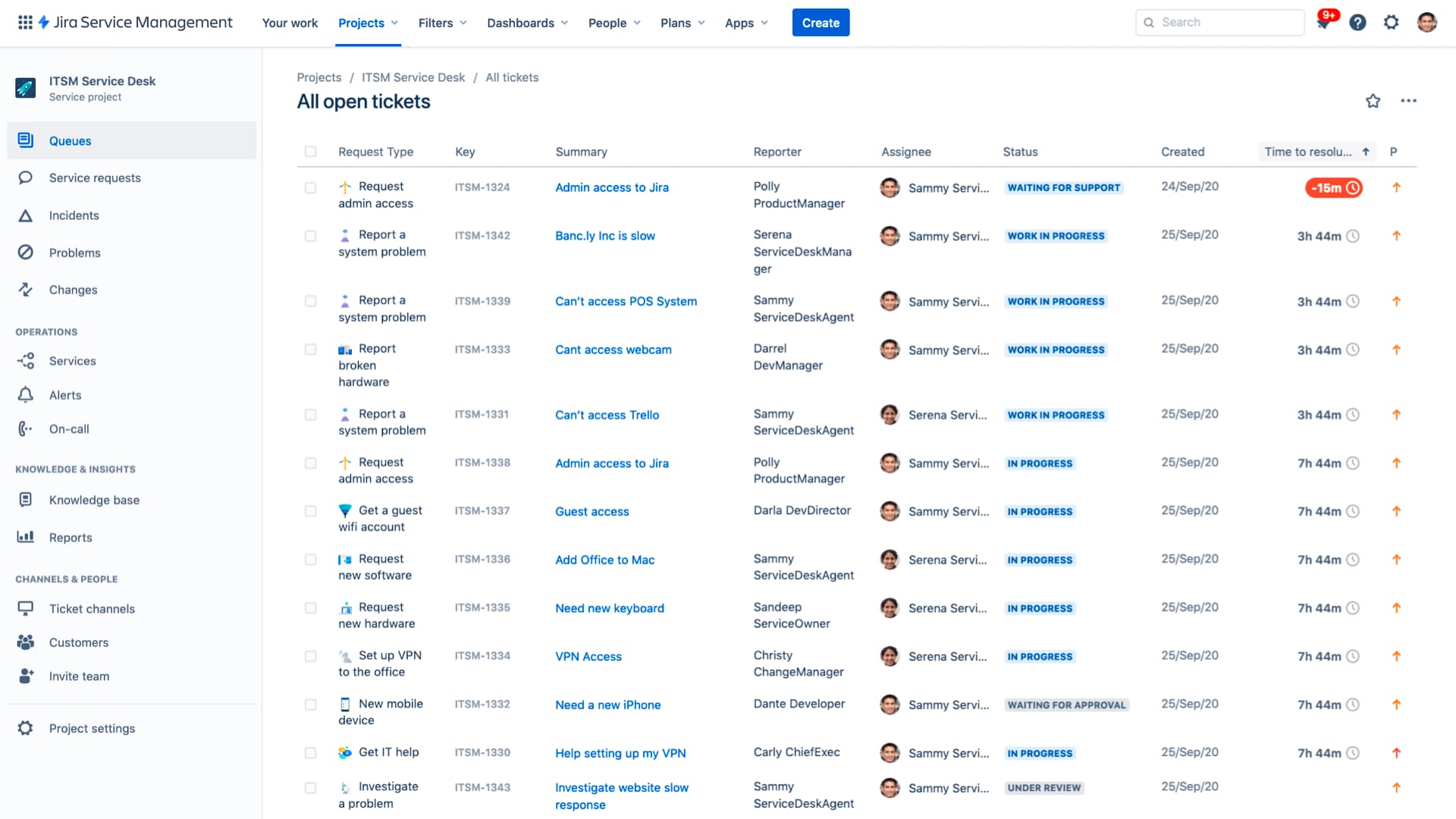
Jira is one of the most recognised tools for managing complex projects and bug tracking due to its rigid structure and military-grade discipline. It provides a rigorous framework: epics, stories, and sprints that work like a well-oiled mechanism. Its deep integration with the Atlassian stack (Bitbucket, Confluence) makes it the natural center of gravity for engineering-led enterprises.
- Who it’s best for: Sprint-oriented teams, large-scale operations, and organizations where product delivery is a release strategy, not just a to-do list.
- The Trade-offs: The "Ticket Civilization" often births a "Backlog Necropolis"—a place where tasks die for years under layers of formalism . For non-technical teams, the interface remains overwhelming, and the need for a High Priest (Jira Admin) to configure custom workflows turns task management into a bureaucratic quest .
7. Wrike: The Resource Architect for Complex Projects
Wrike is the antithesis of the "lightweight" tracker. It is a heavy-duty engine for organizations that need to manage not just tasks, but capacities, budgets, and intricate supply chains . Wrike thrives in environments with hundreds of simultaneous projects. Its Gantt charts and resource management tools are among the best in the market, allowing managers to visualize team workload in real-time and foresee burnouts. It provides the "Advanced Reporting" that executive leadership demands to monitor team performance.
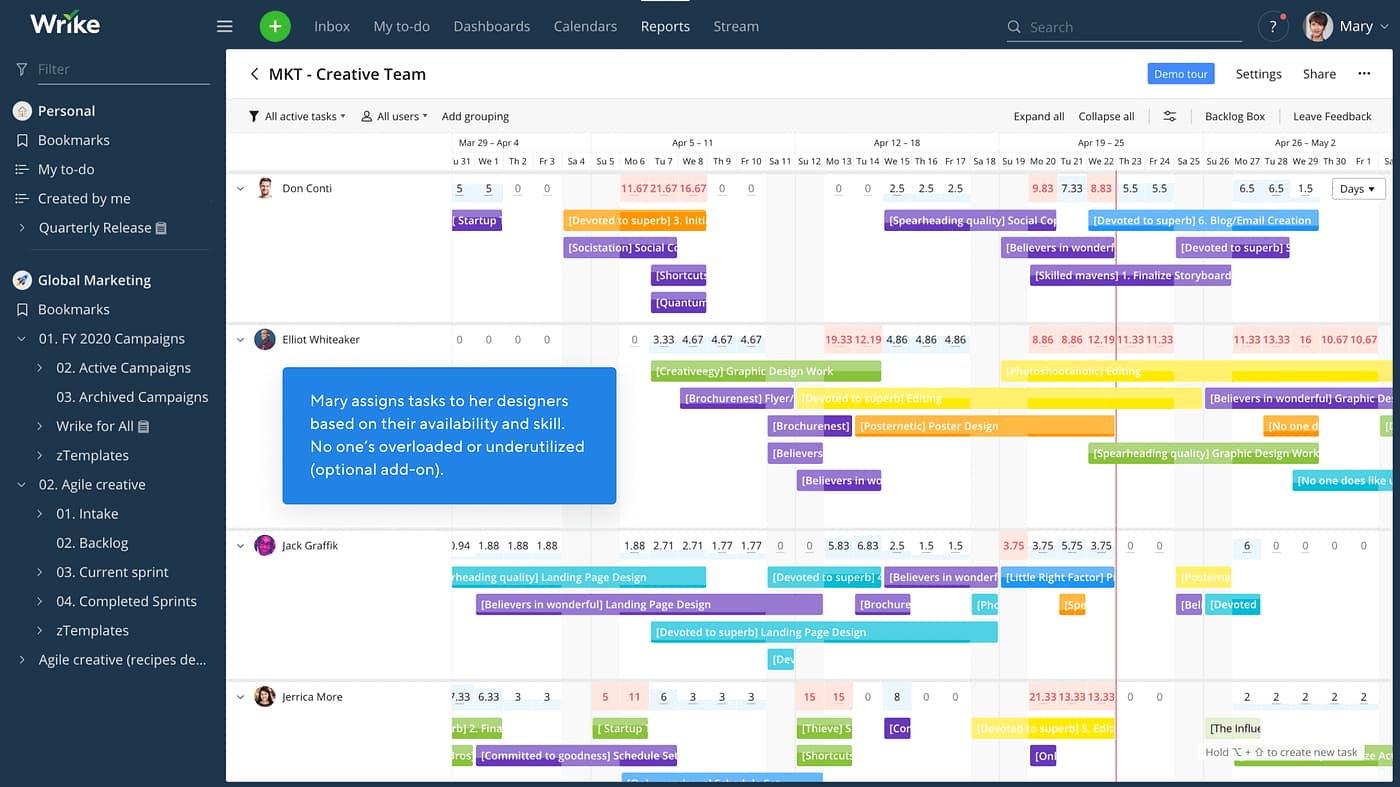
- Who it’s best for: Full-service marketing agencies, engineering firms, and departments with strict governance and requirements for detailed reports.
- The Trade-offs: Wrike demands a serious investment in training. This isn't a tool you launch on a Sunday night; it requires significant configuration and dedicated admin time . Moreover, the price for advanced features and enterprise security is steep — it’s "not exactly pocket change" for a smaller shop .
8. Airtable: Digital Lego for the Data-Obsessed
Airtable abandons traditional hierarchy in favor of relationships. It’s a hybrid of a relational database and a project management tool that allows you to build your own custom system from "digital bricks". Its multiple project views (from Gallery to Kanban) are faster and more intuitive for teams managing structured data—from content inventories to complex CRMs . It allows you to see the "why" and the connection between objects rather than just checking boxes.
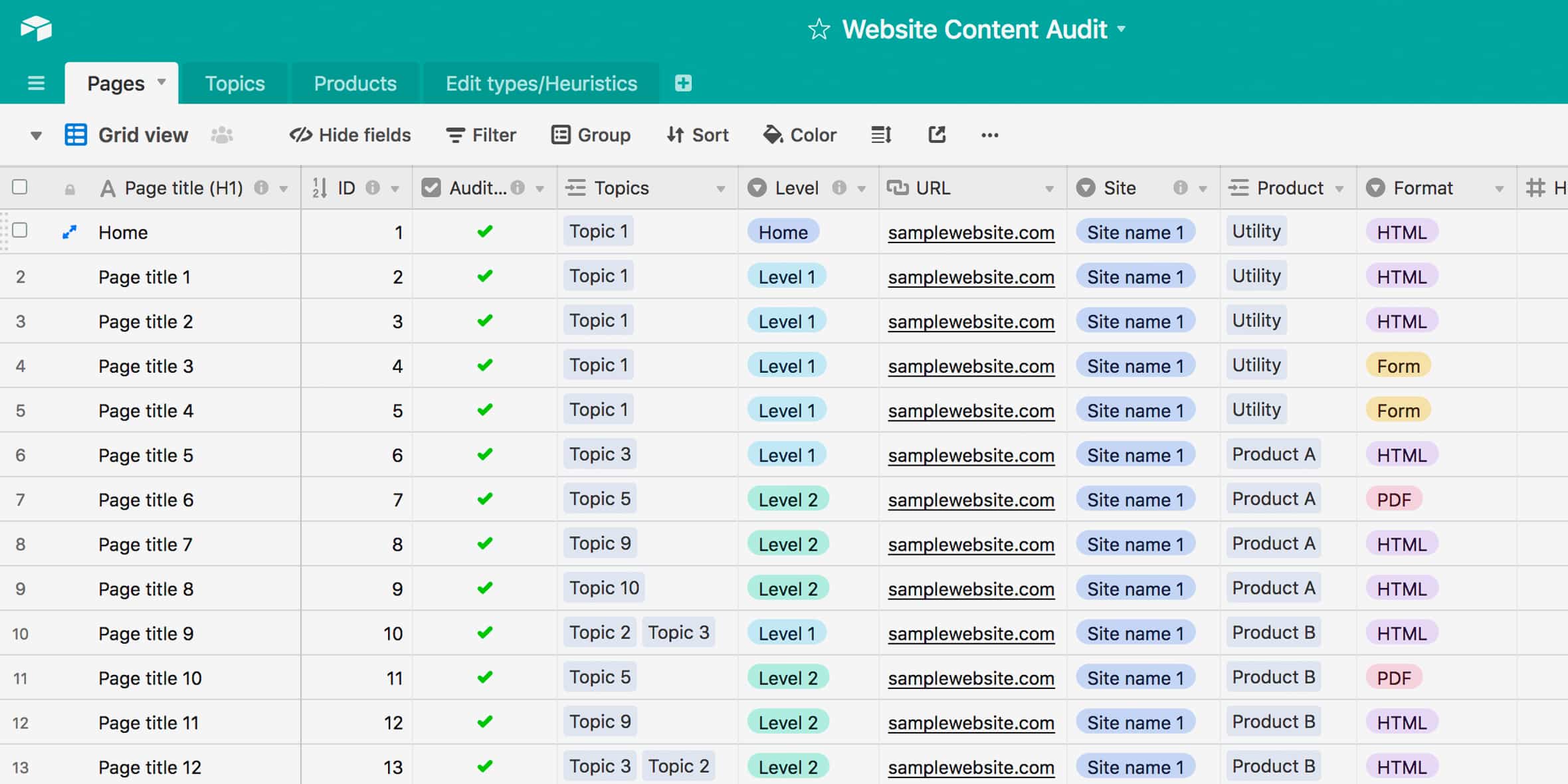
- Who it’s best for: Content teams, creative studios, and product managers who prioritize architectural flexibility and data integrity.
- The Trade-offs: As your project data grows into the tens of thousands of rows, performance can stutter. Furthermore, Airtable requires "architectural thinking"—if you build your relational links incorrectly at the start, your digital city will eventually collapse into an unreadable jungle.
9. Trello: The Minimalism of the 2010s
Trello is a reminder that work used to be simple. It remains the gold standard for the pure Kanban board: cards, lists, and nothing else to distract you . It has a clean, user-friendly interface and a near-zero learning curve . There is no "feature bloat" here; you see only what you need to ship right now. Its free plan remains one of the most generous for small squads needing to move fast and "just start shipping".
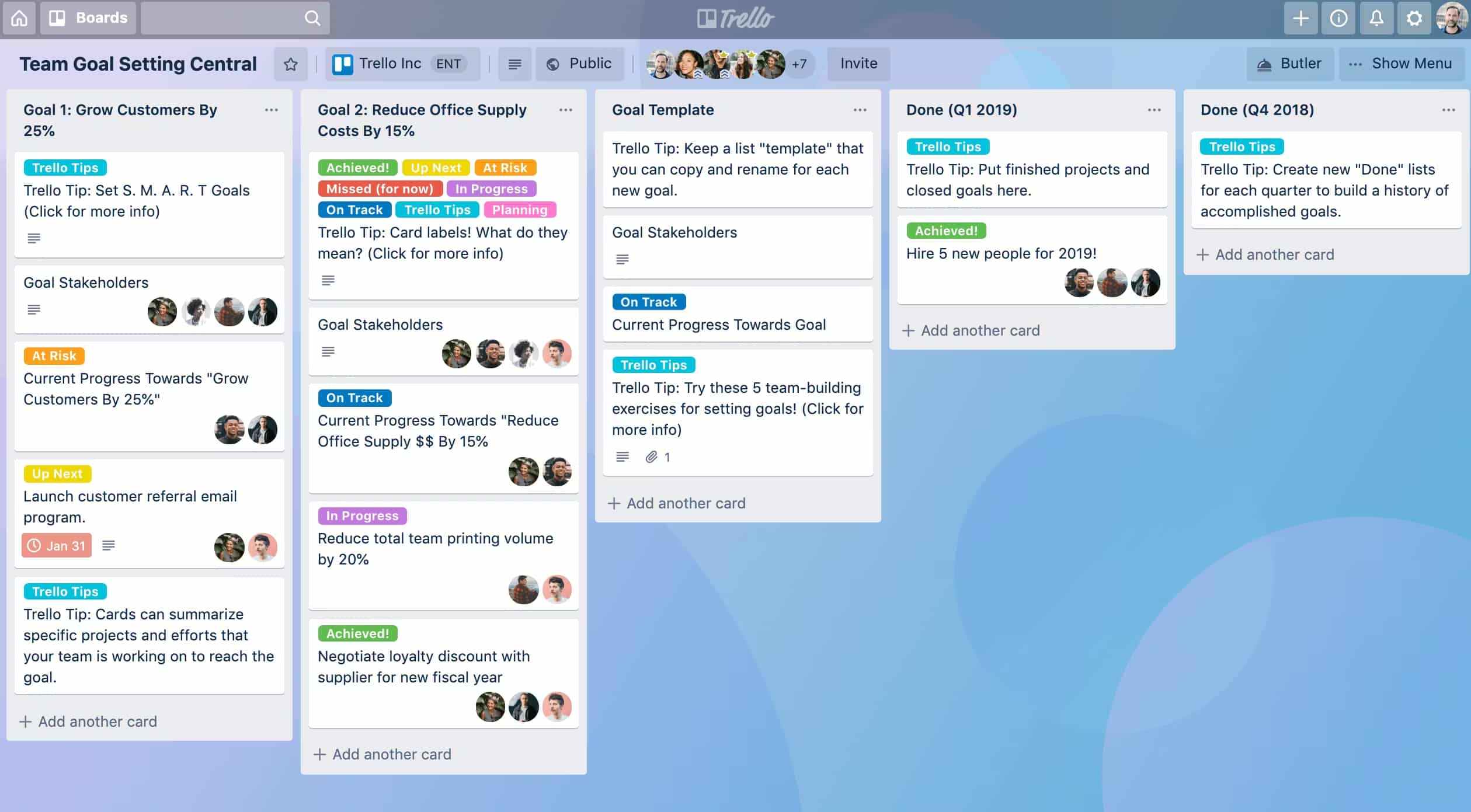
- Who it’s best for: Early-stage startups, freelancers, and cross-functional teams where speed of setup is more important than depth of analytics.
- The Trade-offs: Trello has a very low "ceiling." Once a project gains complexity, multiple boards become infinite horizontal scrolls where context vanishes. The lack of a native hierarchy or advanced goal setting makes it unsuitable for managing large-scale, high-resolution products.
Mapping the offer: The 2026 Efficiency Octagon
In the 2026 tech stack, choosing a project management tool based on a feature checklist is like buying a car based on the number of buttons on the steering wheel. It tells you nothing about how the vehicle handles a sharp turn at 90 mph. To find a true ClickUp alternative, we have to move beyond "flat" comparisons and look at the actual geometry of work. It isn't about finding the tool with the most checkboxes; it’s about finding the one with the highest "signal-to-noise" ratio. To help you decide, we’ve mapped the market leaders across eight axes of a Radar Map.
Below are the 8 evaluation axes for productivity tools.
- Interface & UX: How intuitive is the interface? We look for tools where new team members "get it" immediately, avoiding the steep learning curve that plagues overgrown workspaces .
- Performance: Does the app stay responsive with large workspaces and heavy integrations? In 2026, being "snappier" than the competition is a core product feature, not an afterthought.
- Security Features & Data Control: Pure SaaS, or can you go self-hosted / private cloud? For many, the critical decision isn’t the emoji set; it’s whether they can maintain complete control over their data.
- Collaboration Features: Channels, threads, and group messages. We evaluate how natively these are integrated with your actual work to stop the "context-switching tax".
- Task & PM Depth: The ability to manage multiple projects with Gantt charts, progress tracking, and complex hierarchies without the UI suffering from complexity.
- AI & Automation: Copilots and AI agents. We look for dedicated workflow builders that go beyond simple “if this, then notify that” rules to actually automate routine tasks.
- Admin & Governance: Role policies, audit logs, and permission design. A great tool should scale to enterprise companies without requiring a "temple priest" to manage it .
- Price & Licensing Clarity: Transparency in paid plans, the depth of the free plan, and the presence of a free trial. The final metric was the total cost of ownership over two years, not just the headline price.
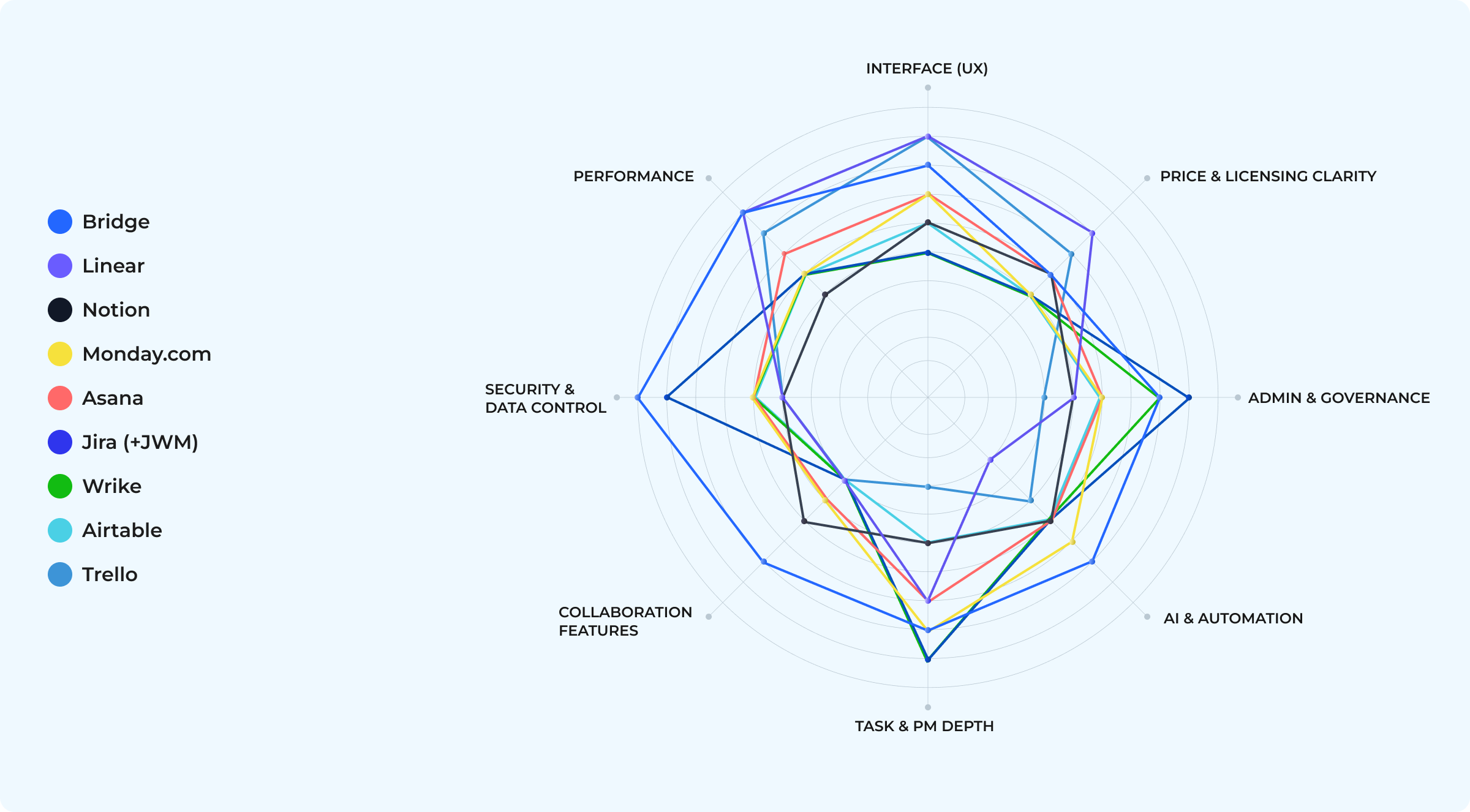
We also strived to compare the offers with another prism—attempting to present how the entire market supply can be viewed in relation to other project management tools.
So this additional chart below is a quick way to see where each ClickUp competitor sits: from fast and easy-as-pie trackers that are optimized for flow to configurable governance machines that are optimized for control—and up to context-native workspaces that treat tasks as one object inside a larger operating layer (chat, knowledge, data, agents).
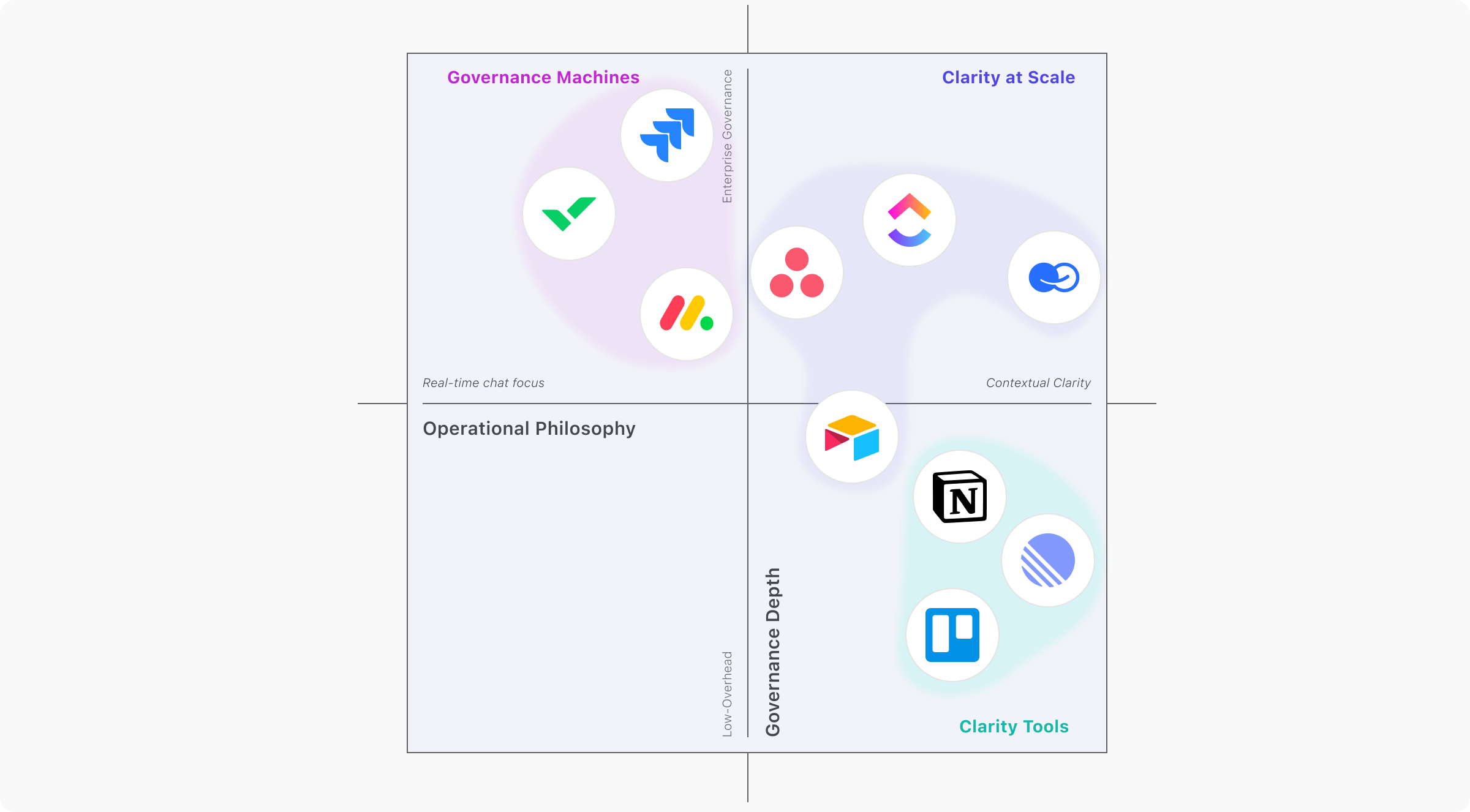
Our Preference Map offers a strategic high-ground view. It plots the industry’s heavy hitters along two decisive lines: Operational Philosophy (feature density vs. contextual clarity) and Governance Depth (low-overhead tools vs. enterprise systems built for process rigor and administrative control). If ClickUp is the “Everything App” that tends to drift toward high density and heavy configuration, the alternatives we’ve selected show clearer paths: some prioritize speed and simplicity, others optimize for knowledge and context, and a few double down on enterprise governance.
So, which of the ClickUp alternatives is the best fit for your team's work and rhythm?
For Visual Operations and Cross-Functional Oversight (dashboards, timelines, workload views):
Choose a well-designed suite that excels at high-visibility planning and automated workflows for marketing, sales, and HR-heavy programs where clarity-at-a-glance matters. We suggest BridgeApp or monday.com. Asana is also a reliable alternative. While it lacks Monday’s "visual command center" feel, it is the safer bet for broad, frictionless rollouts.
For High-Velocity Engineering Teams (speed over configurability):
Linear is the precision instrument—opinionated workflows, keyboard-first UX, and sub-second responsiveness for sprint-driven product teams.
For Ticket-Driven Engineering Governance and Resource-Heavy Enterprise Delivery (capacity planning, reporting, multi-project governance, process rigor, traceability):
Wrike fits organizations managing portfolios, budgets, and workload forecasting with executive-grade reporting. Jira + Jira Work Management remains the standard for teams that live in epics, stories, and sprints—and want every action to leave an auditable trail.
For Knowledge-Centric Hybrid Teams (docs-first, context alongside tasks, AI teammates):
Try Notion, which turns task management into a narrative workspace where documentation and relational databases live next to execution and supports an impressive array of integrations. Alternatively, choose BridgeApp. It includes a native agent framework for building, configuring, and deploying AI teammates that can be @-mentioned in chats or tasks to assist with documentation search/updates and operational analysis (including logs).
For Lightweight Kanban Simplicity (fast setup, minimal overhead):
Trello remains the cleanest on-ramp for small teams that want to start shipping immediately.
For Data-Driven teams with a request for context-awareness (relational data, context in the loop):
Airtable, which is excellent for data-centric workflows, and is a Lego-like layer for teams that want to model work as linked objects—content inventories, pipelines, and lightweight CRMs. Or BridgeApp, which provides a single operating layer where conversations, tasks, documents, code, and structured data stay connected—deployable on-premises or in a private cloud when data control and compliance boundaries matter.
All things considered, BridgeApp is our top recommendation for teams that prioritize context and execution over process ceremony—unless you specifically need a system rich in visual dashboards and reporting. BridgeApp keeps decisions, tasks, and documentation in one continuous flow, so teams spend less time “managing the manager” and more time shipping.
If your team is entangled in a "backlog swamp” it's time for pragmatism. Take a week to run a pilot and see how it feels when your project management tool finally matches the way you actually work.
Try BridgeApp for free or book a demo.