BlogIndustry Insights
Microsoft Teams Alternatives in 2026: Lighter, Faster, and More Sovereign

Konstantin BuzzResearch Lead
9 min read
For years, Microsoft Teams has represented the old school approach to workplace communication — a tool built for white collar cubicle farms, universities, Fortune 500s, and government agencies. In its marketing, Microsoft signals quite clearly that it’s designed for organisations with 300-plus employees. The platform lives seamlessly inside the Microsoft ecosystem, and the props are painfully familiar: Word lists that refuse to format properly, Excel cells stubbornly turning “1/2” into “February first”, SharePoint folders nested into infinity. All that is now wrapped into the cloud.
But, let's face it, they are among the most popular ecosystems, and people use it by the millions. Statista claims around 320M daily active users. Five years ago, in 2019, it stood roughly even with Slack; by 2025, Teams outnumbered Slack by nearly ten to one.
Backbone of Remote Office
On its free plan you get the basics — video calls, audio calls, instant messaging, screen sharing. Move up into paid licenses and you sink deeper into the full Microsoft Office universe. And if you look beyond the surface, Microsoft has built a surprisingly rich suite of collaborative services that goes well past simple chat or video conferencing. For project management and task oversight, the integrated Microsoft Planner is a solid option: it supports Kanban-style boards, task cards with checklists, due dates and labels, and lives directly inside Teams channels for real-time coordination. You can also bring in Microsoft Lists and SharePoint libraries to give your team structured data tracking and document management, with real-time co-authoring and version control built in.
Then there’s a deeper layer for teams that manage their own data or want custom applications. Using Microsoft Power Apps inside Teams, you can build canvas or model-driven apps backed by the low-code Dataverse platform, embed them as tabs, automate workflows with Power Automate, and tie all that custom logic together in a single workspace. Microsoft Teams also sits in front of a full gallery of AI-powered apps and bots in the Microsoft marketplace, covering everything from FAQ helpers and polling tools to analytics, recognition and CRM integrations. Instead of one “magic” bot, you get dozens of small, focused assistants: tools that can answer routine questions, run quick polls, surface scheduled reports from systems like Salesforce or Google Analytics, or help teammates exchange kudos and feedback without leaving the chat.
In other words, if your organisation already lives in the Microsoft 365 orbit, the collaboration tooling is robust, mature and deeply integrated — making Teams far from a toy and, in many cases, a perfectly valid contender for end-to-end team communication, project management and file-sharing needs.
Strengths and Frictions in a Modern Workflow
But for many modern teams, the dance floor feels crowded. When the tempo changes — when a sprint needs to move fast, when remote teams rely heavily on modular tools, when a startup is juggling ten SaaS apps and two AI copilots — the choreography inside Teams starts to break. The moment you try to blend context from Notion, Figma, GitHub, Trello, Linear, HubSpot, Google Workspace or your own internal knowledge base, the platform asks for a lot of extra glue, connectors and operational workarounds. Some people say it feels like the early 2000s again, when the most valuable person in the office was the one who could coax accounting software, antivirus tools and a website CMS into grudgingly talking to each other.
By 2026 these gaps are impossible to ignore. Teams remains excellent for organisations fully committed to the Microsoft ecosystem, but far less forgiving for companies that need agility, sovereignty or full control of their data. Those teams frequently discover that Microsoft Teams slows the very work it’s meant to accelerate.
That’s why the search for a Microsoft Teams alternative isn’t rebellion — it’s pragmatism. Performance, flexibility and data sovereignty matter more than ever. This guide breaks down the most credible Microsoft Teams competitors, shows you how to evaluate them, and helps you choose the best Microsoft Teams alternatives for your organisation’s actual needs.
Why Teams users look for alternative to Microsoft Teams in 2026
Remote companies, creative studios, AI-dense startups and data-sensitive organisations are increasingly finding that the very things that make Teams powerful at enterprise scale slow them down day to day. Let’s break down the main reasons people start looking for an alternative.
1. Heavy UI and high RAM load
Technically, Microsoft has done a lot of work on the Teams interface since the 2023–2024 overhaul. Starting in 2023, Microsoft began migrating the desktop app from Electron to WebView2, but the basic pattern remained the same: a complex web app wrapped in a Chromium-based shell. The result is that Teams is faster than it used to be, yet it can still feel sluggish and resource-hungry, especially on older laptops and on macOS, where CPU spikes and high RAM usage are common complaints.
2. Complex permissions & governance
Teams can be powerful here, but it’s often confusing. Teams contain channels, channels map onto SharePoint sites or folders, those sites have their own permissions and sharing rules, and then tenant-level admin policies sit over the top of everything.
For a 20-person startup, that’s overkill. Navigation feels convoluted, threaded conversations get lost between spaces, and even something as simple as moving a file from one channel to another can trigger unexpected access problems. Realistically, once you grow beyond a few dozen people, you’re not far from needing a dedicated Teams admin just to keep roles and access sane.
3. Pricing layers and licensing surprises
On paper, Teams often appears to be free because it is bundled. In practice, however, the licensing structure is complex and unclear: you can choose between E1, E3 and E5 plans, which include Office, or Business Basic, Business Standard and Business Premium. Alternatively, you could opt for Teams Essentials, which is a lighter option than Business Basic and lacks full Microsoft 365 apps and AI features (including basic spam filters). Then you start adding security and compliance extras.
Many only discover the real cost after implementation. One public breakdown for a 1,000-person organisation estimates a baseline of roughly $48,000 per year just for the Microsoft Teams component. With higher tiers, telephony and additional features, the total can rise to around $400 per user per year — roughly $400,000 for an organisation of that size. For companies that mainly need robust communication, collaboration and project management, that’s not exactly pocket change.
4. The sovereignty of business communication
To Microsoft’s credit, Teams is excellent at what it was born to do: compliance, governance and business communication at scale. It ships with serious compliance features, retention policies, eDiscovery, admin controls — all the things a regulated enterprise expects. But, for data-sensitive startups, NGOs and public-sector institutions, there’s a friction point: a growing desire for on-premise or sovereign deployments to have full control over their data. That’s where open-source platforms and self-hosted options — BridgeApp, Mattermost, or Rocket.Chat, step in as serious Teams alternatives.
The last common reason for searching isn’t a separate point so much as a subtle part of the flow. When teams go looking for a new collaborative platform, they rarely start with “We hate MS Teams.” It’s more often, “This just isn’t where we do our best thinking.”
For many people, Teams evokes a Class B office with water coolers and Post-it notes on cubicle walls. You go there to hold meetings, file tickets, and check boxes. It’s a place of obligations rather than flow. So the search usually begins with a different question entirely: “We need something better suited to how we actually work now—faster, more flexible, more sovereign, and with a lot less ceremony.”
How to evaluate best Microsoft Teams alternatives (criteria)
We use the same Radar Map logic as we already did in the Discord Alternatives article, with categories tailored to business communication:
1. UX & Ease of Use — navigation clarity, speed, cognitive load.
2. Performance — RAM footprint, responsiveness, cross-platform stability.
3. Privacy & Security — encryption, zero-knowledge options, identity model.
4. Data Control / Sovereignty — on-prem, self-hosting, EU hosting, SSO/SCIM, data residency.
5. Collaboration Features — structured channels, threads, file organization, shared workspaces.
6. AI Integration — copilots, automation, knowledge search, agent workflows.
7. Admin & Cost — licensing clarity, permission design, total cost of ownership.
You don’t need a perfect 10/10 in every category. But knowing your priorities is essential.
Quick scorecard: enterprise giants vs nimble entrants
By 2026, the collaboration market has quietly split into some camps.
Modern lightweights — BridgeApp, Slack, Mattermost, Rocket.Chat, Zulip, Zoho Cliq, ClickUp.
Fast, friendly, integration-first tools with self-host or data-sovereign options in the mix. Great for speed, usability, and developer ecosystems; thinner on heavyweight governance.
Enterprise suites — Cisco Webex, Zoom Workplace, Google Chat.
Big-tech platforms built for compliance, identity, and audits. Wide feature range, but heavier, pricier, and slower to adapt to hybrid AI workfвlows.
Long-tail helpers — Chanty, Flock.
Smaller tools that fill specific gaps for lean teams.
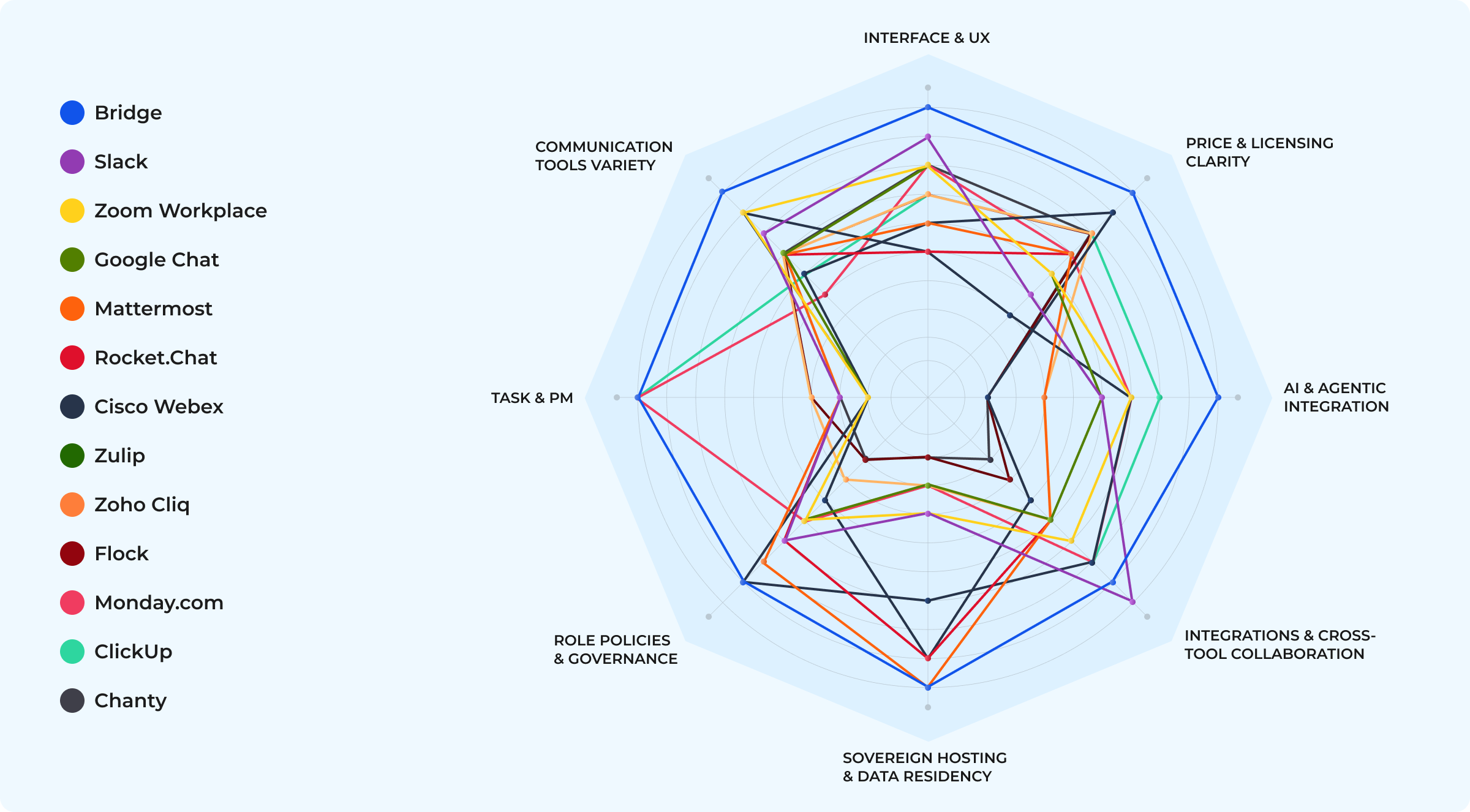
Skim this cluster map to see where each Microsoft Teams alternative lives — then choose based on structure, not brand gravity.
The Top Microsoft Teams Alternatives in 2026
1. BridgeApp — a Context OS for hybrid human–AI teams with a generous free plan
BridgeApp is where large, distributed teams can effectively collaborate. Chat is the surface; underneath you get a task manager, real-time databases, and a knowledge hub that keeps decisions attached to their evidence — searchable, auditable, and easy to revisit. You can run it in the cloud or deploy it on-prem / private cloud for full data sovereignty.
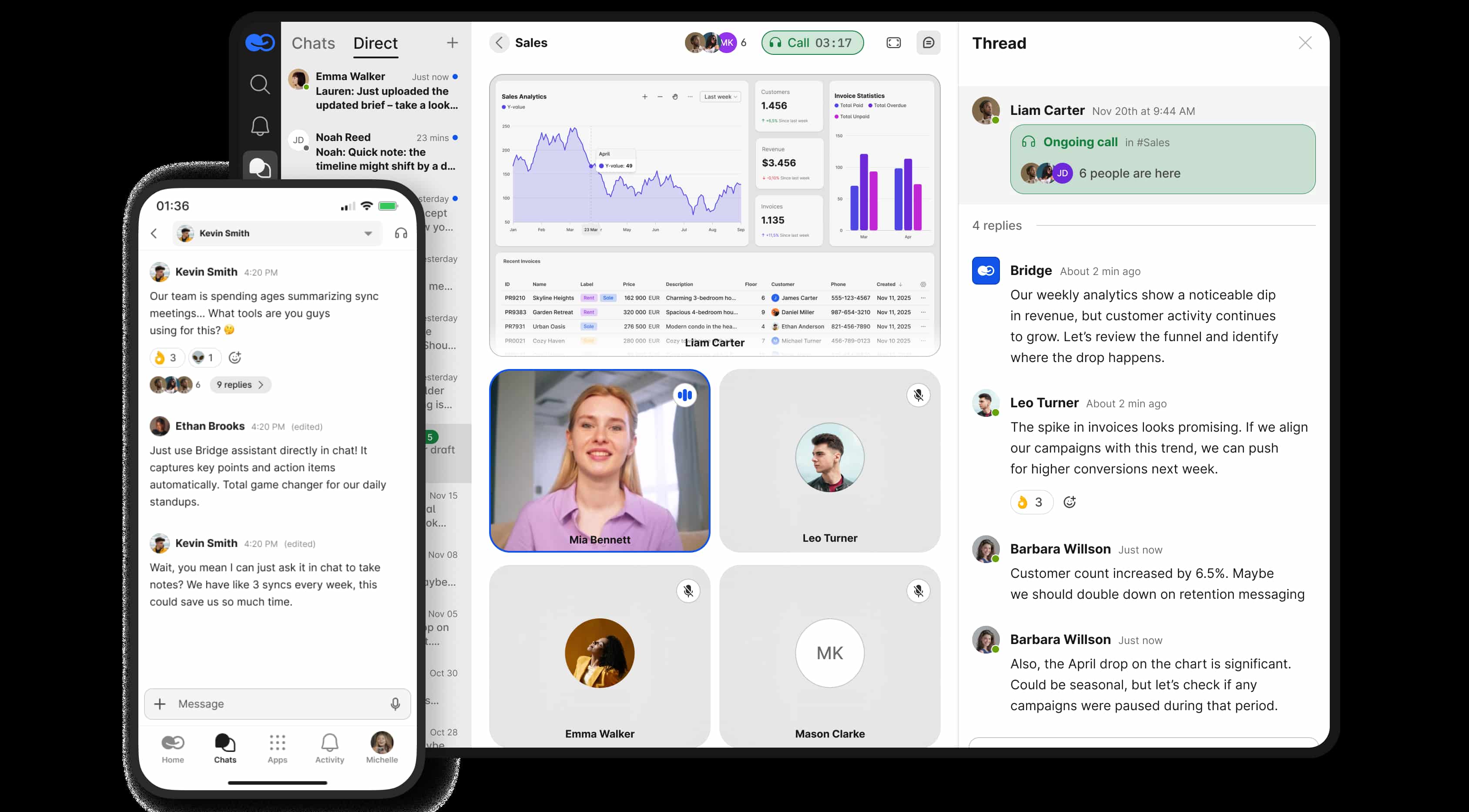
The app has a light footprint and a philosophy of “context over chat.” It’s designed for real-time human–agent collaboration in teams that need a comprehensible, robust structure rather than another noisy team chat. A multi-platform client keeps the UX ultra-fast even with large knowledge graphs, and its agent-native architecture lets LLMs automate routine work with human-in-the-loop approval. Pricing stays simple and transparent — no licensing labyrinth.
2. Slack — benchmark team collaboration chat
Slack continues to set the standard for team chat and integration depth, with channels, threads, and a vast app ecosystem. The platform delivers an intuitive user experience loved by startups and product teams, one of the deepest integration ecosystems on the market, mature workflow automation, and noticeably better Mac performance than many heavier collaboration suites. It’s best for teams that want rapid messaging, rich integrations, and minimal friction in onboarding — especially those not locked into tightly regulated infrastructure.
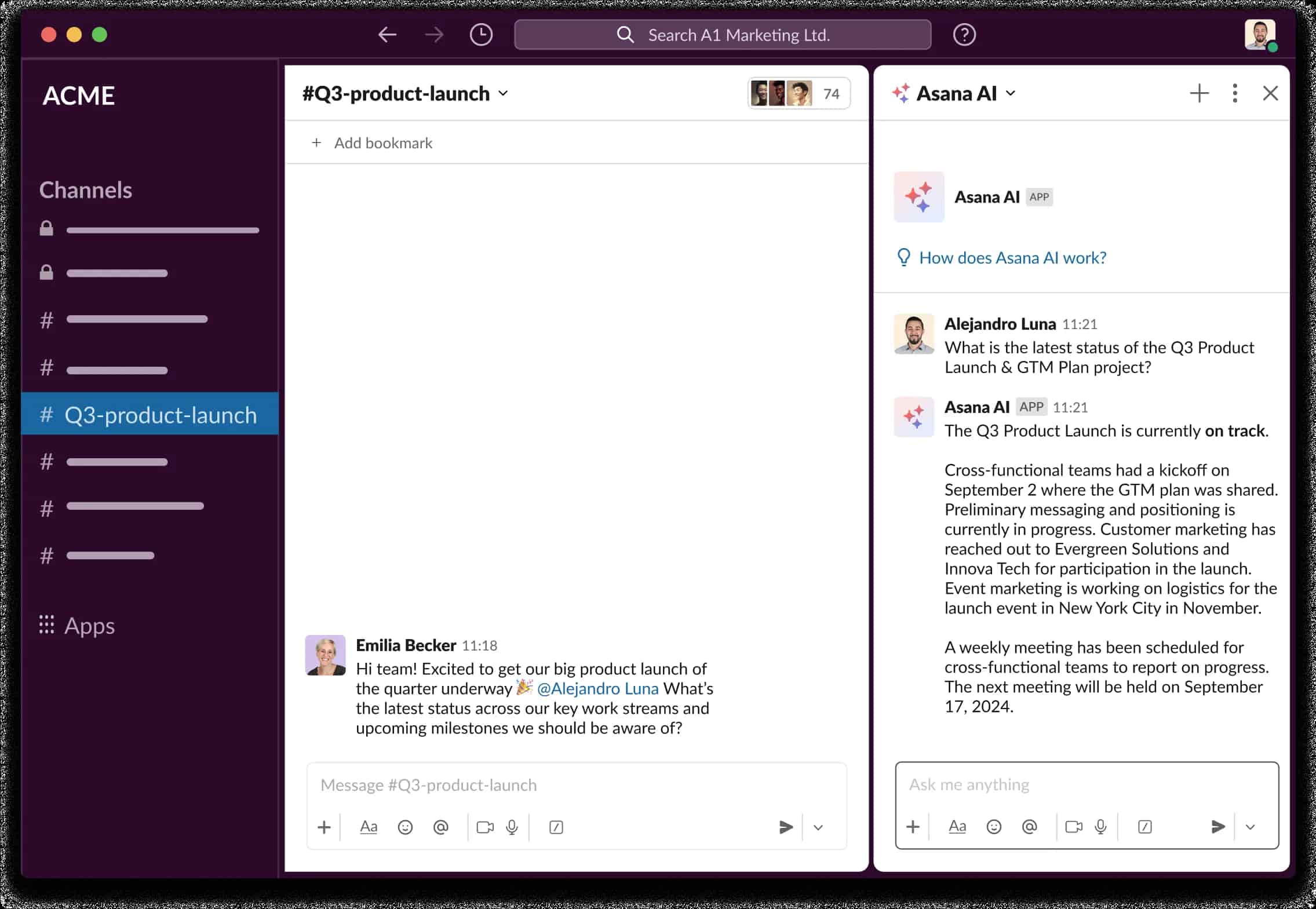
There are trade-offs. Pricing can climb steeply as your user count and feature needs grow. As a chat-first tool, Slack can struggle to retain long-term context and organize knowledge at scale without extra structure layered on top. And for high-security or compliance-driven environments, you’re often looking at Advanced features or Enterprise Grid plans to tick all the boxes.
3. Zoom Workplace (Team Chat) — video-first collaboration hub
Zoom, long known for its video conferencing, has quietly grown a credible team-chat layer around its core meetings product. In Zoom Workplace, channels and direct messages sit alongside high-quality video calls, screen sharing, and webinars, so most collaboration happens in one familiar place. Compared to heavyweight enterprise suites, the communication model is straightforward: jump into a meeting, keep the conversation going in chat, and bring recurring groups together in channels without much configuration overhead.
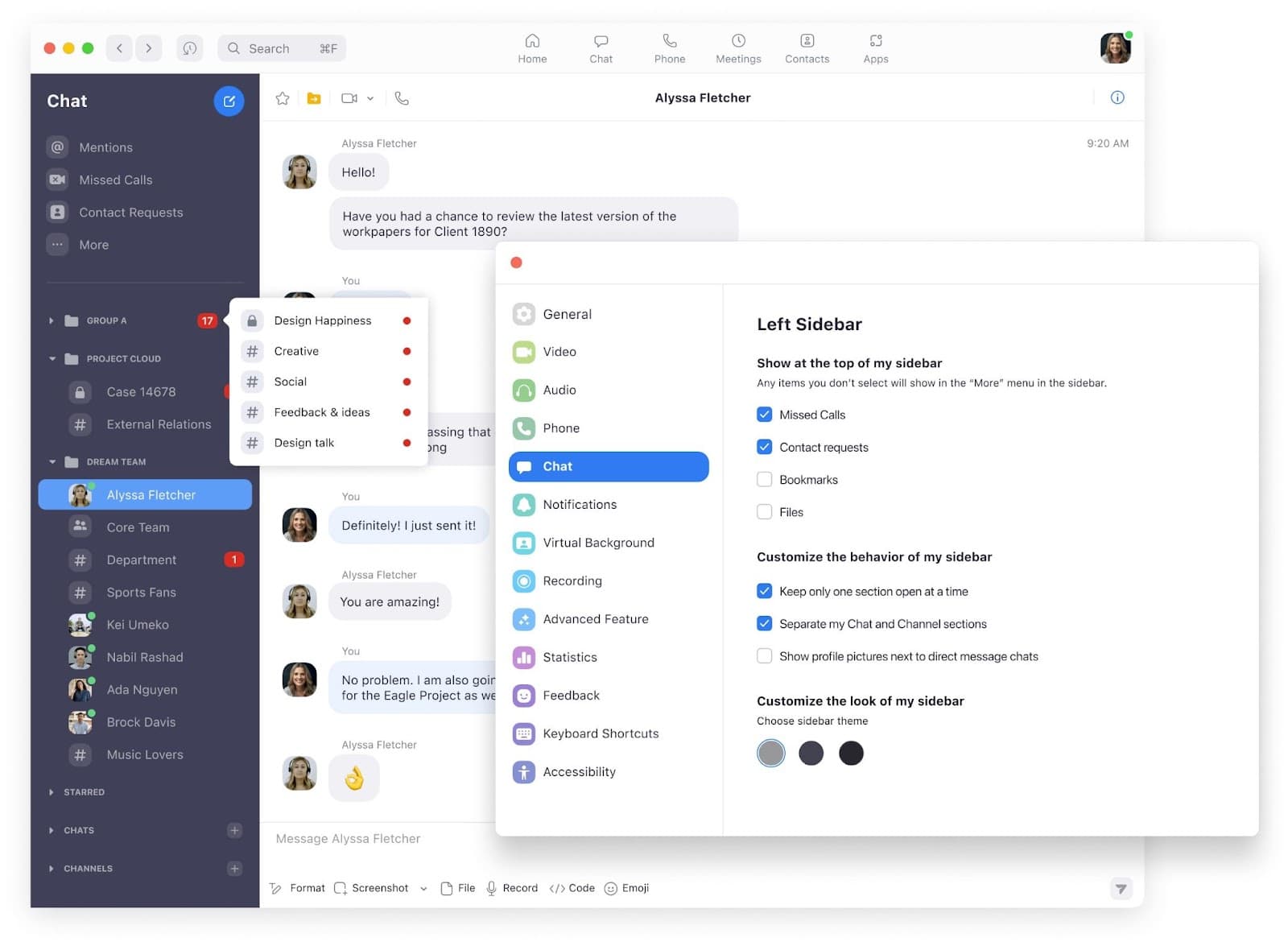
It’s a good fit for teams where live video is the heartbeat of the workday — remote and distributed teams that rely heavily on synchronous communication, and client-facing organizations that live in back-to-back demos and presentations. If “let’s jump on a quick call” is sounding like a broken record, Zoom Workplace feels natural: meeting reliability is excellent, video and audio quality are consistently strong, and the chat layer is now good enough to handle day-to-day team communication.
There are drawbacks. Zoom’s chat and knowledge-management capabilities still lag behind the specialized tools above, and its integration story, while improving, is still far from deep and consistent. If your primary need is rich task management, deep knowledge structures, or complex workflows rather than meetings, another tool will likely serve you better.
4. Google Workspace's Chat — lightweight messaging for Google-first teams
Google Chat is the messaging layer of Google: a clean, predictable channel for team communication. It runs fast on web and mobile, lives inside the tools you already use, and is included in Workspace at no extra cost. You can spin up spaces for projects, chat in threads, drop in Google Docs, Sheets, or Slides, jump into a Google Meet video conferencing tools, and pull files from Google Drive without leaving the flow. Recent updates added inline threading, smarter search, and AI-powered suggestions via Gemini and Notebook LM–style research summaries, making it a solid business communication option for small and mid-sized teams. If your stack is firmly Google-centric, Chat directly in Gmail, Google Calendar, Drive or Docs feels like a natural extension rather than “yet another app.”
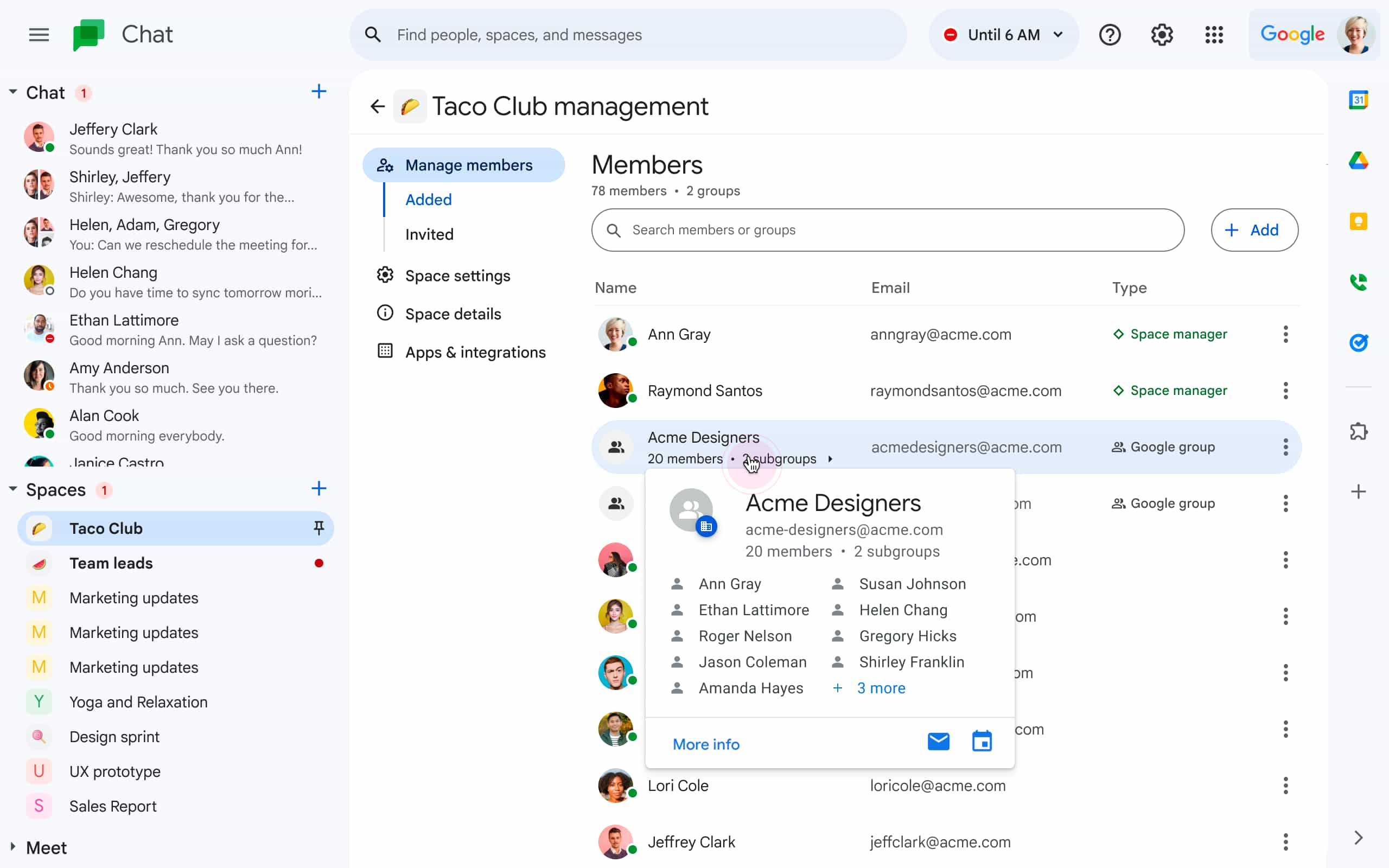
There are trade-offs. Advanced governance and customization options are more limited than in full-blown enterprise platforms like Microsoft Teams or Cisco Webex. There’s no on-premises deployment path or strict data-sovereignty model, and its collaboration toolkit, while improving, is still less straightforward and extensible than Slack’s or Teams’ when you look at large-scale workflows and complex integrations. It’s also not truly free: the costs rise quickly once you start milking Workspace for all it’s worth. (Although, in our opinion, basic free Google's tools offers much more than Microsoft Teams free plan)
5. Mattermost — on-prem and DevOps-friendly
Mattermost is an open-source collaboration platform built for teams that care more about control than convenience. It was designed from the start for self-hosting, air-gapped networks, and DevOps-heavy environments where chat is tightly wired into pipelines, incident response, and CI/CD. You can run it fully on-prem, keep everything behind your own firewalls, and integrate it with the rest of your engineering stack while maintaining audit trails and retention policies under your own roof.
It’s a strong fit for engineering and high-security teams — defense, finance, public sector, critical infrastructure — that need complete control over hosting, data residency, and auditability. Reliable threading and structured channels make it easier to keep incidents, releases, and changes traceable, while its integrations with DevOps tools turn chat into an operational console rather than just a social feed.
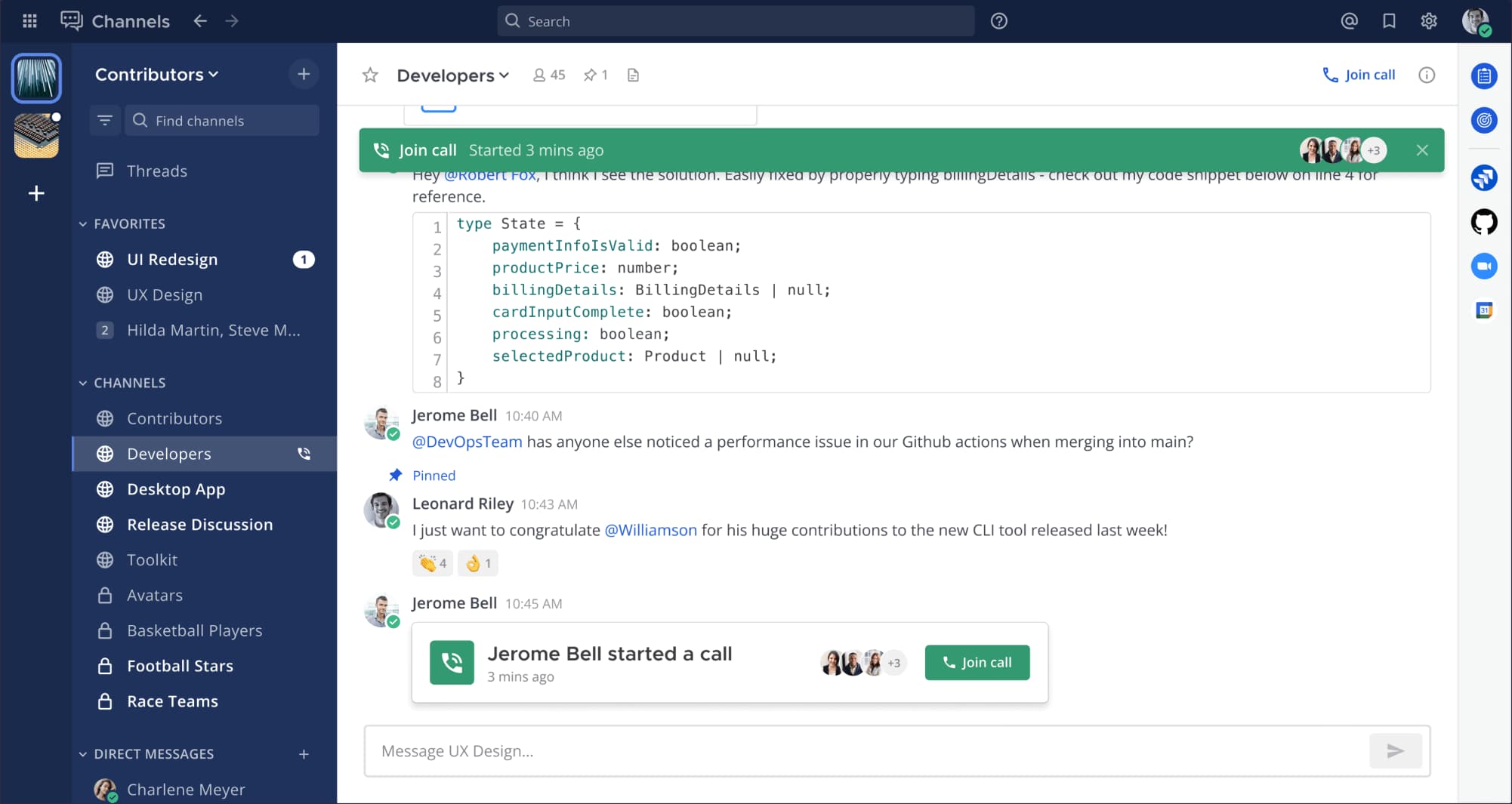
The disadvantage is that the user experience can feel utilitarian compared to polished, consumer-grade tools, and deploying or maintaining Mattermost demands real technical resources. For creative teams or lightweight agencies that want high agility, low setup friction, and “works out of the box” polish, it can feel like more platform than they actually need.
6. Monday.com — visual project management
This tool positions itself less as a chat app and more as a work OS: a cloud-based platform where teams plan work, track progress, and collaborate. At its core you get flexible boards for managing projects, campaigns, and pipelines, with multiple views over the same data — Kanban boards, calendars, timelines, Gantt charts, and portfolio dashboards for overseeing tasks and progress at scale. An intuitive interface, color-coded statuses, and rich column types make it easy to see who’s doing what and when, without digging through long email threads or scattered spreadsheets. Comments, file attachments, and @mentions live directly on items, so real-time collaboration happens in context.
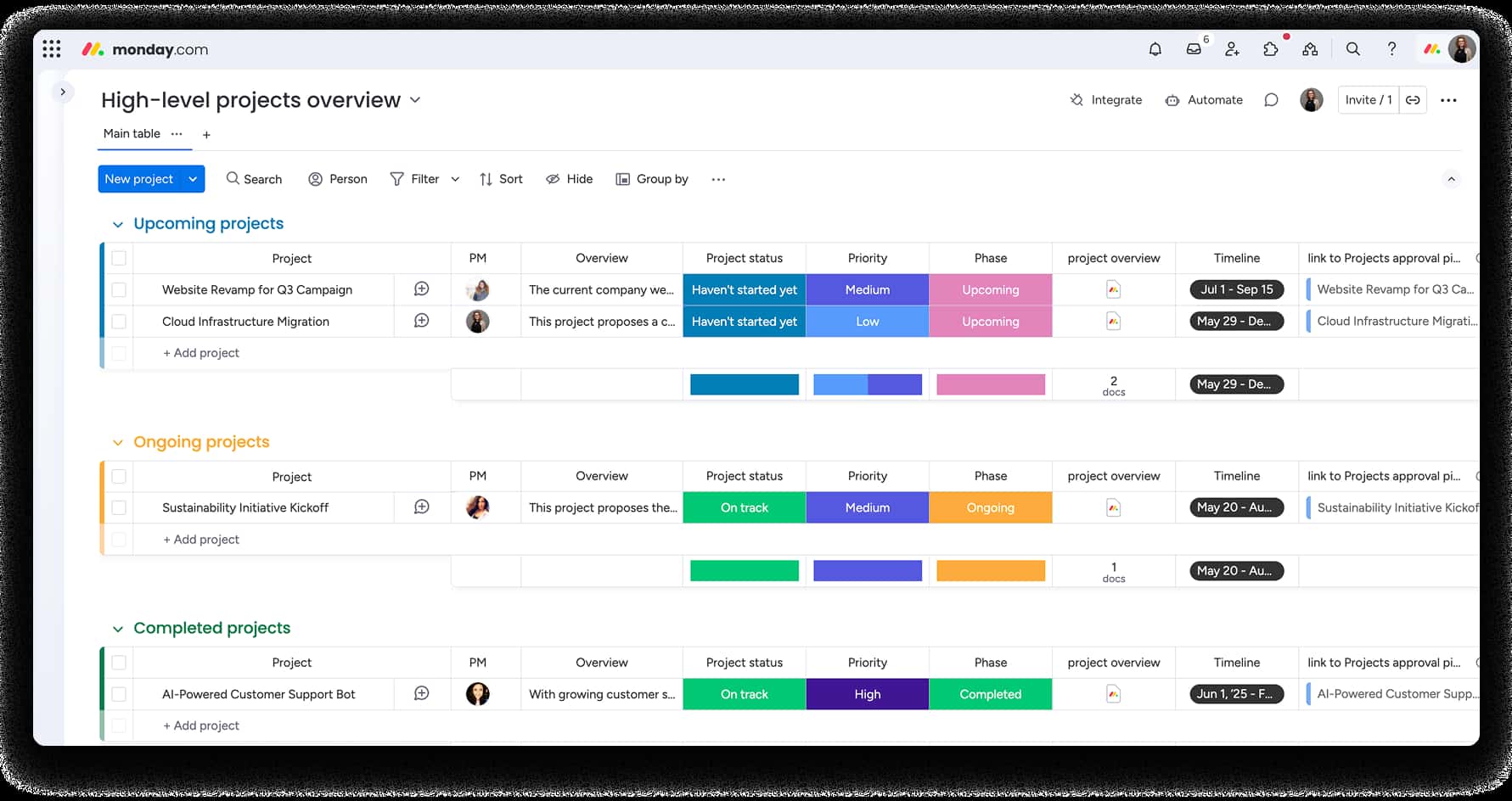
It’s a well-developed piece of project management software with collaboration built in: dashboards for monitoring progress, automations to cut out routine updates, and integrations that pull data in from tools like Slack or Microsoft Outlook.
There are trade-offs. it is first and foremost PM tool without its own chat platform or video meetings hub, so you’ll still rely on separate apps for high-quality video conferencing or chat threads. Some of the key features unlock higher paid plans, and heavy users quickly run into automation and integration limits unless they upgrade. There’s a free plan, but it only works for up to two users.
7. Rocket.Chat — flexible and federation-ready
Rocket.Chat is a modular, open-source chat platform that can run in a private cloud or fully self-hosted, with support for federation between independent servers. It’s built for teams that want to construct their own real-time collaboration stack instead of renting whatever a single vendor gives them. That makes it a strong fit for organizations that need highly customizable communications — for example, those with independent divisions, regional entities, or partners that each run their own stack of tools but still need to talk securely. This makes Rocket.Chat popular in the EU.
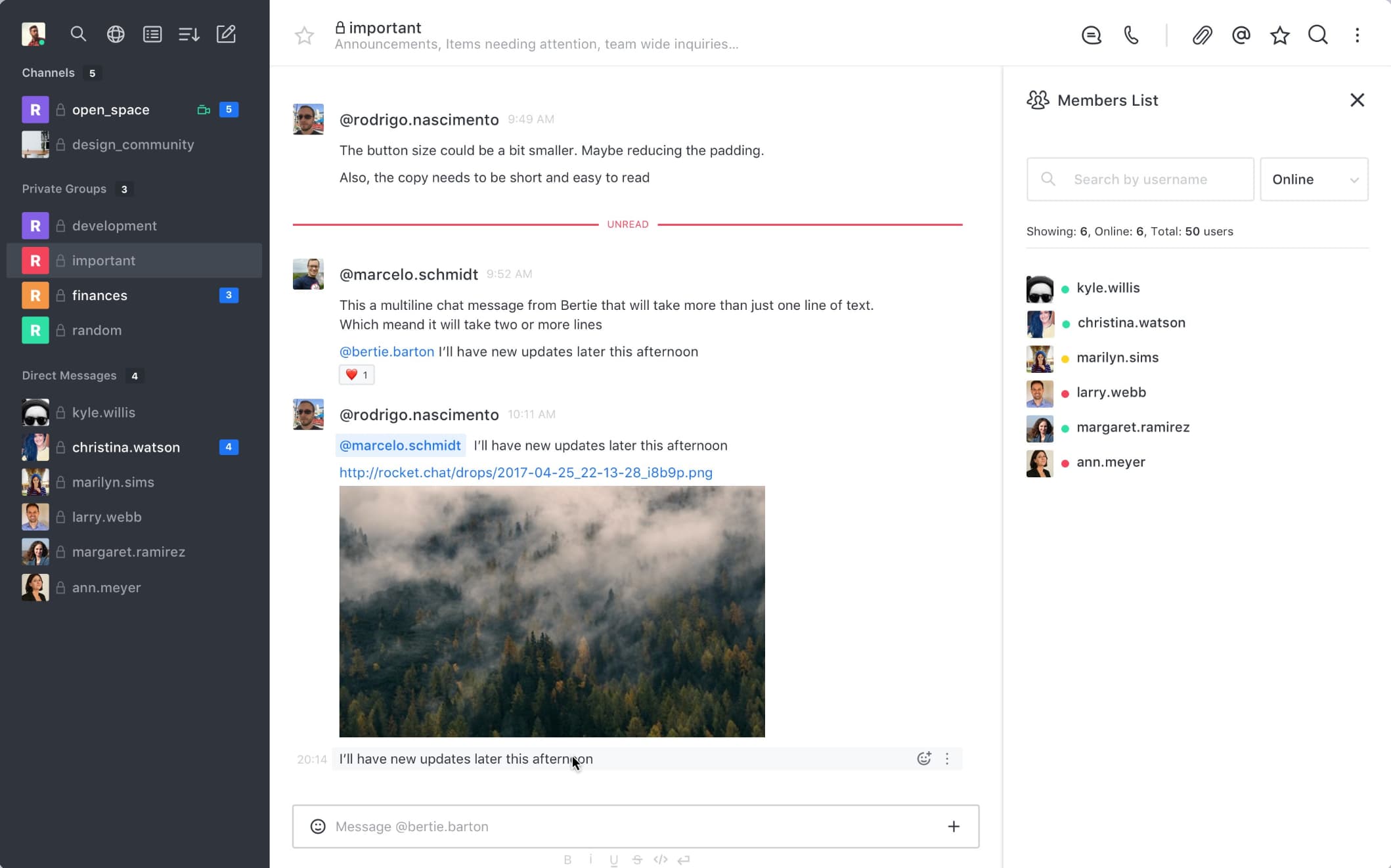
Trade-offs: the UI can feel busy and less polished than top commercial chat apps, and the admin overhead is higher — running and updating your own instance is more work than just signing up for a SaaS. Its integration ecosystem is growing but still less mature than the biggest players, so you may need more custom wiring to match what you get out of the box with Microsoft Teams.
8. Cisco Webex — heavy-duty enterprise team communication
Cisco comes from a different lineage than most chat apps on this list: it’s the networking and hardware giant behind a huge share of the world’s meeting rooms and call centers. In collaboration, that story shows up as Webex — a full, AI powered suite for calling, video meetings, messaging, webinars, events, polling, and devices, designed to sit on top of Cisco’s own infrastructure. Cisco is still one of the biggest unified communications vendors globally, with Webex helping it hold a mid-single-digit share of the UC&C market and a leading ~26% share in room video endpoints — more than twice its nearest competitor.
Webex really makes sense for teams that already live in Cisco land: enterprises with Webex Calling, legacy PBXs, or large contact centers. It’s also one of the few suites you’d seriously consider if you want AI agents to plug into real phone lines, trigger outbound calls, or sit alongside human operators in a regulated contact center.
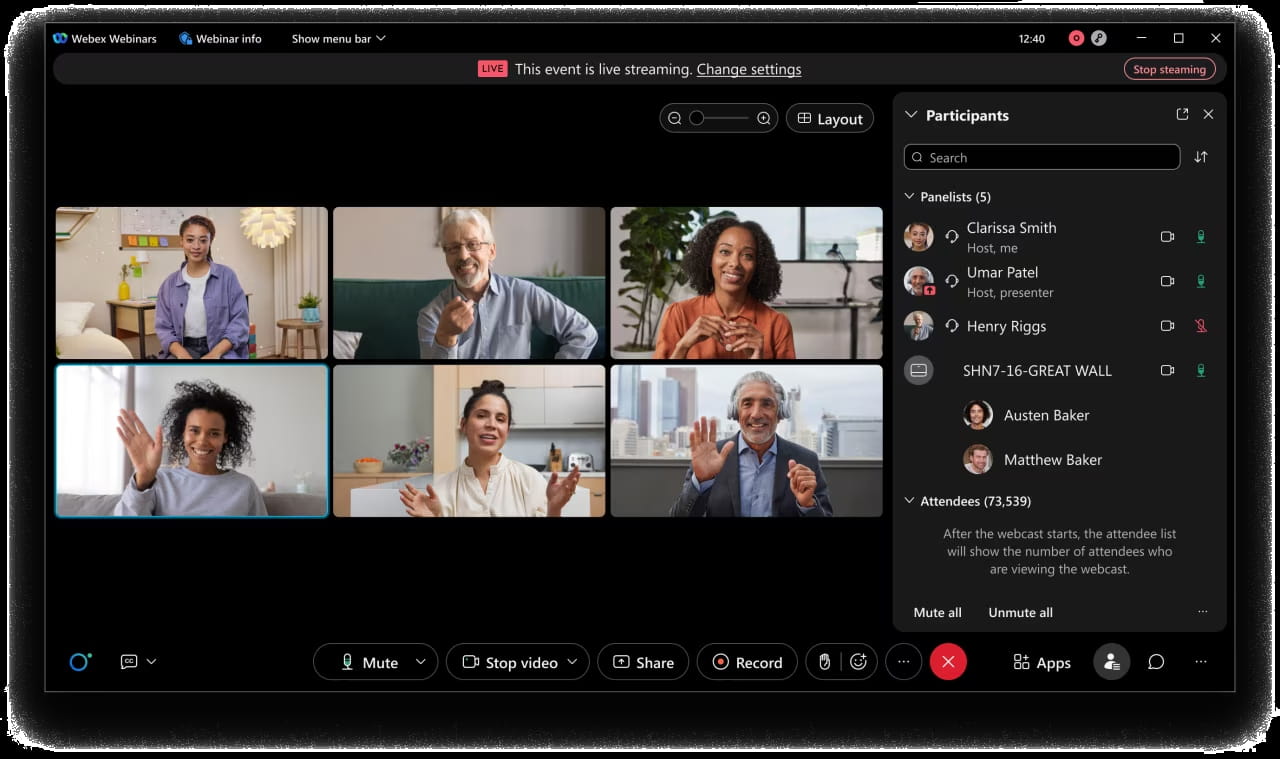
Another reason why Cisco Webex is a salient alternative to Microsoft Teams is its ecosystem. The Webex App Hub bundles hundreds of integrations — from Salesforce, ServiceNow, Box, and Dropbox to Miro, Mural, and other collaboration tools — plus a growing set of AI integrations and partner apps, all tied together by an extensive REST API. For large enterprises that already run on Cisco devices and networking, that breadth means they can wire Webex into almost all the tools they already run.
Webex will feel bulky and over-engineered if you’re trying to set up team management. It typically needs a specialist team to deploy and maintain, and both cost and complexity scale with the size of your rollout. For smaller, fast-moving teams looking for an agile collaboration hub rather than a telecoms platform, Webex is far more infrastructure than they actually need.
9. Zulip — open-source, asynchronous-first
Zulip is an open-source chat app built for people who hate losing threads. Instead of one noisy firehose, it uses a “streams and topics” model: every message lives inside a clearly labeled topic, so parallel conversations stay organized even when a dozen discussions are happening at once. For distributed teams working across time zones, that structure makes asynchronous collaboration much easier to follow the next morning.
It’s a strong fit for teams that care about written clarity, async work, and data control, and are willing to self-host or customize. Zulip can be deployed on your own infrastructure, which makes it appealing for organizations with strict data-sovereignty requirements or a preference for open-source tools over closed chat platforms.
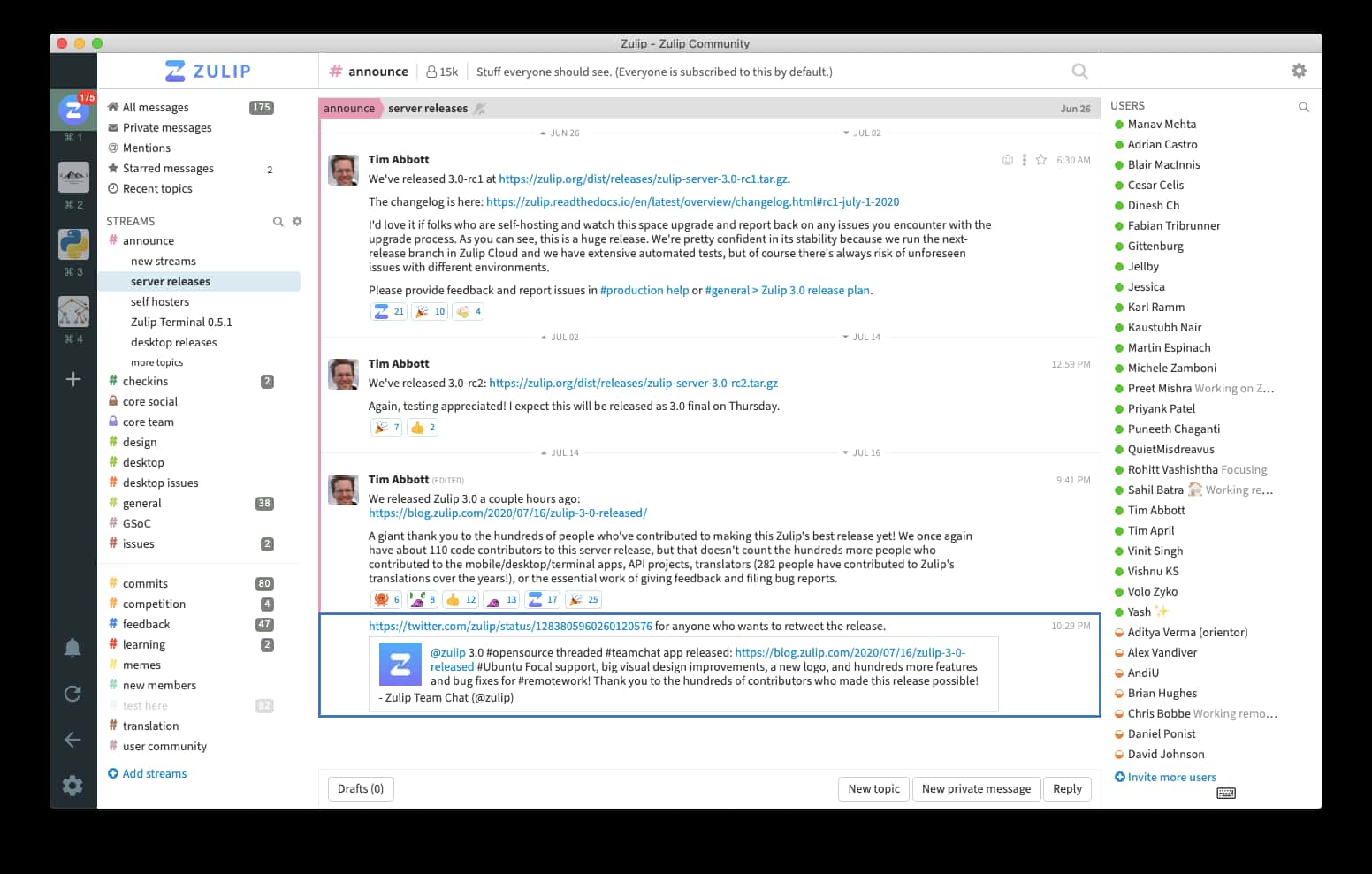
The trade-offs are what you’d expect. The interface feels different from Slack or Teams, so there’s a learning curve while people get used to streams and topics. The integration ecosystem is smaller, and running a self-hosted Zulip instance demands more technical effort than just signing up for a SaaS.
10. Zoho Cliq — accessible and integration-rich for SMEs
This app positions itself as a cost effective communication and collaboration platform aimed at small and medium-sized businesses. It combines channels, group and direct messaging, audio and video calls, file sharing, and lightweight task tracking in a single chat app. Because it plugs neatly into the wider Zoho ecosystem — CRM, Projects, Desk, and more — it can become the central place where conversations, tickets, and customer data come together, with bot automation helping to cut out some of the routine updates.
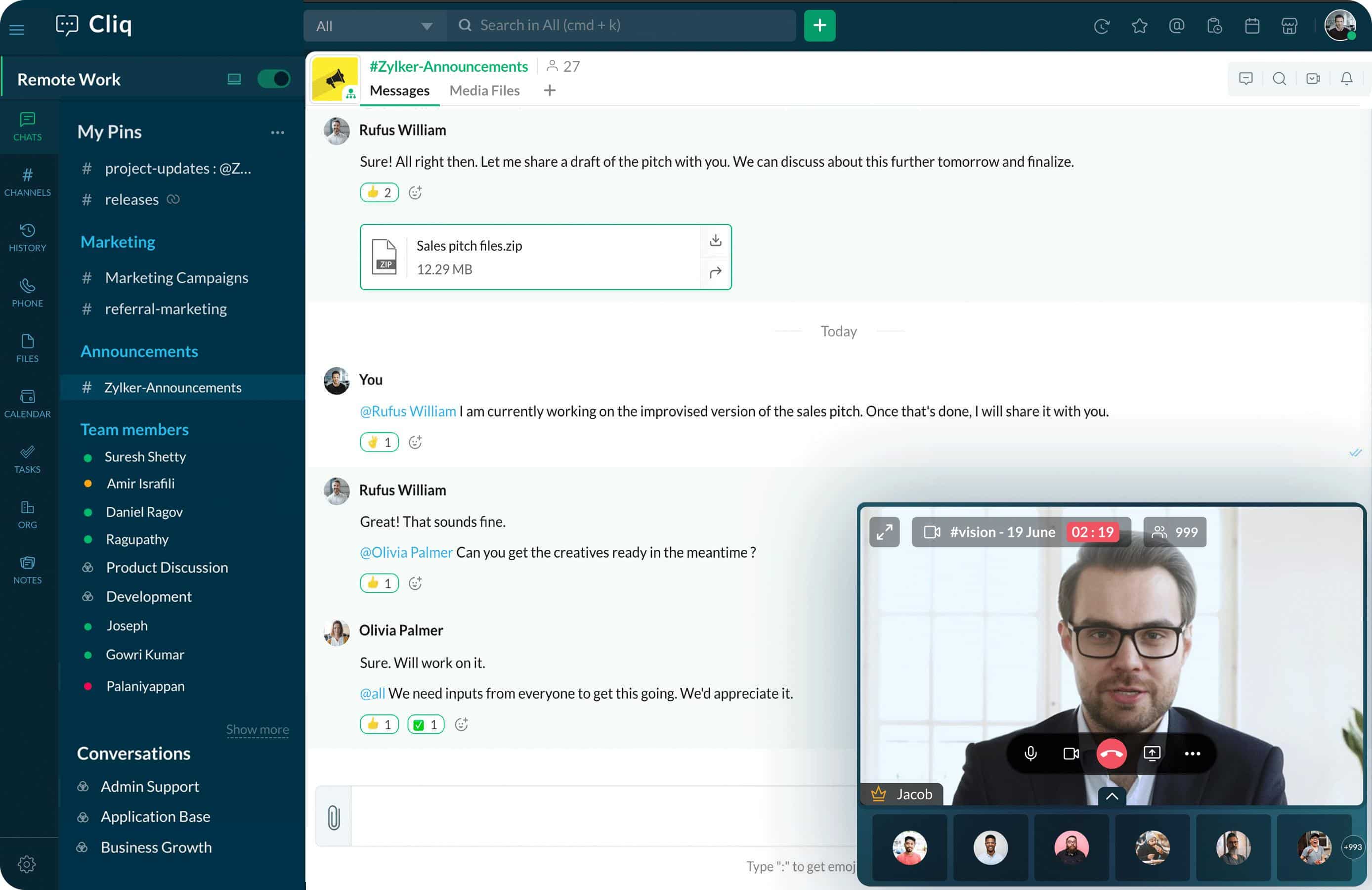
It’s a good fit for SMB teams that want a lighter, affordable alternative to Microsoft Teams, especially if Zoho tools are already in use or on the roadmap. For those companies, Zoho Cliq feels less like “yet another app” and more like the missing communications layer on top of systems they already rely on.
There are trade-offs. Functionality and integration depth are not as extensive as in leading enterprise platforms, and the interface may feel less refined than Slack or Teams. Zoho Cliq also doesn’t scale as comfortably for very large or highly complex operations, where governance, advanced workflows, or deep customisation are non-negotiable.
11. Flock — budget-friendly chat & task starter
Flock is a straightforward collaboration tool for small teams and startups. It offers group chats, channels, file sharing, video calls, and simple task/list boards, giving you the basics of team communication and light project coordination at a lower price point than most big-name platforms.
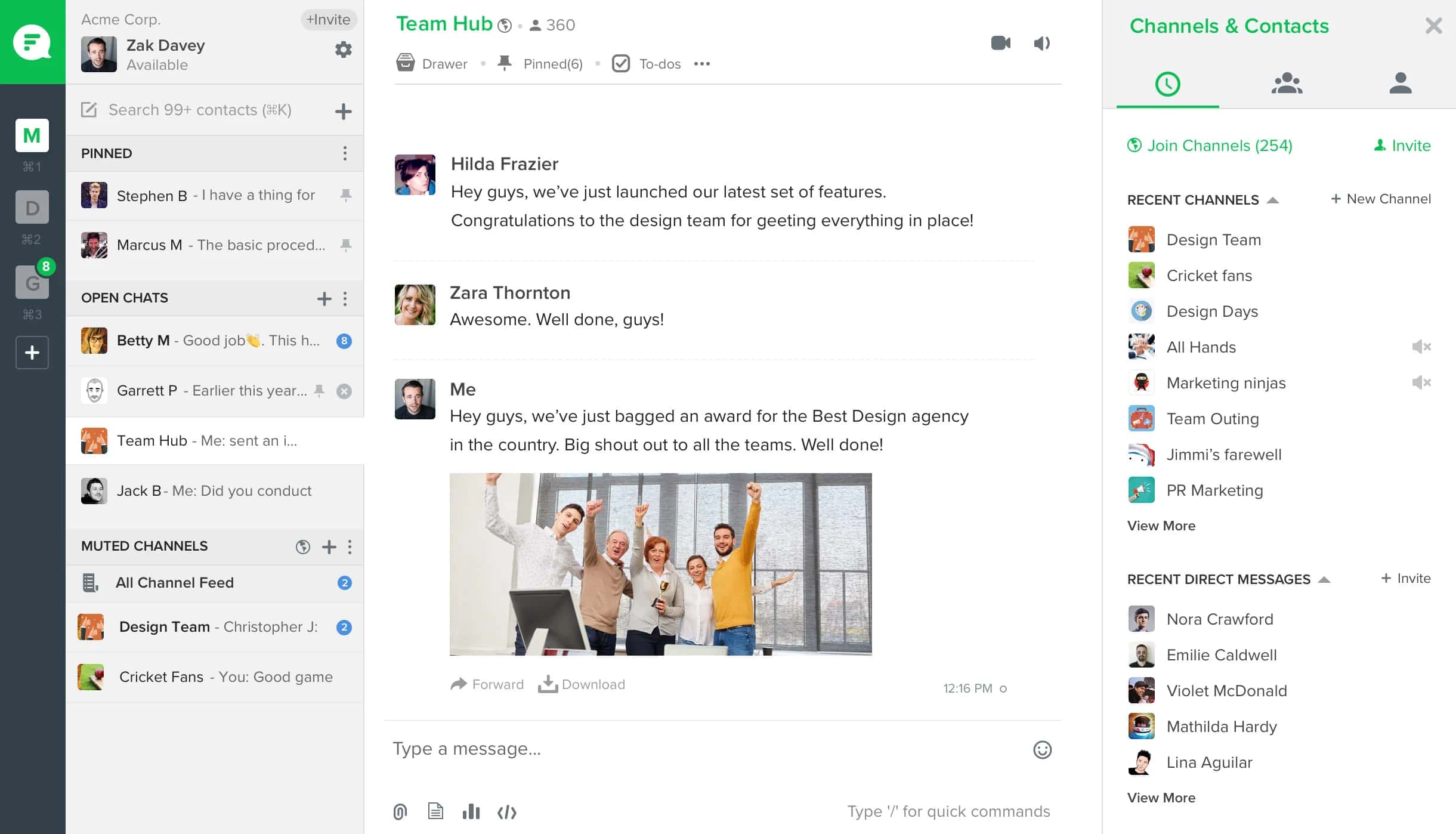
It’s a solid option for early-stage startups, or internal workgroups with limited budgets that still need core communication and coordination — without the overhead of a full-blown enterprise suite. If you just want to keep conversations in one place, assign and track a few tasks, Flock gets the job done.
The compromises show up as you grow. The UI and UX are less polished than in more mature chat apps, some lower-priced plans limit video-call size or advanced features, and it’s not well suited to organisations with high complexity, heavy integration needs, or sophisticated workflow demands.
12. ClickUp — the everything-app for work
ClickUp very deliberately leans into its promise of being “the everything app for work.” At its core you get flexible task management with multiple views — list, board, calendar, Gantt, timeline and more — plus collaborative Docs, Whiteboards, dashboards, and, goes without saying, built-in chat and voice chat, as well as Voice Clips, a talk-to-text feature. Recent releases add ClickUp Brain, an AI layer that can summarize work, suggest subtasks, generate content, and power search across projects, docs, and integrated tools. The company states that the platform has become the main project management software for more than 10 million users.
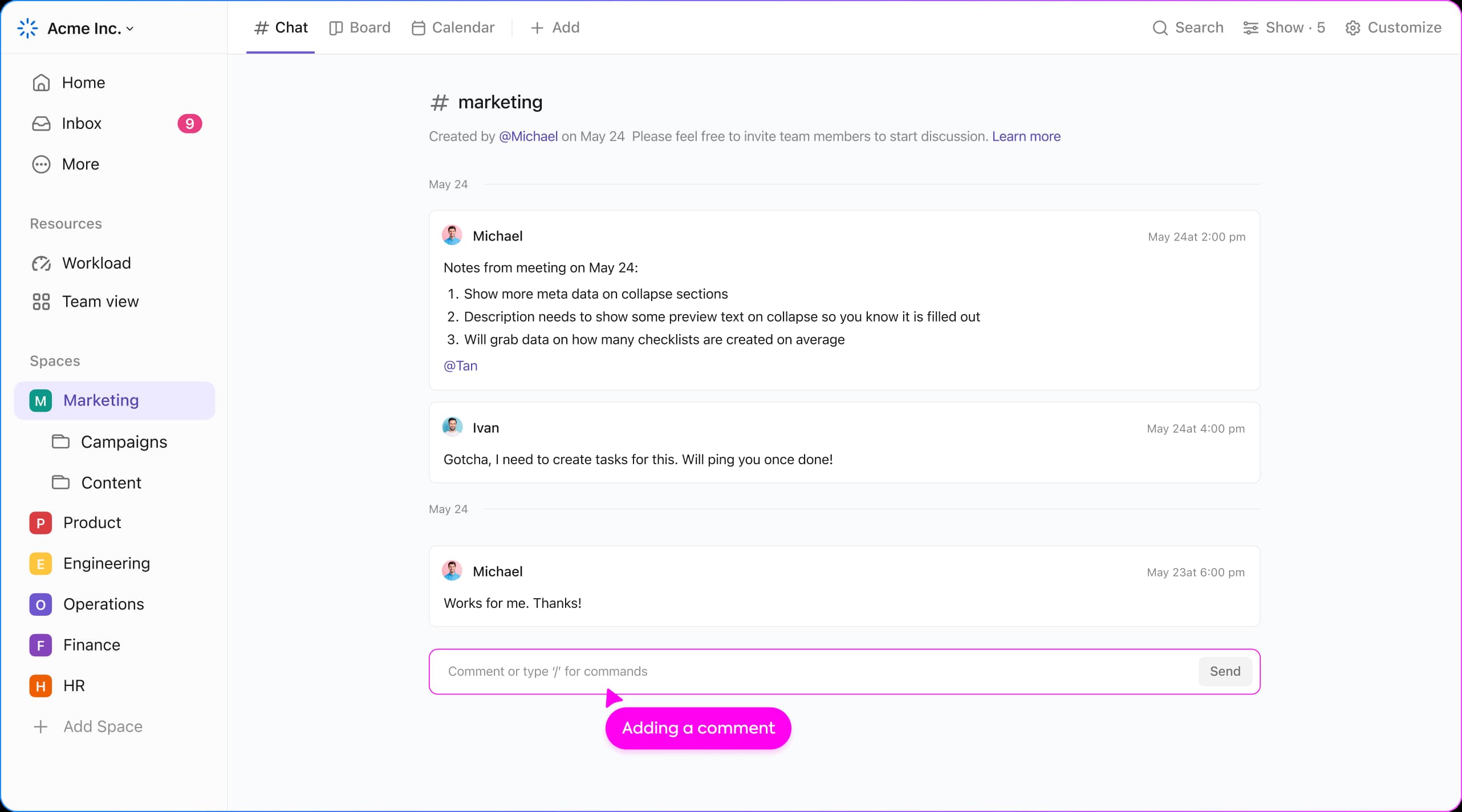
The trade-offs are familiar for “do-everything” platforms. ClickUp’s broad feature set comes with a steeper learning curve, and the interface can feel overwhelming in heavily customized workspaces, and so can notifications. Reviews frequently mention occasional performance hiccups in large spaces and a mobile experience that lags behind the desktop.
13. Chanty — small chat and tasks
Chanty is a lightweight team collaboration app built for tiny teams that want simplicity. It offers instant messaging (one-to-one and group conversations), basic task management with a Kanban board, and built-in audio and video calls — including screen sharing. You can also turn messages into tasks, keep them organised in Teambook, and hook in a modest set of integrations with other business apps. A good fit for early-stage startups or agencies — roughly up to a few dozen people — that want quick setup and low onboarding friction.
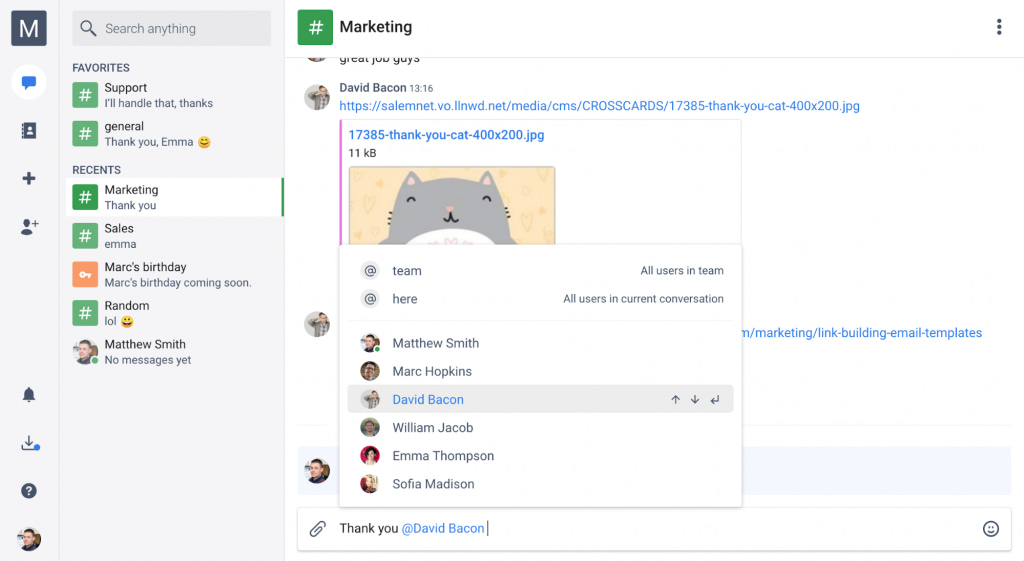
The limitations track with its positioning. Chanty’s integration breadth and advanced tools are modest compared to bigger platforms, and several reviews point to glitchy or inconsistent video-call performance at times. For teams that need robust automation, complex visually organized workflows it will likely fall short.
Radar-mapped key features
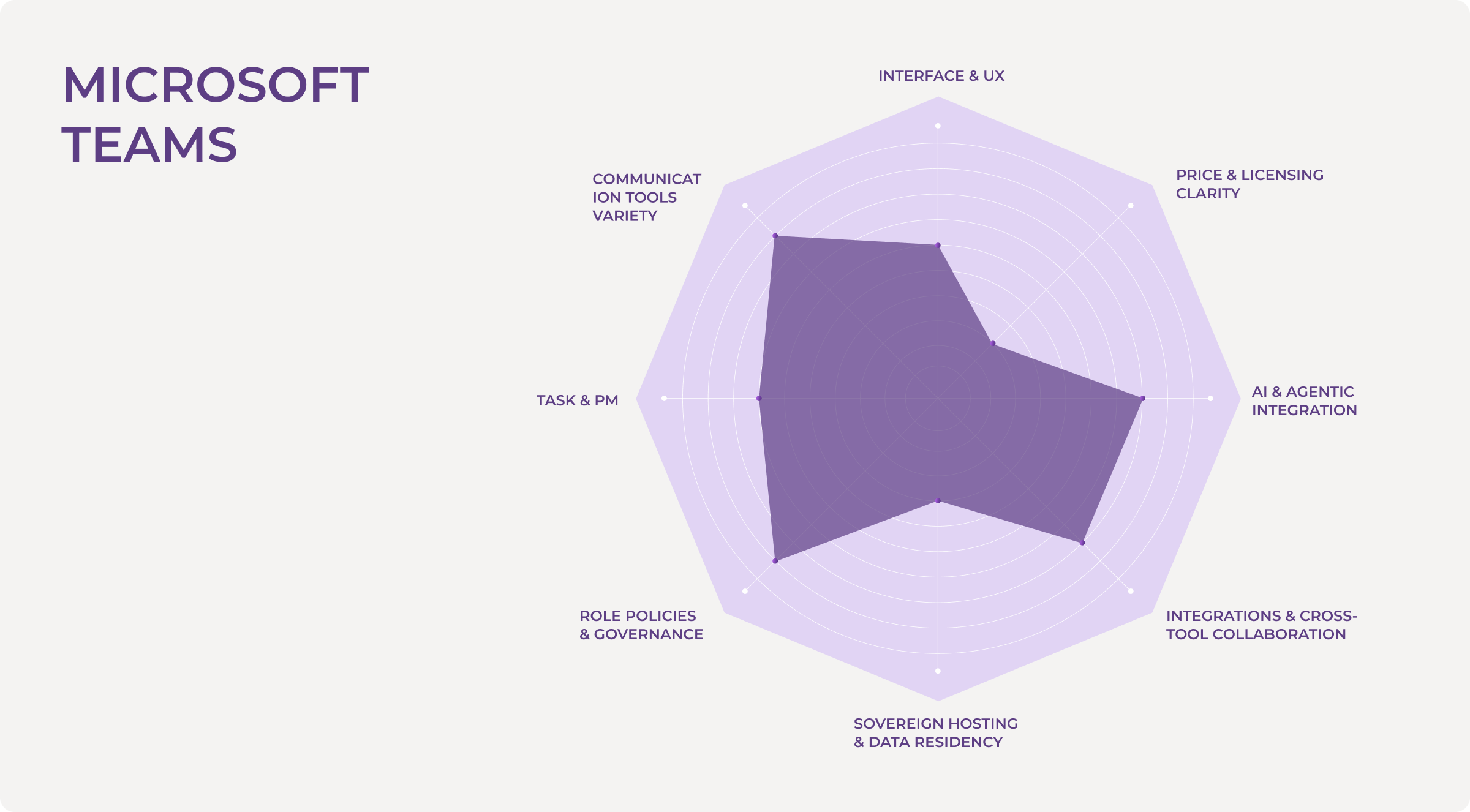
In our Radar Map, we score each Teams alternative across eight axes — from intuitive interface to sovereign hosting and price clarity.
- Interface & UX — How quickly people “get” the product without a steep learning curve. Clear navigation, readable layouts, and not getting lost in menus and settings.
- Communication tools variety — How richly team communication is covered: instant messaging and group messaging, threaded conversations, audio calls and voice chat, video meetings with screen sharing or screen recording, breakout rooms, mentions, reactions, and more.
- Task & PM — The range from “nothing but chat and a basic to-do list” to full project management software: boards, calendars, Gantt charts, epics, statuses, and the ability to assign tasks and manage projects inside the platform.
- Role policies & governance — The depth of role-based access control: permissions, groups, security policies, retention, auditing, and the admin console — everything that affects how manageable the tool is in a large organization.
- Sovereign hosting & data residency — Whether there’s on-prem, self-host, private cloud, EU-only hosting, or fine-grained data residency controls. In other words, an axis from “SaaS only” to “ultimate control.”
- Integrations & cross-tool collaboration — How easily the platform lives alongside multiple apps: CRM, code, design, support, knowledge bases. This includes the depth of integrations, webhooks, APIs, and the ability to build seamless collaboration between tools — not just “there’s a Slack button.”
- AI & agentic integration — The presence and maturity of the AI layer: copilots, knowledge search, workflow automation, the ability to connect AI/LLM agents, post-meeting summaries, and smart prompts. Everything that nudges the platform from “chat app” toward a context-aware work OS for hybrid teams.
- Price & licensing clarity — Not just “expensive or cheap,” but: is there a usable free plan or free version? How clear are the paid plans? Are there hidden licensing matryoshkas (hello, E1/E3/E5)? And how accessible is the tool for small-scale biz versus large enterprises?
The goal isn’t to crown a single winner, but to make strengths and trade-offs visible. Some products are superb project management apps with a generous free plan. Others are task and knowledge hubs with serious role policies that assume real admin work. A third group are lightweight team communication tools that keep chat and video simple, but intentionally stay out of the “run your whole company here” game.
Let’s wrap things up.
Microsoft Teams will stay the ballroom star for a long time — confident, established, powerful, and thoroughly developed. It’s the right solution for a certain kind of organization: large, regulated, and all-in on the Microsoft ecosystem, knowing it backwards and forwards.
But the world of work has moved on. Smaller teams need agility, not ceremony. Hybrid teams with both humans and AI specialists on board need context they can reach at any time, not just more channels and legacy threads. Sovereign teams need full control over their data and their workflows, not a black box in someone else’s cloud.
It’s a collaboration tool where human and AI agents work side by side without drowning in message history — threads, tasks, live data and knowledge live in one structured space; agents help with routines, not becoming yet another chat window — more like colleagues ready to support with action.
BridgeApp is built with this new era in mind. Fast, structured, sovereign, it’s designed for the next decade of teamwork, not the last one. If you’re evaluating alternatives to Microsoft Teams, take BridgeApp for a spin with your core team for a week.
Sign up, wire in a few key workflows, and see how it feels when your collaboration hub finally matches the way you actually work.