BlogIndustry Insights
Monday.com pricing in 2026: How Much Does It Cost — and Why It Keeps Changing?

Konstantin BuzzResearch Lead
9 min read

Monday.com positions itself as a "Work OS," functioning as a versatile project management tool with a strong visual focus. The platform blends a range of capabilities—integrating project management, CRM workflows, service delivery, and low‑code automation—into a single interface. Teams leverage it to coordinate collaboration and visualize data across the entire development, sales, or post‑sales service cycle. The modern version of Monday.com allows organizations to automate everything from dev sprints to supply chain logistics without writing a single line of code.
This article deconstructs monday.com pricing—moving beyond the surface-level numbers to uncover the logic behind the tiers. We will explore why the monthly spend tends to grow over time and what actually drives costs once a team begins to scale. Our goal is to assess the true impact on your business budget, identify the "hidden" expenses that often surprise new users, and highlight the pitfalls to watch out for before you commit to a subscription.
February 2026 marked a pivotal—and expensive—shift for the monday.com ecosystem. A fresh press release from the company announced a sharp 18% price hike for monday service across all tiers. This move confirms that the platform’s value is now tethered to its technological complexity and real-time orchestration capabilities rather than simple seat counts.
Yet, paradoxically, as subscription fees climbed, the company’s market valuation took a sharp hit. The stock (MNDY) plummeted to a near one-year low of $74.60—a staggering drop from its $334.90 peak—signaling that the market views these price hikes less as a growth engine and more as a defensive response to shifting industry fundamentals.
Analysts at Oppenheimer and Guggenheim lowered their target prices, citing "weak guidance" and growing concerns about operating margins. With a market capitalization that has shrunk to $3.79 billion (compare with a capitalization of nearly 16 billion a year ago), the share price remains significantly below its 50-day and 200-day moving averages, confirming a steady downward trend for the Work OS giant.
Ideal Users: From Small Teams to Larger Organizations
Monday is built for teams that have outgrown spreadsheets but are not ready for heavyweight ERP (enterprise resource planning) systems. Its strongest audience includes small teams experimenting with automation, agencies running complex projects, and distributed organizations managing the team's work across multiple departments. It appeals to visual thinkers who prioritize intuitive interfaces and drag-and-drop functionality.
While the platform scales from solo operators to Fortune 500 giants, its operational sweet spot remains mid-market teams (50–200 seats) managing high-velocity moving parts. Adoption spans tech, agencies, services, e-commerce, operations-heavy teams, and distributed organizations.
The rollout usually starts small. A handful of users begin organizing tasks with basic project management features, using mobile apps and visual boards to brainstorm ideas or coordinate deadlines. As collaboration features expand and automation grows, teams often migrate more historical data into the platform — turning it into a central hub for managing work.
monday.com pricing plans
Monday.com pricing is no longer tied to a single tool. The platform now operates as a suite of vertically specialized products, each with its own pricing plans and feature set:
- monday work management — starting around $9 per user/month (annual billing). Core team collaboration workflows, for project tracking and task management.
- monday CRM — starting around $12 per user/month. Designed to support the entire sales cycle and advanced sales processes, including lead tracking and pipeline management.
- monday dev — starting around $9 per user/month. Tailored for engineering teams handling sprint planning and bug tracking in complex projects with integrations.
- monday service — starting around $31 per user/month. Built for service delivery and entire service operations, such us customer support teams managing complaints.
Although the pricing tiers — Free, Basic plan, Standard, Pro plan, and Enterprise — appear consistent across products, each vertical introduces different features and operational logic.
The Escalation Engine
Pricing plans follow a deliberate staircase: each tier unlocks additional features — automation capacity, advanced analytics, integration actions, and expanded capabilities for a project’s visual representation.
The customer journey often begins with basic task hygiene—getting projects out of spreadsheets and into a visual interface on the Free version, where a couple of team members experiment with basic collaboration features and read-only access for external partners. Once the data is organized, the hunger for automation kicks in (e.g., auto-assigning tasks based on status changes). Workflows grow more complex and data migration expands, managers discover that the cost depends less on the number of users alone and more on which advanced features they need depending on their work focus.
Monday’s overarching strategy is a masterclass in ARPU (Average Revenue Per User) optimization. By launching vertical-specific products, they’ve created a multi-stage funnel, encouraging companies to adopt CRM pricing layers, dev workflows, and service delivery tools over time. A company might arrive for basic project management features, but as the platform becomes embedded into professional services and enterprise-level features, the monthly price inevitably grows.
The developers know exactly what they’re doing: as the platform becomes more indispensable to your team (and your external "guests"), its value grows—and so does the average check.
The following comparison table breaks down how these products and tiers stack up in terms of per-seat cost and the minimum entry-level budget for a team.
| Free | Basic | Standard | Pro | Enterprise | |
| monday work management | $0 / $0 | ~$9 / $27+ | ~$12 / $36+ | ~$19 / $57+ | Custom |
| monday CRM | $0 / $0 | ~$12 / $36+ | ~$17 / $51+ | ~$28 / $84+ | Custom |
| monday dev | — | ~$9 / $27+ | ~$12 / $36+ | ~$19 / $57+ | Custom |
| monday service | — | — | ~$31 / $93+ | ~$45 / $135+ | Custom |
The Seat-Based Model: Why the Real Cost Feels Higher
Monday.com pricing revolves around a strict per‑seat structure. While the headline monthly price may seem straightforward, the number of users and licensing buckets change the real entry cost.
Paid plans typically enforce a three‑seat minimum, and upgrades often happen in blocks (3, 5, 10, 15 users). A team of six may pay for ten seats — creating unused licenses that inflate the monday.com cost for smaller organizations.
The Free plan and Basic plan: Entry Points Into the Work OS
Free plan — $0
The free plan is the onboarding sandbox, which allows up to two users, three boards, and access to mobile apps. It is functional enough to learn the interface, but it is surgically engineered to hit capacity limits the moment a project begins to scale. It includes templates and basic collaboration features but lacks automation and advanced reporting. File storage remains minimal, making it suitable mainly for testing workflows rather than running complex projects.
Basic plan — starting around $9 per user/month
The Basic plan is the deliberately lean entry point for teams. It introduces unlimited items, read-only access for an unlimited number of viewers, and 5GB of file storage. It is designed for organizing the team's work, not automating it.
At this level, monday.com is selling you data organization, but not a workflow engine. There are no integration actions and very few advanced capabilities. While the platform helps manage work visually, users still perform most actions manually. This tier includes basic project management features and limited reporting: the ability to build one dashboard strictly limited to data from a single board. However, you cannot automate status changes or notifications, and there are zero integrations allowed—the platform remains an island, disconnected from your other tech tools.
Standard plan: The "Revenue Engine" and the Automation Trap
The Standard plan (~$12/seat/month, billed annually) is the gravitational center of Monday’s pricing strategy. The company’s marketing is positioning it as the “workflow automation entry tier”—the sweet spot for teams ready to switch from static boards to dynamic workflows. You start paying not just for nice architecture or better organized data storage, but for action—for the automation of work. This tier introduces automation rules and integration actions, transforming boards into dynamic workflows.
The following features typically appear here:
- The "Big Three" of advanced project management views like Timeline, Gantt, and Calendar
- Visualizing data: dashboards pulling from multiple boards
- Additional collaboration features, including guests with collaborative permissions: four guests cost the same as one seat, allowing agencies to scale client visibility without a linear increase in cost.
- About 20GB file storage
- Roughly 250 integration actions per month
The Standard plan marks the transition from static organization to complex workflows. However, many teams discover that the automation ceiling becomes a bottleneck once projects scale or larger teams join the platform. The “250 actions" limit is a major friction point. While introducing automations and integrations, the Standard plan does so with a tight leash. A single automated rule—such as moving a task to a different Kanban column when a status changes—counts as an action. For an active team, this is an operational bottleneck. In a high-velocity environment, 250 actions can be exhausted in days, making this tier a "trial run" for true automation rather than a permanent solution.
Pro plan: Advanced Analytics and Operational Scale
If the Standard plan is for organizing work, the Pro plan (~$19/seat/month, billed annually) is designed for those who want to orchestrate it. This is the "Power User" level where the platform scales exponentially, transforming from a sophisticated task management tool into a true operational ecosystem.
The most striking feature of the Pro plan is the massive jump in operational capacity. While Standard leaves you with a mere 250 actions, Pro unlocks 25,000 automation and integration actions per month. This 100-fold expansion allows teams to move from "occasional" automations to systemic, always-on complex workflows. On Standard, you use automation to save a few minutes; on Pro, you use it to run entire service operations or sales departments. To help you decide if this leap is necessary, monday.com offers a 14-day trial of the pro plan for a side-by-side comparison.
Key Features Included:
- Private Boards: A critical security feature that allows you to restrict visibility to specific team members—essential for HR, executive planning, or sensitive financial data.
- Time Tracking: Built-in timers to track exactly how long tasks take, providing the raw data needed for billable hours and resource allocation.
- Chart View: Advanced analytics and visualization tools that turn board data into high-level graphs and progress reports for stakeholders.
- File Storage: Capacity jumps to 100 GB to accommodate high-volume documentation and media.
However, do not forget about the "Seat Step" tax—the most frequent complaint among the user base. Unlike platforms that let you pay for exactly 6 or 11 users, monday often bills in fixed blocks or "buckets" (e.g., 3, 5, 10, 15, 20). If you have a team of 6, you are forced to pay for a 10-seat license, resulting in "ghost seats" you aren't using. Combined with the 3-seat minimum, this ensures small teams often pay a premium for capacity they don't yet need.
Navigating Standard vs. Pro Across the Suite
The transition from the Standard plan to the pro plan in these vertical products isn't just about higher limits—it’s about moving from simple task management to operational intelligence.
monday CRM: From Pipeline Management to Revenue Scaling
Across the entire sales cycle, the Standard plan is for managing deals, while the pro plan is for forecasting and scaling sales activity.
- Standard Plan (starts at ~$17/seat/month): This is your deal-management engine. It moves beyond contact storage to offer two-way email integration, an AI email generator, and sales-focused dashboards. It is designed to manage the "now"—tracking leads and closing current sales processes.
- Pro Plan (starts at ~$28/seat/month): This tier transforms the platform into a revenue tool. While Standard manages pipelines, Pro adds sales forecasting and mass email campaigns. It introduces email tracking and advanced analytics to provide deeper insights into deal velocity.
monday dev: From Sprints to Engineering Orchestration
Designed as a sleek alternative to Jira, monday dev swaps general boards for Agile data models. Standard handles the sprint; Pro enables cross-departmental engineering orchestration.
Standard Plan (starts at ~$12/seat/month): Focuses on the immediate needs of a development squad. It includes sprint management, roadmap planning, and native hooks into GitHub and CircleCI. It brings code commits directly into the task view to keep the context local.
Pro Plan (starts at ~$20/seat/month): Unlocks advanced roadmap planning and private boards for engineering workspaces, allowing for cross-team orchestration. It scales CI/CD automation logic and provides deeper performance metrics.
Monday service: From Helpdesk to Service Operations
This is perhaps the most significant conceptual shift in the Monday lineup, where boards function as high-velocity ticket queues.
Standard Plan (starts at ~$31/seat/month): Provides a professional helpdesk workflow for service delivery. It includes unlimited tickets, email intake, and a Lite AI Sidekick to categorize recurring issues.
Pro Plan (starts at ~$45/seat/month): Scales the entire service operations into a full service-ops platform. It unlocks complex ticket routing logic and increased AI assistance for high-volume orchestration, designed for larger teams that need to track agent performance in real-time.
Summary: Standard vs. Pro
The choice between these two pricing tiers usually boils down to a single question: Are you managing a process or scaling an operation? The Standard plan is almost always enough for small teams to "get organized". However, the moment you need to forecast the future (CRM), orchestrate multiple teams (Dev), or automate complex workflows and high-volume routing (Service), the exclusive features and paywalls of the pro plan become an operational necessity.
Enterprise Tier: Governance and Enterprise Grade Security
At the top of the "SaaS staircase" lies the Enterprise plan (branded as "Ultimate" in monday CRM pricing). This tier removes most operational limits and introduces advanced security features, premium support , and enterprise-level features such as SSO, audit logs, and multi-level permissions. For organizations requiring massive automation—upwards of 250,000 integration actions per month —this tier is the only viable path.
Consistent with its competitors, monday.com does not publish enterprise plan pricing. Deals are highly bespoke, negotiated through sales reps based on seat count, regional requirements, and support needs. At this level, you aren't just buying project management software; you are buying monday’s team participation in your process management. This is where monday monetizes governance rather than productivity itself.
The enterprise plan supports professional services teams handling regulatory environments and large-scale data migration. It satisfies the rigorous demands of IT departments and legal teams managing complex workflows.
Key features include:
- Advanced Security & Compliance: Native SSO (Single Sign-On), SCIM provisioning, and detailed Audit Logs to track every move within the system.
- Multi-Level Permissions: Granular controls that dictate who can view, edit, or delete sensitive information.
- Regulatory Readiness: This is the only tier where you can unlock HIPAA compliance, a non-negotiable requirement for healthcare institutions and their partners.
- Reliability & Support: Guaranteed SLA uptime and dedicated onboarding support to ensure a smooth rollout across thousands of users.
The Enterprise (or "Ultimate") tier essentially functions as the unrestricted version of the platform, removing traditional friction points by lifting caps on mass emails and invoices while significantly expanding operational limits across the board.
Ultimately, this isn’t just a feature upgrade; it is a strategic investment in operational scale. As modern teams integrate deeper AI-driven intelligence and complex cross-platform pipelines, the ceiling for automation and data throughput becomes the most valuable asset an organization can acquire. Within the monday.com ecosystem, higher tiers translate directly into a higher operational ceiling for the "AI agents" and automated workflows required to maintain a competitive edge in 2026.
It’s crucial to recognize that the recent escalation in monday service costs isn't an isolated event. We are witnessing a long-term trend: as platforms pivot to become "agent-first," they are forced to make massive investments in AI agents and the infrastructure required to run them. These astronomical compute and development costs are inevitably passed down to the subscriber. Such "price re-alignments" are becoming a regular feature of the monday.com cost landscape. As the ceiling for automation and data throughput continues to rise, the entry fee for a modern business OS will follow suit.
The Verdict: Power, Complexity, and the Real Cost of monday.com
There is no denying that monday.com is a titan of the Work OS era. It has successfully transformed the "control room" metaphor into a marketable reality, offering a glowing cockpit of boards, dashboards, and automations that promise to make chaos obey. For organizations that can absorb the monday.com cost and have the administrative bandwidth to manage its complexity, it remains a formidable bet.
However, as we’ve seen, that power comes with a specific set of trade-offs that often only surface at scale:
- The Feature Paywall Paradox: The recurring frustration for many is the constant encounter with "paywalled basics". Even after committing to a Standart plan spend, essential capabilities, like item-level permissions for instance, often sit behind an extra Pro- or Enterprise-level paywall.
- The Cognitive Load and "Noise": What starts as a "visual Work OS" can quickly devolve into a noisy airport terminal—panels blinking, notifications spawning more notifications, and a learning curve that becomes real friction for rotating contributors.
- The Scaling Friction: The real monthly price depends on a complex cocktail of factors. Between the "Seat Step" tax—where you pay for "ghost seats" in fixed bundles—and the pricing tiers that lock away advanced analytics, the bill climbs fast.
- The Token and Automation Trap: On the standard plan, your integration actions are kept on a tight leash, with a mere 250 actions per month that can be exhausted in days. Furthermore, as teams integrate AI agents, tracking token consumption becomes essential, as heavy usage can trigger significant hidden costs beyond the initial subscription.
- Performance Drag: When teams pour in thousands of items and heavy multi-year timelines, the "magic" can start to feel clunky and slow, impacting the flow of large remote teams.
The question of the monday.com's cost isn't just a question of multiplying the seat cost by head count. It is a question of whether your team is ready to manage the tool as much as the tool manages your work. Despite its broad modules, it often remains one more destination to manage rather than a true single source of truth, especially when your dev work lives in GitHub ,and your docs live in Notion.
This market correction, we witnessed in the very beginning of this article, likely stems from fears that AI could dismantle the traditional "pay-per-seat" model. If AI agents begin to perform the work of entire departments, the number of paid "seats" will inevitably decline. Investors are increasingly worried that monday.com is stuck in the "SaaS 1.0" economy, where revenue depends on human headcounts, while the future belongs to "AI-first" tools.
Raising prices while sales are slowing looks less like expansion and more like "squeezing" a loyal customer base. For the market, this is a clear sign: the product is becoming more expensive to maintain due to massive infrastructure investments, but it is not necessarily becoming more valuable to new buyers in the same proportion.
A Leaner Alternative: BridgeApp and the Future of Hybrid Work
If monday represents the classic SaaS staircase, newer platforms like BridgeApp attempt to rethink collaboration entirely. Instead of stacking more collaboration mechanics into a single workspace, BridgeApp emphasizes context‑aware environments where AI agents assist across the entire sales cycle and post‑sales workflows. While long-established giants try to be the center of the universe by recreating every tool, BridgeApp is built as a context-intelligent, agent-native workspace designed specifically for hybrid human–AI teams.
Why does BridgeApp increasingly outperform the Work OS giants?
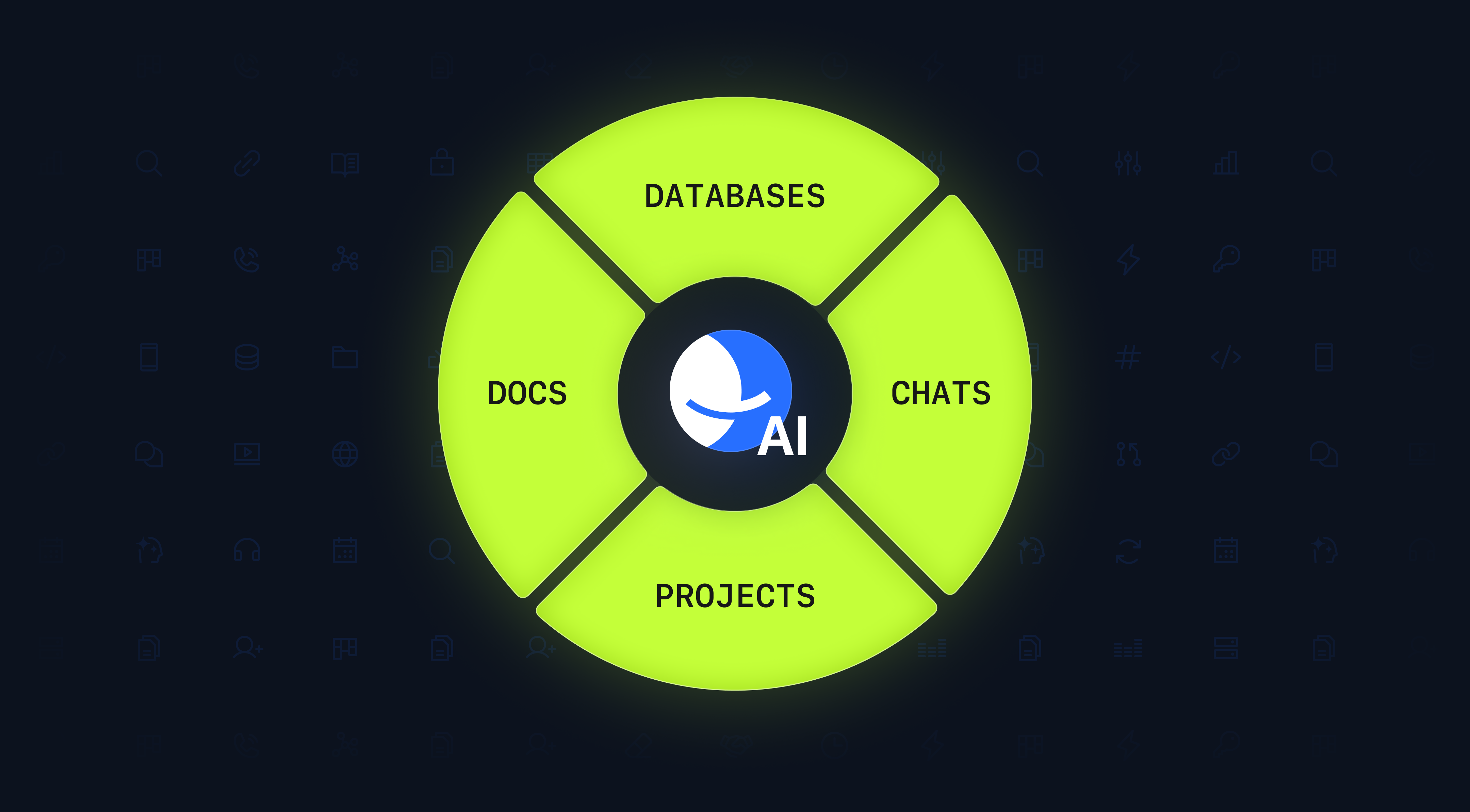
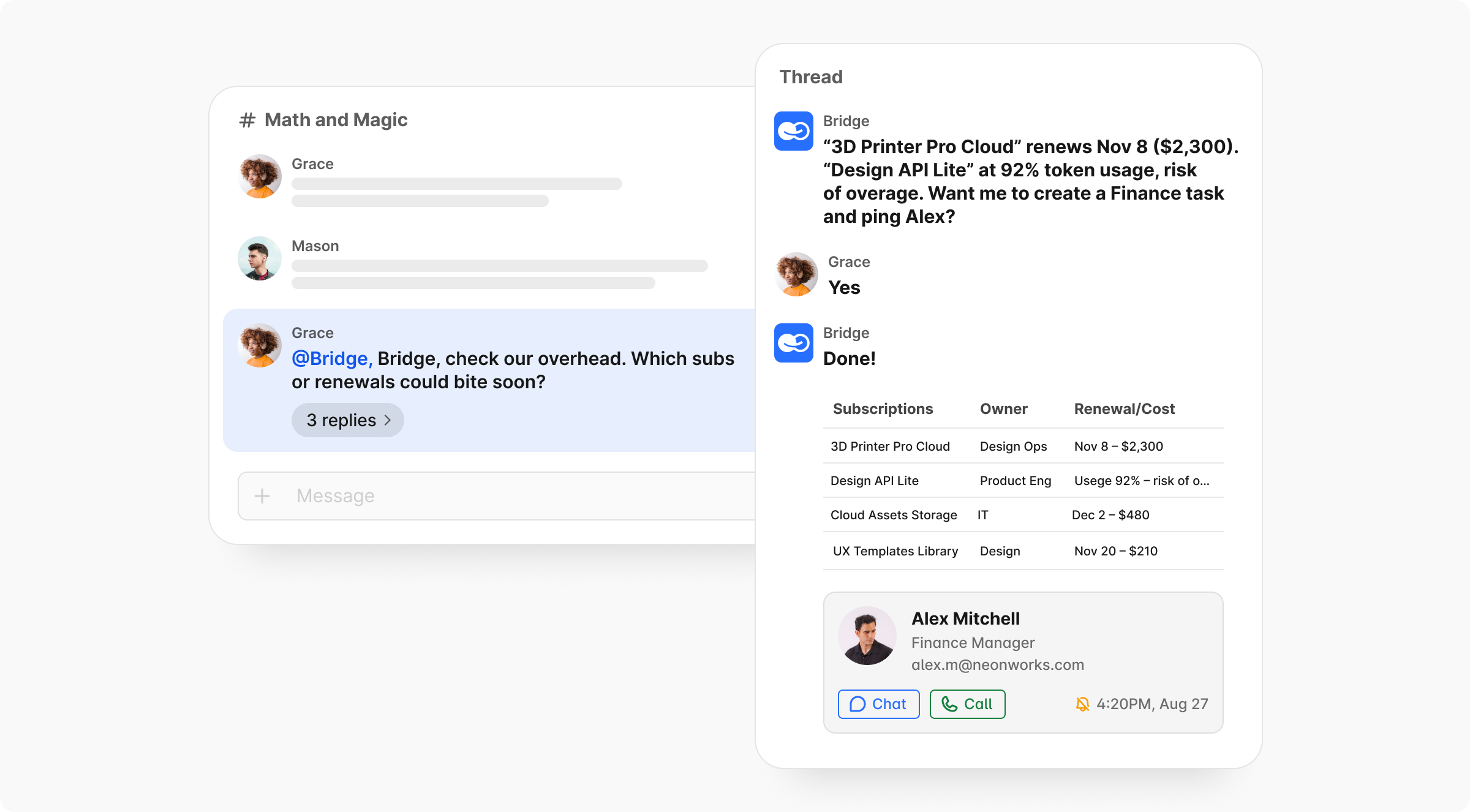
- Context over Clutter: Instead of hopping between a messenger, a document, and a project board, Bridge provides a single, context-aware environment where complex workflows, tasks, threads, knowledge, and live databases live together.
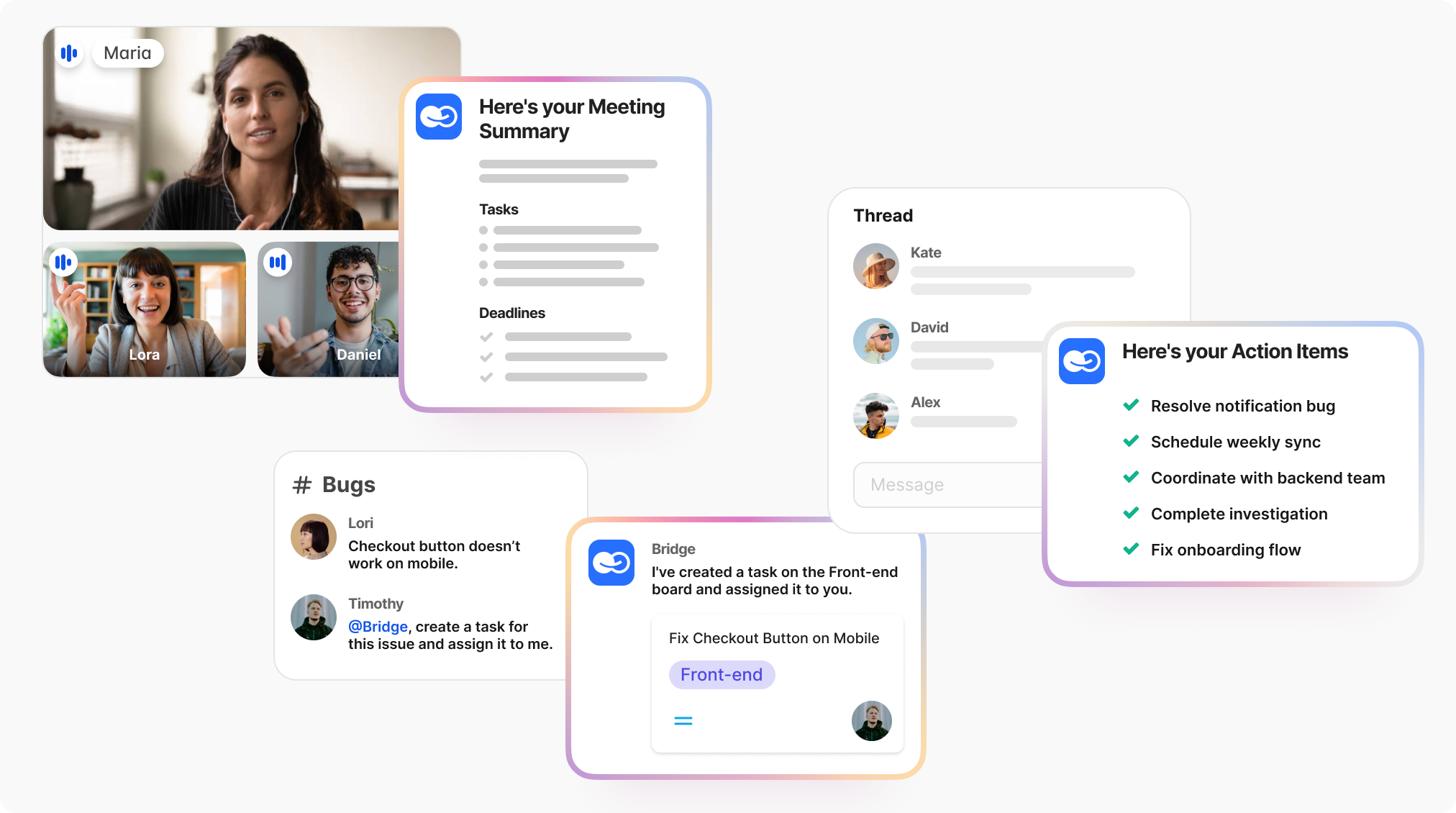
- Native AI Orchestration: Unlike platforms where AI is a bolted-on "sidekick," BridgeApp features AI agents and copilots that act directly on your project context—drafting, updating records, and running digital errands the moment they are @-mentioned.
- Total Data Sovereignty: BridgeApp offers full data sovereignty with the option to self-host on-premises or in a private cloud, making it the premier choice for regulated industries and privacy-first startups.
A Pricing Model Built for Transparency
BridgeApp disrupts the traditional "SaaS staircase" with a model that prioritizes clarity over "seat buckets" and hidden costs
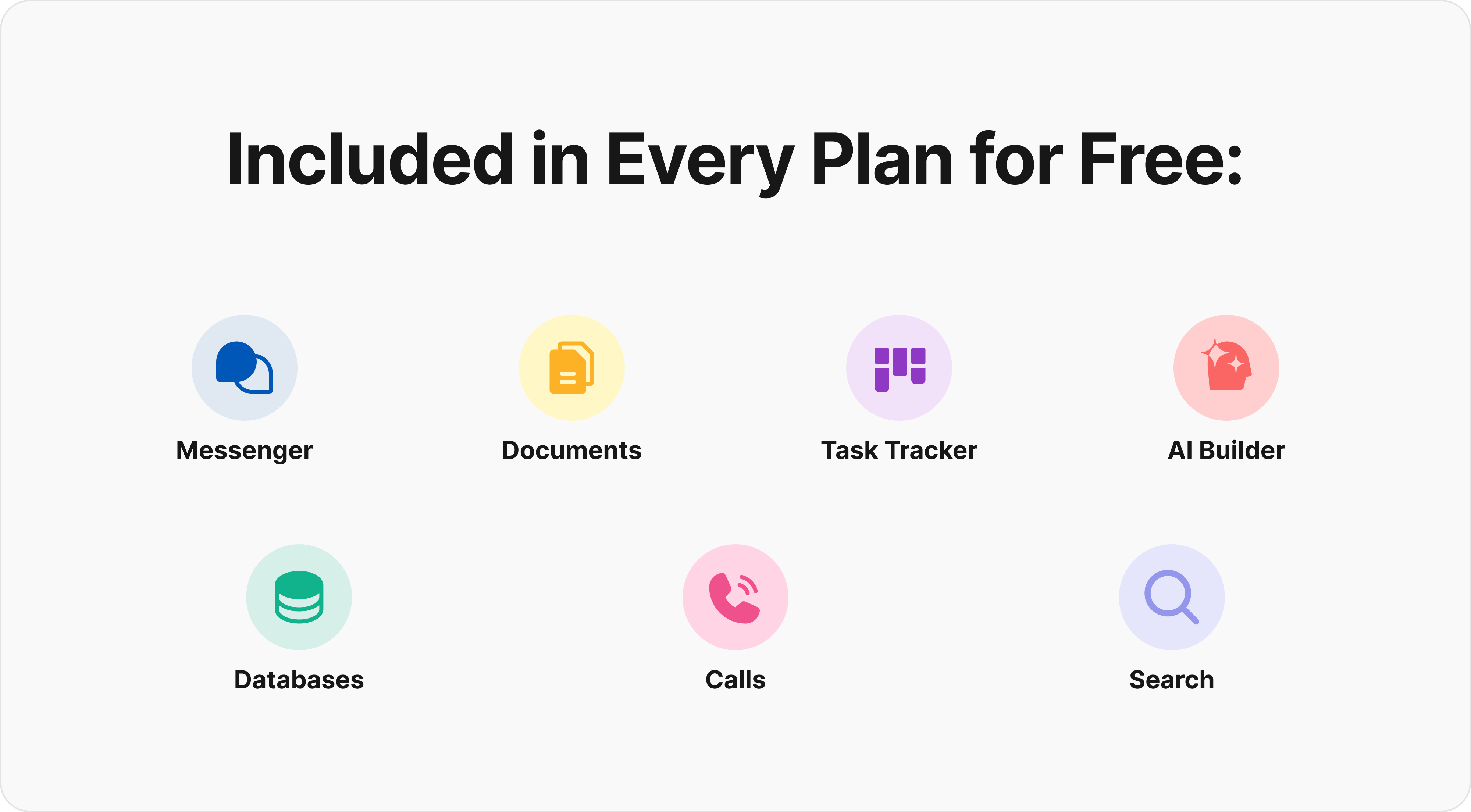
- Free Forever: Unlike the strict limits of a typical free plan, BridgeApp offers a generous cloud plan with unlimited users and all core modules—including the messenger, task tracker, and AI-agent builder.
- The Pro Plan (€9/user/month): Aimed at growing teams, this tier adds messenger integrations, advanced search, and multi-level permissions without the "ghost seat" tax common in seat-bundle models.
- Custom Enterprise: For organizations requiring on-premises deployment, white-labeling, and premium support, the Enterprise tier provides a bespoke, governance-heavy solution.
Is it time for a reboot?
The best way to evaluate BridgeApp is to try it. Spin up a real project, invite your core team, and see how it feels to work in an environment that values flow over noise. If you find your work getting done faster in a tool that feels lighter and clearer, you’ve found your project management software for the next decade.
[Explore BridgeApp's Pricing] | [Request a Demo] | [Start with a Free Plan]