BlogIndustry Insights
The Top 10 Best Collaboration Software for Effective Teamwork in 2026

BridgeApp Team
7 min read

Collaboration software is essential for streamlining communication, project management, and file sharing among teams. In this article, we’ll review over 20 of the best online collaboration tools for 2026, detailing their features, pricing, and specific workflows tailored for businesses, remote teams, agencies, and startups. Unlike other resources that tend to promote their own tools, our coverage is fresh and unbiased, ensuring you receive the most relevant and up-to-date information. Let’s dive into the sections below to find the right tools for your needs!
It’s important to note that the lines between collaboration software, project management, task management, and whiteboard apps aren’t always clear. Many of the best online collaboration tools combine features from these categories, so we’ll highlight what makes each option unique.
What Is Collaboration Software and Why Does It Matter in 2026?
Collaboration software unites communication, project management, and file-sharing to streamline teamwork, making it a cornerstone for collaborative work among employees. In 2026, its significance is underscored by the need for faster decision-making, enhanced productivity, and reduced task loss—especially in a world increasingly reliant on remote work and asynchronous meetings. As teams become more dispersed, effective collaboration tools are essential for maintaining momentum and ensuring that everyone is aligned, regardless of their location. However, collaboration tools must have a company culture behind them to be used successfully, as team collaboration thrives when these solutions are fully integrated into workplace practices.
TL;DR: Collaboration software centralizes team communication, tasks, and files for faster, coordinated work. In 2026, expect built-in AI automation to be standard.
The benefits of using collaboration software are numerous:
- Faster decisions: Instant messaging and shared workspaces enable quick feedback loops, helping teams resolve issues in real-time.
- Fewer lost tasks: With centralized task management, teams can easily track progress and avoid miscommunication.
- AI-driven automation: In 2026, features like automated task assignment and smart scheduling are becoming standard, freeing up time for more strategic work.
- Right fit for every business: Every business needs to find the right tool for its needs when choosing collaboration software, as requirements can vary based on the number of employees and the nature of team collaboration.
As teams continue to navigate the complexities of remote and hybrid work environments, collaboration software not only enhances efficiency but also fosters a culture of teamwork and accountability. Advances in cloud technology make interacting with virtual teams more 'face to face' than ever, further supporting collaborative work and seamless communication. By leveraging these tools, organizations can ensure that their teams remain productive and engaged, irrespective of where they work.
Which Collaboration Software Options Are Best by Category in 2026?
Finding the right collaboration tool can feel overwhelming, but if you know what you need, it’s simpler to make a choice. Here’s a categorized breakdown of the best collaboration software and online collaboration tools for 2026, tailored for specific functions.
The best collaboration software keeps you in the loop about relevant team activity and helps you communicate your progress to others.
Communication Tools
If you need efficient team communication, try:
- Slack: Great for real-time messaging and integrations with various apps. Slack is one of the most ubiquitous apps that businesses of all sizes use to communicate in real-time or asynchronously.
- Microsoft Teams: Ideal for organizations already using Microsoft 365, offering chat, video, and file sharing.
- Google Chat: Perfect for teams utilizing Google Workspace, providing seamless integration with other Google apps.
- Facebook Messenger: Can be integrated for centralized communication, consolidating messages from multiple social media channels for seamless customer support and internal collaboration.
Project Management Tools
If you need to manage projects effectively, try these project management apps:
- Asana: Excellent for task tracking and project visualization.
- Monday.com: Highly customizable workflows and visual project tracking.
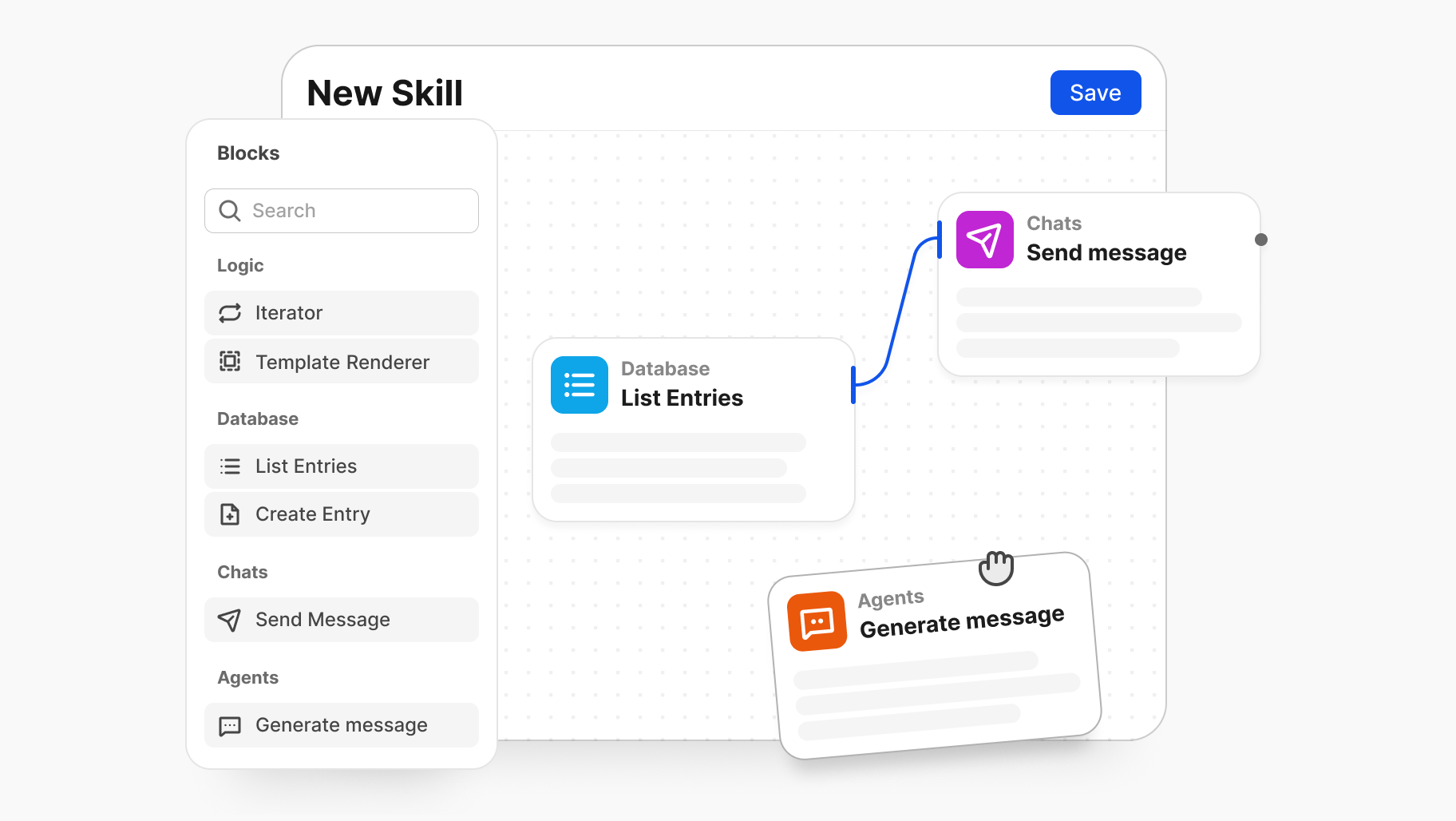
- BridgeApp: Focuses on automating project management tasks, ideal for teams looking to streamline processes. BridgeApp is an all-in-one workspace designed to unify the tools teams use every day and support daily work with AI-powered agents across chats, tasks, knowledge, and databases. Now all your projects live in a growing knowledge base that scales with your team, where AI optimizes task prioritization based on deadlines, dependencies, and team capacity, keeping all discussions, files, and AI assistance together in one workspace — accessible from any device, anywhere.
- Zoho Projects: Cost-effective and user-friendly, Zoho Projects offers a free plan and supports collaboration with Kanban-style workflows—great for small and growing businesses.
- GanttPro: Suitable for small teams that are new to project management, providing an intuitive way to get started.

File Sharing Tools
If you need to share files securely, try:
- Dropbox: Offers robust file sharing and storage options, ideal for large files.
- Google Drive: Great for collaborative document editing and easy sharing.
- Microsoft OneDrive: Best suited for teams already using Microsoft products, integrating well with Office apps.
AI-Driven Collaboration Tools
If you need AI-enhanced features, try:
- Some of the best collaboration software now leverages machine learning for advanced features like transcription, data enhancement, and actionable insights.
- Notion AI: Helps automate note-taking and task management, boosting productivity.
- ClickUp AI: Provides intelligent project management features that streamline workflows.
- BridgeApp: Utilizes AI for context-aware task creation and project management, saving time on manual entry. Store knowledge and data — create flexible knowledge bases and databases with custom fields.
- Zoom's AI Companion: Automatically generates searchable transcripts and summaries from live calls, making it easy to review and share meeting content.
Niche and Emerging Contenders
For specialized needs or industries, consider:
- Figma: Perfect for design teams needing collaborative design tools.
- Miro: Excellent for brainstorming and whiteboarding sessions, especially in creative environments.
- Trello: Offers a visual Kanban-style approach, great for smaller teams or specific projects.
- Canva: A design tool that allows teams to create visual content collaboratively, including social media graphics and presentations.
These tools support collaborative work by enabling real-time teamwork, feedback, and workflow management. Persistent collaboration spaces also allow teams to collaborate on documents using tools integrated into communication apps such as Slack and Zoom.
Updates and Niche Contenders
The landscape of collaboration tools is ever-evolving in 2026. Keep an eye on emerging tools that cater to specific business types like SaaS, agencies, or e-commerce, as these often provide tailored features that can significantly enhance productivity and teamwork. To identify the best online collaboration tools, you should consider the features a small business with a distributed workforce might need.
Exploring these categories will help you find the right collaboration software that fits your team’s unique needs and workflow. Each tool listed has been updated for 2026, ensuring you’re equipped with the latest options to keep your collaboration seamless and efficient.
How Do Top Collaboration Tools Compare on Features and Pricing in 2026?
In 2026, choosing the right collaboration tool requires a clear understanding of pricing, features, and integration capabilities. Centralization refers to using a single source of truth to reduce reliance on email while keeping information organized. The following table provides a side-by-side comparison of top collaboration tools, highlighting monthly/yearly pricing, free/paid tiers, core features, AI enhancements, and integrations. This overview equips budget decision-makers with essential insights for quick evaluation and informed choices.
| Tool | Monthly Pricing (Paid) | Yearly Pricing (Paid) | Free Tier | Core Features | 2026 AI Upgrades | Data Control & Security |
|---|---|---|---|---|---|---|
| Google Workspace | $6/user | $72/user | Yes | Chat, video meetings, file sharing, tasks | Enhanced AI for smart replies and document summarization | Strong privacy controls |
| Slack | $8/user | $96/user | Yes | Messaging, file sharing, channels, integrations | AI-powered search and message prioritization | Good data encryption |
| Microsoft Teams | $5/user | $60/user | Yes | Video conferencing, file sharing, chat, and integrations | AI for meeting transcriptions and smart scheduling | Enterprise-grade security |
| BridgeApp | €9/user | €90/user | Yes | Chat, task management, AI automation, and on-premise deployment,White labeling | AI-driven task creation and project tracking | On-premise options available |
| Asana | $10/user | $120/user | No | Task management tool, project timelines, and reporting | AI for automating task assignments | Good data protection |
| Notion | $8/user | $96/user | Yes | Notes, documentation, databases, task boards | AI for content suggestions and knowledge management | User-controlled permissions |
The most important thing to remember is to choose software that you and your team will actually use.
Standouts
- BridgeApp: Saves teams an average of 4.6 hours weekly through AI automation of tasks, making it a compelling choice for efficiency-focused teams.
- Google Workspace: Offers a broad free tier, making it accessible for startups and small teams, with 15GB of storage per user.
Data Control and Security
Most tools emphasize robust data control and security, with Google and Microsoft providing enterprise-grade protections. BridgeApp is built with security and privacy in mind, offering both cloud and on-premise deployment options, EU-hosted infrastructure, and GDPR-compliant data handling.
This table streamlines your decision-making process, allowing you to quickly identify which collaboration tool aligns best with your team's needs and budget. Whether you prioritize advanced AI features or a rich free tier, there's a tool tailored for your requirements in 2026.
What Workflows Do Top Collaboration Tools Enable for Different Business Types?
Here’s how different teams actually get results with top collaboration tools tailored to their specific needs. Effective remote collaboration tools improve teamwork by centralizing communication and facilitating both real-time and asynchronous editing, ensuring everyone stays aligned. Let’s dive into workflows for a SaaS product development team, an agency managing client projects, and an e-commerce business handling inventory and marketing cycles, highlighting how assigning tasks or channels to other members streamlines collaboration.
SaaS Product Development Workflow
For a SaaS company launching a new feature, collaboration tools streamline the process from ideation to release. Here’s a typical workflow:
- Ideation and Planning: Team members brainstorm ideas in a tool like Miro or Notion, which allows for collaborative mind mapping.
- Task Management: Once ideas are solidified, they’re transferred into a project management tool like Asana or Trello, where tasks are assigned with deadlines.
- Development and Feedback: Developers work in GitHub for code collaboration, integrating with project management tools to update task statuses. Regular check-ins via a Slack workspace ensure everyone stays in sync and facilitates team communication.
- Testing and Launch: Quality assurance teams use a dedicated channel for bug reporting, and once all issues are addressed, the feature is scheduled for deployment.
Agency Client Management Workflow
Agencies often face the challenge of tasks getting lost between chat and project management tools. Here’s how they can optimize their workflow:
- Initial Client Consultation: The project kickoff happens over a video call (Zoom or Google Meet), where objectives are discussed and recorded.
- Task Creation: Instead of manually entering tasks post-meeting, tools like BridgeApp can automatically create tasks from chat summaries, saving over 10 minutes per task breakdown. For a 10-person team, this can reclaim about 46 hours a week. Small business owners and accountants often face the same problem when communicating transaction details, making it essential to use the best tool for finance collaboration to ensure accuracy and efficiency.
- Review and Approval: Drafts and designs are shared via platforms like Dropbox or Google Drive, where clients can leave comments directly. Feedback is integrated into the project management tool for tracking revisions.
- Final Delivery: Once approved, deliverables are packaged and sent through the client’s preferred method, with a follow-up meeting set to discuss results.
E-commerce Marketing Cycle Workflow
For an e-commerce operation, managing inventory and marketing campaigns is critical. Here’s a typical workflow:
- Inventory Management: Using tools like Shopify or TradeGecko, teams monitor stock levels and reorder products as necessary.
- Campaign Planning: Marketing teams brainstorm ideas in a shared Google Document, transitioning to project management tools like ClickUp for campaign timelines and task assignments.
- Execution and Tracking: Campaigns are executed using email marketing tools like Mailchimp, with performance tracked in analytics dashboards. Slack channels keep the team updated on campaign performance. Your collaboration software must offer strong mobile compatibility, so team members can access tools, track progress, and communicate on the go.
- Analysis and Adjustment: Post-campaign, teams analyze data and gather insights, which inform adjustments for future campaigns.
These workflows illustrate how tailored collaboration tools can enhance productivity for different business types. By leveraging tools that fit their specific needs, teams can streamline processes, save time, and improve outcomes.
Want to implement these workflows in your business? Download our collaboration workflow templates to get started!
Best Practices for Collaboration
Effective collaboration is the backbone of any successful team, and adopting best practices can make all the difference in achieving your goals. Start by setting clear objectives for your projects—when every team member understands the desired outcome, it’s easier to align efforts and avoid confusion. Regular check-ins, whether through team chat or video calls, foster efficient communication and ensure everyone stays updated on progress and challenges.
Leveraging the right collaboration tools is essential. Project management software helps organize tasks and deadlines, while file-sharing platforms like Google Drive make it simple to store documents and share ideas in real time. Encourage team members to use these tools consistently, so information is always accessible and up to date. Creating a culture where feedback is welcomed and ideas are openly discussed can also drive innovation and continuous improvement.
Finally, streamline your workflows by integrating your favorite tools—connecting your project management app with your team chat or file sharing service can reduce manual work and boost productivity. By following these best practices, your team can collaborate more effectively, minimize misunderstandings, and achieve better results together.
Common Challenges When Using Collaboration Software
While collaboration software offers significant advantages, teams often face a few common hurdles when adopting new tools. Resistance to change is a frequent issue—some team members may prefer familiar methods over learning new software, which can slow down adoption. Technical challenges, such as compatibility problems or a steep learning curve, can also impact how quickly a team gets up to speed with new collaboration tools.
Another challenge is information overload. With so many messages, notifications, and tasks flowing through various platforms, it’s easy for important updates to get lost, leading to missed deadlines or duplicated work. Security concerns are also top of mind, especially when sensitive data is shared across multiple tools and platforms.
To address these challenges, it’s important to provide comprehensive support and training for all team members. Choose collaboration software that matches your team’s needs and is intuitive to use. Establish clear guidelines for communication and project management, and regularly review your processes to ensure the tools are supporting—not hindering—your team’s productivity and security. With the right approach, you can overcome these obstacles and unlock the full potential of your collaboration software.
Customization and Flexibility in Collaboration Tools
No two teams work the same way, which is why customization and flexibility are key features to look for in the best collaboration tools. The ability to tailor your project management tools—by adding custom fields, creating unique workflows, or integrating with your favorite team chat apps—ensures that your software adapts to your team’s specific needs, not the other way around.
For example, a marketing agency might need a kanban board with custom fields to track campaign stages, while a product development team could benefit from detailed task dependencies and automated notifications. The best collaboration software platforms make it easy to create, modify, and scale your processes as your projects evolve. This flexibility allows teams to boost productivity, streamline communication, and ensure that every task and idea is captured in a way that makes sense for their workflow.
When evaluating collaboration tools, look for platforms that offer both simplicity and robust customization options. This balance empowers your team to collaborate efficiently, whether you’re managing a single project or juggling multiple projects across different departments.
Scalability and Growth: Choosing Tools for the Future
As your business grows, your collaboration needs will evolve—and your software should be able to keep up. When selecting collaboration software, consider not just your current requirements, but also how the tool will support your team as you take on more projects, add new team members, or expand into new markets.
Look for solutions that offer a free plan or affordable entry-level pricing for small teams, but also provide the option to upgrade to paid plans with advanced features as your needs change. The ability to add unlimited users, manage multiple projects, and integrate with other tools and services is crucial for long-term success. For instance, Google Workspace is a popular choice for small businesses due to its low cost and ease of use, but it also scales well as organizations grow and require more sophisticated project management capabilities.
Choosing scalable collaboration software ensures that your team won’t outgrow your tools, saving you the hassle of switching platforms down the line. Prioritize flexibility, integration options, and support for unlimited users to future-proof your collaboration strategy.
Support and Training: Getting the Most from Your Collaboration Software
Maximizing the value of your collaboration software goes beyond just choosing the right tool—it’s about ensuring your team knows how to use it effectively. Comprehensive support and training are essential for a smooth onboarding process and ongoing productivity. Many collaboration tools offer a wealth of resources, including step-by-step tutorials, live webinars, and responsive customer support to help team members get up to speed quickly.
Ongoing support is equally important. Regular software updates, security enhancements, and new feature releases keep your collaboration platform secure and efficient. Encourage your team to take advantage of available training materials and support channels to resolve any issues promptly and make the most of all the features your software offers.
By investing in proper training and leveraging the support provided by your collaboration software vendor, your team can overcome the initial learning curve, maintain high levels of productivity, and ensure that your collaboration tools continue to meet your evolving needs.
When Should You Choose Free vs. Paid Collaboration Tools?
Most teams can start with free collaboration tools, but upgrading becomes essential when you need unlimited storage, custom workflows, enhanced security options, or advanced AI features. Collaboration software centralizes information and makes it accessible to all employees who need it, ensuring everyone stays on the same page regardless of team size. Additionally, collaboration tools can help avoid errors and duplicate work, reducing costs for businesses as the number of employees grows. While free plans are a great way to dip your toes into collaboration software, recognizing the signs that indicate it’s time to invest in a paid solution can save you headaches down the road.
Decision Checklist: When to Upgrade
- If you need unlimited storage, Free tiers often come with storage limits. If your team is generating a lot of files or data, consider upgrading.
- If custom workflows are essential, Many free options offer basic task management, but if your projects require tailored workflows, it's time to look at paid plans.
- If security features are a priority, Free tools may lack advanced security features like Single Sign-On (SSO) and enhanced data protection. If your team handles sensitive information, upgrading is prudent.
- If you want robust AI features, while some free tools incorporate basic AI, advanced automation features typically come with paid subscriptions. If your team depends on these capabilities, it’s worth the investment.
- If you're outgrowing user limits: Free plans often restrict the number of users. If your team is expanding, consider a paid plan to avoid disruptions.
BridgeApp stands out by offering a no-fee tier and on-premise options for data sovereignty, which is great for teams concerned about data control. However, be aware that while they offer robust features, advanced AI automation does come at a cost.
By assessing your team's specific needs against this checklist, you can determine the right time to transition from free to paid collaboration tools effectively.
How Do AI Features and Integrations Set Collaboration Tools Apart in 2026?
In 2026, technology is at the core of the best collaboration software, driving innovation and transforming how teams work together. AI automation is no longer a luxury; it’s a necessity for collaboration tools. As teams strive for efficiency in an increasingly complex work environment, the integration of AI features directly addresses critical workflow pain points, such as time lost to manual task entry and the need for quick meeting summaries. Tools that embrace AI and cutting-edge technology are not just enhancing functionality; they’re setting new standards for what collaboration software must deliver.
Here’s how six leading collaboration tools leverage AI and technology to streamline workflows:
- Notion AI: Known for its document summarization capabilities, Notion AI allows users to quickly distill lengthy notes into concise summaries, making information retrieval effortless.
- ClickUp: This platform integrates AI-driven project workflows that intelligently prioritize tasks based on deadlines and team workload, significantly improving project management efficiency.
- BridgeApp: A standout player, BridgeApp offers no-code, cross-platform AI agents that are context-aware. Users save an average of 4.6 hours per week thanks to its smart automation features. For instance, a typical workflow involves an AI agent parsing chat discussions into actionable project tasks, reducing manual entry by an impressive 60%.
- Microsoft 365: The integration of AI in Microsoft 365 enhances collaboration through tools like Cortana, which assists in scheduling and task management, thereby streamlining team communication.
- Miro: Miro provides an infinite digital canvas for real-time whiteboarding, enhanced with AI tools for clustering sticky notes and summarizing, making brainstorming and visual collaboration seamless.
- Loom: Loom is an asynchronous communication tool that allows users to create and share video messages easily, supporting flexible team communication across time zones.
Here’s a glance at where each platform excels in AI automation:
| Platform | AI Feature | Workflow Example |
|---|---|---|
| Notion AI | Document summarization | Quickly summarize meeting notes |
| ClickUp | AI project workflow | Automate task prioritization |
| BridgeApp | Context-aware AI agents | Parse chat discussions into projects |
| Microsoft 365 | Smart scheduling | Assist in organizing team calendars |
In conclusion, as we look toward the future, it’s clear that AI automation and advanced technology are now table stakes in the collaboration software landscape. Tools that effectively integrate these features will not only enhance productivity but also help organizations future-proof their investments and reduce tool churn.
What Are the 5 P’s of Collaboration and Why Do They Matter?
The 5 P’s of collaboration — Purpose, People, Place, Products, and Practices — are the core ingredients of effective teamwork. Understanding and integrating these elements into your collaboration strategy can significantly enhance team dynamics and outcomes. Here’s a quick overview of each P:
- Purpose: The reason for collaboration aligning team goals and objectives to ensure everyone is working towards a common aim.
- People: The individuals involved, emphasizing the importance of roles, skills, and interpersonal relationships in achieving collaboration success.
- Place: The environment where collaboration occurs, whether physical or virtual, impacting accessibility and engagement.
- Products: The tools and technologies used to facilitate collaboration are essential for seamless communication and project management.
- Practices: The established workflows and processes that guide how teams collaborate, ensuring efficiency and consistency.
When choosing collaboration software, it must support these 5 P’s. For instance, tools like Slack provide a centralized Place for communication, while Trello offers visual Products for task management. Additionally, platforms with built-in Practices help standardize workflows, making it easier for teams to work together effectively.
Checklist: Is Your Tool Covering All Five P’s?
- Purpose: Does it align with your team's goals?
- People: Are all necessary roles supported?
- Place: Is it accessible for all team members?
- Products: Does it integrate with the tools you need?
- Practices: Are there established workflows to follow?
By ensuring that your collaboration tools address these 5 P’s, you can create a more cohesive and productive team environment.
Conclusion
Ready to take action? Dive into our tailored guides for implementing collaboration software specific to your business type. Don’t forget to explore free trials for the tools we've highlighted—this is your chance to find the perfect fit. Lastly, use our cost calculator and downloadable templates to streamline your setup and maximize efficiency. Let’s get your team collaborating effectively!