BlogIndustry Insights
Top 10 monday.com Alternatives for your Project Management Needs

Konstantin BuzzResearch Lead
12 min read
If you believe the ads, monday.com is less a project management tool and more a control room for your whole business — a glowing cockpit of boards, dashboards, automations that promise to make chaos obey. That as a concept is seductive (and very marketable): one canvas to plan projects, assign tasks, track time and run support queues.
That vision clearly resonates. By early 2025, monday.com was reporting tens of thousands of paying customers — teams with more than 10 users — and fast growth in mid-market and enterprise accounts each paying well into the five figures per year. Across major software review platforms, thousands of reviewers put monday.com around the 4.7/5 mark on average.
And yes, the suite is a powerful tool for visual project management, with its own bells and whistles and some delightfully smart features. The “operating system for work” metaphor fits: multiple ways to represent tasks and processes (tables, Kanban boards, Gantt charts, calendars, dashboards), an automation hub to wire up complex workflows, deep integrations and data pipelines. On top of that, there’s a sprawling marketplace of templates for content production, docs and forms, sales and CRM, real estate, venture capital — and a further long tail of other niche use cases.
For a while, this “visual Work OS” does feel like magic. You spin up boards, color-code statuses, drag timeline bars, add automations that nudge tasks along, and watch project dashboards flicker into life. monday.com can absolutely run complex projects, cross-team campaigns, software sprints and content pipelines.
But spend enough time in that cockpit and at a certain scale, monday.com starts to feel like an airport terminal during a delay: noise everywhere, panels blinking, queues spawning queues, a mess out of notifications. The system that once felt magical and promised to streamline everything suddenly needs a “reboot” just when you’re in the middle of something big.
Well, it’s still a powerful suite, but it’s not the only way to plan work, track progress and keep a team aligned. That’s when people start typing “monday.com alternative” into search.
So what actually fits your project management needs better? This guide walks through ten of the strongest monday.com alternatives for 2026 to help you decide.
Why monday.com users look for other project management software
1. Feature richness turning into cognitive overload. For larger organizations with rotating contributors, the learning curve becomes real friction.
2. Performance drag at scale. As teams pour in thousands of items, multi-year timelines and heavy dashboards, workspaces can feel clunky and slow to load. For large remote teams that live in the tool all day, those delays add up fast.
3. Notification and signal overload. Automations, updates, @-mentions and integrations generate plenty of “signal,” but monday.com isn’t great at helping you curate it. People end up with noisy inboxes and alerts they can’t meaningfully prioritise.
4. Pricing and value at scale. On paper, $8–$19 per user per month looks fine; in practice, minimum seat bundles and paywalled basics push costs up quickly. And even Pro-plan customers report that basic capabilities — like item-level permissions, projects, and portfolios — still sit behind an extra paywall. For a mid-sized (50-200 person) team, you’re comfortably in five-figure territory per year before you’ve even counted onboarding.
5. Not quite a true “single source of truth.” In practice, many teams use monday.com alongside a whole ecosystem: dev work in GitLab or VS Code, design in Figma, docs in Confluence, Notion or Google Drive, customer data in HubSpot or Salesforce, and chats in Slack or Microsoft Teams. In that setup, monday.com becomes one more place to update — not the system that knows everything. That’s where leaner PM tools, flexible doc/databases, or context-first hubs like BridgeApp start to look more attractive.
Quick scorecard: where monday.com sits vs other management tools
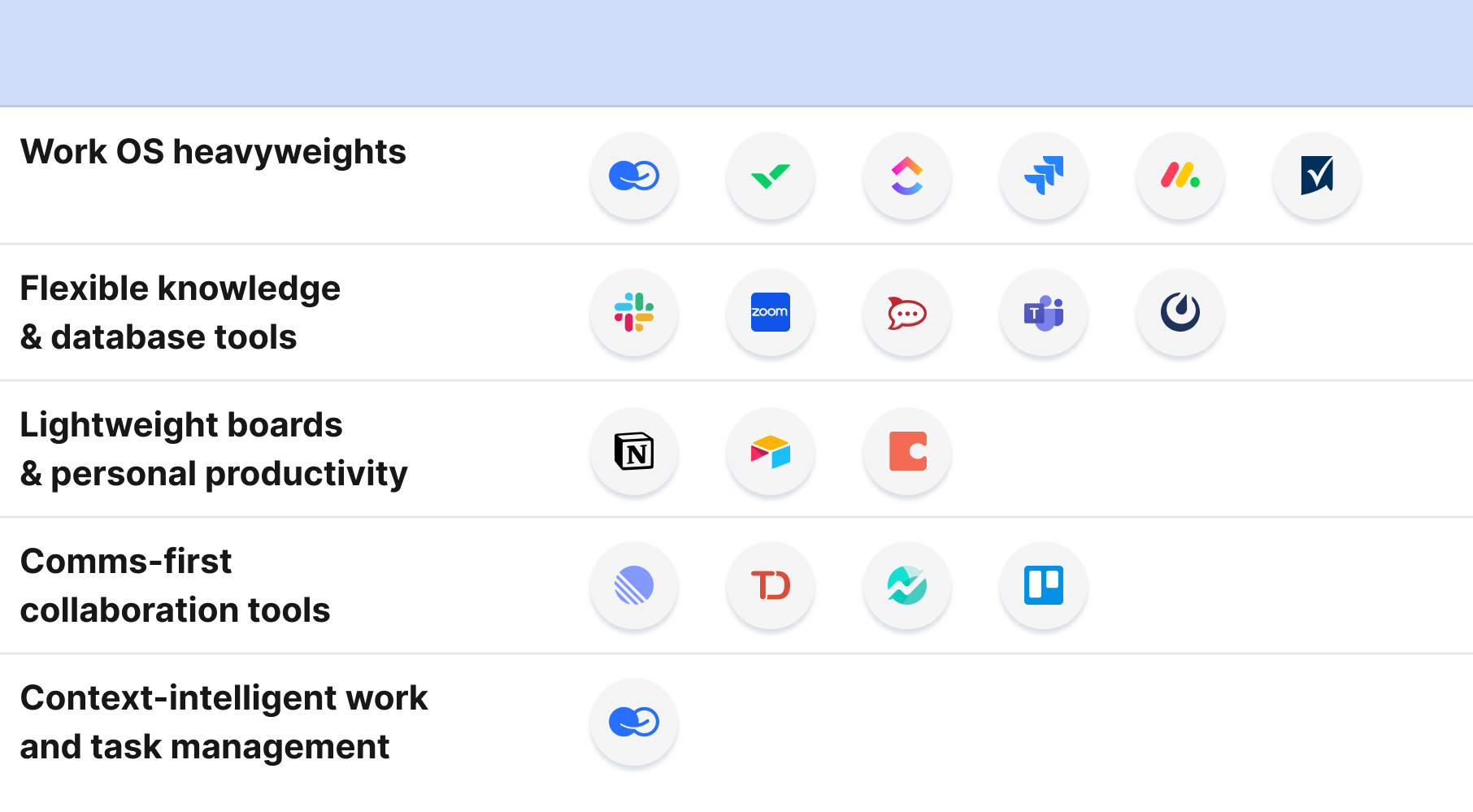
By 2026, project management tools naturally fall into a few clusters — helpful to keep in mind if you’re trying to pick a system that solves a specific set of problems in planning or implementing complex projects.
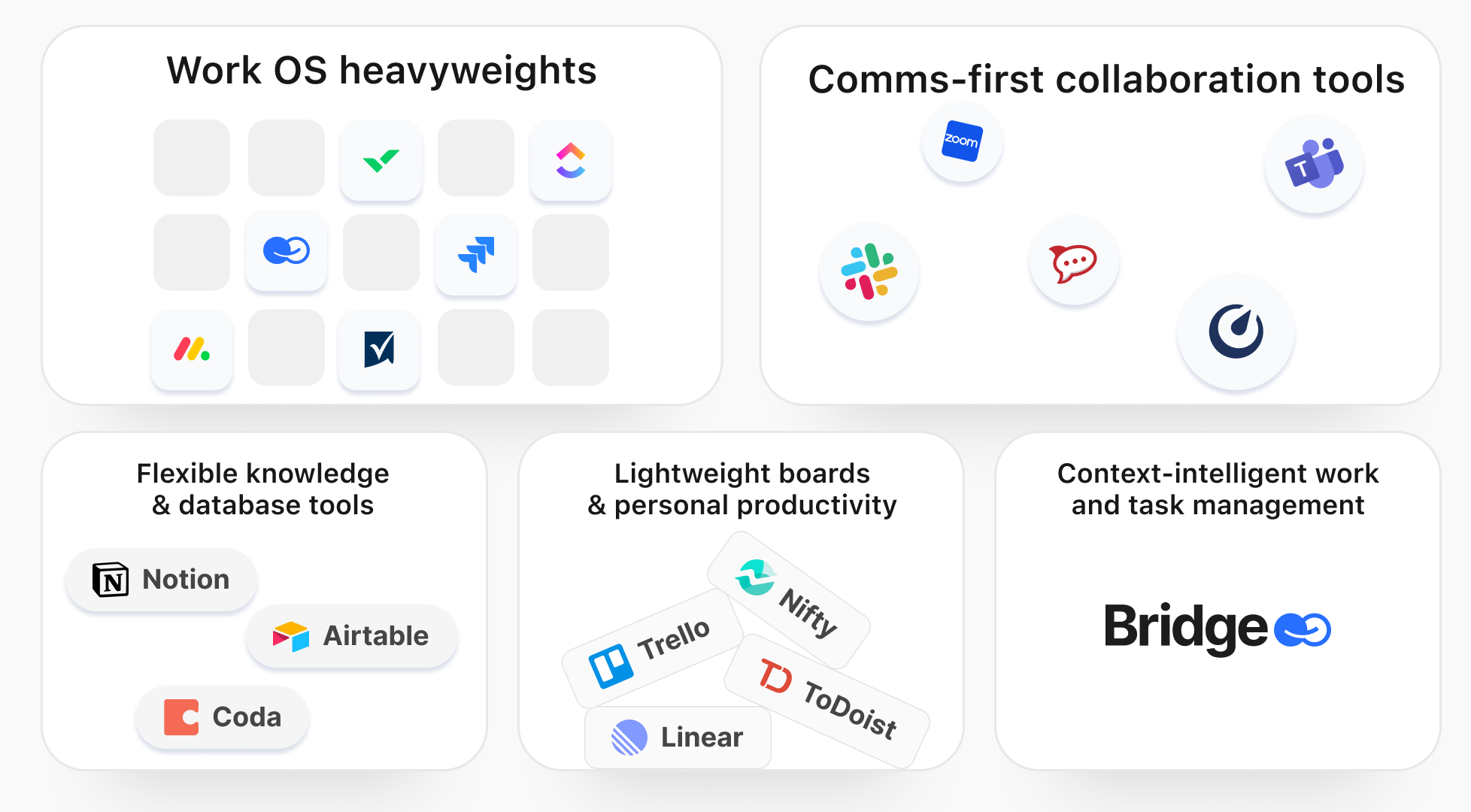
📌 Work OS heavyweights
monday.com, ClickUp, Wrike, Smartsheet, Jira Work Management / Jira Software
These platforms try to be an operating system for work: end-to-end project management, reporting, automation and sometimes even CRM or service management. Deep features, broad modules, serious automation — and real complexity.
📌 Flexible knowledge & database tools
Notion, Airtable, Coda
Here, the core is a flexible database plus documents and views — boards, tables, calendars, timelines and custom dashboards. They shine when you want project management tightly coupled with content and knowledge, but they often require more configuration and guardrails.
📌 Lightweight boards & personal productivity
Trello, Todoist, Linear, Nifty and similar
Optimized for simplicity, speed and a minimal learning curve. Perfect for small teams or focused squads that want straightforward project management, Kanban boards or sprint tracking without the ceremony of a full “work OS”.
📌 Comms-first collaboration tools
Slack, Microsoft Teams, Zoom Workplace, Rocket.Chat, Mattermost
These tools start from chat and meetings, then add light task tracking, integrations or embedded boards. For some teams, replacing monday.com with a communication hub plus a leaner board tool is a perfectly rational choice.
📌 Context-intelligent work and task management
Such systems are built from scratch as a project management workspace for hybrid human–AI teams, with tasks, threads, live databases, a shared knowledge hub and AI agents all living in one structured environment.
The Top 10 monday.com alternatives in 2026
Each mini-profile follows the same pattern: what it is, why it stands out as a monday.com alternative, who it’s best for, and trade-offs to be aware of.
1. BridgeApp— Context-intelligent, agent-native PM workspace with generous free plan
BridgeApp is a collaboration platform designed for AI-dense, cross-functional teams — think product, ops, engineering and support working alongside agent workflows. Chat is just the surface. Underneath you get: structured threads and tasks, live databases and a shared knowledge hub, and AI agents can work across chats, tasks, documents and databases with clear human-in-the-loop control.
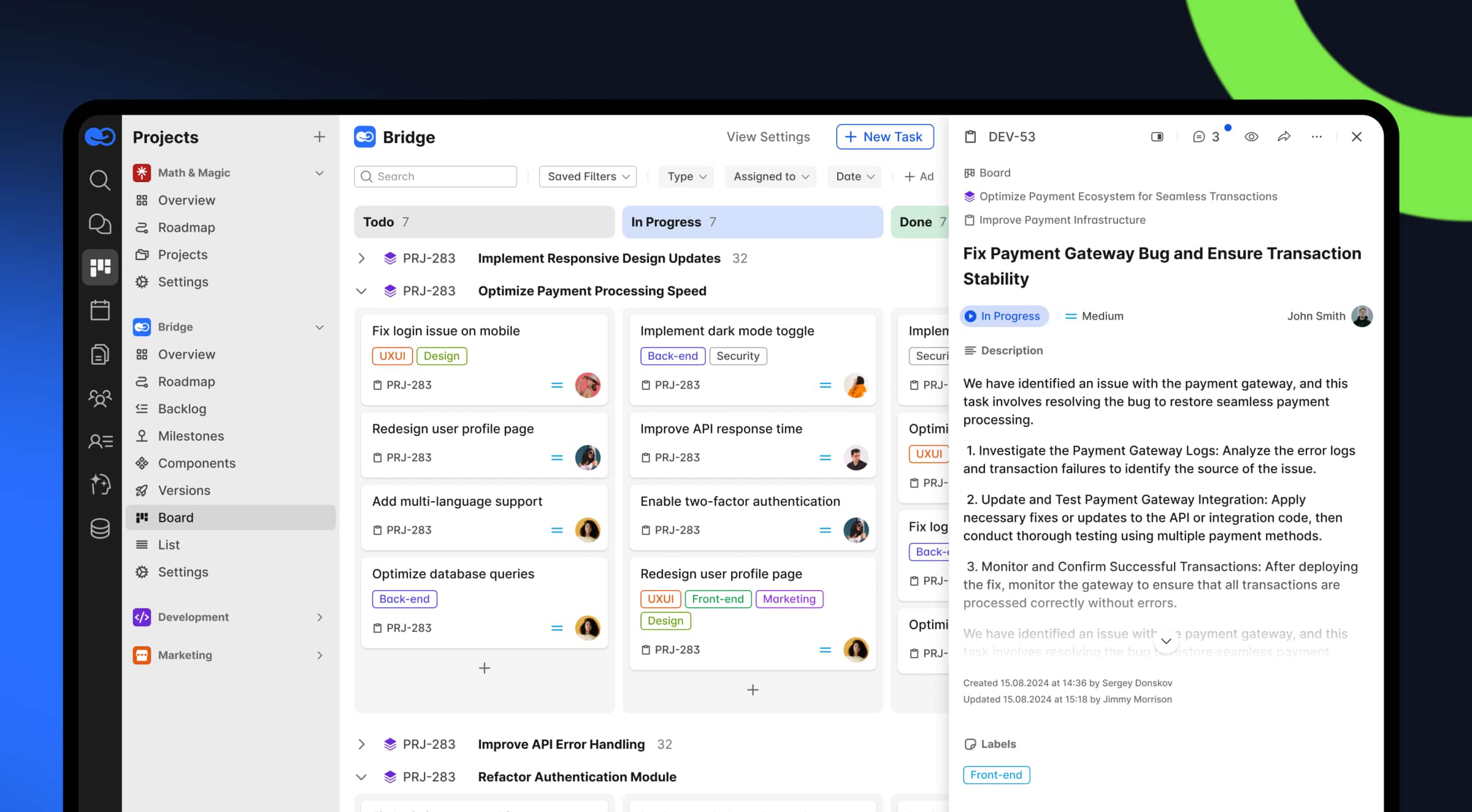
Compared to monday.com, BridgeApp focuses less on fine-grained charts and resource allocation and more on giving you a single, context-aware workspace: Kanban boards, backlogs and list views, company databases and documents, all with AI agents and Copilot natively wired in. Instead of becoming just another tab in a fragmented stack, BridgeApp is designed to replace separated PM and communication tools. The suite can run either in the cloud or as a full on-premises deployment.
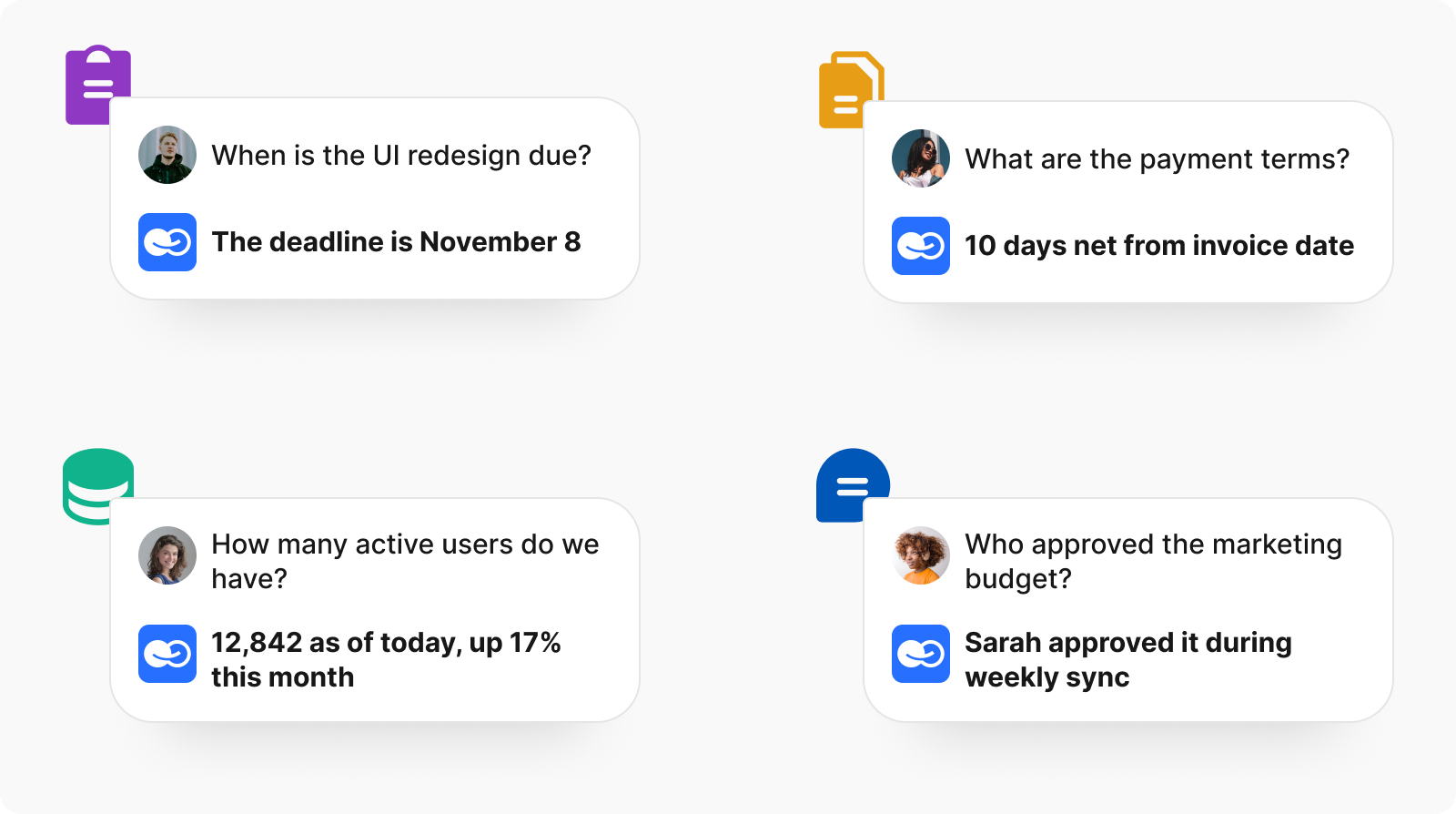
You can run BridgeApp in the cloud or self-host it on-prem / private cloud for full data sovereignty, which makes it attractive for regulated industries, public-sector institutions and privacy-first startups.
Best for: Product and engineering teams that want async communication without losing context, AI-native workflows, tight CI/CD–adjacent support, and the option to run everything on-premises.
Trade-offs: BridgeApp is optimised for internal operations and delivery. While it covers most core workflows out of the box, its integration ecosystem is still growing compared to long-established Work OS giants.
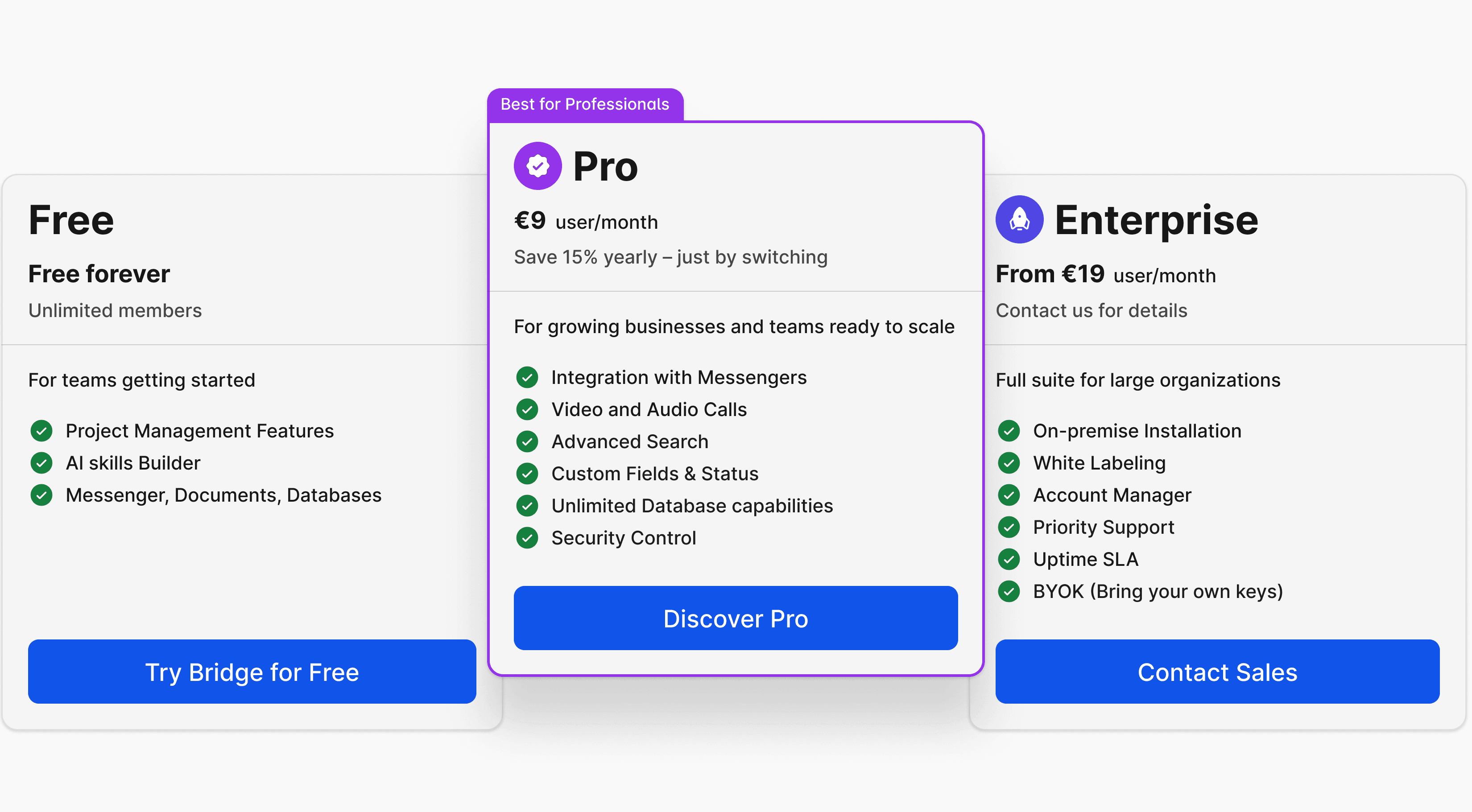
Pricing. BridgeApp offers a “free forever” cloud plan with unlimited users and all core modules — messenger, documents, task tracker with backlog an Kanban view, AI-agent builder, databases, and calls. Tokens consumed by AI agents, as well as heavier database usage, can be billed separately as your workloads grow. The Pro plan is listed at €9/user/month or €90/year, aimed at growing teams that need extras like CRM, messenger integrations, advanced search, role-based access control and stronger security controls. Enterprise is custom-priced, with on-premises deployment, white-label options, an account manager, priority support, BYOK and an uptime-focused SLA available by quote.
2. ClickUp — “the everything app for work”
ClickUp leans into being a Work OS rival to monday.com: task management, docs, whiteboards, dashboards and built-in chat, plus an AI layer called ClickUp Brain for summarizing work, drafting content and powering search across projects. Reviewers consistently praise its near-absurd flexibility — almost everything can be customized — and the breadth of project views, including Gantt and timeline views.
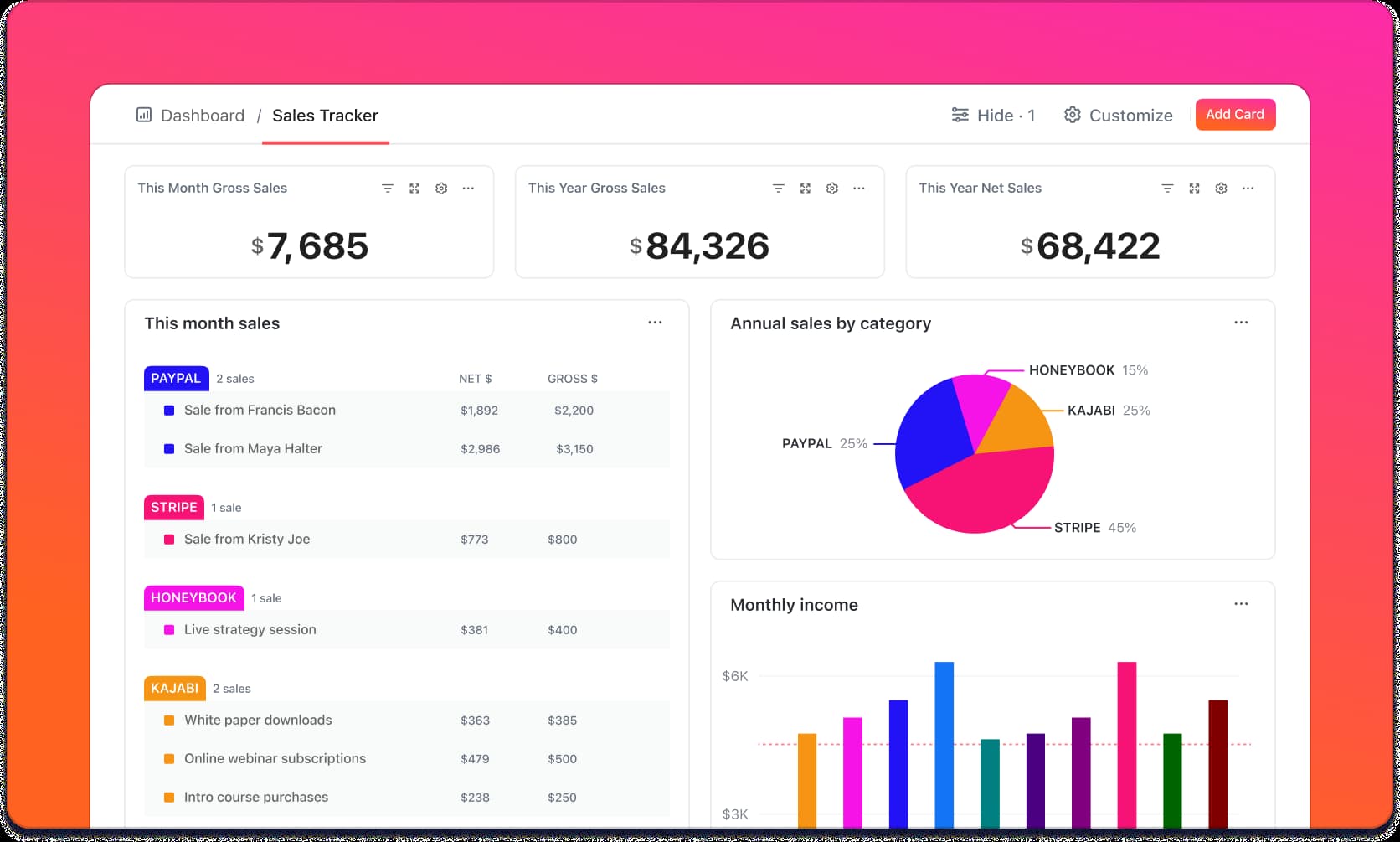
As a monday.com alternative, ClickUp appeals to teams that outgrow monday.com’s templates and want more configuration knobs on project timelines while keeping costs manageable, especially on the Unlimited and Business plans.
Best for: Product teams, agencies and operations groups that are happy to invest time into designing their own project management system and dashboards.
Trade-offs: That same flexibility becomes complexity. Overgrown workspaces can feel sluggish, new users get lost in the menu maze, and serious configuration effort is required to keep everything coherent.
Pricing starts with a Free Forever plan, then Unlimited from $7/user/month and Business from $12/user/month when billed annually, with Enterprise on a custom quote.
3. Asana — structured project management tools for team collaboration
Asana is a veteran in the space and a familiar name for anyone who’s worked in tech or creative agencies. It offers multiple project views, rules-based automations, task dependencies, goals, portfolios and robust reporting. Collaboration features — comments, task followers, guest access — are strong, and the platform integrates with most common SaaS tools.
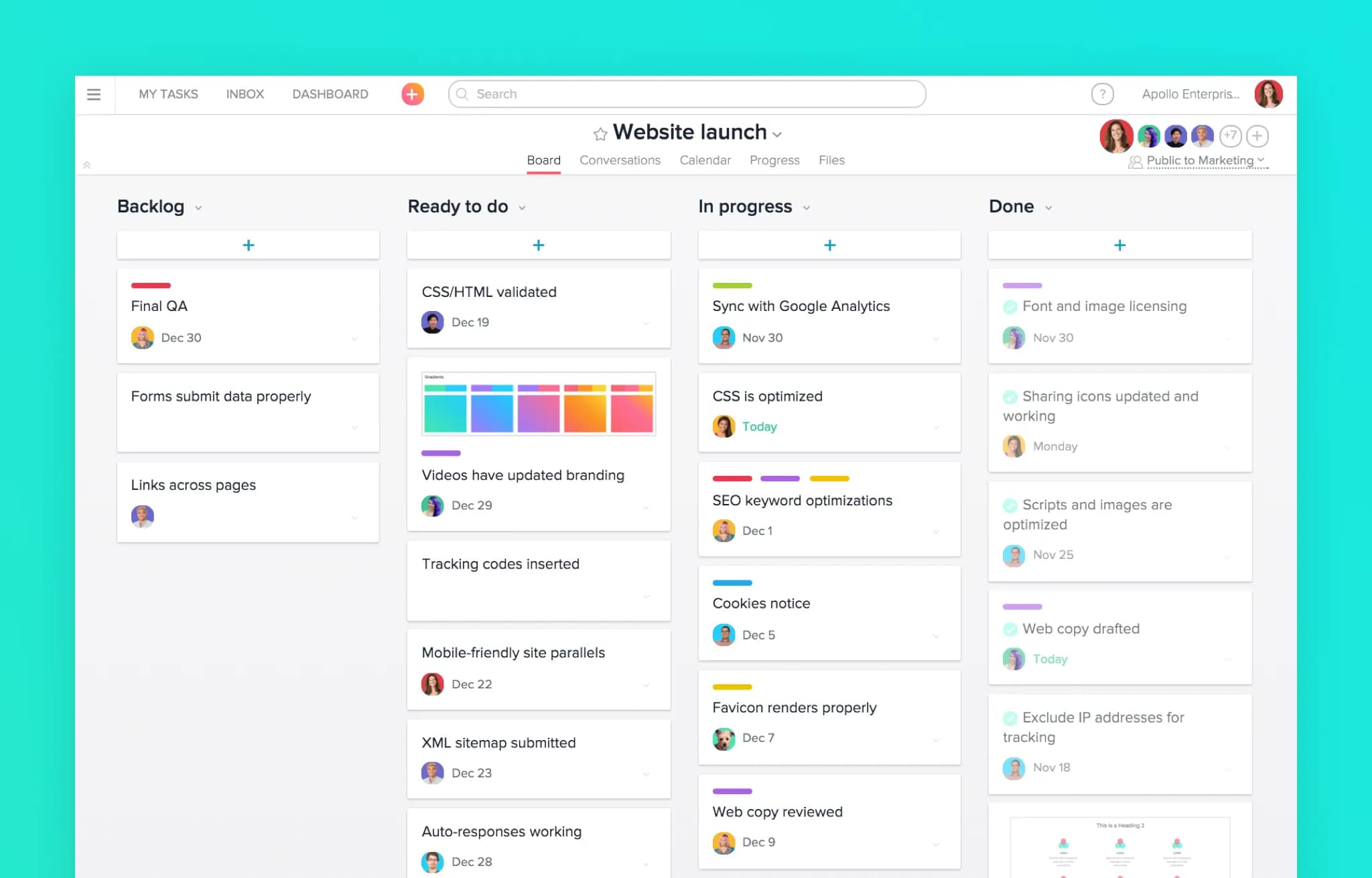
As a monday.com alternative, Asana often wins on clarity of work breakdown: tasks, subtasks, projects and portfolios feel more opinionated and structured, which many teams prefer over fully free-form boards. Advanced plans add workload management, time tracking and AI-powered insights.
Best for: Project managers who want disciplined and strong reporting, especially in marketing, operations and cross-functional product work.
Trade-offs: The learning curve for non-PMs can be steep, and advanced capabilities live behind higher-priced tiers that quickly add up for large teams. Some users report fatigue after extended heavy use; it’s powerful, but not always delightful.
Pricing starts with a free Personal plan, then Starter at $10.99/user/month and Advanced at $24.99/user/month when billed annually, with Enterprise and Enterprise+ on custom quotes.
4. Wrike — enterprise-grade project and resource management
Wrike lives squarely in the enterprise space: detailed Gantt charts, advanced resource management, proofing and approvals, granular permissions and 400+ integrations. It’s designed for organizations juggling dozens or hundreds of simultaneous projects with strict oversight requirements.
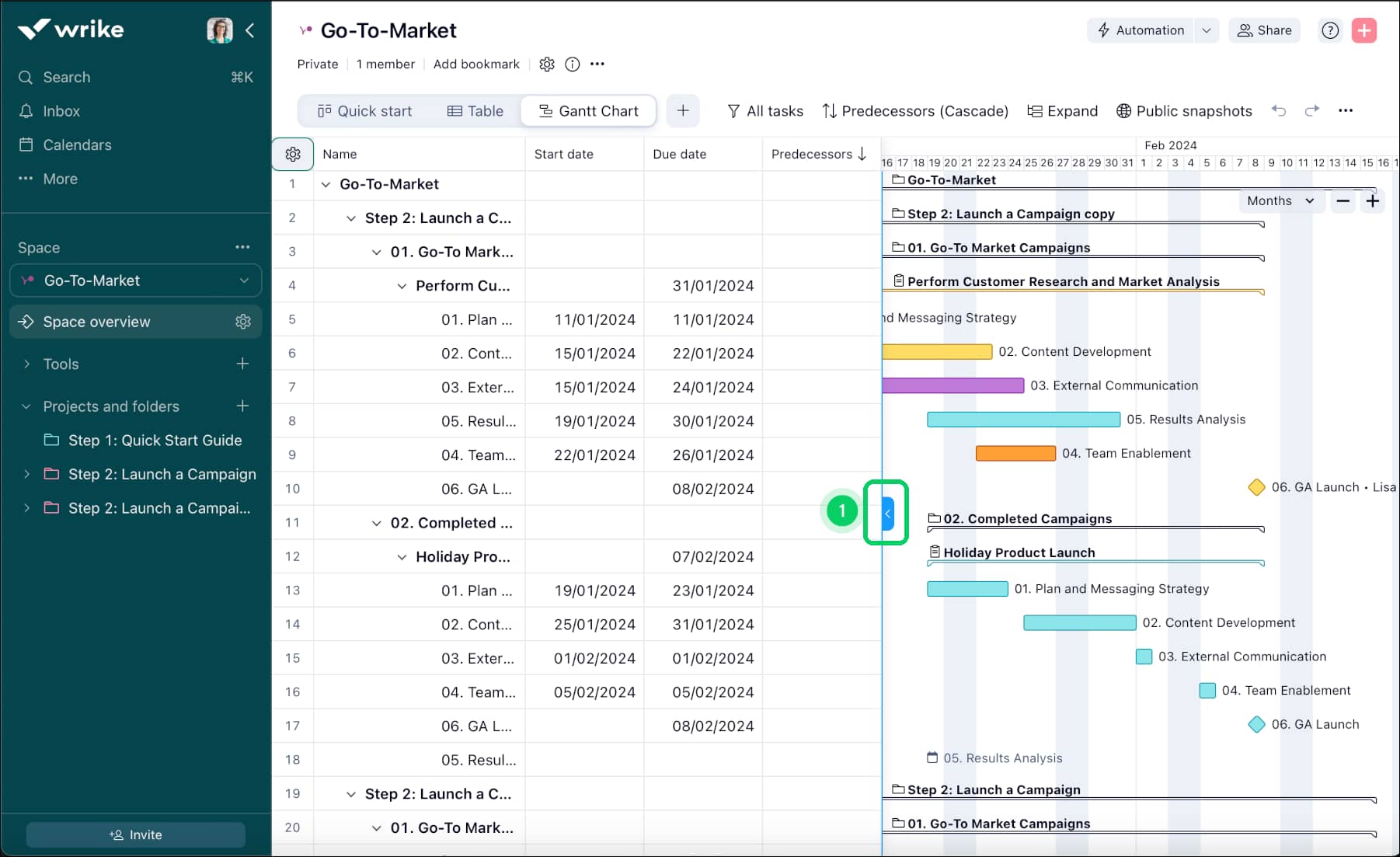
When you’re looking beyond monday.com, Wrike stands out when resource capacity, utilization and cross-project visibility matter more than ease of use for casual contributors. It can mirror portfolios, allocate people across projects and provide executive-level dashboards allowing detailed insights into risk and clear views of team performance.
Best for: Professional services, agencies, engineering organizations and regulated industries that need enterprise-grade governance and reporting.
Trade-offs: Not for the lazy. Wrike demands configuration, training and ongoing admin time. Pricing also jumps quickly as you move from Free to Team and Business, with Enterprise and Pinnacle on custom quotes, making it a heavier investment than most SMB-oriented tools. (Team is listed at $10/user/month and Business at $25/user/month, billed annually.)
5. Notion — docs and database as a project platform
Notion started life as a “digital Lego kit” for documents and databases and has matured into a hybrid of wiki, docs, tasks and light project management. Boards, tables and timelines can all live alongside rich text docs, knowledge bases and team spaces. Its AI features help with summarizing content and drafting text, and templates make it easy to spin up content calendars or lightweight project hubs.
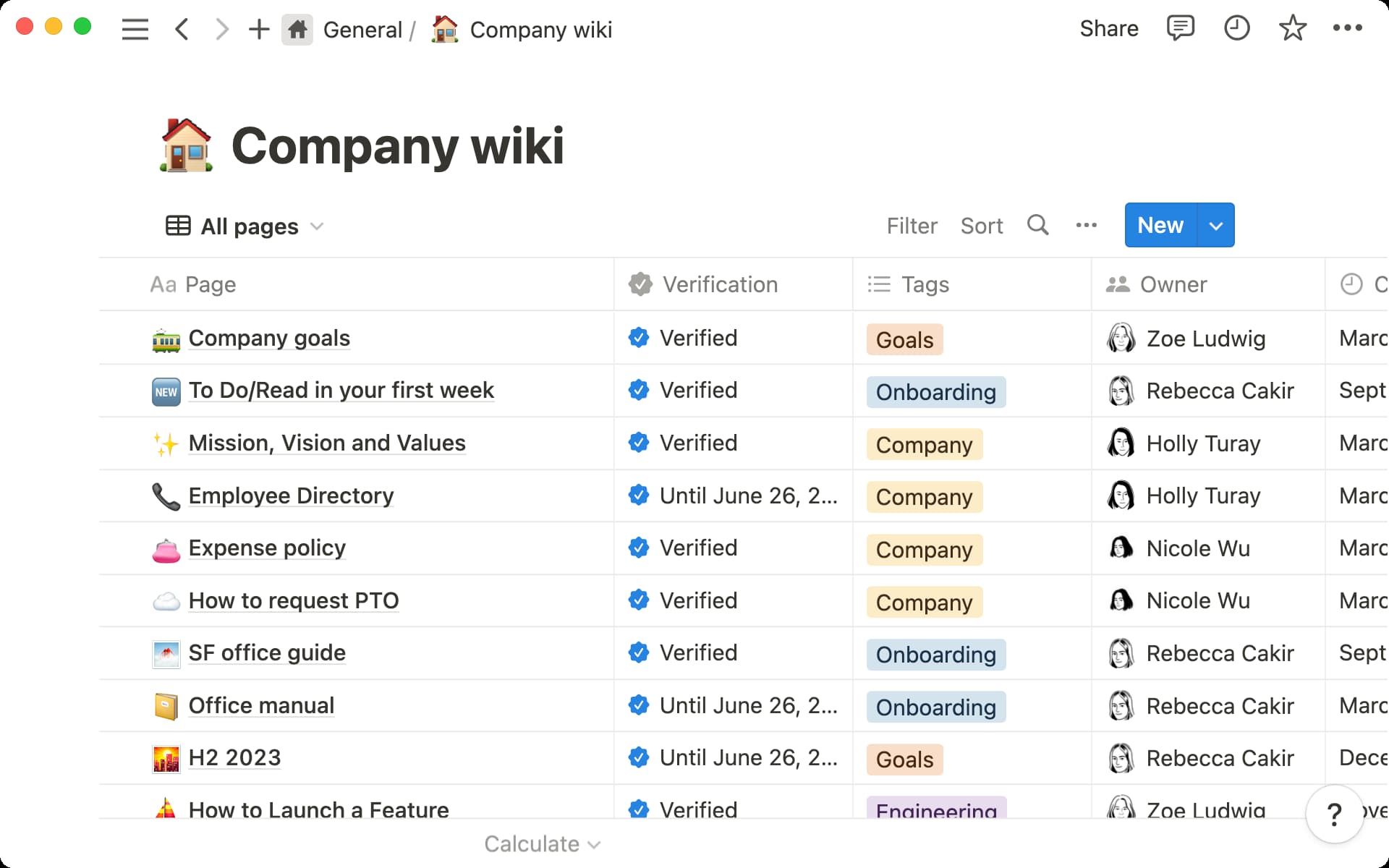
For teams treating monday.com as a de facto knowledge base and project management system, Notion can be an appealing alternative: instead of bolting documentation onto boards, you build an integrated workspace where project data and knowledge co-exist.
Best for: Startups, product squads and content/knowledge-heavy teams that value flexibility and don’t mind designing their own workflows and basecamps.
Trade-offs: Performance can dip on huge databases; offline support is still not stellar. The learning curve is real, and without a strong information architecture, workspaces can devolve into chaos. Project-specific features like recurring tasks, resource management and advanced reporting still require workarounds or third-party tools.
Pricing: Notion offers a free plan for individuals, with paid Plus and Business tiers starting at $10/user/month and $20/user/month respectively when billed annually, and Enterprise on a custom quote.
6. Smartsheet — spreadsheet-native work management to manage budgets and projects
Smartsheet takes spreadsheets as ideal: grid views, Gantt charts, forms, reports and automations all live inside a hosted sheet environment. For anyone used to tracking projects in Excel, it feels cozy and familiar, while dashboards and collaboration are also at your fingertips.
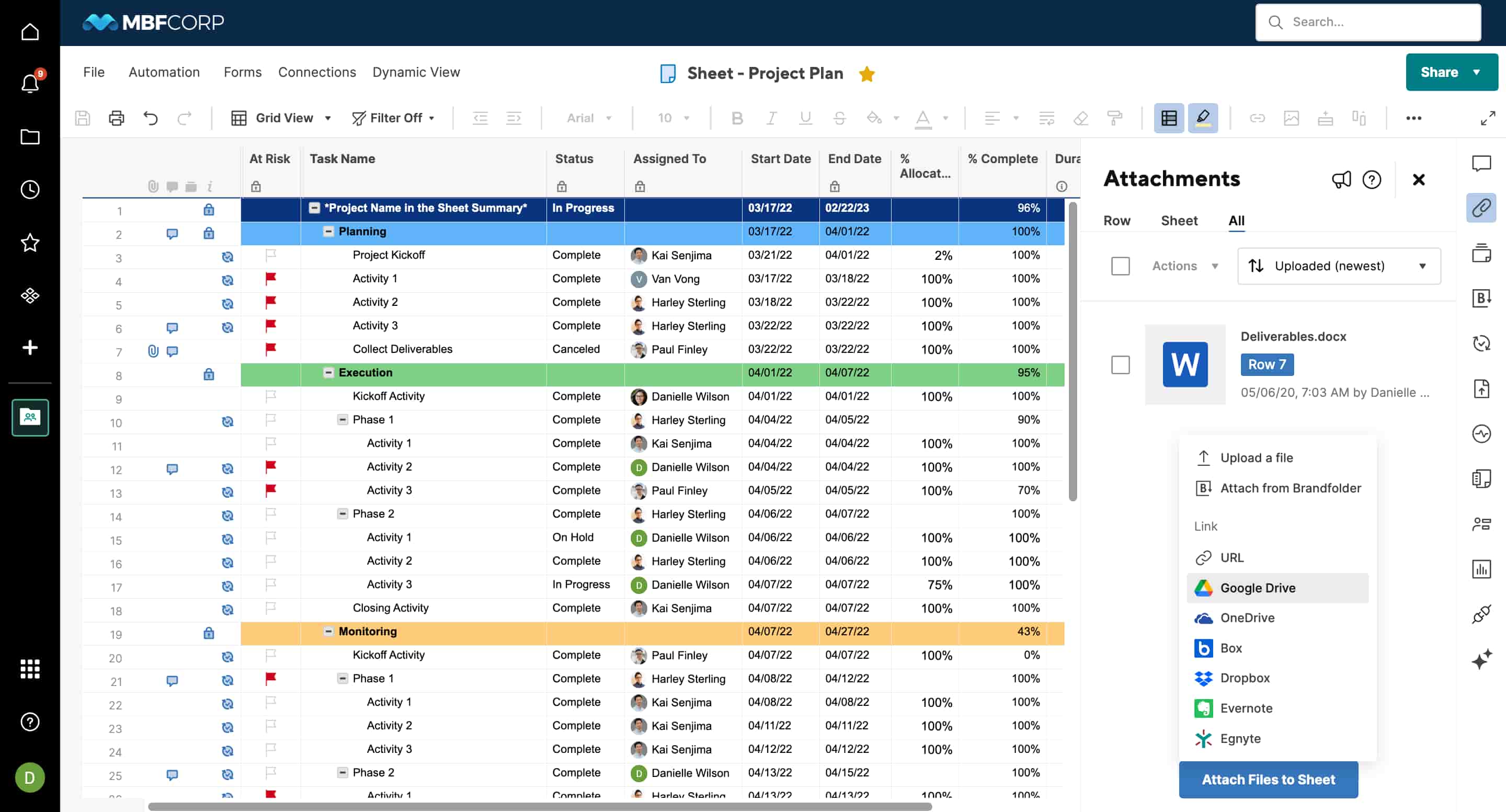
As a contender in the same space as monday.com, Smartsheet is attractive if you’ve always thought in rows and formulas and want to lift that habit into work management. Enterprise plans bring serious governance, portfolio management and advanced reporting.
Best for: Teams that want to manage tasks, budgets, dependencies and timelines with a spreadsheet brain but better tooling.
Trade-offs: The UI feels dated, and autosave quirks have historically frustrated users. New users face a steep ramp, especially when building complex formulas or automations.
Pricing: Smartsheet doesn’t have a true free plan; paid tiers typically start with Pro at around $9/user/month and Business at around $19/user/month when billed annually, with Enterprise and advanced work management options on custom quotes.
7. Jira Software / Jira Work Management — dev-first project governance
One of the old-timers in project management, Jira remains the default task and ticket-tracking system for software development, especially in teams that already run on the Atlassian stack. Boards, backlogs, sprints, workflows, custom fields and deep integrations with Bitbucket, GitHub and CI/CD pipelines make it a natural hub for engineering work.
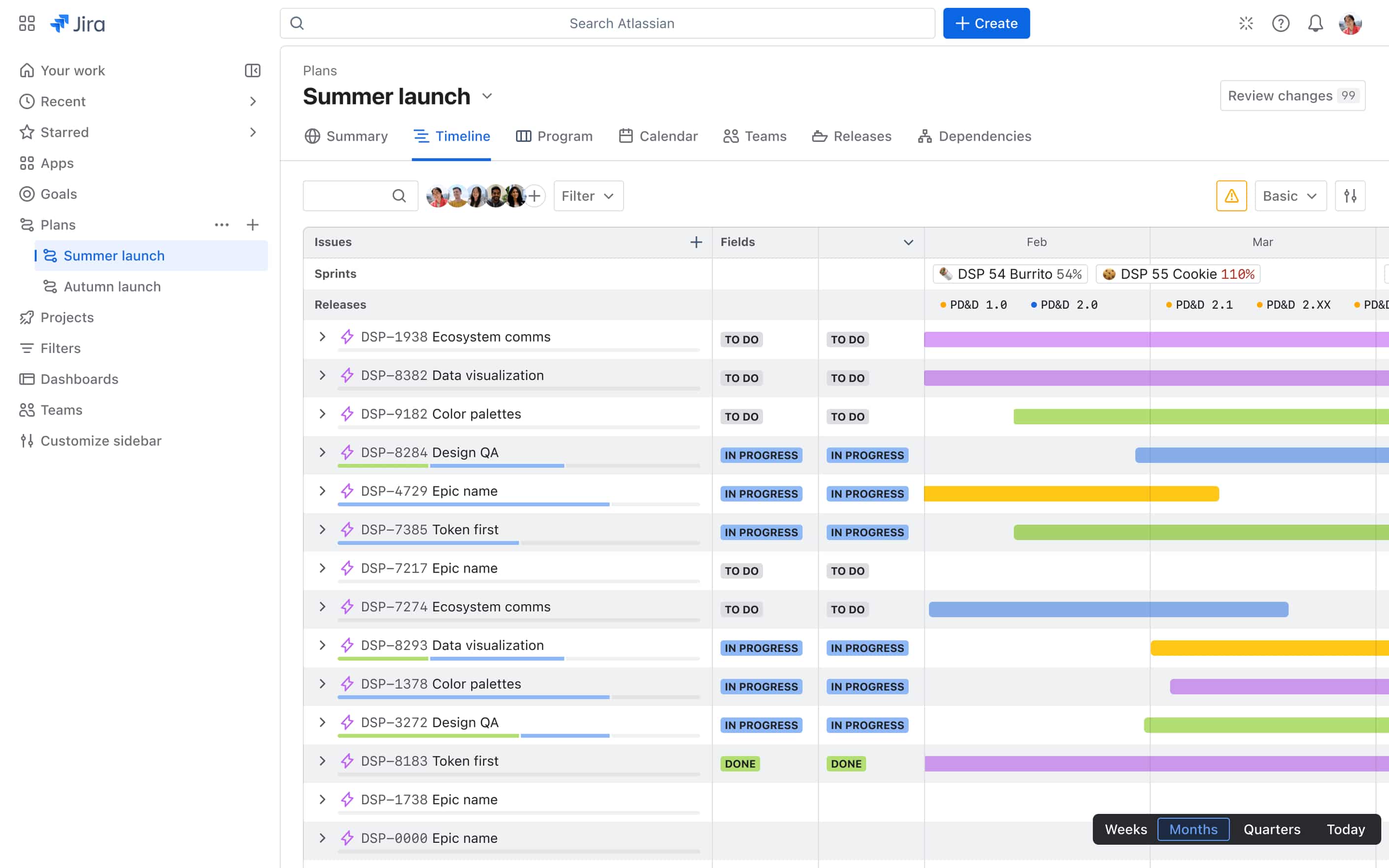
Jira shines when you need robust tracking for epics, stories, bugs and releases. Jira Work Management adds friendlier views for business teams, allowing marketing or operations projects to coexist with dev work.
Best for: Product and engineering teams, especially those already using Confluence, Bitbucket or other Atlassian tools.
Trade-offs: Non-technical stakeholders often find Jira intimidating. It is strong in agile contexts as a well-proven tool for tracking progress in software development, but it’s not the most approachable option for management outside the dev world.
Pricing: Jira offers a free plan for up to 10 users. Paid cloud tiers typically start around $7–$9/user/month for Standard and $16–$18/user/month for Premium, depending on team size and billing, with Enterprise on custom pricing.
8. Trello — ultra-simple visual task management, the go-to for 2010s startups
Trello popularized the modern Kanban board: cards on lists, drag-and-drop, quick comments and checklists. It’s fast, friendly and easy to explain in one screenshot — which is exactly why so many teams adopted it during the first remote-work wave.
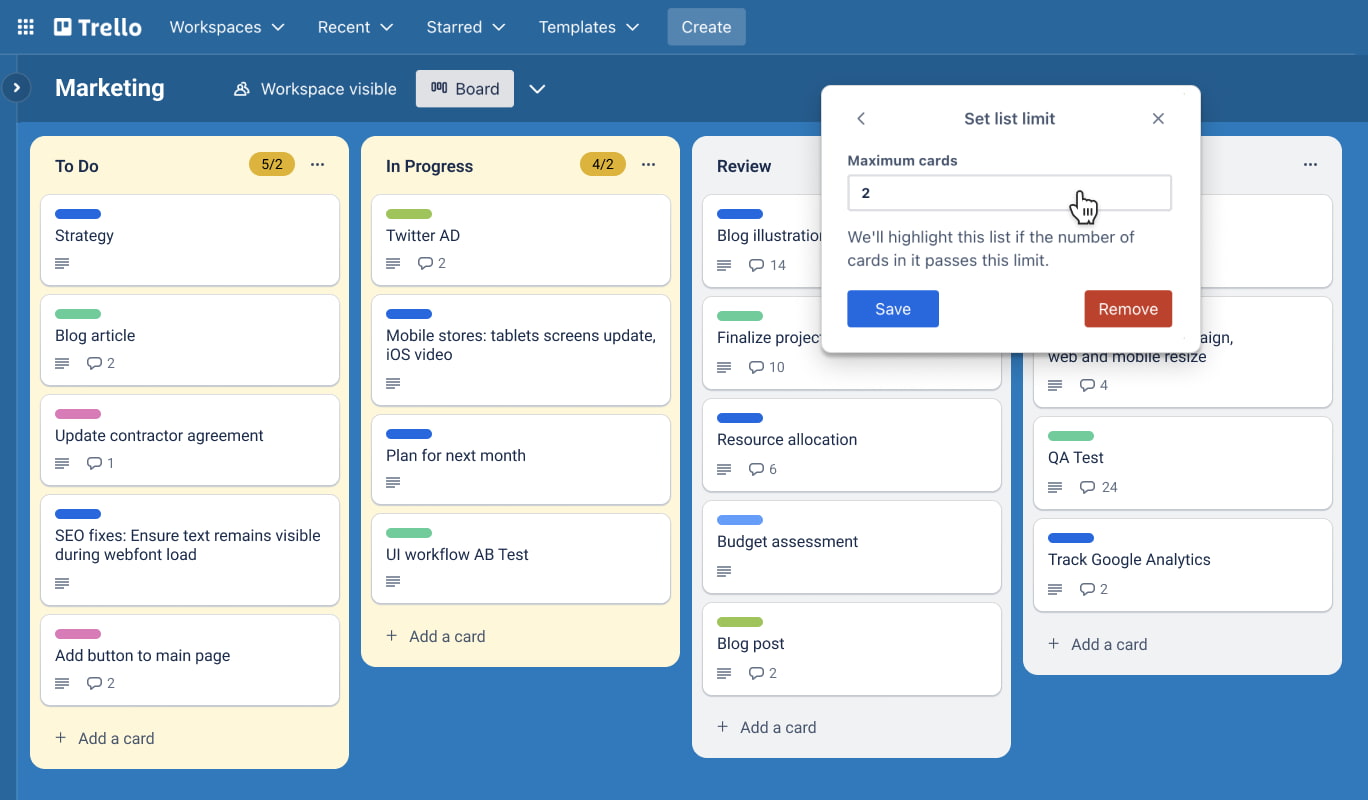
If monday.com feels like overkill, Trello is a reminder that many teams don’t need a heavyweight “work OS” — they just need a clear, shared board. For straightforward project tracking, Trello’s simplicity and user-friendly interface are features, not bugs.
Best for: Small teams and cross-functional squads that want basic task management and a visual, easy to use interface, plus a genuinely solid free version.
Trade-offs: Large boards get unwieldy, reporting is thin without Power-Ups, and there’s no deep resource management. If you need to manage complex projects, you’ll quickly hit Trello’s ceiling.
Pricing: Trello offers a basic free plan, with paid tiers starts at $5/user/month for Standard, $10/user/month for Premium and around $17.50/user/month for Enterprise when billed annually.
9. Microsoft Teams + Planner / Loop — the native PM stack from the house of Gates and Windows
It’s a bit ironic, but Teams can be a viable and simpler alternative to monday.com — if your company has already heavily invested in Microsoft 365 and wants to keep collaboration and project tracking in one place. While Teams itself is a communication hub, the combination of Teams + Planner (evolving into the new experience with Loop tasks) + Lists and SharePoint gives you a work management layer that lives directly inside chat and meetings.
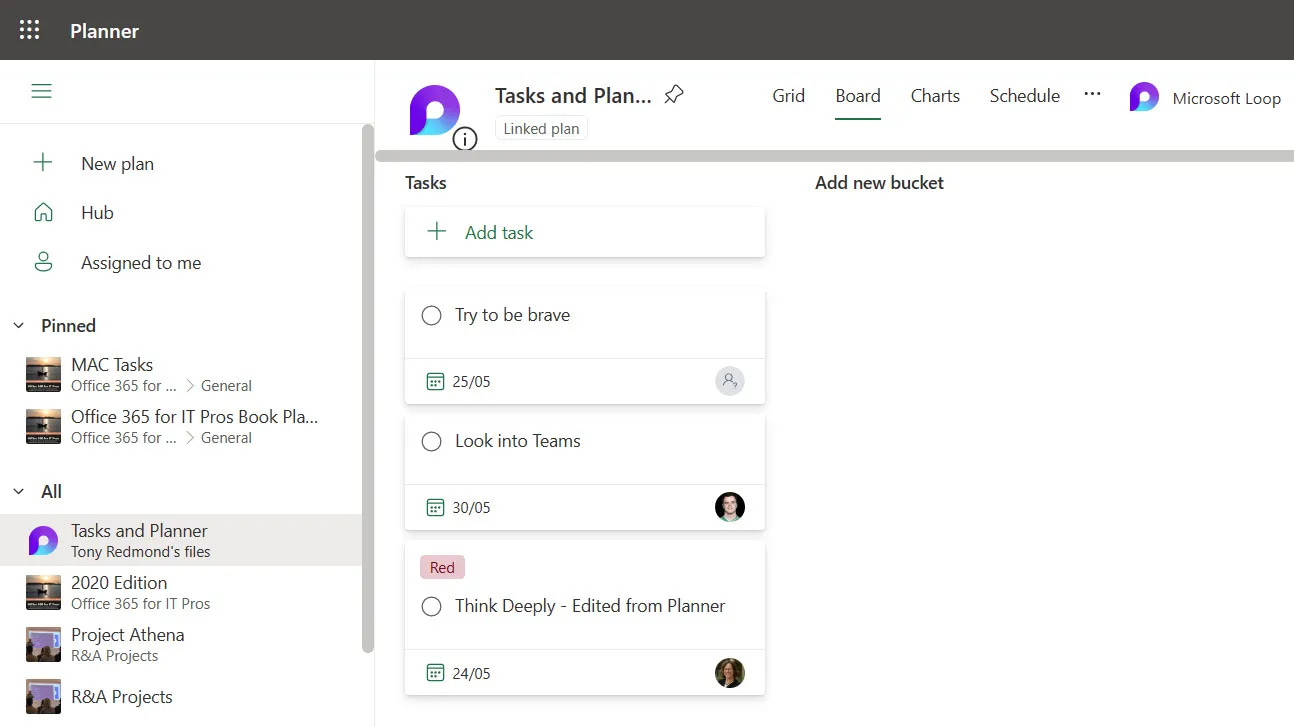
Planner provides Kanban-style boards with due dates, labels and checklists; Lists handles structured data like risks, issues or asset inventories; SharePoint and OneDrive hold the documents. For organizations that value tight integration with Office, Exchange and Azure AD, this stack can be “good enough” project and task management without adding another standalone subscription — Planner’s basic capabilities are included in many Microsoft 365 business and enterprise plans.
Best for: Enterprises standardized on Microsoft 365 that want lightweight project tracking next to their communication tools rather than a separate Work OS.
Trade-offs: Planner and related tools still lag behind dedicated project management platforms in terms of reporting, resource planning and advanced workflow automation. Governance can become complex (Teams vs. channels vs. SharePoint sites), and UX/performance complaints persist. Customer support options and roadmap clarity can also vary across different Microsoft 365 tiers.
Pricing. Teams, Planner and Lists are bundled into many Microsoft 365 licenses, so for a lot of organizations they effectively feel “free.” However, the licensing structure is notoriously complex, with a maze of business and enterprise plans that few customers fully understand. Premium Planner/Project capabilities are sold as separate subscriptions, with Planner Plan 1 starting around $10/user/month, and more advanced Planner + Project paid plans scaling up from there.
10. Zoho Projects — budget-friendly PM with solid features
Zoho Projects is part of the broader Zoho suite and offers tasks, Gantt charts, time tracking, issue tracking and basic automation at a lower price point than most options listed above. Independent reviews often name it one of the strongest options for small businesses on a budget, especially with built-in billing, tight integrations with Zoho ecosystem apps and a growing set of third-party integrations.
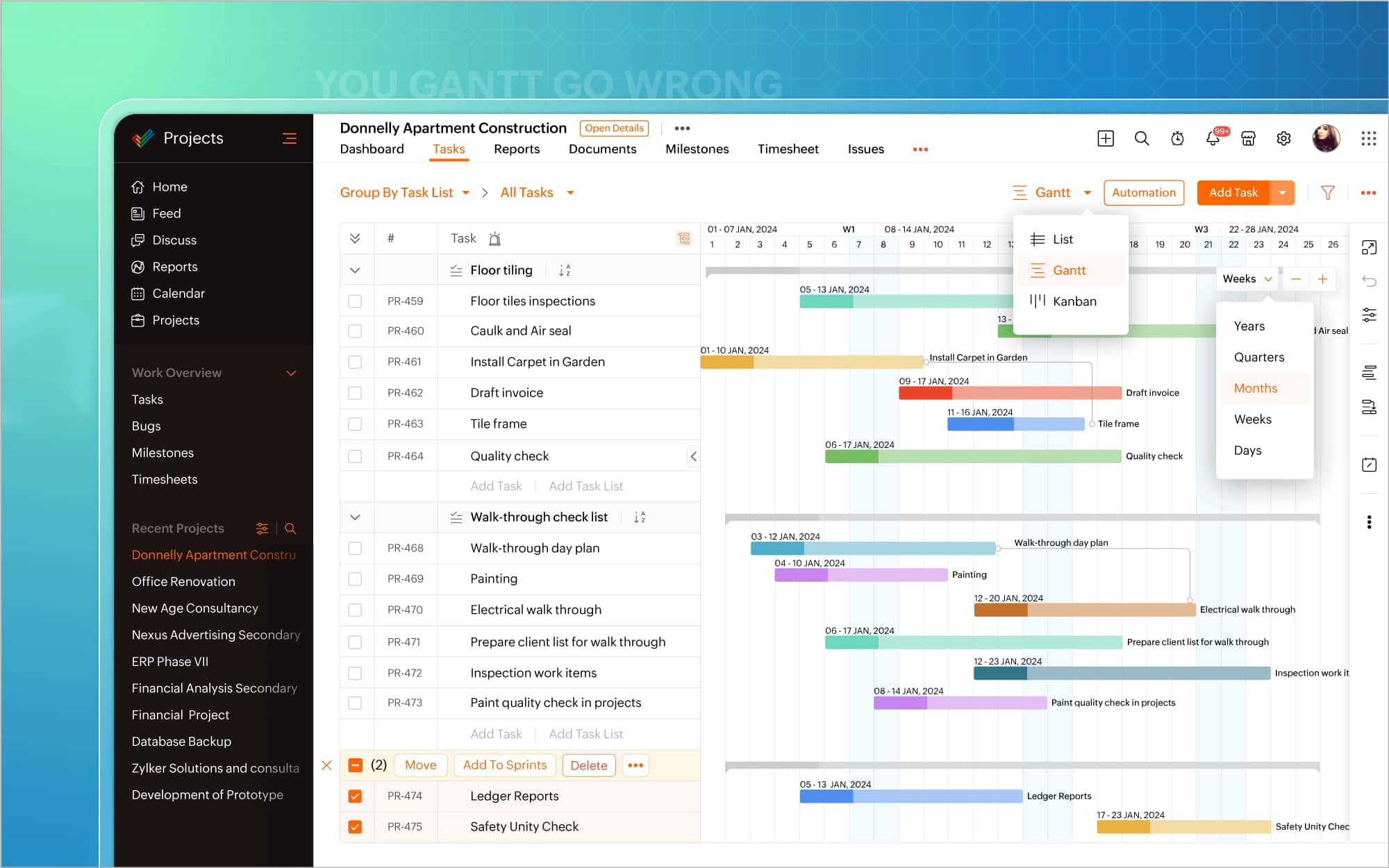
It’s appealing if you want classic PM software with structured schedules, dependencies and a usable free plan.
Best for: SMBs, agencies and service firms that want an affordable project management layer bundled with other business apps (CRM, help desk, finance).
Trade-offs: The user interface feels less polished than monday.com or Asana; large enterprises may find governance features limited.
Pricing: Zoho Projects has a free plan for up to 5 users with 3 projects. Paid tiers start from €4/user/month for Premium and €9/user/month for Enterprise when billed annually.
Honorable mentions
A few more tools frequently come up on “best monday.com alternatives” lists:
- Linear — beloved by modern software teams for its fast performance, robust key features and ultra-clean issue tracking.
- Nifty, GoodDay, Ravetree, Stackby, Teamwork — niche players that help teams plan and visualize tasks, with time tracking, a more comprehensive overview and flexibility at lower price points.
- Slack, Zoom Workplace, Rocket.Chat, Mattermost — if your real bottleneck is communication rather than advanced project management features, building a stack around a strong chat platform plus lean boards can be a smarter move than adding another full Work OS. All of them offer extensive features and collaboration tools, and they’re steadily increasing their focus on data security.
An attempt to compare — a Radar Map
We’ll use Radar Map logic tuned for project and work management. The idea is simple: score each alternative to monday.com across eight axes:
Interface & UX.
How quickly do people “get” the product without a steep learning curve? Can non-PMs or tech-shy users manage projects, update statuses and, and, if not use it, then at least get a glimpse of project progress without training?
Task & PM depth.
Does it cover basic project management as well as complex task tracking — from checklists and simple boards to dependencies, Gantt charts and interconnected multiple task views, task assignments, portfolios and resource planning?
Collaboration features.
Comments, @-mentions, file sharing, approvals, built-in chat or video. How naturally do conversations stay attached to work?
Role policies & governance.
Permissions, groups, guest access, audit logs, admin console. Can you share boards with clients and external teams without creating a compliance nightmare?
Sovereign hosting & data control.
SaaS only, or can you go self-hosted/on-prem/private cloud? Is there EU-only hosting for GDPR compliance or fine-grained data residency?
Integrations & cross-tool collaboration.
Can it interconnect with third-party apps like Jira, GitHub, Figma, Slack, CRM and data warehouses — or does it insist on being the center of the universe and try to recreate every handy feature itself?
AI & automation.
From simple if/then rules to AI copilots and agent workflows: does the tool help automate busywork, summarize updates and surface relevant context?
Price & licensing clarity.
Is there a genuinely usable free plan? Are paid tiers clear? Any minimum seat bundles or surprise paywalls?
You don’t need a perfect 10 on every axis. The art is knowing what your team truly values — and then picking the tool whose shape on that Radar Map matches your reality.
So… are your best monday.com days behind you?
Not necessarily. monday.com will stay a Work OS heavyweight for a long time. It’s well-funded, product velocity is high, and for many teams it still delivers on its promise: run complex projects visually, automate repetitive work and keep stakeholders aligned. For organizations that can absorb the cost and complexity — and that don’t mind centralizing more of their project data in a single vendor’s cloud — monday.com remains a strong bet.
But the world of work has moved on.
- Data-sensitive organizations increasingly demand deployment options beyond a single multi-tenant SaaS: on-prem, private cloud, regional hosting.
- AI-dense teams need systems where human and AI agents can work side by side — executing workflows, surfacing insights, and leaving a clear audit trail.
- Cross-tool teams need a way to have all the basic productivity tools in one environment, without hopping between apps and data warehouses, and without duplicating contexts.
- Remote and hybrid teams want tools that keep them in flow — something cleaner and lighter than a wall of dashboards that require a training course, and, frankly, an alternative that simply looks and feels simpler.
But sometimes it’s worth stepping back and asking a different question:
What if the real bottleneck isn’t “project management features” at all, but knowing the full context of our work and the history of decisions?
That’s where BridgeApp comes in.
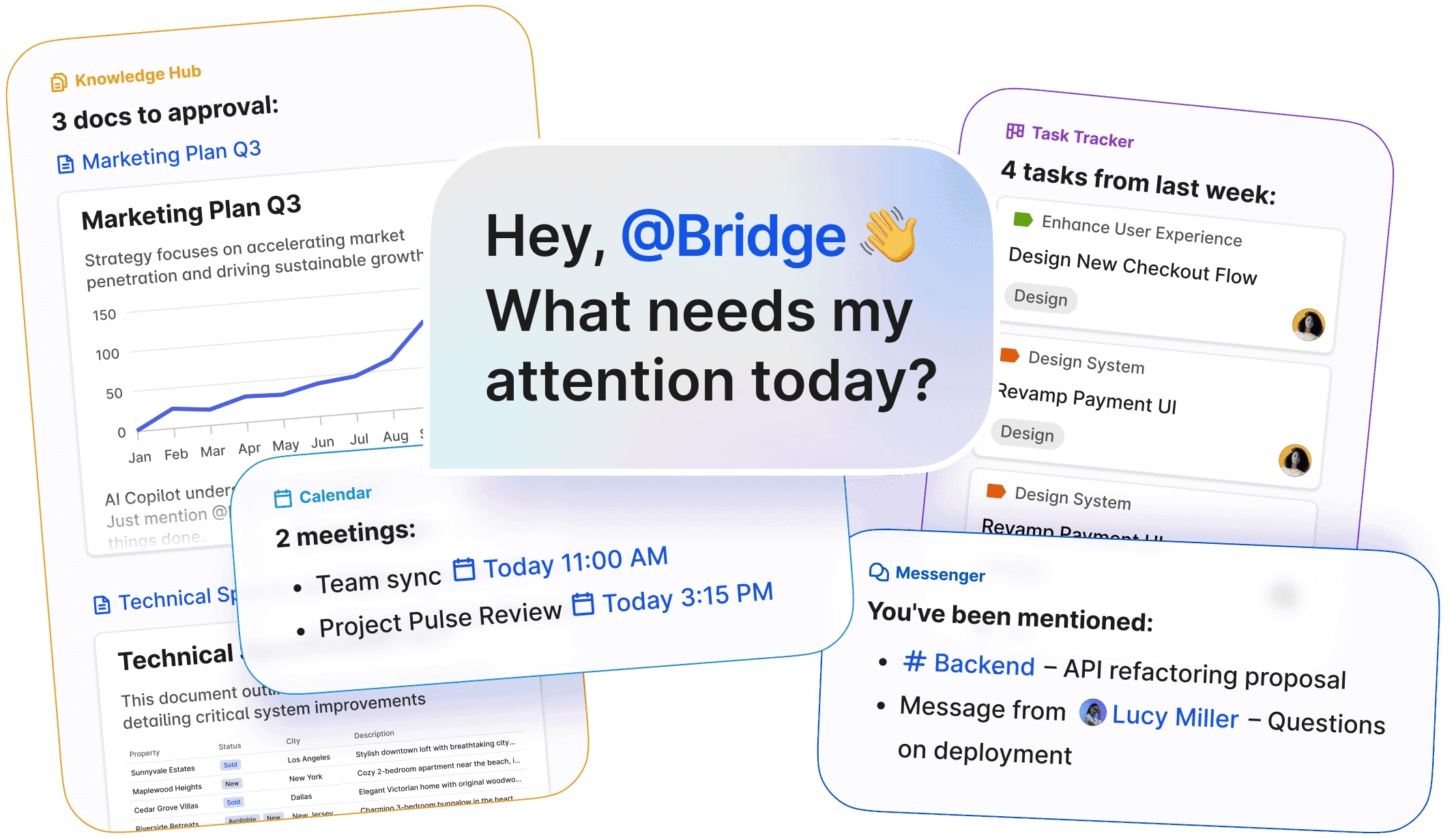
BridgeApp is built as a collaboration OS for hybrid human–AI teams, with strong memory and context awareness. You can run conversations and threads, track tasks, and manage live data and knowledge in one structured space. AI agents live in that context, and they act on it as soon as you @-mention them — drafting, updating records, running digital errands.
If you’re evaluating alternatives to try, here’s a practical next step:
- See whether BridgeApp matches your project management needs and governance constraints. You can run BridgeApp as SaaS or deploy it in your own sovereign environment.
- Spin up a pilot with a real project and your core team — no fake demo data.
- Treat BridgeApp as your collaboration hub, and compare to the project management solution you used, watching how it behaves as your workload grows.
If, at the end of the first month, the honest answer is “surprisingly, we got most of our work done inside a tool that felt lighter and clearer,” you’ve probably found your team collaboration software for the next decade.