BlogIndustry Insights
Asana Alternatives: 13 Tools to Consider in 2026

BridgeApp Team
8 min read
Asana remains a capable project management tool, but it’s not the perfect fit for every team in 2026. Whether you’re dealing with escalating per-seat costs, wrestling with limited automation, or simply tired of switching between five different apps, you’re not alone. This guide walks you through 13 alternatives worth evaluating, including an AI-native all-in-one workspace that could replace your entire tech stack.
Key Takeaways
- Asana is powerful but teams often outgrow it due to rising costs, complexity, limited native automation, and the need to stitch together multiple tools for chat, docs, and databases.
- BridgeApp stands out as an AI-native all-in-one digital workspace that unifies messaging, tasks, documents, databases, and custom AI agents—with full data control including on-premise deployment.
- Common pain points driving teams away from Asana include per-seat pricing that compounds at scale, a learning curve that extends onboarding to 2-4 weeks, and basic automation that can’t match modern AI-driven workflows.
- This article covers why you might switch, what to look for in alternatives, a comparison of 13 tools, and practical tips for choosing and migrating.
- If AI automation and data sovereignty matter to your organization, pay special attention to the BridgeApp section below.
The Best Asana Alternatives at a Glance (2026)
Here’s a quick comparison for busy readers. Pricing reflects publicly listed rates as of early 2026—always verify on vendor sites.
| Tool | Best For | Standout Feature | Free Plan | Starting Price |
|---|---|---|---|---|
| BridgeApp | AI-native all-in-one workspace & data sovereignty | Unified chat, tasks, docs, databases, custom AI agents | Limited | ~€9/user/month |
| Trello | Kanban simplicity | Visual boards with Power-Ups | Yes (10 boards) | ~$5/user/month |
| Todoist | Personal productivity | Natural language task parsing | Yes | ~$4/user/month |
| Basecamp | Simplified project communication | Async message boards & check-ins | 1 project | ~$15/user/month |
| Airtable | Database-driven project management | Relational data with multiple views | Yes (limited) | ~$20/user/month |
| Monday.com | Colorful visual work management | Configurable dashboards & automations | 2 seats | ~$9/user/month |
| ClickUp | Feature density & customization | All-in-one with docs, goals, AI | Yes | ~$7/user/month |
| Smartsheet | Spreadsheet-centric enterprises | Advanced formulas & Gantt charts | No | ~$9/user/month |
| Jira | Software development teams | Agile backlogs & sprint planning | 10 users | ~$7.50/user/month |
| Paymo | Agencies tracking billable hours | Built-in time tracking & invoicing | Limited | ~$5.90/user/month |
| Wrike | Highly customizable workflows | Custom fields, forms, proofing | Limited | ~$9.80/user/month |
| Notion | Documentation-first teams | Block-based pages & databases | Yes | ~$8/user/month |
| Workstatus | Time tracking & productivity analytics | Automated time tracking & reports | Limited | ~$4.95/user/month |
What Is Asana (and Why Are Teams Looking for Alternatives)?
Asana is a mature project management software used by over 100,000 organizations. It offers list, board, timeline, and Gantt chart views, portfolio tracking, templates, and basic automation rules. Paid plans start around $10.99–$13.49 per user per month.
Core strengths include:
- Flexible task views and project templates
- Portfolio-level tracking for enterprise teams
- Native integrations with Slack, Google Workspace, Microsoft 365, and 200+ apps
- Basic workflow automation via Rules
Why teams start searching for replacements:
- Escalating per-seat costs as teams grow past 20-30 users
- Limited native time tracking requiring third-party add-ons like Harvest
- A learning curve that extends onboarding to 2-4 weeks for complex projects
- The need to manage projects across multiple disconnected tool
This article isn’t about bashing Asana. It’s about helping teams with specific pain points find tools that match their situation—whether that’s a simpler Kanban board or an integrated workspace like BridgeApp that removes the “software zoo” entirely.
Why Look for an Asana Alternative?
After 6-24 months on Asana, teams commonly report these pain points:
Pricing gets expensive fast. Once you pass 20-30 users and add tools like Slack ($8-15/user), Notion ($8-10/user), and Airtable ($10-20/user) alongside Asana, your total cost easily reaches $30-50 per user monthly. That’s before considering add-ons for resource management or advanced features.
Too many tools, not enough flow. A typical workflow involves messaging in Slack, tasks in Asana, docs in Google Drive, and data in Excel or Airtable. According to Gartner research, this fragmentation increases context switching time by roughly 60%. Decision history gets scattered, and audit trails become nearly impossible.
Hard to automate real processes. Asana’s Rules feature handles basic if-then automation, but it can’t create tasks from conversations, summarize meeting threads, or populate databases automatically. Modern AI agents—like those in BridgeApp—can perform security verification on contracts, extract leads from chats, or generate reports from internal data.
Limited data control for regulated industries. EU public sector organizations, finance firms performing security verification, and healthcare teams increasingly need on-premise or private cloud options. Standard cloud-only PM tools can’t provide this, creating compliance gaps.
What to Look for in an Asana Alternative
Before diving into individual tools, use this buyer’s checklist:
Evaluation themes to consider:
- Ease of use and onboarding time
- Range of work views (board, list, timeline, calendar views, Gantt charts)
- Collaboration and team communication depth
- Workflow automation and AI capabilities
- Deployment and data control options
- Total cost of ownership (subscriptions + training + integration effort)
Key questions to ask:
- Do we need on-premise or EU-only hosting?
- Do we want built-in chat or will Slack remain our default?
- How important is database-like structure vs. simple task lists?
- Can AI agents integrate with our own data and workflows?
In 2026, look beyond “AI writing helpers.” The right tool should offer agents that understand your company context and can execute real work—not just suggest text.
Map your current workflows (sales, delivery, finance, support) and identify where work is duplicated or manually re-entered. This clarifies whether a point solution like Trello or an all-in-one like BridgeApp is the better fit.
Top Asana Alternatives: In-Depth Comparisons
This section walks through 13 notable alternatives, grouped by use case. Each follows a consistent structure: overview, key strengths, limitations vs Asana, and a “Best for you if…” recommendation.BridgeApp – AI-Native All-in-One Alternative to Asana
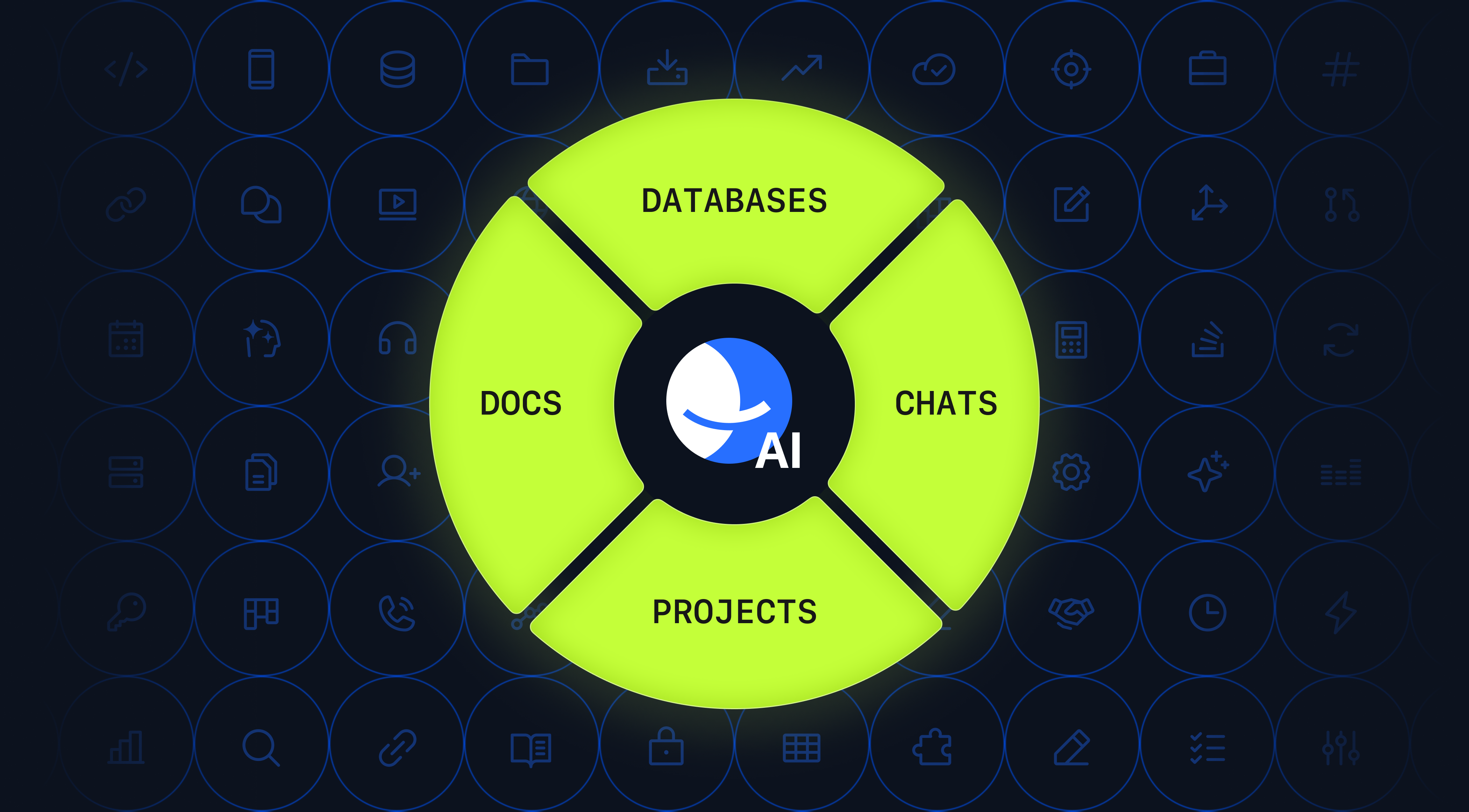
BridgeApp is an AI-native digital workspace that unifies chats, tasks, documents, databases, and AI agents in one platform—built specifically to replace fragmented stacks centered around tools like Asana.
Key modules:
- Corporate messenger with channels, threads, and built-in audio/video calls (no third-party SDKs)
- Project management with board, list, and backlog views supporting hierarchical subtasks
- Real-time collaborative documents with nested pages and role-based access
- Flexible no-code databases with custom fields, relations, and filters
- Visual no-code AI agent builder for custom “digital employees”
How BridgeApp addresses Asana’s weaknesses:
- No separate Slack or Teams needed—chat lives alongside tasks
- AI agents create tasks automatically from conversations
- Structured knowledge base replaces scattered docs
- Integrated databases eliminate disjointed spreadsheets
- Deployment options: SaaS, on-premise, private cloud, or hybrid
Data sovereignty advantage: BridgeApp supports EU-hosted environments, GDPR-aligned design, and full on-premise deployment—making it attractive to enterprise teams in regulated industries that cannot rely solely on US-centric SaaS.
AI agent examples that save time:
- Meeting summaries with auto-generated next steps (saves ~20 min/meeting)
- Thread summarization (saves ~5 min/thread)
- Task creation from conversations (saves ~10 min/task breakdown)
- Database queries answered via chat (saves ~15 min/query)
For a 10-person team, this adds up to roughly 4.6 hours saved per employee weekly—equivalent to gaining one full-time employee’s worth of productivity.
BridgeApp vs Asana + Slack + Notion + Airtable:
- Single vendor vs 4+ contracts
- Unified search across all conversations
- Consistent AI that understands entire workspace context
- 60% less context switching
BridgeApp doesn’t ship pre-built HR/legal modules. Instead, it provides building blocks to design any workflow via agents, databases, and tasks.
Best for you if: You’re a team of 10-250 people wanting to consolidate tools, implement custom AI automation, and maintain strict control over where your data lives.
Trello – Best for Kanban Simplicity
Trello is a lightweight Kanban-style project management tool owned by Atlassian, centered on boards, lists, and cards with minimal setup.
Strengths: Extreme ease of use, visual project progress overview, good for simple pipelines (content calendars, small projects), rich Power-Ups ecosystem.
Limitations vs Asana: Weaker reporting, limited portfolio management, clutters at scale for complex projects, requires add-ons for advanced features.
Best for you if: Very small teams want a visual, low-friction Kanban board rather than full work management features.
Todoist – Best for Personal and Lightweight Team Task Lists
Todoist is a popular to-do app with natural language processing (e.g., “Tomorrow 3pm” creates a scheduled task) and simple task management.
Strengths: Fast capture, clean interface, recurring tasks, priorities and labels for focus, basic collaboration.
Limitations vs Asana: Minimal project structure, no multi-view portfolios, limited automation, not ideal for enterprise teams.
Best for you if: You’re solving personal or micro-team task tracking rather than company-wide project delivery.
Basecamp – Best for Simplified Project Management
Basecamp prioritizes simplicity and centralized communication over heavy feature sets.
Strengths: Low learning curve, strong async communication, message boards, campfire chats, automatic check-ins, flat pricing option (~$299/month unlimited users).
Limitations vs Asana: Less granular workflow control, basic automation, weaker integrations, limited database capabilities.
Best for you if: You want a straightforward way to keep small to mid-sized teams stay organized without complex PM methodologies.
Airtable – Best for Database-Driven Project Management
Airtable blends spreadsheets with databases, supporting records, relations, and multiple ways to visualize data (grid, Kanban boards, Gantt, calendar).
Strengths: High customization for managing complex projects, strong large data set handling, ability to build bespoke apps.
Limitations vs Asana: Steeper setup time, easy to over-engineer, lacks built-in chat or file sharing depth.
Best for you if: Your work is deeply data-centric and you need fine-grained control over schemas more than out-of-the-box task management features.
Paymo – Best for Agencies and Client Work with Time Tracking
Paymo combines project tracking with time tracking and invoicing for freelancers and agencies managing multiple clients.
Strengths: Integrated timesheets per client/project, simple billing for billable hours, consolidated workload overview.
Limitations vs Asana: Less suited for complex multi-department organizations, limited communication capabilities.
Best for you if: You run a service business where accurate time tracking and invoicing matter as much as tasks.
Monday.com – Best for Colorful, Visual Work Management
Monday.com offers a flexible “Work OS” with spreadsheet-like grids, colorful status fields, and extensive dashboards.
Strengths: Visually engaging, adaptable to multiple departments, built-in docs, solid automation recipes, intuitive interface.
Limitations vs Asana: Complex configuration, confusing pricing at scale, AI capabilities lag behind AI-first platforms.
Best for you if: You want a colorful, configurable tool for non-technical teams and don’t mind setup investment.
ClickUp – Best for Customization and Feature Density
ClickUp positions itself as an “everything app” combining tasks, docs, whiteboards, chat, goals, and AI utilities.
Strengths: Huge feature breadth, high customizability, integrated docs, built-in AI for content generation.
Limitations vs Asana: Overwhelming for new users, configuration sprawl, no on-premise deployment option, less data sovereignty focus.
Best for you if: You want powerful cloud-based collaboration tools and can manage the complexity.
Smartsheet – Best for Spreadsheet-Centric Enterprise Teams
Smartsheet looks like an advanced spreadsheet but supports Gantt charts, card views, formulas, and enterprise controls.
Strengths: Strong fit for Excel-native teams, robust reporting, advanced formulas and dependencies, portfolio support.
Limitations vs Asana: Complex for non-spreadsheet users, limited real time collaboration in chat, heavy setup for small businesses.
Best for you if: Your organization lives in spreadsheets and needs a more robust, centralized version with governance.
Jira – Best for Software Development Teams
Jira is Atlassian’s flagship issue tracker built for software teams practicing Scrum or Kanban.
Strengths: Sophisticated backlog and sprint planning, detailed issue tracking, extensive integrations (Bitbucket, GitHub), support for complex dev workflows.
Limitations vs Asana: Steep learning curve for non-technical users, overkill for simple business projects, not a general workspace.
Best for you if: You run software engineering teams needing serious issue tracking rather than generic project lists.
Wrike – Best for Highly Customizable Team Workflows
Wrike offers fine-grained permissions, custom fields, request forms, proofing for creative assets, and department templates.
Strengths: High configurability, sophisticated reporting, cross-department visibility, strong for project manager workflows.
Limitations vs Asana: Heavier setup, steeper learning curve.
Best for you if: You need advanced project management features and reporting for multi-team or client-facing resources.
Notion – Best for Documentation-First Teams
Notion centers on block-based pages and databases, used primarily for notes, wikis, and lightweight project databases.
Strengths: Powerful knowledge base, flexible databases, excellent documentation capabilities, large template ecosystem, AI for drafting.
Limitations vs Asana: Project management feels secondary, limited reporting, real-time chat not a core strength.
Best for you if: Your main pain is documentation and knowledge management, with lightweight task management layered on top.
Workstatus – Best for Time Tracking and Productivity Analytics
Workstatus focuses on tracking hours, productivity trends, and budget adherence at lower per-seat pricing.
Strengths: Automated time tracking, GPS tracking for field teams, detailed timesheet reports, productivity analytics.
Limitations vs Asana: Weaker in rich work management, collaboration, and documentation.
Best for you if: Your top priority is visibility into time and utilization rather than structured portfolios.
How BridgeApp Compares to Traditional Asana Alternatives
Most Asana alternatives focus on one layer (tasks, time tracking, docs) or offer another cloud-only PM experience. BridgeApp aims to replace the entire fragmented toolset.
| Criteria | Asana + Slack + Notion + Airtable | BridgeApp |
|---|---|---|
| Number of vendors | 4+ | 1 |
| Communication | Separate app (Slack) | Built-in channels, threads, calls |
| Task views | Asana only | Board, list, backlog, milestones |
| Documents | Separate (Notion) | Integrated collaborative docs |
| Databases | Separate (Airtable) | Native with custom fields |
| AI automation | Basic rules + separate AI tools | Context-aware agents across all modules |
| Deployment | Cloud only | SaaS, on-premise, private cloud, hybrid |
Quantified benefits from AI agents:
- 20 min saved per meeting summary
- 10 min saved per task creation from chat
- 15 min saved per database query
- 30% reduction in first-line support resources
For a 250-person team at $30/hour average, routine automation alone can yield ~$1.65 million in annual savings.
How to Choose the Right Asana Alternative for Your Team
Don’t chase features—match tools to your actual workflows, team size, and compliance requirements.
4-step process:
- Audit current tools and pains. List every app your team uses and where work gets duplicated or lost.
- Define non-negotiables. On-premise deployment? AI automation? Budget ceiling? Assign tasks across departments?
- Shortlist 3 tools. More than that creates evaluation fatigue.
- Run 2-4 week pilots. Use real projects with a cross-functional group.
Map which apps could be eliminated by each candidate. If adopting BridgeApp, you might retire Slack, Asana, Notion, Airtable, and standalone AI chat tools.
Involve IT/security early if data sovereignty matters. Calculate total cost of ownership including training time and context switching—not just subscription prices.
Migration Tips: Moving Away from Asana Without Losing Context
Leaving Asana doesn’t mean losing history. Most serious alternatives support imports or CSV migrations.
Recommended approach:
- Export current projects and tasks (including custom fields where possible)
- Archive truly historical items to reduce noise
- Import active work into the new tool
- Run both tools in parallel for 2-4 weeks with clear “source of truth” guidance
BridgeApp can ingest structured data into tasks and databases. AI agents can help summarize old threads and convert them into documentation or playbooks.
Training sessions and internal champions accelerate adoption. For AI-heavy tools like BridgeApp, short live demos showing how agents automate daily manual work drive faster buy-in.
Final Verdict: Which Asana Alternative Is Right for You?
There’s no single best alternative to Asana—only the right tool for your specific use case:
- Simple Kanban: Trello
- Personal tasks: Todoist
- Dev teams: Jira
- Data-heavy work: Airtable or Smartsheet
- Time tracking: Paymo or Workstatus
- All-in-one AI-native workspace: BridgeApp
Scenario-based recommendations:
- Want minimal change and different UX? Try Trello or Monday.com
- Pure dev shop? Pick Jira
- Need to consolidate 5+ tools with powerful AI automation and data sovereignty? Evaluate BridgeApp first
Limit yourself to piloting 2-3 tools. Involve real end-users from different teams in testing.
Teams who care strongly about AI, reduced tool sprawl, and strict data control will likely get the most long-term value from an AI-native platform like BridgeApp rather than swapping Asana for another isolated PM app.

FAQ
These questions address common concerns after narrowing down your list of Asana alternatives.
Is It Realistic to Replace Both Asana and Slack with a Single Tool?
For many teams, yes. All-in-one platforms like BridgeApp combine real-time chat (channels, threads, calls) with robust task tracking in one platform. This reduces context switching and enables AI agents to automate work since conversations and tasks live together. Start by piloting with one or two departments, then expand gradually. Some organizations keep email for external communication but significantly reduce Slack reliance after moving to BridgeApp.
How Does AI in Tools Like BridgeApp Differ from Simple “AI Add-Ons”?
Many PM tools now offer AI mainly for writing assistance or basic summarization—often disconnected from deeper workflows. BridgeApp’s AI agents function as “digital employees” that read chats, update tasks, write docs, and modify databases based on your rules. Agents are configured via a visual no-code builder, connect to multiple data sources, and work across the entire workspace. Organizations retain control over prompts, data sources, and models—critical for regulated environments.
What About Data Privacy and Compliance with AI-Driven Alternatives?
Traditional cloud-only tools give limited control over where data and AI processing reside, which concerns teams under GDPR or in public sector roles. BridgeApp addresses this with EU hosting, on-premise deployment, private cloud, or hybrid models—keeping sensitive data within your infrastructure. AI agents work with internal context, and no third party accesses your data by default. Always review vendors’ data processing agreements and involve legal/compliance teams in selection.
How Long Does Migration from Asana Typically Take?
Realistic ranges: 1-2 weeks for small teams, 4-8 weeks for mid-sized organizations including testing, training, and phased rollout. The technical import (API or CSV) is often quick, but designing new workflows and retraining habits takes longer. Start with high-impact projects and clear owners. In platforms like BridgeApp, AI agents can accelerate migration by summarizing old tasks into documentation or new structured databases.
Can I Keep Asana and Gradually Introduce BridgeApp?
A phased approach is common and wise for larger organizations. Start new projects and teams in BridgeApp while existing projects remain in Asana until completion. Designate a single system of record per project to avoid double work. Use exports to bridge data when necessary. As more teams adopt the new tool and AI automations prove value, fully retiring Asana becomes easier.