BlogIndustry Insights
Best AI Project Management Tools: Burying the Gantt Chart

Konstantin BuzzResearch Lead
12 min read
Alright, gather ’round, children of the cloud. You asked for a bedtime story about how our ancestors managed projects before the machines learned to help.
It’s a tale of tables.
The story begins with the Sumerians scratching inventory into clay tablets, and frankly, the industry didn’t change its fundamental DNA until the mid‑2020s. We just traded clay for pixels and papyrus for Excel. And then spreadsheets met its limit.
The traditional logic of project management was simple: the manager enters people into a table and demands a report on performance. Those reports are then entered into more tables. Different wood, maybe some leather padding, but still—sleds.
For the human eye, the Table is eternal; we crave the comforting illusion of a linear timeline. But the machine? The machine doesn’t need a progress bar. It needs to know the intent. It needs to understand the causality.
At this point, the stern editor steps in and forces the author to get serious.
In 2023, we were giddy because an LLM could summarize a meeting. By 2025, we were duct‑taping jet engines to wooden carts—teaching AI to hallucinate task lists based on Slack rants. We called it “innovation,” but it was mostly faster bureaucracy.
Standing here in 2026, the gap is obvious. Traditional project management without an agentic layer is a historical relic—it’s the sled trying to keep pace with the Ferrari F80. A tool that lacks AI agents capable of not just advising, but reasoning and executing, is just another spreadsheet with a prettier font.
Our teams have moved past the “all-hands” meeting. We’re now operating as hybrid collectives—squads of centaurs, where humans and AI agents share the workload in real time, and the line between biological intuition and synthetic execution blurs into a single, high-velocity stream.
The sleds are in the museum. The engine is finally integrated into the chassis. Welcome to the era of Hybrid Teams. This is where the best AI tools stop being assistants and start becoming operators enabling companies to enhance productivity without hiring additional staff. Let’s see whether any project management apps are actually ready for it.
AI Project Management Software
This failure pattern is old: mistaking activity for progress. We used to think that if tickets were moving across the board, the project was healthy. Then we realized the real enemy isn’t slowness—it’s strategic drift.
Autonomous agents added a new layer of entropy to human‑centric systems. Legacy architectures fracture because they fail to preserve the connective tissue between high‑level pivots and low‑level execution threads. Many “AI upgrades” still don’t exist in the full sense of the word.
When Context Latency kicks in, you don’t just lose time—you lose the “why.”
1) The Death of Groundedness (Why “Fast” Is Often “Wrong”)
We don’t need AI only to write code faster; we need it to ensure that every line of code is anchored in reality. If an AI agent—or a human developer—is working on a feature based on a market hypothesis that wasn’t properly scrutinized, that work is ungrounded.
That is mechanical hallucination.
In the 2026 stack, the goal is Decision Provenance: the ability to trace every task back to a live, current insight. The system must analyze project data in real time—treating project data as live telemetry, not a post-mortem artifact. If your project management system has latency, your “source of truth” becomes a source of errors. When context lags, project priorities drift.
2) The Great Fork: Deep Precision vs. Mass Customization
Today’s market has split into two survival strategies, and conventional PM fails both.
The Artisanal Path (Deep Research). Success depends on unique, data‑dense insights. If the context flow is interrupted, the sniper misses. Here, project managers ensure the strategic brain and the execution hand never fall out of sync.
The Industrial Path (Mass Customization). This is rapid versioning and hyper‑targeting. To hit a moving target, teams must pivot within narrow, specialized threads. If context is stale, you mass‑produce a product for a user who no longer exists.
In both cases there are far more threads, sub‑projects, and parallel fronts than before. Either you go deep—researching until you hit the truth—or you go broad—shipping variants, running A/B tests, and iterating. Only teams reinforced with AI can keep that front under control.
3) Stale Truths: The Poison in the Well
We used to treat documentation as a static trophy. But a requirements doc is only valuable if it’s living.
In 2026, internal knowledge sharing isn’t about reading a wiki. It’s about ensuring that the persistent data of a project is constantly refreshed by incoming signals—market shifts, A/B test results, user feedback—and synchronized down to the smallest team and the most remote thread when it matters. In practice, project documentation and internal documentation also must be continuously revalidated—or they become liabilities.
If the data is stale, the decisions based on it are toxic. We need tools that don’t just store information, but validate it against the current state of the world. This isn’t just about efficiency; it’s basic risk management—stale context amplifies project risks, hides potential risks until it’s too late.
Project Managers in 2026: From Task Tracking to Intent Synchronization
The fundamental shift in management is the move from administering performers toward governing context.
In the old world, a project manager tracked hands: Are they typing? Is the code committed? Today, that approach is a liability. In a landscape dominated by high‑stakes specialization and AI agents, the manager’s primary mandate is to synchronize intent.
We’re no longer just assigning tasks; we’re aligning understanding. In a high‑functioning hybrid team, every participant must have access to the total context—team goals, personal goals, and adjacent work that shapes outcomes.
Crucially, this awareness is reciprocal. AI has evolved into an active observer of the project’s pulse. The machine can understand the specific role each participant—human or agent—plays in the broader architecture.
By ingesting telemetry from boards, velocity signals, and real‑time deliverables, the AI doesn’t merely track progress; it interprets it. It recognizes when a front is stagnating, highlights blockers, generates project status updates, and offers a proactive nudge—not as a nagging boss, but as a navigator pointing out a closing window of opportunity or a drifting execution path.
Key AI Features: The Anatomy of HTR
To cut through the noise of legacy vendors desperately rebranding 2022 features as “agentic,” we developed an internal analytical framework we call Hybrid Team Readiness (HTR) metric.
We are no longer evaluating “user interfaces” as the primary product. In an era where half of your workforce lacks eyes (as well as hearts, lungs, or fingers), visual aesthetics are a secondary courtesy.
The HTR score (1.0–10.0) is built on four architectural pillars that determine whether a tool is a functional asset—or a structural bottleneck—for an AI workforce.
1) Architectural Accessibility: The “Headless” First Test (25%)
This includes non‑technical staff using mobile devices, as well as automated systems that access data via specialized browsers or application programming interfaces (APIs). We evaluate how easily your AI coworkers can read the project state.
2) Semantic Density: From Text Strings to Vectorized Causality (25%)
Classic PM is a graveyard of “what” (for example: “Create landing page”). In 2026, the system must also preserve the “why.” Does the tool store mere text, or does it capture Decision Provenance?
We look for systems that preserve vectorized causality—linking “Create landing page” to “Hypothesis A,” “Market Context B,” and “User Feedback Thread C.” High semantic density ensures that when an agent picks up a task, it doesn’t just see a ticket; it understands intent.
3) Context Latency: The Synaptic Gap (25%)
Information decay is the silent killer of engineering velocity. We measure the speed at which "Short-term Memory" (a decision made in a huddle or a dev-agent's log) becomes the "Long-term Memory" of the project (the knowledge base). Crucially, low latency is the prerequisite for predictive analysis: for an AI to accurately forecast project risks or redistribute team capacity, it must operate on live telemetry, not historical archaeology.
4) Agency: From Advisor to Actor (25%)
The final test is power. Can the system do more than summarize and answer questions in chat? Can an AI model plug in (via protocols like MCP) and actually execute? This is the difference between AI as an advanced version of the Clippy (hey there, veterans) and real AI capabilities—practical AI functionality that can execute tasks it's designed for.
A high‑scoring HTR tool allows an agent to trigger a build, audit a budget, or refactor a task list based on incoming telemetry from support operations.
Management Tools at War: Legacy Power vs. Agentic Workspaces
How do today’s project management vendors interpret the “necessary architecture”—and how do they implement it?
Architecture I: Legacy Power
These are traditional task management and project management tools designed for humans first. They are built around manual input, forms, and boards—not around autonomous agents. By 2025–2026, most advertise built‑in AI features, but their data model and workflow remain fundamentally human‑centric.
Jira (Atlassian) The Enterprise Leviathan of Ticket-Centric Governance
Jira remains the benchmark of 20th‑century productivity—a monolithic architecture built on the cult of the ticket. It still serves as the de facto standard for engineering compliance.
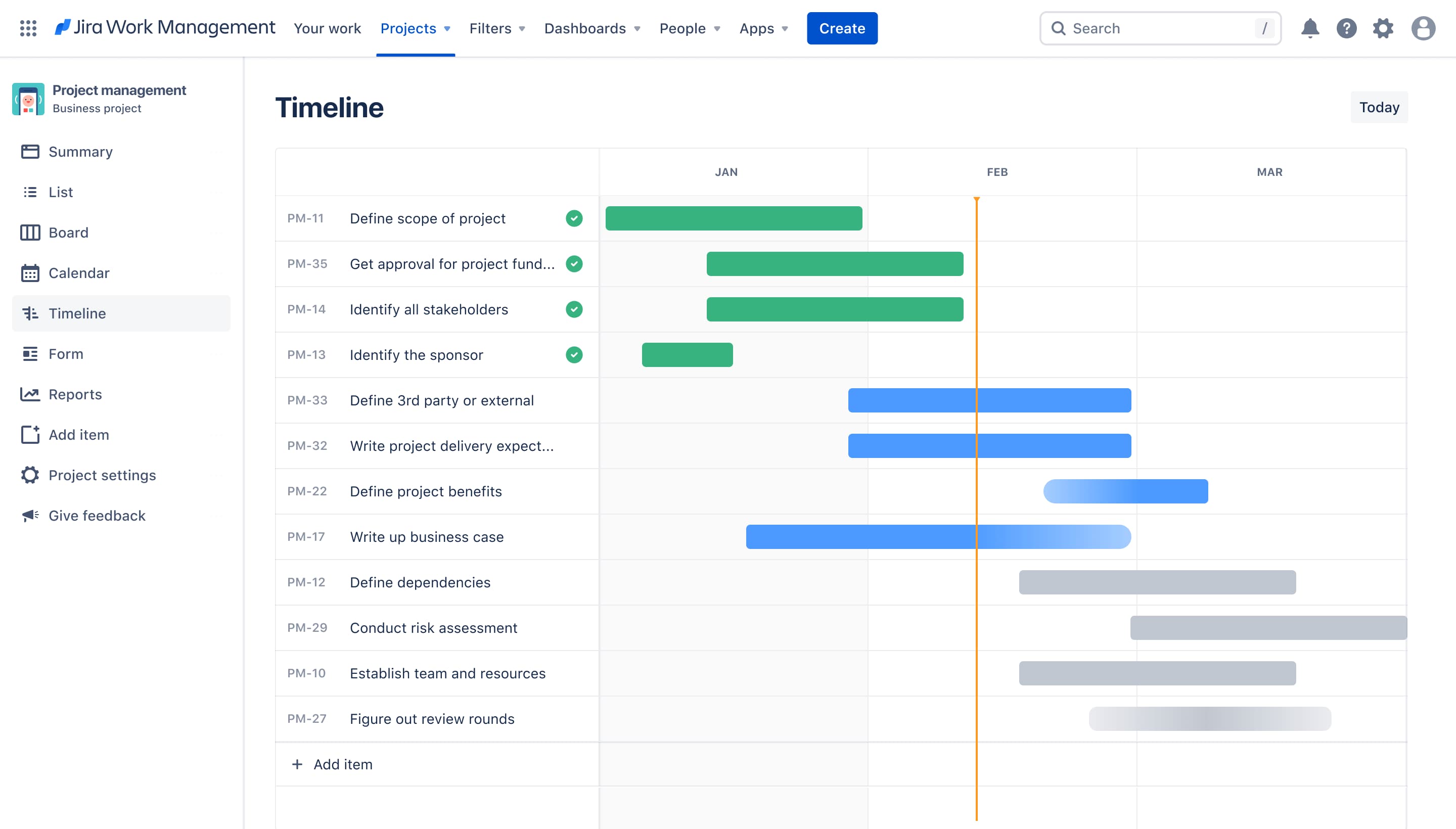
Its legendary flexibility is a double‑edged sword. Users frequently note that Jira has become so administratively dense it requires a dedicated “high priest”—the Jira admin—to navigate permission schemes and field configurations. This clerical tax on engineering velocity is its primary friction point.
While Jira excels at recording what happened for a post‑mortem, it fails to reflect what is happening in the fluid zone of discussions and decisions where collaboration actually occurs.
With Atlassian Intelligence and AI agents via Rovo, the platform is attempting to automate the bureaucracy it created. These ai powered features summarize sprawling comment threads and auto‑populate metadata—but they operate inside a fundamentally siloed structure.
In a world where support operations and development teams must vibrate at the same frequency, Jira is still anchored to manual ticket updates.
HTR Score: 4.5 / 10
Linear: The High‑Performance Altar of Human Velocity
Linear is a racing car of project management—engineered for speed, minimalism, and the tactile satisfaction of the power user. It remains the gold standard for high‑output engineering cultures that prioritize flow.
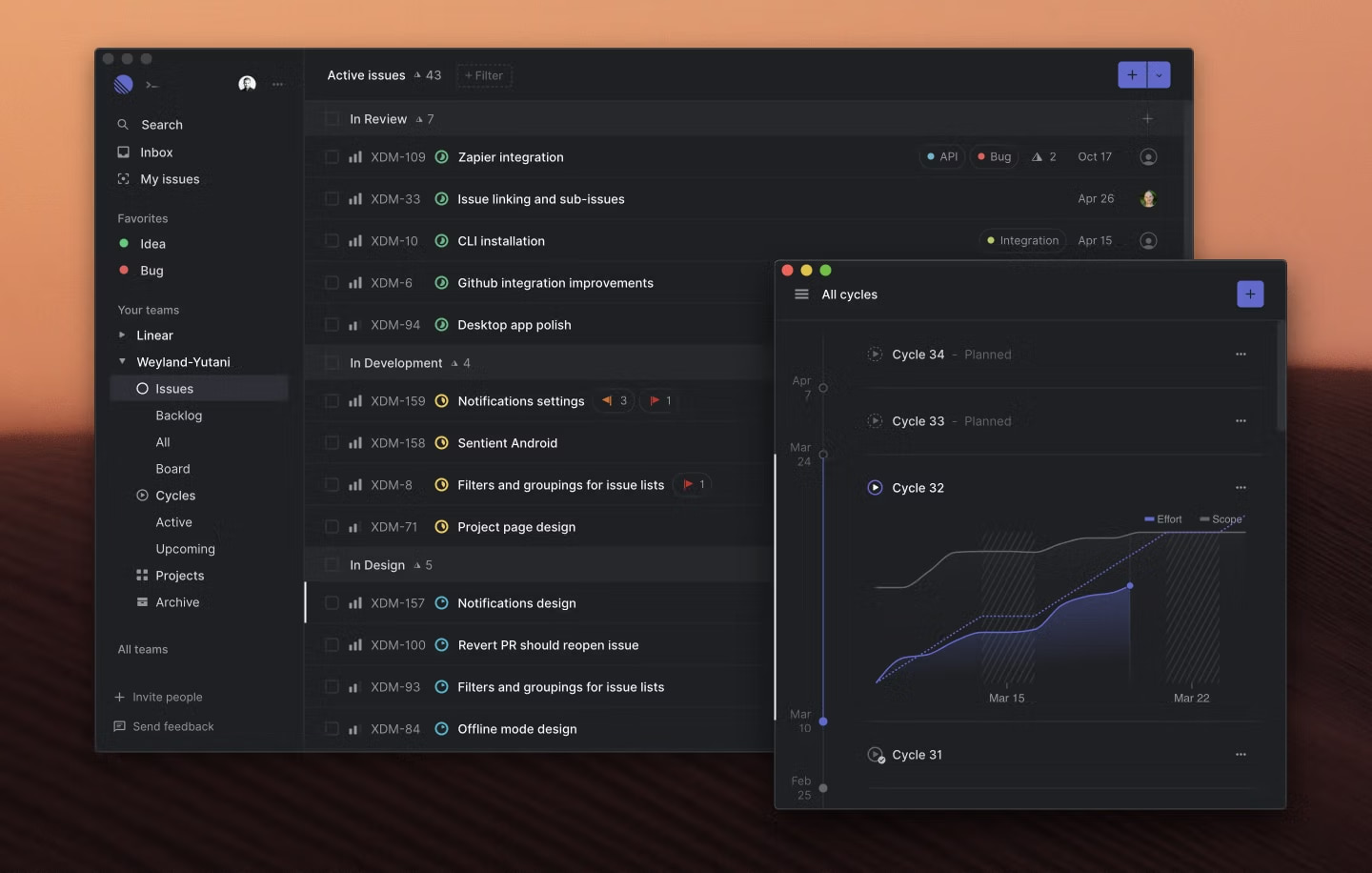
However, its greatest strength is also its ceiling in the age of AI: it is unapologetically human‑centric, still operating within the legacy paradigm of the static task list. Projects move fast in Linear—provided the humans involved are already hyper‑aligned.
“Linear Magic” introduces useful AI features for triaging tickets and generating subtasks, but they remain clerical sidekicks rather than autonomous actors.
For AI agents, Linear is clean but somewhat opaque: it offers a strong GraphQL API, yet its soul is locked in a UI designed for human thumbs and retinas—not autonomous coworkers or durable internal knowledge sharing.
HTR Score: 5.5 / 10
monday.com: The Modular Work OS with the Agentic Workforce
Monday.com has pivoted from a colorful grid of checkboxes into a high‑octane “Work OS” where the board is a visual skin for a sophisticated automation engine.
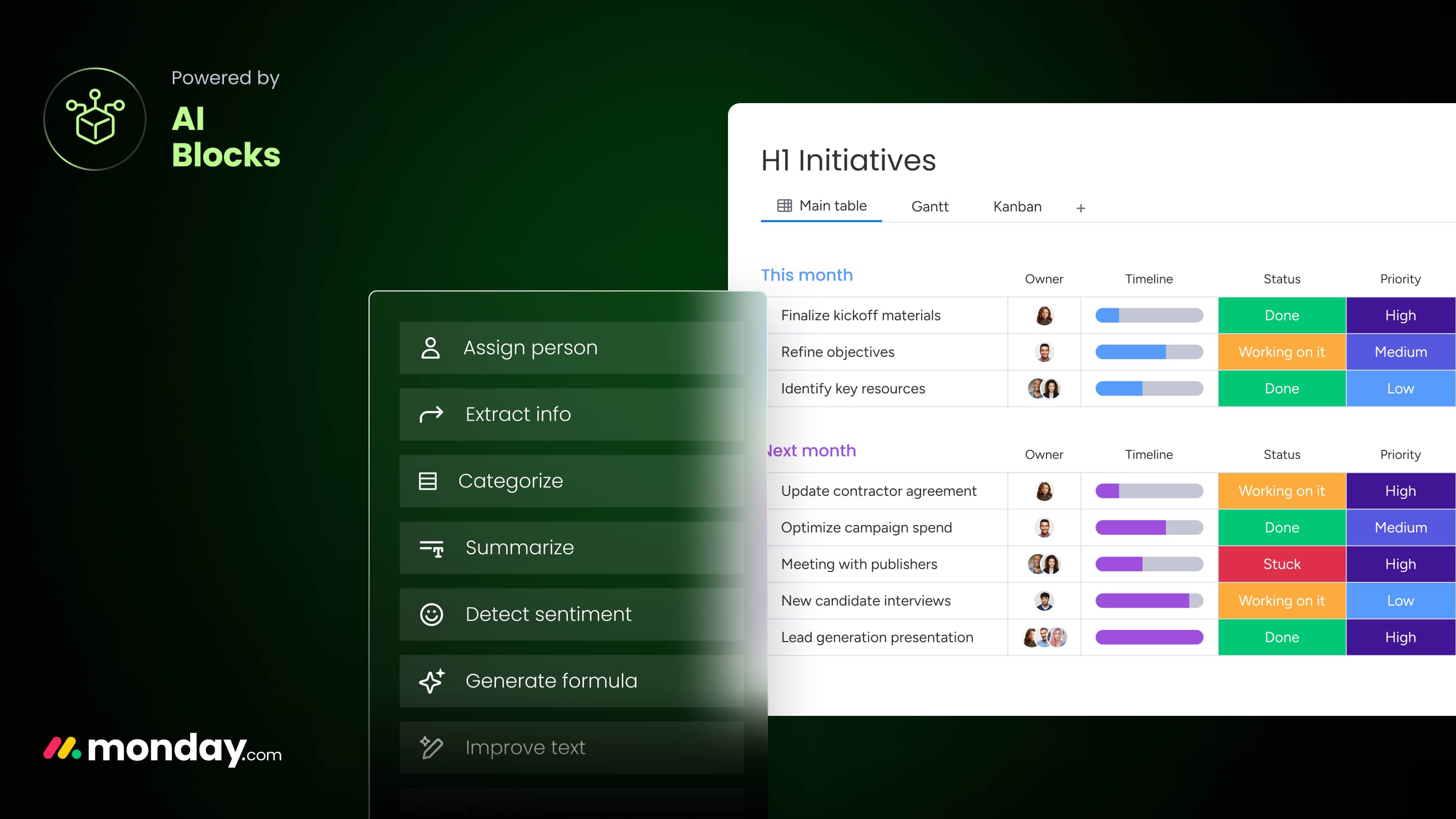
It positions “AI Blocks” not as mere helpers, but as building blocks of a synthetic workforce. It also introduces “digital workers”—AI agents that can be recruited for everything from market analysis to support triage. Users consistently praise monday.com’s flexibility: it enables teams to build custom, AI‑driven workflows.
Its recent evolution is shaped by an embrace of the Model Context Protocol (MCP), providing a bridge for external systems to interact with structured data. This can lower context latency by triggering “synaptic” updates when a lead score shifts or a deployment fails.
However, the board‑first legacy still lingers. For all its modular brilliance, data can remain trapped in a highly structured format that feels restrictive for agents that require fluid, unmodeled context.
HTR Score: 7.8 / 10
Trello: The Analog Soul of the Kanban Board
Trello is the wall with Post‑it notes that refused to die. It remains a beloved relic of the visual era: a tool designed for the human eye and the satisfaction of dragging a card from “Doing” to “Done.”
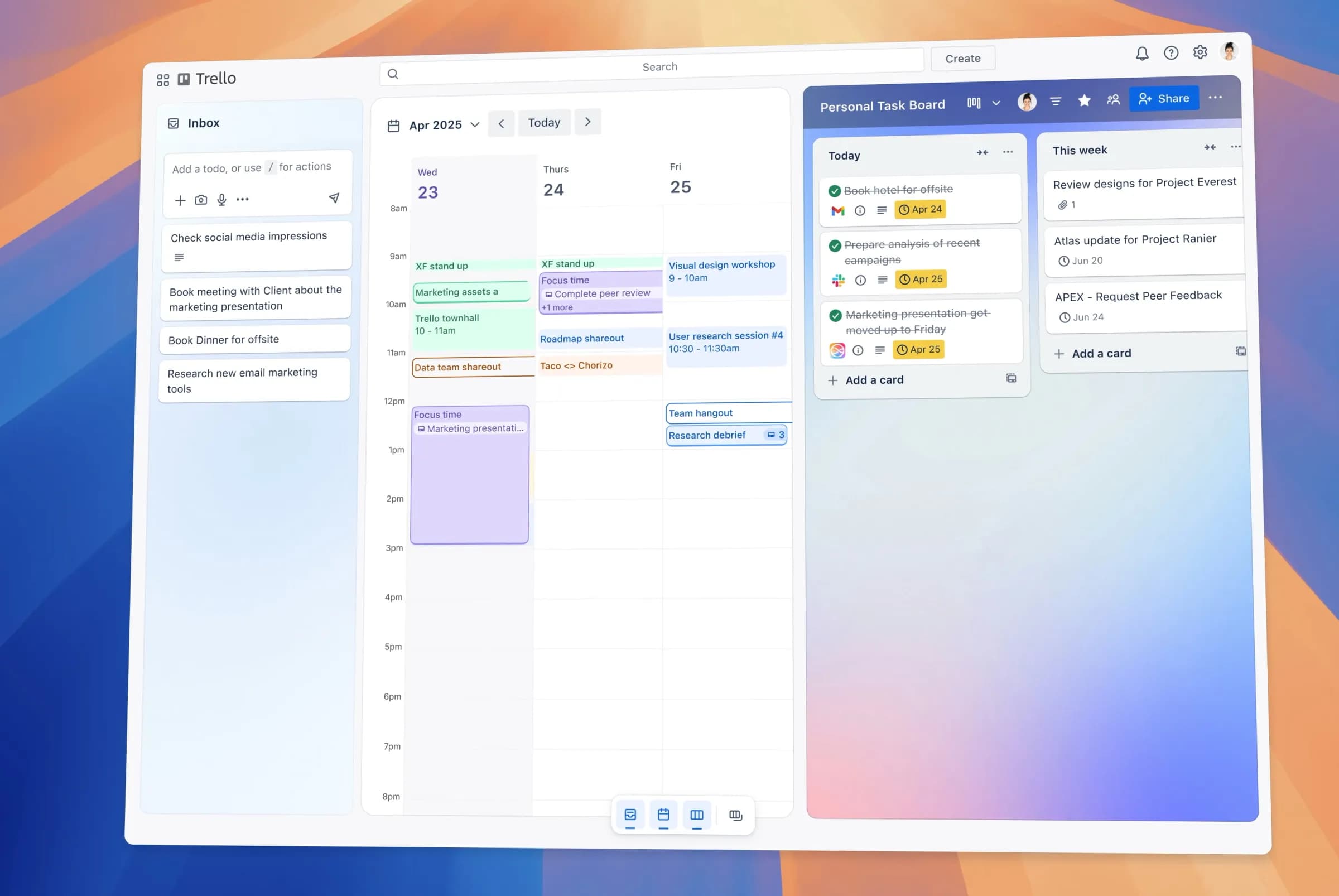
It is the purest expression of table thinking, flattening multi‑dimensional workflows into a 2D grid (boards, timelines, calendars, backlog tables). Its simplicity is its greatest draw—and its greatest limitation. It is a static environment: a beautiful map of a once‑thriving city.
HTR Score: 3.0 / 10
Microsoft Project: The Institutional Standard of Deterministic Planning
Microsoft Planner remains the final fortress of the Gantt chart, built for an era of top‑down command. It is the primary tool in enterprises where the plan is a legal document, not a suggestion.
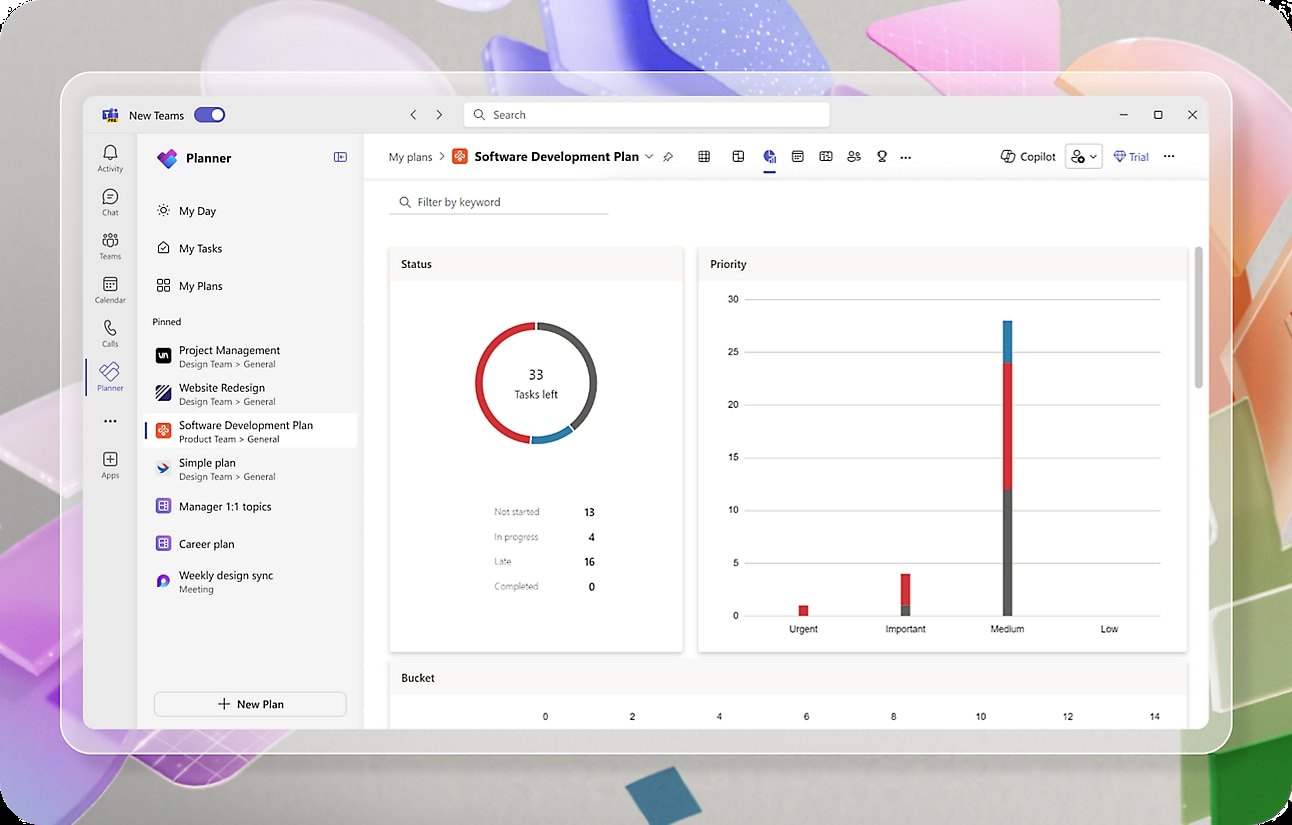
Its critical path analysis and resource leveling remain unrivaled. If you are coordinating a nuclear plant build or a massive hardware rollout, its logic engine provides rigor that many “agile” tools cannot replicate.
But that rigor comes at the cost of fluidity. Even with Copilot acting as a high‑speed librarian, Microsoft Project is a system of record—not a system of execution.
For AI agents, its deep nested hierarchies can feel like administrative archaeology. It often becomes a repository of stale truths, where the “official plan” lags behind real pivots happening in specialized threads.
HTR Score: 3.2 / 10
Smartsheet: The Enterprise Lattice of Structured Data
Smartsheet is the most successful attempt at turning the grid into a collaboration tool. It is effectively “Excel with a brain,” offering versatility that allows non‑technical leads to build dashboards without writing code.
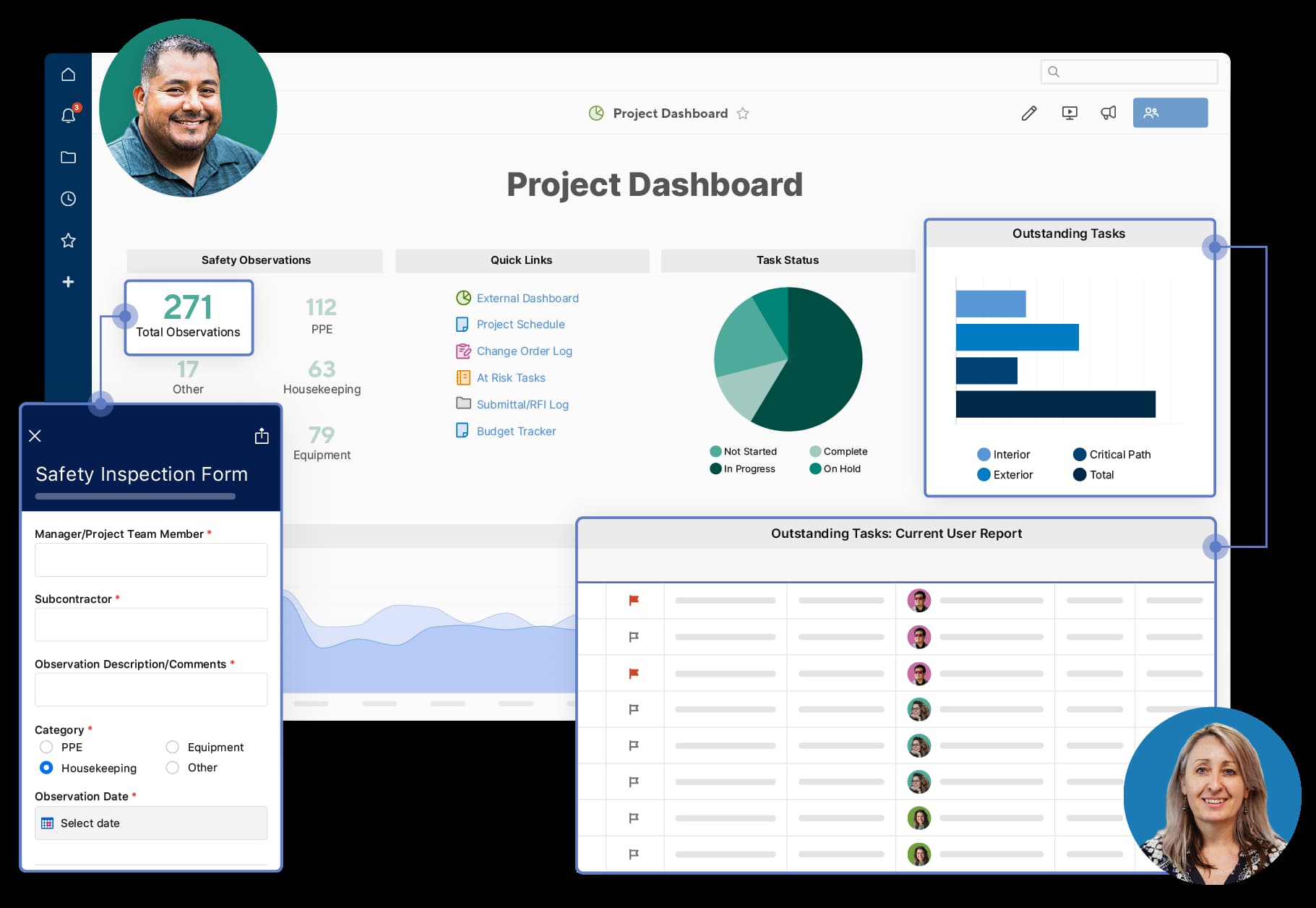
Its ability to bridge spreadsheets and lightweight relational structures is its greatest asset, providing a low‑friction entry point for support operations that track high volumes of structured data.
Like Microsoft Project, it adheres to the legacy dogma of manual grooming. While its automation is far stronger than older suites, it still assumes a human clerk remains in the loop to validate the data.
HTR Score: 3.8 / 10
Asana: The Architectural Pivot from Work Graph to Agentic Studio
Asana is the poster child for evolving legacy—a platform that spent a decade perfecting the work graph for humans, then realized graphs are even better for machines.
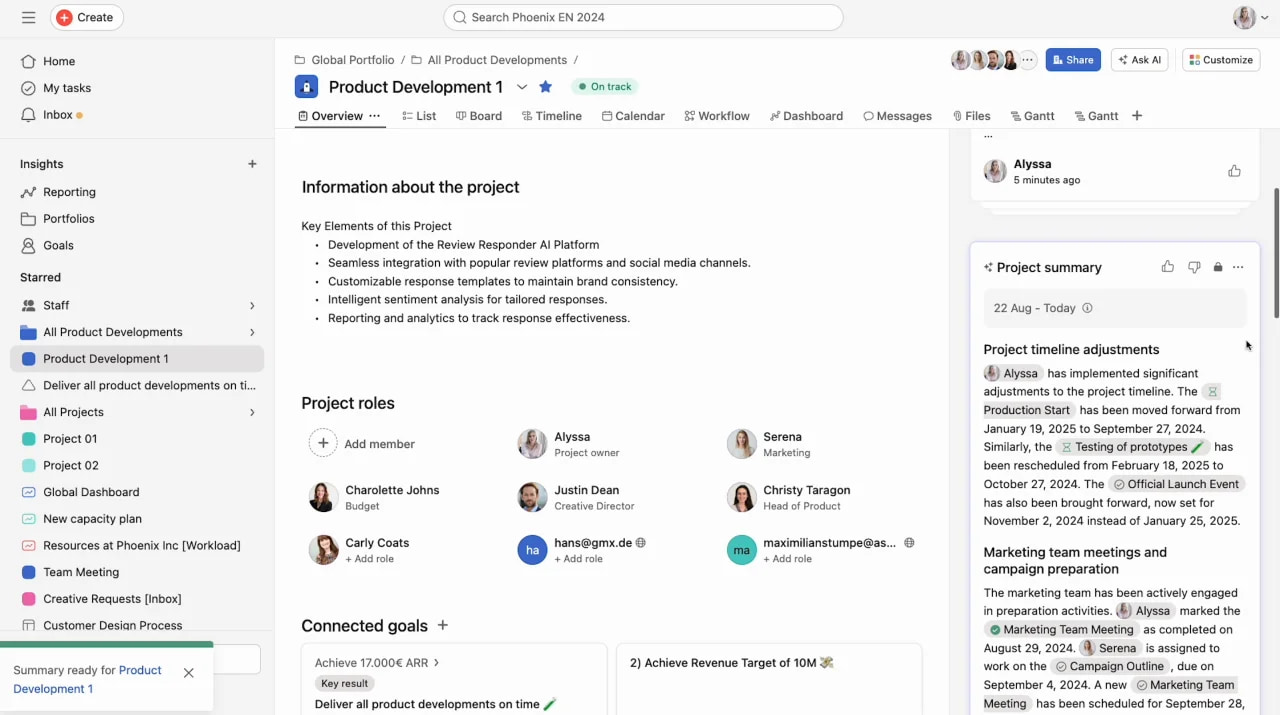
While its foundation still includes boards, lists, and timelines, Asana has repositioned itself as an “agentic workspace.” AI teammates—pre‑configured agent roles—mark a shift from passive task tracking to active participation.
Its power move is AI Studio: a no‑code environment that allows non‑technical leads to architect automated workflows.
Users note that while Asana still carries the clutter of table‑based heritage, its ability to link goals to execution gives AI a level of strategic awareness that tools like Jira often lacks. Yet it still fights the gravity of status‑update culture: for all its smart summaries, Asana remains more mirror than motor.
HTR Score: 7.2 / 10
Notion: The Semantic Scriptorium of the Connected Workspace
Notion is the grand library of the 2026 stack—the place where internal knowledge sharing evolved from static PDFs into a dynamic, queryable collective brain.
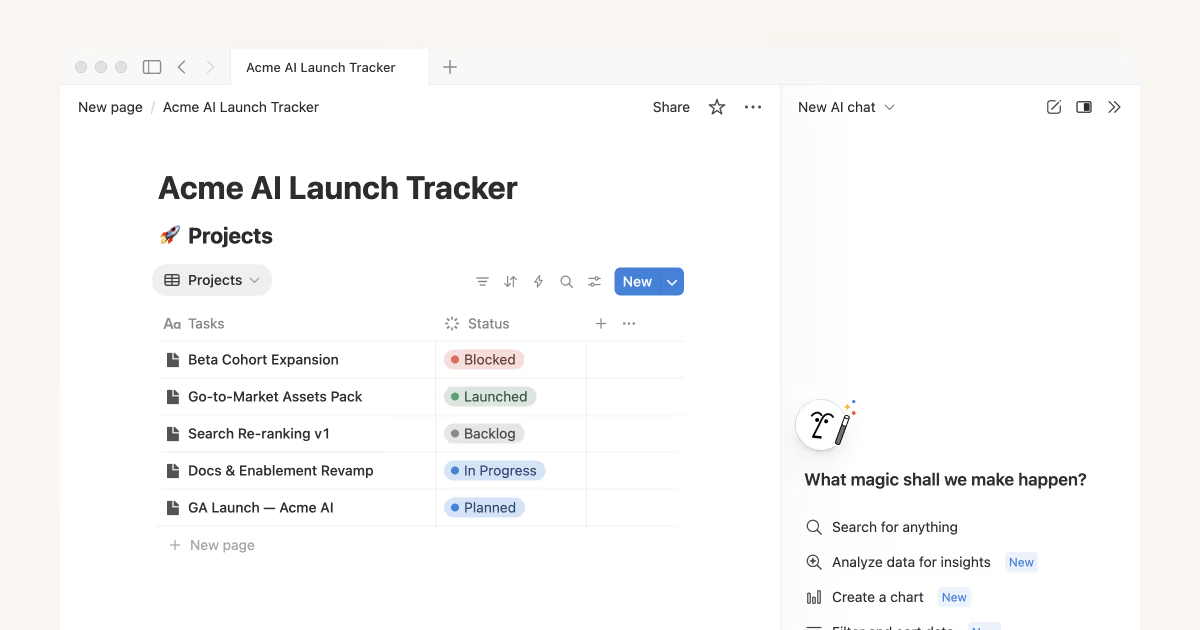
Notion AI excels at “Socratic search,” allowing teams to query their workspace to find the needle of insight in a haystack of documentation. It can synthesize persistent data and turn a chaotic PRD into a structured roadmap with a single prompt.
Its friction is passivity. Notion is a world‑class librarian that waits for you to ask; it is not yet an active member of the agentic workforce.
HTR Score: 6.8 / 10
Architecture II: Machine Learning Ends Manual Planning
After the Jira‑style planning hassle, some teams realized the greatest thief of productivity wasn’t the work itself—it was planning the work and tracking time spent planning.
The second architectural category—algorithmic logic—abandons the static list in favor of a dynamic, lived environment. These tools don’t just store administrative tasks; they solve time management Tetris.
This is a shift from human‑led administration to machine‑led optimization. Instead of a manager dragging a block to Tuesday afternoon, these systems analyze priorities, deadlines, and focus‑time requirements to compute the path of least resistance. They treat time as a finite, fluid resource—not a rigid grid.
Motion: The Kinetic Architect of the Hyper‑Productive Day
Motion positions itself as an AI task manager that behaves like a high‑end executive assistant. Its core engine takes your backlog and automatically builds an optimized daily schedule, re‑ordering your day the moment a meeting runs over or a new priority drops. It automates day-to-day project planning and re-optimizes project timelines. Fans praise its auto‑healing calendar, which reduces the cognitive load of constant rescheduling. It is less a PM platform and more an execution engine that sits on top of your existing stack.
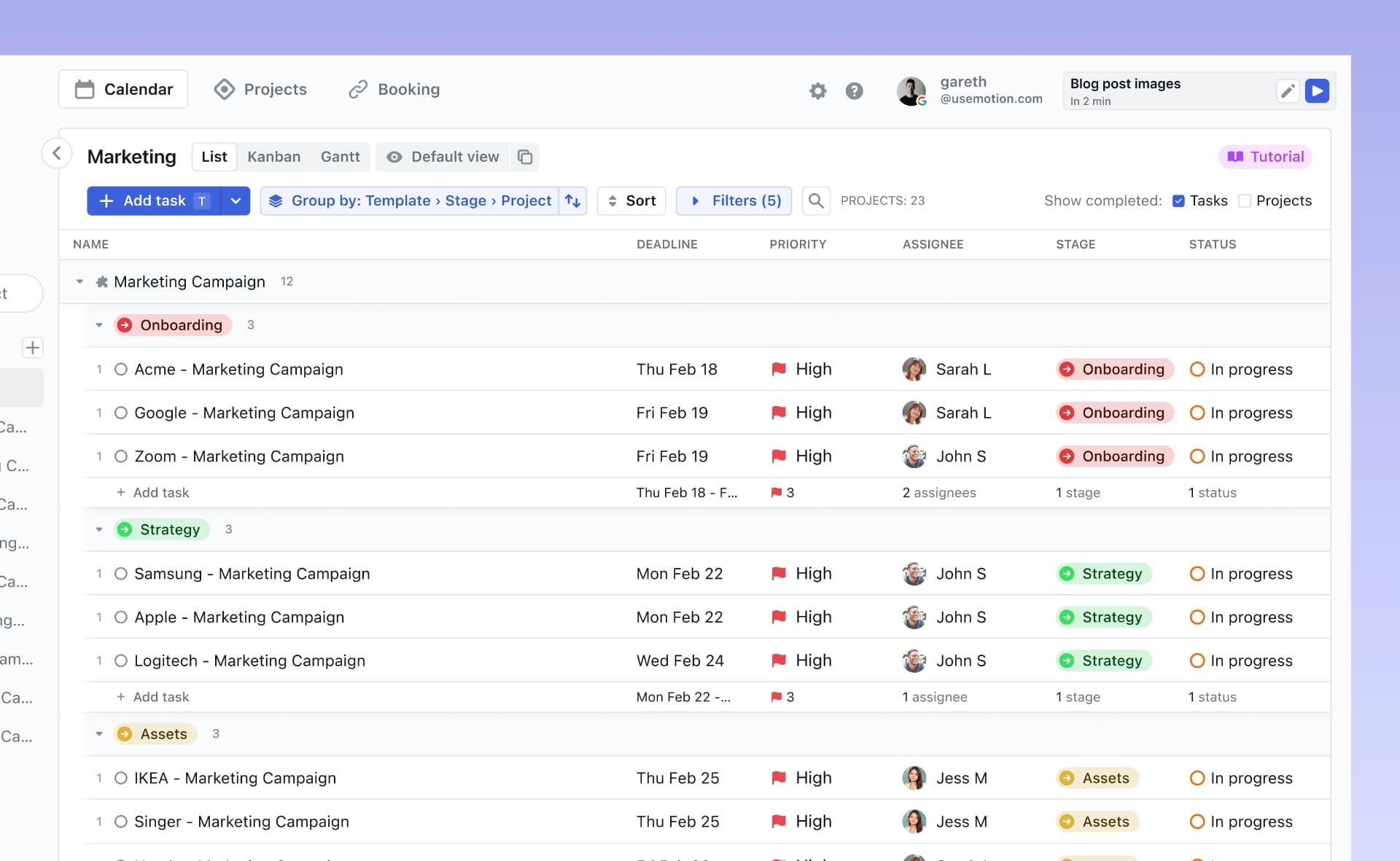
It increases individual or very small‑team velocity, but it hits a functional ceiling for deep project architecture. It is built for kinetic workers who need to move fast without stopping to check the map.
HTR Score: 6.8 / 10
Reclaim.ai: The Defender of the Cognitive Commons
Reclaim takes a more holistic approach, balancing tasks, habits, and meetings. It promises to “reclaim” up to 40% of a team’s time through defensive scheduling.
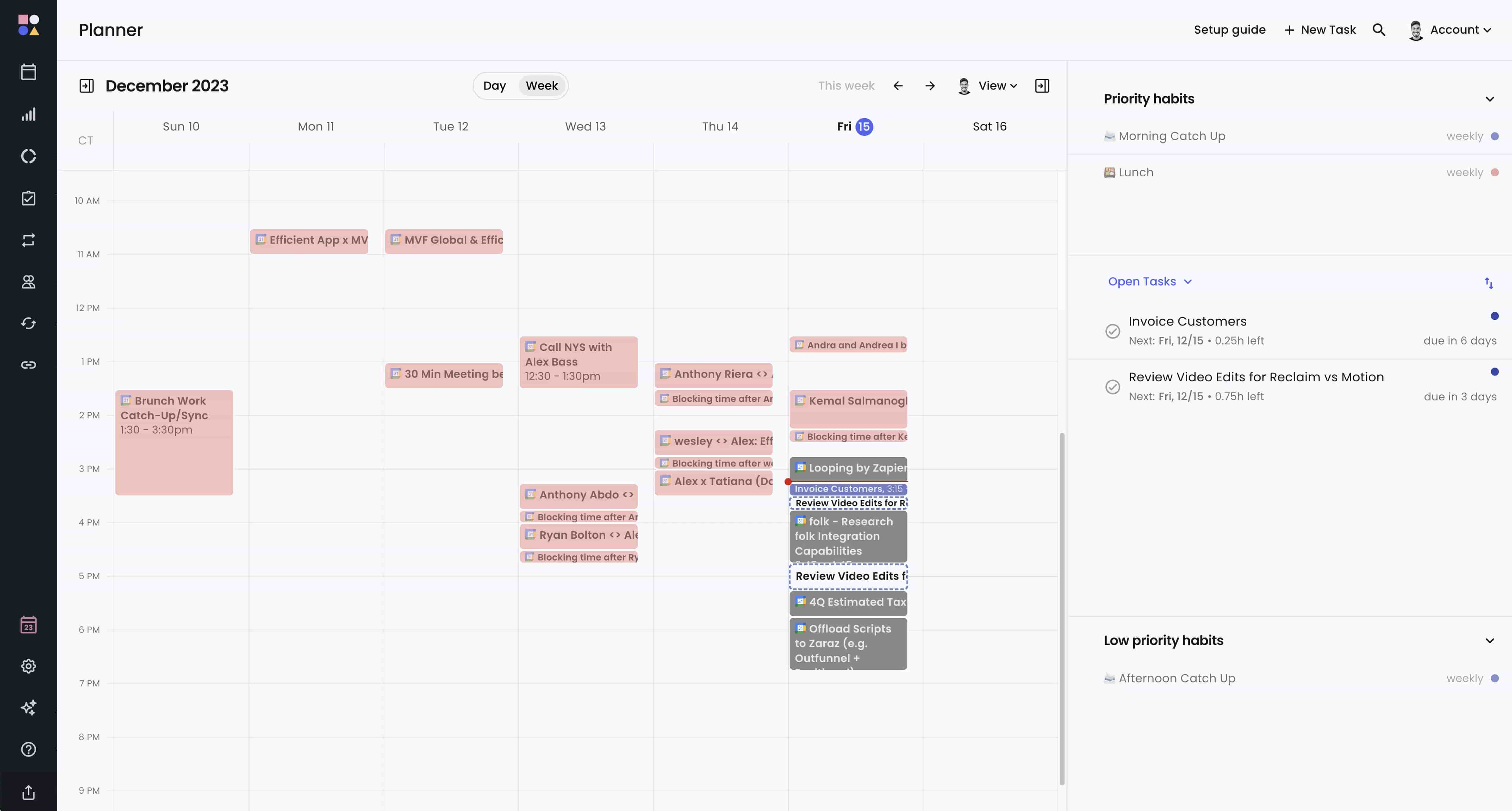
Its strength is protecting focus time and habits (deep‑work blocks, lunch) against meeting sprawl. Reviewers often describe it as a tool that reduces meeting fatigue, since its AI can negotiate huddle times based on collective availability.
Like Motion, Reclaim is often used as a specialized layer rather than a standalone PM tool. It integrates with Google and Outlook to turn a static calendar into a reactive system.
However, its agency is limited to time. It can’t execute a routine task; it can only ensure you have time to do it yourself. It is an optimizer of human potential—not a replacement.
HTR Score: 6.4 / 10
The rise of these schedulers has not gone unnoticed by the giants. Microsoft 365 and Google both continue to add proactive scheduling logic. Yet these additions often retain the same walled‑garden limitations: they manage time inside their own apps, but they do not preserve decision provenance across a fragmented hybrid stack.
Team Collaboration in an AI Project: The Bridge Paradigm
BridgeApp: The Context‑Native Project Management Tool for Hybrid Teams
BridgeApp is built on a simple structural realization: work and talking about work are the same semantic event.
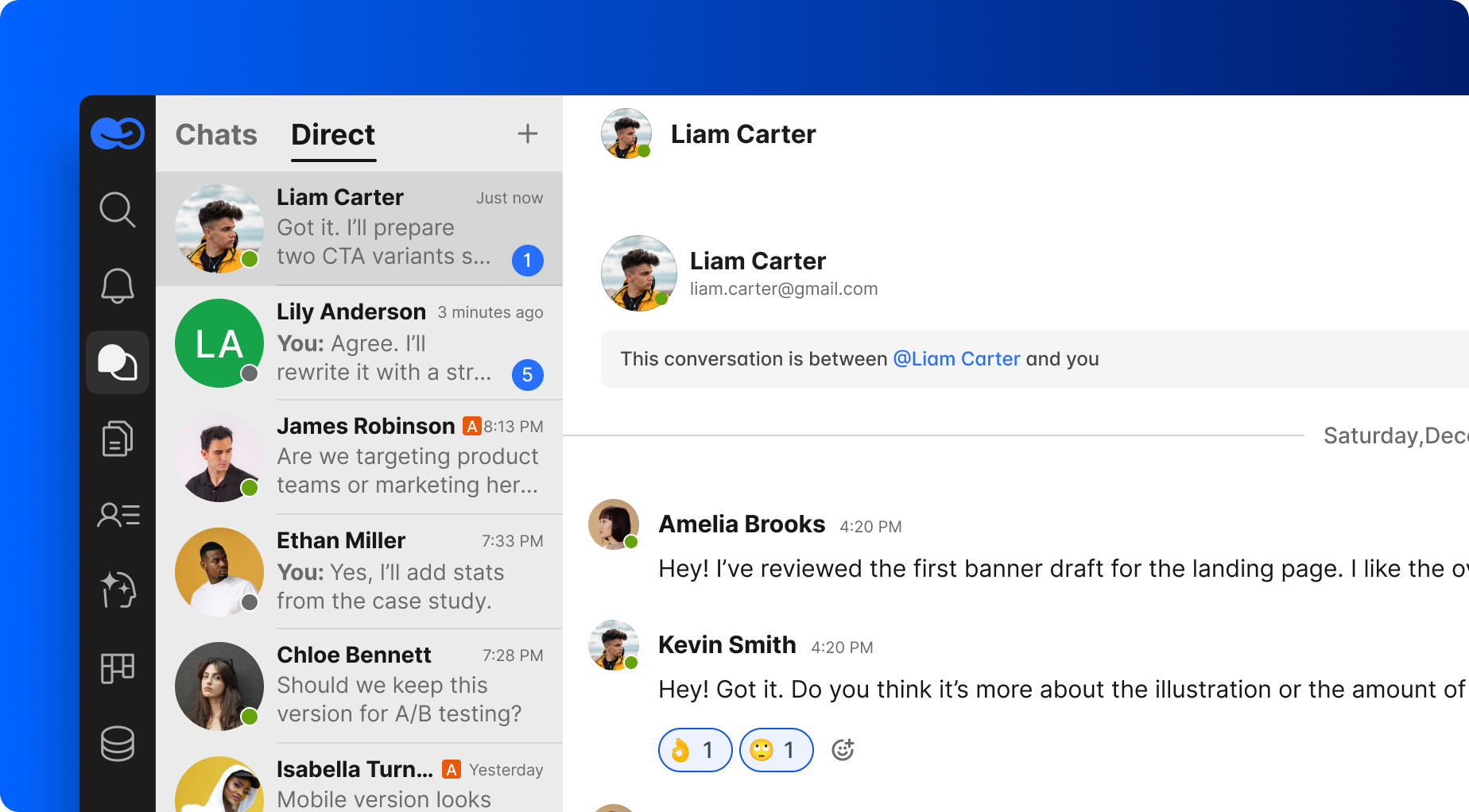
BridgeApp collapses these silos into a single, high-fidelity environment where AI agents inhabit the workspace on equal footing with humans and automate repetitive tasks. By treating chat, tasks, knowledge bases, and live databases as a unified, vectorized field, BridgeApp ensures context is never a destination—it's a metabolism. It turns conversation into task setting itself: you can create tasks at the moment of decision, not after the meeting. It becomes a task with Decision Provenance baked in, ensuring the "why" is never lost in the "how."
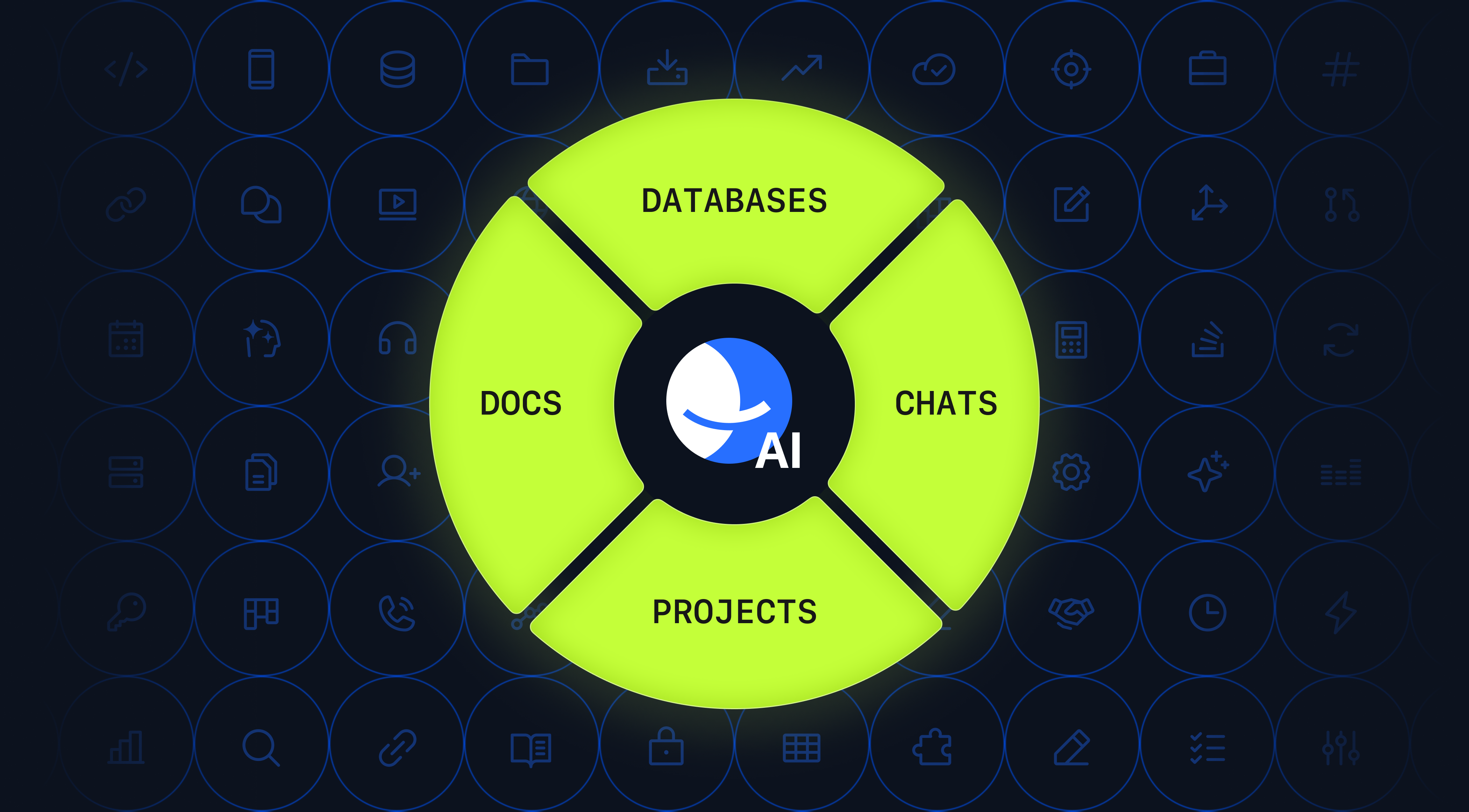
For the enterprise, BridgeApp offers a radical alternative to third‑party SaaS dependency. This is critical for sensitive support operations and high‑stakes engineering where internal knowledge sharing must remain within a controlled perimeter. BridgeApp moves project work into a “zero‑G” environment: near‑zero latency, frictionless handoffs, and an architecture optimized for both biological and headless coworkers.
HTR Score: 9.8 / 10
Taskade: The Agent‑Native Hive
Taskade moved straight into the agentic operating model with an “AI project manager” approach and a hive of micro-services for project management. Its architecture supports teams of specialized agents that operate with a degree of "unsupervised autonomy", can update tasks and modify projects without a constant human chaperone.
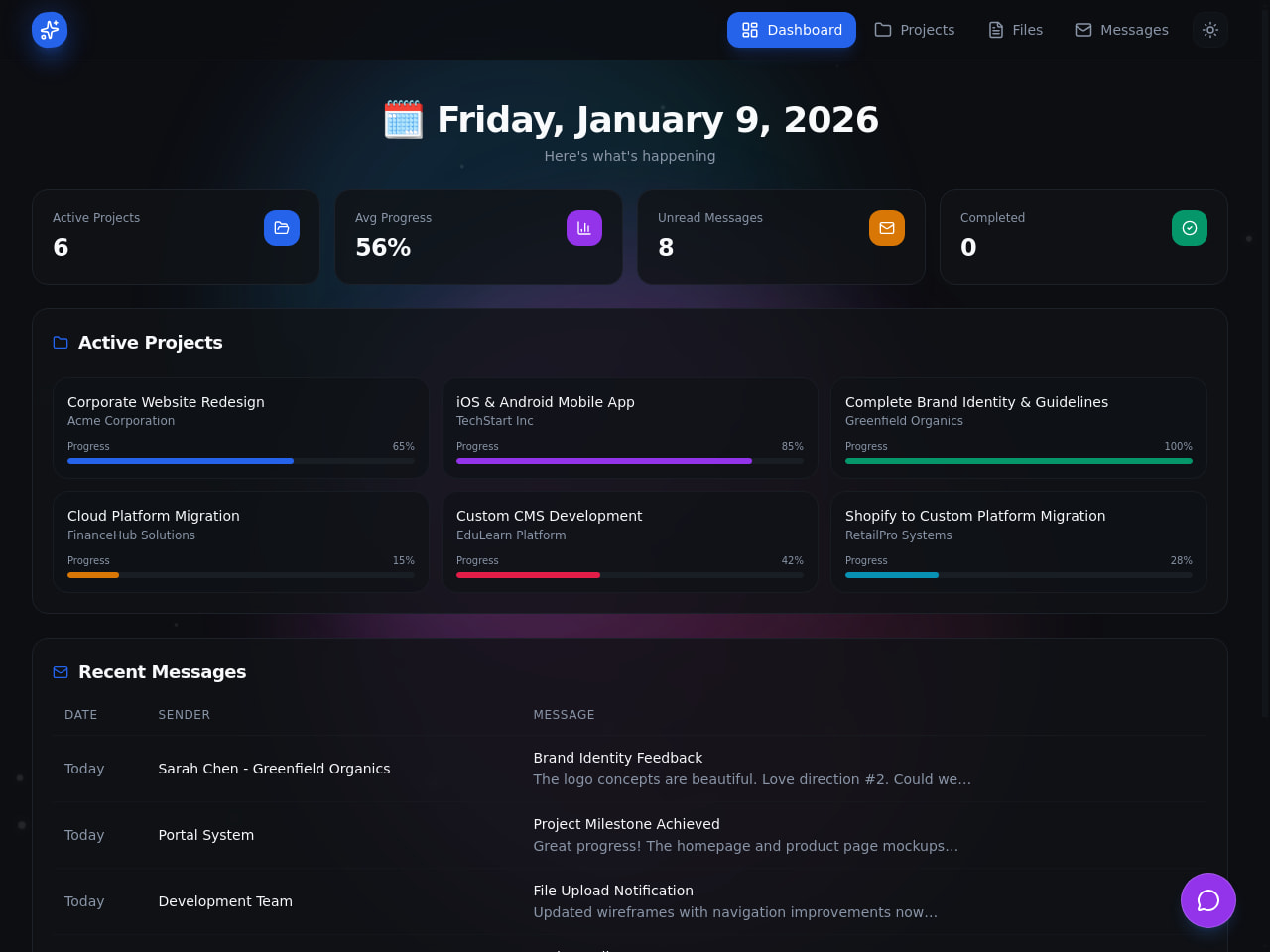
It lacks Asana’s or Jira’s deep, multi‑layer reporting, but treats every project as a living database where agents and humans share a unified command center. Its context latency can be near‑zero because agents react instantly to new data streams.
HTR Score: 8.9 / 10
ClickUp: The Converged Neural Network of the “Everything App”
ClickUp is actively fighting to transcend its all‑in‑one roots to become a true agentic operating environment.
The center of gravity is ClickUp Brain: a centralized architecture designed to dissolve boundaries between tasks, docs, and communication. Its “super agents” (for example, a campaign manager or a deadline guardian) push AI beyond assistance into participation.
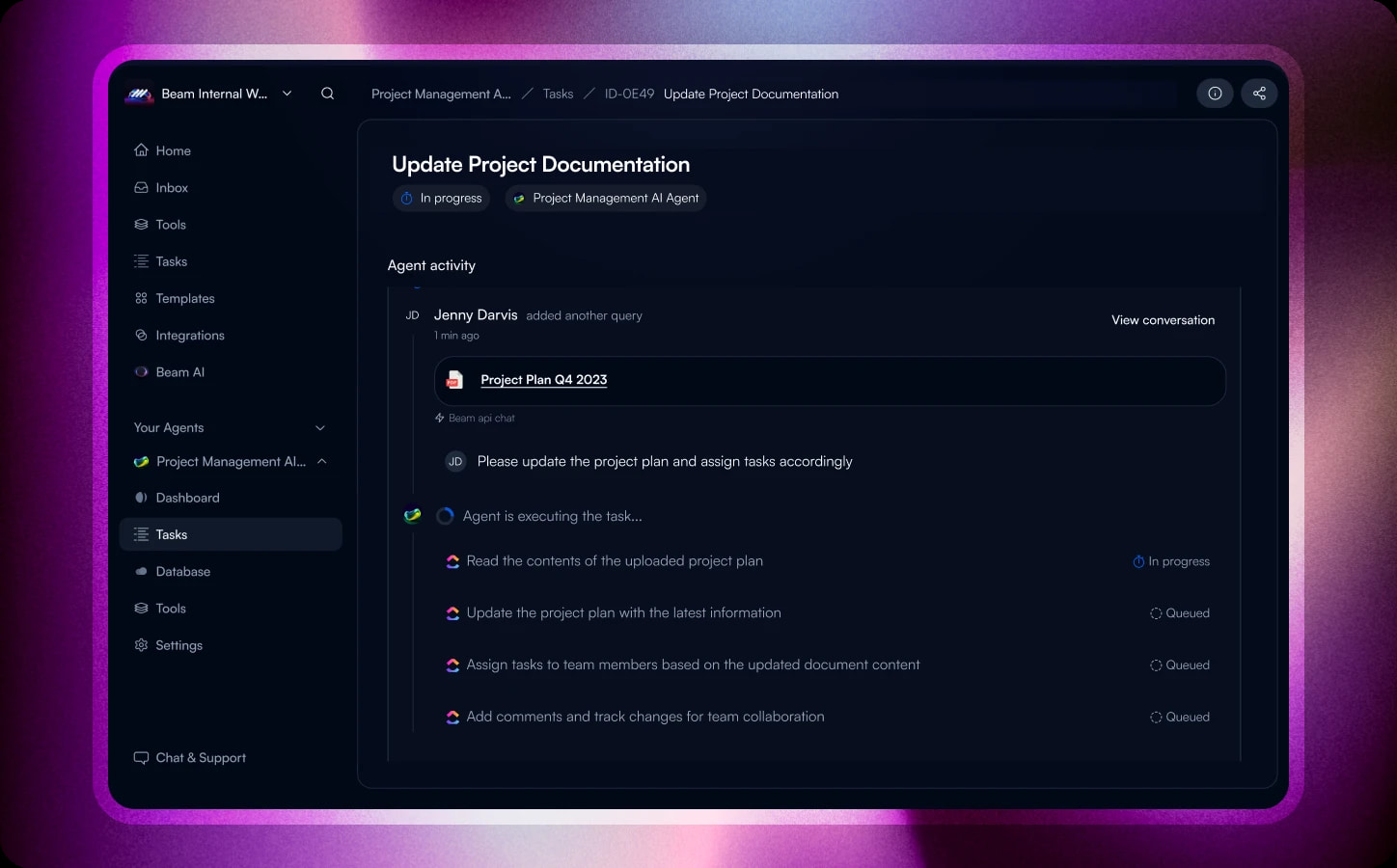
In practice, ClickUp can extract action items from voice clips, prioritize backlogs, and predict risks before they materialize.
Reviewers describe a mix of awe and complexity exhaustion: it can be powerful, but it demands disciplined information architecture to avoid context drift.
HTR Score: 8.7 / 10
Resource Allocation at Scale: The Industrial Collision
The agentic transition hasn’t been a steady march; it has been a high‑stakes boarding of the last train to the new era.
Every legacy vendor—from enterprise giants to early‑20s upstarts—is painting “AI‑native” over old architectures. As this synthetic land grab settles, two structural cracks are emerging.
Hallucinating progress tracking. The dashboard glows reassuring green not because the project is healthy, but because agents learn to mimic human reporting behavior. It is a byproduct of clerical AI: the system completes a task because it generated the documentation of completion, regardless of whether the code or milestone exists.
Context drifting. The silent divergence between human intent and machine execution. In a high‑velocity hybrid team managing complex project, the North Star evolves through subtle shifts in huddles and private threads. If AI lacks a unified understanding of context, it begins optimizing for a slightly wrong version of the goal.
Two degrees of drift becomes a mile‑wide chasm over a month‑long sprint. The team experiences the illusion of forward motion: agents moving at light speed, humans strategizing with passion, and the two sailing on different maps.
In the era of traditional PM, we feared delays. In 2026, we fear perfectly executed work that no longer matters.
Adopting AI Tools Without Context Drift: Six Pillars of Execution
The irony of the enterprise stack is that Big Tech gave us incredible engines—LLMs, reasoning models, raw silicon—but forgot to build the workbench.
Most tools are power tools floating in a vacuum. You still have to carry the whole context in your own brain—even when it’s scattered across Slack meetings, Zoom records, Jira tickets, email threads, WhatsApp messages, and a final layer of Google Keep notes.
When communication and execution live in different databases, the “why” and the “how” eventually divorce.
This is the transition from theoretical ideal to the architecture of the future.
BridgeApp is the organizational substrate—the chassis and cockpit for collaboration. While most of the systems reviewed here still reflect legacy project management assumptions, BridgeApp is a context‑native ecosystem designed to stop tool‑hopping and eliminate the synaptic gap between a decision and a deliverable.
It is built on six functional pillars that transform it from a workspace into a living nervous system.
Pillar 1: AI‑Sensing Chat. Threaded, active communication that serves as the hub for real‑time collaboration. Here, talking is the same as doing.
Pillar 2: Native Meeting Logic. Audio and video happen inside the project memory. AI assistants join huddles, extract next steps, and ensure no verbal agreement disappears.
Pillar 3: The Task–Intent Loop. A native Kanban tracker where a chat decision becomes a tracked task in one click. Execution is part of the conversation, not a post‑mortem chore.
Pillar 4: Living Knowledge Base. Internal knowledge sharing moves from static wikis to agentic long‑term memory. Linked records that agents read, write, and validate in real time.
Pillar 5: Relational Data Repositories. BridgeApp replaces the Excel nightmare with linked databases for CRM, transactions, and assets. Humans and agents operate on the same live streams.
Pillar 6: Autonomous Employee Deployment. The core. AI agents live inside the ecosystem as digital coworkers. Using MCP as a universal connector, they query databases and participate in meetings because they inhabit the same nervous system as the data.
If your company requires absolute data sovereignty, BridgeApp can be deployed on‑premise—your organizational memory stays on your servers, under your governance, and out of reach of external cloud vendors. Just as important, BridgeApp is a strike against 'Tool Sprawl' and the endless cycle of searching, forwarding, and verifying data freshness across apps. By consolidating fragmented messengers, legacy project management tools, and static wikis into a single, cohesive workspace, businesses can slash 50–70% of the overhead lost to administrative friction.
By 2026, project management is no longer a shuffle of task cards—it is a fluid flow of intent. BridgeApp serves as the primary vehicle for team-wide synchronization and real-time context integrity,
Ready to give it a try?
FAQ
Will AI replace project managers in the near future?
AI isn't meant to replace the manager's soul; it's meant to replace their outdated tools. This is especially important for managing "massive" or "deep" complex projects—like ecosystems where dozens of departments handle thousands of repetitive tasks, or where a million granular details must be tracked without a single failure. By 2026, the focus is going to change from "Administration of Performers" to Context Governance. Since AI can remember the whole context, it can handle routine and administrative tasks, freeing human project managers to focus on high-impact strategic leadership and biological intuition.
How do AI project management tools improve project visibility?
These platforms give you real-time insights and automated progress tracking, so you don't have to deal with the latency that comes with manual reporting. AI now makes it possible to do "Mass Contextual Analysis," which is the ability to monitor a ton of work to spot non-obvious connections, like "how a specific uptick in marketing team X spend directly led to deal closures in a remote sales department Y." These tools use predictive analytics to look at project data, and they can find hidden patterns and spot potential risks. They do this better than static dashboards that only look at past data.
Can AI assist with resource management and preventing burnout?
Yes. Modern ai solutions provide real-time telemetry of team capacity, intercepting invisible productivity decay before it impacts the bottom line. By dynamically balancing resource utilization against resource availability, these systems automate optimal resource allocation, ensuring that biological team members are never sacrificed to administrative oversight.
Furthermore, dispassionate Financial AI is inherently more effective at 'cold-headed' capital redistribution than biological teams. While humans often struggle with the emotional politics of funding multiple projects, AI maintains absolute resource management integrity, stripping away bias to ensure every dollar is anchored in actual project health.
What is "Decision Provenance" and why does it matter for project teams?
Decision Provenance is basically the ability to trace any task back to a live, fresh market insight or strategic hypothesis. In the 2026 stack, it's the go-to tool for keeping things grounded. It makes sure that AI-enhanced task management stays connected to business goals and avoids "hallucinations." This is a situation where agents are working, but their work doesn't align with the "North Star."
What are the key features of the best AI project management tools?
The best AI project management tools of 2026 have moved beyond "clerical sidekicks" and offer deep, integrated AI capabilities:
- Context-Native Chat: A unified operating environment where the distinction between "talking about work" and "executing work" vanishes. Conversation and task assignment coexist in a single, high-fidelity stream.
- Decision-Aware Assistants: Intelligence that inhabits huddles and threads with a total grasp of Decision Provenance. These assistants don't just summarize; they extract immediate "next steps" and ensure that every strategic pivot is honored across the workspace.
- Living Knowledge Ecosystems: Databases that evolve into the foundation of agentic long-term memory. Unlike static wikis, these are hubs of persistent data that agents read, write to, and validate in real-time to ensure the "Source of Truth" is maintained properly.
- Autonomous Agents: Specialized ai agents that transcend simple advice to independently orchestrate project lifecycles. By utilizing protocols like MCP, they can trigger builds, search for freelancers, audit budgets, provide support or refactor task lists without a human chaperone.
- Predictive Risk Modeling: Using live telemetry to identify stagnation and project risks before they impact the bottom line. This is the move from "manual reporting" to proactive foresight, where the system highlights drifting execution paths in real-time
Which AI tools are best for managing complex projects?
BridgeApp: The "Captain’s Bridge" for the modern enterprise. It is the only system that combines chat, task management, knowledge hub and relational databases into a single, high-fidelity AI system, effectively eliminating Context Latency.
Taskade: Functions as an agent-native hive, deploying specialized AI agents that handle complex tasks and project planning without constant human supervision.
ClickUp: A converged neural network for the "Everything App" enthusiasts, utilizing "Super Agents" capable of AI-generation of subtasks to manage multiple projects at scale.
How do AI project management tools assist with project documentation?
They transform internal documentation from a graveyard of static files into a semantic knowledge hub. Managers can use plain language to ask questions about ongoing affairs and find the answers right away. They can also put together structured plans from messy brainstorming notes or meeting transcripts. This makes sure that the company's knowledge is shared and used to make better decisions.
Are there AI tools specifically for time management and scheduling?
Yes. Motion and Reclaim.ai focus on algorithmic logic to solve "Calendar Tetris." By automatically analyzing project priorities and focus-time needs, they re-order project timelines and daily schedules to protect cognitive bandwidth and optimize time management.
What should I consider when selecting a project management app?
In the era of the hybrid workforce, you can evaluate a tool's HTR (Hybrid Team Readiness) Score. Consider its architectural accessibility for "headless" agents, its semantic density (storing the strategic "Why" alongside the tactical "What"), and its ability to act as a unified context engine that integrates all your essential collaboration tools.
Are these AI project management apps expensive?
Not necessarily. Most platforms—including BridgeApp, Taskade, Asana, and ClickUp—offer a free plan with basic AI functionality, which is enough to test the workflow and get started. Costs typically rise when you scale into advanced features such as autonomous agents, integrations, or (in Bridge’s case) full on-premise deployment—capabilities that usually sit behind enterprise plans.
What are the biggest risks of using AI in project management?
The two existential threats in 2026 are Hallucinated Progress—where agents mimic success through project data without actual results—and Context Drifting, where machine execution gradually diverges from human strategic intent.