BlogIndustry Insights
Best Todoist Alternatives for Enhanced Task Management in 2026

BridgeApp Team
9 min read
Task management tools help individuals and teams organize, prioritize, and complete work efficiently. Whether you’re tracking personal tasks or coordinating complex projects, the right tool can transform your productivity workflow.
Many users are searching for a Todoist alternative in 2026 due to escalating pricing concerns—the Pro plan now costs $60/year — along with limited native integrations, occasional sync issues across devices, and growing demand for advanced features like AI automation, built-in calendars, and habit tracking that Todoist has only partially addressed.
This guide covers 7 carefully selected alternatives, each tested for core task management capabilities, collaboration features, and value proposition. From AI-native platforms that save hours weekly to simple tools designed for daily planning, you’ll find options suited to different workflows and team sizes.
How We Chose the Best Todoist Alternatives
Selecting the best Todoist alternatives required systematic evaluation across several dimensions that matter most to productivity-focused users.
Core evaluation criteria:
- Ease of use (learning curve and interface intuitiveness)
- Feature completeness (task views, reminders, subtasks, dependencies, due dates)
- Collaboration capabilities (real-time editing, comments, shared workspaces)
- Pricing value (free plan generosity and cost-per-feature)
- Integration options (Google Calendar, Slack, Zapier connectivity)
Additional factors assessed:
- AI features for auto-scheduling and automation
- Cross-platform availability (web, iOS, Android, Windows, Mac)
- Team collaboration depth with role-based permissions
- Automation possibilities via no-code builders or APIs
Testing involved real-world simulations: managing 50-task projects with deadlines, syncing across 3 devices, and collaborating with multiple users. Tools were scored against Software Advice benchmarks, where alternatives often outperformed Todoist in specific metrics like calendar management.
Top 7 Todoist Alternatives for Modern Task Management
1. BridgeApp
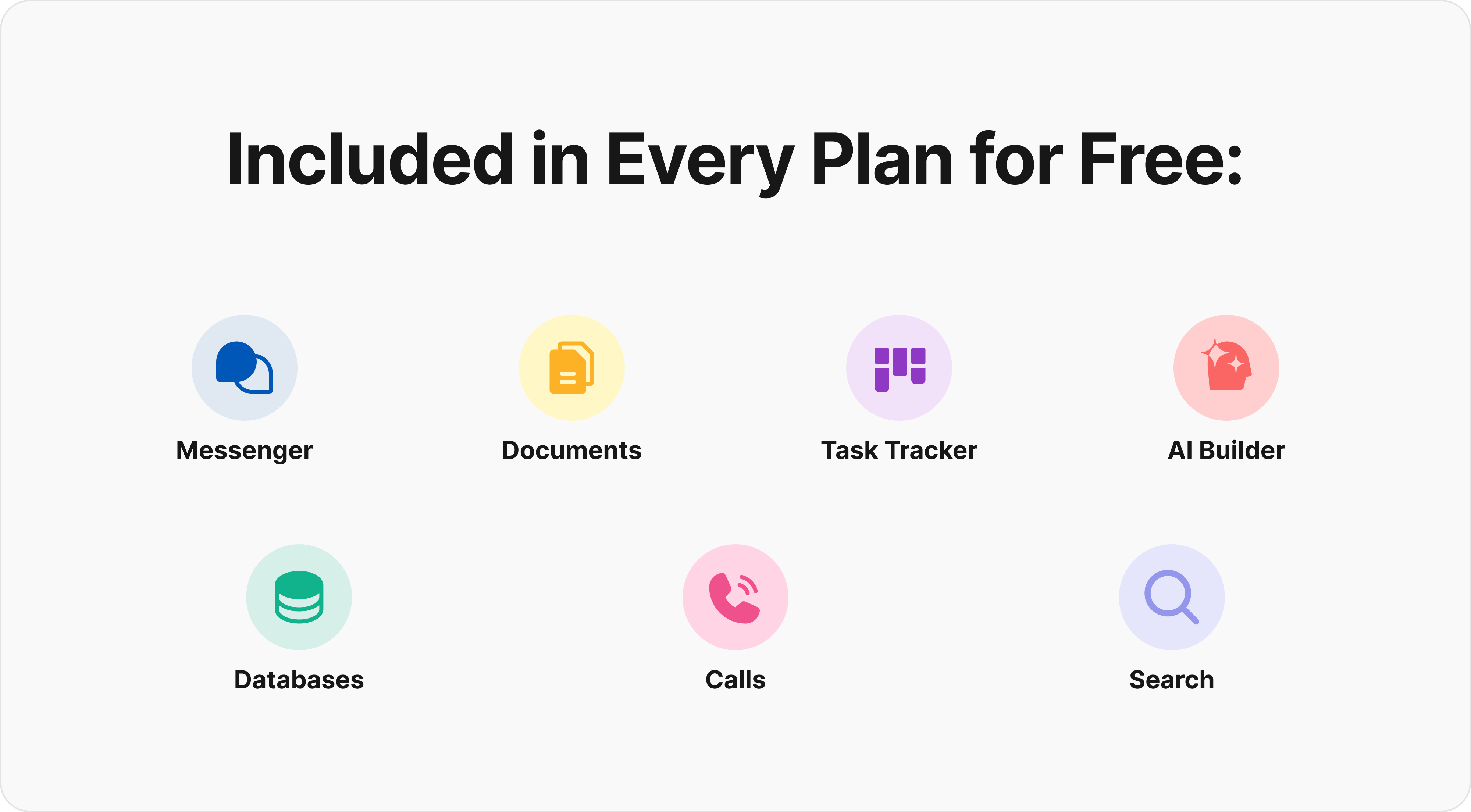
BridgeApp is an AI-native digital workspace that unifies team communication, project management, knowledge bases, custom databases, and AI automation into a single integrated platform. Unlike traditional task management apps, it functions as a next-generation corporate operating system—replacing 6-7 fragmented SaaS tools with one cohesive solution.
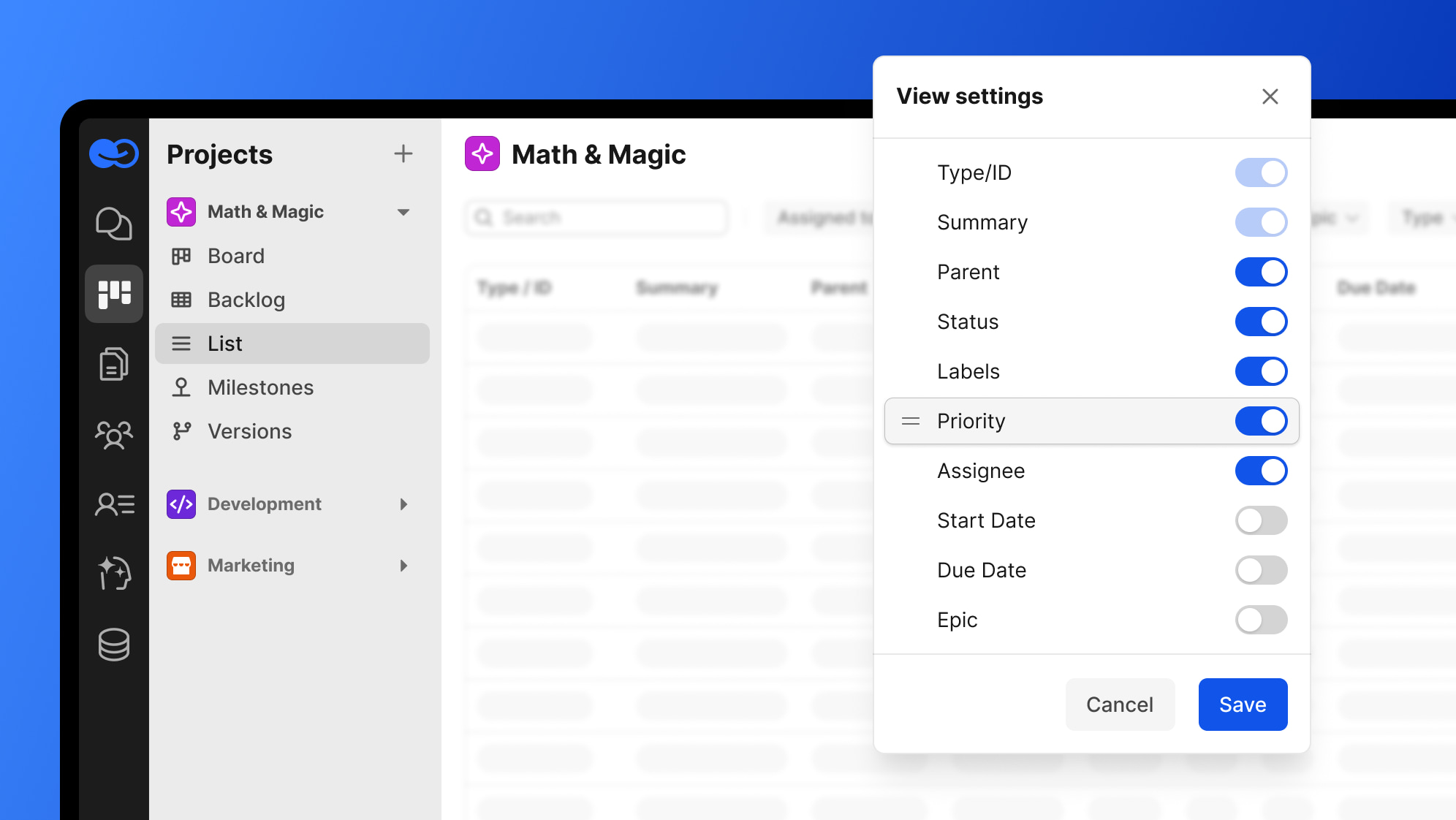
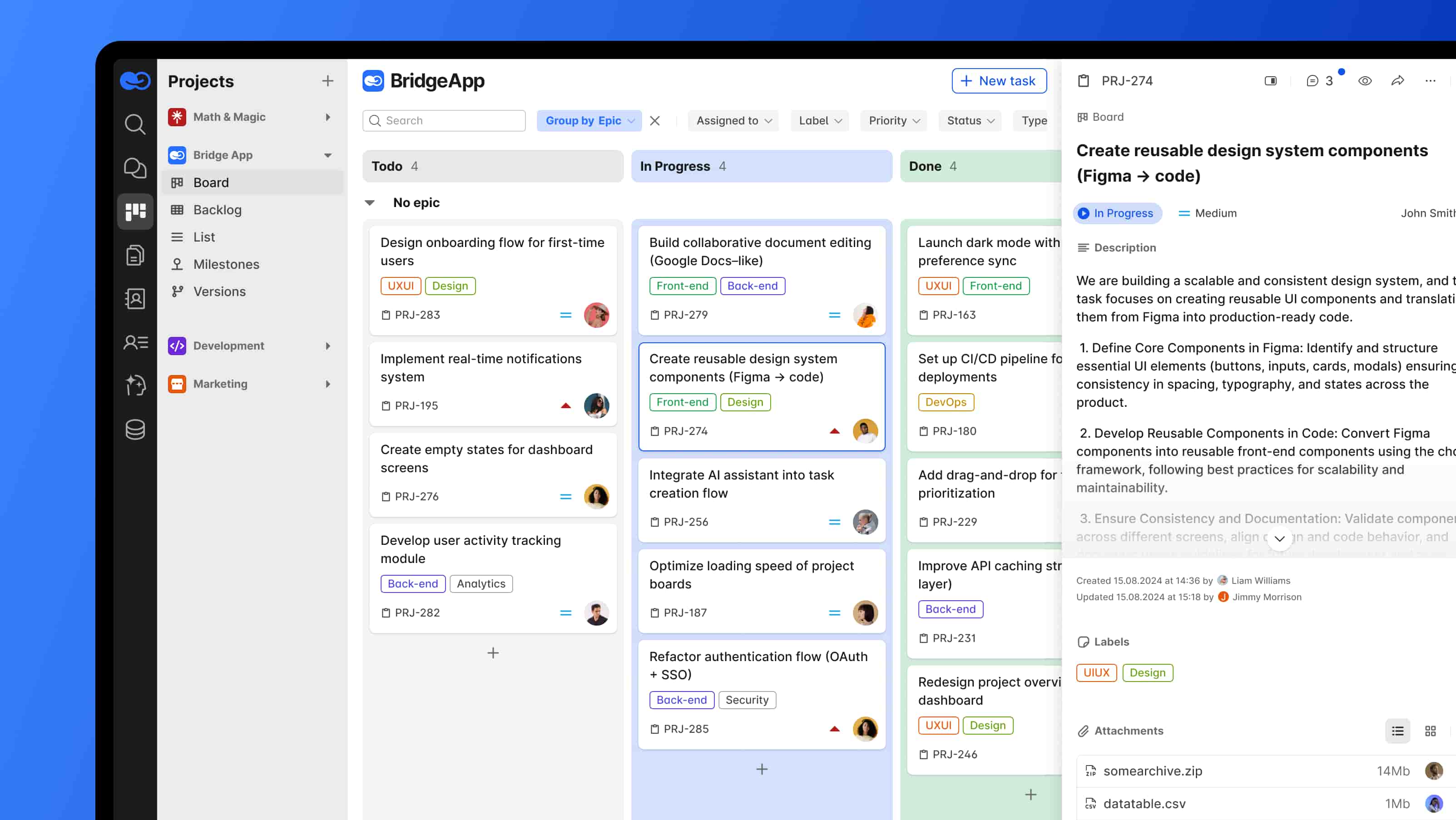
The platform goes beyond simple task tracking by embedding AI at its core architecture rather than bolting it on as an afterthought.
Why It Stands Out
BridgeApp’s AI-powered automation can save 4.6 hours per employee per week through AI agents —context-aware agents built visually that understand your company’s internal data from chats, databases, and knowledge bases.
The all-in-one approach eliminates context switching between multiple tools, resulting in a 40% productivity increase and 60% reduction in context switching according to internal metrics.
Best For
- Teams wanting to consolidate multiple productivity tools into one platform
- Organizations seeking AI automation for routine task management
- Companies requiring on-premise deployment options with GDPR compliance
Key Strengths
| Feature | Capability |
|---|---|
| AI Agent Builder | Visual no-code interface with access to all major AI models |
| Task Views | Kanban boards, List, and Table formats |
| Communication | Integrated channels, threads, audio/video calls |
| Deployment | Cloud, on-premise, private cloud, or hybrid options |
| Database | Custom no-code databases with flexible schemas |
Time savings include 20 minutes per meeting via auto-summaries, 10 minutes per task creation from chat conversations, and 15 minutes per database query through chat-based instant answers.
2. TickTick
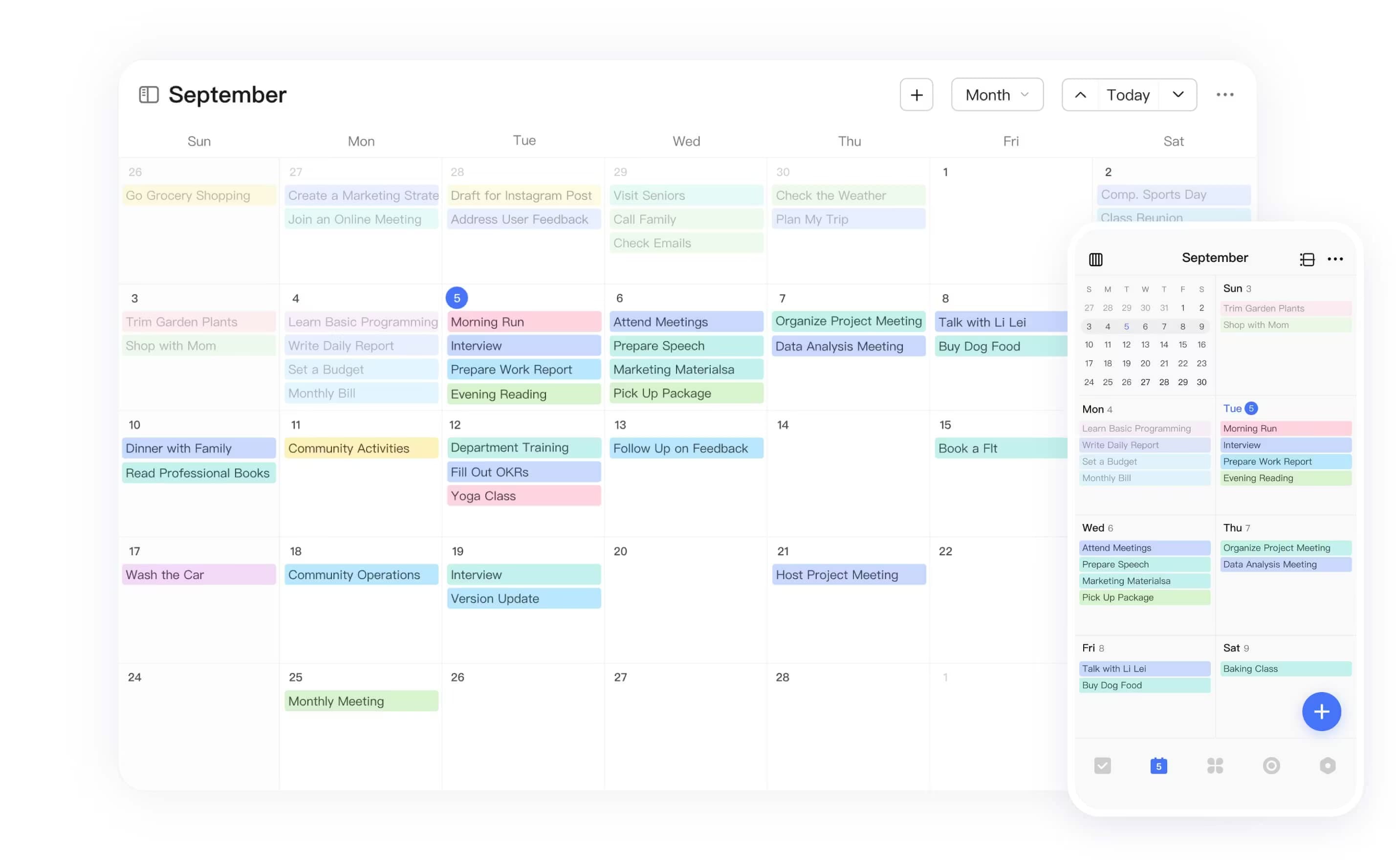
TickTick is a comprehensive task manager that mirrors Todoist’s features—natural language input, projects, tags, and priorities—while adding built-in calendar views, habit tracking, and a pomodoro timer.
Why It Stands Out
The habit tracker integration sets TickTick apart, combining daily task management with habit formation in one app. Its natural language processing enables rapid task entry, matching Todoist’s convenience.
Best For
- Individual users wanting to combine task management with habit formation
- People who prefer a Todoist-like interface with extra features
Key Strengths
- Built-in calendar view and time blocking features
- Comprehensive habit tracking with custom schedules and streaks
- Pomodoro timer and focus tools are integrated directly
- Scores 4.79 in calendar management vs Todoist’s 3.83
The free plan supports 9 lists with 99 tasks each—vastly exceeding Todoist’s 5-project limit. Premium costs just $36/year.
Possible Limitations
- Calendar view and advanced features require a paid plan
- Interface can feel cluttered compared to minimalist alternatives
3. Any.do
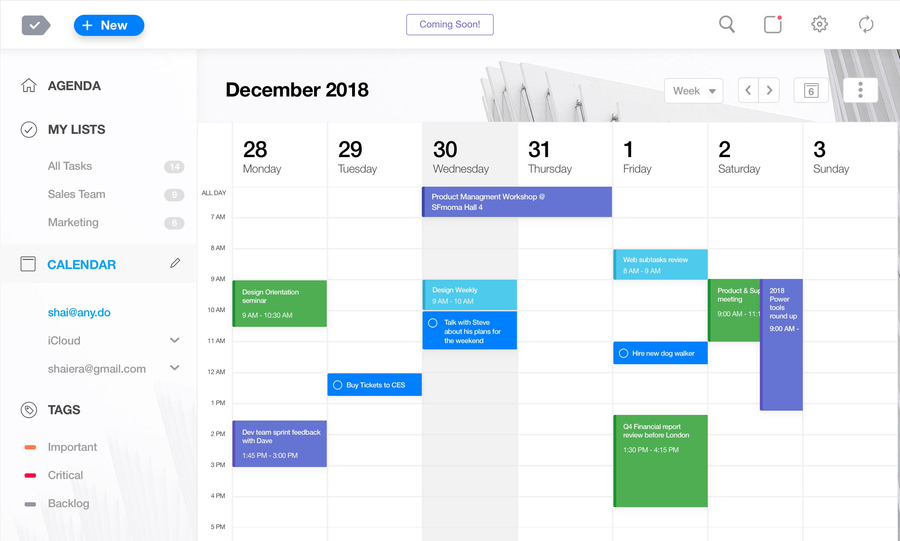
Any.do delivers a user-friendly task manager emphasizing daily and weekly planning with strong calendar integration. Its intuitive drag-and-drop interface makes it easy for new users to get started immediately.
Why It Stands Out
The “My Day” feature for daily task prioritization blends tasks with calendar events seamlessly. You can drop tasks directly onto your schedule for visual organization.
Best For
- Users who plan tasks around calendar events
- People wanting simple visual task organization without complexity
Key Strengths
- Seamless Google Calendar and Outlook integration
- Clean interface with minimal learning curve
- Good collaboration features for shared task lists
- Android apps and iOS support with consistent experience
Possible Limitations
- Advanced features like recurring tasks require premium subscription ($5/month annual)
- Limited project management capabilities for complex workflows
4. Motion
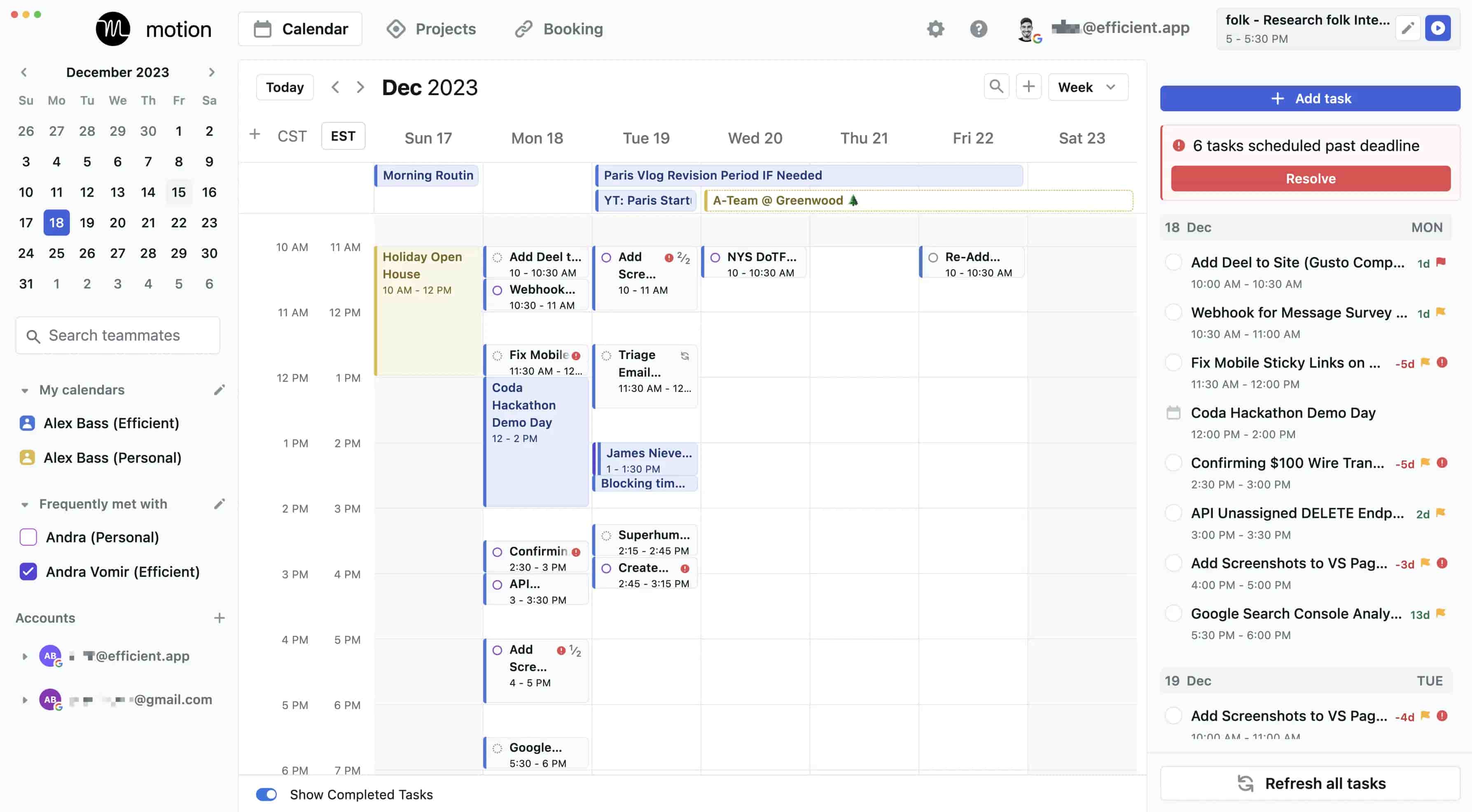
Motion operates as an AI-powered task and calendar management system with a unique approach: it automatically schedules tasks based on your priorities and actual availability.
Why It Stands Out
The AI automatically arranges your to-do list around meetings and deadlines, dynamically rescheduling when calendar changes occur. No manual task planning required.
Best For
- Busy professionals with complex schedules
- Users who want AI to handle task scheduling automatically
Key Strengths
- Intelligent AI scheduling that adapts to calendar changes in real-time
- Integrated meeting and task management in one view
- Automatic workload balancing across scheduled time slots
- Reduces manual planning significantly
Possible Limitations
- Higher cost at $19-$29/month (yearly billing)
- Less control over manual task scheduling for those who prefer it
5. ClickUp
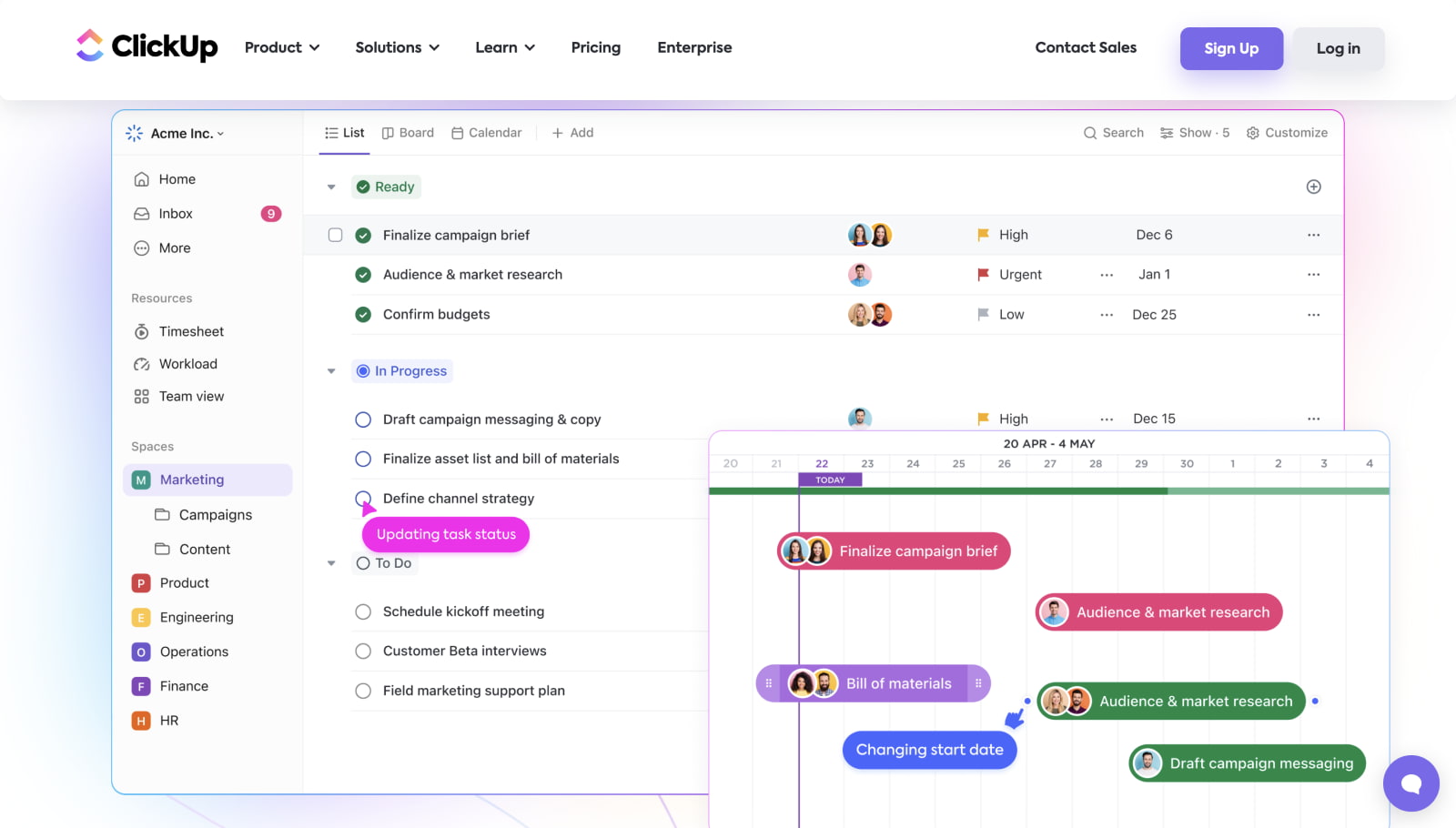
ClickUp serves as a robust project management platform offering flexible task management with extensive customization. It’s designed for teams managing projects seamlessly across departments.
Why It Stands Out
The platform scores 4.75 in deadline management (vs Todoist’s 4.35) and offers 63% unique integrations, including Airtable connections. Team features include real-time collaboration, comments, and detailed progress tracking.
Best For
- Mid-sized teams managing complex projects beyond simple task lists
- Organizations needing detailed project tracking and reporting
Key Strengths
| View Type | Use Case |
|---|---|
| List | Traditional task lists with priorities |
| Kanban | Visual boards for workflow stages |
| Gantt charts | Timeline and dependency tracking |
| Calendar | Date-based planning and scheduling |
| Timeline | Project roadmap visualization |
Generous free plan includes unlimited tasks and users.
Possible Limitations
- It can be overwhelming for simple task management needs
- Steeper learning curve due to extensive features
6. Things (Apple Only)
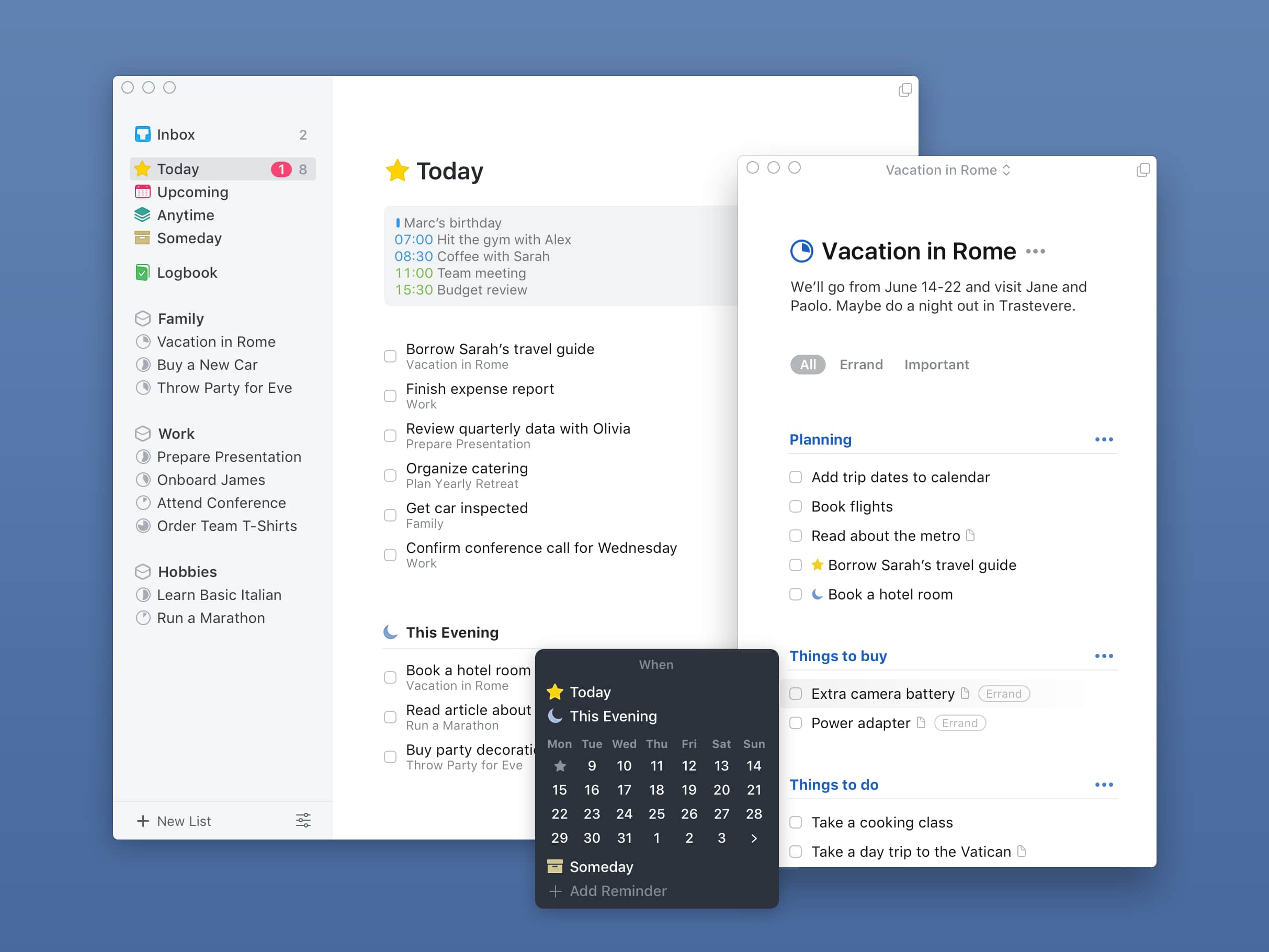
Things is a beautifully designed task manager exclusively for Apple devices, emphasizing simplicity and native ecosystem integration. It represents a premium design philosophy for Mac users and iOS devotees.
Why It Stands Out
One-time purchase pricing ($50 Mac, $10 iPhone) instead of ongoing subscriptions makes it attractive for those avoiding recurring costs. The interface is exceptionally intuitive and polished.
Best For
- Apple ecosystem users want a premium design and experience
- Individuals preferring a one-time purchase over subscriptions
Key Strengths
- Beautiful, intuitive interface designed specifically for Apple devices
- Seamless integration with Apple Calendar and Reminders
- Unique “Someday” list for future task planning
- Create tasks quickly with natural language support
Possible Limitations
- No Windows or Android apps available
- Limited collaboration features for team use
7. Sunsama
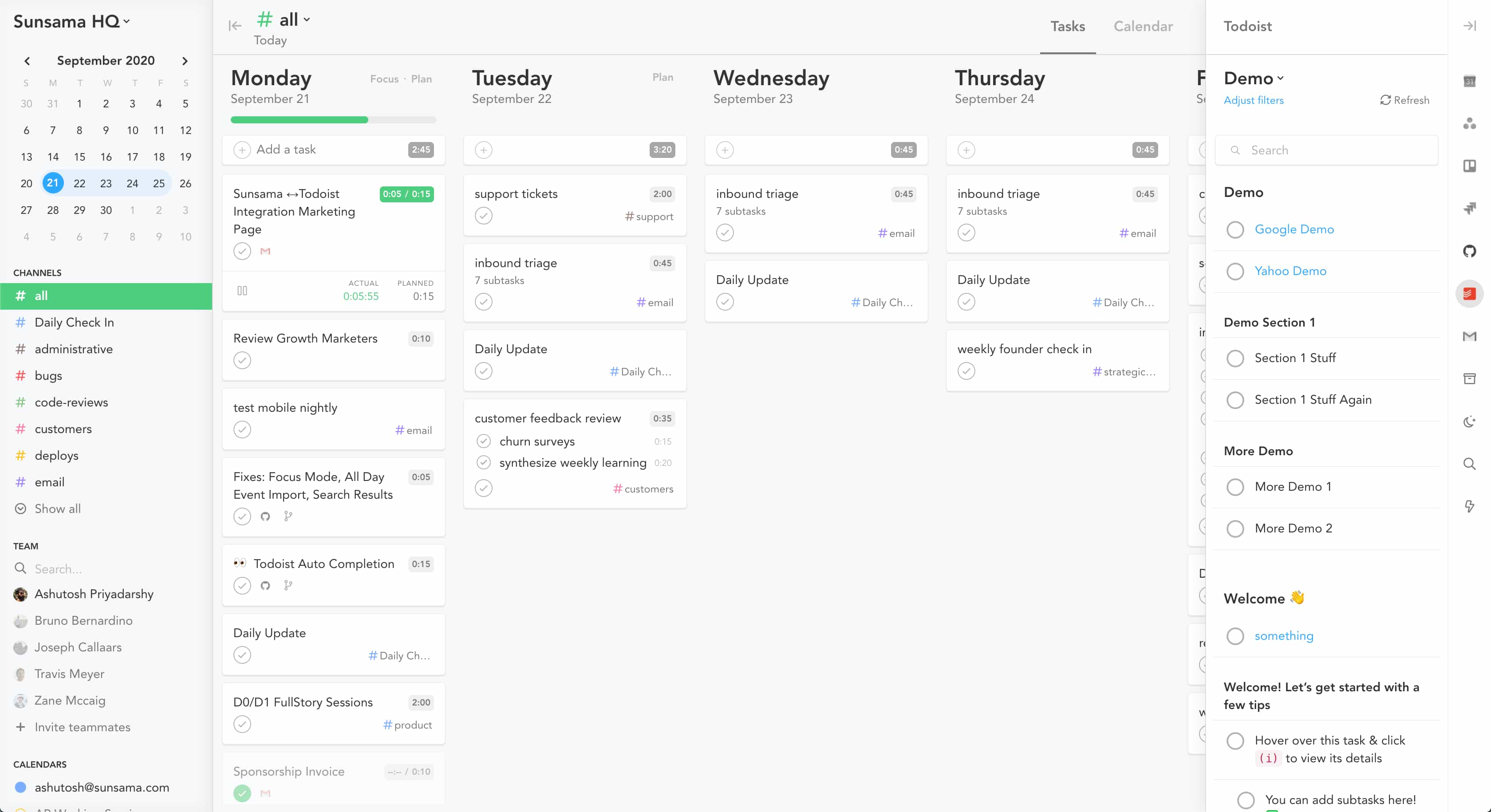
Sunsama functions as a daily planning app focused on time blocking and intentional scheduling, with emphasis on work-life balance and daily planning rituals.
Why It Stands Out
The platform promotes daily planning rituals that encourage time consciousness and intentional work. You schedule tasks with specific time allocations, helping you stay organized without overcommitting.
Best For
- Users who want structured daily planning with time blocking
- People focusing on work-life balance and intentional productivity
Key Strengths
- Excellent time tracking and workload visualization
- Daily planning rituals that define how you approach each day
- Strong integration with other productivity tools
- Helps track tasks against actual time spent
Possible Limitations
- Significantly more expensive than most alternatives
- No free plan available for testing before commitment
Quick Comparison of the Best Todoist Alternatives
| Tool | Best For | Starting Price | Key Strength |
|---|---|---|---|
| BridgeApp | AI automation + all-in-one workspace | Free forever plan (Pro €9/user/mo) | 4.6 hrs/week saved via AI agents |
| TickTick | Habit tracking + task management | Free (Premium $36/yr) | Built-in habits + pomodoro timer |
| Any.do | Simple calendar-focused planning | Free (Premium $5/mo) | Intuitive daily planning |
| Motion | Automatic AI scheduling | $19/mo yearly | Zero manual task scheduling |
| ClickUp | Complex project management | Free unlimited | Most flexible views + team tools |
| Things | Apple users + premium design | $50 one-time (Mac) | Beautiful native experience |
| Sunsama | Time blocking + daily rituals | Premium only | Intentional work-life balance |
Many users find that the right task management app choice depends more on workflow style than feature lists. Test free plans before committing.
How to Choose the Right Todoist Alternative?
Choose Based on Your Team Size and Collaboration Needs
Individual users managing personal tasks have different requirements than team leaders coordinating across departments.
For individuals:
- TickTick, Any.do, and Things excel at personal productivity
- Limited shared projects may suffice
- Focus on habit tracker features, time blocking, or design preferences
For teams:
- BridgeApp offers integrated communication alongside task management
- ClickUp provides comprehensive team features with role-based permissions
- Real-time collaboration, comments, and activity tracking become essential
Consider how each team member will interact with tasks directly, and whether you need features like workload visualization across the entire group.
Choose Based on Integration and Automation Requirements
Your current tool ecosystem matters significantly. Google Tasks users may prioritize Google Calendar integration, while Slack-heavy teams need seamless messaging connections.
Integration considerations:
- ClickUp offers 63% unique integrations vs Todoist’s 37% shared integrations
- BridgeApp supports MCP (Model Context Protocol), allowing agents to connect to external servers
- Any.do provides excellent calendar sync with Google and Outlook
Automation capabilities:
- BridgeApp’s visual no-code agent builder creates workflow automations without coding
- Motion handles automatic task rescheduling via AI
- ClickUp offers automation rules for repetitive actions
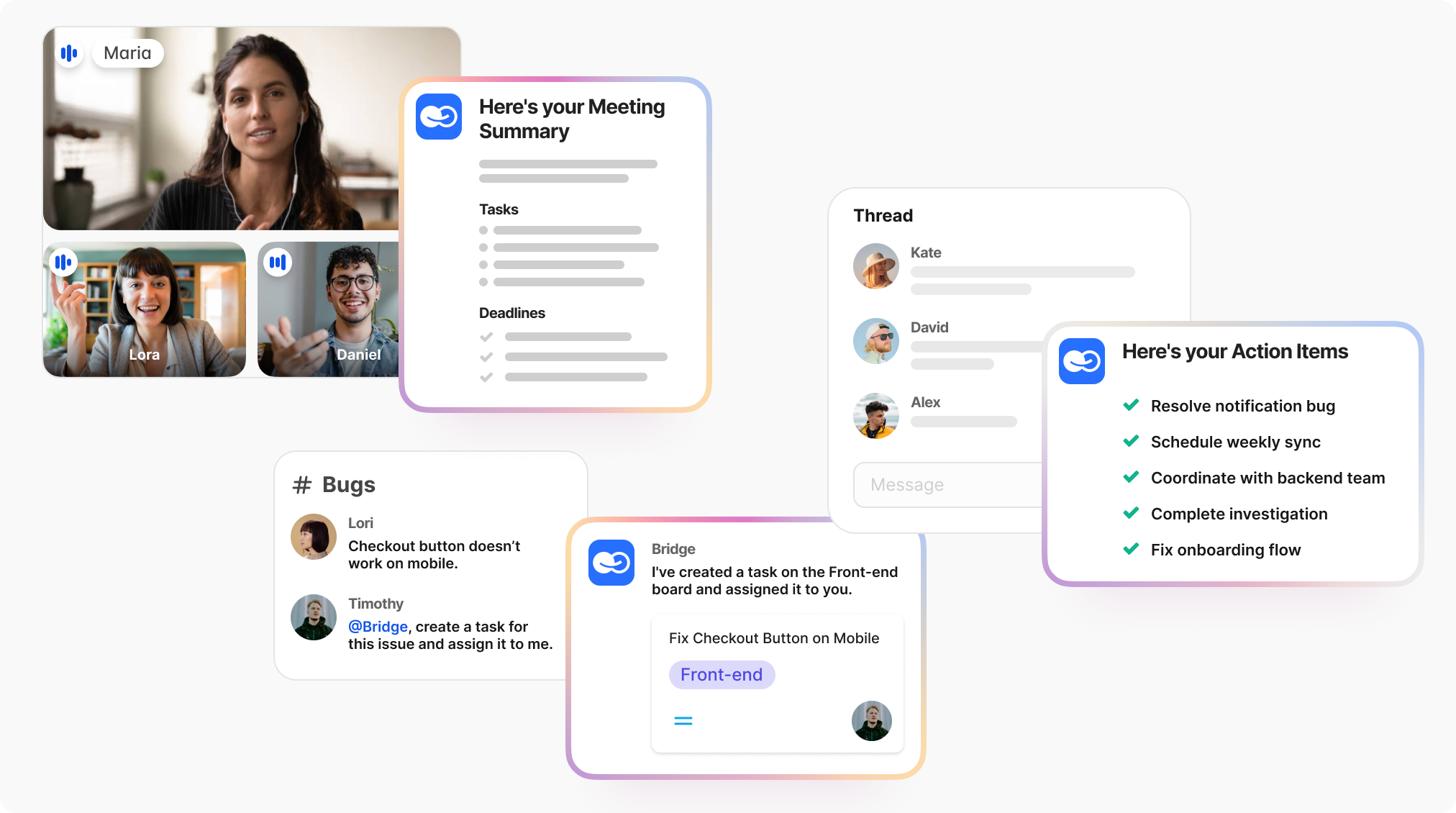
AI features increasingly define productivity tools in 2026, with 68% of users prioritizing AI capabilities for task execution.
Choose Based on Pricing and Value Preferences
Pricing models vary significantly across alternatives.
Free plan comparison:
- TickTick: 9 lists, 99 tasks each (generous)
- ClickUp: Unlimited tasks and users (most generous)
- BridgeApp: Core modules free including AI builder and unlimited members
- Todoist: Limited to 5 projects, 5 collaborators
Paid plan value:
- Things: One-time $50-60 vs ongoing subscriptions
- TickTick Premium: $36/year (excellent value)
- Motion: $19-29/month (premium positioning)
For teams, consider total cost of ownership. BridgeApp’s metrics suggest a 3-month ROI timeline through routine automation savings — $1.656M annually for a 250-person team at $30/hour average.
Which Option Is Best for You?
Choose BridgeApp if: You want to consolidate multiple productivity tools while gaining AI automation that handles routine tasks. Ideal for teams ready to switch from fragmented workflows to an integrated solution with security and deployment flexibility.
Choose TickTick if: You need habit tracking alongside traditional task management at an affordable price. The combination of to-do list functionality with habit formation tools creates a complete personal productivity system.
Choose Any.do if: You prioritize simplicity and calendar integration above all else. The clean interface and daily planning focus help you manage deadlines without complexity.
Choose Motion if: You want AI to handle task scheduling automatically based on your calendar and priorities. Best for professionals whose schedules change frequently and who dislike manual planning.
Choose ClickUp if: You manage complex projects requiring detailed tracking, visual boards, and team collaboration. The flexibility accommodates virtually any workflow structure.
Choose Things if: You’re committed to the Apple ecosystem and value premium design. The one-time purchase model appeals to those avoiding ongoing subscription costs.
Choose Sunsama if: Daily planning rituals and time blocking are your priorities. The focus on intentional scheduling helps maintain work-life balance.
Final Thoughts
The best Todoist alternative depends on your specific workflow needs and team requirements. Individual users optimizing personal tasks may find TickTick’s habit integration or Things’ design compelling, while teams benefit from BridgeApp’s AI automation or ClickUp’s project depth.
Modern task management increasingly benefits from AI automation and integrated workflows. The fragmentation of using separate apps for messaging, documents, databases, and tasks creates inefficiency that unified platforms address directly.
Start with free trials to test how each tool fits your productivity style before committing to a paid plan.
The productivity tool landscape continues evolving rapidly, with AI integration becoming increasingly important. Tools that embed intelligence at their core—rather than adding it superficially—will likely define the next generation of how we manage work and stay organized.
Consider your long-term needs: Do you need simple tools for a to-do list app, or a comprehensive solution that can grow with your team? Your answer will guide you toward the right choice.