BlogProduct Updates
The Universal Socket: BridgeApp Introduces MCP Support

BridgeApp Team
5 min read
For years, the "Integration Tax" was the cost of doing business, relying on fragmented stacks and patchwork software suites to meet the scattered demands of the enterprise. In high-stakes scenarios, countless hours were hemorrhaged by engineering teams writing fragile middleware, fighting with API rate limits, and maintaining custom connectors.
But the reality is changing. We witnessed the explosive rise of remote work, the sunset of the traditional SaaS era, and the emergence of "vibecoding" and pervasive AI. The nature of the "workspace" has shifted as well—it is now the singular arena where everything converges: tasks, discussions, raw data, live database access, and the AI agents working alongside human teammates.
With the native integration of the Model Context Protocol (MCP), BridgeApp, one of the first to adopt this hybrid all-inclusive approach, is moving beyond being a mere "workspace." It is becoming a workspace-native operating layer for AI agents able to execute actions beyond the boundaries of the system itself - a neural hub where any external tool can be plugged in, understood, and executed with the versatile simplicity of a standardized interface.
The Logic of MCP Connectivity
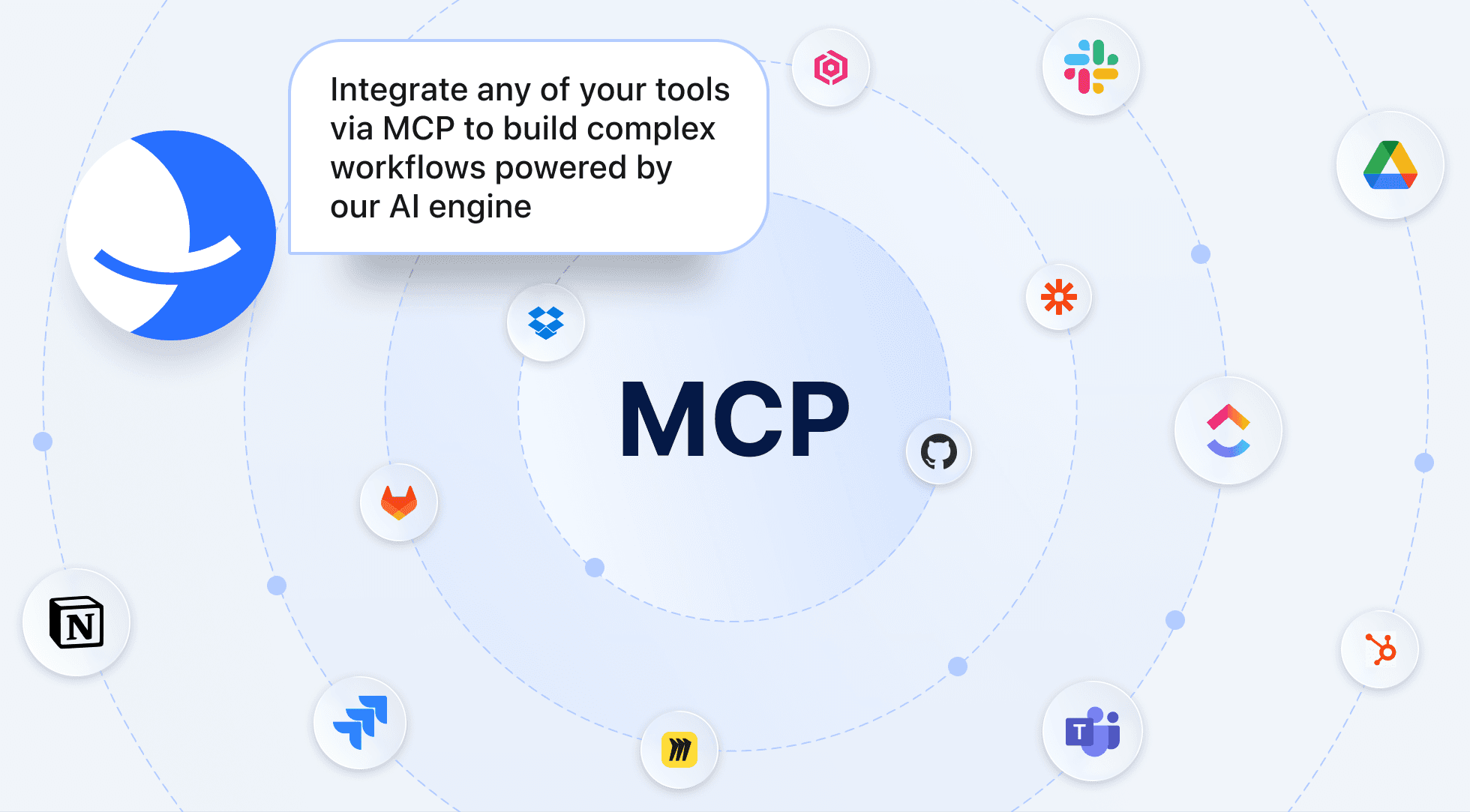
It is not another custom integration layer. MCP is an open protocol that standardizes how AI applications discover and use external tools, resources, and prompts. It’s the agentic Esperanto. Traditionally, if you wanted your environment to "understand" a third-party service, you had to manually map out every endpoint. In BridgeApp, that manual slog is over. Users are now presented with a "Universal Socket." You simply provide a URL for the tool you need to connect—say, a speech-to-text engine or a trading data stream—and the system performs a digital handshake. Within seconds, agents living in BridgeApp query the server, automatically discovering the server’s exposed tools, resources, and capabilities. The AI doesn't just "read" the documentation and try to set up connectivity; it inherits the executive capability, gaining structured access to the server’s functions and contextual resources through the host application.
Case Study: The SEO Oracle
To see the power of this plug-and-play architecture in action, consider the integration of the Ahrefs service. Until recently, a marketing lead would spend hours jumping between tabs, exporting CSVs, and manually feeding data into a chat window for analysis.
By connecting the Ahrefs MCP server directly into BridgeApp, the workflow is fundamentally rewritten. Once the URL is plugged in and the "User Token" is verified, the BridgeApp agent instantly "sees" the Ahrefs toolkit.
After connecting an MCP to a specific agent, the agent instantly gains all its capabilities — and you unlock an unlimited range of scenarios to build and automate. We also support multiple MCPs within a single agent, giving you maximum flexibility and scalability.
We recently watched this play out: a team created an "SEO Oracle" agent inside BridgeApp. Instead of a person fetching data, the agent was given direct access to the Ahrefs MCP server. Now, in the middle of a strategic thread, a team member can simply ask: "What’s our backlink velocity compared to our competitors this month?" The agent doesn't "hallucinate" an answer or ask for a file upload. It calls the relevant backlink-analysis tool exposed by the Ahrefs MCP server, processes live source data, and visualizes the growth chart in situ. The "context gap" is closed. The agent quickly becomes something far more professional and specialized than just a chatbot—an analyst with a direct line to the source.
Building Your Own Multi-Task Brain
The most radical implication of BridgeApp’s MCP support concerns the "dark matter"—your entire stack and the vast archives of data you have already built: CRMs, CMS, internal automation tools, SQL clusters, and other deep data repositories.
Want an agent that can query your internal inventory database to suggest reorder points? Or an agent that can tap into your private CRM to draft personalized outreach? BridgeApp acts as the client that connects to these servers, effectively turning your workspace into a private intelligence and execution layer with access to the systems your team already relies on. In MCP terms, BridgeApp acts as the host environment, with MCP clients inside it connecting to external MCP servers that expose tools and context.
The industry is already moving: many tools now expose MCP servers. If your team or your partners need a connector for legacy systems, they can simply set up their own. Because MCP is an open standard, it allows developers to write lightweight servers in Python or TypeScript, giving your agents 'brain implants'—autonomous capabilities tuned to your tasks.
Importantly, MCP is not only about calling tools. It also standardizes access to structured resources and reusable prompts, which makes agent behavior more consistent and context-rich across systems.
How to connect an external MCP server in BridgeApp
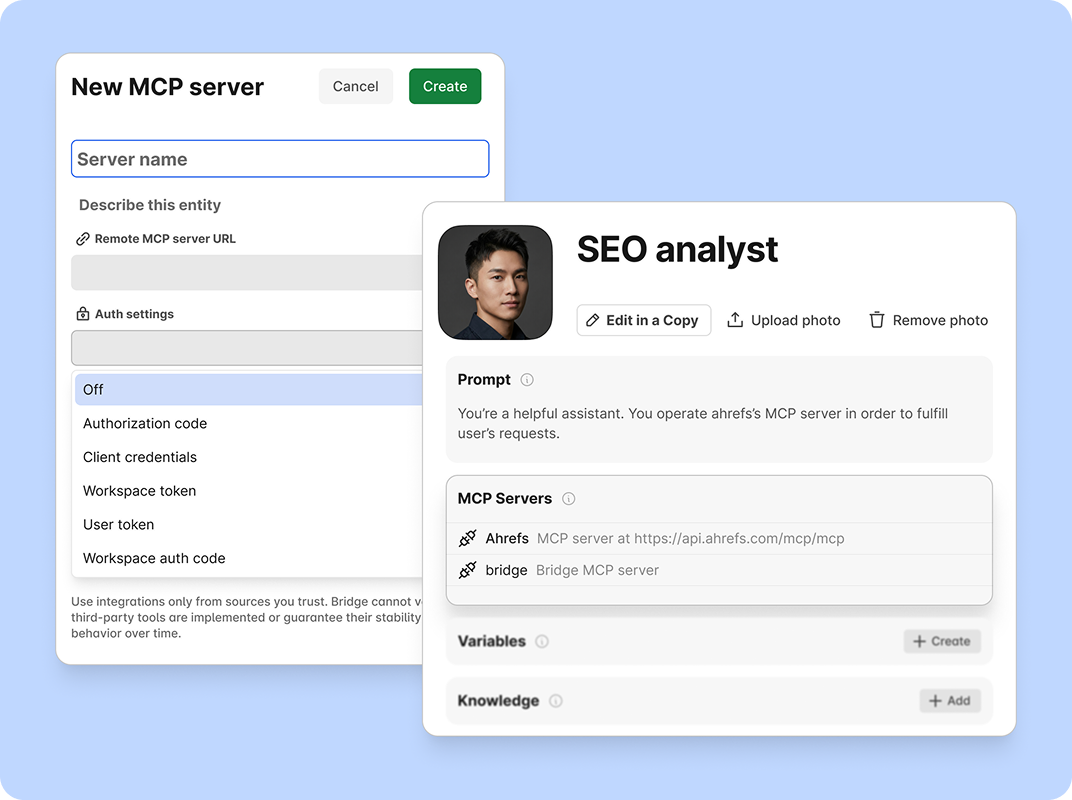
We designed it to be frictionless. The settings are located in the Agents → MCP Servers section.
- Enter the URL: The MCP server address is usually found in the provider’s documentation.
- Select Authentication: BridgeApp allows you to grant an agent the "sanction" to act without handing over master keys.
- Deploy: Bridge automatically retrieves the list of tools, and your agents are ready for action.
Is MCP secure?
BridgeApp’s implementation of MCP doesn’t sacrifice security for speed. The protocol is designed to support secure connection patterns across both public and internal MCP deployments.
In the new interface, teams can toggle between:
- Authorization codes and client credentials for standard OAuth flows;
- Token-based options for internal or service-level access, where appropriate to the deployment model;
- And Off settings for sandboxed, local-only servers where speed is the priority.
MCP does not remove the need for disciplined permissions design, server upkeep, or clear workflow boundaries, but it dramatically lowers the cost of making external systems safely usable by agents.
The Horizon of the Fluid Enterprise
The goal of BridgeApp has always been to turn project management into a "self-driving process." By adopting MCP, we are removing the last point of friction: the data barrier.
We are moving toward a Fluid Enterprise, where the distance between a strategic question and technical execution approaches zero. You no longer manage integrations; you manage a "graph of capabilities." You plug in a server, you grant the permission, and you watch the flywheel spin.
Stick around. We’re only just clearing the launchpad.
Your BridgeApp team.
[Explore BridgeApp's Pricing] | [Request a Demo] | [Start with a Free Plan]