BlogIndustry Insights
Remote Team Challenges in 2026: How to Solve Them

BridgeApp Team
9 min read

Leading remote teams can feel overwhelming, but it doesn't have to be. In this guide, we'll equip you with practical collaboration tools, step-by-step actions, and real-world examples to tackle the most pressing challenges managers face when working remotely. Say goodbye to vague advice and hello to actionable strategies that will enhance team cohesion, boost employee engagement, and foster genuine company culture — even across time zones. Let's turn those frustrations into solutions you can implement today.
What Are the Core Challenges of Managing Remote Teams?
Managing remote teams comes with unique challenges that can hinder productivity and team cohesion. A "remote team challenge" refers to any obstacle arising from the geographical separation of team members that affects collaboration, communication, and overall effectiveness. Understanding these challenges is crucial for new team leaders, as it helps them anticipate issues before they affect team morale or employee engagement.
Communication Barriers: Remote employees often struggle with unclear expectations and communication. According to Owl Labs, 70% of remote workers report difficulties in communication clarity. This gap widens when distributed teams rely on too many disconnected collaboration tools rather than a unified workspace.
Productivity Tracking: Monitoring productivity without face-to-face interaction leads to uncertainty about team members' performance. Without the right project management visibility, managers can't distinguish genuine blockers from disengagement.
Isolation Working remotely can foster feelings of isolation among remote team members, which directly impacts team morale, mental health, and company culture. Remote colleagues who feel disconnected are far less likely to participate in virtual team-building activities or contribute ideas proactively.
Time Zone Differences Coordinating virtual meetings and team meetings across time zones complicates collaboration for distributed teams and hybrid teams alike. Without clear expectations around scheduling, remote team members in minority time zones consistently bear the burden.
Data Security Remote work increases the risk of data breaches and security vulnerabilities. The more collaboration tools a remote workforce uses, the larger the attack surface — making company culture around security hygiene as important as the tools themselves.
| Top 5 Remote Team Challenges |
|---|
| Communication Barriers |
| Productivity Tracking |
| Isolation & Team Morale |
| Time Zone Differences |
| Data Security |
Why Do These Challenges Matter for Team Success?
Remote team challenges matter because they directly impact productivity, team morale, turnover, and client satisfaction. A disjointed remote workforce experiences 33% higher turnover, according to Buffer's State of Remote Work, disrupting team cohesion and incurring substantial costs for hiring and retraining.
| Challenge | Expected Impact |
|---|---|
| Communication Barriers | Decreased team cohesion and innovation |
| Social Isolation | Lowered employee engagement and mental health |
| Time Zone Differences | Delays in project management timelines |
| Lack of Accountability | Increased errors and reduced team spirit |
When remote team members struggle with communication, they miss critical updates — leading to project delays and client dissatisfaction. The same principles that build strong in-person teams apply to virtual teams: clear expectations, psychological safety, and the right collaboration tools. Addressing these challenges proactively enhances team cohesion, improves work-life balance, and drives better team goal outcomes.
How Can You Diagnose Remote Team Issues Quickly?
Diagnosing remote team issues quickly is essential for maintaining productivity and team morale. We recommend the "3-Minute Remote Health Check" — a quick diagnostic workflow any manager of remote employees can implement immediately.
Step 1: Weekly Pulse Survey Send a brief anonymous survey to gauge remote team sentiment. Include questions about workload, clear expectations, and any obstacles remote team members are facing. Keep it under five questions — a few minutes is all it should take.
Step 2: Async 1:1 Check-ins Schedule regular asynchronous check-ins using a structured template. Prompt remote workers to share updates, concerns, and conversation starters that surface blockers before they become crises. This respects time zones without requiring a live video call.
Step 3: Monitor Key Performance Indicators. Track project management KPIs like deadline completion rates, employee engagement scores, and participation in weekly meetings. Red flags — missed deadlines, delayed responses in the Slack channel, declining attendance at virtual meetings — are early signals worth acting on.
3-Minute Remote Team Health Check Checklist:
- Weekly pulse survey distributed
- Async 1:1 template in use
- KPIs monitored and reviewed
- Slack channel activity reviewed for disengagement signals
- Time zone equity checked for upcoming team meetings
What Are Actionable Solutions for Each Remote Team Challenge?
Communication Barriers → Build Clear Channels and Expectations
Action Steps:
- Implement a dedicated collaboration tool (BridgeApp, Slack, or Microsoft Teams) as your single source of truth for team members
- Schedule regular virtual meetings or weekly meetings with structured agendas and clear expectations
- Create a shared workspace where remote colleagues can post updates, questions, and decisions — reducing reliance on scattered email threads
Example: A software development team adopted a unified platform as its primary communication hub, resulting in a 30% decrease in email volume. Their weekly meetings shifted from status updates to actual problem-solving, freeing remote employees to focus on deeper work.
Script for check-in meetings: "Welcome everyone. Quick round of updates: what did you accomplish last week, what are you working on this week, and what blockers do you need help with?"
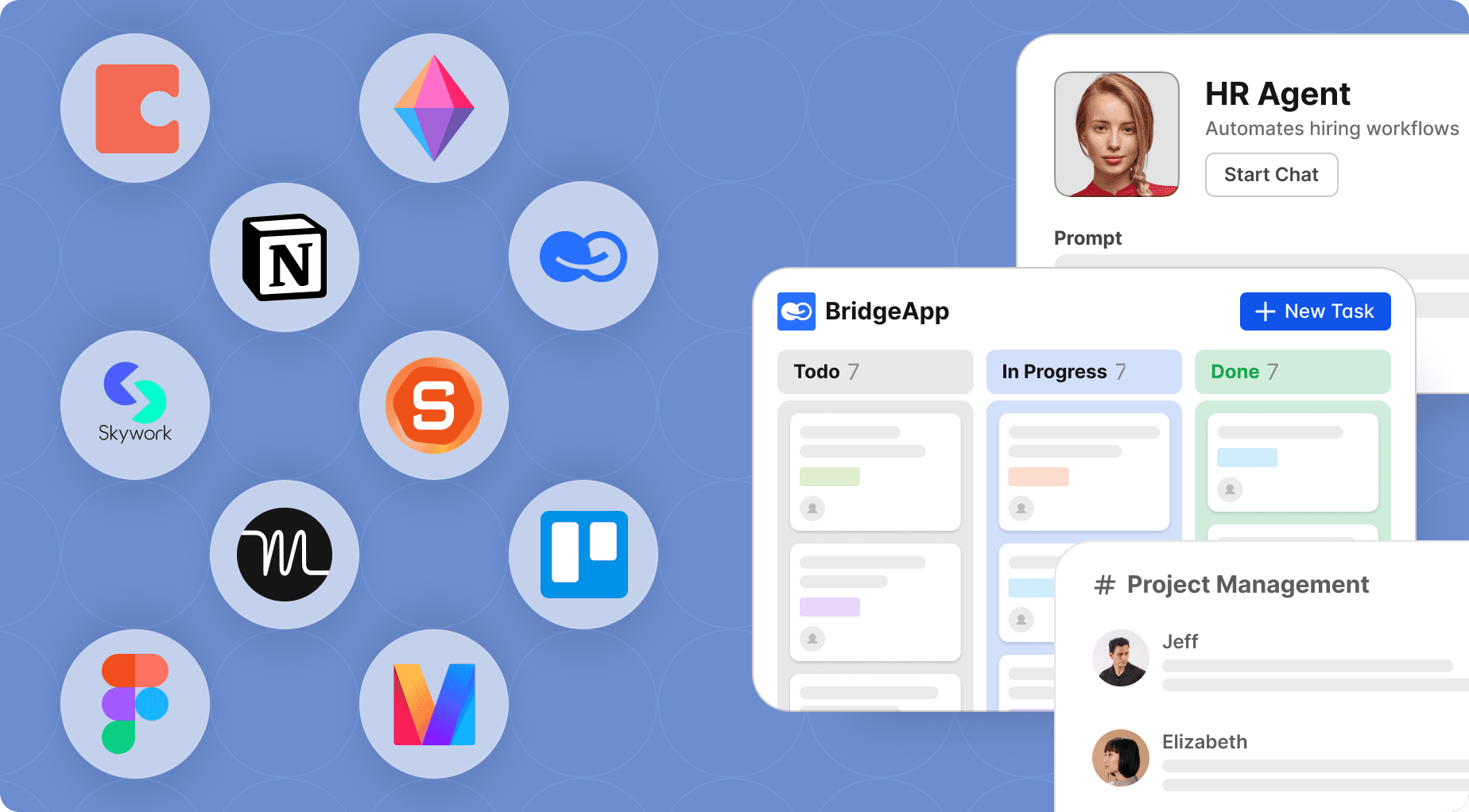
Where BridgeApp helps: Rather than managing a Slack channel for chat, a separate tool for project management, and another for documentation, BridgeApp connects all three — so decisions made in conversation immediately become tasks and knowledge base entries, keeping the entire team on the same page.
Productivity Tracking → Use Integrated Project Management
Action Steps:
- Choose a project management platform that gives visibility into team members' tasks without micromanaging
- Set clear expectations around deadlines and the team's goals — with specific ownership for every task
- Use dashboards to monitor project management progress and identify bottlenecks before they derail remote team members
Example: A marketing team using Asana improved task completion rates by 40% by visualizing project timelines. Remote workers reported feeling more accountable — and less anxious — when they could see how their work connected to the entire team's goals.
Script for task assignment: "For this project, [name], you'll handle [task]. The deadline is [date]. Please update the task status as you progress so the team stays aligned."

Where BridgeApp helps: BridgeApp's project management module — with Kanban, backlog, and list views — lives in the same workspace as team meetings, chat, and documentation. Remote team members don't need to switch between other team members' tools to understand project management status.
Social Isolation → Invest in Virtual Team Building
Remote team building is often the first thing to be dropped when teams get busy — and the most expensive to neglect long-term. Virtual team building activities directly combat the isolation that erodes company culture in fully remote and hybrid teams.
Action Steps:
- Schedule regular virtual team-building activities — virtual happy hours, trivia, or escape rooms — proven formats for bringing remote colleagues closer together.
- Create informal Slack channel spaces (a "watercooler" or "random" channel) for non-work conversation starters that inject fun into daily remote work
- Use quick team-building activities at the start of weekly meetings — team-building games, fun team building games, or simple icebreakers like asking everyone to show a random object from their desk
- Start a book club, rotating team closer discussions, or a virtual pub crawl to build team spirit beyond project work
Example: A remote team introduced monthly virtual happy hours and twice-weekly informal video call drop-ins. Within three months, employee engagement scores rose 30%, and team cohesion measurably improved — with remote team members volunteering for cross-functional projects at higher rates.
Icebreaker for virtual meetings: "What's one thing outside of work that's been bringing you energy lately? Let's share for a few minutes before we dive in."
Fun team-building activities worth trying:
- Online team building games and fun team building games via platforms like Jackbox or Gartic Phone
- Virtual escape rooms for group challenges that build problem-solving and team spirit simultaneously
- Virtual trivia nights on a rotating schedule
- Personality test sharing sessions (MBTI, Enneagram) as conversation starters that help remote colleagues understand each other's working styles
- Virtual pub crawl or themed virtual happy hours for team bonding without the pressure of structured agendas
Where BridgeApp helps: BridgeApp's built-in audio and video call capabilities mean that virtual team-building activities don't require a separate video conferencing subscription. Remote team members can jump into informal calls directly from the same workspace they use for project management — reducing the friction that keeps spontaneous team bonding from happening.
Time Zone Differences → Build Async-First Culture
Action Steps:
- Use smart scheduling tools to find overlapping hours for virtual meetings without consistently disadvantaging the same remote team members
- Rotate team meeting times to ensure time zone equity across the entire team
- Default to asynchronous updates — written summaries, recorded video call walkthroughs, or threaded Slack channel discussions — so remote workers in every time zone can contribute on their schedule
- Set clear expectations about response windows so remote colleagues don't feel pressure to be always-on
Example: An international product team rotated weekly meeting times quarterly, ensuring no single region was consistently inconvenienced. Remote team members in minority time zones reported feeling more included — and team morale improved as a result.
Meeting invitation template: "We're scheduling this meeting at [Time] UTC to accommodate our global team. If you can't make it, please share your updates in the shared thread beforehand — we'll record the session and post a summary."
Where BridgeApp helps: BridgeApp's AI agents automatically summarize virtual meetings and Slack channel threads — so remote team members who missed a live session get a clear, actionable summary without needing to replay the full video call. This is one of the most practical ways to make time zone equity real rather than aspirational. Integrate any of your tools via MCP to build complex workflows powered by BridgeApp's AI engine.
Data Security → Establish Policies and Sovereign Infrastructure
Action Steps:
- Develop a comprehensive remote work security policy with clear expectations for every remote employee
- Evaluate whether your collaboration tools store company data on servers you control — or on third-party infrastructure you don't
- Conduct regular training on security best practices, making it part of company culture rather than a one-time onboarding checkbox
Example: A financial services firm implemented strict data-sharing policies and trained remote employees on secure practices, resulting in zero data breaches over the year — and significantly improved client trust.
Where BridgeApp helps: Unlike most collaboration tools that store company data on US cloud servers outside your control, BridgeApp offers full on-premise, private cloud, and hybrid deployment. Distributed teams in regulated industries get a GDPR-compliant infrastructure with end-to-end encryption and zero third-party data access — making security company culture rather than a compliance afterthought.
Implementation Table
| Challenge | Solution Steps | Tool |
|---|---|---|
| Communication Barriers | Unified platform + weekly meetings + clear expectations | BridgeApp, Slack, Microsoft Teams |
| Productivity Tracking | Project management dashboards + task ownership | BridgeApp, Asana, Trello |
| Social Isolation | Virtual team building activities + informal channels + virtual happy hours | BridgeApp, Donut, Jackbox |
| Time Zone Differences | Rotate team meetings + async summaries + clear expectations | BridgeApp AI agents, World Time Buddy |
| Data Security | Security policy + sovereign infrastructure + training | BridgeApp (on-premise), Google Drive |
Tools and Templates That Make Remote Team Management Easier
| Tool | Purpose | Best For | Free Option | Key Strength |
|---|---|---|---|---|
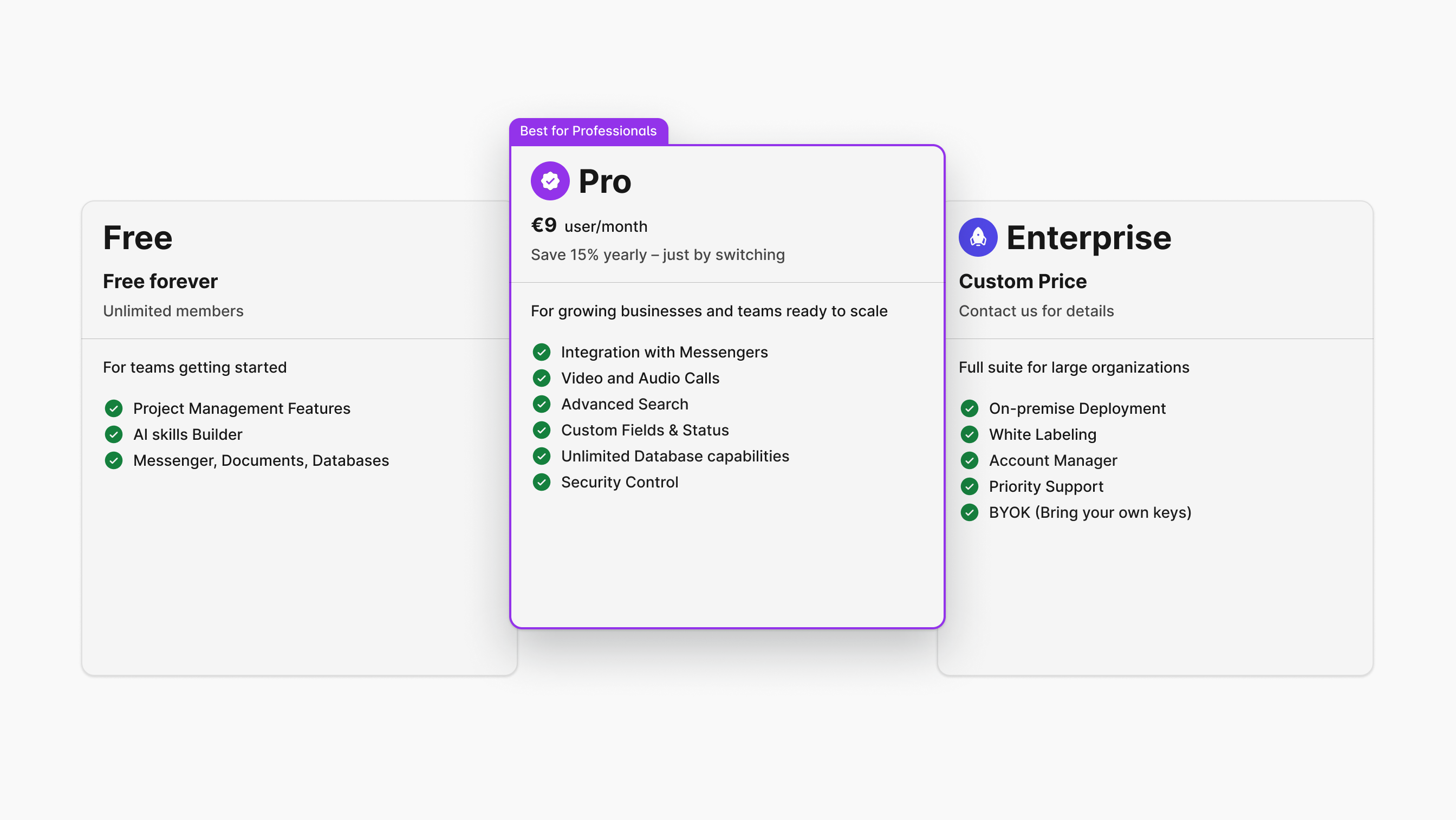
| BridgeApp | All-in-one remote team workspace | Fully remote and hybrid teams of any team size | Free plan — unlimited seats | Replaces 6–7 tools; AI-native; on-premise available |
| Slack | Team communication | Quick updates, Slack channel culture | Yes | Extensive integrations |
| Notion | Project management & documentation | Organizing tasks and notes | Yes | Highly customizable |
| 15Five | Employee engagement & feedback | Regular check-ins | Yes (limited) | Continuous feedback focus |
| Trello | Task management | Visual project management | Yes | Intuitive drag-and-drop |
| Asana | Task and project management | Complex projects | Yes (limited) | Powerful reporting |
| Zoom | Video conferencing | Remote team meetings | Yes | High-quality video call and screen sharing |
Common Mistakes When Managing Remote Teams — and How to Avoid Them
Mistake 1: Confusing Activity with Productivity. Many managers equate busy virtual meeting schedules with high performance. This drives burnout without improving the team's goal achievement. Fix: Implement outcome-based metrics. Measure what remote employees deliver, not how many weekly meetings they attend.
Mistake 2: Over- or Under-Relying on Async Tools. Too much asynchronous communication creates communication gaps; too little traps remote team members in back-to-back video call schedules that leave no room for deep work. Fix: Balance sync and async deliberately — reserve virtual meetings for decisions and team bonding, and use async for updates and project management status.
Mistake 3: Neglecting Virtual Team Building. Skipping virtual team building activities feels like a time saver until team morale crumbles and turnover rises. Fix: Schedule fun team-building activities — virtual trivia, virtual escape rooms, or virtual happy hours — with the same priority as team meetings. Remote team building is not optional for a healthy company culture.
Mistake 4: Ignoring Time-Zone Equity. Consistently scheduling team meetings at times that suit headquarters — and inconveniencing remote team members elsewhere — signals that some remote colleagues matter less. Fix: Rotate weekly meeting times. Use async summaries for virtual meetings that remote workers can't attend. Make time zone equity a stated company culture value, not an afterthought.
FAQs: Managing Remote Teams
What are the core challenges of managing remote teams? Core challenges include communication barriers, productivity tracking, social isolation, time zone differences, and data security. Buffer's State of Remote Work consistently shows that remote employees cite communication and isolation as their top struggles — both of which virtual team building activities and unified collaboration tools can meaningfully address.
How can I fix communication issues in a remote team? Establish clear expectations and consolidate collaboration tools to reduce fragmentation. Regular virtual meetings, async summaries, and a unified workspace where remote team members can find everything in one place are more effective than adding more team meetings to an already-crowded calendar.
How do I measure productivity in remote teams? Use project management KPIs focused on outcomes — delivery quality, deadline completion, team's goals achievement — rather than hours online. Tools like BridgeApp, Asana, or Trello give managers visibility into project management progress without micromanaging remote workers.
What strategies motivate remote teams? Recognize achievements publicly, create virtual team-building activities that inject fun into the remote work week, and foster team spirit through informal connections. Buffer's survey shows 30% of remote workers feel disconnected — meaning team bonding and employee engagement investment has direct ROI.
How do I build trust in a distributed workforce? Transparency and consistent, clear expectations are foundational. Pair those with virtual happy hours, informal conversation starters in weekly meetings, and team-building activities that help remote colleagues see each other as people first. Research shows teams with high trust levels are 50% more productive.
What's the best tool for fully remote teams? For fully remote and hybrid teams who want to consolidate their stack, BridgeApp offers the strongest all-in-one answer — combining project management, team communication, documentation, video call capabilities, and AI automation in one platform, with a free plan that includes unlimited seats and no penalty for team size growth.