BlogIndustry Insights
Top All-in-One AI Workspaces for 2026

BridgeApp Team
17 min read
Choosing the right all-in-one AI workspace has become a budget decision as much as a productivity one. Most teams are now paying for multiple AI tools that overlap, sit in separate silos, and each hold a fragment of the context needed to actually finish work. This guide is written for the people who own that decision - operations leads, IT and product managers, agency owners, and department heads - and walks through what an AI workspace actually is, how the leading options compare in 2026, and how to calculate whether consolidating into one tool pays for itself.
What Is the Best All-in-One AI Workspace?
An all-in-one AI workspace integrates multiple artificial intelligence capabilities into a single interface - chat, task management, documentation, databases, and automation - so that teams stop assembling their day out of disconnected apps. These solutions are often described as an "AI platform" or a "multi-model AI platform," because they unify multiple AI models - large language models, image models, and increasingly voice and video models - within one interface, alongside collaboration and multi-user management.
The defining difference from single-use AI tools is context. A standalone chatbot answers questions in a vacuum. An AI workspace aims to operate on the same context where work already exists: your team's conversations, your project history, your documents, your customer records. It connects notes, documents, chats, and meetings into a single living system rather than a pile of files that happen to sit on the same drive.
That has two practical consequences. First, an all-in-one AI workspace reduces software complexity and tool fatigue by consolidating functions that used to require six or seven separate subscriptions. Second, the AI inside it is meaningfully better, because a context-aware AI assistant that understands your projects, data, and communications can generate text, summaries, and next steps that are actually usable - instead of generically correct and practically worthless.
For instance, according to Aizolo's 2026 comparison, these multi-model tools let users manage communication, documentation, and automated processes within one cohesive environment. When teams can reach everything they need from one platform, attention goes into the work rather than into locating it.
Why Teams Are Consolidating Multiple AI Tools Into One Tool
Investment in AI is not the bottleneck. Integration is.
McKinsey's Superagency in the Workplace research found that 92% of companies plan to increase their AI investments over the next three years, while only 1% of leaders describe their companies as "mature" on the deployment spectrum - meaning AI is fully integrated into workflows and drives substantial business outcomes. That gap is the whole story of 2026. Almost every organization is buying AI. Almost none has it embedded in how work actually moves.
The reason is structural. When AI arrives as a dozen separate point tools, each one lives beside the workflow instead of inside it. Someone has to copy the meeting transcript into a summarizer, paste the summary into a task tracker, and re-explain the project to a chatbot that has never seen it. Every handoff is manual, and every manual handoff is where adoption quietly dies.
The cost shows up in three places:
Time lost to switching. A Harvard Business Review study of 137 users across three Fortune 500 companies found that workers toggled between applications roughly 1,200 times each day, adding up to just under four hours a week spent reorienting themselves after switching - around 9% of their time at work. Adding more AI tools to an already fragmented stack makes this worse, not better.
Money lost to duplication. Multiple AI subscriptions rarely stay tidy. A typical mid-size team ends up paying separately for a chat assistant, a writing tool, a meeting recorder, an automation platform, and a search layer - several of which are wrappers around the same underlying models. Consolidating multiple AI tools into one tool removes the overlap, and usually removes a per-seat charge or two along with it.
Control lost over keys and data. Teams that already hold vendor relationships with model providers often want to run inference on their own API keys rather than through someone else's markup. Scattered tools make that impossible to manage; each app wants its own API keys, its own billing, its own audit trail. A workspace that supports BYOK ("bring your own keys") lets an organization point the entire platform at its own API keys, keep model spend on one invoice, and keep prompt data inside a provider agreement it already signed.
None of this is an argument that AI is overhyped. It is an argument that AI-powered workflows only pay off when the AI sits where the work is.
Key Features of AI Workspaces
AI workspaces are redefining how teams approach productivity by bringing a suite of AI tools and features together in a single, unified platform. Unlike traditional productivity software, these platforms offer access to multiple AI models, letting users pick the best model for each task - drafting content, managing projects, analyzing data, or generating images and video.
Unified access to multiple AI models
One standout capability is unified access that allows users to switch between different foundational models for different tasks: GPT, Claude, Gemini, and others, including advanced assistants such as Microsoft Copilot. This flexibility means you can use the strengths of each language model or image model where they matter, and it insulates you from a single vendor's outage, price change, or deprecation. Platforms that support your own API keys extend this further, letting you route usage through existing provider contracts.
Context-aware AI assistance
AI chat sits at the center of these platforms - but the useful version is not a generic chatbot. A context-aware AI assistant understands projects, data, and communications, and uses that to generate text that fits: a status update written in your project's vocabulary, a client reply that references the actual thread, a summary that names the right people. In practice, AI can automate repetitive tasks, predict project roadblocks before they surface in a standup, and summarize meetings into decisions and owners.
That last point is where most of the daily value sits. AI can help turn scattered conversations into shared summaries and actionable next steps - the difference between a 40-message thread and three assigned tasks with dates on them.
Centralized search and retrieval
AI workspaces provide centralized search and data retrieval across connected documents and files, so a question like "what did we promise this client about the migration deadline?" can be answered without anyone remembering which tool holds the answer. Combined with AI-driven search and automated tagging, this is what turns accumulated work into an institutional knowledge base rather than an archive nobody opens.
Worth checking during evaluation: search depth varies enormously between platforms. Some index everything - chats, documents, databases, attachments. Others cover conversations well and documents poorly. Ask specifically what is indexed rather than accepting "search" as a checkbox.
Automated workflow tools
Automated workflow tools let AI agents perform multi-step automated pipelines and repetitive tasks, not just one-off requests. Instead of asking an assistant to draft something and then doing the other six steps yourself, you define the sequence once - intake, classification, drafting, review, routing, record-keeping - and the workspace runs it. Advanced AI productivity features, including vibe coding tools, let non-technical users assemble these AI-powered workflows without writing code.
Collaboration and governance
Collaboration features enable shared prompts, real-time co-editing, and permission controls, so an AI-powered workflow that works for one person can become a team standard rather than a personal trick. Shared prompt libraries in particular are underrated: they are how a good output stops depending on who wrote the request.
Real-time data synchronization ensures single-source-of-truth accuracy without manual upkeep - when a task status changes, the document, the dashboard, and the agent working on it all see the same thing. And improved knowledge retention comes from linking requirements, decisions, feedback, and tasks inside one workspace, so the reasoning behind a decision survives the person who made it.
Flexibility and pricing tiers
AI workspaces are built for a wide range of organizations, from small teams to large enterprises. Most offer a free tier or free version so you can test essential features before committing. As needs grow, business and enterprise plans unlock advanced features, deeper integrations, and stronger security - relevant for organizations with complex projects or strict compliance requirements.
When evaluating, weigh the number of supported models, the depth of collaboration features, deployment options, and the learning curve. Some tools work out of the box; others offer deep customization for teams that want to shape the workspace around their own business processes. The best AI workspaces balance capability with usability, so adoption doesn't stall at the three people who enjoy configuring software.
How AI Agents Chain Into Automated Pipelines
The most significant shift in 2026 is that AI agents stopped being single-purpose assistants and became participants in a process. A modern workspace lets you assign an agent the way you would assign a colleague - same task board, same assignee field, same @mentions - and lets several agents hand work to each other through defined stages.
BridgeApp is a clear example of how this works in practice, because the company runs its own software development on it. A task moves through an explicit pipeline of statuses, and each stage has an agent responsible for it:
| Stage | Owner | What happens |
|---|---|---|
| Todo | Team Lead agent | Intake and triage; the task is scoped and assigned |
| Planning | System Architect agent | Inspects the codebase, writes an implementation plan as a linked document |
| Plan Review | Team Lead agent | Reviews and approves the plan, or sends it back |
| Execution | Developer agent | Implements the approved plan, adds tests and docs |
| Local Code Review | Code Reviewer agent | Reviews the implementation against the plan; approves or returns it with blocking issues |
| Waiting for Merge | Human | The pull request is opened and parked for a person to merge |
Two details make this more than a demo. First, the task's status field is the state machine - there is no separate orchestration console to learn, and the task's comment thread becomes a readable audit trail of what each agent inspected, changed, and could not verify. Second, the pipeline deliberately stops before "Done." Agents own investigation, implementation, and review; a human owns the plan approval and the merge. The shorthand the team uses is that a human reviews the plan while the system reviews the implementation.
Coding is simply the most demanding version of this pattern, and it's where Magic Coder by BridgeApp - the platform's coding-focused agent surface - operates. But nothing about the mechanism is specific to software. Swap the roster and the same structure runs a content pipeline (brief → draft → fact-check → edit → waiting for publish), a support escalation flow, a procurement intake, or a contract review queue. The rules governing each pipeline live in an ordinary linked document that anyone can read and edit, rather than being buried in configuration.
This is what separates genuine AI-powered workflows from AI features bolted onto a task list: multi-step work that survives handoffs, records what happened, and stops at the points where a person should decide.
How Did We Test These AI Workspaces?
We evaluated every tool on eight criteria, scoring each from 1 to 10. The rubric is published below so the results can be checked rather than taken on faith - a fair comparison matters more here than a flattering one.
Evaluation criteria
- Integrations - how well the workspace connects to the tools teams already run
- Support for multiple AI models - whether users can switch between providers, and whether their own API keys are supported
- Cost - pricing structure, free tier substance, and value at team scale
- Team collaboration - shared workspaces, task assignment, real-time co-editing, permission controls
- Security - data protection, deployment options, compliance posture, privacy settings
- Support quality - responsiveness and usefulness, assessed through user reviews and direct inquiries
- User experience - interface clarity, navigation, and how quickly a non-technical teammate gets productive
- Performance - speed, uptime, and reliability under real workloads
Quick reference checklist
| Criterion | Score range |
|---|---|
| Integrations | 1–10 |
| AI model support | 1–10 |
| Cost | 1–10 |
| Team collaboration | 1–10 |
| Security | 1–10 |
| Support quality | 1–10 |
| User experience | 1–10 |
| Performance | 1–10 |
Use it as an audit tool for your own shortlist, not just as a record of ours.
What Are the Top 10 All-in-One AI Workspaces in 2026?
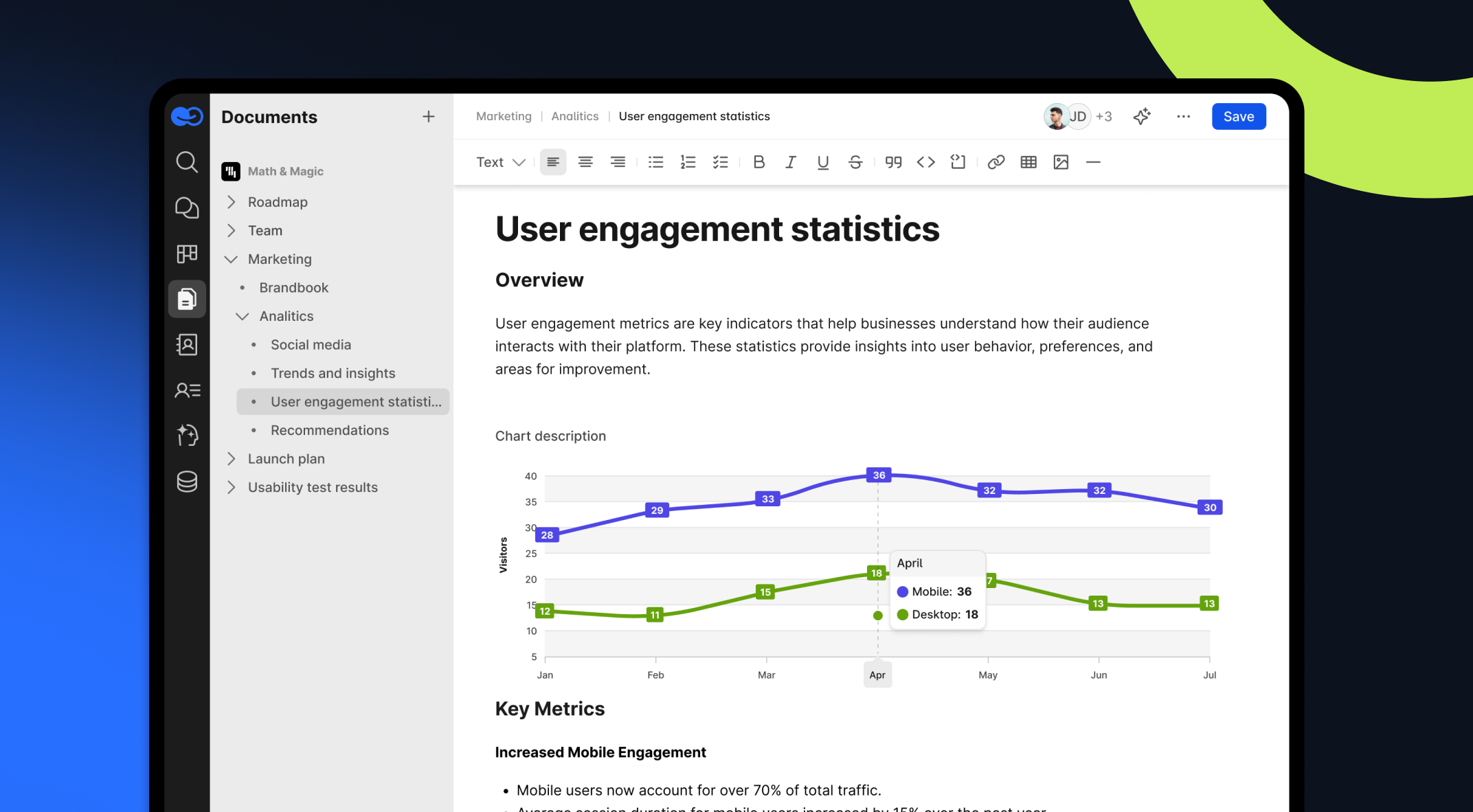
1. BridgeApp - 9.5/10 An all-in-one workspace built to unify the tools teams use daily and support work with AI agents across chats, tasks, knowledge, and databases. Its strongest suit is that agents are first-class participants: they can be assigned tasks, chained into multi-step automated pipelines, and reached through MCP servers, with cloud and on-premise deployment both available. Differentiator: automated task generation from chats, plus multi-agent pipelines run through the task tracker. Dealbreaker: no pre-built compliance, HR, or legal modules - you build workflows rather than switch them on. Best for: teams and organizations that want unified project management with configurable AI-powered workflows.
2. Saner.AI - 9.2/10 Strong on data analytics and reporting, which makes it a good fit where decisions are driven by dashboards rather than documents. Differentiator: advanced analytics dashboard. Dealbreaker: steeper learning curve. Best for: data-centric organizations.
3. Skywork.ai - 8.8/10 A solid mix of automation and collaboration features, with enterprise deployment options. Differentiator: integrated project management. Dealbreaker: limited AI model support. Best for: creative and delivery teams standardizing workflows.
4. Magai - 8.5/10 Focused on ease of use, with a clean multi-model chat experience. Differentiator: intuitive UX. Dealbreaker: fewer integrations than competitors. Best for: small teams and independent professionals.
5. Motion - 8.3/10 Automation aimed squarely at calendars and workload, reducing administrative overhead. Differentiator: smart scheduling. Dealbreaker: limited offline capability. Best for: teams where scheduling is the bottleneck.
6. Notion AI - 8.0/10 Combines documentation and project management into a versatile, well-adopted system. Differentiator: documentation depth. Dealbreaker: performance issues with large databases. Best for: teams that live in documents.
7. Coda - 7.9/10 A blend of documents and databases with unusual flexibility. Differentiator: customizable templates. Dealbreaker: some capabilities require advanced knowledge. Best for: teams building bespoke workflows.
8. Trello AI - 7.6/10 Familiar boards with AI-driven insight on progress and deadlines. Differentiator: visual project management. Dealbreaker: limited without additional integrations. Best for: visual planners.
9. Zenkit - 7.4/10 A broad project management toolkit with multiple views. Differentiator: list, board, and calendar views in one place. Dealbreaker: cluttered for newcomers. Best for: teams needing versatile project views.
10. Figma AI - 7.2/10 Primarily a design tool, with collaboration features that stretch into light project work. Differentiator: collaborative design. Dealbreaker: minimal non-design project management. Best for: design teams.
How Do Features, Multiple AI Models, and Pricing Compare?
A side-by-side view saves the better part of an afternoon and makes the trade-offs obvious. The table below covers the five highest-scoring platforms.
| Tool | Pricing | Best for | Free tier | AI agent workflow | Deployment |
|---|---|---|---|---|---|
| BridgeApp | €9/user/mo (€90 billed annually); custom enterprise pricing | Agencies, large organizations, SMBs | Yes (unlimited users, storage limits apply) | Automated task generation, MCP support, multi-agent pipelines, AI chatbots and copilots for drafting and brainstorming | Cloud, on-premise, white labeling |
| Saner.AI | $20/user/mo | Small teams | No | Suggests content and tasks, AI-generated content | Cloud |
| Skywork.ai | $25/user/mo; custom enterprise pricing | Enterprises | Trial only (limited free users) | Integrates with existing tools, AI chatbots, workflow automation | Cloud / on-premise |
| Magai | $10/user/mo; team plan available | Independent professionals, small teams | Yes (limited features) | Workflow automation, AI-generated content, image and video creation | Cloud |
| Notion AI | $10–20/user/mo depending on plan | Documentation-led teams | Yes (limited AI usage) | AI writing, database automation, connected search | Cloud |
A few things this table makes visible. Pricing per seat is only half the cost picture - the other half is how model usage is billed. Some platforms bundle a capped allowance, some meter usage as pay-as-you-go compute, and some let you supply your own API keys and pay providers directly. For a team running heavy AI-powered workflows, that difference outweighs the seat price.
Deployment is the other fork. If regulated data is involved, cloud-only options are eliminated early regardless of feature depth, which is why on-premise availability appears in the table at all.
Free tiers typically restrict message volume, AI-generated content, or storage. Paid plans unlock advanced capabilities - deeper automation, image and video creation, granular permissions - and enterprise plans add custom pricing, dedicated support, and deployment control.
Which AI Workspace Is Best for My Business Type?
The right fit depends less on feature counts than on which workflow currently hurts most.
Best for agencies
Agencies run many clients, many deadlines, and a lot of status communication. A workspace like BridgeApp fits because chat, documentation, and task management share one context - client reporting can be assembled from work that is already recorded, and tasks can be generated from chat discussions instead of transcribed from them by a project manager.
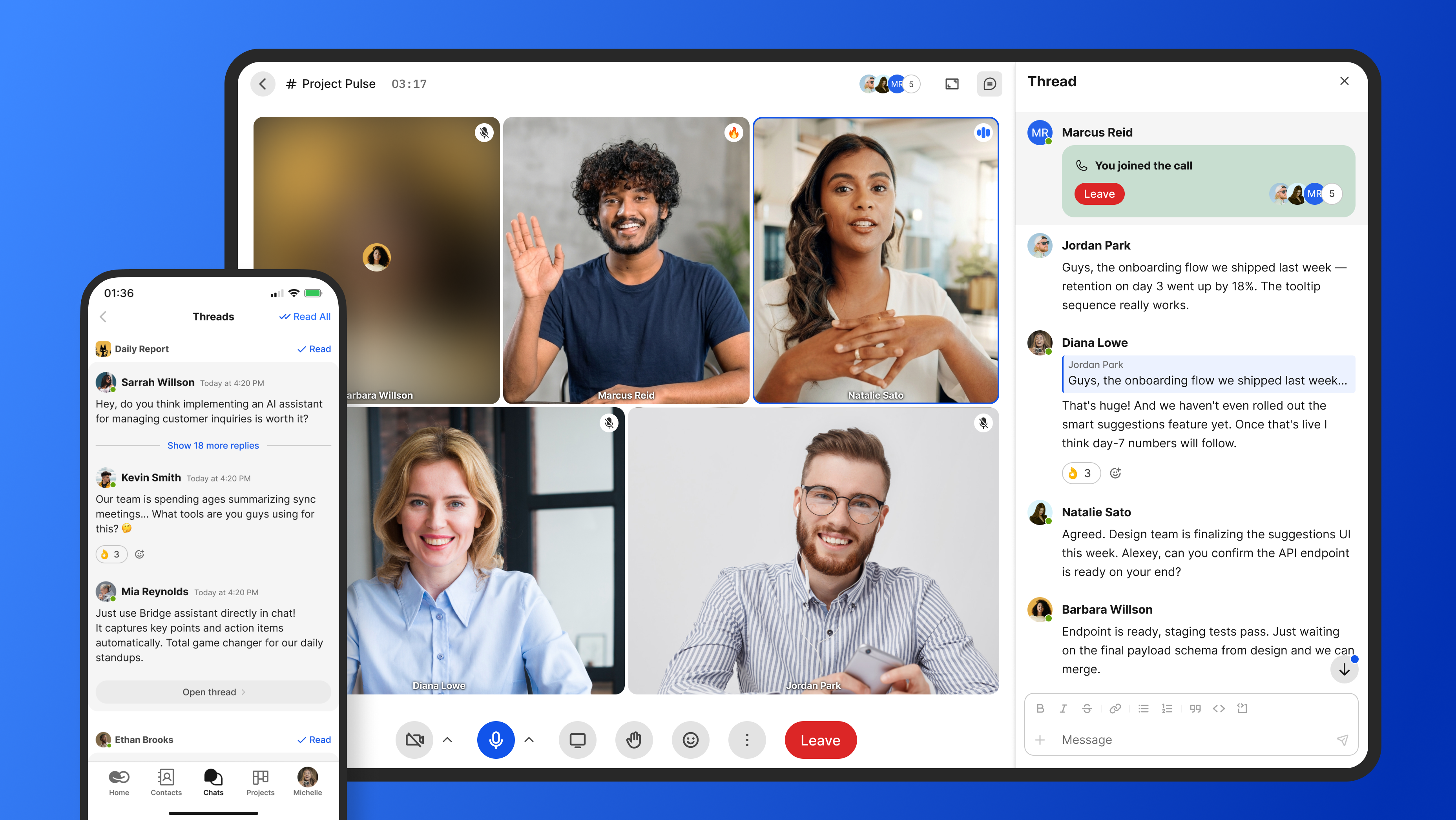
Workflow summary: unified chat, docs, and tasks · automated client reporting · task generation from conversations
Best for SaaS companies
Product documentation and in-app support both suffer when engineering, support, and marketing keep their context in separate tools. A unified workspace lets developers and marketers co-create product docs while support signals feed directly into the project workflow, which shortens the loop between a user's complaint and a scheduled fix. BridgeApp's own multi-agent development pipeline is a working example of what that looks like at the far end.
Workflow summary: co-created product documentation · user feedback routed into workflows · support-to-engineering handoffs in one system
Best for independent professionals and very small teams
Solo operators and two-person shops need low overhead more than they need governance. Magai and Coda tend to serve this group better: lighter setup, cheaper entry, less configuration. BridgeApp is built around team and organizational workflows - multi-user permissions, agent rosters, shared knowledge - so it earns its keep once several people are coordinating, not before.
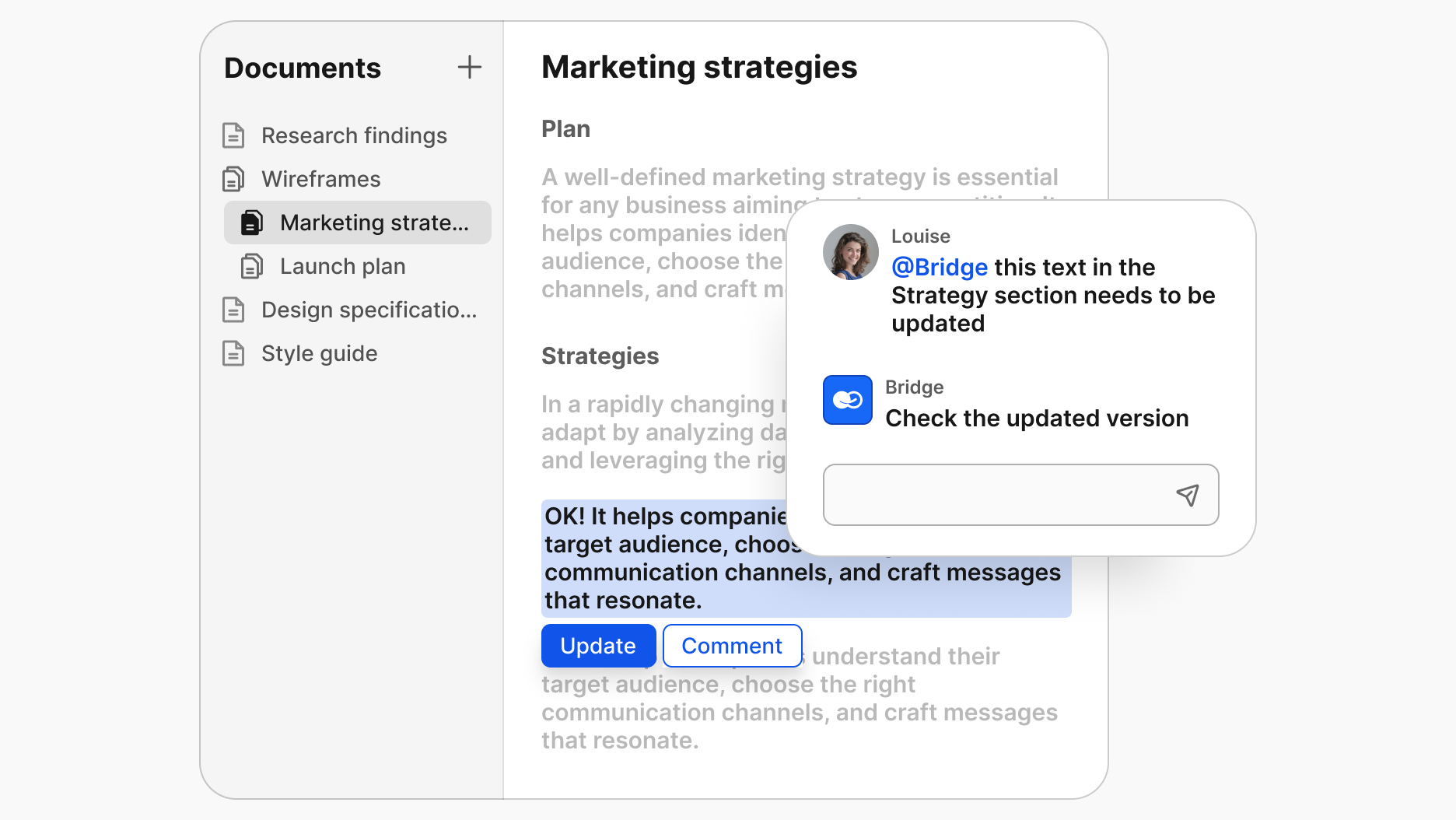
Workflow summary: minimal setup · single-user pricing · consolidation of multiple AI subscriptions into one tool
Best for large teams and enterprises
At scale, security posture and deployment control decide the shortlist. Platforms offering on-premise or private-cloud installation, granular permission controls, BYOK support for your own API keys, and audit trails across automated workflows are the ones that survive procurement. Real-time collaborative editing and bulk task management matter, but they rarely determine the outcome.
Workflow summary: deployment and data control · granular permissions and audit trails · scalable task and agent management
What Are the Best Free Plan All-in-One AI Workspaces?
Real free tiers exist, and several are genuinely usable. Expect caps on message volume, AI generation, storage, or user count.
| Tool | Free features | Upgrade unlocks |
|---|---|---|
| BridgeApp | Unlimited users, chat and task management, basic AI agents (storage limits apply) | Advanced AI agents, custom workflows, integrations, on-premise installation, white labeling, BYOK (bring your own API keys) |
| Coda | Up to 5 users, limited document storage, basic AI features | More users, expanded storage, advanced automation |
| Notion | Unlimited pages, basic databases, limited AI text generation | Full AI integration, larger uploads, advanced sharing |
| ChatGPT | Standard chat access with usage limits | Higher limits, advanced models, priority access |
| Zapier | Limited automated workflows, basic app access | More workflows, premium integrations, advanced automation |
Where each free plan makes sense
- BridgeApp - teams that want collaboration, task tracking, structured knowledge, file sharing, and custom AI agents in one place from day one, with room to add deployment control later.
- Coda - flexible documents and lightweight project management for small groups.
- Notion - documentation and knowledge management for individuals and small teams.
- ChatGPT - writing, brainstorming, and research assistance without workflow structure.
- Zapier - connecting existing tools when replacing them isn't on the table.
Upgrade triggers
- You've hit user, storage, or usage caps
- You need advanced AI capabilities, custom agents, or deeper integrations
- You need deployment control, dedicated support, or security guarantees a free tier can't provide
How Do I Choose the Right AI Workspace? (Step by Step)
1. Audit what you actually run
List the tools in use, what each one is genuinely for, and what it costs annually. Count the multiple AI subscriptions separately - they are usually where the surprise sits. Write must-have requirements in concrete terms; "user-friendly" is not a requirement, "a new hire can create and assign a task without training" is.
2. Test with real workflows
Run a live project through each shortlisted tool during the trial, not a sandbox exercise. Demos are optimized to succeed. Real work exposes the friction - the export that doesn't exist, the permission model that doesn't match your org chart, the search that can't find last month's decision.
3. Calculate potential ROI
Estimate the financial impact before you present a recommendation:
ROI = (Hours saved per week × Hourly rate × Number of employees) − Cost of workspace
Be conservative on hours saved and complete on costs - include migration, training, and any integration work. A defensible small number survives scrutiny better than an impressive one that doesn't.
4. Measure your context-switching load
Before you can claim a reduction, you need a baseline. Count the applications a typical team member opens in a day and how often work stops because the answer lives elsewhere. The HBR research above puts the average knowledge worker at nearly four hours a week lost purely to reorientation; your number may be higher or lower, and knowing which is the point. Recheck it 60 days after rollout.
5. Gather team feedback
Adoption decides whether any of this materializes. Survey the people who ran the trials, weigh collective experience over the loudest preference, and pay attention to whoever struggled most - they represent your rollout risk.
What Are the Real ROI and Time Savings of All-in-One Workspaces?
Vendor time-savings claims deserve scrutiny, so here is the arithmetic in the open rather than a headline number.
BridgeApp's own operating model estimates that AI workspaces can save teams roughly 4.6 hours per employee weekly, built from four routine activities:
| Activity | Weekly volume per person | Time saved each | Weekly saving |
|---|---|---|---|
| Meeting summaries and follow-ups | 5 meetings | 20 min | 100 min |
| Digesting long threads | 10 threads | 5 min | 50 min |
| Creating tasks from conversations | 5 instances | 10 min | 50 min |
| Querying databases for answers | 5 queries | 15 min | 75 min |
| Total | 275 min ≈ 4.6 hours |
These are modelled assumptions, not measured outcomes - your meeting load and query volume will differ, and the table is there so you can substitute your own figures. What gives the magnitude some independent support is the HBR finding that knowledge workers already lose close to four hours a week to application switching alone. The order of magnitude is consistent; the precision is not.
Applied across team sizes at a $30 hourly rate:
| Team size | Estimated weekly hours saved | Annual value |
|---|---|---|
| Small (5) | 23 hours | ~$35,900 |
| Medium (20) | 92 hours | ~$143,500 |
| Large (50) | 230 hours | ~$358,800 |
Walking through the calculation
- Determine how many people will actually use the workspace daily
- Apply an hours-saved figure you can defend - start from the table above and adjust down
- Multiply by loaded hourly cost, then subtract subscription, migration, and training costs
For a 10-person team at $30/hour: 46 hours saved weekly × $30 = $1,380 per week, or roughly $71,760 annually before platform costs.
Two honest caveats. Savings only materialize if the workflows genuinely move into the workspace - a platform that half the team ignores produces zero of this. And BridgeApp specifically has no pre-built compliance, HR, or legal modules; organizations that need those working on day one will either build them with the platform's agent and database tools or look elsewhere.
Is It Worth Upgrading to a Paid AI Workspace? (2026 Perspective)
For many teams free is enough - until one of three things changes.
You've outgrown the limits. Usage caps, user caps, and restricted AI features stop being an inconvenience and start being a bottleneck. The signal is people quietly reverting to old tools to get around a limit.
You need customization or support. Custom AI agents, multi-step automated pipelines, integrations with internal systems, and named support are paid-tier territory almost everywhere. This is also where model economics get decided - metered compute credits versus your own API keys versus a bundled allowance.
You need security or compliance guarantees. Teams handling sensitive data need encryption standards, access controls, audit logs, and often a deployment option that keeps data inside their own infrastructure. Free tiers do not carry those commitments.
| Feature | Free tier | Paid tier |
|---|---|---|
| Support | Community | Dedicated support channels |
| Deployment | Cloud only | Cloud, private cloud, on-premise |
| Automation | Limited | Full multi-step AI-powered workflows |
| Model access | Restricted | Broad model selection, BYOK / own API keys |
| Customization | Basic | Advanced agents, permissions, white labeling |
For teams past the point where coordination overhead exceeds the subscription cost, the paid plan usually pays for itself in the first month - but that threshold is worth calculating rather than assuming.
Frequently Asked Questions
What is an all-in-one AI workspace? It's a platform that centralizes collaboration and automation, integrating multiple AI tools into one interface alongside chat, tasks, documents, and databases - so AI operates on your actual work context rather than in isolation.
How is it different from using multiple AI tools separately? Separate tools each hold a fragment of context and require manual handoffs between them. A workspace keeps the context in one place, which is why AI-powered workflows in a unified platform tend to survive contact with daily work while point tools get abandoned.
Can I use my own API keys? On some platforms, yes. BYOK support lets you route model usage through your own API keys, consolidating model spend onto existing provider contracts and keeping prompt data under agreements you already hold. Check this explicitly - it varies by vendor and often by plan.
Do AI workspaces really reduce context switching? They reduce the number of applications work is spread across, which is the underlying cause. The size of the effect depends on how completely your workflows move in. Measure your baseline first, then measure again after rollout.
Why do so few companies have AI fully integrated? McKinsey's research found only 1% of leaders consider their organizations mature in AI deployment, despite near-universal investment. The gap is rarely about model quality - it's about AI living beside workflows instead of inside them.
Can AI agents handle multi-step work, or just single requests? Modern platforms support multi-step automated pipelines where agents hand work between defined stages with a recorded audit trail. BridgeApp's development pipeline - plan, review, implement, code review, pull request - is one example, and the same structure applies to content, support, and finance processes.
Conclusion
The 2026 question is no longer whether to use AI at work. It's whether AI sits where the work happens. The organizations getting real returns aren't the ones with the most AI subscriptions -they're the ones that consolidated multiple AI tools into one tool, connected it to their actual context, and let agents run the steps that used to be copied by hand between five tabs.
Start with the audit. Count what you're paying for, count the hours lost to switching, and test one real project end to end before committing. The right workspace should make that comparison easy to win.