BlogIndustry Insights
Slack Pricing in 2026: The Real Cost of the Salesforce Ecosystem

Konstantin BuzzResearch Lead
6 min read
For a decade, Slack has been the undisputed darling of business communication. Its very name became synonymous with the remote workspace itself. A whole generation of tech workers developed a Pavlovian morning reflex: wake up, reach for the phone, and immediately tap that colorful pinwheel icon (though some of us still remember its original, plaid hashtag days). Slack became the ultimate digital vault for critical documents and the virtual war room where the tactical playbooks of future unicorns were forged.
Somewhere along the way, it actually delivered on its foundational promise to kill email—at least for the small teams and massive enterprises that fully bought in. But over time, the platform has evolved from a lightweight chat app into a heavy-duty productivity operating system.
While Salesforce acquired Slack back in 2021, it was in 2025 that the platform underwent its most critical transformation—the emergence of two-way Salesforce channels, the work of AI agents (Agentforce) directly within channels, and the seamless merging of databases. The messenger was finally, deeply embedded within the Salesforce ecosystem. This tectonic shift birthed an entirely new hybrid: Slack finally shed its skin as a lightweight messenger and morphed into a universal business operational interface. Pipeline management, customer support ticket routing, and deal status updates now happen directly within working channels. A lead status change in the CRM instantly triggers task creation, pings executive updates, and pulls the right specialists into a Slack huddle.
So, when you look at Slack's pricing today, you aren't just paying for the right to @-mention your boss in a thread. You are buying into a massive, heavyweight infrastructure engineered to handle complex projects. That means spinning up ad-hoc audio and video war rooms via Slack Huddles, building persistent knowledge bases with Slack Canvas, tracking cross-functional deliverables with Slack Lists, securely bridging to external partners through Slack Connect, and wiring up no-code automations via the workflow builder—all while plugging in virtually every third-party app your company relies on.
This article deconstructs the Slack pricing overview. We’ll break down the tiers, expose the hidden costs, and determine whether the premium you pay is actually worth the investment.
The Slack Pricing Overview: from Free to Paid Plans
Slack structures its monetization around a classic SaaS ladder: you come for the free team chat, but you stay (and pay) for the organizational memory—that deep, indispensable archive of hard-won facts, historical decisions, and recorded institutional truth—and IT governance.
1. The Free Plan: The 90-Day Treadmill
The free version of Slack is an excellent onboarding sandbox, but it comes with a ticking clock. The most severe limitation of this free tier is its memory: you are capped at exactly 90 days of message history. Once a crucial message, decision, or file crosses that threshold, it vanishes behind a hard paywall until you upgrade—unless it has already aged out past the one-year deletion window. Slack makes special note that anything more than a year old is permanently deleted. For small teams testing the waters, Slack Free also offers basic 1:1 video calls and up to 10 app integrations (like Google Drive). Though huddles are capped at two people and have a 30-minute limit — enough to sample the product, not to run a team. Make no mistake, the Free plan is surgically designed to become painful the exact moment your operation starts relying on institutional knowledge.
2. Slack Pro Plan: The Execution Baseline
Starting at roughly $7.25 per user per month (when billed annually), the Pro plan unlocks the platform’s core utility. The billing period matters; your top line grows significantly higher if you choose monthly billing rather than annual.
Keep in mind that this is the US baseline; regional price differences can dramatically shift the final math. While Slack implements localized pricing and regional promotions, the deltas aren’t always consistent enough to treat as a hard planning assumption. What is consistent: the published list price is only the starting point. Contracts, renewals, and packaging changes drive the real difference. For instance, the Pro or Business plan can see discounts of approximately 60% in India, or 40% in Brazil, compared to standard US prices.
The biggest draw is the return of your organizational memory via unlimited message history, alongside unlimited app integrations. You are no longer capped at ten tools; you can plug in any of the over 2,600 ready-made apps currently sitting in the Slack App Directory, from Salesforce and Jira to Figma and Notion. This tier also introduces screen sharing, group Slack Huddles for ad-hoc voice and video syncs, and the ability to collaborate securely with external partners (like agencies or contractors) via shared channels.
3. Business Plan: The Governance Layer
Business+ more than doubles the cost versus Pro. At $15 per active user per month when billed annually ($18 billed monthly), the Business plan shifts the spotlight away from pure team productivity and squarely onto IT governance. This is the tier where the corporate-grade guardrails finally unlock. You get SAML-based single sign-on (SSO) to lock down access, automated data exports for legal and compliance audits, and a financially backed 99.99% guaranteed uptime paired with around-the-clock priority support. If you are a scaling mid-market operation that needs to enforce strict security policies and orchestrate access across multiple user groups, the startup playground is officially over—you have to step up to the Business and Enterprise levels to keep the auditors happy. Also, this plan is where Slack concentrates the advanced AI features — the ones that affect daily operations, not just convenience.
Total Cost of Ownership (TCO) Scenarios (Note: These calculations use the published ‘billed annually’ per-user rate. Slack’s ‘fair billing’ model bills for active members, with prorated adjustments when headcount changes during the term.)
| Team size | Pro annual cost (per month) | Pro annual cost (per year) | Business+ annual cost (per month) | Business+ annual cost (per year) |
| 10 users | $72.50 | $870 | $150 | $1 800 |
| 50 users | $362.50 | $4 350 | $750 | $9 000 |
| 100 users | $725 | $8 700 | $1 500 | $18 000 |
4. Enterprise Grid: The Corporate Megastructure
For Fortune 500s, multinational conglomerates, and massive organizations, Enterprise Grid stands as the apex predator of the product lineup—a custom-priced, top-tier paid Slack plan. Instead of forcing thousands of employees into a single, deafening channel structure, it allows companies to spin up and govern unlimited, interconnected workspaces under a single corporate umbrella.
This is where Slack introduces truly hardcore IT controls: enterprise mobility management to lock down mobile endpoints, data loss prevention (DLP) hooks to stop sensitive leaks, HIPAA compliance for regulated industries, and enterprise key management (EKM) for total cryptographic sovereignty over your data. Enterprise pricing is undisclosed, but procurement benchmarks often place it north of Pro and Business+ suggesting ~$20–25/user monthly. It’s the only tier where you finally bypass the self-serve checkout and get a flesh-and-blood enterprise sales rep on the phone to hash out bespoke volume discounts.
Tier Feature Gating (The Hidden Mechanics): What Actually Drives Your Slack Cost?
While the per-seat sticker price might look clean on a landing page, the actual Slack cost is manipulated by a handful of hidden economic drivers.
- The Admin Tax and Guest Ratios: Slack officially bills per active user, and they famously tout a "fair billing" policy that stops charging for dormant accounts. In reality, tracking active status and hunting down duplicate accounts across a sprawling, multi-channel Slack workspace demands constant administrative vigilance. Furthermore, collaborating with outsiders isn't a free pass. While single-channel guests might be free, lower tiers enforce strict ratios, and bringing in multi-channel guests quickly triggers a paywall, turning external partners into paid seats.
- Enterprise Fixed Commitments: The much-hyped "fair billing" flexibility entirely evaporates the moment you sign an Enterprise Grid contract. At the corporate level, Slack locks you into fixed seat commitments. If your organization downsizes and headcount shrinks mid-year, the meter doesn't drop. You continue paying the premium for those unused licenses until your contract officially comes up for renewal.
- SSO and Compliance as Upgrade Levers: Here is where the Salesforce acquisition really flexes its muscle. Basic security hygiene like SSO and SCIM provisioning are technically accessible on the Pro tier—but only if your workspace is tethered to Salesforce. If your organization exists outside the Salesforce ecosystem, you are forced to upgrade to the Business plan just to unlock these table-stakes features. Need to run multiple SAML configurations or pull advanced compliance exports? That requires a massive step up to the Enterprise tier.
- The Enterprise Grid Roach Motel: This might be the most heavily criticized mechanic in Slack's entire playbook. The Enterprise Grid plan sells the dream of unlimited workspaces and centralized administration, but it comes with a brutal catch: it is a one-way street. Once you migrate into Grid, downgrading stops being a simple toggle. Slack supports plan changes in general, but architecture, retention controls, and org structure can make reversal a project — sometimes requiring exports and a rebuild.
- File Storage: Every tier has storage caps (e.g., 10GB per user on Pro). Media-heavy teams working on complex projects will find themselves bumping against these limits, forcing either frantic cleanups or immediate upgrades.
The AI Wedge: Feature Gating as a Pricing Strategy
While Slack AI offers undeniable utility—dangling the promise of instant thread summaries, AI language translations, and intelligent search assistance—it is not bundled out of the goodness of Salesforce's heart. It is ruthlessly deployed as a premium upgrade lever, turning what should be a core efficiency tool into a massive accelerant for your overall Slack subscription costs.
- The "Basic" Bait: Entry-level AI capabilities, such as simple conversation and thread summaries alongside automated huddle transcripts, are tossed into all paid plans as table stakes. It’s just enough of a taste to get your team hooked on the convenience.
- The Advanced Paywall: The features that actually move the needle—true natural-language AI search, daily channel recaps, AI language translations, smart file summarization, and AI-assisted workflow generation—are strictly gated behind the Business+ and Enterprise+ tiers. Slack forced this issue aggressively: after August 17, 2025, they killed off the old $10/user a la carte AI add-on. Existing customers were left with no alternative but to migrate to the pricier Business+ tier upon their next renewal. The message is unambiguous: if you want robust AI, you have to eat the tier upgrade.
- The Enterprise Apex: True enterprise-grade AI is reserved exclusively for the top-of-the-line Enterprise+ tier. This is where you unlock the holy grail of corporate knowledge: global enterprise search across all connected third-party apps, multi-workspace querying, and deep, context-aware Salesforce CRM integrations.
Price Hikes, User Sentiment, and Friction Points
Slack’s highly publicized price hike in late 2022 signaled a fundamental shift for the platform: the era of aggressive growth was over, and the era of maximizing ARPU (average revenue per user) had begun. Even three years ago, vigilant users saw this as a massive red flag—proof that sudden, budget-wrecking price escalations were now part of the deal. Yet, for power users deeply entrenched in the workflow and custom app integrations, the paid plans offered too much operational value. Extracting yourself from the ecosystem is notoriously difficult without dedicated migration tools.
Fast forward to 2025, and Slack pushed the needle again. They raised Business plan prices (jumping from roughly $12.50 to $15 per month) and created the Enterprise+ tier specifically to bundle AI, advanced security, and Salesforce integrations. While Slack markets this as a feature expansion, a quick scan of enterprise software review sites reveals the truth: an overwhelming number of users view this as a forced upsell.
Slack justifies the premium by pointing to Agentforce and smart routing, presenting them as the ultimate payoff of their hybrid model. By introducing an intelligent middle layer of "digital teammates" that autonomously compile contextual customer briefs and route incoming support requests, Slack delivers a genuinely valuable collaborative feature.
But make no mistake: this is a massive corporate revenue engine for Salesforce. Industry watchers estimate Agentforce at roughly $540M ARR as of early 2026 (in its first year), framing it as the company's fastest-growing organic product line. When you are forced into higher pricing plans to fully unlock these AI workflows, you are directly subsidizing that ecosystem.
The friction isn't just about the artificial intelligence upsell. A widely circulated grievance on Reddit’s r/sysadmin highlights what IT professionals call the "SSO Tax." Historically, Single Sign-On was Slack’s classic upgrade lever. Today, they technically list it on the Pro plan—but depending on whether your workspace is connected to the Salesforce ecosystem, it still behaves exactly like a tax. For many teams, it forces an involuntary march to Business+, slapping an extra $10–$11 per user per month onto the bill for a feature that most modern SaaS tools offer as a standard baseline.
Sudden upsells sometimes lead to surprises that are devastating for the budget. Case in point: the Hack Club crisis. In September 2025, the global non-profit network of teen hackers reported a sudden demand from Slack for $50,000 upfront and a new $200,000 annual rate—an astronomical 40x price increase. The threat was explicit: pay up, or their 11-year message history would be instantly wiped.
While public backlash forced Slack executives into a frantic apology, calling the aggressive demand a "mistake," the damage to their reputation was done. The incident laid bare the ultimate danger of Slack’s vendor lock-in: once a platform holds your institutional memory hostage, you are completely at the mercy of their pricing desk. Unsurprisingly, the fallout triggered widespread, renewed calls across the tech community for self-hosted, open-source alternatives.
Comparison With a Leaner Alternative: BridgeApp and the Context-Native Future
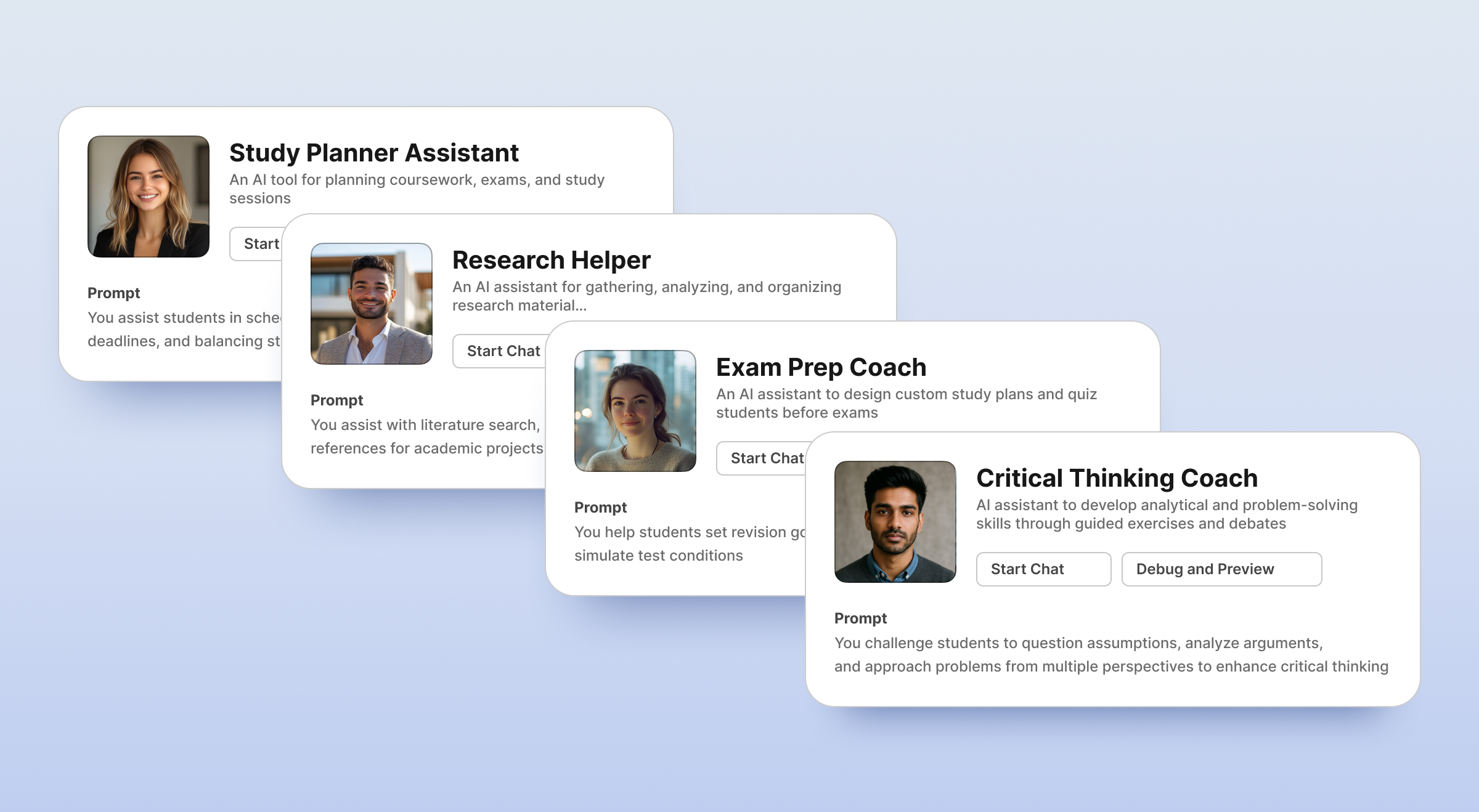
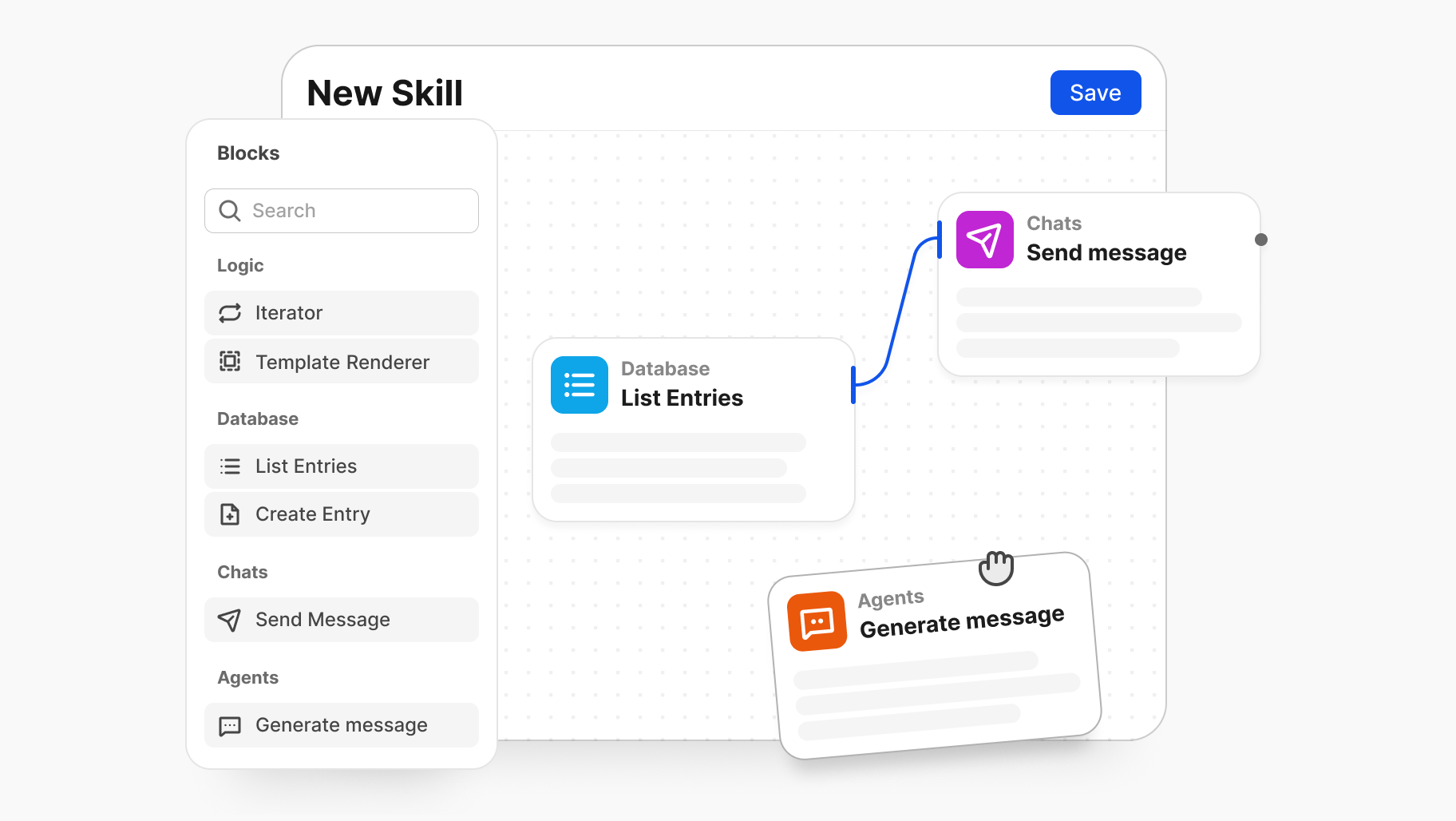
If Slack represents the "SaaS 1.0" approach—throwing an endless barrage of features, channels, and third-party apps into a cluttered chat interface—BridgeApp is entirely rethinking collaboration. It is a context-aware workspace explicitly designed for hybrid human-AI teams. BridgeApp includes a native agent framework for building, configuring, and deploying AI teammates that can be @-mentioned in chats or tasks, just like a human co-worker, to help with document search/update and operations analysis (including logs).
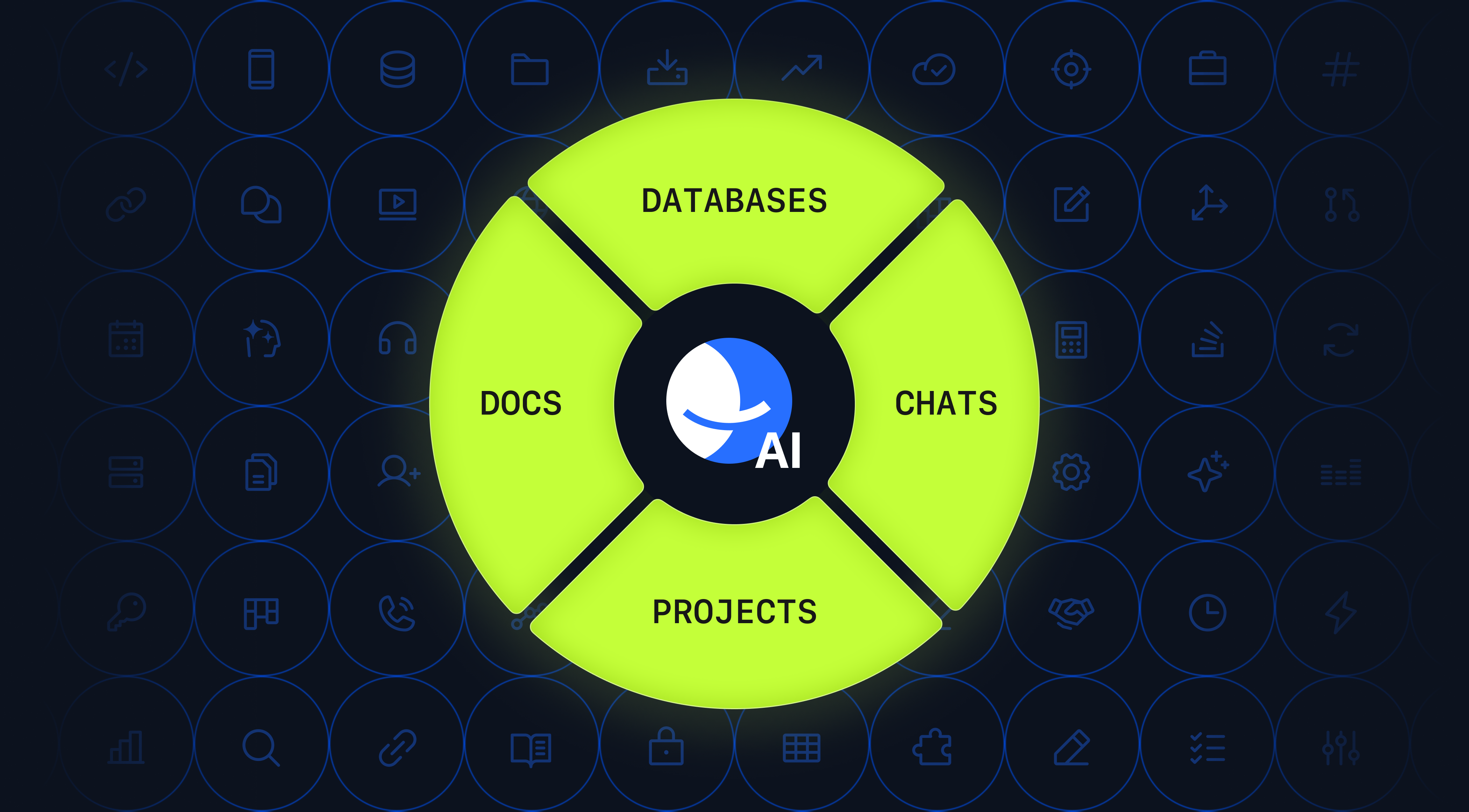
In BridgeApp, chat is merely the surface layer. Underneath, you get structured threads, a built-in task manager with Kanban and backlog views, live databases, and a shared knowledge hub. BridgeApp is built for asynchronous communication without losing context: threads and mentions are tightly integrated with tasks and code review capabilities. This makes it a highly effective tool for teams that ship, ensuring that historical decisions stay permanently tethered to the documents and data that actually informed them.
For data-sensitive organizations, BridgeApp offers a critical architectural advantage that Slack strictly prohibits: true data sovereignty. It can run as a standard cloud SaaS, or it can be deployed on-premises or within a private cloud, giving organizations tighter control over where data lives — a meaningful lever for regulated teams.
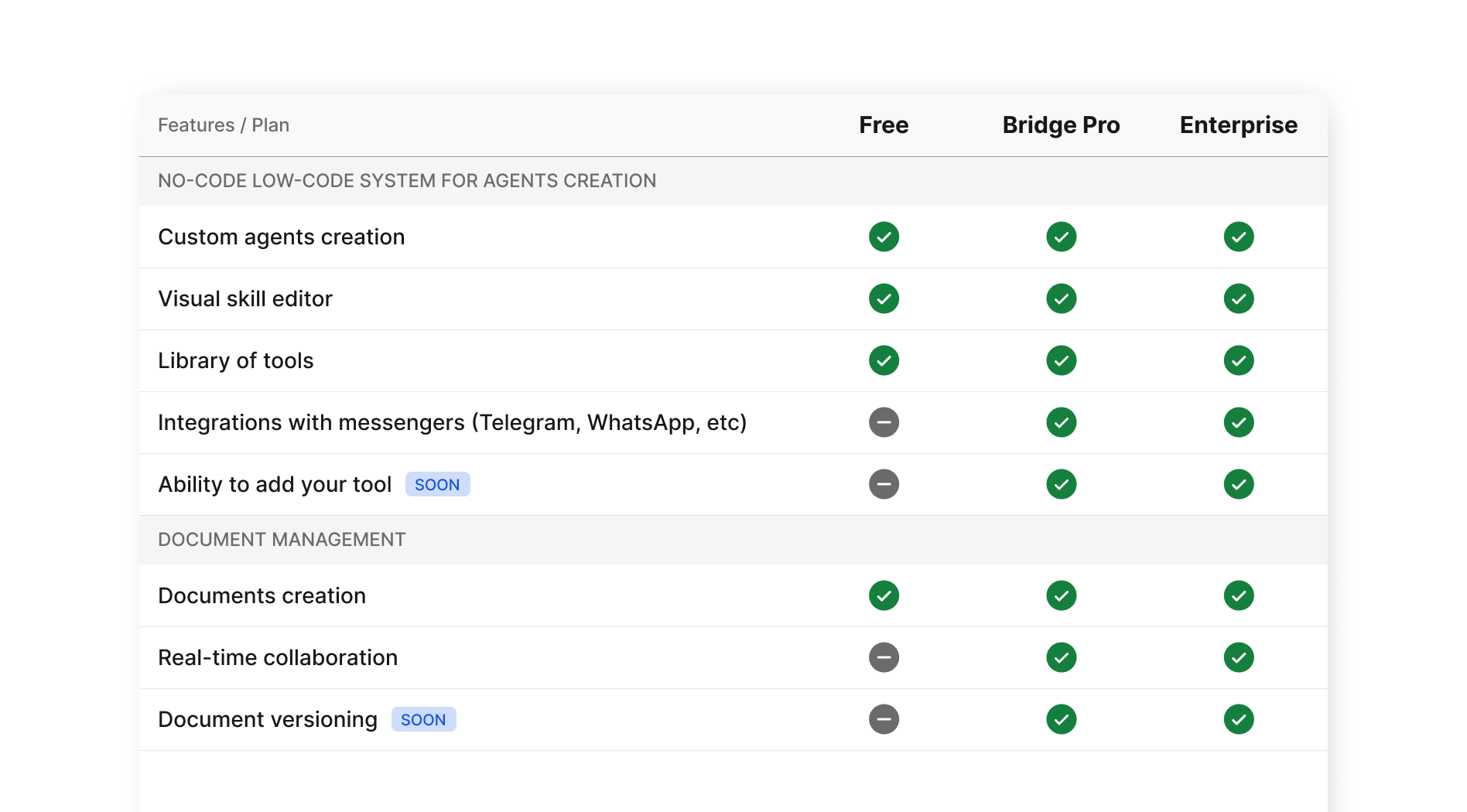
As for the pricing model, BridgeApp disrupts the traditional SaaS escalation staircase with a model that prioritizes clarity over "seat buckets" and hidden upgrade levers.
- The Generous Free Plan: Unlike the strict 90-day limitations of a typical free tier, BridgeApp offers a robust free plan featuring unlimited users and access to all core modules. This includes the messenger, documents, the task tracker (with Kanban/backlog views), databases, calls, and even a personal AI agent builder.
- The Pro Plan: Aimed at growing teams, the Pro plan costs just €9 per user per month (or €90 per year when you pay annually). It unlocks the built-in CRM, advanced messenger integrations, role-based access control, unlimited database capacity, and advanced search. Crucially, you can activate the Pro tier with its full feature set at no cost during a trial period to properly test the waters.
- Custom Enterprise: Designed for large organizations and massive scale, pricing starts at €19 per user per month. In addition to everything in Pro, it adds white-label branding, a dedicated account manager, priority support, and a guaranteed uptime SLA.
If you’re evaluating tool sprawl versus context, the cleanest test is one live workflow — run both in parallel and see where the friction actually shows up.
Try BridgeApp and run a side-by-side comparison on a single live workflow to see what a context-native, agent-first environment actually feels like when you prioritize flow over noise.
[Explore BridgeApp's Pricing] | [Request a Demo] | [Start with a Free Plan]