BlogIndustry Insights
Top 12 Airtable Alternatives to Enhance Your Project Management Skills

BridgeApp Team
10 min read
Key Takeaways
- Teams outgrow Airtable in 2026 due to escalating per user pricing ($20-$45/user/month), strict row limits (50,000-125,000 per base), and the lack of native chat or real-time collaboration beyond comments.
- Not all Airtable alternatives serve the same purpose: some focus on databases (Baserow, NocoDB), others on project management (ClickUp, monday.com), and a few on documents (Notion, Coda)—while BridgeApp spans all these categories in one platform.
- BridgeApp is an AI-native all-in-one workspace that replaces Airtable plus your chat app, project manager, and knowledge base, with full data control through cloud, on-premise, or hybrid deployment.
- This guide covers 12 concrete alternatives with 2026 pricing, best-fit use cases, and direct comparisons to help you find the right tool for your team size and business needs.
- Pricing and features are current as of 2026 but may change—always verify on official pricing pages before making decisions.
Why Teams Look for Airtable Alternatives in 2026
Airtable remains a powerful spreadsheet-database hybrid with interface builders, automation features, and multiple views that work well for marketing teams, product managers, and inventory tracking. It still powers workflows for over 300,000 organizations. But as teams scale, specific pain points emerge.
The first challenge hits budgets: paid plans range from $20/user/month (Team) to $45/user/month (Business), which means a 50-person team can easily spend over $1,000 monthly before adding any advanced features. Row limits compound this problem—bases cap at 50,000 to 125,000 records, forcing teams to split data across multiple bases and manage complex syncs. Admin overhead grows as you juggle permissions, views, and integrations across fragmented bases.
The deeper issue is collaboration. Airtable offers comments and attachments, but there’s no threaded chat, no audio/video calls, and no integrated knowledge base. Cross-team communication around projects often requires switching to Slack or Teams. Advanced reporting typically means exporting to BI tools like Tableau. For EU organizations or public sector teams with strict compliance requirements, Airtable’s SaaS-only, US-hosted model creates data sovereignty concerns that simply can’t be resolved.
This explains the shift toward workspace-first platforms. Where Airtable is database-first (build bases, then add integrations), tools like BridgeApp embed databases inside a broader communication, project management, and documentation environment. The rest of this article covers direct database competitors, project management focused tools, open source solutions, and all-in-one workspaces like BridgeApp.
What to Look for in the Best Airtable Alternative
Not every team needs an Airtable clone. What you actually need is a tool that fits your workflows, team size, data security requirements, and budget. Before evaluating specific options, clarify your criteria.
Database and data modeling capabilities matter if you’re managing complex projects with relational data. Look at table structures, linked records, view options (grid, Kanban, gallery, Gantt), custom fields, and row limits. Some tools offer unlimited storage while others cap records per workspace.
Automation and AI separate basic tools from future-ready platforms. Airtable offers table-tied automations, but newer platforms provide AI agents that understand context across chats, documents, and databases. Consider whether you need simple triggers or sophisticated workflows that can create tasks from conversations.
Collaboration features deserve scrutiny beyond basic comments. Does the tool support real-time editing? Threaded discussions? Audio and video calls? For teams of 5-50 users, robust permissions and communication matter more than you might expect.
Reporting and interfaces determine whether managers can build dashboards, charts, and app-like experiences without code. Some tools include built in templates while others require custom apps.
Deployment and data sovereignty is critical for regulated industries. Evaluate SaaS-only versus on-prem options, GDPR alignment, and whether you’re avoiding vendor lock in.
Pricing and scalability varies dramatically. Per user models add up fast; per workspace pricing may be more affordable for larger teams. Check free plan limits and what paid plans actually unlock.
BridgeApp scores particularly high on team collaboration (native chats, audio/video, docs, tasks) and data sovereignty (cloud, on-premise, private cloud, or hybrid). If your main problem is tool fragmentation, prioritize all-in-one platforms over narrow database clones.
The Best Airtable Alternatives at a Glance
Before diving into detailed reviews, here’s a quick summary of 12 tools worth considering.
BridgeApp is an AI-native workspace combining chats, tasks, documents, databases, and custom AI agents in one platform. Deployment options include cloud, on-premise, and hybrid. Best for regulated teams needing full control over data plus AI automation across all modules.
ClickUp is a project management tool with free unlimited tasks, paid plans from about $7/user/month. Best for teams wanting robust project tracking with docs and dashboards but accepting simpler database like features.
Monday.com offers visual boards and dashboards starting around $9/user/month (3-user minimum). Best for mid-sized teams prioritizing board-based workflows and manager reporting over complex data structures.
Smartsheet provides spreadsheet-style project management with Gantt charts and resource management, typically from $7/user/month on Pro plans. Best for Excel-savvy teams managing complex projects at scale.
Hive combines Gantt, Kanban, and chat features with entry-level pricing in the low double digits. Best for operations teams needing time tracking and approvals alongside project views.
Trello is a simple Kanban tool with a generous free plan and paid plans from about $5/user/month. Best for small teams wanting lightweight task boards without a steep learning curve.
Baserow is an open source Airtable alternative with self-hosting (MIT license, unlimited rows) or cloud hosting from low double-digit pricing. Best for teams needing data control via self hosting.
NocoDB transforms SQL databases into spreadsheet interfaces, free to self-host (AGPL) or cloud options around $12/seat/month. Best for technical teams with existing relational databases.
NocoBase is an open source platform for building enterprise applications with plugin architecture. Best for developers who want a framework-like experience for internal tools.
Notion offers a document-first workspace with embedded databases, free unlimited pages, and Plus plans around $8/user/month. Best for knowledge-heavy teams where docs matter more than data handling at scale.
Coda turns documents into interactive apps with tables and formulas, free tier available, Maker plans around $10/month per doc. Best for teams building narrative-driven internal tools.
Google Sheets provides free spreadsheets (or Workspace from $6/user/month) with formulas, pivots, and add ons. Best as an affordable option for simple data needs without relations.
BridgeApp stands out as the only option combining real-time communication, project management, AI agents, and flexible databases with on-premise deployment—all in one app.
BridgeApp: AI-Native All-in-One Workspace (Airtable + Slack + Notion Alternative)
If your goal is replacing multiple tools at once—Airtable for databases, Slack for chat, Asana for tasks, and Notion for docs—BridgeApp deserves serious consideration. It’s designed to eliminate the software zoo that most organizations accumulate.
How BridgeApp Maps to Airtable’s Features
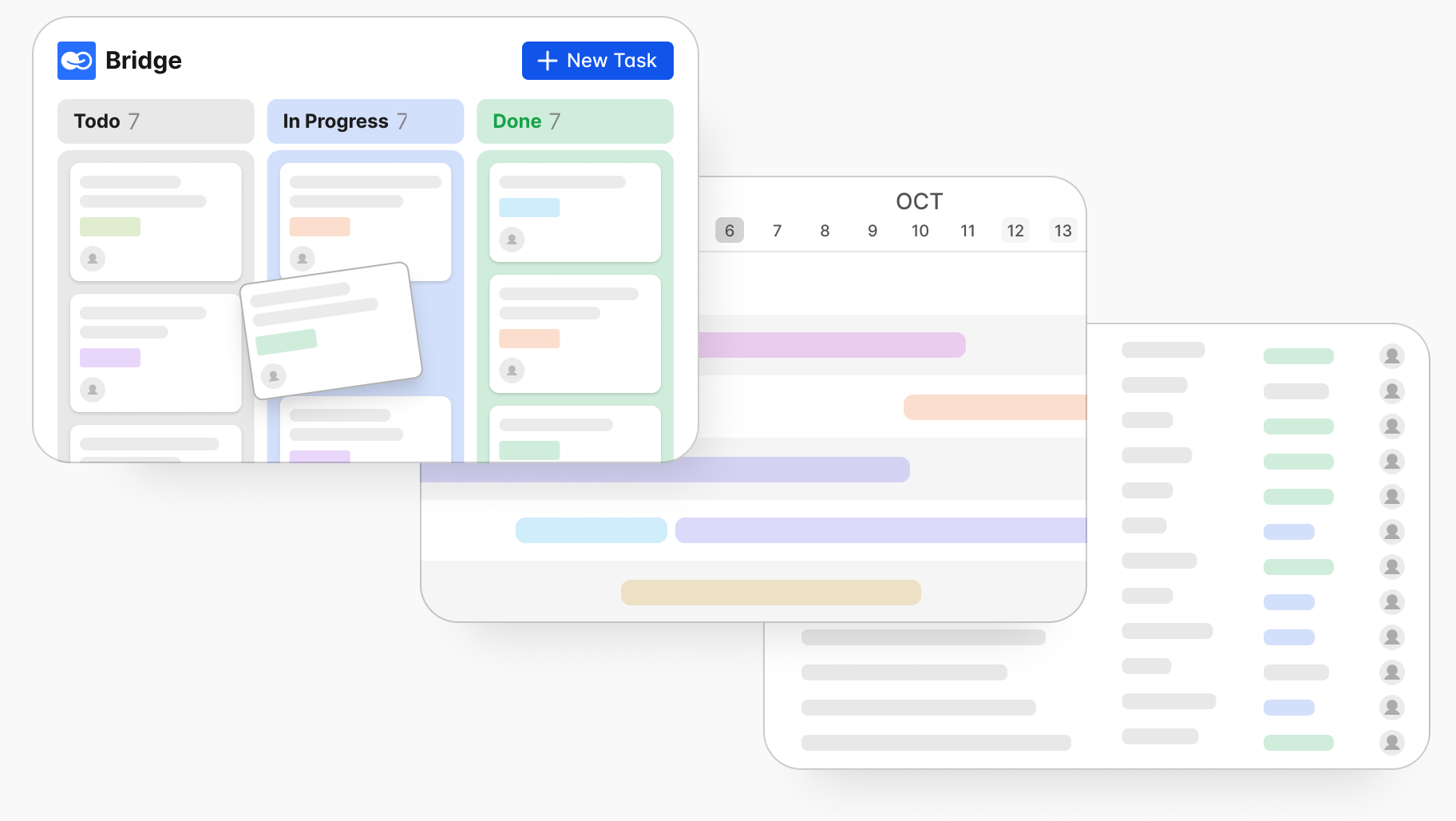
Communication goes beyond comments. BridgeApp provides channels, threads, and DMs with mentions, reactions, and pins. Built-in audio and video calls include AI summaries that extract action items. No more asking “what did we discuss?” after meetings.
Work management includes a task tracker with board, backlog, and list views. Tasks connect directly to conversations and documentation, so decisions in chat become tracked work immediately.
Documents and knowledge base offer a live collaborative editor with nesting, checklists, and links to projects. Policies, specs, and procedures stay connected to execution instead of living in separate systems.
Databases use customizable fields (text, dates, attachments, boolean, numbers) for leads, assets, invoices, or registries—the same things you’d build in Airtable bases. API access enables external integrations.
AI agents set BridgeApp apart. A visual no-code builder lets you create agents that read context from chats, docs, and databases. They can summarize long threads, create tasks from discussions, populate database records from PDFs, and generate reports. Unlike Airtable’s table-tied automations, these agents understand your entire business context.
Why Choose BridgeApp Instead of Airtable?
The consolidation value is real. Instead of paying for 6-7 separate tools (and losing hours daily to context switching), teams report saving 4.6 hours per employee per week by automating repetitive tasks. For a 250-person organization, that translates to roughly $1.656 million annually in recovered productivity.
Data sovereignty matters for regulated industries. BridgeApp offers cloud, on-premise, private cloud, or hybrid deployment. EU-hosted environments, end-to-end encryption, and GDPR compliance are built in—addressing the compliance requirements that Airtable’s SaaS-only model can’t solve.
Consider a finance team processing invoices: instead of manually updating Airtable and pinging colleagues in Slack, an AI agent extracts PDF data, populates the database, and notifies the right people. Or a product team where sprint discussions in channels automatically generate tasks in the backlog and update project documentation.
If you primarily need a standalone spreadsheet-database, a niche tool might suffice. But if you want integrated communication, manage projects, share knowledge, store data, and automate with AI under complete control, BridgeApp is the more future-proof Airtable alternative.
Project-Management-Focused Airtable Alternatives
Some teams adopted Airtable for project dashboards rather than deep database modeling. If that’s you, dedicated project management tools may fit better. These platforms prioritize views, workflows, and reporting dashboards over relational data structures.
ClickUp
ClickUp is a comprehensive work management platform mixing tasks, docs, goals, and spreadsheet-like tables. It offers multiple views (List, Board, Gantt, Calendar, Dashboard) tailored to project tracking, plus built-in docs and whiteboards for planning.
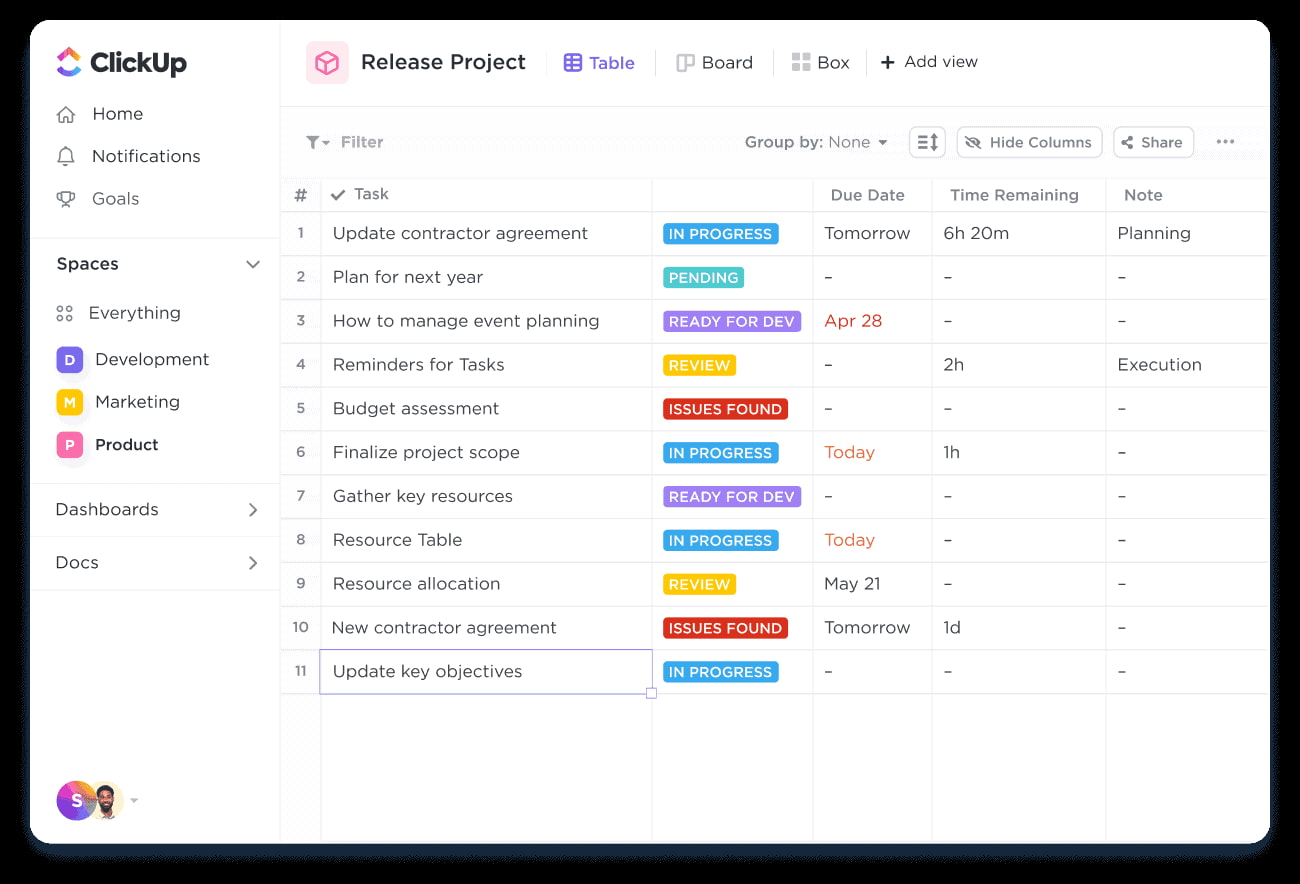
The 2026 pricing starts with a free plan offering unlimited tasks and generous guest access. Paid tiers like Unlimited (around $7/user/month) typically undercut Airtable’s per user pricing while providing richer project management features.
Database modeling is more constrained than Airtable—ClickUp is better for tasks than complex relational data. The interface can feel overwhelming for non technical users or small teams without PM experience.
Compared to BridgeApp, ClickUp excels in project views but lacks integrated real-time chat, AI agents that work across all modules, and on-prem deployment options.
Monday.com
Monday.com is a visually rich work OS for mid-sized and larger teams wanting structured boards, reporting dashboards, and workflows. Board-based structures function like simplified databases with custom columns, while workdocs centralize project context.
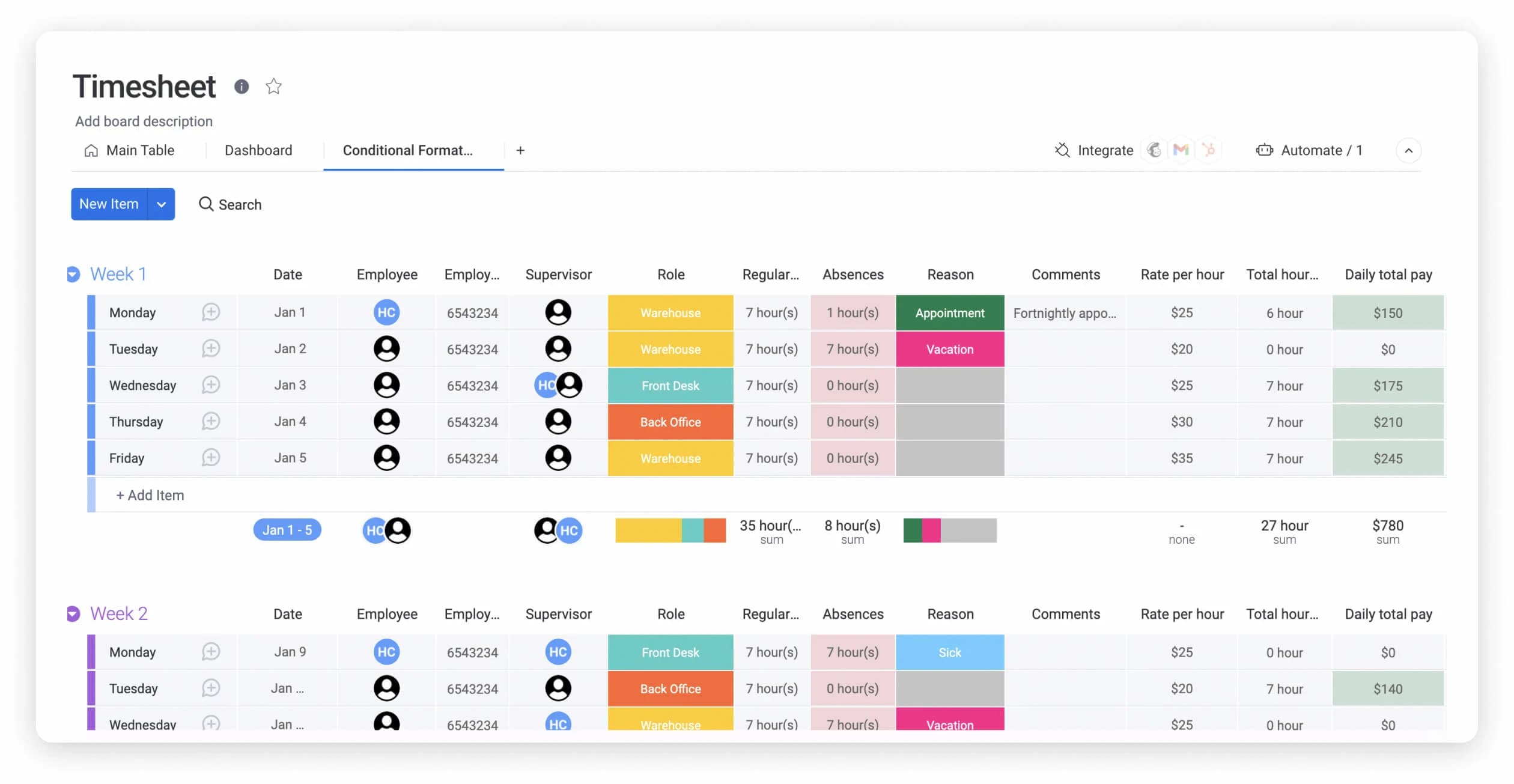
Pricing includes a 14-day trial and free plan for small teams. Paid plans bundle seats (3-user minimum), often running cheaper per user than Airtable for teams focused on project boards.
Trade-offs include less flexibility for arbitrary relational databases and no sophisticated no code app building. Managers often prefer monday’s out-of-the-box dashboards and reporting.
BridgeApp adds integrated messaging, custom AI workflows, and flexible deployment where monday focuses primarily on boards and dashboards.
Smartsheet
Smartsheet appeals to Excel users with its grid-based interface supporting cell formulas, Gantt charts, critical path analysis, and resource management. It scales well for enterprise reporting with unlimited sheets on business plans.
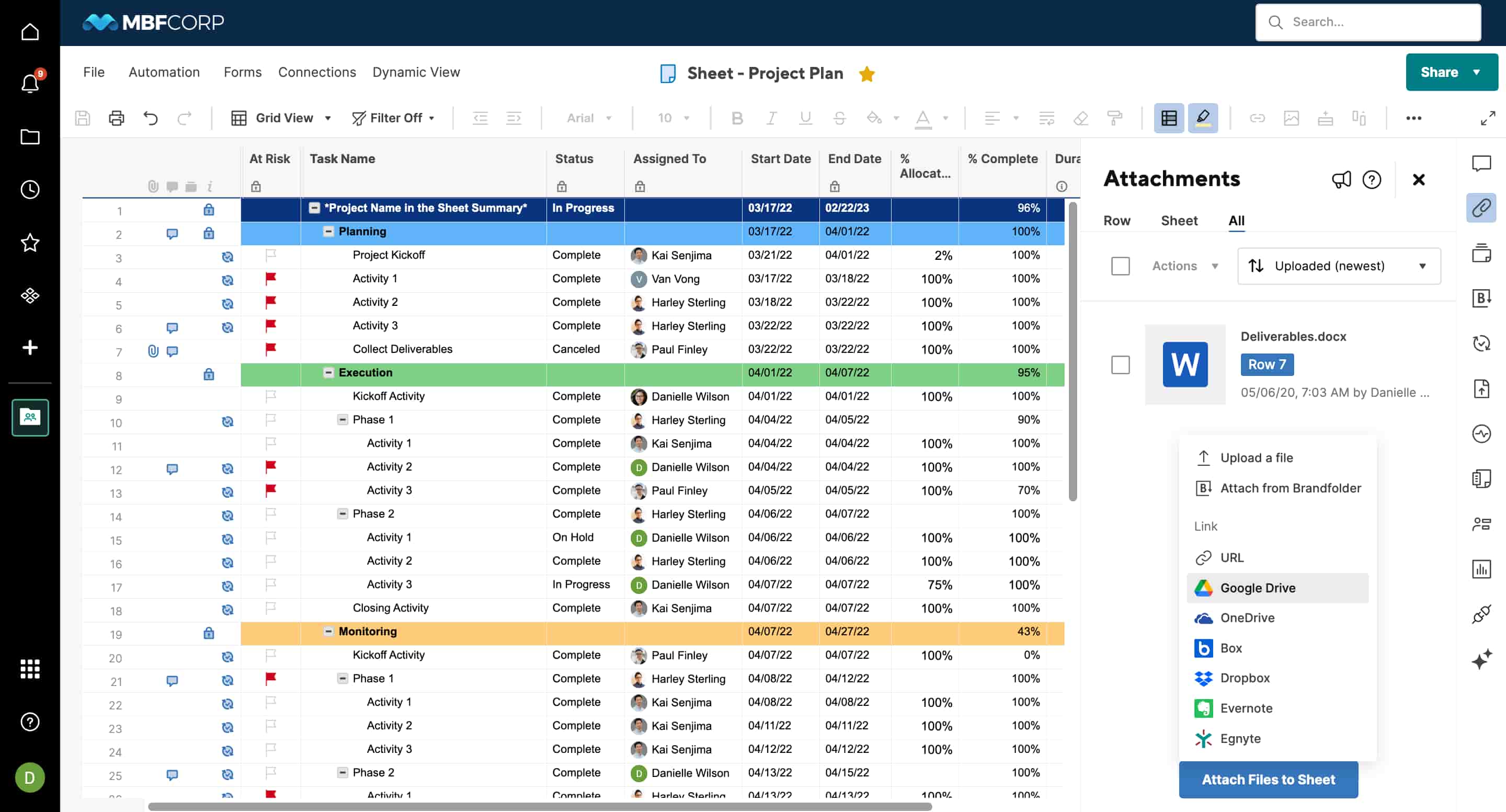
The 2026 pricing offers a 30-day trial with Pro and Business tiers positioned competitively against Airtable’s mid-to-high tiers. No permanent free plan exists.
The steep learning curve challenges non-Excel users. Collaboration falls short—mostly comments with no native chat or video. Smartsheet excels in detailed project reporting while BridgeApp offers task management plus communication, documentation, AI agents, and data sovereignty in one platform.
Hive
Hive combines Gantt, Kanban, and table views with built-in chat and time tracking. It fills Airtable’s communication gap for operations-heavy teams needing automation features for recurring tasks and approvals.
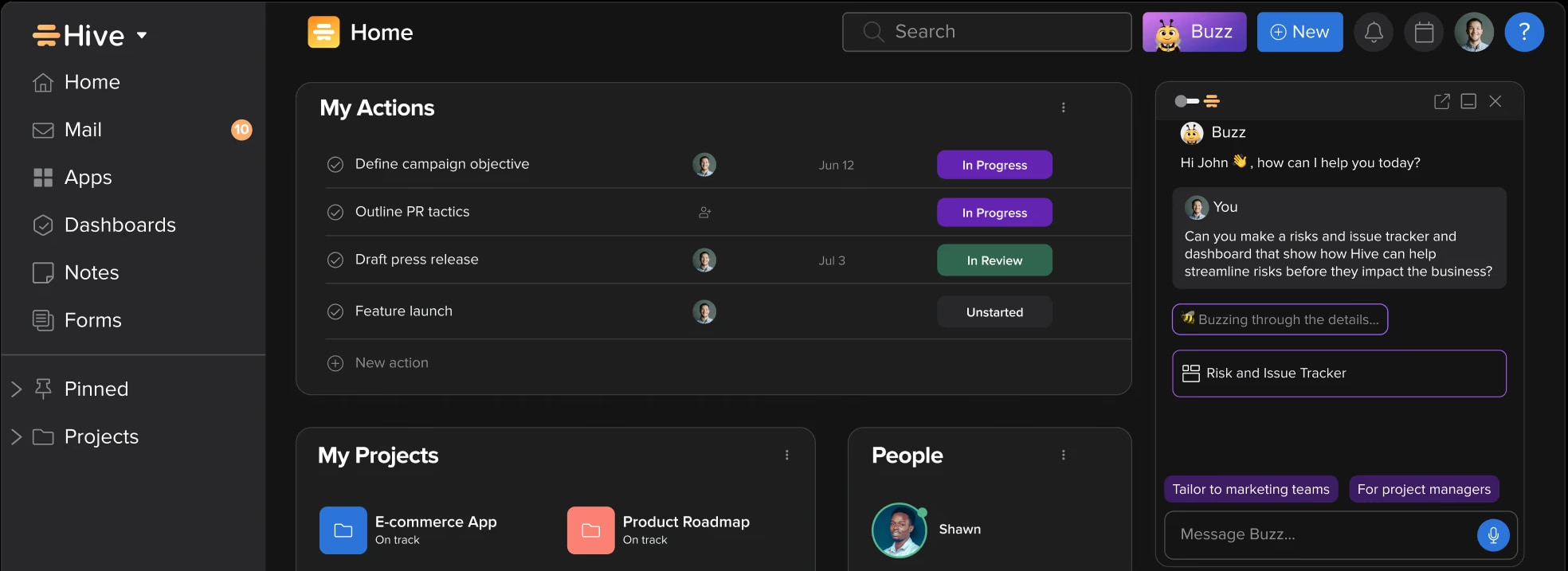
Pricing includes a free entry-level plan with paid options in the low double digits per user monthly—often cheaper than Airtable’s mid tiers for collaborative project management.
Hive is less suited for complex data schemas or building custom apps. Fewer AI-native capabilities exist compared to newer platforms like BridgeApp, which unifies chat, calls, tasks, docs, databases, and AI automation with sovereign deployment options.
Trello
Trello is the simplest option—Kanban boards with cards and Butler automations for triggers like due dates and status changes. Power-ups add integrations at low cost.
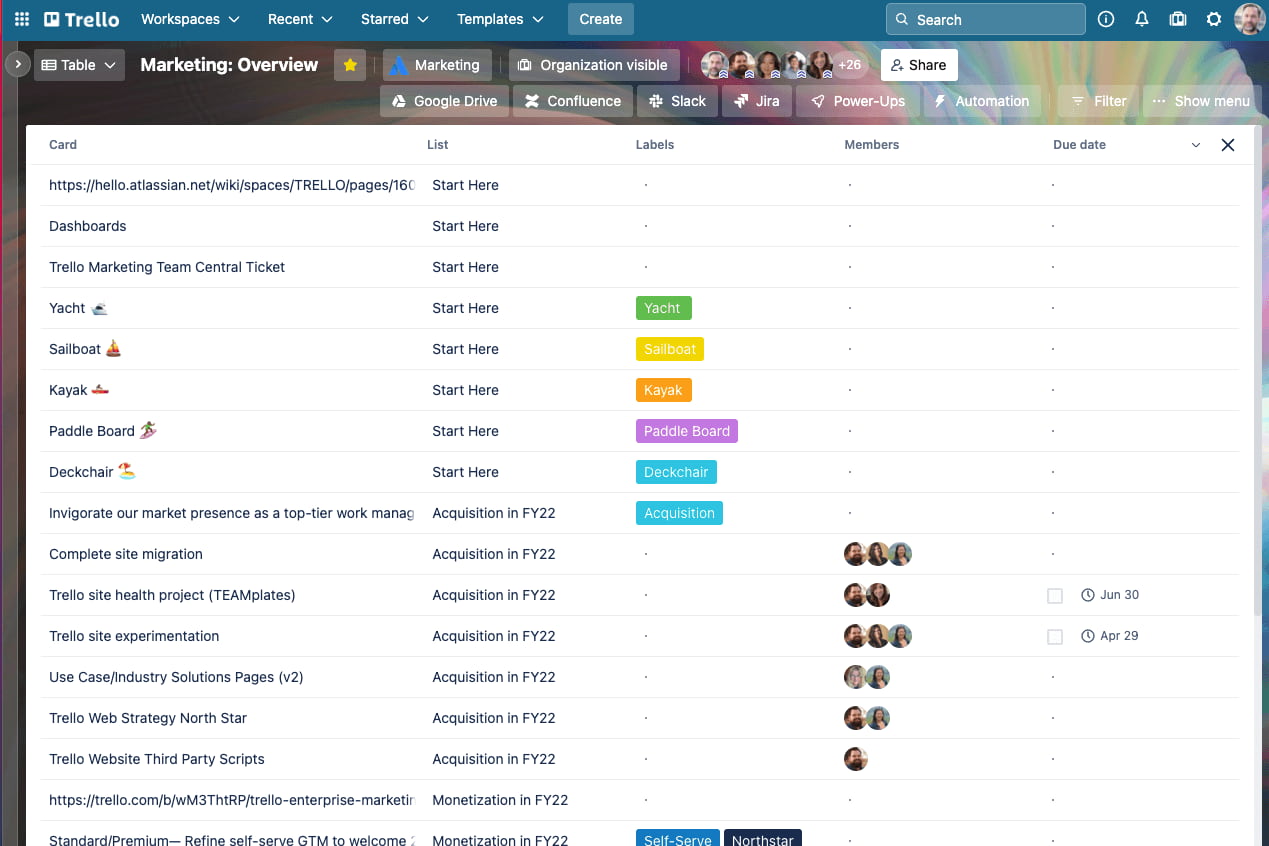
The free plan covers basic boards. Paid plans start around $5/user/month, significantly below Airtable’s typical paid tiers.
Trello struggles with large databases, complex data structure requirements, and cross-board reporting. It’s ideal for simple task boards where a user friendly interface matters most. BridgeApp serves organizations needing a central operating system with deeper structure, AI automation, and rigorous data controls.
Database- and Open-Source-Focused Airtable Alternatives
Some teams chose Airtable primarily as a database or internal tool builder. For them, an open source Airtable alternative offers better cost structures, flexibility, and data control through self hosting.
Baserow
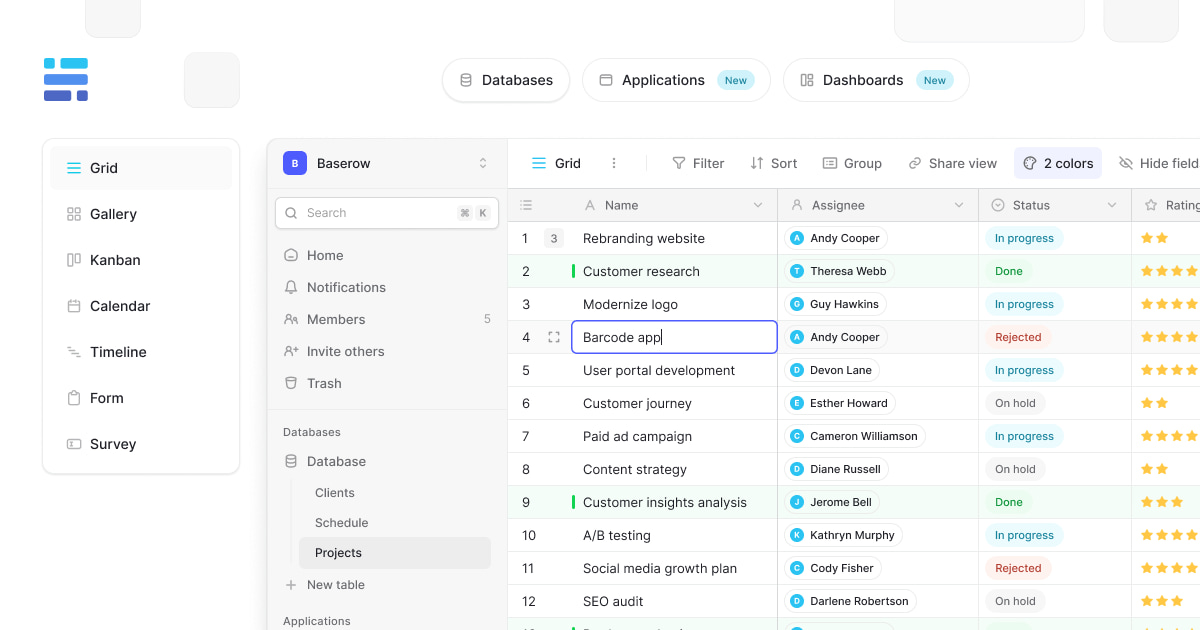
Baserow closely resembles Airtable’s table and view model with emphasis on row scalability and self-hosting. It offers familiar grid, Kanban, and gallery views suitable for CRMs, inventories, and registries.
Self-hosted deployments (Docker, Kubernetes) use an MIT-style license with unlimited rows. Cloud tiers start from low double-digit pricing for tens of thousands of rows. Full control over data via self-hosting addresses compliance requirements directly.
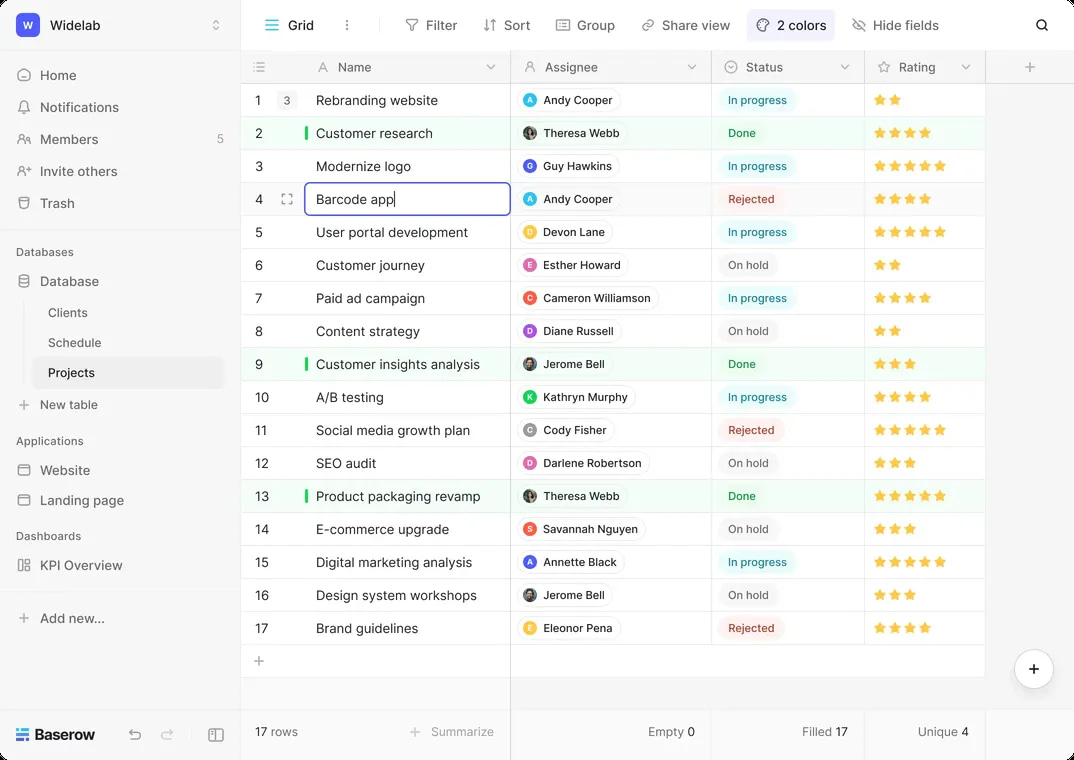
Limitations include a smaller template ecosystem and fewer polished no-code app-building features. Collaboration mainly uses comments and basic permissions—no integrated chat or voice.
Baserow is stronger as a pure open source solution. BridgeApp combines databases with communication, tasks, docs, and AI agents while still offering on-premise options for data sovereignty.
NocoDB
NocoDB transforms SQL databases (MySQL, PostgreSQL) into spreadsheet-like interfaces for non technical users. It supports multiple views and basic workflow automations, making it suitable for internal tools and admin panels.
Free to self-host with AGPL licensing, commercial hosted options exist for teams needing managed infrastructure. 2026 cloud pricing runs around $12/seat/month.
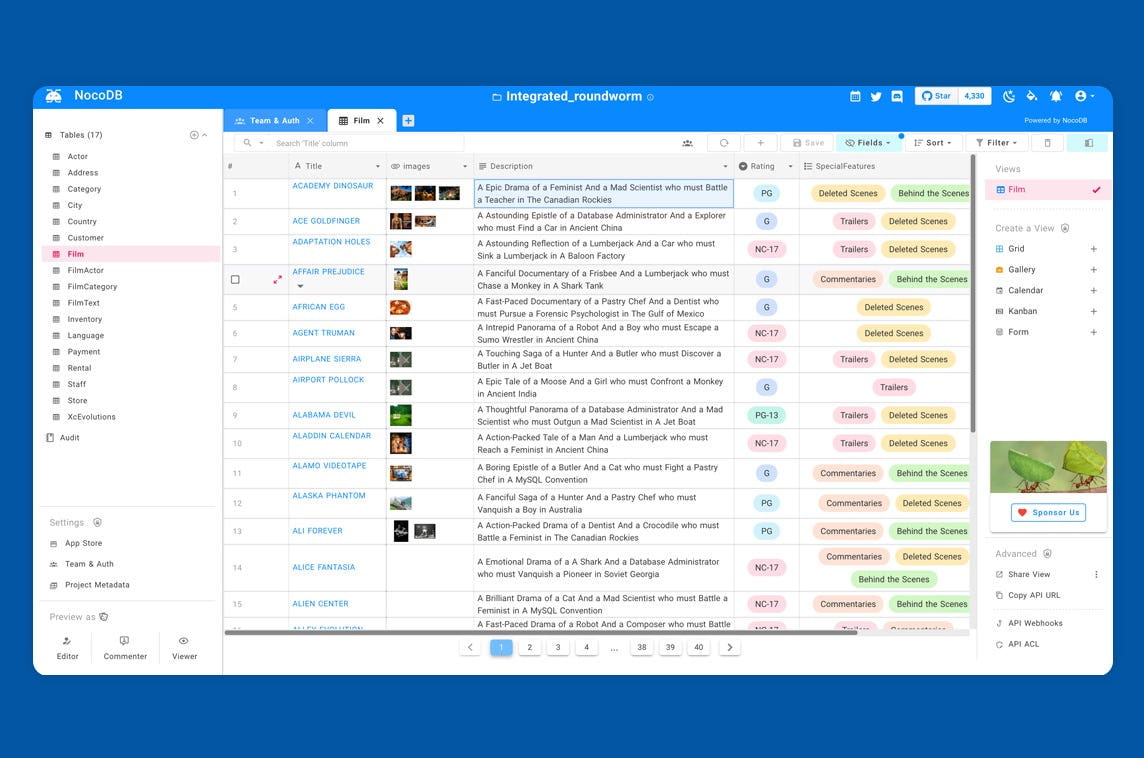
Setup requires more technical knowledge than SaaS tools. Collaboration features are improving but don’t match fully integrated workspaces. NocoDB is ideal when teams have existing relational databases and want a no-code UI. BridgeApp is ideal when teams want communication, project management, knowledge, data, and AI in one governed environment.
NocoBase
NocoBase goes beyond tables into workflows and custom data models with a plugin-based architecture and extensible schema for complex internal apps. Self-hosted with AGPL-3.0 licensing, it gives enterprises granular control.
Configuration is more complex than Airtable. The collaboration UX is tool-builder-centric rather than end-user communication-centric. NocoBase functions as a developer-friendly toolkit; BridgeApp works as an immediately usable corporate operating system where end users communicate, manage tasks, document knowledge, store data, and leverage AI with minimal setup.
Document- and Knowledge-First Airtable Alternatives
Many teams used Airtable’s rich fields to organize information but realized they needed a strong knowledge base with lightweight databases rather than the reverse.
Notion
Notion offers a document-first workspace embedding databases inside pages. Nested pages, templates, and databases (tables, boards, timelines) with relational links support knowledge management, project tracking, and lightweight CRMs.
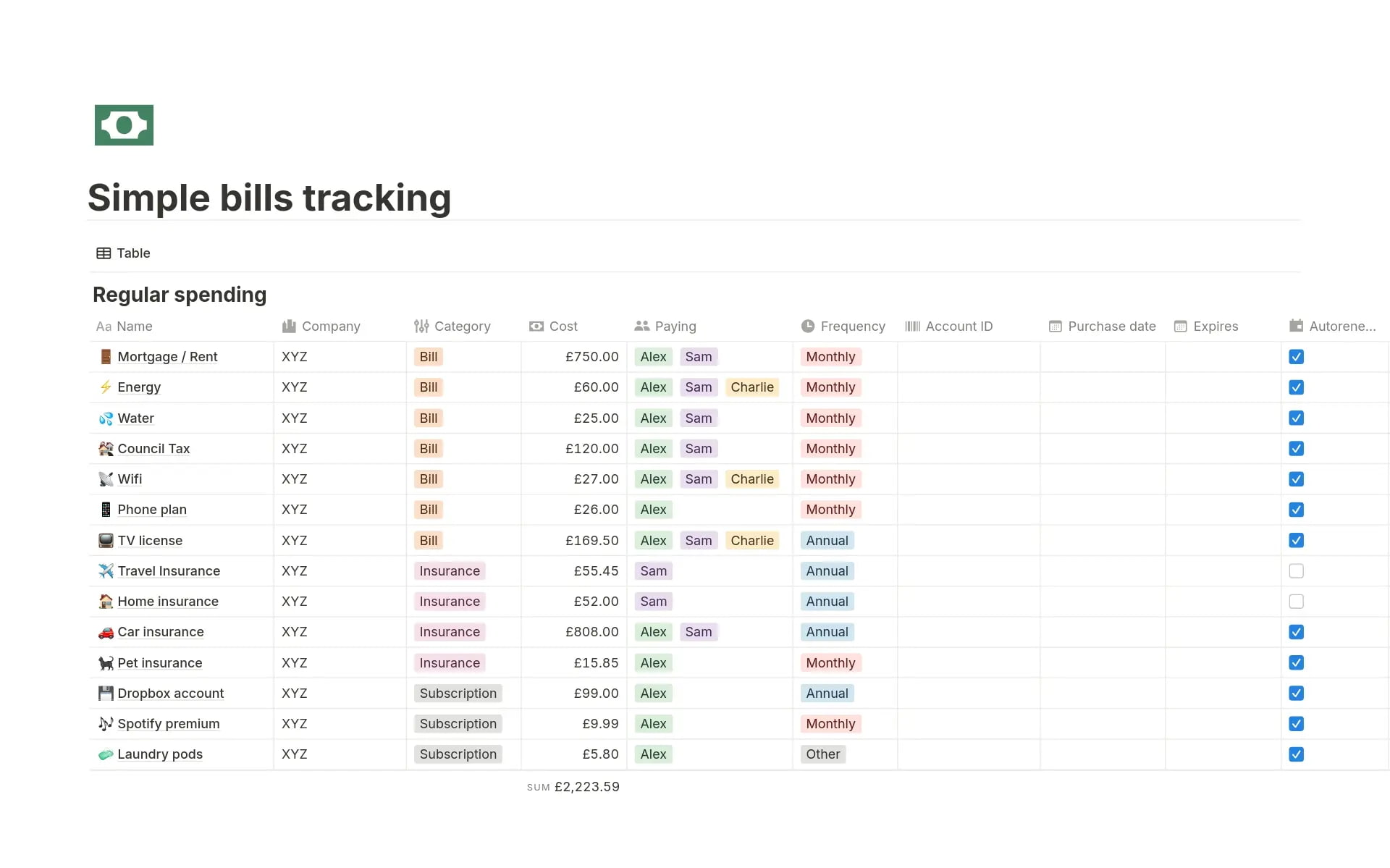
The free plan provides unlimited pages with limited guests. Plus plans run around $8/user/month with advanced admin controls. Notion offers growing AI features for summarization and content generation.
Notion’s databases are less optimized for massive data operations but better integrated with docs and wikis. It’s more suitable when knowledge sharing matters more than pure database performance.
BridgeApp offers a similar doc and database experience integrated directly into chat, tasks, and AI agents, plus EU-friendly deployment options that Notion lacks.
Coda
Coda turns documents into interactive apps where tables and controls (buttons, select lists) create internal tools. Tables support formulas closer to spreadsheet logic with advanced packs for external integrations.
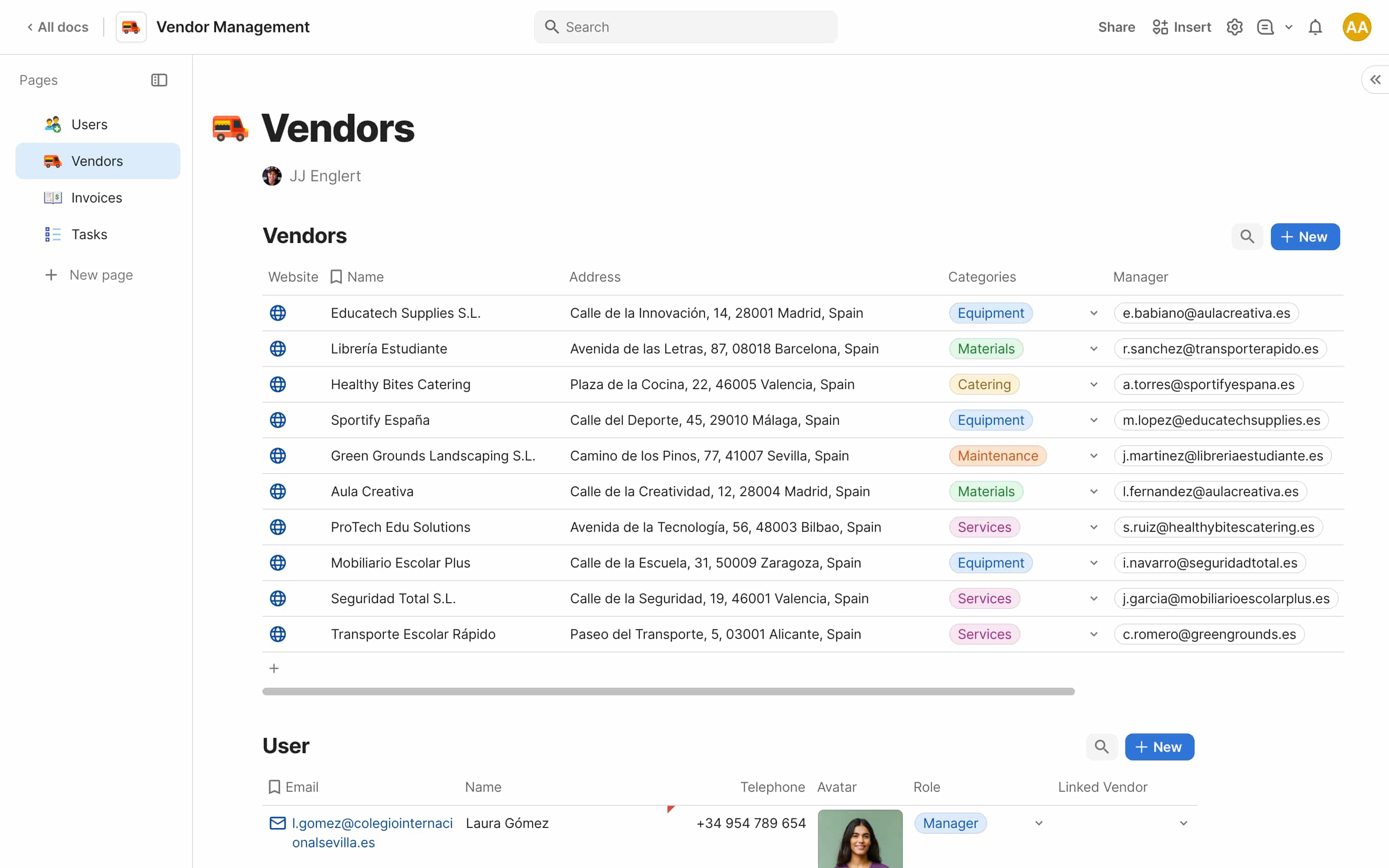
Free tier has limitations on doc size. Paid plans charge per doc maker rather than per viewer—cost-effective for teams with many read-only users.
Coda suits teams combining narratives, specs, and controls in single documents rather than managing separate bases. BridgeApp places collaborative docs and databases alongside chat, tasks, and AI agents in unified navigation, connecting decisions directly to execution.
Lightweight and Spreadsheet-Style Airtable Alternatives
Not every team needs Airtable’s full database engine. Advanced spreadsheets work fine for simple data and limited automation needs.
Google Sheets
Google Sheets is ubiquitous and free (or low-cost via Google Workspace) with formulas, pivot tables, charts, and data validation. The familiar interface reduces training time.
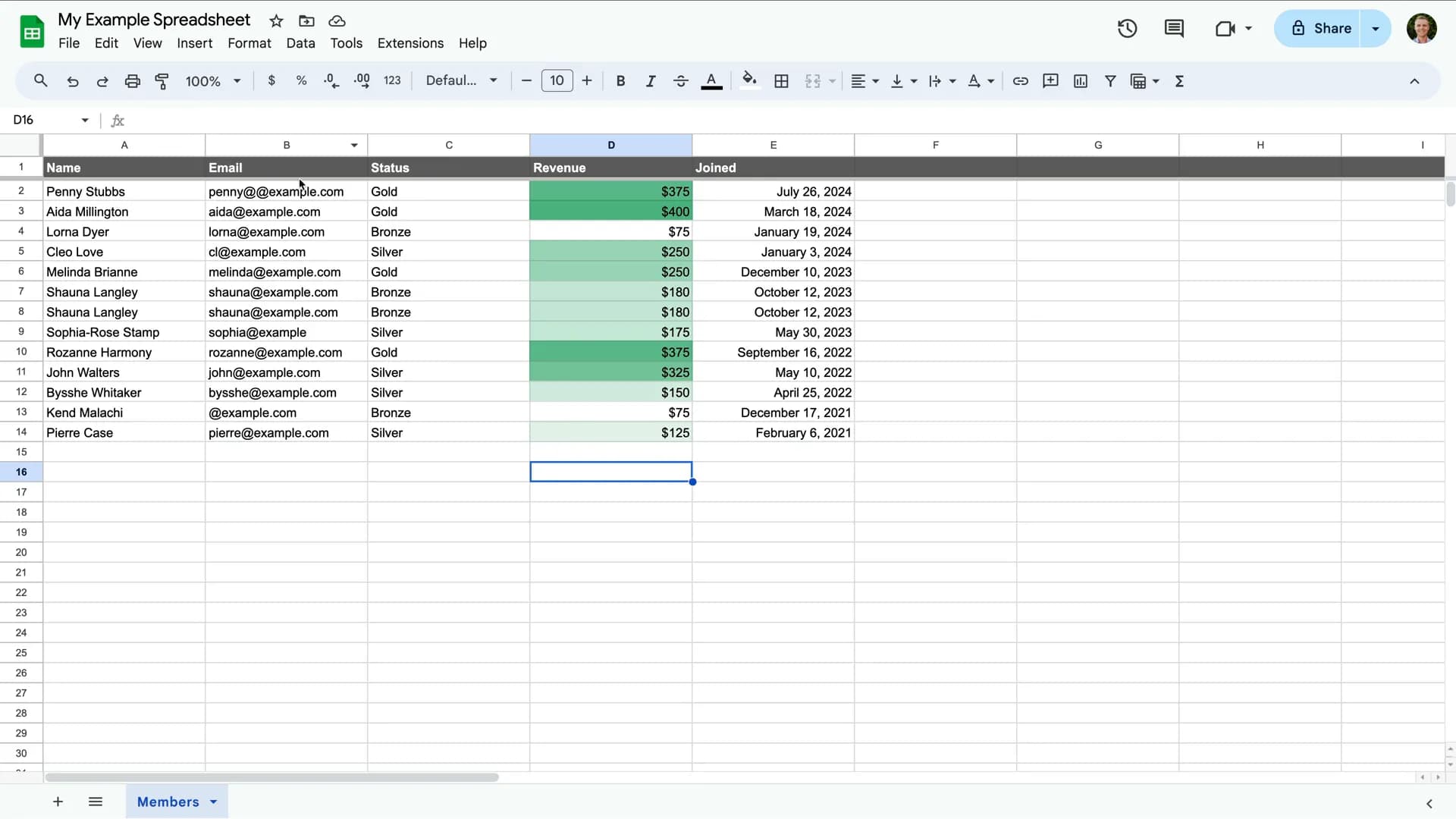
App Scripts enable automations, custom dashboards, and integrations. Add ons connect to external data sources. Personal accounts are free up to 15GB shared storage; Google Workspace starts around $6/user/month.
Sheets lacks relational database structures and ready-made interfaces. Google Sheets pros include accessibility and ecosystem integration. BridgeApp’s databases plus AI agents replicate many spreadsheet workflows while adding chat, tasks, documents, and secure deployment.
Rows
Rows modernizes spreadsheets with native connectors, data visualizations, and interactive widgets. It excels at presentation-ready reporting dashboards for agencies and SMBs.
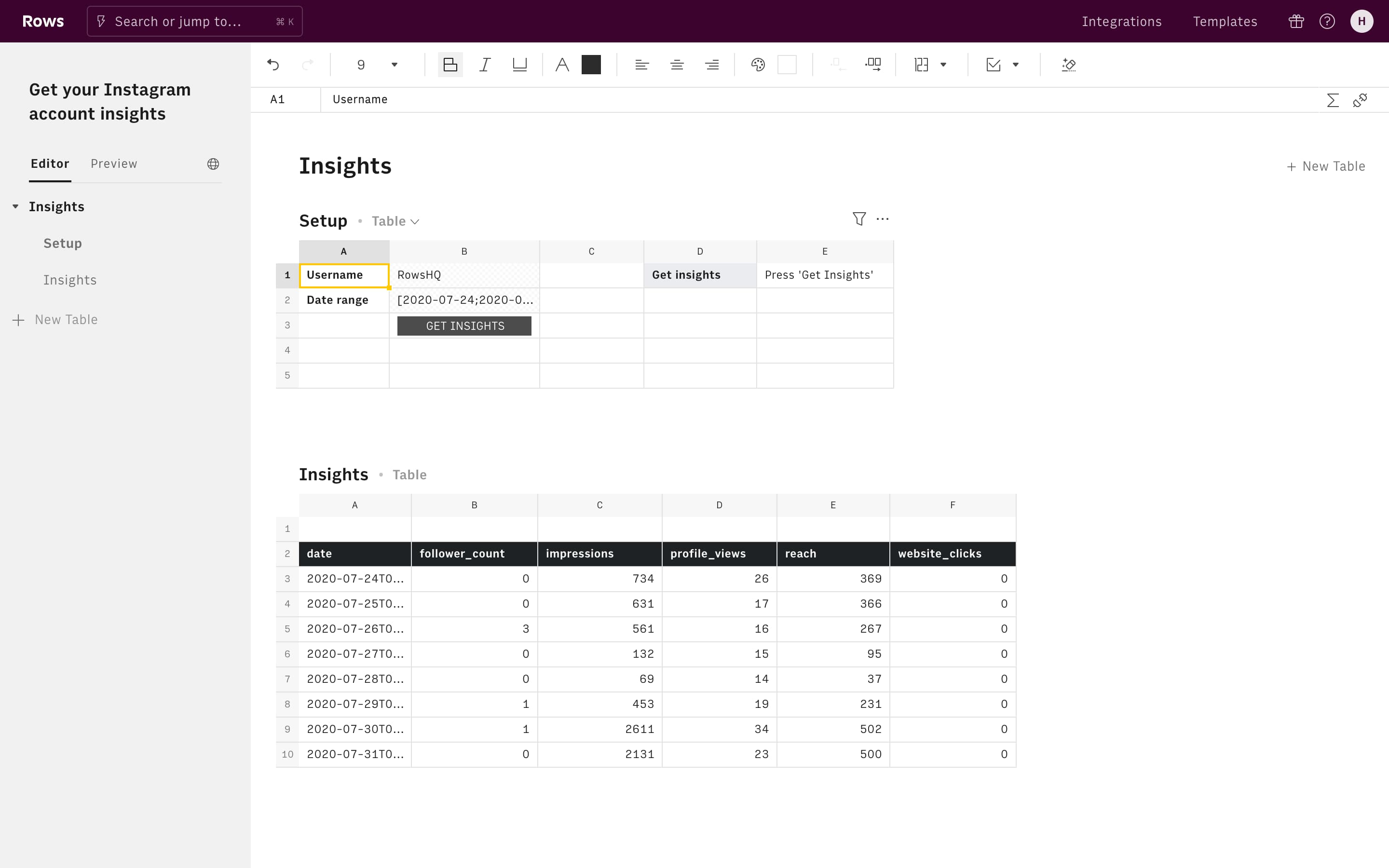
Generous free plans cover small teams. Paid plans run in the low-to-mid range per workspace, offering more rows, integrations, and automation capacity.
Collaboration remains spreadsheet-centric without deeper project or knowledge management. Rows is great for analytics-centric use cases; BridgeApp aims at running entire business operations from communication to execution with AI-powered workflows.
How to Choose the Right Airtable Alternative for Your Team
There’s no single “best” option—only tools that fit different priorities. Use this decision framework:
Step 1: Clarify your jobs-to-be-done. Are you managing complex projects, running a CRM, building internal apps, centralizing knowledge, or reducing tool sprawl?
Step 2: Map your data needs. Simple tables or complex relations? How many rows? Integration with existing databases?
Step 3: Decide on deployment. SaaS-only acceptable, or do you need on-prem for EU data residency and avoiding vendor lock in?
Step 4: Evaluate collaboration needs. Is comment-only enough, or do you need chat, audio, video, and threaded discussions?
Step 5: Consider AI ambitions. Basic automations or custom AI agents that understand your company context?
When to pick BridgeApp: Choose it when you want to eliminate a stack of separate tools (Slack, Asana, Notion, Airtable, automation platforms) and move to one AI-native operating system. Teams report 40% productivity increases and 60% less context switching. Data sovereignty advantages matter for European and regulated organizations needing complete control over deployment.
Start with a small pilot—one department or project—to test fit and measure productivity gains. Shortlist 2-3 tools (including BridgeApp) based on this framework and run time-boxed trials instead of endless comparisons.
FAQ
Can I migrate my existing Airtable bases to other tools or to BridgeApp?
Most Airtable alternatives support CSV import or dedicated importers. The typical flow involves exporting tables from Airtable, importing into the new platform, then relinking fields and rebuilding formulas or automations manually.
For BridgeApp, you’d recreate key bases as databases with matching fields. AI agents can help populate data and set up related tasks or documentation. Migration is actually a good moment to simplify structures—remove unused views and consolidate redundant fields rather than copying complexity.
When is an open-source Airtable alternative better than a SaaS tool?
Open source platforms like Baserow, NocoDB, or NocoBase make sense when data sovereignty and self-hosting are non-negotiable, your team can manage servers and updates, and licensing flexibility matters more than polished UX.
SaaS tools reduce maintenance overhead but may limit deployment options. BridgeApp offers a middle ground with both cloud and on-premise options for teams wanting managed software plus full data control.
How do I know if I need a database-first tool or an all-in-one workspace like BridgeApp?
Choose a database-first tool (Airtable, Baserow, NocoDB) if your primary challenge is structuring and querying data, and collaboration mainly happens elsewhere.
Choose an all-in-one workspace if your bigger issue is coordinating people, communication, tasks, and knowledge around that data. Analyze where time goes—if you’re constantly switching between chat, task trackers, docs, and spreadsheets, a unified workspace delivers bigger productivity gains than a marginally better database.
Does BridgeApp completely replace Airtable for complex databases?
BridgeApp databases handle flexible, real-world team data—projects, clients, assets, invoices, registries—using customizable fields and views. For most teams using Airtable as a collaborative spreadsheet-database, BridgeApp can fully replace it while consolidating chat, tasks, documentation, and AI agents.
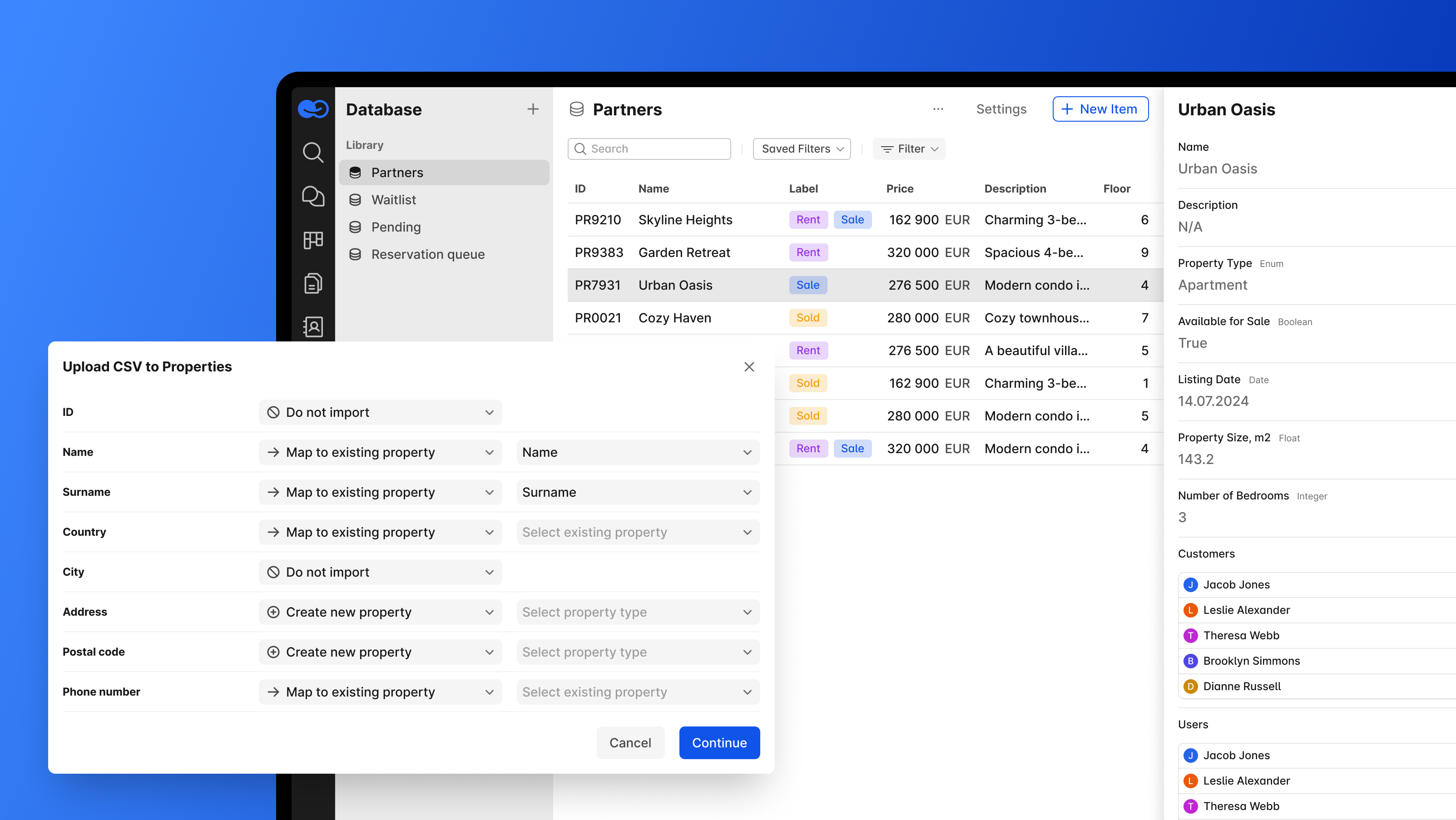
Highly specialized scenarios requiring advanced low-level database operations might still benefit from dedicated platforms, but the majority of Airtable use cases fit comfortably within BridgeApp’s model.
How does AI in BridgeApp differ from simple automations in Airtable or other apps?
Airtable automations are primarily trigger-based rules tied to specific tables—when a field changes, send data to another record or external service. They operate table-by-table.
BridgeApp’s AI agents read context from chats, tasks, documents, and databases simultaneously. They decide what to do based on your organization’s knowledge, not just single tables. Configured via a visual no-code builder with access to multiple AI models, they enable sophisticated cross-workspace workflows: summarizing meetings, creating tasks from conversations, populating records from PDFs, and generating reports without manual work.