BlogIndustry Insights
Top Trello Alternatives: Discover Your Best Project Management Options

BridgeApp Team
10 min read
Key Takeaways
- Many teams are outgrowing Trello in 2026 due to its limitations on native time tracking, reporting depth, automation capabilities (Butler caps at 250 actions/month on free plans), and scalability friction when managing dozens of boards or cross-team dependencies.
- This article compares 15+ Trello alternatives, ranging from simple kanban boards to comprehensive work hubs like BridgeApp, Asana, ClickUp, monday.com, and Wrike—so you can find the right fit for your workflow.
- BridgeApp stands out as an AI-native digital workspace that can replace Trello plus 5–6 other tools (chat, docs, databases, video calls, and automation) in one platform, with deployment options including on-premise and EU hosting for data sovereignty.
- Recommendations are grouped by use case—small teams, agencies, software development teams, data-heavy operations, and privacy-focused organizations—so you can skip straight to your scenario.
- A FAQ section at the end covers common questions about Google and Microsoft equivalents, open source options, and how to migrate from Trello without losing your data.
Why Teams Look for Trello Alternatives in 2026
Trello built its reputation on simplicity. When it launched in 2011, the visual kanban boards with drag-and-drop cards made onboarding effortless. For personal task tracking and small teams managing straightforward projects, Trello still delivers a clean, intuitive experience.
But Trello was designed as a lightweight task visualization tool, not a full project management platform. By 2024–2026, Trello leaned further into personal productivity integrations while many teams moved in the opposite direction—needing deeper project management features, resource planning, and AI-driven automation.
Here are the concrete limitations pushing teams to explore alternatives:
- No native time tracking. You need third-party Power-Ups like Harvest or Toggl to track hours, adding cost and friction.
- Limited reporting and workload views. Trello offers basic card analytics but lacks portfolio overviews, capacity planning, or cross-project visibility. According to PMI data, 68% of project managers report visibility gaps when relying on simple board tools.
- Automation constraints. Butler rules handle basic automations, but the free plan caps at 250 actions per month. There’s no contextual AI that understands your conversations, documents, or databases.
- Scalability friction. Managing 50+ boards or coordinating across multiple teams leads to “board clutter” and manual export headaches. Users on G2 in 2025–2026 frequently cite these as pain points.
Modern project management tools often bundle kanban boards with timeline and gantt views, workflow automation, collaboration features, and AI assistance. This reduces the need for the “software zoo” that Trello users typically assemble—averaging 4–6 supplemental apps according to Forrester research on SaaS sprawl.
Best Trello Alternatives Shortlist for 2026
Before diving deep, here’s a quick at-a-glance list so you can get answers fast. Each tool serves different scenarios, so scan for what matches your team.
- BridgeApp – AI-native all-in-one workspace combining chat, tasks, docs, databases, calls, and custom AI agents; ideal for teams replacing multiple tools and needing data sovereignty options.
- Asana – User-friendly project management platform with timeline views, dependencies, and portfolios; great for scaling cross-functional teams in marketing and operations.
- ClickUp – Highly customizable “one app to replace them all” with 15+ views, built-in docs, whiteboards, and AI features; suits agencies and product teams willing to invest in configuration.
- monday.com – Visual Work OS with spreadsheet-like boards, strong templates, and dashboards; works well for visual thinkers wanting structured workflows.
- Wrike – Enterprise-grade platform with robust resource management and analytics; fits large organizations with dedicated project managers.
- Jira – Atlassian’s Agile flagship for software development teams needing backlogs, sprints, and deep developer tool integrations.
- Airtable – Spreadsheet-database hybrid with kanban and gallery views over structured data; powerful for content operations and product catalogs.
- Notion – Knowledge-centric workspace blending wiki pages, databases, and light project management; popular with startups and documentation-heavy teams.
- Basecamp – Simple project management for small businesses wanting flat-rate pricing with messaging, to-dos, and file sharing in one place.
- Microsoft Planner – Bucket-based kanban boards integrated with Microsoft 365; convenient if your company already standardizes on Teams and Outlook.
- KanbanFlow – Lightweight kanban tool with built-in Pomodoro timer; best for freelancers and solo task tracking.
- WeKan / Taiga – Open source, self-hosted options for privacy-focused teams with technical resources to maintain their own infrastructure.
BridgeApp: AI-Native All-in-One Alternative to Trello
For teams that have outgrown single-purpose kanban boards and are tired of stitching together separate apps for chat, tasks, wikis, spreadsheets, and video calls, BridgeApp offers a different approach. It’s what the company calls “the next generation corporate operating system”—an AI-native digital workspace that consolidates everything into one platform.
BridgeApp combines six core modules:
- Corporate messenger with channels, threads, direct messages, and @mentions—replacing Slack-style tools
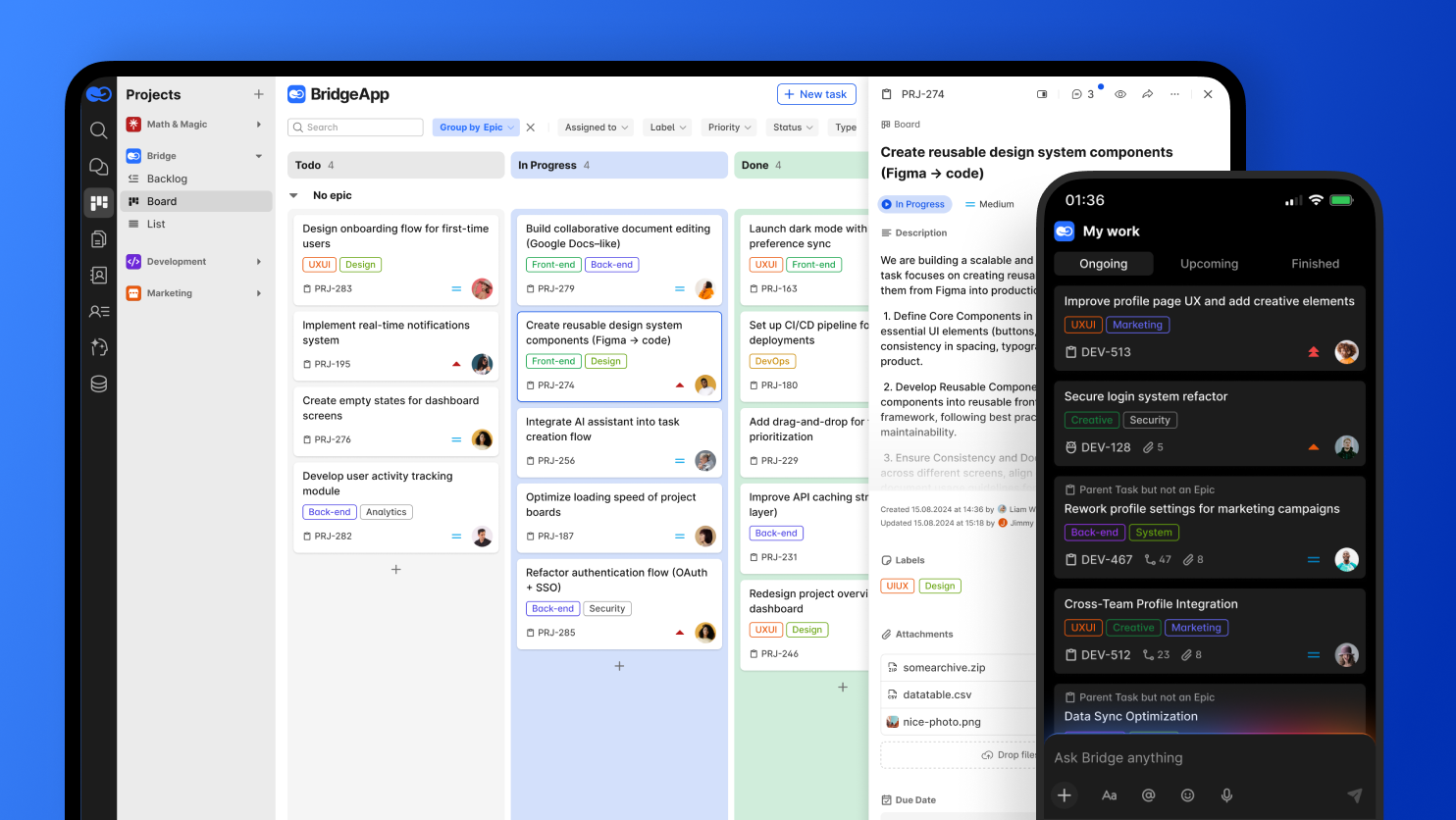
- Task and project management with board (kanban), backlog, and list views supporting parent/subtasks and custom fields
- Collaborative documentation with a real-time editor and unlimited nested pages for wikis and internal procedures
- Flexible databases for structured data (leads, invoices, assets) with custom attributes and API access
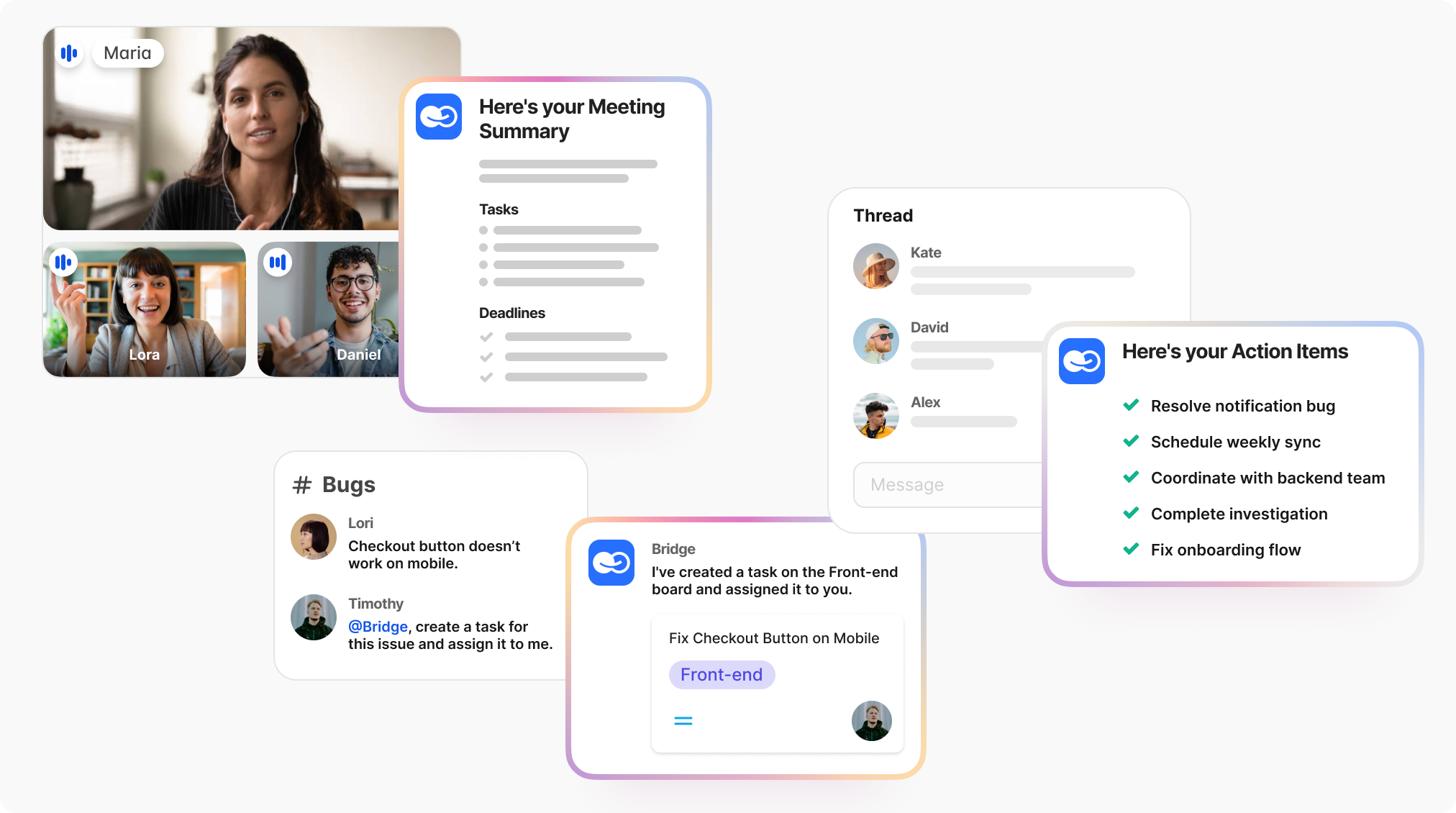
- Audio/video calls built directly into the workspace with AI-generated summaries and action items
- Visual no-code AI agent builder that lets you create “digital employees” to automate repetitive work
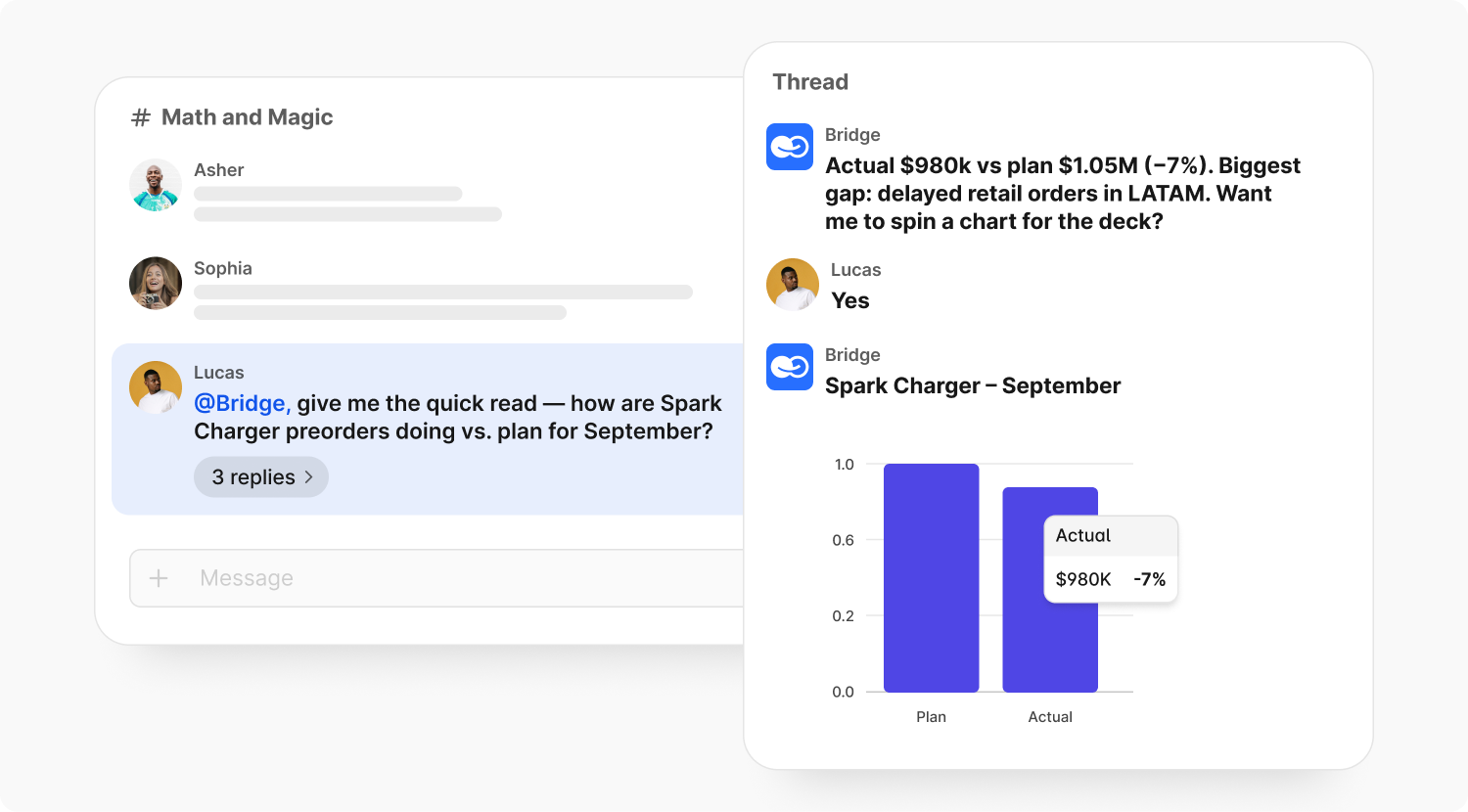
The AI-first approach is what sets BridgeApp apart. Unlike Trello’s rule-based Butler, BridgeApp agents connect to your internal context—chats, documents, databases—and can:
- Create tasks directly from chat conversations
- Summarize long threads and meetings (saving roughly 20 minutes per meeting)
- Answer questions about internal procedures from your knowledge base
- Fill databases from PDFs, forms, or incoming data
- Generate reports and handle first-line support queries
For organizations concerned about data sovereignty, BridgeApp offers cloud, on-premise, private cloud, and hybrid deployment. This makes it suitable for EU-based companies, regulated industries (finance, healthcare, government), and any team needing GDPR-aligned, self-hosted options with no vendor lock-in.
Concrete time savings: Internal benchmarks show approximately 4.6 hours saved per employee per week from AI agent automation. For a 250-person team at $30/hour, that translates to roughly $1.656 million annually—just from eliminating routine tasks.
BridgeApp vs Trello: Key Differences
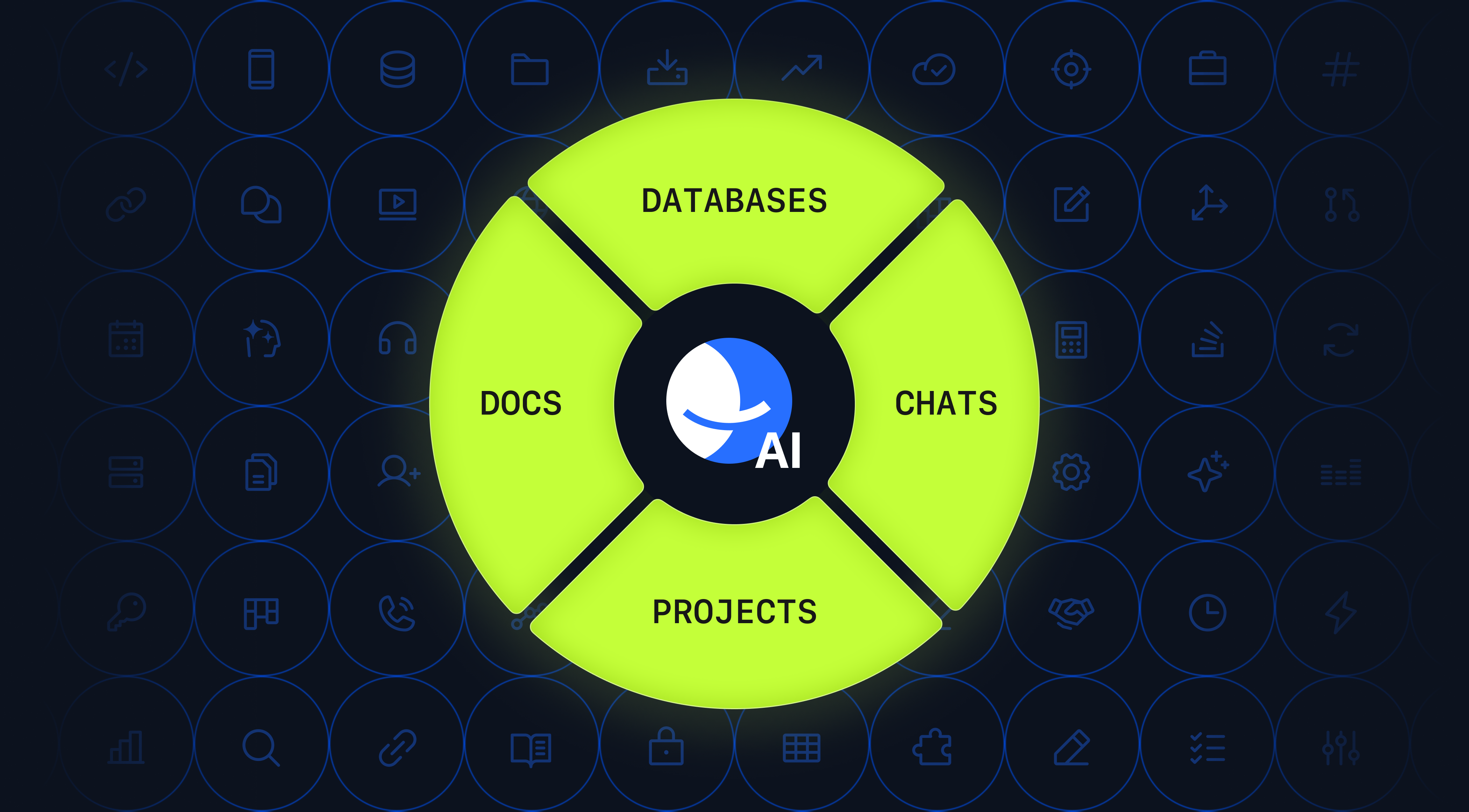
Trello is fundamentally a kanban task board. BridgeApp is a complete digital workspace—a “corporate operating system” for communication, task management, documentation, and intelligent automation.
Here are the core differences:
- Communication: BridgeApp has built-in chat channels, threads, and audio/video calls. Trello requires separate tools like Slack and Zoom, fragmenting conversations away from where work happens.
- Task views and structure: BridgeApp offers multiple project views (kanban board, backlog, list) with hierarchical parent/subtasks and custom fields. Trello focuses primarily on boards and checklists with flat card structures.
- Documentation and databases: BridgeApp includes a collaborative document editor and flexible no-code databases for any structured data. Trello relies on attachments or external tools like Google Sheets and Confluence.
- Automation intelligence: BridgeApp’s AI agents are configurable “digital employees” that work from your organization’s internal context, accessing chats, docs, and databases to automate complex workflows. Trello’s Butler provides rule-based automations without LLM capabilities or contextual understanding.
- Deployment flexibility: BridgeApp supports on-premise or private cloud deployment with end-to-end encryption. Trello is a SaaS service hosted on Atlassian’s infrastructure with no self-hosting option.
BridgeApp suits teams wanting to consolidate 5–7 tools and dramatically reduce context switching. Trello may still work for very small teams with simple project management needs and no compliance requirements.
Who BridgeApp Is Best For
BridgeApp fits several distinct profiles:
- IT and product teams running multi-project backlogs who need chat, tasks, and technical documentation tightly connected. When a discussion in a channel leads to a decision, an AI agent can automatically create the task and link it to relevant docs.
- SMBs and startups that want one subscription instead of paying separately for Slack, Trello, Google Docs, Airtable, and Zoom. The consolidation alone can reduce costs by 20–30% while eliminating context switching.
- Enterprises and public sector organizations in the EU that require data sovereignty, GDPR alignment, and on-premise deployment. BridgeApp’s hybrid options let you keep sensitive data in your own infrastructure while still accessing modern collaboration features.
- Operations, finance, and sales teams that benefit from databases plus AI agents to automate repetitive data entry, reporting, and approvals. A finance analyst agent, for example, can process payment requests via chat and extract invoice data automatically.
- Support and pre-sales teams needing AI assistants for first-line questions and triaging tickets—reducing resource requirements by up to 30% according to BridgeApp’s benchmarks.
Quick example: A 10-person team using BridgeApp agents for meeting summaries, task creation from chat, and database queries can save approximately 46 hours per week combined. That’s more than one full-time employee’s worth of recovered capacity.
If you’re switching not just from Trello but from an entire stack of disconnected tools, BridgeApp deserves serious consideration.
Asana: A User-Friendly Upgrade from Trello
Asana has positioned itself as the polished, widely adopted project management platform for teams that need more than basic kanban boards but don’t want overwhelming complexity. If you’re finding Trello too limited but want something that still feels intuitive, Asana often tops the shortlist.
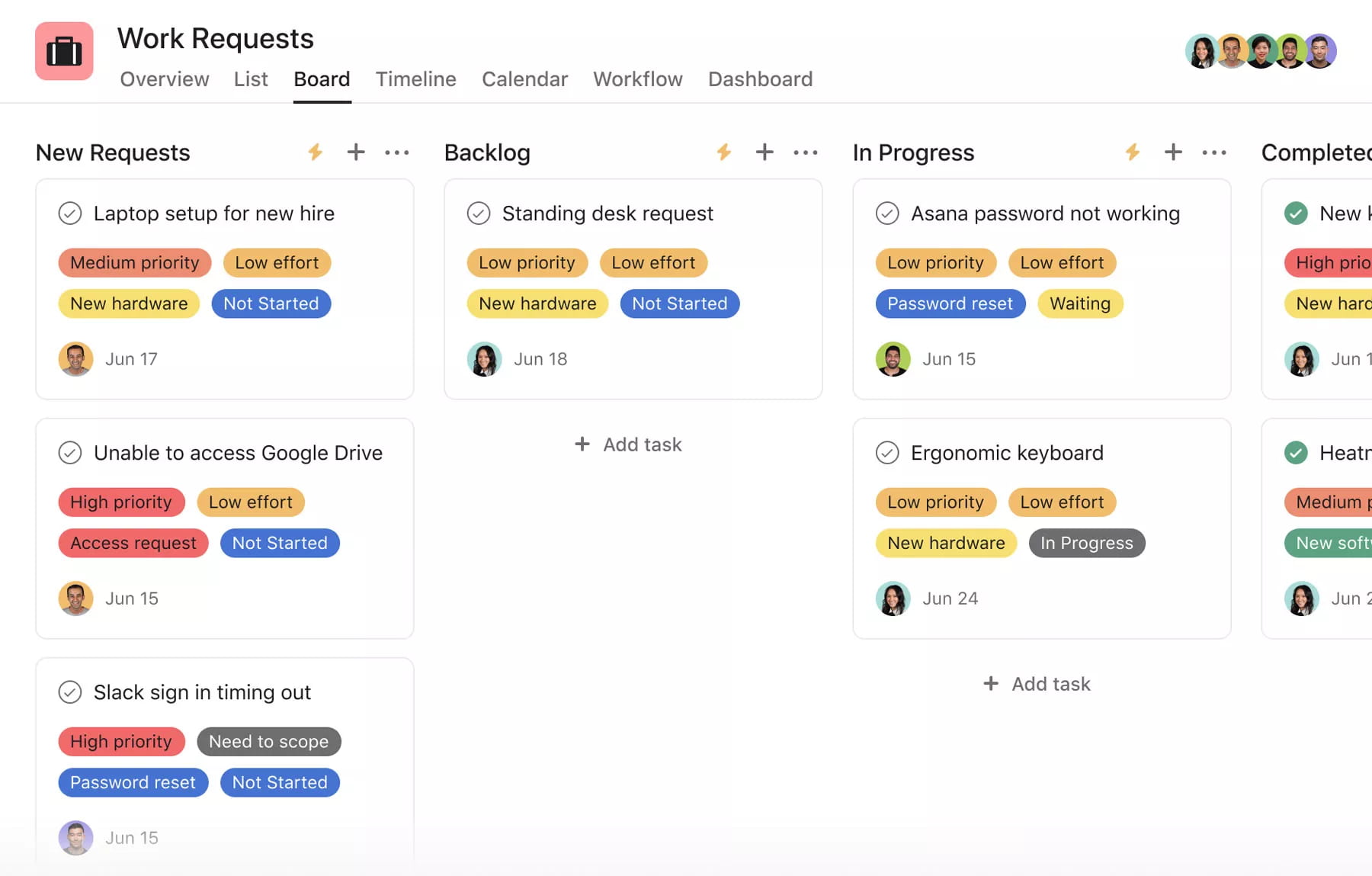
Core features relevant to Trello users:
- List and board views that will feel familiar
- Timeline view (essentially gantt charts) for visualizing project schedules and dependencies
- Task dependencies and subtasks to map out complex projects
- Custom fields for tracking project data beyond basic labels
- Automation rules for recurring tasks and status updates
- Basic in-app messaging and forms for intake workflows
- Advanced reporting and portfolio views on paid plans for cross-team visibility
Asana excels at making project management software feel accessible. Marketing teams, product managers, and operations leaders consistently cite its clean interface as a selling point. When you need to track progress across multiple projects and assign tasks with clear ownership, Asana handles it smoothly.
Pricing in 2026: Asana offers a free tier for small teams with basic features. Paid plans start at approximately $10.99/user/month (Starter tier, billed annually), with Advanced and Enterprise tiers adding more automation, reporting, and admin controls.
When Trello users typically switch: The transition usually happens when teams need task dependencies, workload visibility across team members, and standardized workflows that go beyond simple kanban methodology. If you’re manually creating workarounds for tracking project progress in Trello, Asana likely solves those problems out of the box.
ClickUp: For Teams That Want One App for Almost Everything
ClickUp markets itself as “one app to replace them all,” and it’s not entirely hyperbole. The platform aims to consolidate project management, docs, whiteboards, basic CRM functionality, and more into a single interface. For teams frustrated by juggling multiple subscriptions, ClickUp’s breadth is genuinely appealing.
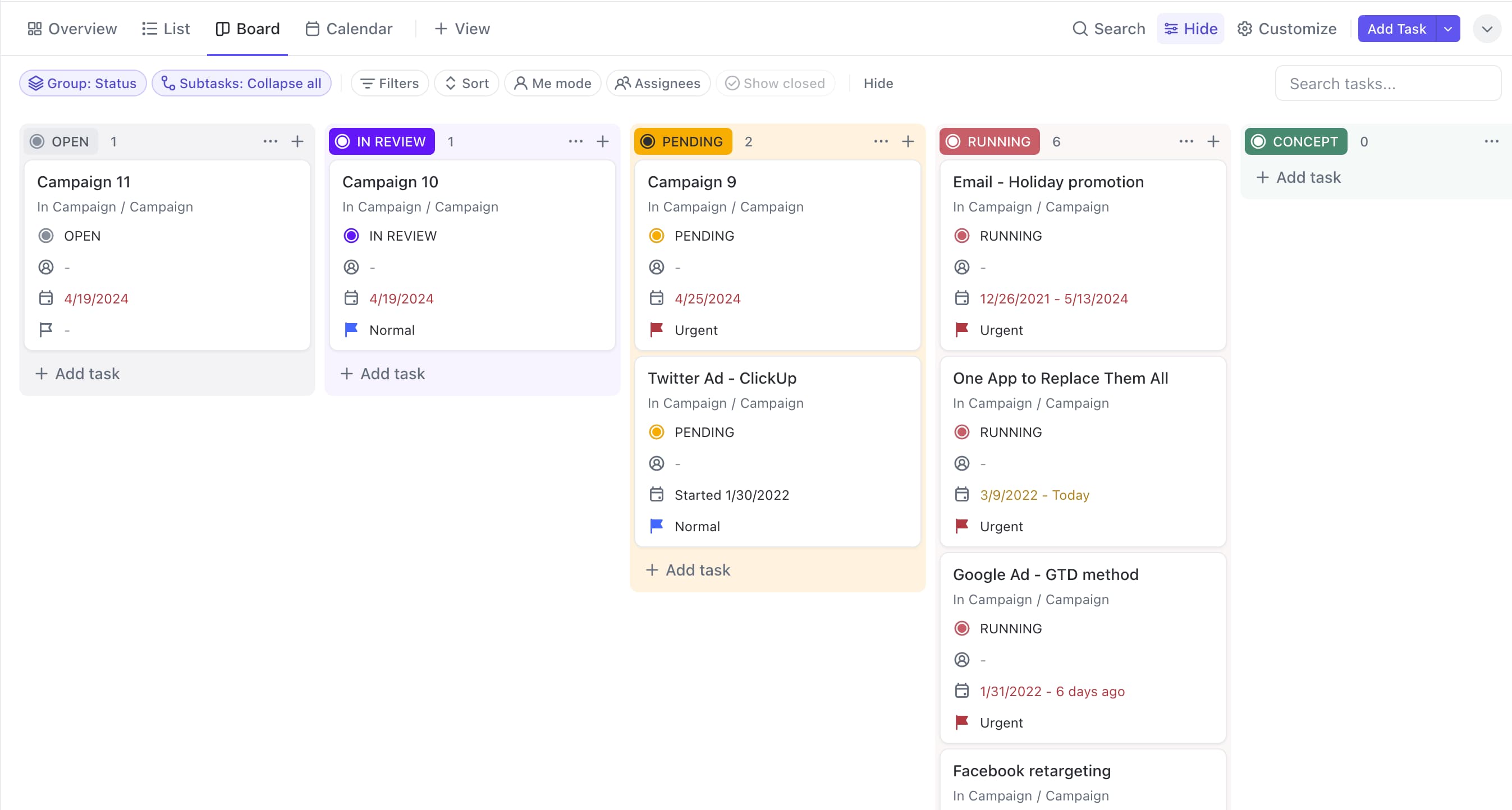
Key capabilities compared to Trello:
- Highly customizable task hierarchy with spaces, folders, lists, tasks, and subtasks—far more structure than Trello’s flat boards
- 15+ view types including board, list, gantt, calendar, workload, and timeline views
- Built-in docs and whiteboards for brainstorming and documentation without leaving the platform
- Native time tracking and dashboards for progress tracking and resource management
- AI assistant features for summaries and content drafting, available even on the free plan
- 1,000+ integrations and robust automation capabilities
The trade-off? ClickUp’s power comes with a steeper learning curve. Users on Capterra and G2 (4.7/5 overall rating) frequently note that the interface can feel “overwhelming” for teams migrating from Trello’s simplicity. Expect a 2–4 week adjustment period. Some users also report performance lags when working with large datasets.
Pricing: ClickUp offers a generous free plan with unlimited tasks and unlimited users. Paid plans start around $7/user/month, making it competitive for teams watching their budget.
Ideal users: Agencies, product teams, and ops teams ready to invest time in configuration will get the most value. If you want to manage projects, collaborate on documents, track time, and eliminate other tools simultaneously, ClickUp delivers—assuming you’re patient with the initial setup.
Monday.com: Visual Work OS for Customizable Workflows
Monday.com brands itself as a “Work OS” rather than just project management software, and the distinction matters. The platform offers colorful, spreadsheet-like boards that can be customized for sales pipelines, HR onboarding, marketing campaigns, and virtually any other workflow your team runs.
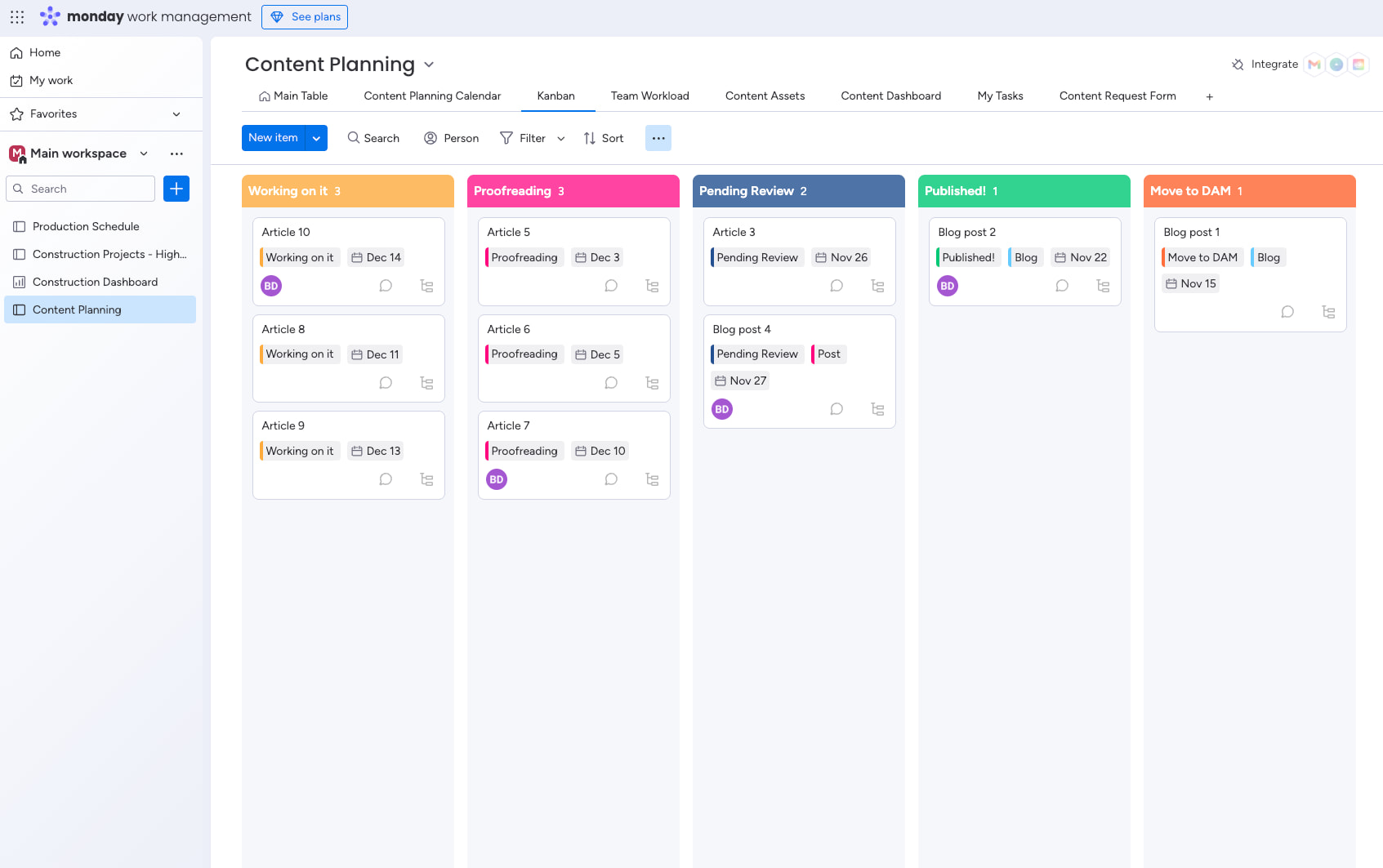
Key features:
- Customizable boards with columns for status, dates, numbers, formulas, and more—think “spreadsheet meets kanban”
- Multiple views including kanban boards, calendar, timeline/gantt, and workload views
- 200+ automation recipes for workflow automation without coding
- Strong template gallery so you don’t start from scratch for common processes
- Built-in time tracking on higher tiers
- Dashboards that give managers visibility into progress tracking across the organization
monday.com works well for visual thinkers who want structure but also flexibility. Sales teams building pipelines, client work tracking, and operations teams managing complex processes often find it clicks faster than more rigid alternatives.
Pricing: There’s a free plan for very small teams (up to 2 seats). Paid plans start around $9/seat/month (Basic tier) and scale up to Pro and Enterprise plans with more automation, integrations, and analytics. Compared to Trello’s paid plans, monday.com is in a similar price range but offers significantly more built-in features.
Who it fits: Teams wanting structured workflows, strong collaboration features, and visual reporting without building everything from scratch. If you need unlimited boards and want to avoid Power-Up sprawl, monday.com offers most essentials natively.
Wrike, Jira, Airtable, Notion & Other Notable Trello Competitors
Some teams need more specialized solutions than general-purpose project management platforms provide. Here’s how the next tier of alternatives stacks up.
Wrike
Wrike targets large organizations with complex projects and dedicated project managers. It offers:
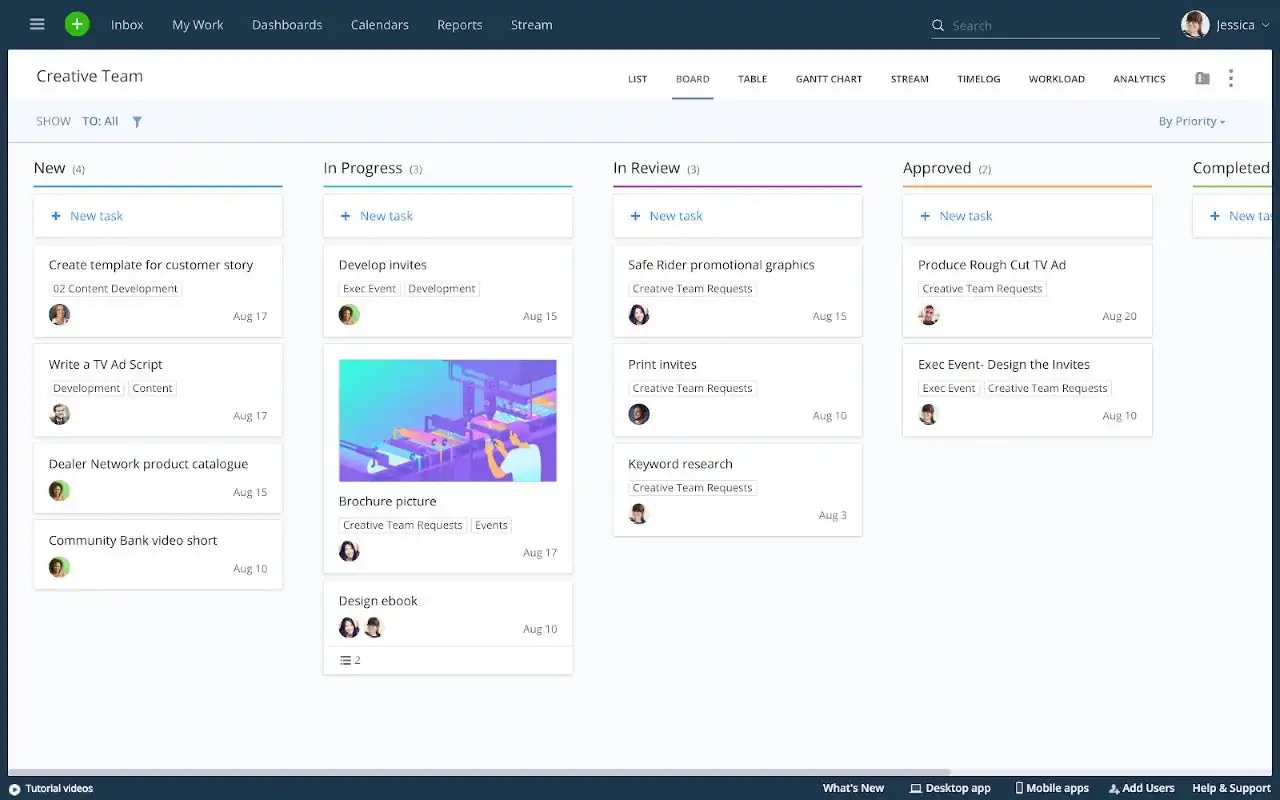
- Multiple views including kanban, gantt charts, and workload
- Advanced resource management and proofing/approval workflows
- Cross-tagging for visibility across inter-connected projects
- 400+ integrations and robust analytics
- Pricing starting around $10/user/month
Wrike’s 2026 benchmarks claim 25% faster project delivery for teams using its full feature set. The platform suits organizations where project managers have time to configure workflows and need enterprise-grade control. Engineering teams and marketing agencies with client work often land here.
Jira
Jira is Atlassian’s flagship—built from the same company as Trello but designed for software development teams. Key differentiators:
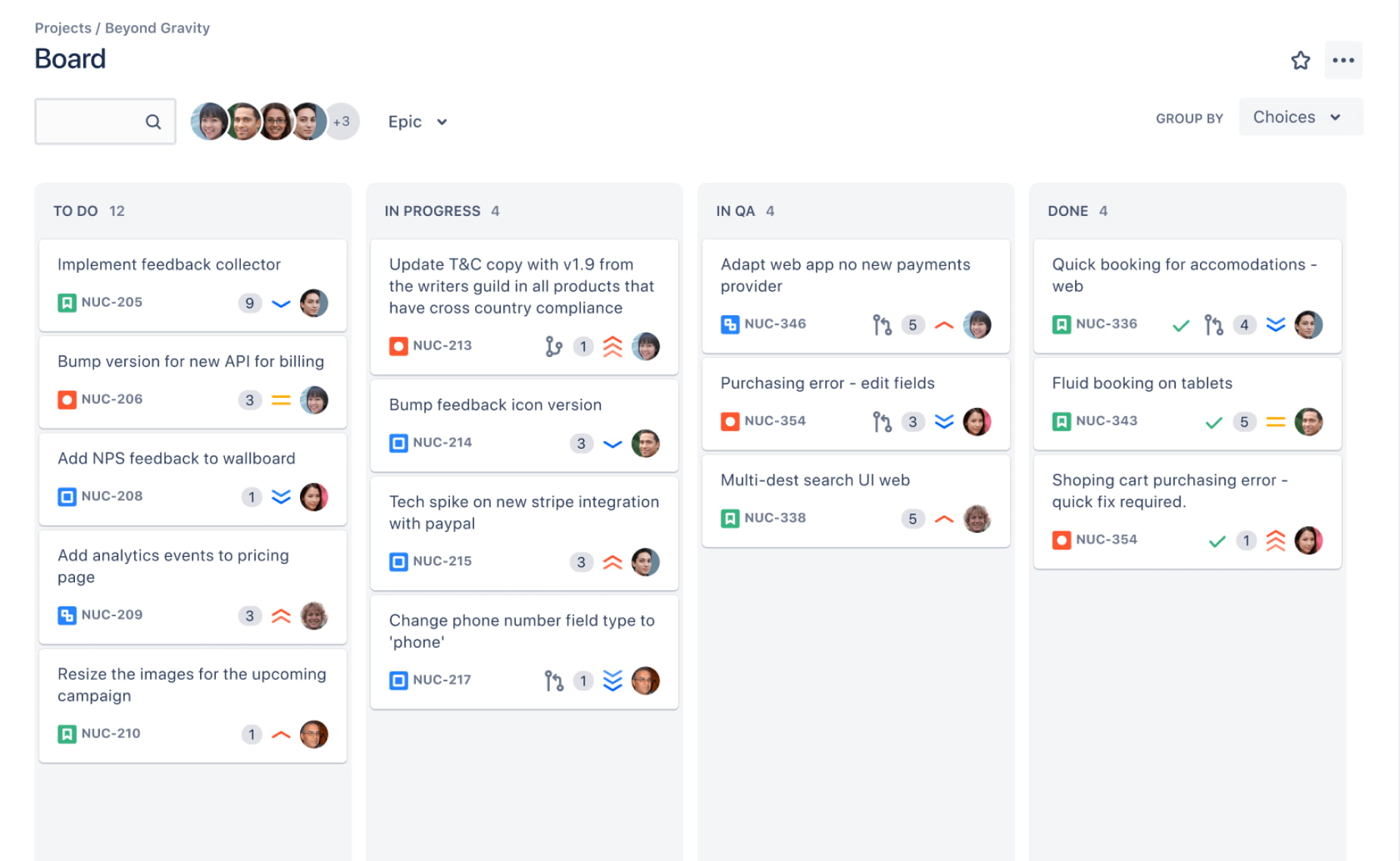
- Backlog management, sprints, and Scrum/kanban boards
- Issue tracking with deep integrations to GitHub, GitLab, Bitbucket
- Custom workflows for agile teams and detailed reporting
- Pricing from $9.05/user/month (free for teams under 10)
If you need structured Agile workflows for software development, Jira is the industry standard. However, it’s admin-intensive and can feel heavyweight for non-developer teams or simple project management needs.
Airtable
Airtable blends spreadsheet familiarity with database software power. You can visualize data as kanban boards, galleries, calendars, or traditional tables—all over the same structured dataset.
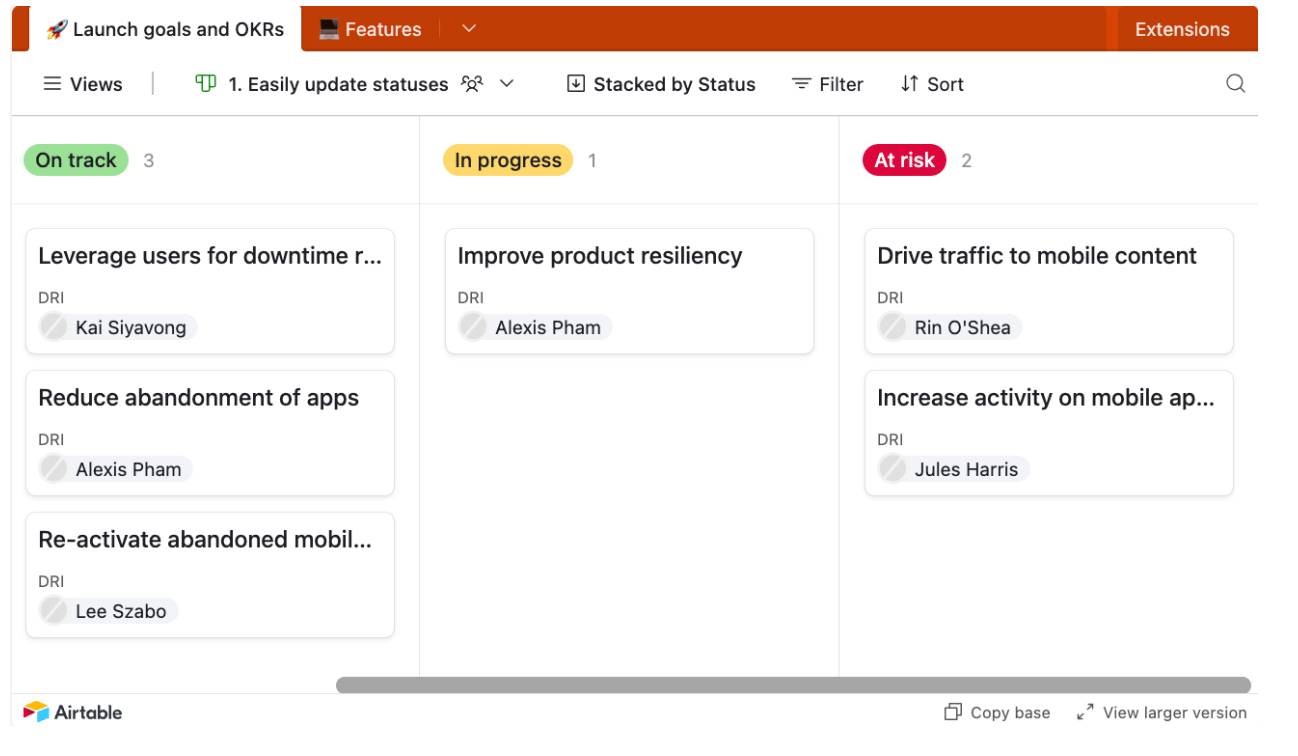
- Custom fields for any type of data (text, attachments, dates, formulas)
- API access for building internal tools
- Powerful for content operations, product catalogs, inventory tracking, and CRM-like use cases
Airtable is more complex to set up than Trello but dramatically more capable for data-heavy workflows. Users describe it as “Excel on steroids.” The relational database structure takes time to learn but pays off for teams managing structured information across multiple projects.
Notion
Notion occupies a unique space as a knowledge-centric workspace. It combines wiki pages, databases, and light project management in a flexible, template-driven interface.
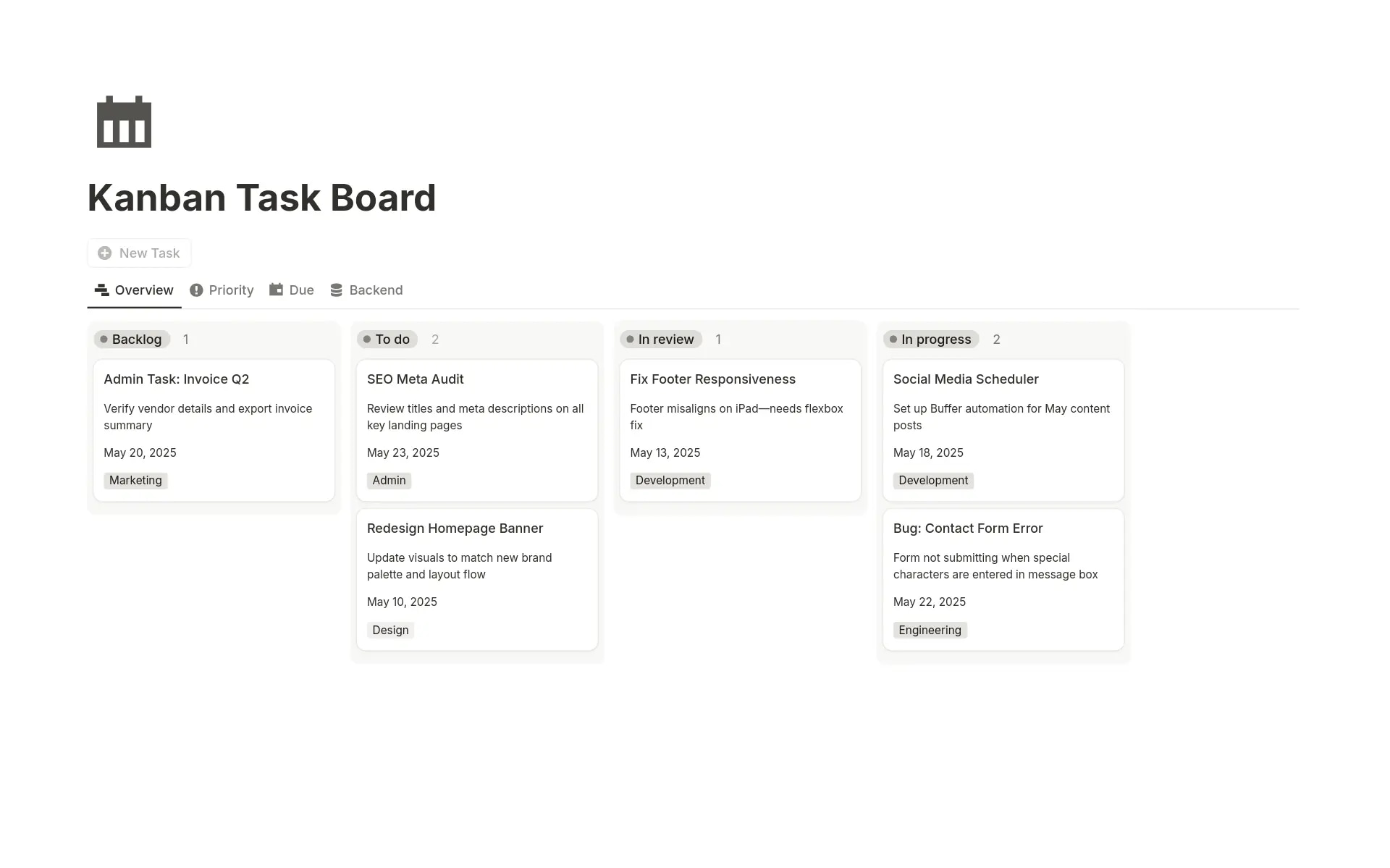
- Kanban boards live alongside documentation in the same workspace
- AI assistant for summaries and content drafting
- Extremely flexible for startups, content teams, and documentation-heavy work
- Affordable pricing with a free version for personal use
Teams leaving Trello often appreciate having docs and task tracking side-by-side. However, Notion lacks advanced features like sprints, robust automations, and detailed resource management. It’s better for knowledge work than complex project tracking.
Quick Mentions: Other Tools Mentioned
| Tool | Best For | Key Strength |
|---|---|---|
| Basecamp | Small businesses | Flat-rate pricing, simple collaboration platform with messaging + to-dos + files |
| Microsoft Planner | Microsoft users | Bucket-based kanban integrated with Outlook, Teams, and To Do; bundled with M365 Business plans |
| KanbanFlow | Freelancers, solo users | Lightweight kanban tool with built-in Pomodoro timer; totally free core features |
| WeKan | Privacy-focused tech teams | Open source, self-hosted Trello-like boards |
| Taiga | Agile/Scrum self-hosters | Open source with sprint management, ideal for teams avoiding vendor lock-in |
How to Choose the Right Trello Alternative for Your Team
There’s no universal “best” project management tool. The right choice depends on your team size, workflow complexity, regulatory environment, and whether you want one consolidated platform or a collection of specialized apps.
Core Features
Start by listing your must-haves. Do you need:
- Built-in time tracking or is a separate tool acceptable?
- Advanced reporting and portfolio dashboards?
- Task dependencies for complex projects?
- Workflow automation beyond basic rules?
- Resource management and capacity planning?
- AI assistance for summaries, task creation, or data processing?
Full work management suites like BridgeApp, ClickUp, or Wrike handle complex needs. Simple kanban tools like KanbanFlow or WeKan work for straightforward, small-scale projects.
Usability
Evaluate the learning curve honestly. How quickly can your team adopt the new tool without productivity dipping?
- Run a 2–4 week pilot with a real project—not just a test board with dummy tasks
- Check mobile and desktop experiences, especially if your team works remotely
- Consider how familiar the interface feels to current Trello users
Collaboration and Consolidation
Do you want built-in chat, video calls, documents, and databases in one place? Or are you comfortable integrating separate apps like Slack, Google Docs, and Zoom?
Platforms like BridgeApp offer strong collaboration features natively—reducing context switching by up to 60% according to McKinsey productivity studies. If tool fragmentation is a pain point (62% of mid-sized businesses cite this), consolidation delivers measurable value.
Data Sovereignty and Security
For finance, healthcare, public sector, or EU-based teams:
- Does the tool offer EU hosting or on-premise deployment?
- Is it aligned with GDPR requirements?
- Where is your project data physically stored?
- What encryption and access controls exist?
BridgeApp and self-hosted options like WeKan address these concerns. Most SaaS-only tools do not.
Pricing and ROI
Compare total cost of ownership—not just license fees:
- How many tools does the new platform replace?
- What’s the time saved from reduced context switching?
- If AI agents automate routine work (like BridgeApp’s 4.6 hours/week per employee), what’s that worth in recovered productivity?
A slightly higher per-seat cost can deliver strong ROI if it eliminates three other subscriptions and saves hours weekly.
User Reviews and Support
Check G2, Capterra, and Trustpilot for recent reviews—specifically from teams similar to yours. Prioritize:
- Responsive customer support
- Onboarding resources and documentation
- Migration assistance for moving from Trello
Is It Worth Switching from Trello in 2026?
When Trello Is Still Good Enough
Trello remains a solid choice for:
- Very small teams (under 10 people)
- Simple personal task tracking and to do lists
- Managing a handful of boards without complex dependencies
- Situations with no significant reporting, time tracking, or compliance requirements
If your workflow is genuinely simple and Trello handles it without frustration, there’s no need to switch for the sake of switching.
Clear Signs It’s Time to Move On
Consider alternatives when:
- You’re maintaining dozens of crowded boards with overlapping cards and no single source of truth
- You frequently export data into spreadsheets or BI tools just to get basic reports
- You rely on 5+ Power-Ups and external tools (chat, docs, calendars, time trackers)
- Management lacks visibility into workloads, capacity, and progress across projects
- You’re spending more time coordinating work than doing work
What Modern Alternatives Offer
Platforms like BridgeApp can:
- Centralize communication and project management in one place
- Reduce misalignment and duplicated effort across teams
- Add AI automation on top of existing processes
- Deliver measurable ROI within 3 months through consolidation and productivity gains
The key is defining your “future state” first. What workflows and outcomes matter to your organization? Pick the tool that matches that vision rather than simply replicating your Trello boards elsewhere.
FAQ: Trello Alternatives in 2026
What is the best Trello alternative overall?
There’s no universal “best”—the right choice depends on your specific needs. Here’s a quick guide:
- BridgeApp if you want an AI-native all-in-one workspace (chat, tasks, docs, databases, calls, and automation) with data sovereignty options including on-premise deployment
- ClickUp or monday.com if you want flexible, template-rich work management with multiple project views and extensive integrations
- Asana if you’re a growing cross-functional team prioritizing ease of use and polished project management features
- Wrike if you’re a large organization needing advanced resource management and analytics
Evaluate based on team size, complexity, collaboration needs, and compliance requirements rather than looking for a single “winner.”
Does Microsoft have a Trello alternative?
Yes. Microsoft Planner is the closest Trello equivalent for Microsoft users. It offers bucket-based kanban boards with integration into Outlook, Teams, and Microsoft To Do. Planner comes bundled with many Microsoft 365 Business plans, making it essentially free if you’re already in that ecosystem.
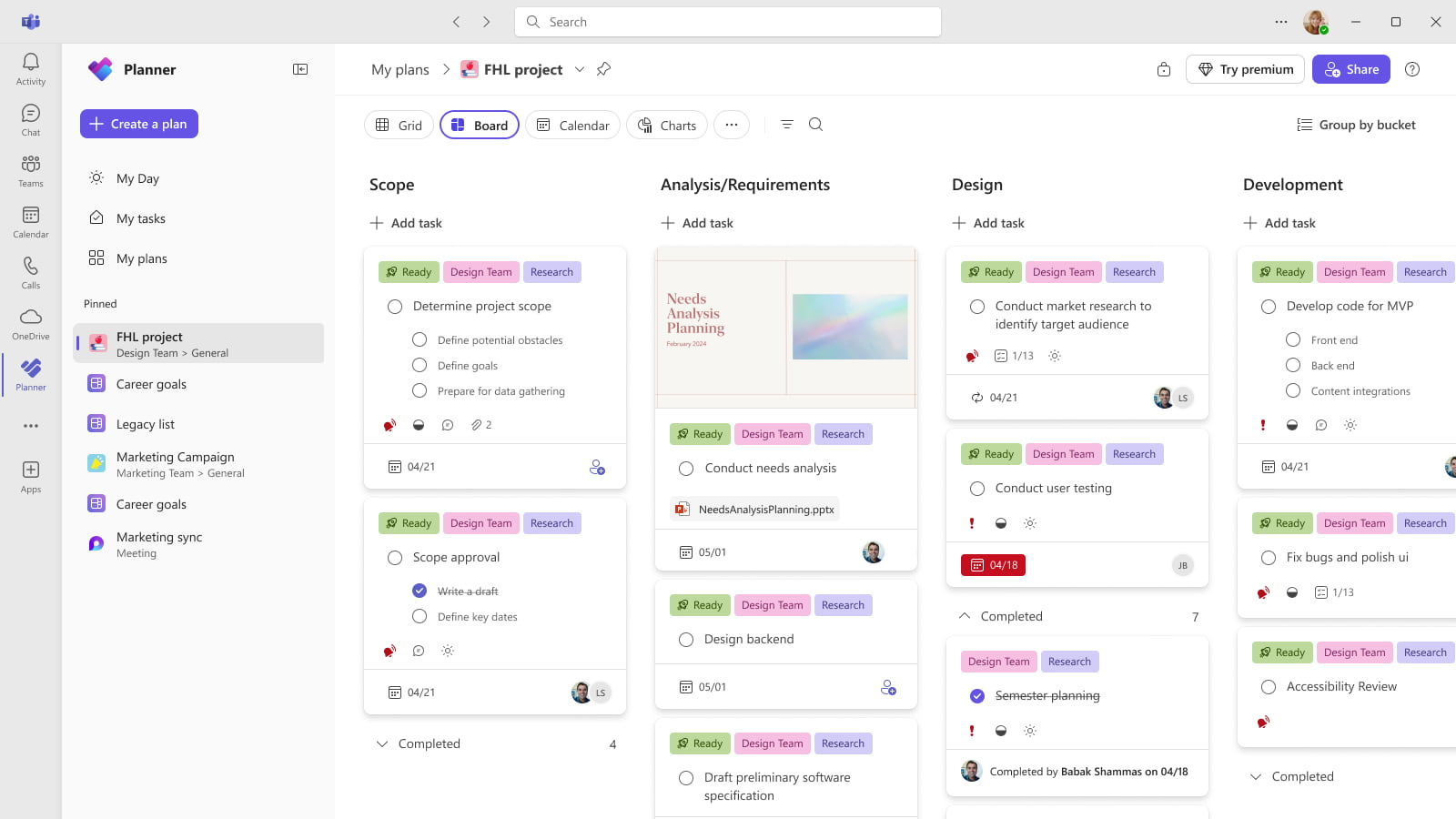
Planner handles simple project management and task tracking well. However, it lacks AI-native automation, advanced reporting, and the all-in-one workspace approach of tools like BridgeApp. For complex organizations or teams wanting deeper functionality, Planner alone may not be sufficient.
Does Google offer something like Trello?
As of 2026, Google Workspace still doesn’t include a first-class kanban or project management app comparable to Trello. Common workarounds include:
- Building simple kanban boards manually in Google Sheets
- Using third-party tools like Kanbanchi that integrate with Google Drive and Gmail
- Combining Google Tasks with Calendar for lightweight task management
Teams needing serious project management, workflow automation, and AI integration are generally better served by dedicated platforms (BridgeApp, Asana, ClickUp) than by DIY solutions in spreadsheets.
Are there open source Trello alternatives with self-hosting?
Yes. Notable open source options include:
- WeKan – A Trello-like kanban board you can host on your own servers
- Taiga – An Agile/Scrum tool with sprints and backlog management, also self-hosted
These tools provide code-level control and avoid vendor lock-in. They’re ideal for privacy-focused teams or organizations with strict data residency requirements.
The trade-off: open source tools require in-house technical expertise for setup, maintenance, security updates, and scaling. Platforms like BridgeApp offer on-premise deployment with enterprise-grade support and built-in AI agents—giving you similar data sovereignty with significantly less DIY maintenance burden.
How can I migrate from Trello without losing data?
A structured approach prevents data loss and team disruption:
- Audit existing Trello boards – Identify active vs. archived projects, clean up duplicate or outdated cards
- Map Trello concepts to the new tool – Boards might become projects, lists become statuses, cards become tasks, labels become tags or custom fields
- Use built-in importers or CSV exports – Most major alternatives (Asana, ClickUp, monday.com, BridgeApp) offer Trello importers or accept CSV files
- Pilot with 1–2 active projects first – Validate the migration process before moving everything
- Train the team – Allocate time for learning the new interface, especially if advanced features differ significantly from Trello
Many vendors provide migration assistance. With a unified workspace like BridgeApp, AI agents can also help re-organize imported tasks, summarize historical conversations, and build documentation during the transition—accelerating the switch.