BlogHow-To Guides
What Is Team Chat?

Maria ZhuHead of content
10 min read
Exploring a Practical Guide for Modern Teams
- Team chat is a work-focused group chat system that helps teams organize conversations in channels, threads, and direct messaging.
- Good team chat replaces scattered emails, personal messengers, and ad-hoc work messages with one searchable workspace.
- 64% of employees prefer chat to email and meetings, and 70% say quick messaging saves time compared to email.
- Modern collaboration tools like BridgeApp combine chat, tasks, documents, databases, and AI agents to reduce context switching.
- Choosing the right team chat platform affects decision-making, security, productivity, and work-life balance.
What Is Team Chat, Really?
Team chat is a business-focused chat app where team members send messages, share files, discuss projects, and keep work conversations in one place. Unlike casual instant messaging, team chat keeps chat history, files, and decisions available for easy reference.
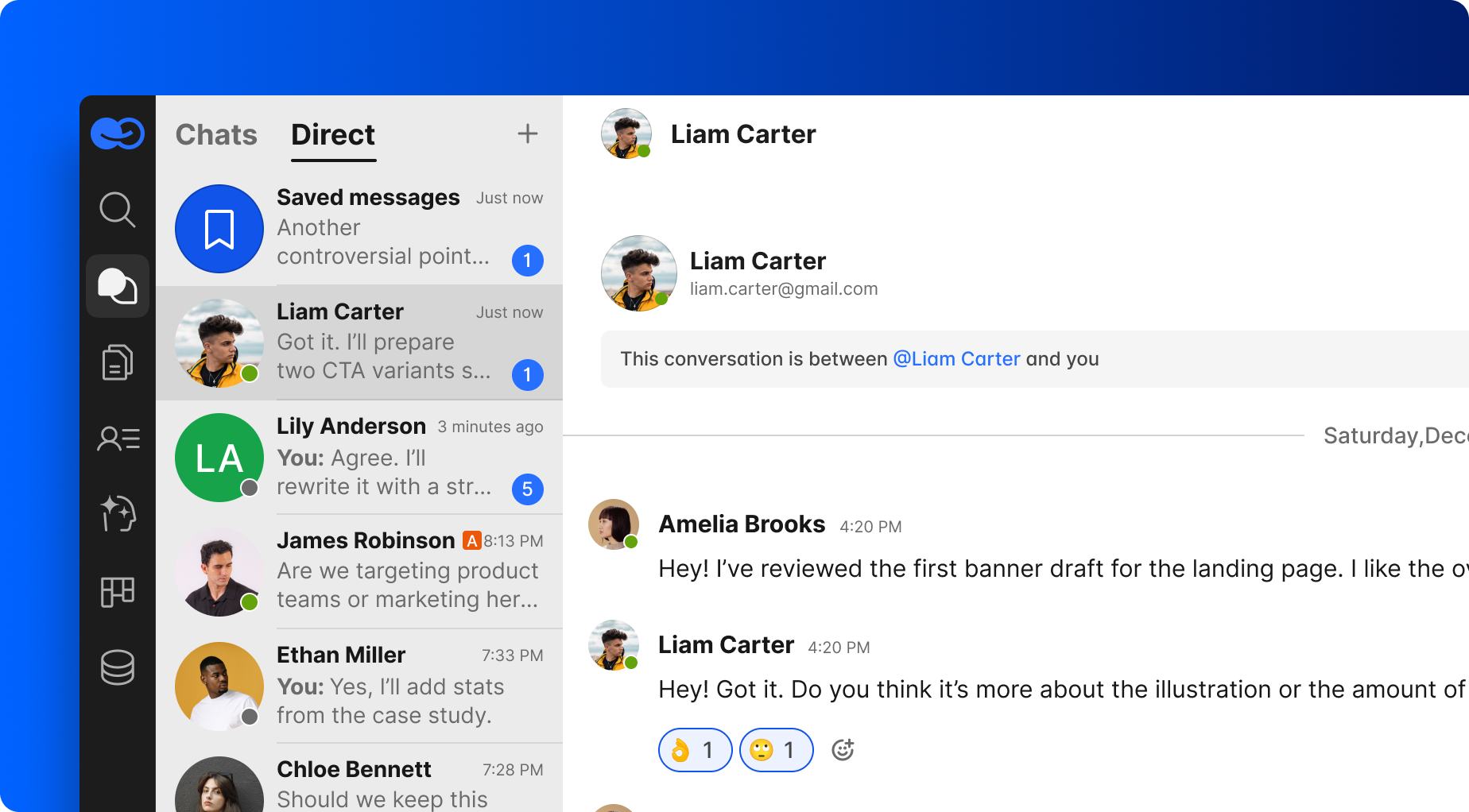
A team chat app is a persistent messaging space where teams create channels, group chat spaces, and DMs by project, department, client, or topic. It is built for serious work: faster decisions, fewer unnecessary phone calls, and a record of who decided what and when.
For remote and hybrid teams, team chat creates a virtual office for remote teams. It is where people talk, share updates, collaborate, and connect across time zones without needing constant face-to-face conversations.
How Team Chat Differs from Personal Messaging Apps
WhatsApp, Telegram, iMessage, and similar chat apps are useful, but they do not scale well for formal team communication. Business information can end up tied to private devices, personal phone numbers, and accounts the company cannot manage.
That creates risks: lost past messages when someone leaves, no central access to important messages, weak admin controls, and no clear retention rules. Professional team chat apps keep conversations organized, owned by the company, and linked to business identity instead of personal phone numbers.
How Team Chat Works Day to Day
In everyday work, most quick updates, questions, and decisions move through team chat instead of long email chains. Team chat allows real-time collaboration through quick messages, and immediate information exchange speeds up daily decision-making.
People use channels for teams or topics, group chats for short-term projects, and direct chat for one-on-one discussions. They send messages, use voice notes, react with emojis, start a video call, share files, and find past messages in seconds.
Team chat applications provide searchable archives to improve knowledge retention. Integrations connect team chat applications to third-party tools, while direct connections to outside tools cut down on app-switching.
1.5 billion messages are sent monthly using Zoom Chat, which shows how normal workplace chat has become.
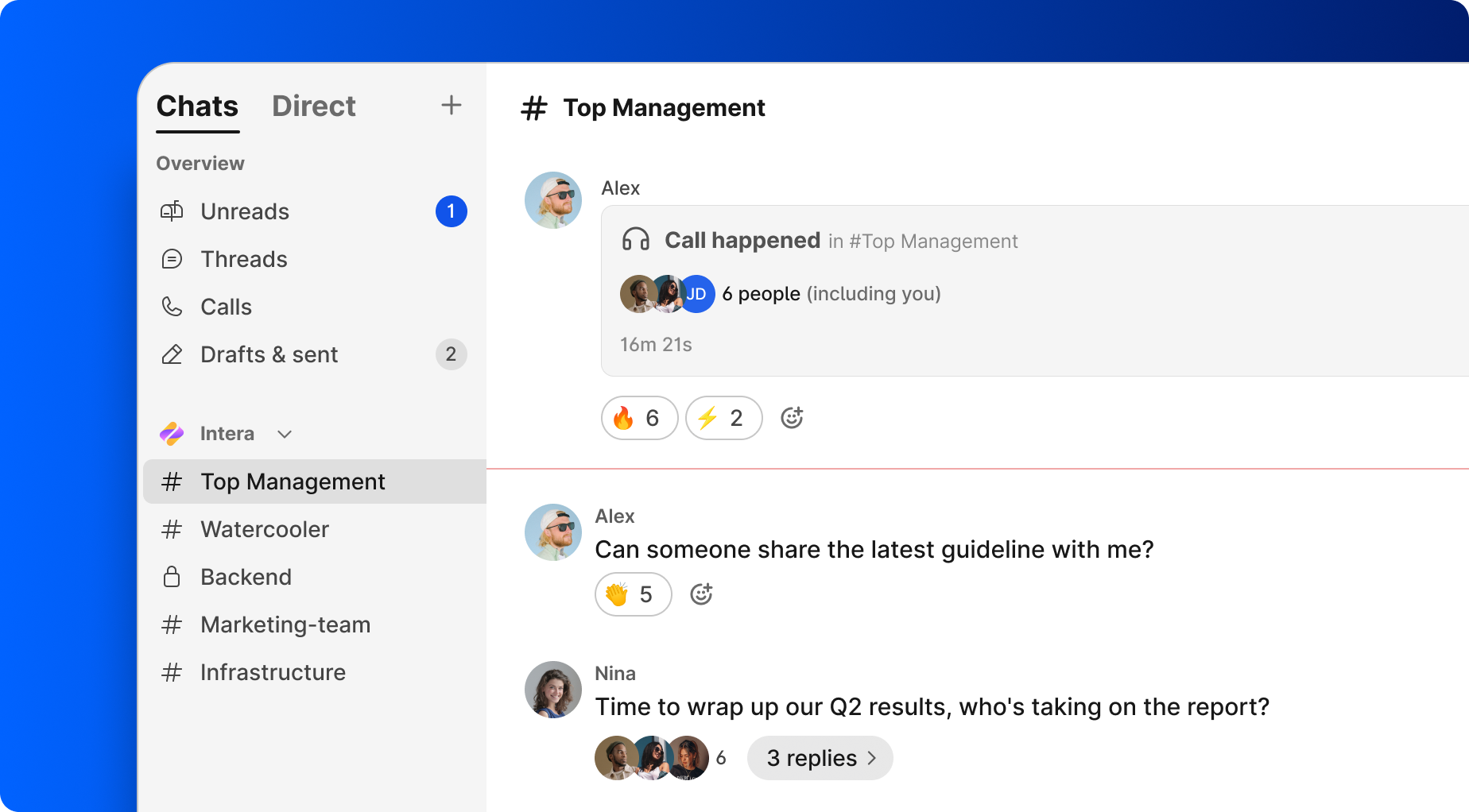
Channels, Group Chats, and Direct Messages
- Channels are named spaces like #marketing-team, #product-roadmap-2026, or #client-acme-q4. Channels help keep conversations organized, and using channels for specific topics improves message findability.
- Group chats are invite-only spaces for a sprint, launch, or temporary working group. A “launch-landing-page” group chat makes sense when two teams need a separate space for two weeks.
- Direct messages support private conversations between team members. Direct messaging allows for private conversations between team members when a topic is sensitive or too narrow for one channel.
Organizing Conversations So Nothing Gets Lost
Centralized communication is not enough. Organized conversations prevent important updates from getting lost.
A strong setup mirrors the company: channels for marketing, sales, finance, product, regions, and client projects. This keeps a marketing team out of noisy IT threads while still giving operations easy access to the channels they need.
Threaded replies help organize conversations by grouping responses together. Keeping files and discussions in one application reduces information silos, and conversations organized around tasks, documents, and databases are easier to act on later.
Why Team Chat Beats Email and Ad-Hoc Group Chats
Email is slow for rapid internal collaboration, and mobile group chats create confusion when work spreads across multiple channels. Team chat replaces fragmented email chains with centralized workspaces.
Team chat enables real-time decision-making and problem-solving. Real-time messaging enables quick decision-making and problem-solving, while real-time messaging eliminates long email wait times.
Short updates in team chat replace lengthy email chains. Chat history ensures all team members stay informed and aligned. Searchable history archives past conversations for quick retrieval.
Team Chat vs. Virtual Meetings
Chat and meetings complement each other. Chat works best for flexible discussion when people need focus time; meetings are better for strategy, performance reviews, annual planning, or sensitive alignment.
For example, a marketing team can refine ad copy asynchronously in chat, then use a 30-minute video call only for final decision making. That avoids scheduling meetings for every small edit.
64% of employees prefer chat over email and meetings, but complex issues may still need face to face conversations or structured calls.
When Chat Works Better Than Email
Email is still useful for contracts, external notices, and formal communication. But for workplace communication inside a company, chat works better when speed matters.
Use team chat for:
- coordinating a product launch
- triaging bugs
- handling urgent customer issues
- aligning on daily priorities
- sharing important updates
Team chat allows real-time decision-making and problem-solving. Threaded discussions keep replies grouped, so messages are easier to scan later.
Key Features of a Modern Team Chat App
Not all team chat tools are equal. The key features of a serious team chat platform go beyond basic messages.
A strong system includes file sharing, search, integrated calls, smart notifications, mobile and desktop access, and integrations with other tools. Effective team chat apps integrate with other work tools for efficiency.
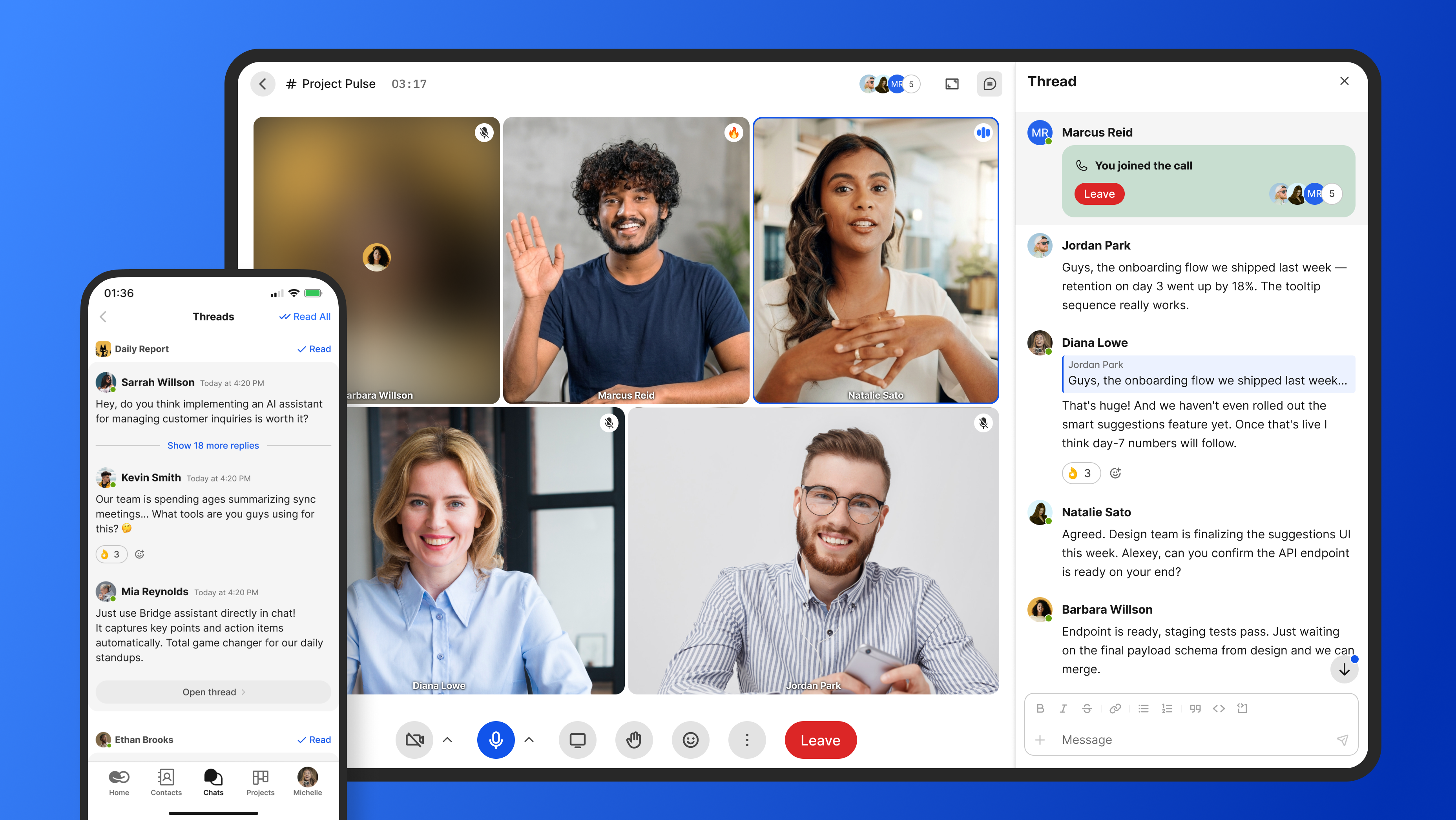
Advanced features can include real time translation, AI summaries, workflow automation, and admin controls. The best team communication tools are not just a place to chat; they help teams move work forward.
Searchable History and Past Messages
Searchable history turns team chat into a living knowledge base. A strong chat system allows searching by keyword, file name, or date.
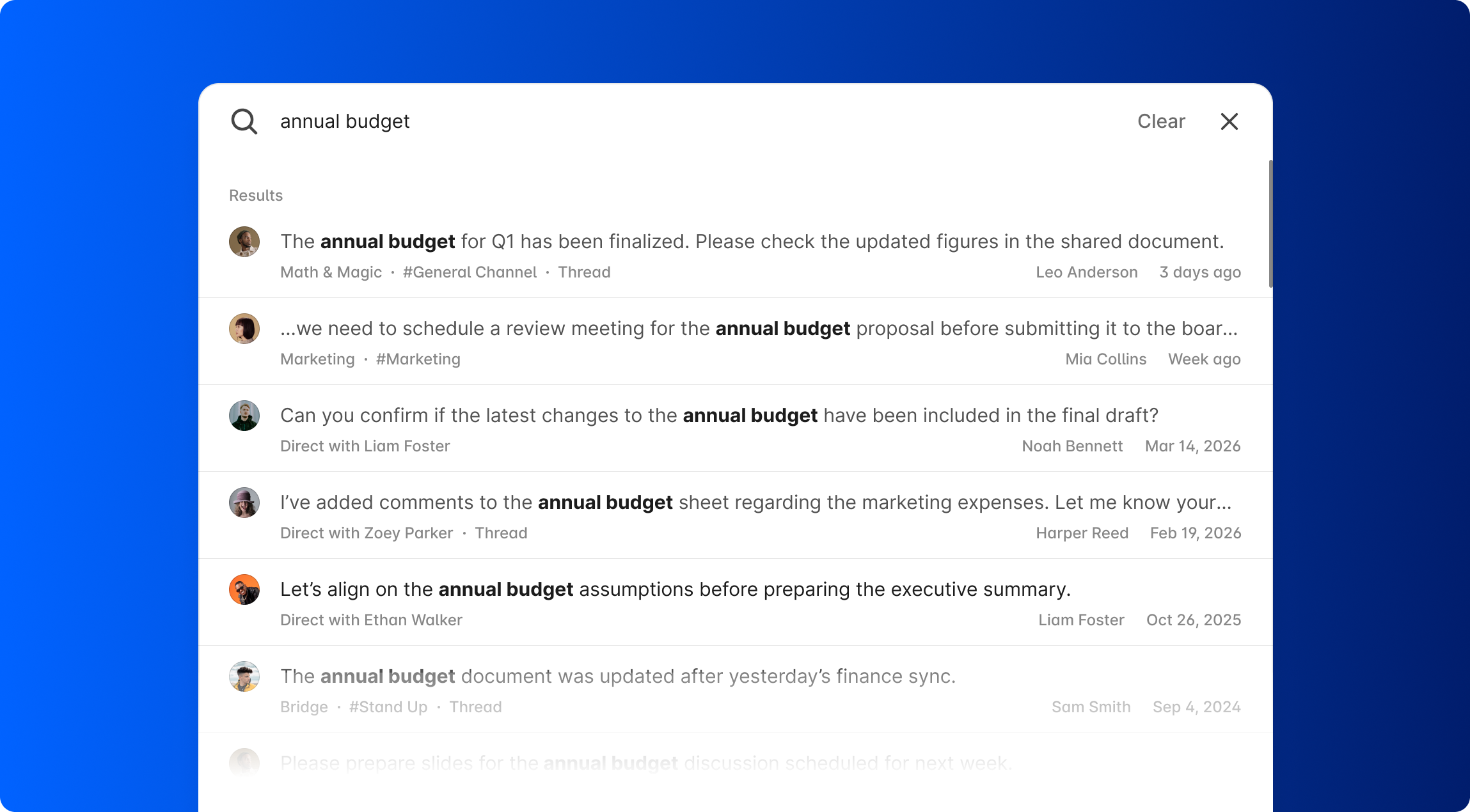
This helps people recover a decision from last quarter, find a client file, or onboard a new hire. Centralized communication simplifies onboarding for new team members because they can read older threads and understand context.
Good search across conversations organized by topic reduces duplicate questions and repeated work.
File Sharing and Rich Collaboration
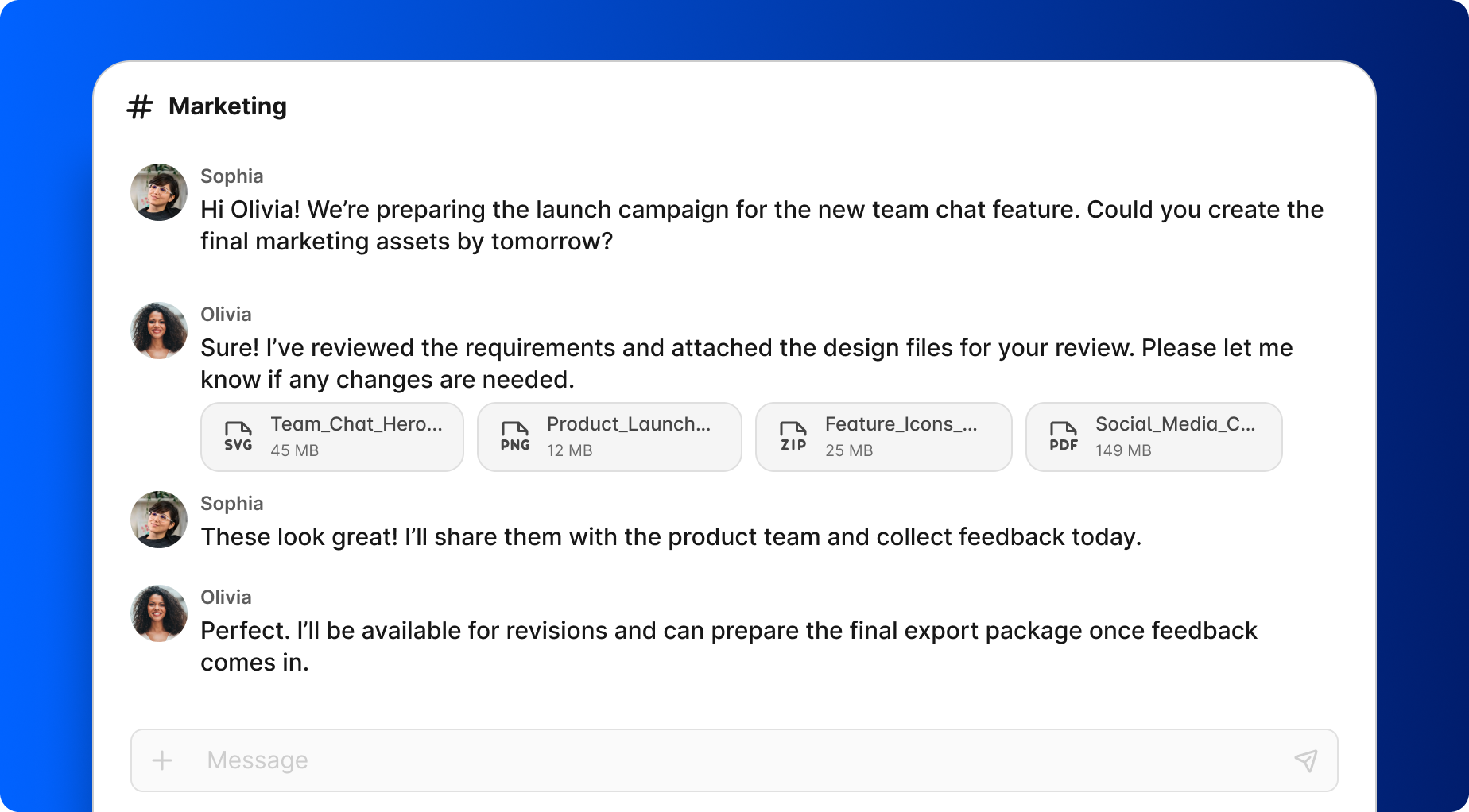
Modern chat apps act as hubs where files and discussions live together. Users can drag and drop files, share links, preview PDFs, and keep file storage tied to the conversation.
Keeping file sharing inside channels preserves why each asset was shared and what decision it supported. This helps marketing teams, product squads, and support teams stay aligned on current briefs, designs, and reports.
Calls, Screen Sharing, and Lightweight Meetings
Some conversations need a quick call instead of another long thread. Strong team chat apps let users move from messages to audio, screen sharing, or video calls in one click.
For example, a support team can debug a customer issue with a 10-minute screen share from the support channel instead of scheduling a separate meeting. Integrated calls preserve context around the original conversation.
Handling Language Barriers and Global Teams
Remote and hybrid work has made distributed communication normal. Remote and hybrid teams can stay aligned regardless of physical locations.
Built-in translation, localized interfaces, and real time translation help reduce language barriers. Regional sales teams in Europe or Asia can use the same channels while reading messages in their preferred language.
This improves decision-making across offices and time zones.
How Different Teams Use Team Chat
Every department uses team chat differently, but the goal is the same: keep conversations organized around shared work.
Shared channels help marketing, sales, support, product, and operations coordinate launches and customer issues. Virtual channels can serve as informal spaces for team building and announcements, too.
Marketing Teams
A marketing team uses channels and group chats for campaigns, calendars, analytics, and creative reviews. Examples include #marketing-team, #social-media-2026, and #events-europe.
File sharing keeps briefs, creative assets, and performance reports attached to the relevant threads. Integrated tasks help track follow-ups like approving ad copy or scheduling posts without leaving the chat app.
Product and Engineering Teams
Product and engineering teams use structured channels instead of scattered emails. Common examples include #product-roadmap, #bug-triage, and #release-2026-07.
Real-time chat speeds incident response. Engineers, product managers, and QA can coordinate fixes in dedicated group chats, then link tickets or tasks to messages so technical discussions connect to shipped features.
Customer Support and Operations
Support and operations rely on fast communication. A support team can post an urgent issue in a shared channel where product, engineering, and operations respond quickly.
Chat-based decision making reduces customer delays because updates do not sit unread in inboxes. Past messages become a reference library for recurring issues and standard responses.
How BridgeApp Makes Team Chat the Center of Your Digital Workspace
BridgeApp is an AI-native digital workspace that goes beyond basic chat apps. It combines channels and threads, built-in audio and video calls, task tracking, collaborative documents, custom databases, and a visual no-code AI agent builder.
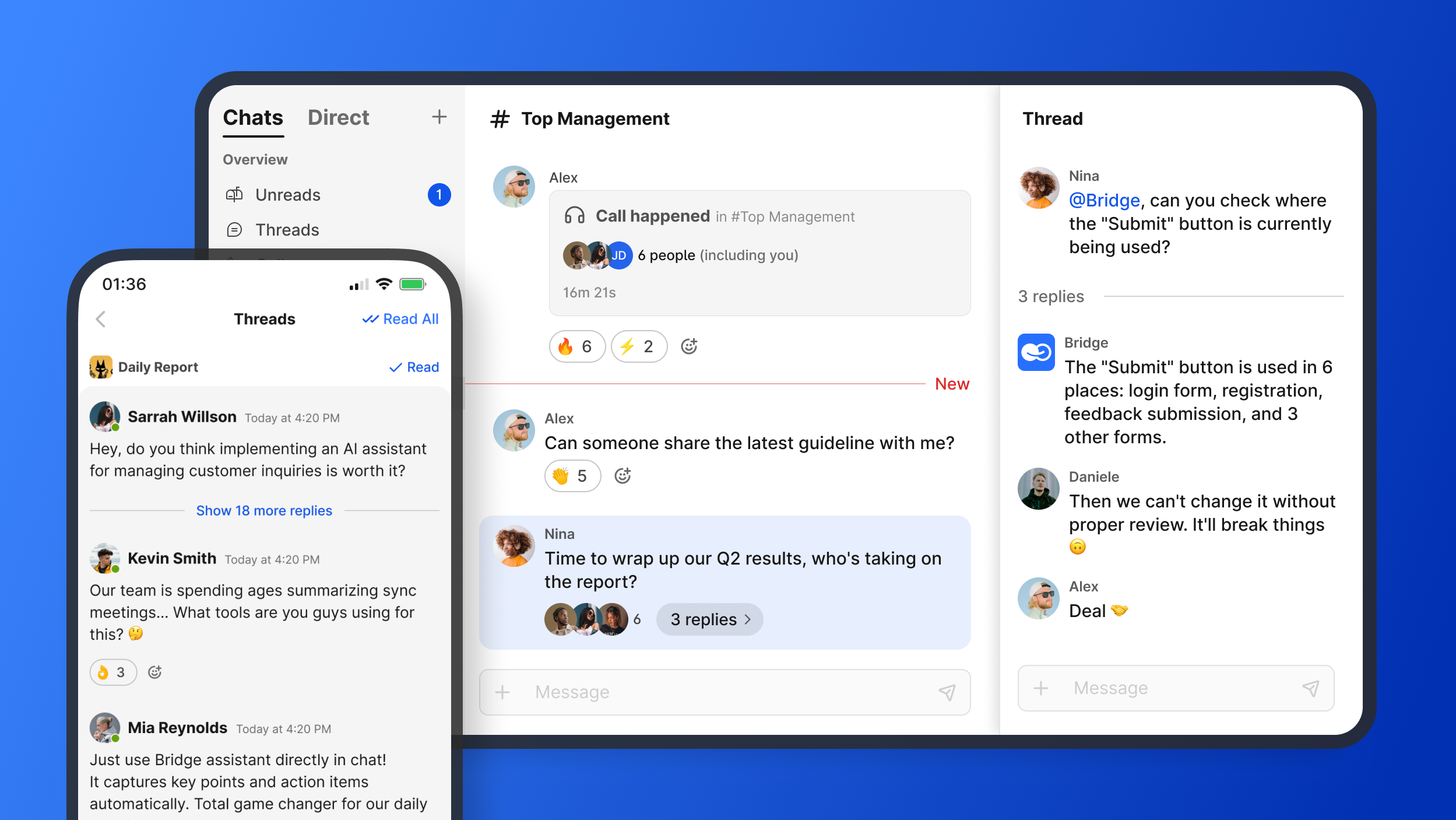
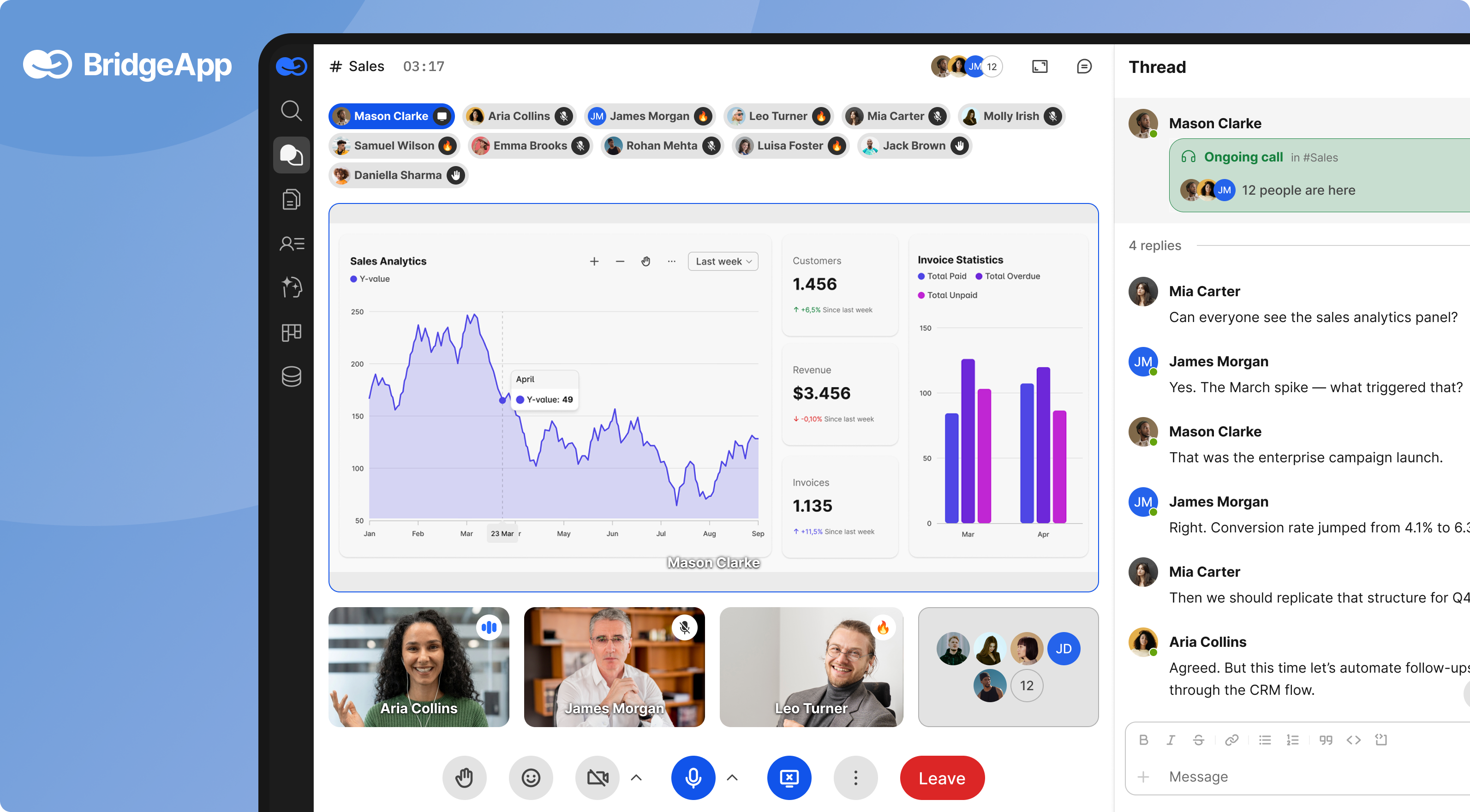
Its all-in-one design can reduce context switching by up to 60%. BridgeApp can also save 4.6 hours per employee per week by automating routine tasks, with a typical ROI timeline of about 3 months.
BridgeApp supports cloud, private cloud, on-premise, and hybrid deployment, including GDPR-compliant and EU-hosted options.
From Chat Messages to Actionable Work
In BridgeApp, chat is not a dead end. It becomes the starting point of structured work.
Teams can turn a message into a task, assign it, add due dates, and track progress in Kanban, Backlog, or List views. BridgeApp’s AI agents, called digital employees, can create tasks from conversations, summarize long threads, generate reports, respond in chats, and populate databases.
Meeting summaries can save about 20 minutes per meeting. Thread summaries can save about 5 minutes per thread. Task creation can save about 10 minutes per task.
AI Agents That Understand Your Conversations
BridgeApp includes a visual no-code builder for AI agents. These agents work with internal company context, including chats, knowledge bases, and databases.
They can read relevant chat history, generate reports, answer routine questions, and trigger workflows based on channel activity. BridgeApp provides access to all AI models on the market and supports MCP servers, including multiple MCPs within a single agent.
For example, an operations agent can summarize each day’s group chats into a leadership brief.
Data Control and Enterprise-Grade Deployment
Keeping work chat off personal devices matters for compliance and risk management. BridgeApp helps admins add or remove users, control channel access, and keep conversations inside company-managed infrastructure.
Enterprise options include on-premise deployment, white labeling, BYOK, priority support, account manager support, and uptime SLA. This gives large teams and regulated organizations more control than informal personal group chats.
Best Practices for Productive Team Chat
Tools alone do not create clarity. Teams need rules for how to communicate.
Create channels thoughtfully from day one. Use threads, write clear requests, mention the right people, and separate urgent messages from routine updates. Too many alerts create frustration, so smart notifications should match how people actually work.
Supporting Work–Life Balance
Always-on group chats can damage focus and morale. A dedicated work chat app makes it easier to disconnect from personal messengers outside working hours.
Use notification schedules, do-not-disturb modes, and channel-specific alerts. According to Atlassian’s team chat guide, many employees feel pressure to respond after hours, so boundaries are part of good team collaboration.
Things to Avoid in Team Chats
Avoid off-topic chatter in work-critical channels. Use social spaces for casual talk.
Do not use chat for highly sensitive issues that need formal team processes, documented meetings, or legal review. Also avoid vague “thoughts?” messages and drive-by tagging. Say what decision, action, or answer you need.
How to Choose the Right Team Chat Platform
Choosing a team chat platform is not just about interface. It affects security, workflows, adoption, and long-term scalability.
Evaluate channels, search, file sharing, calls, third party apps, mobile access, desktop access, and permissions. Then decide whether you want standalone chat or an all-in-one workspace that also includes tasks, documents, databases, and automation.
Pricing matters too. BridgeApp offers Free, Pro, and Enterprise tiers; all include Messenger, Documents, Task Tracker, AI Builder, Databases, Calls, and Search.
64% of employees prefer chat over email and meetings. 70% of employees say quick messaging saves them time. Those numbers make the right platform choice important.
Questions to Ask Before Deciding
- Can we create channels by team, project, and client so messages remain findable six months from now?
- How easy is it to search past messages, files, dates, and people?
- Does it support secure access control, offboarding, and admin controls?
- Does it replace or add to our current tool stack?
- Can it automate routine chat-based tasks, or will we need extra software?
- Does it fit hybrid teams, large teams, and regulated environments?
- Will the tool help us focus, or create more noise?
FAQ
These answers cover practical rollout questions for teams evaluating a new chat system.
Is team chat suitable for very small businesses or only large companies?
Yes. Even a 3–5 person startup benefits from organizing conversations in a structured chat app instead of ad-hoc personal group chats.
As soon as a business shares files, tracks decisions, and manages multiple projects, team chat becomes valuable. A free tier, like BridgeApp’s Free plan, makes professional tools realistic from day one.
How does team chat help with decision-making?
Decisions in channels or group chats are documented with timestamps, participants, and context. That is much easier to review than phone calls.
Teams can gather input, react with approvals, and link the final decision to a task or document. AI features in BridgeApp can summarize long discussions into key decisions and next steps.
Can team chat replace email entirely?
No. Team chat can replace much internal email, including updates, quick questions, and informal discussions.
Keep email for contracts, compliance notices, and partners who do not use your chat app. The goal is fewer fragmented conversations, not zero email.
How do we prevent language barriers in multinational teams using chat?
Choose platforms with translation features or integrations. Encourage clear writing, avoid slang, and use simple sentence structures.
Persistent channels and searchable history give non-native speakers time to reread messages, clarify meaning, and respond across time zones.
What’s the difference between a chat app and an all-in-one workspace like BridgeApp?
A basic chat app focuses mainly on messaging. An all-in-one workspace embeds chat alongside tasks, documents, databases, calls, and AI workflows.
That unified approach keeps conversations next to the work they create, reduces switching between tools, and gives teams clearer context as they scale.