BlogIndustry Insights
Best Document360 Alternatives for Knowledge Management

BridgeApp Team
10 min read
Document360 has established itself as a capable knowledge base platform with WYSIWYG and markdown editors, AI-powered content creation, and solid self-service documentation capabilities. But it’s not the only player in town.
Many teams are evaluating their options for documentation platforms as the documentation landscape evolves rapidly. Common concerns driving this search include performance issues with large documentation libraries, complex pricing structures, restricted customization capabilities, and the growing need for workflow integration that Document360 doesn’t fully address.
The documentation platform landscape continues to evolve, with many alternatives offering unique features such as AI-powered content generation and enhanced collaboration tools. Modern knowledge management platforms now combine communication, project management, knowledge bases, and AI automation into unified ecosystems.
This guide breaks down the top document360 alternatives, what makes each stand out, and how to choose the right one for your team.
How We Chose the Best Document360 Alternatives
When choosing a documentation platform, teams typically prioritize features, usability, security, and cost. Here’s the framework we used to evaluate each alternative:
- Ease of use and setup – Can non-technical users create and manage content without extensive training?
- AI-powered features – Does the platform offer automation, smart search, and content generation capabilities?
- Integration with existing workflows – How well does it connect with tools teams already use?
- Pricing transparency – Is the cost structure clear and predictable as you scale?
- Collaboration features – Does it support real-time editing and team collaboration?
- Content management – How effectively can you organize multiple documents and maintain version control?
- Customer support – What migration assistance and ongoing support is available?
Pricing for documentation platforms can vary significantly, with some offering free tiers while others start at several hundred dollars per month.
Top 6 Document360 Alternatives for Knowledge Management
1. BridgeApp
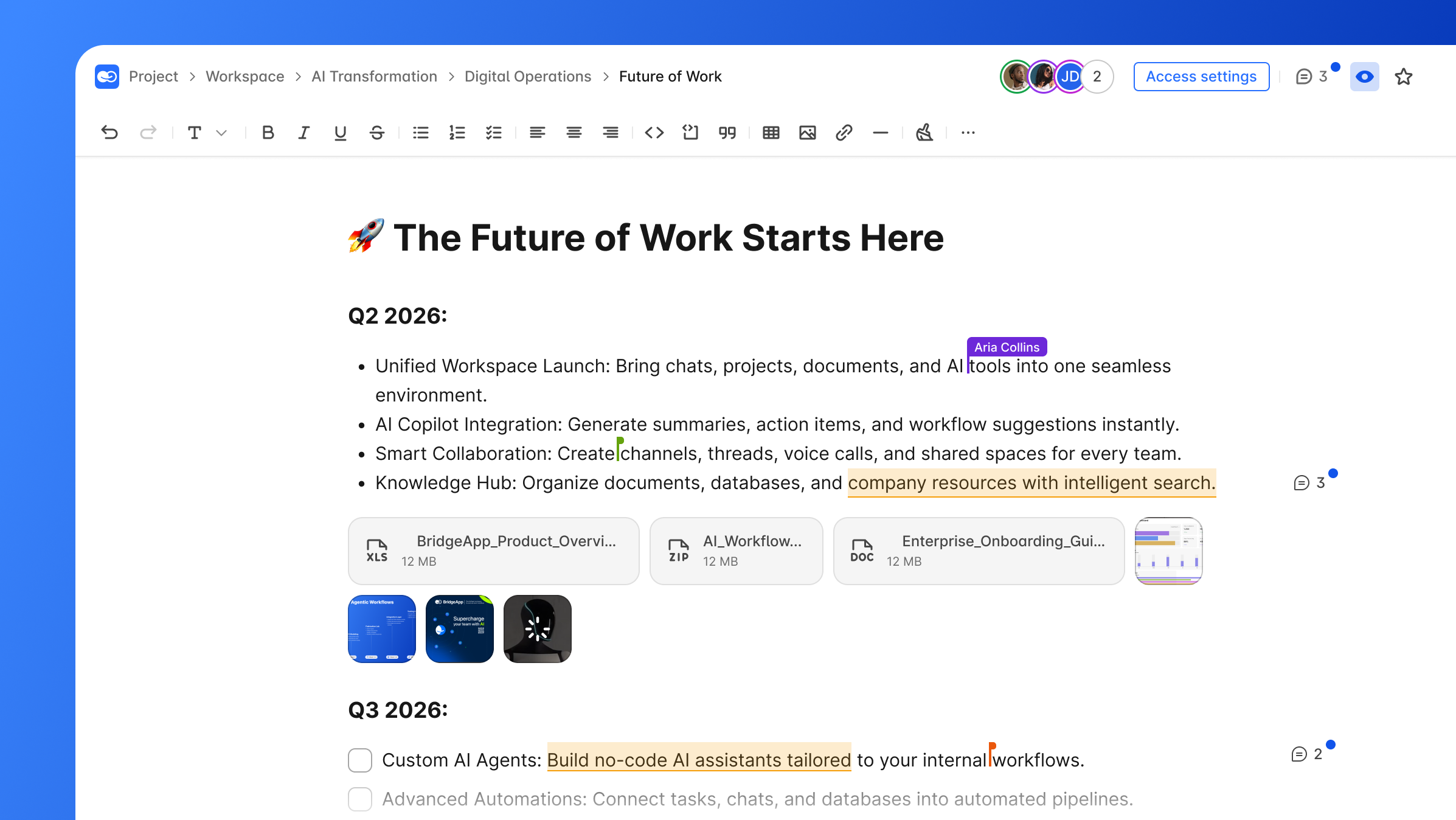
BridgeApp is an AI-native digital workspace that unifies team communication, project management, knowledge bases, databases, and AI automation into a single integrated platform.
Why It Stands Out
Unlike traditional documentation tools with AI bolted on afterward, BridgeApp is architected as AI-first from its foundation. The platform's AI agents act as autonomous teammates that execute repetitive actions based on organizational rules and triggers. These agents can create tasks from conversations, summarize long threads, populate databases from discussions, and run custom workflows.
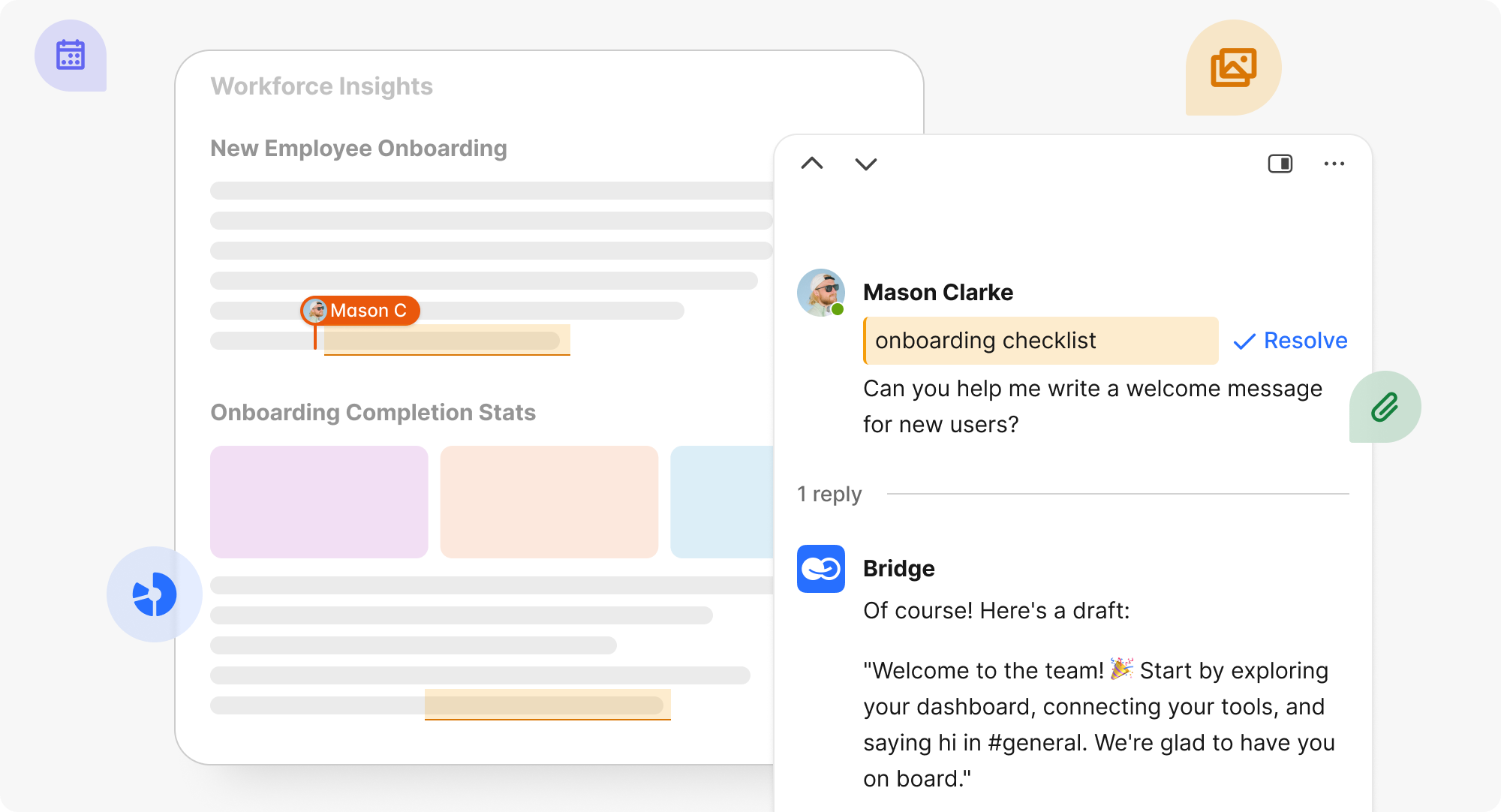
Documentation platforms often include AI-powered features that enhance content creation, such as automated tagging and natural language search, improving the speed and accuracy of information retrieval. BridgeApp takes this further by providing access to all major AI models rather than locking users into a single provider. BridgeApp is built with security and privacy in mind, offering both cloud and on-premise deployment options, EU-hosted infrastructure, and GDPR-compliant data handling.
Best For
- Teams wanting to integrate knowledge management with project workflows and AI automation
- Organizations seeking data sovereignty with on-premise deployment options
- Internal teams looking to consolidate fragmented tool stacks
Key Strengths
- Visual no-code AI agent builder for automating knowledge creation and updates
- Unified platform combining documents, databases, task tracking, and team communication
- Flexible deployment options (cloud, on-premise, hybrid) with GDPR compliance
- Access to all major AI models through a single interface
- MCP (Model Context Protocol) support enabling unlimited automation scenarios
The platform claims 40% productivity increases through unified workspace and AI automation, with users saving approximately 4.6 hours per employee per week on routine tasks.
Pricing
| Plan | Price | Key Features |
|---|---|---|
| Free | €0 forever | Unlimited members, task management, basic agents |
| Pro | €9/user/month | Video calls, messenger integrations, advanced search |
| Enterprise | Custom | On-premise, white labeling, priority support |
2. Confluence
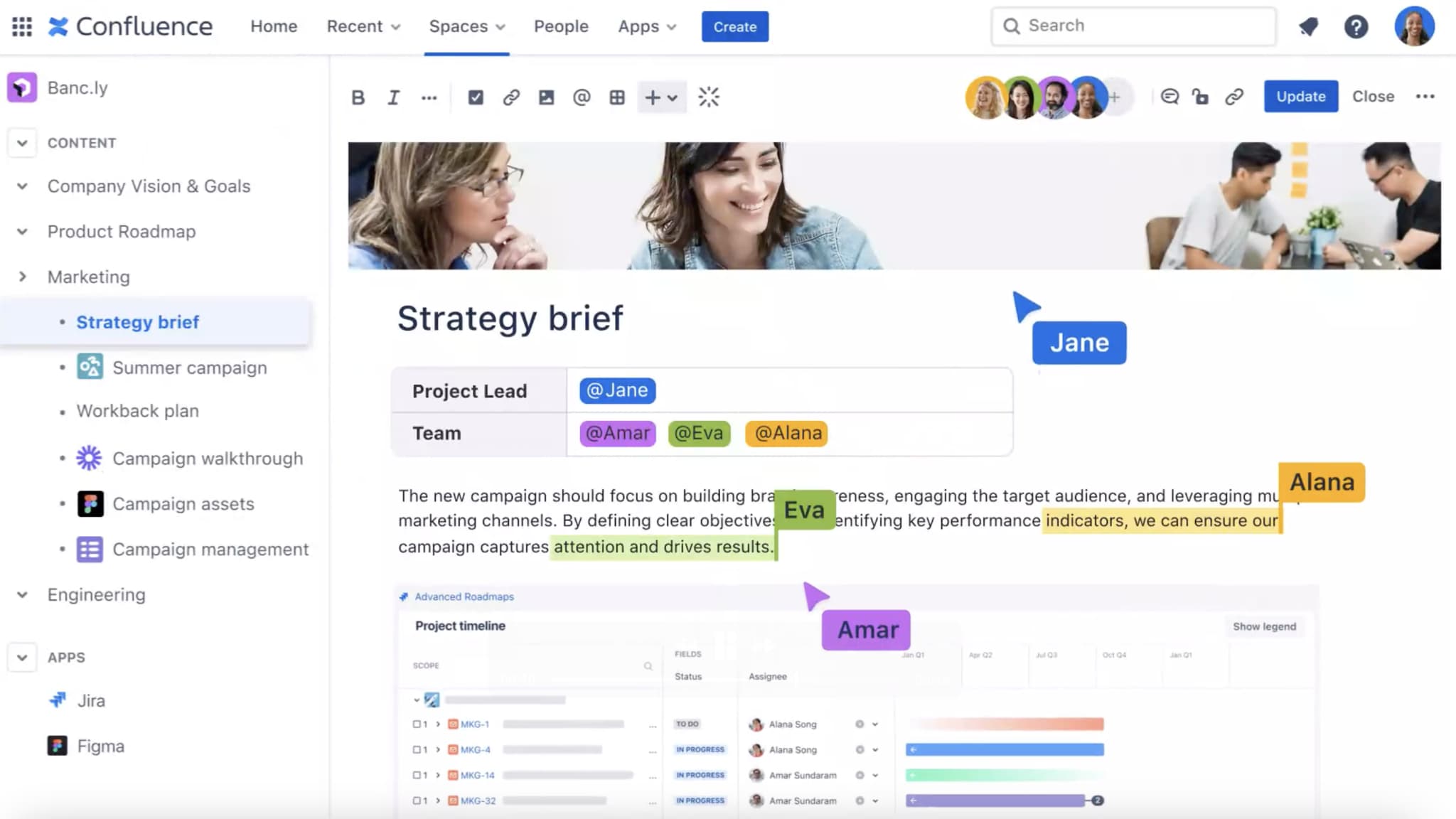
Confluence is Atlassian’s team collaboration platform, serving as the documentation and knowledge management layer for organizations invested in the Atlassian ecosystem.
Why It Stands Out
Deep integration with Jira, Trello, and other Atlassian products creates a unified workspace where documentation links directly to project management and development work. Teams can embed Jira issues in Confluence pages and maintain bidirectional links between documentation and work items.
Best For
- Development teams already using Atlassian products
- Organizations prioritizing internal team collaboration over external customer documentation
Key Strengths
- Extensive third-party apps marketplace for integrations
- Advanced page templates with conditional logic and automation rules
- Version control is a key feature in documentation platforms, enabling teams to manage changes across different product releases—Confluence handles this well
- Real-time collaborative editing with dynamic content through macros
Possible Limitations
- Can become complex and cluttered for simple documentation needs
- Pricing increases significantly with advanced features and user scaling (starts at approximately $5.42/user/month but scales up quickly)
3. Notion
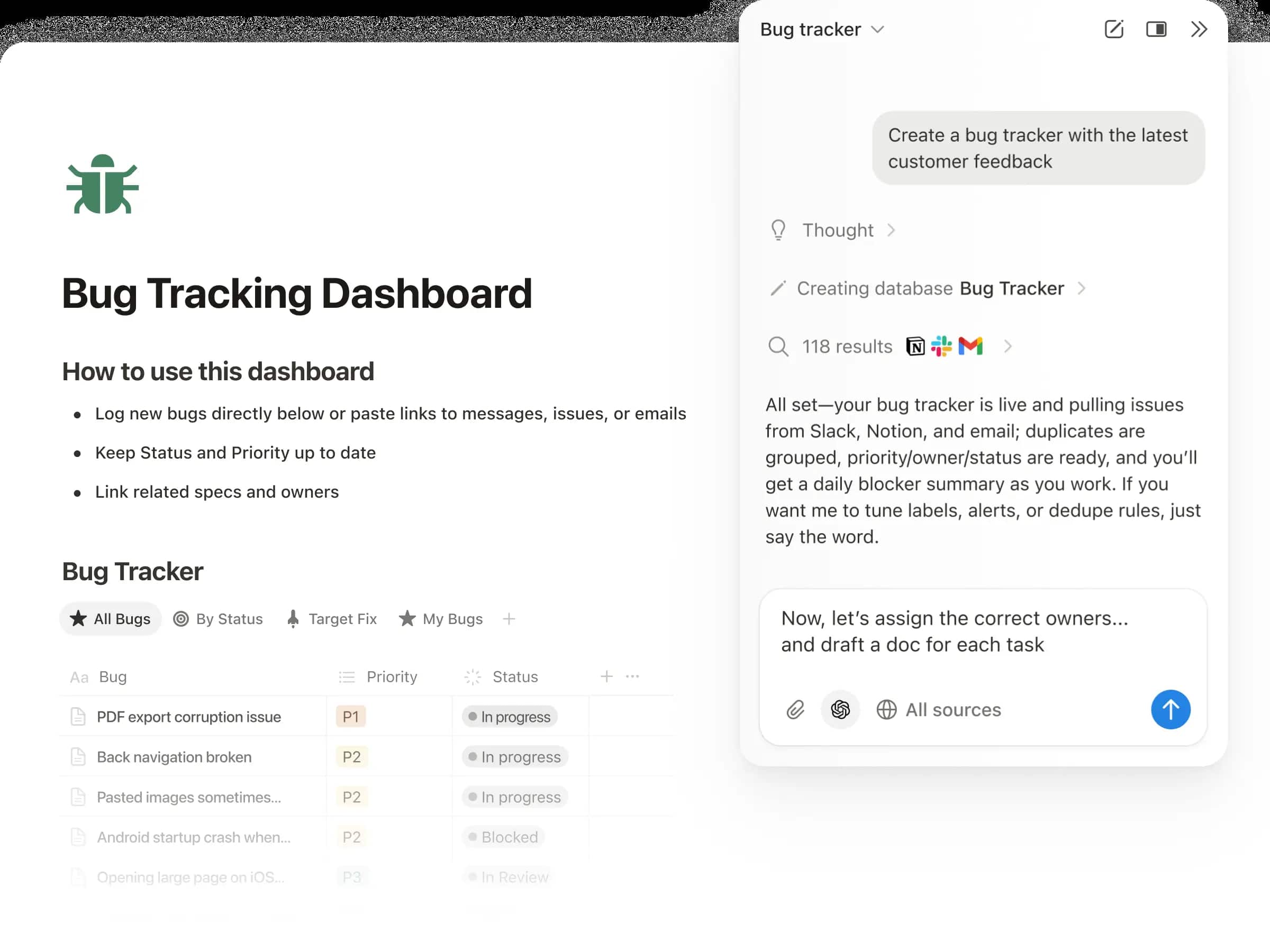
Notion is a versatile workspace combining docs, databases, and wikis with maximum flexibility in how teams structure their knowledge.
Why It Stands Out
The block-based content system allows every element on a page to be rearranged, styled, and configured independently. Many documentation platforms support multi-format content, allowing users to create and manage various types of documentation, including text, videos, and presentations—Notion excels at this flexibility.
Best For
- Small to medium teams wanting flexible internal knowledge management
- Organizations that value customization and creative content layouts
Key Strengths
- Highly customizable interface with databases, calendars, and kanban boards
- Affordable pricing with generous free plan (paid plans start around $10/user/month)
- Strong mobile app and cross-platform synchronization
- Large template marketplace for quick setup
Some platforms, like Notion, provide a free tier for basic documentation needs, allowing teams to test the platform before committing to a paid plan.
Possible Limitations
- Can be slow with large amounts of content
- Limited search functionality and SEO features for external documentation
- Not optimized for customer-facing technical documentation
4. Guru
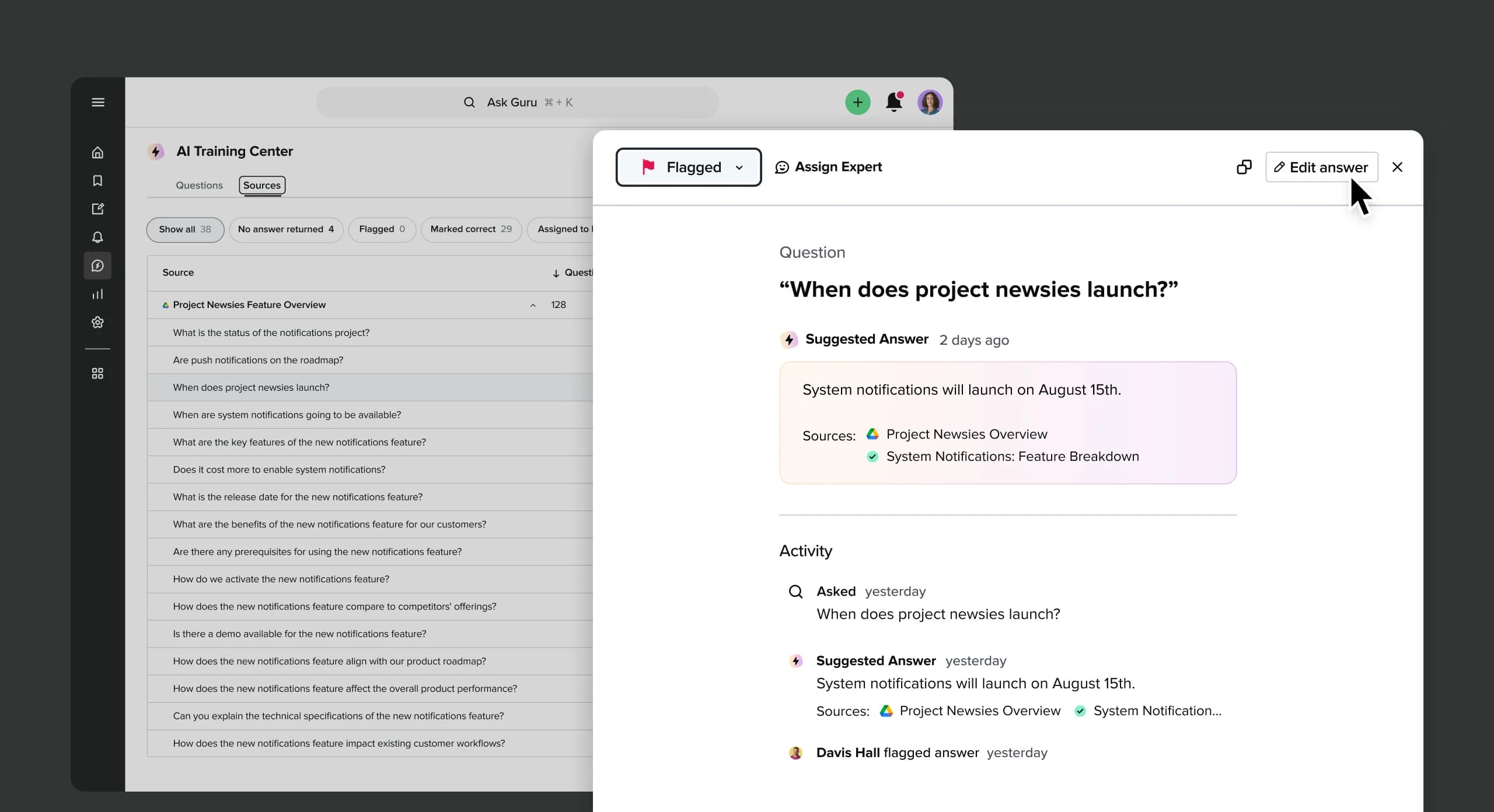
Guru takes a different approach by surfacing relevant knowledge contextually within the tools teams already use daily.
Why It Stands Out
Rather than building a central repository users must visit, Guru delivers knowledge through browser extensions and native integrations with Salesforce, Slack, Zendesk, and Microsoft Teams. AI-powered content verification automatically checks whether knowledge is current and alerts maintainers when information may be outdated.
Best For
- Sales and support teams needing knowledge within their daily workflows
- Organizations with internal documentation spread across multiple systems
Key Strengths
- Browser extension and app integrations for seamless integration with other tools
- Card-based content organization with smart categorization
- Strong analytics and knowledge gap identification
- Particularly effective for customer support scenarios
Collaboration tools often integrate with existing workflows and applications, such as project management and communication tools, to enhance productivity and streamline documentation processes—Guru exemplifies this approach.
Possible Limitations
- Credit-based AI model can increase costs with heavy usage
- Less suitable for comprehensive external documentation sites or user manuals
5. Helpjuice
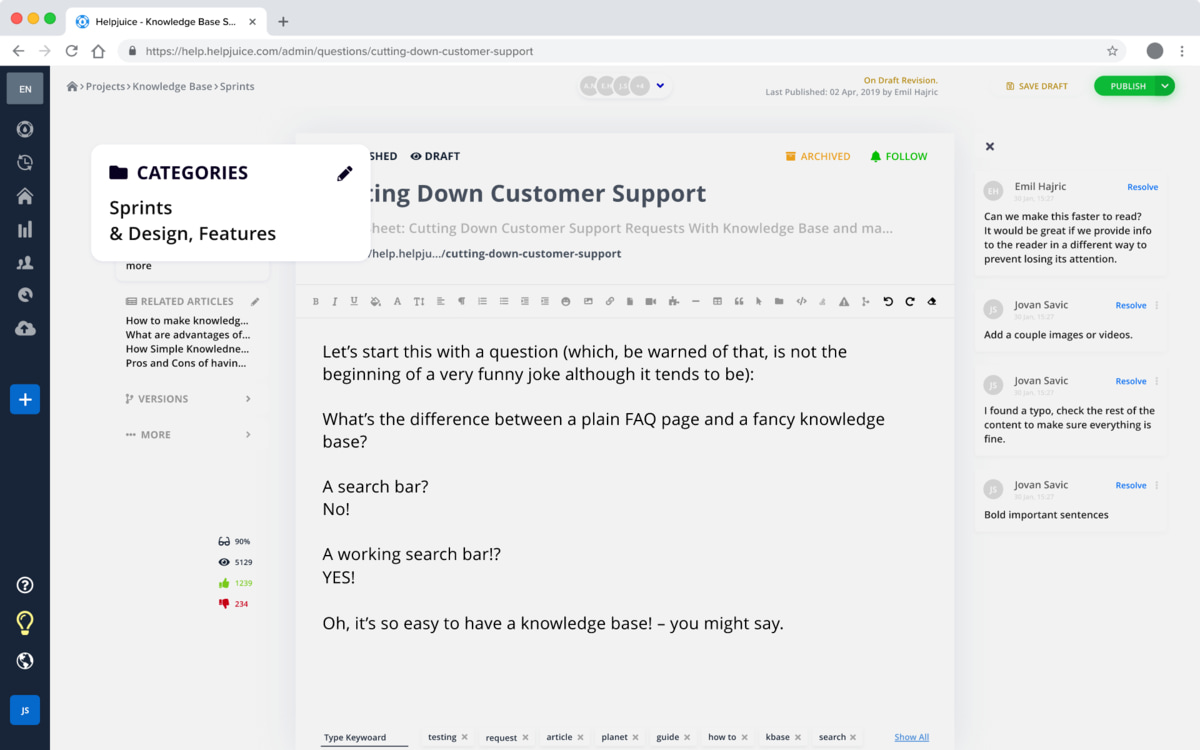
Helpjuice is a dedicated knowledge base software focused on customer support with advanced search capabilities and clean user experience.
Why It Stands Out
The platform prioritizes search engines optimization with intelligent ranking, auto-suggestions, fuzzy matching, and semantic search. Search analytics show what customers search for, what they find, and whether they resolve issues through the knowledge base.
Best For
- Customer support teams needing powerful external knowledge bases
- Organizations prioritizing search functionality and customer satisfaction
Key Strengths
- Real-time collaboration with clean WYSIWYG editor
- Advanced analytics and search performance tracking
- White-label options and custom branding capabilities
- Helps customers find answers quickly through intelligent search
Effective team collaboration in documentation processes often involves using platforms that allow real-time editing and version control, ensuring that all team members can contribute and stay updated on changes.
Possible Limitations
- Limited workflow integration compared to all-in-one platforms
- Pricing can be high for smaller teams with basic needs
- Requires separate tools for internal communication and project management
6. ClickHelp
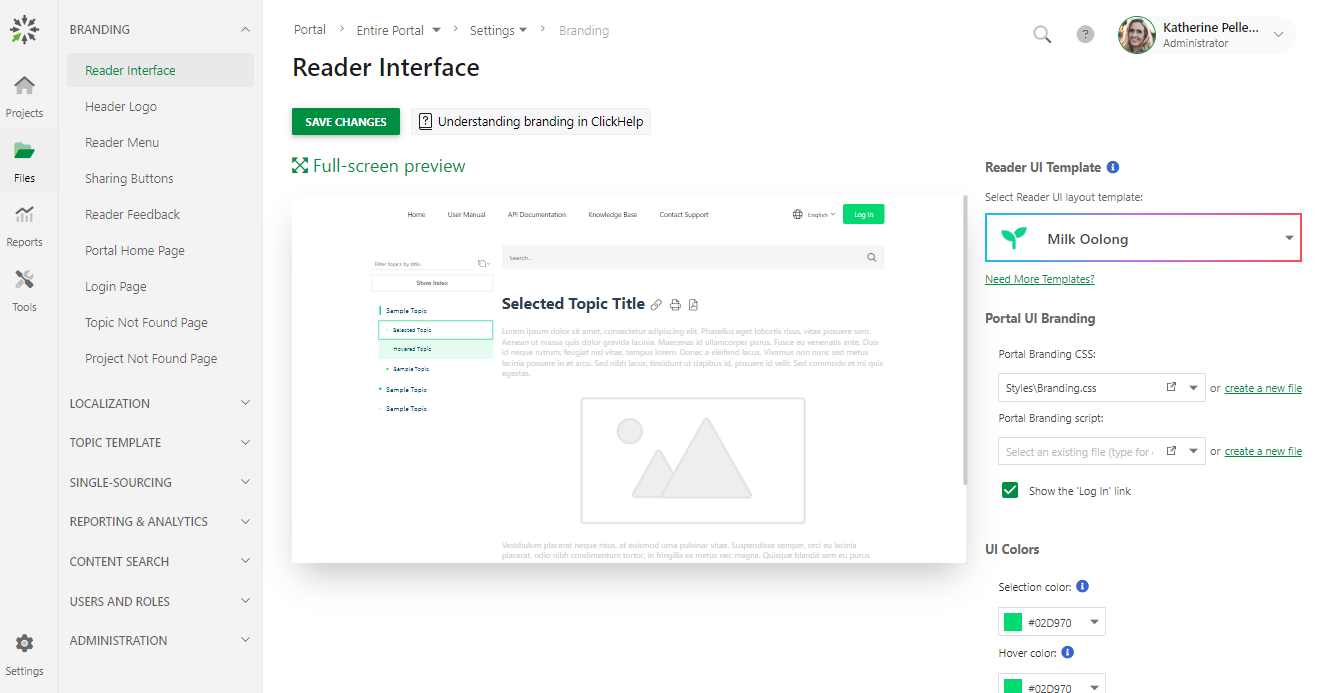
ClickHelp serves professional technical writing teams creating user manuals, software documentation, and complex product guides.
Why It Stands Out
Topic-based authoring enables teams to create individual topics that can be assembled into different outputs—user manuals, online help, API docs—rather than flowing documents. Multi-channel publishing to web, PDF, and mobile formats ensures documentation reaches users in their preferred medium.
Best For
- Technical writing teams creating product documentation across product releases
- Organizations with complex, multi-product technical documentation needs
Key Strengths
- Professional authoring tools with conditional text and variables
- Strong security features and granular permissions
- Responsive design with mobile-optimized output
- Robust version control for maintaining multiple document versions
Platforms that facilitate team collaboration typically support multi-format content, enabling teams to share documents, videos, and presentations seamlessly across departments.
Possible Limitations
- Steeper learning curve for non-technical users
- Account-based pricing can be expensive for small businesses and smaller teams
Many documentation platforms offer custom pricing based on the specific needs of the organization, especially for enterprise-level solutions like ClickHelp.
Quick Comparison of the Best Document360 Alternatives
| Platform | Best For | Starting Price | Key Strength |
|---|---|---|---|
| BridgeApp | AI-powered workflow integration | €0 (Free tier) | All-in-one platform with AI agents |
| Confluence | Atlassian ecosystem teams | ~$5.42/user/month | Deep Jira/Trello integration |
| Notion | Flexible internal wikis | Free tier available | Maximum customization |
| Guru | Contextual knowledge delivery | Custom pricing | Knowledge surfaced in daily tools |
| Helpjuice | Customer-facing knowledge bases | Custom pricing | Advanced search capabilities |
| ClickHelp | Technical documentation | Account-based | Professional authoring tools |
How to Choose the Right Document360 Alternative
Choose Based on Integration Needs
If your primary need is contextual knowledge delivery within existing tools, platforms like Guru are optimal. If consolidating communication and knowledge management is the priority, all-in-one platforms like BridgeApp provide the strongest value. If deep Atlassian ecosystem integration is required, Confluence is the logical choice.
Consider whether you need seamless integration with Google Docs, Google Drive, or third party apps your team already relies on.
Choose Based on User Type
Your content creators’ technical sophistication matters:
- Non-technical teams benefit from user friendly interface platforms like Notion or BridgeApp
- Professional technical writers thrive with ClickHelp’s advanced features
- Sales and support teams need contextual delivery like Guru provides
- Global teams should prioritize platforms with multi language support and multilingual support
Effective documentation requires matching the documentation tool to the people creating content.
Choose Based on AI and Automation Requirements
AI-powered search and ai powered features are increasingly expected rather than optional. Consider:
- Does the platform offer content creation automation?
- Can AI help keep knowledge bases up to date?
- Does automation reduce manual documentation work, potentially saving significant time?
BridgeApp’s approach to visual no-code agent building enables organizations to automate routine tasks based on specific processes rather than pre-built workflows. This is well suited for teams wanting maximum flexibility.
Migrating documentation from one platform to another often requires careful planning to ensure that content structure and formatting are preserved during the transition. Many documentation platforms offer tools or features that facilitate the migration process, such as import/export functionalities or migration wizards to streamline the transition.
Which Document360 Alternative Is Best for You?
Here are direct recommendations based on specific scenarios:
- Choose BridgeApp if you need AI agents to automate knowledge creation from team workflows, want to eliminate context switching between platforms, or require flexible deployment options for sensitive information and data sovereignty
- Choose Confluence if you’re already invested in Atlassian tools and need strong internal collaboration with third party integrations
- Choose Notion if you want maximum flexibility, creative control over content structure, and competitive pricing
- Choose Guru if your team needs knowledge surfaced within daily work tools and help desk software
- Choose Helpjuice if search functionality and customer experience are top priorities for external knowledge base platforms
- Choose ClickHelp if you need professional technical documentation capabilities for large enterprise documentation needs
Ease of migration is a critical factor for teams when evaluating documentation platforms, as it can significantly impact the time and resources required to switch systems. Consider this alongside key features and premium features when making your decision.
The Real Shift
The best alternative to Document360 depends on your specific workflow and integration needs. The market has shifted from “documentation repository” thinking to “knowledge operations platform” thinking—emphasizing integration with business processes, AI automation, and contextual knowledge delivery.
Modern knowledge management increasingly requires AI and workflow integration to deliver information effectively to many users across various platforms. Many teams are finding that consolidating communication, project management, and knowledge bases into unified platforms like BridgeApp reduces total cost while improving user engagement and productivity.
Before committing, take advantage of free trials from your shortlisted platforms. Test with real content and real workflows. Evaluate how each handles task assignments, search engines optimization for external docs, and collaboration with larger teams.
The knowledge management landscape continues evolving with AI capabilities. Choosing a platform that embraces this evolution—rather than bolting AI on as an afterthought—positions your team for long-term success in effective documentation and knowledge sharing.