BlogIndustry Insights
The 8 Best Notion Alternatives for 2026

Maria ZhuHead of content
7 min read
Notion transformed how teams organize work when it launched in 2016. Its flexible, block-based approach to combining notes, databases, wikis, and Notion attracted tens of millions of users and passed 100 million users in 2024. But as workspaces grew larger and team needs evolved, cracks began to show.
If you’ve experienced Notion slowing to 5-10 seconds per page load on complex projects, struggled with the blank-canvas approach that requires extensive setup, or found real-time collaboration features lacking compared to dedicated tools, you’re not alone. These are the pain points driving teams to explore better options.
A great Notion alternative addresses these issues directly. The best tools offer faster load times under 2 seconds, intuitive interfaces with pre-built templates, robust real-time collaboration with inline comments and mentions, and integrated AI features that automate routine work. Many also provide deployment flexibility for organizations with data sovereignty requirements.
This guide covers eight productivity tools that solve different Notion limitations. Whether you need stronger project management, better knowledge management, enhanced AI capabilities, or improved team collaboration, you’ll find options worth testing.
How We Chose the Best Notion Alternatives
We evaluated these tools based on publicly available product information, pricing pages, and user feedback from platforms such as G2 and Capterra.
Core evaluation criteria included:
- Ease of use: Onboarding time under 30 minutes and intuitive interface design
- Collaboration features: Real-time editing, threaded comments, video integration
- Project management: Multiple views, including Kanban boards, Gantt charts, and timeline visualization
- AI integration: Native AI assistant capabilities and automation potential
- Customization: Drag-and-drop builders without requiring coding skills
- Pricing: Transparent tiers with functional free plan options
- Scalability: Performance with large databases and growing teams
Unlike Notion, which tries to be everything at once, several alternatives excel by focusing on specific use cases while maintaining flexibility for other apps and workflows.
Each platform below addresses different workflow needs. Some focus heavily on project management features while others prioritize note-taking or team communication. Here’s what each brings to the table.
1. BridgeApp
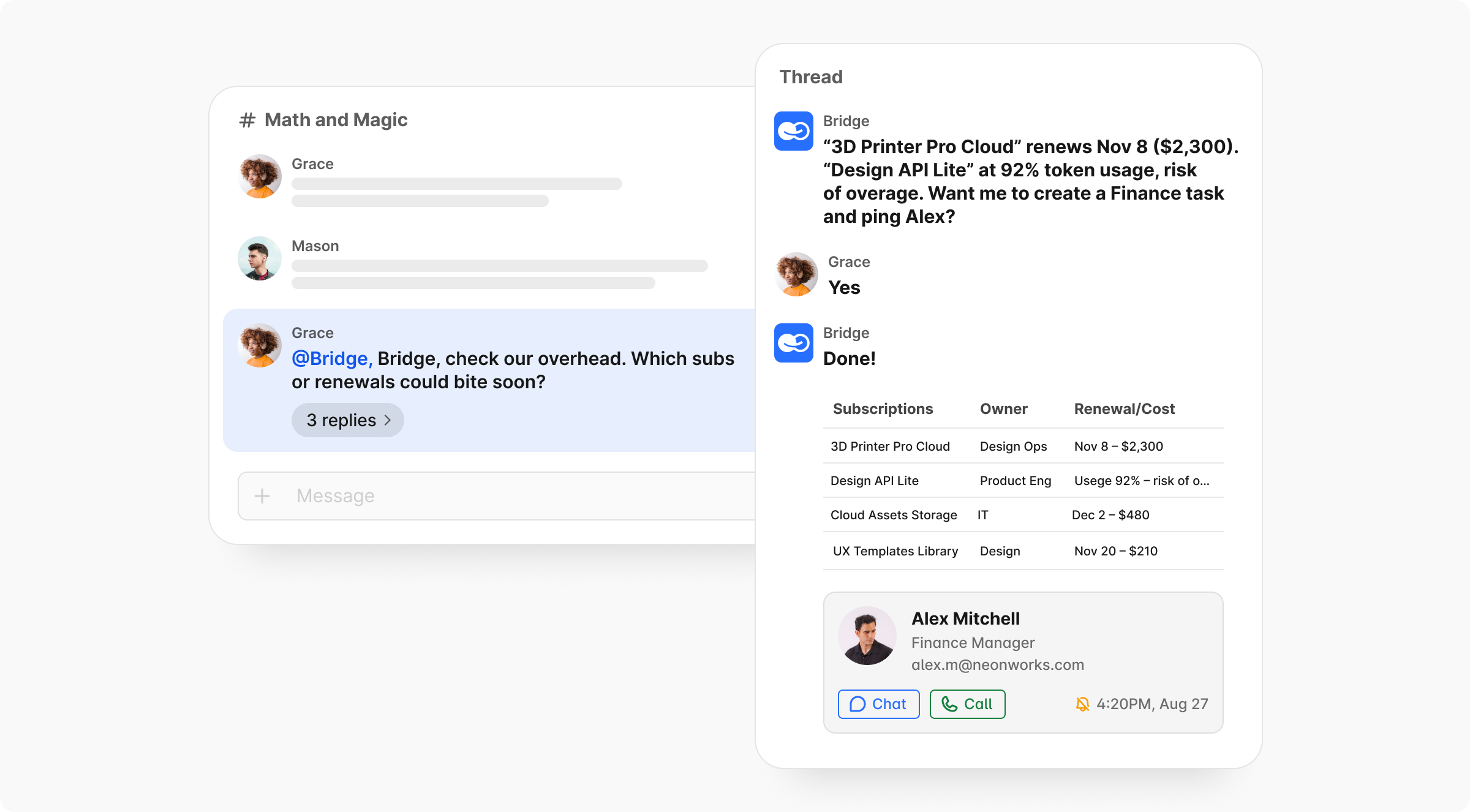
Where Notion often requires teams to build structure manually, BridgeApp gives teams a ready operational layer: chat, tasks, documents, databases, calls, and AI agents connected from day one.

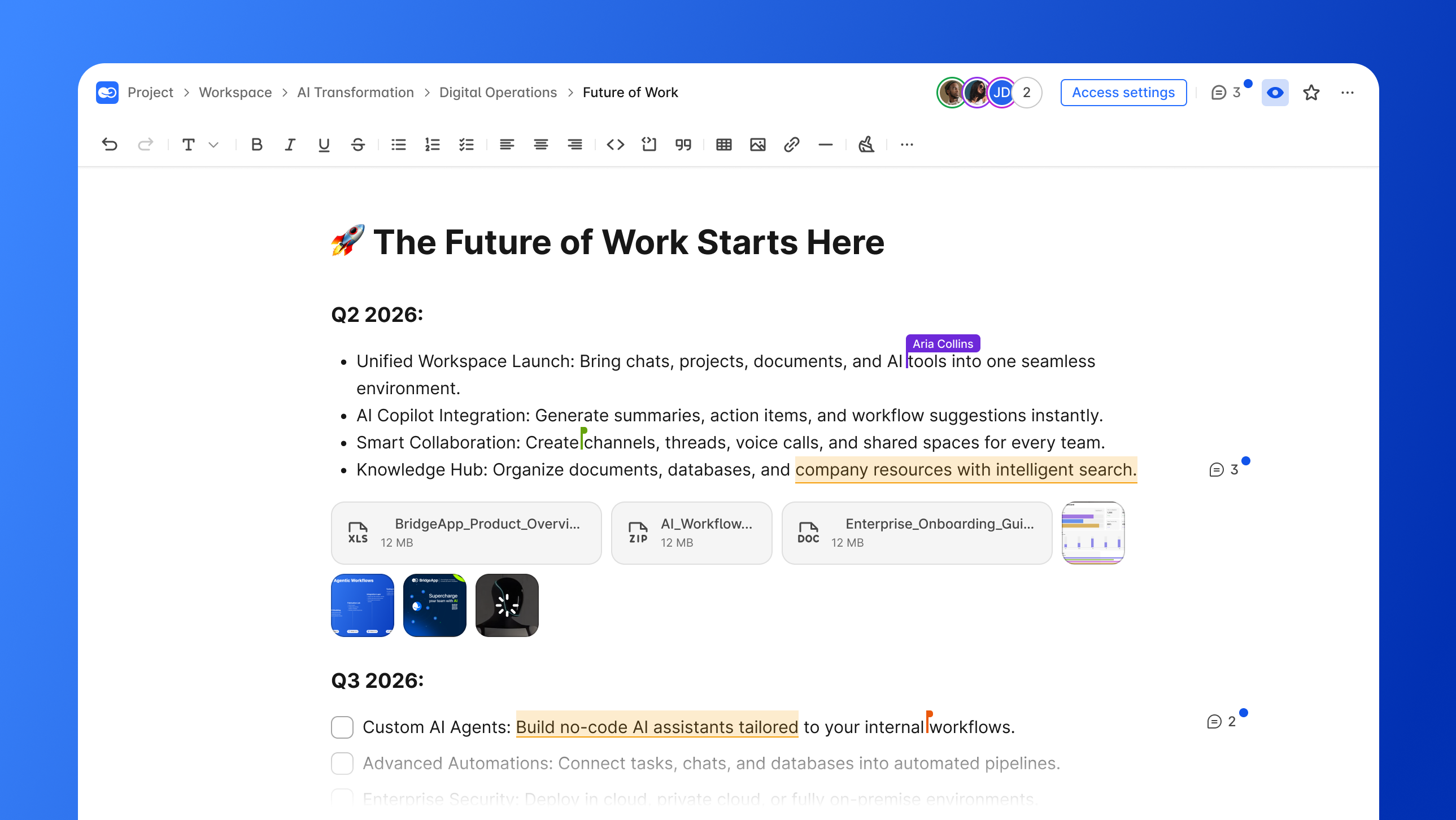
BridgeApp positions itself as an AI native platform that unifies team communication, project management, knowledge bases, custom databases, and AI automation into a single workspace. Rather than bolting AI onto existing features, it embeds intelligence into the core architecture.
Why It Stands Out
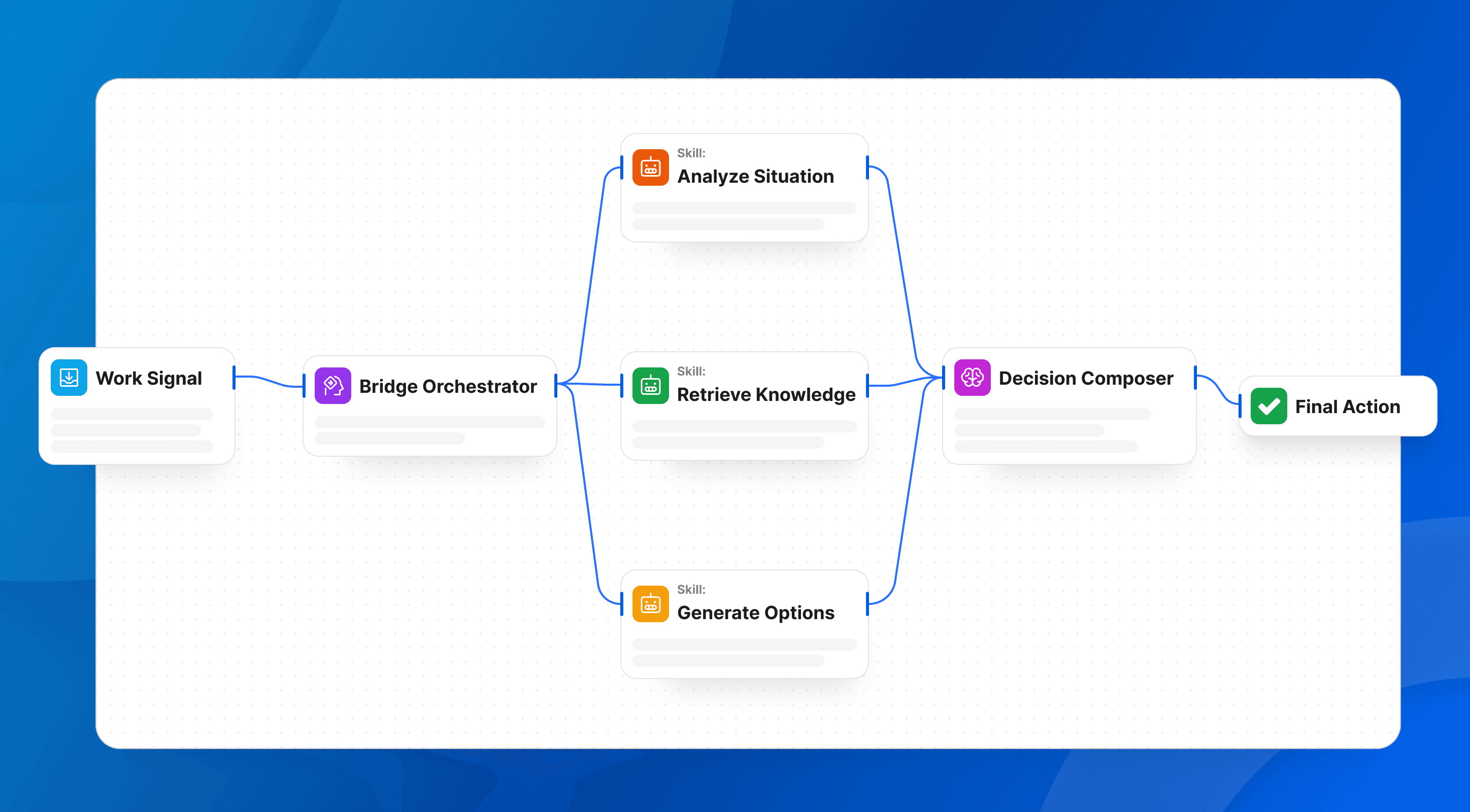
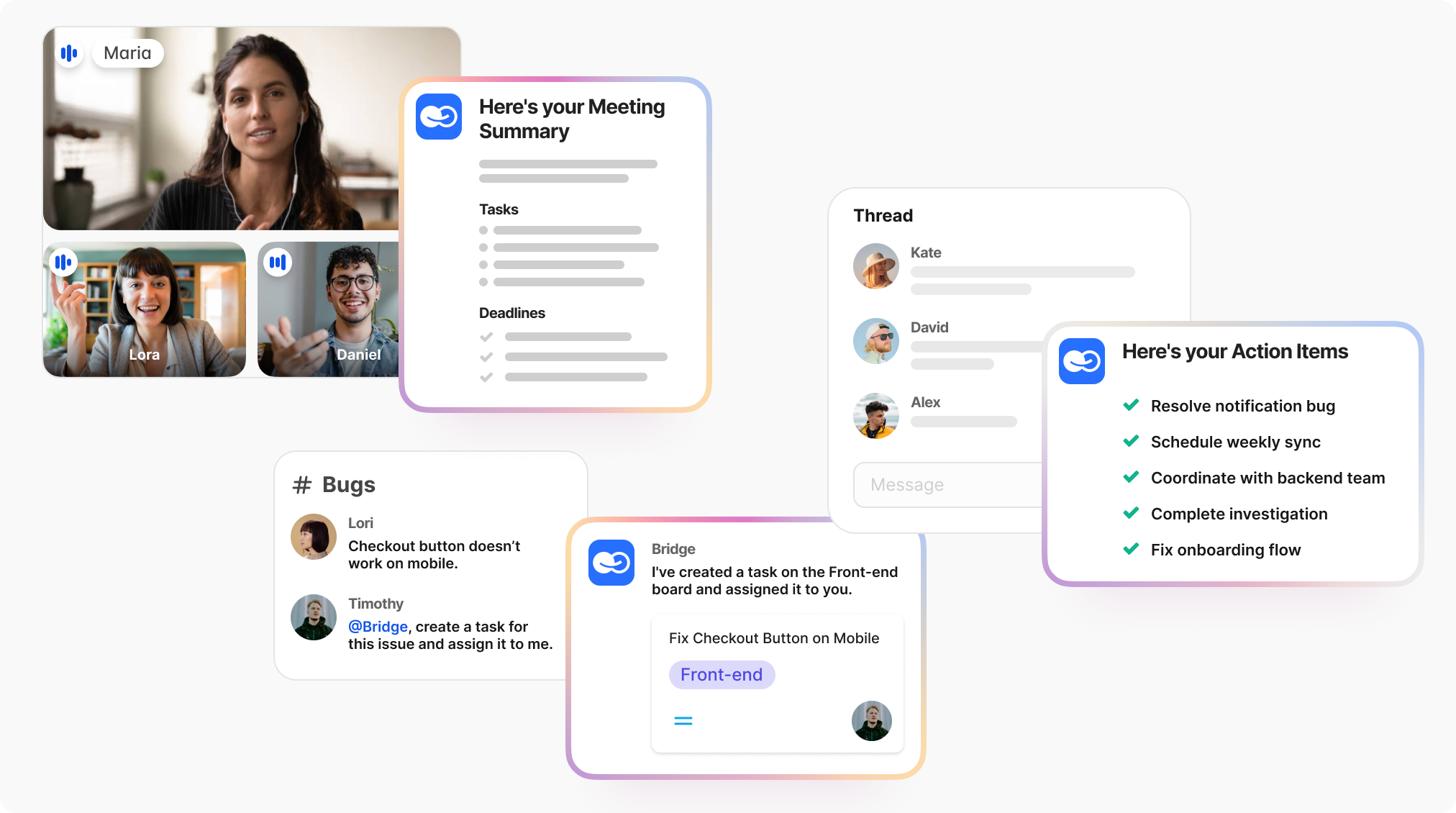
BridgeApp’s visual no-code AI agent builder lets teams create custom automated workflows without technical knowledge. These “digital employees” (AI agents) can create tasks from conversations, generate reports, populate databases, respond in chats, and execute complex workflows.
The platform provides access to all major AI models rather than locking you into a single vendor. This avoids vendor lock-in while giving flexibility to use the best model for each task.
Built-in audio and video calls eliminate the need for separate communication tools. These aren’t third-party integrations—the team built communication features from scratch, enabling AI-powered meeting summarization and chat-based search across all conversations.
For European and regulated teams, BridgeApp also adds deployment flexibility that most Notion-style tools do not offer: cloud, private cloud, on-premise, or hybrid deployment.
Best For
- Teams wanting to replace 6-7 fragmented SaaS tools with one app
- Organizations needing custom AI automation for routine tasks
- Companies requiring on-premise deployment or EU data sovereignty
- IT and product teams seeking flexible deployment options
Key Strengths
| Feature | Benefit |
|---|---|
| 40% productivity increase | Through unified workspace + AI automation |
| 4.6 hours saved per employee/week | Automated meeting summaries, task creation, and database queries |
| Built-in video calls | No third-party SDK dependencies |
| MCP server integration | Connect multiple external MCPs per agent for unlimited scenarios |
| Flexible deployment | Cloud, on-premise, private cloud, or hybrid options |
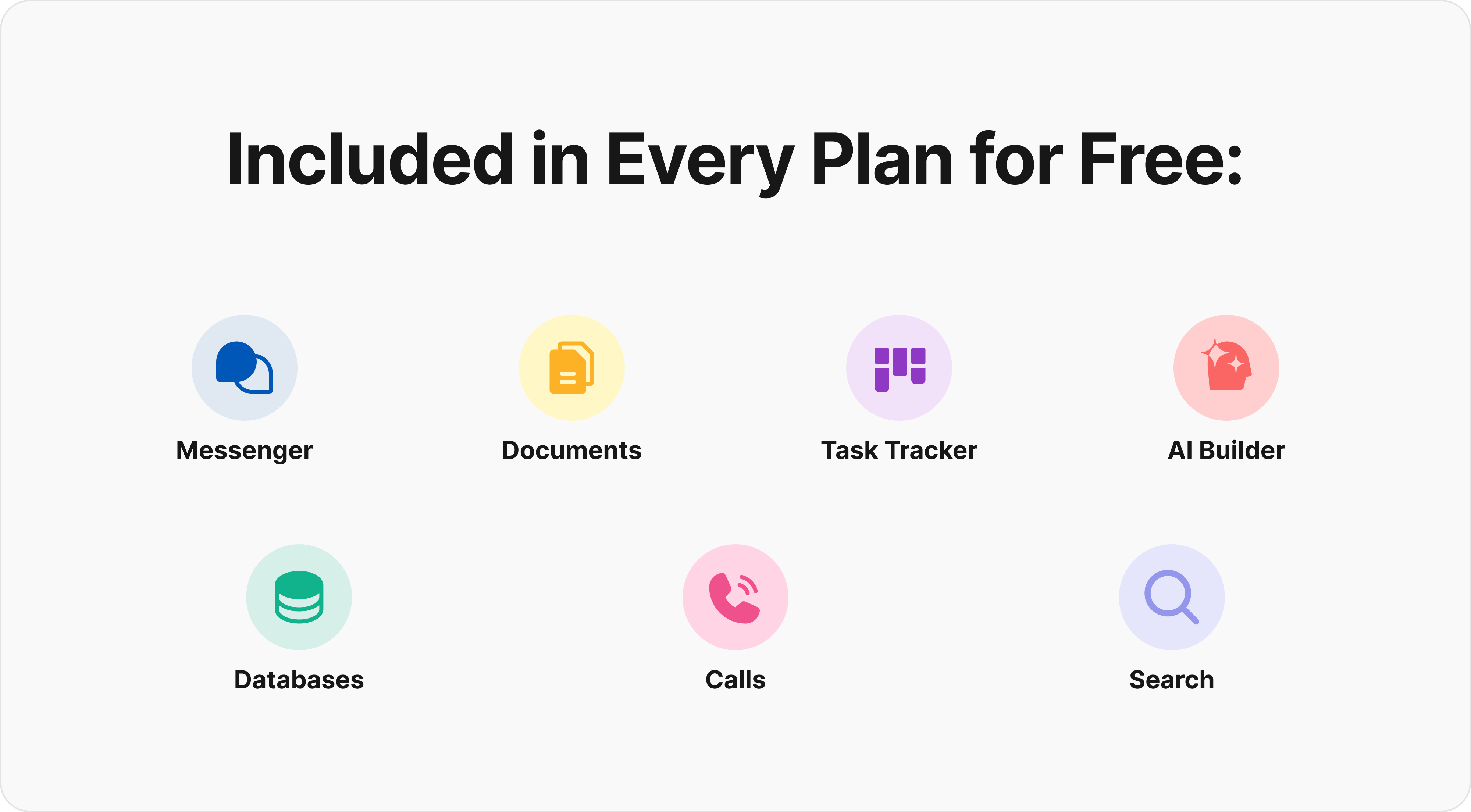
The free plan includes unlimited members, core features like task management, document creation, AI agent builder, up to 1,000 database rows, and audio calls. Paid plans start at €9/user/month (€7.5 yearly) for the Pro plan, adding messenger integrations, unlimited databases, role-based access control, and video calls.
2. Coda
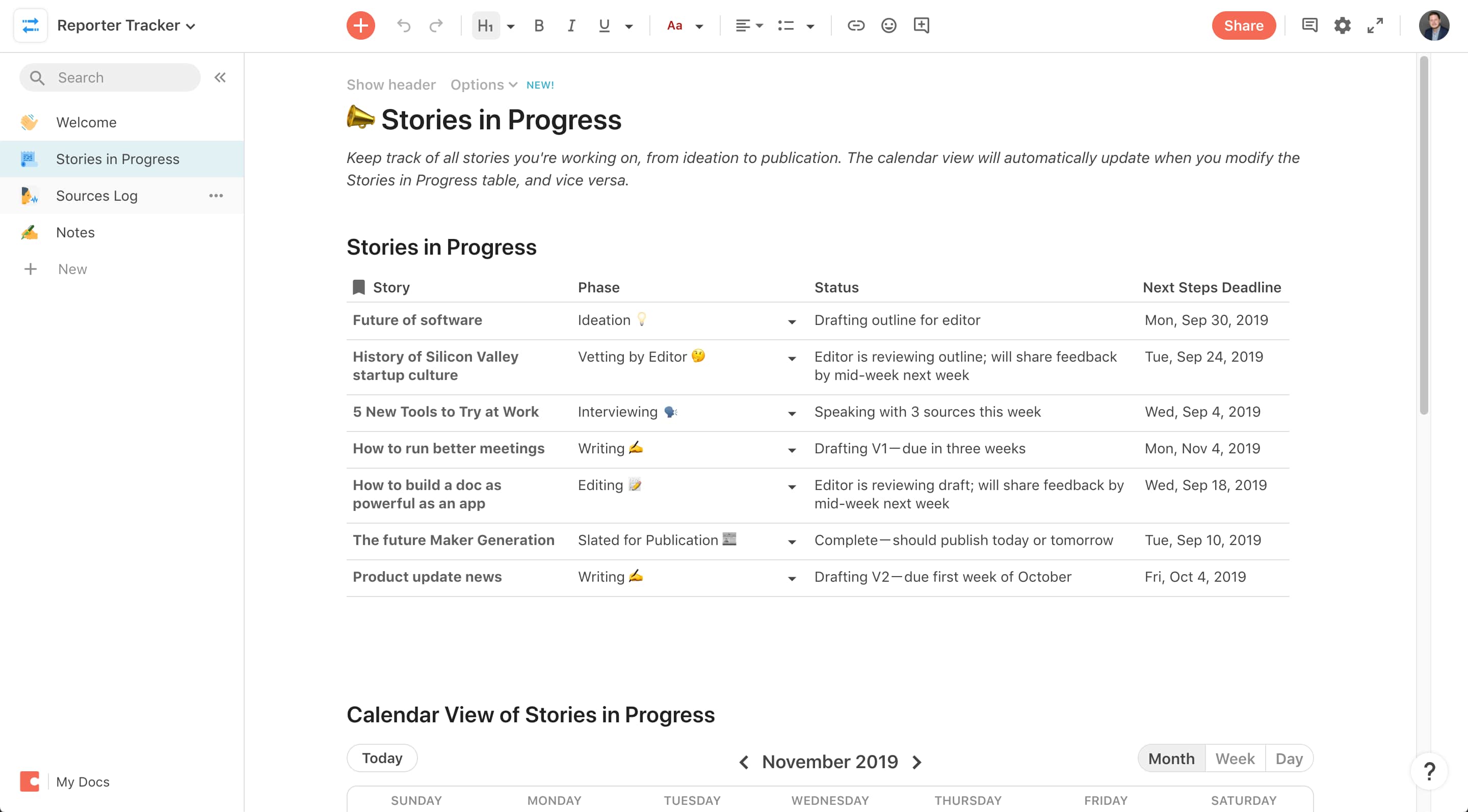
Coda extends the document-database hybrid concept with deeper programmability. Documents become interactive through advanced formulas similar to spreadsheets but embedded directly in pages.
Why It Stands Out
Coda Packs provide 1,000+ no-code integrations pulling live data from external tools like Google Sheets and Slack directly into your documents. Automation triggers execute actions when database conditions change—like updating a sales pipeline automatically from CRM inputs.
The formula system rivals Airtable’s capabilities but with Coda’s document flexibility, making it powerful for technical teams comfortable with programmable content.
Best For
- Technical teams comfortable with formula-based automation
- Organizations needing powerful database management with document flexibility
- Teams requiring extensive third-party app integrations without external tools
Key Strengths
- Advanced formula capabilities for dynamic, programmable documents
- Strong integration ecosystem through Coda Packs (Zapier-like functionality built in)
- Flexible structure blending text and relational data
- Automation triggers on database changes, powering complex workflows
Possible Limitations
- Steep learning curve for formulas (2-4 weeks for mastery)
- Performance dips on datasets over 50,000 rows (10-15 second loads)
- Scaling costs reach $10-30/user/month for teams over 50
- Complexity can alienate beginners looking for simpler solutions
3. Obsidian
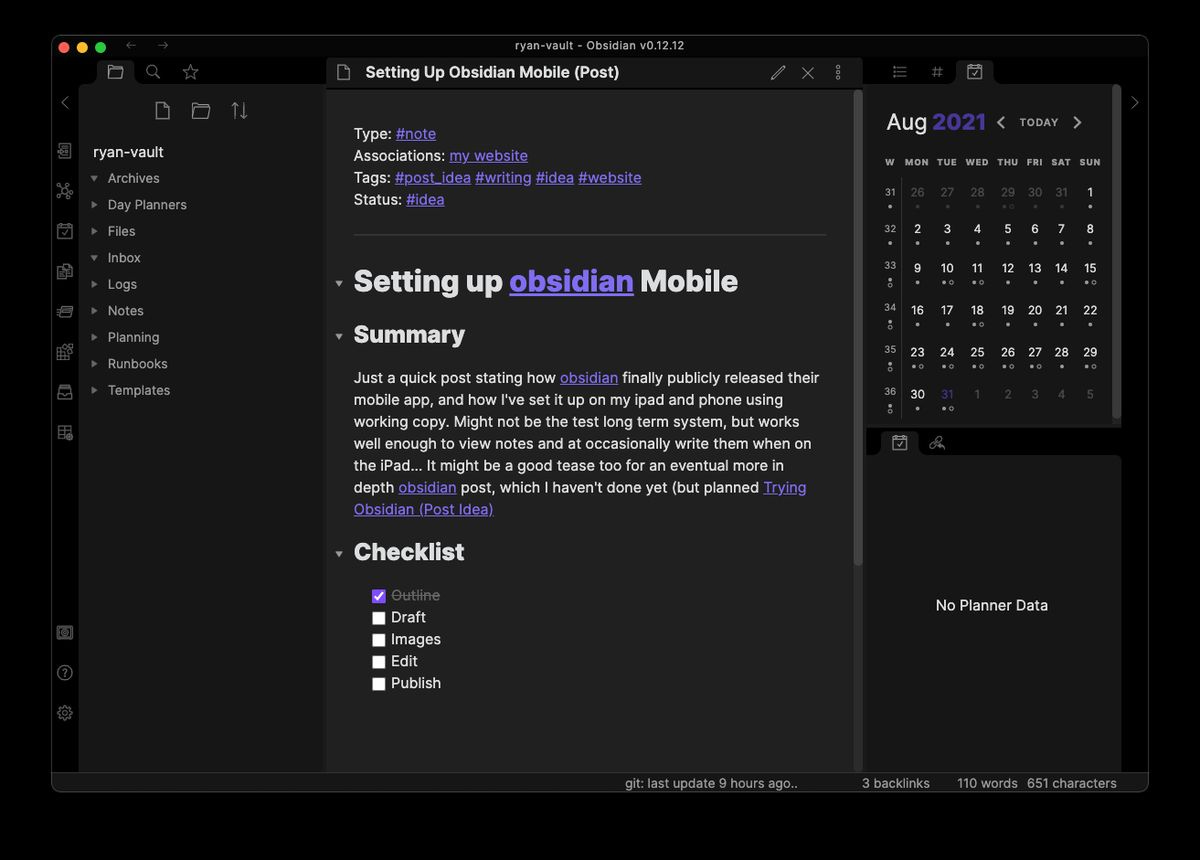
Obsidian operates as a local first note-taking app, storing data as plain Markdown files on your device. This ensures complete data ownership and offline mode access without relying on cloud storage.
Why It Stands Out
Powerful bidirectional linking creates interconnected knowledge graphs visualized as interactive maps. You can see relationships between notes that might otherwise remain hidden, making it ideal for researchers and writers building structured documentation.
The plugin ecosystem exceeds 1,000 community extensions covering themes, calendars, Kanban boards, mind mapping, and AI capabilities like content generation.
Best For
- Individual users building personal knowledge systems
- Privacy-conscious users wanting local storage and data control
- Researchers and writers needing interconnected note systems
- Solo users who love Notion’s flexibility but want offline functionality
Key Strengths
- Complete offline functionality—no cloud dependency required
- Full data ownership with local file storage
- Highly customizable through plugins and themes
- Strong linking and backlinking reveal note relationships automatically
- Works similarly to Apple Notes in simplicity, but with far more features
Possible Limitations
- Limited real-time collaboration without additional tools like Git or Obsidian Sync ($5/month)
- Steeper learning curve for non-technical users (Markdown syntax)
- No built-in database functionality like a Notion workspace offers
- Better suited for personal use than team environments
4. ClickUp
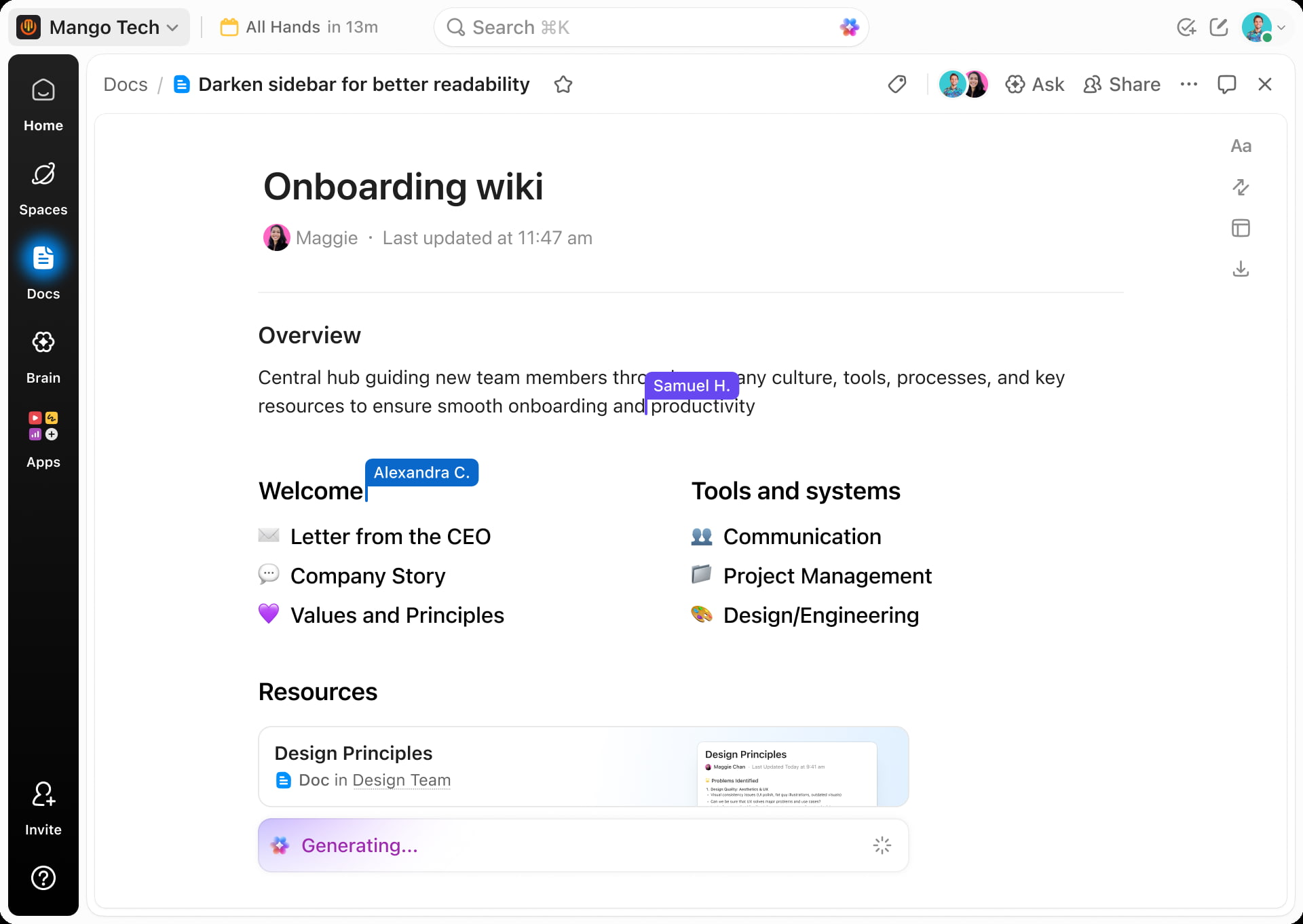
ClickUp delivers comprehensive project management with docs and collaboration features embedded throughout. It’s feature-rich by design, offering 15+ view types and deep workflow customization.
Why It Stands Out
The platform provides robust features, including Kanban, Gantt charts, box views, and mind mapping. Built-in time tracking measures work to the second, while resource management dashboards help project managers allocate capacity effectively.
Over 1,000 automations handle workflows like approval chains, status updates, and notification routing. The hierarchy system (spaces/folders/lists/tasks/subtasks) suits teams managing multiple projects simultaneously.
Best For
- Project managers needing advanced workflow automation
- Teams requiring detailed time tracking and resource management
- Organizations wanting to consolidate multiple project tools
- Teams handling complex projects with dependencies
Key Strengths
- Comprehensive project management feature set with all the features teams expect
- Multiple visualization options beyond standard Kanban boards
- ClickUp AI Brain for queries and automation assistance
- Strong automation without requiring coding skills
- More structured approach than Notion’s freeform style
Possible Limitations
- Can feel overwhelming for simple use cases or small teams
- Interface feels cluttered initially (customizable hierarchies help)
- Performance lags on 5,000+ tasks (20% slower than lighter alternatives)
- Overkill for teams primarily focused on note-taking
5. Monday.com
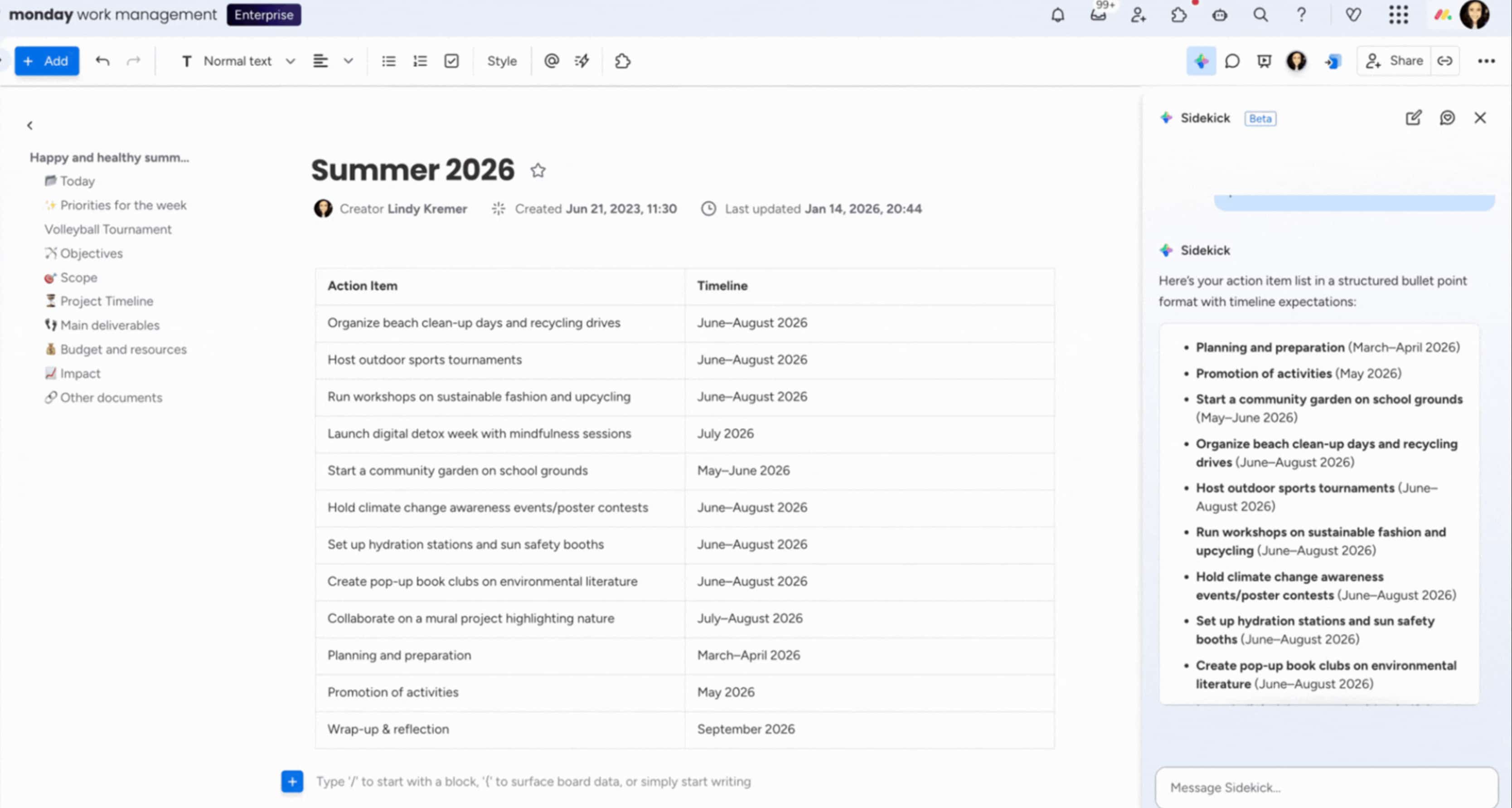
Monday.com emphasizes visual project management with color-coded boards that make status tracking intuitive. No-code automation rules execute over 1M actions monthly across its user base.
Why It Stands Out
The platform’s intuitive interface speeds adoption—teams report 70% faster onboarding compared to more complex tools. Automations save an average of 10 hours per week per team through if/then rules that trigger actions automatically.
Enterprise-ready features include SSO/SAML authentication, while 200+ app integrations connect with existing workflows. Native communication features like updates and comments keep discussions contextual.
Best For
- Teams preferring visual project management approaches
- Organizations needing structured workflows with automation
- Project managers wanting enterprise-ready features
- Companies using Google Workspace or Microsoft apps and needing integration
Key Strengths
- Highly intuitive user interface with visual status tracking
- Powerful automated workflows without technical complexity
- Time tracking and budgeting for agencies and service teams
- Strong integration ecosystem (200+ apps)
- Enterprise features, including SSO/SAML
Possible Limitations
- Weaker document creation compared to Notion’s rich pages
- Higher pricing ($8-16/user/month, minimum 3 seats)
- Less flexibility for knowledge base and wiki use cases
- The standard plan may not include all the tools teams need
6. Slite
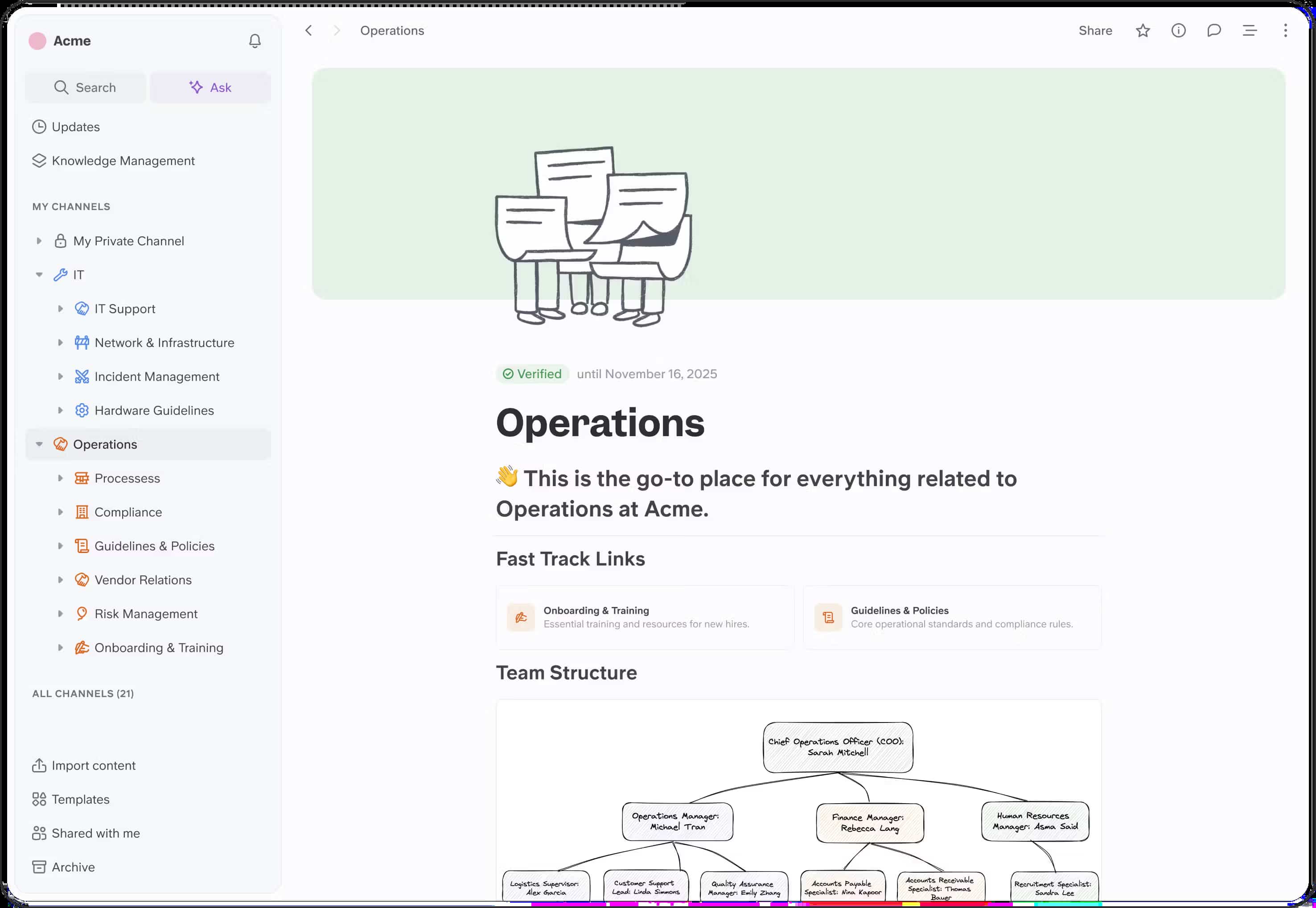
Slite specializes in team knowledge management with AI-powered features that go beyond basic search. It’s purpose-built for documentation rather than trying to be an all-in-one platform.
Why It Stands Out
AI search answers natural language queries across all documents—ask “What’s our Q1 sales process?” and get direct answers rather than just links. Verification badges indicate validated content, helping teams trust the information they find.
The platform focuses on collaborative editing for wikis, OKRs, and team documentation with threaded comments and templates designed for knowledge sharing.
Best For
- Teams focused primarily on knowledge management and documentation
- Organizations needing verified, searchable company knowledge
- Growing companies wanting structured information sharing
- Most users who primarily need a knowledge base rather than project management
Key Strengths
- AI retrieval 5x faster than manual search through documents
- Quality controls through verification badges
- Purpose-built for team documentation workflows
- Collaborative editing with threaded comments
- Templates designed for common documentation needs
Possible Limitations
- Lighter project management and database capabilities
- Less flexibility than all-in-one platforms
- Pricing at $8-12/user/month for full AI features
- Not ideal for teams needing robust task management
7. Airtable
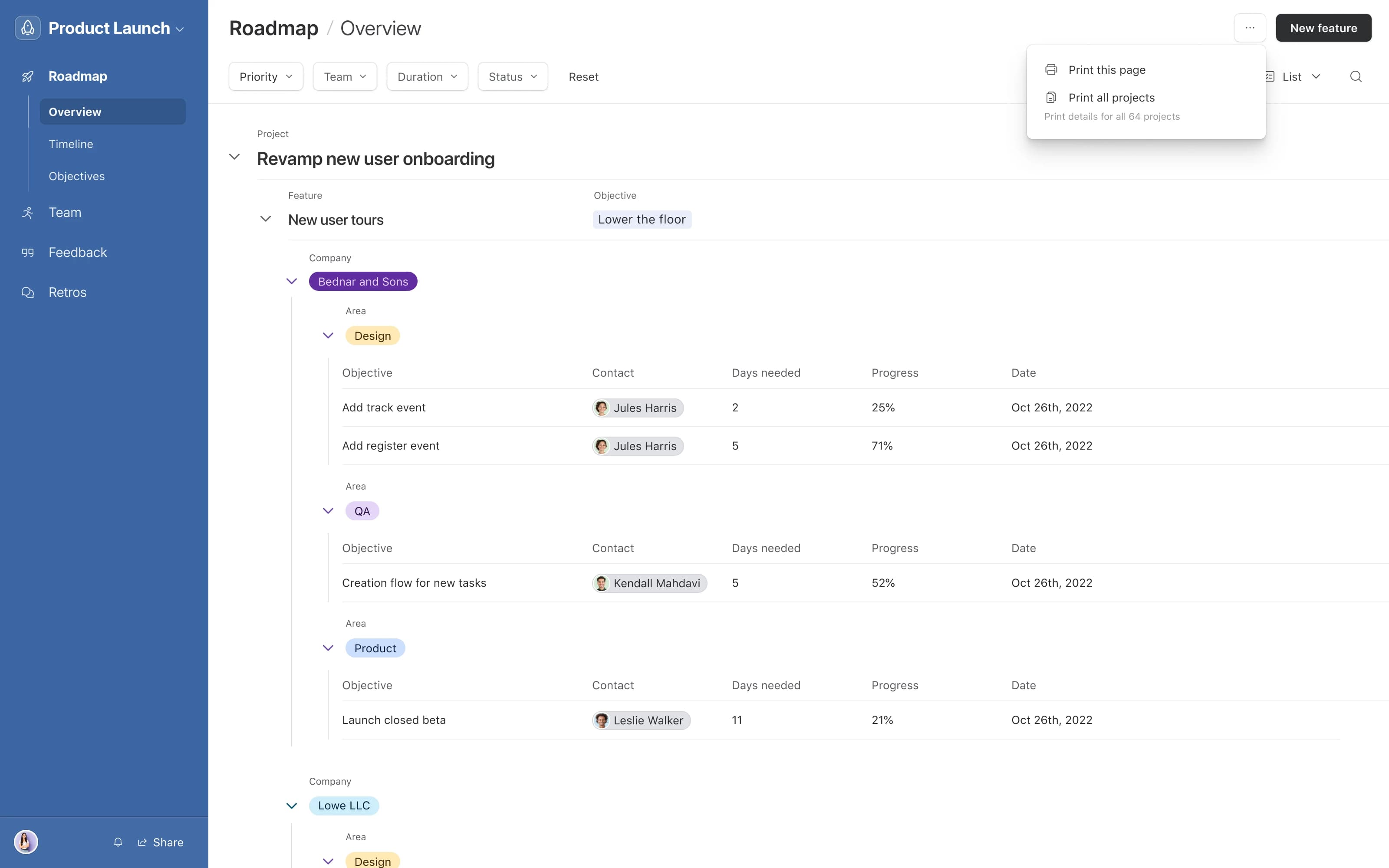
Airtable hybridizes spreadsheets into relational databases with an intuitive interface. It excels at managing structured data while providing visualization options that spreadsheets lack.
Why It Stands Out
The platform handles data-heavy operations exceptionally well, managing 50,000+ records per team without significant performance issues. Visualization options include grids, calendars, galleries, and forms—making it versatile for CRM pipelines, inventory tracking, and similar use cases.
Automations script actions triggered by record changes, like sending Slack alerts when statuses update. With 50+ integrations, Airtable connects smoothly with other tools in your stack.
Best For
- Teams managing complex data and client information
- Organizations needing robust database functionality with collaboration
- Project managers working with structured data and workflows
- Operations teams tracking inventory, contacts, or similar datasets
Key Strengths
- Excellent database management and data organization
- Intuitive UI that feels familiar to spreadsheet users
- Strong visualization and reporting features
- Comprehensive automation and integration options
- Handles large datasets reliably
Possible Limitations
- Limited document creation and note taking capabilities
- Costs reach $20+/user/month at scale
- Not designed for knowledge base or wiki use cases
- Basic text editing compared to dedicated writing tools
8. Anytype
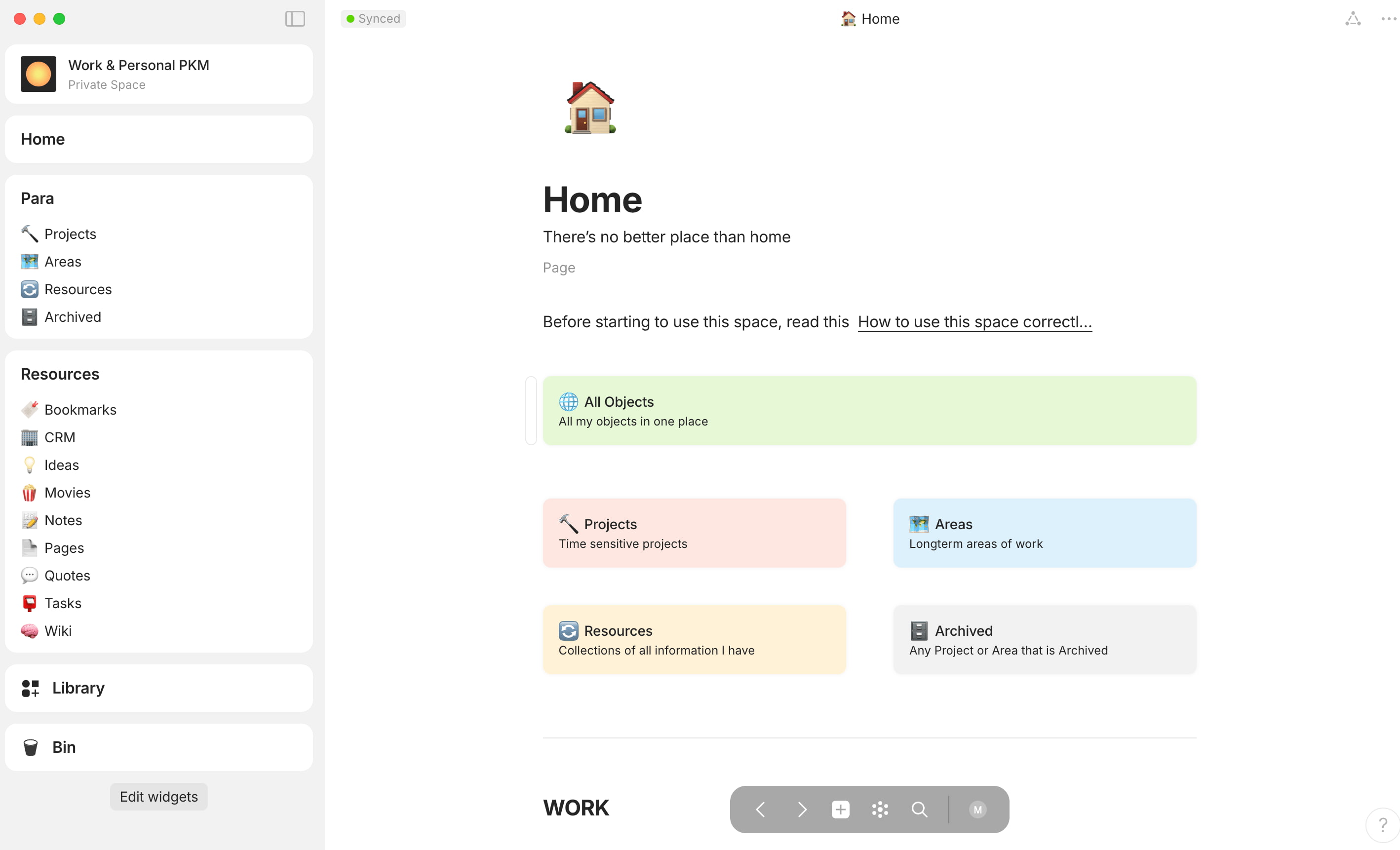
Anytype adopts an object-based local-first system with end-to-end encryption. Data stays on your device with peer-to-peer sync, eliminating dependency on central servers.
Why It Stands Out
The object-based approach links notes, tasks, and pages into graphs without cloud dependency. Relations between objects auto-propagate—linking a task to a note creates bidirectional connections that surface relevant content automatically.
For privacy-conscious users wanting complete data control, Anytype delivers sovereignty that cloud-based alternatives cannot match.
Best For
- Privacy-conscious users wanting complete data control
- Individuals building personal knowledge systems
- Teams needing secure, decentralized collaboration
- Users seeking a free alternative to cloud-based tools
Key Strengths
- Strong privacy and data sovereignty through local storage
- Innovative object-based organization system
- Local-first approach with optional sync
- No central server dependency
- Free to use with self-hosting options
Possible Limitations
- Smaller user base and plugin ecosystem compared to mainstream alternatives
- Learning curve for object-based organization (1-2 weeks)
- Nascent feature set still developing
- Collaboration features less mature than established platforms
Quick Comparison of the Best Notion Alternatives
| Platform | Best For | Key Strength | Starting Price |
|---|---|---|---|
| BridgeApp | AI-native unified workspace with custom automation | 40% productivity increase, built-in calls | Free (Pro €9/user/mo) |
| Coda | Technical teams needing formulas and databases | 1,000+ Packs, programmable docs | Free (paid tiers vary) |
| Obsidian | Individual knowledge workers, local data control | 1,000+ plugins, offline-first | Free (Sync $5/mo) |
| ClickUp | Comprehensive project management workflows | 15+ views, time tracking | Free (paid from $7/user) |
| Monday.com | Visual project management with enterprise features | 70% faster onboarding | $8/user/month |
| Slite | Knowledge-focused teams needing AI documentation | 5x faster AI search | $8/user/month |
| Airtable | Data-heavy teams requiring database functionality | Handles 50K+ records | Free (paid from $10/user) |
| Anytype | Privacy-conscious decentralized knowledge management | Local-first, encrypted | Free |
Different tools excel in different areas. PM-focused platforms like ClickUp and Monday.com average 4.5/5 across 13,000+ reviews on G2/Capterra, while knowledge apps like Obsidian and Slite speed retrieval 3x compared to Notion’s search.
How to Choose the Right Notion Alternative?
Choose Based on Primary Use Case
Your main workflow determines which alternative fits best:
Project management focus: ClickUp or Monday.com offer dependencies, time tracking, Gantt charts, and resource management that Notion handles loosely. These platforms provide more structure for teams managing to do lists and complex project timelines.
Knowledge management focus: Obsidian or Slite speed retrieval significantly. Obsidian works better for individuals building interconnected note systems, while Slite suits teams needing AI-powered documentation with verification.
All-in-one needs: BridgeApp replaces fragmented tools with unified workspace, including communication, project management, and AI automation. This reduces context switching by 60% according to their metrics.
Database-heavy work: Airtable and Coda handle relational data better than Notion, scaling to 50,000+ records without significant performance degradation.
Choose Based on Team Size and Technical Expertise
Team characteristics affect platform success:
Small teams and startups: Free tiers from BridgeApp, ClickUp, or Anytype provide robust features without upfront cost. BridgeApp’s free plan includes unlimited members with core functionality.
Enterprise scale: Monday.com and Airtable handle 1,000+ users with SSO, compliance features, and enterprise support. BridgeApp offers custom enterprise plans with on-premise deployment.
Technical teams: Coda’s formula system and BridgeApp’s visual AI builder provide automation power. Obsidian’s plugin ecosystem requires some technical comfort but rewards customization.
Non-technical teams: Monday.com’s visual approach and Slite’s focused design minimize the learning curve. Avoid Coda or Obsidian if your team struggles with technical concepts.
Choose Based on Integration and Workflow Needs
Consider your existing ecosystem:
Integration requirements: Monday.com (200+ apps) and Airtable (50+ native integrations) connect broadly. BridgeApp’s MCP server integration enables unlimited automation scenarios.
Privacy and deployment: Anytype and Obsidian offer local storage for privacy-conscious users. BridgeApp provides on-premise, private cloud, or hybrid deployment for organizations with EU data sovereignty requirements or regulatory compliance needs.
Communication workflows: BridgeApp includes built-in channels, threads, and video calls. Other platforms require integration with Microsoft Loop, Slack, or other apps for team communication.
Automation complexity: BridgeApp’s AI agents and MCP support handle sophisticated workflows. Monday.com and Airtable offer strong no-code automation. Coda provides the deepest programmability for technical users.
Which Option Is Best for You?
Based on specific needs, here’s direct guidance:
- Choose BridgeApp if you want to eliminate tool fragmentation with an AI-powered unified workspace. The platform’s ability to generate content, automate routine tasks, and include built-in communication sets it apart from alternatives that require multiple integrations.
- Choose Coda if you need powerful database features with document flexibility and technical automation. The learning curve is steeper, but formula capabilities reward the investment.
- Choose Obsidian if you prioritize data ownership and building personal knowledge systems. It’s the desktop app of choice for researchers and writers who want local storage and extensive customization.
- Choose ClickUp if comprehensive project management features are your primary need. The platform handles everything from simple to do lists to complex multi-project workflows with advanced features.
- Choose Monday.com if you prefer visual project management with enterprise-grade automation. The intuitive interface helps teams adopt quickly without extensive training.
- Choose Slite if knowledge management and team documentation are your main focus. AI-powered search and content verification make it effective for growing teams.
- Choose Airtable if database management and data visualization are critical to your workflows. It handles structured data better than most alternatives.
- Choose Anytype if privacy and decentralized collaboration are top priorities. Local-first architecture with encryption provides sovereignty that cloud platforms cannot match.
Which Notion Alternative Should You Choose?
The best Notion alternative depends entirely on your team’s specific workflow needs. Notion remains strong for users who love its flexibility and don’t mind the setup investment—but alternatives excel in specific areas mentioned earlier.
Teams frustrated with performance issues on large databases will find relief in platforms like Airtable or ClickUp. Those needing stronger collaboration features should explore BridgeApp’s unified approach or Monday.com’s visual workflows. Privacy-focused users have excellent options in Obsidian and Anytype.
The productivity tools landscape continues shifting toward AI-native platforms and local-first architectures. Trends show AI automation handling 30% of routine tasks in leading platforms, with hybrid deployments rising 25% as organizations prioritize data sovereignty.
Before committing, test your top 2-3 choices with free trials. Most platforms offer functional free tiers that reveal how well each fits your daily work. Consider not just current needs but how your team will scale over the next 12-24 months—the plus plan you need today might not handle tomorrow’s requirements.
More features don’t always mean a better fit. The right alternative solves your specific pain points without introducing new friction. Start with the problem you’re trying to solve, then find the tool built to address it.