BlogIndustry Insights
Best Team Chat Software

Maria ZhuHead of content
9 min read

A good team chat platform used to mean one thing: fast instant messaging. In 2026, that is no longer enough.
The best team chat software now needs to support team communication, file sharing, video calls, threaded conversations, project management, automation, and increasingly, AI agents that can summarize work or take action for you.
That shift matters because communication is no longer isolated from the rest of work. A team conversation might turn into a task, a document, a customer response, a database update, or a follow-up meeting. If your chat tools cannot handle that flow, your team ends up switching between too many apps.
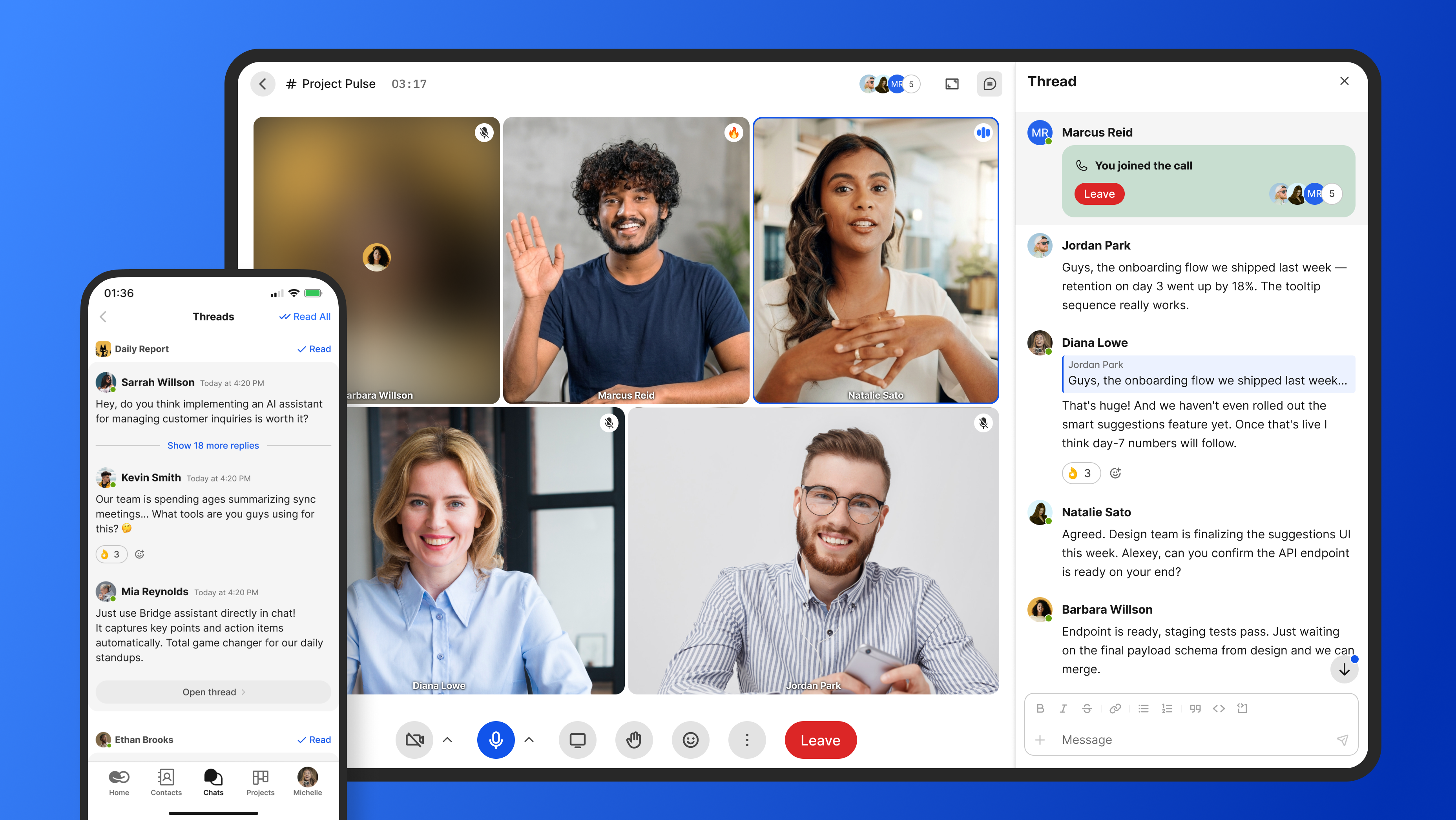
In this guide, we’ll compare the best team chat software for modern businesses, including BridgeApp, Slack, Microsoft Teams, Google Chat, Discord, and Zoom Team Chat. You’ll learn where each team chat app fits, what it does well, where it falls short, and how to choose the right option for your business.
How We Chose the Best Team Chat Software
There are many chat apps on the market, but not every platform is right for every company.
A startup with 20 people may want an affordable team chat app with a generous free plan. An enterprise team may care more about data security, guest access, compliance, user controls, and deployment flexibility. Remote teams may prioritize voice and video communication, while product teams may care more about task management and integrations.
Here are the main criteria we used to evaluate the best team chat apps.
Communication features
At a minimum, a messaging app should offer:
- Real-time messaging
- Direct messaging
- Group chats
- Dedicated channels
- Private channels
- Threaded conversations
- Message history
- Chat history
- File sharing
- Voice or video calls
- Notifications that are easy to control
The best team chat software should make it easy for the entire team to stay aligned without turning every notification into a distraction.
Good communication software should help people find past conversations, not force them to ask the same question again.
Collaboration tools
Modern team communication apps are no longer just about chat. They often include or connect to:
- Project management tools
- Shared files
- Document editing
- Task boards
- Databases
- Calendars
- Meeting notes
- Workflow automation
This matters because not every team conversation should stay as a chat message. Some conversations need to become tasks. Others need to become documentation, decisions, or records inside a database.
AI and automation
AI is now one of the biggest differences between basic chat platforms and modern productivity tools.
According to reporting on Gallup research, roughly half of U.S. employees now use AI in some form at work, with adoption rising sharply over the last few years. That trend is showing up directly in team communication tools.
The most useful AI features include:
- Conversation summaries
- Meeting summaries
- Smart replies
- Action item extraction
- Workflow automation
- AI-powered search
- AI agents that can assign tasks or update records
The best work chat app in 2026 should not only help people talk. It should help them reduce routine work.
Scalability
Pricing can change quickly as your company grows. A free plan may be enough for a small team, but a paid plan may become necessary when you need advanced search, more storage, screen sharing, admin controls, or enterprise permissions.
When reviewing each communication app, we looked at:
- Free plan usefulness
- Paid plan value
- Enterprise features
- User limits
- Storage limits
- Support options
- How pricing scales with team size
Security and deployment
For enterprise teams, data security is not optional. You should look at:
- Encryption
- Admin controls
- Role-based access
- Guest access
- Audit options
- Data residency
- On-premise or hybrid deployment
- Compliance posture
This is especially important for finance, healthcare, government, legal, and organizations with EU data sovereignty requirements.
User experience
A tool can have excellent key features and still fail if people do not like using it.
We considered:
- User-friendly interface
- Mobile-first communication
- Desktop and browser quality
- Learning curve
- Notification controls
- Search experience
- Reliability
- Speed
For hybrid and remote teams, the best chat app is often the one people actually use every day.
Top 6 Team Chat Software Solutions for 2026
1. BridgeApp
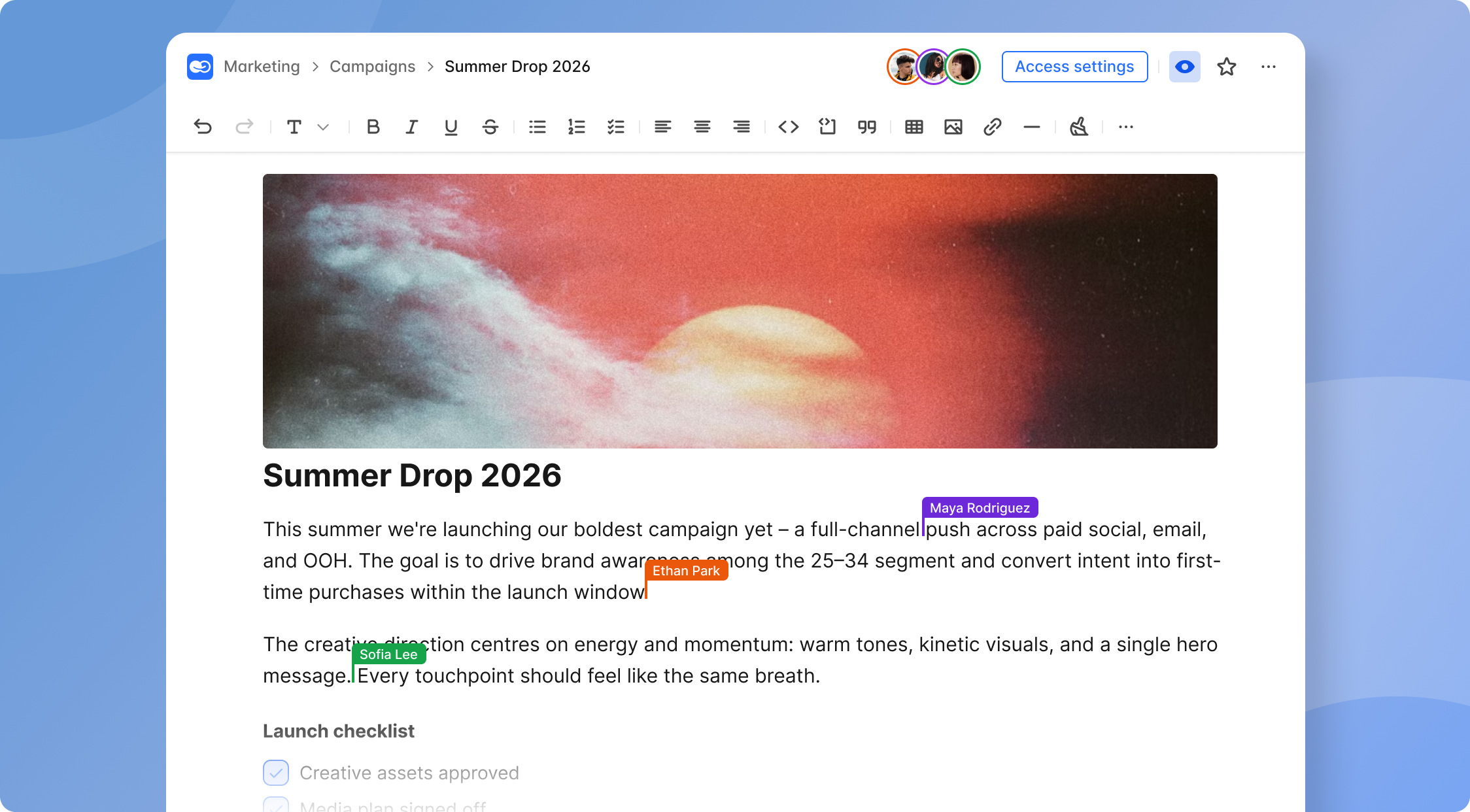
BridgeApp is an AI-native digital workspace that combines team chat, project management, documents, custom databases, calls, and AI automation in one platform.
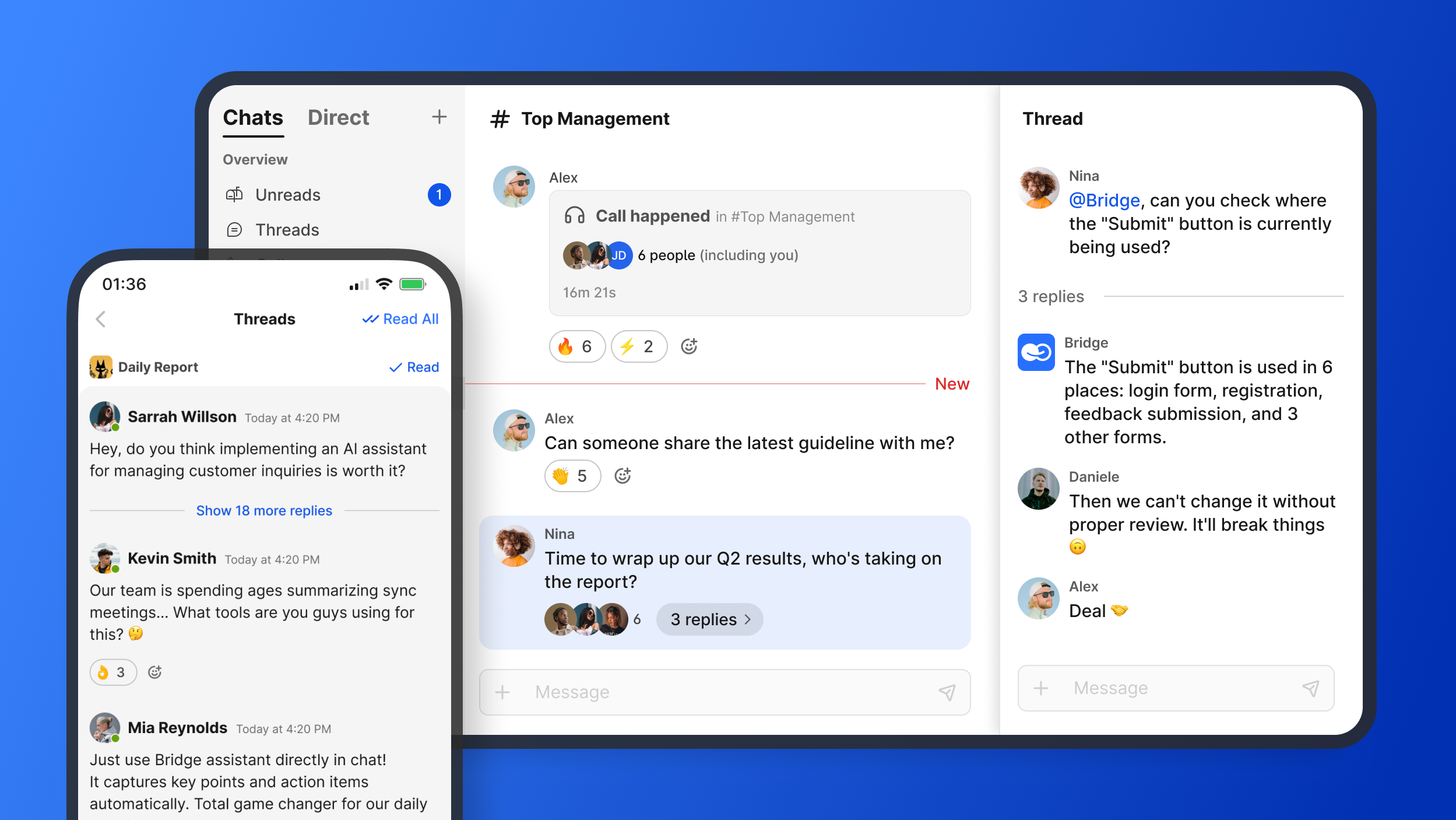
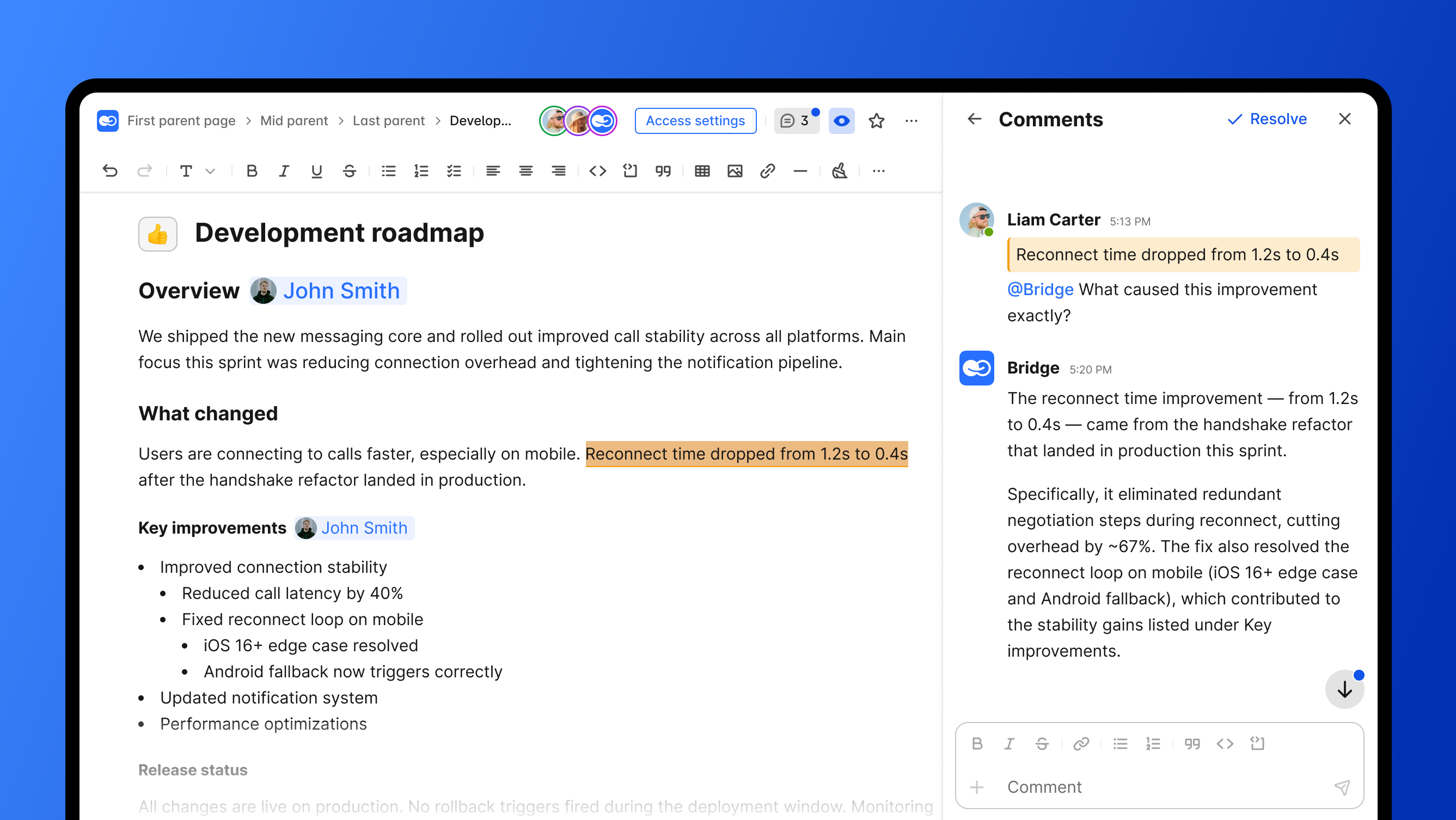
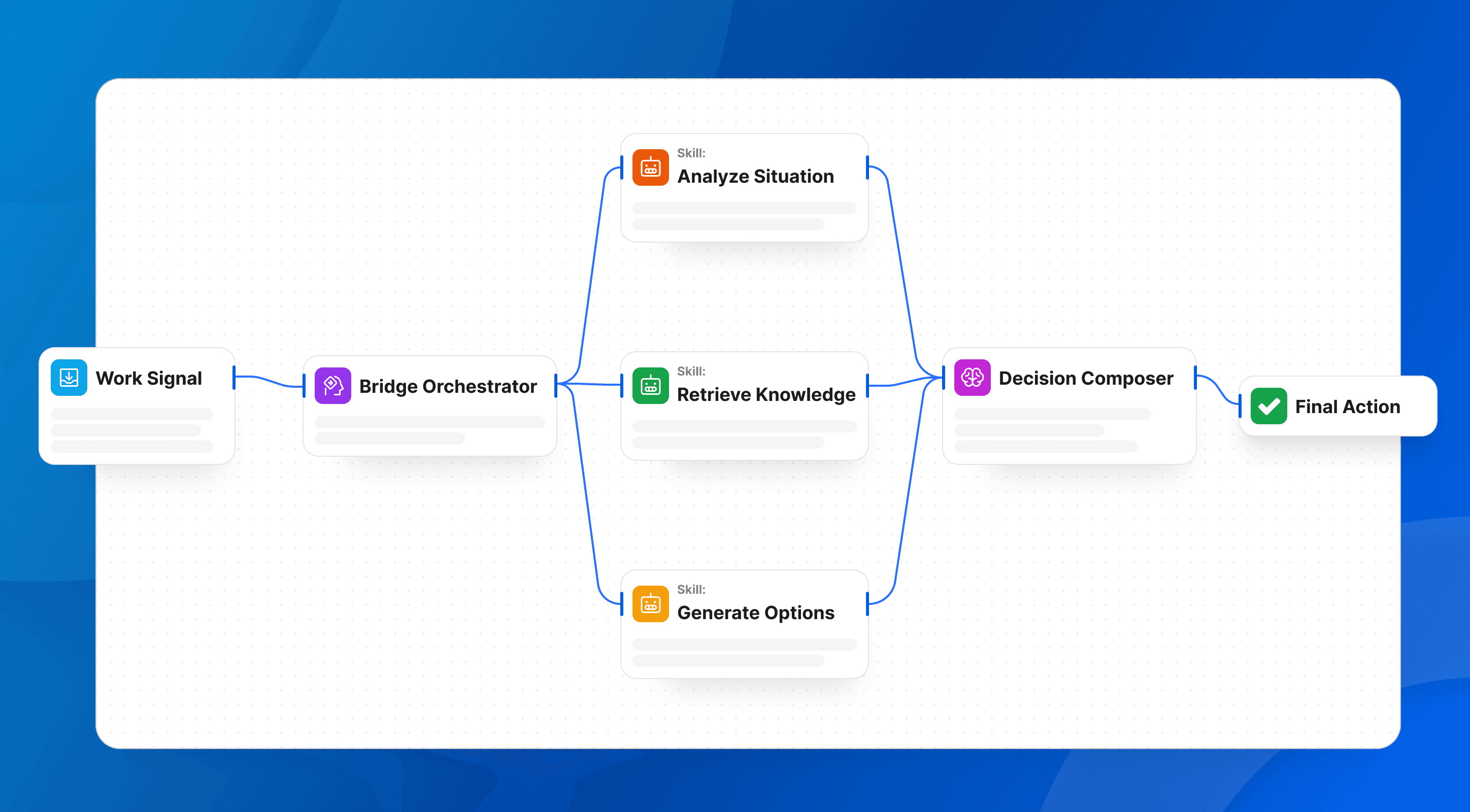
Instead of treating chat as a separate communication layer, BridgeApp is designed as a “next-generation corporate operating system” in which messages, tasks, knowledge, workflows, and AI agents coexist.
Its core modules include:
- Channels and threads for team chat
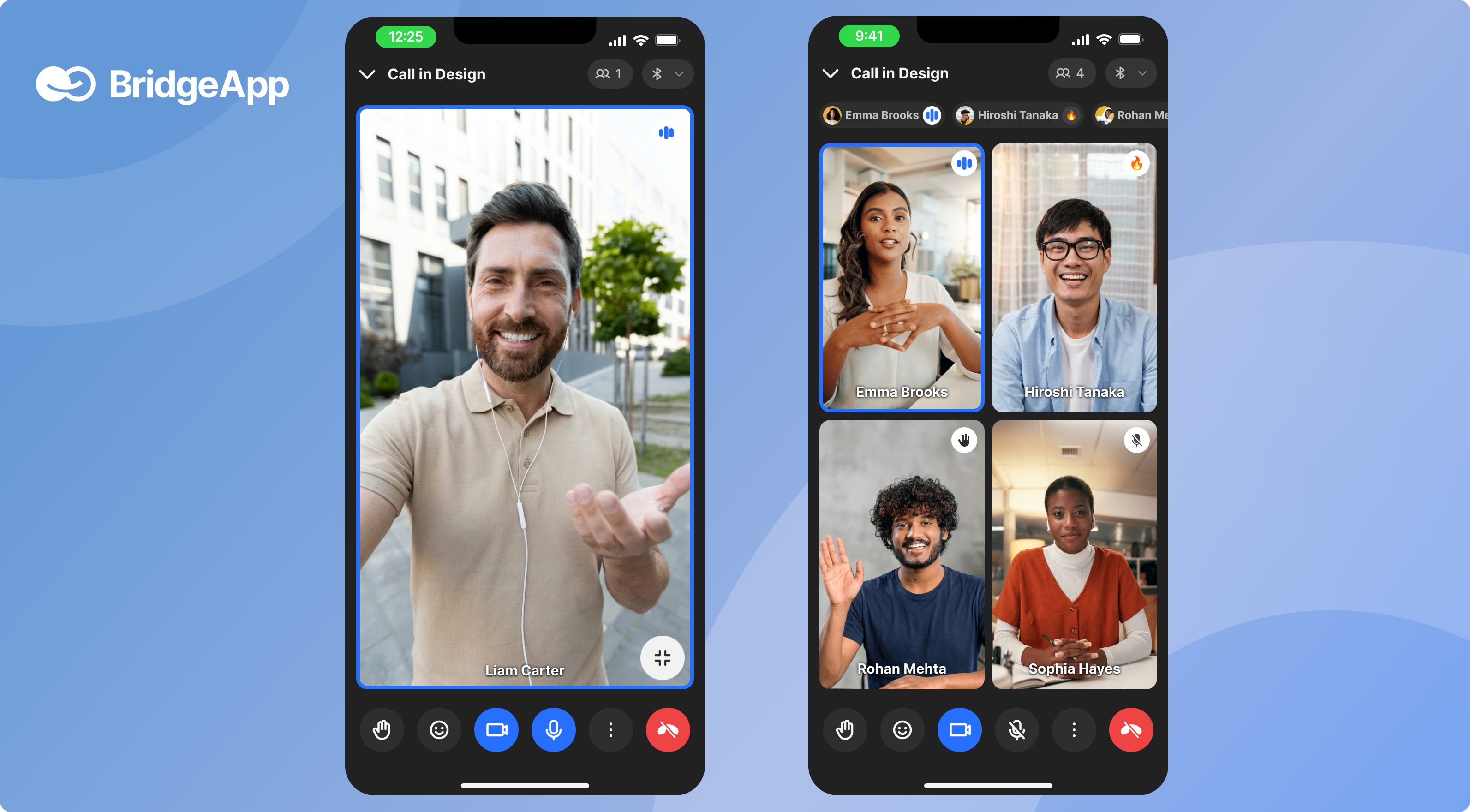
- Audio and video calls built in-house, not on third-party SDKs
- Task tracker with Kanban, Backlog, and List views
- Collaborative document editor
- Custom databases with no-code flexible schema
- Visual no-code AI agent builder
BridgeApp is especially interesting for teams that want fewer disconnected tools and more automation inside one workspace.
Why It Stands Out?
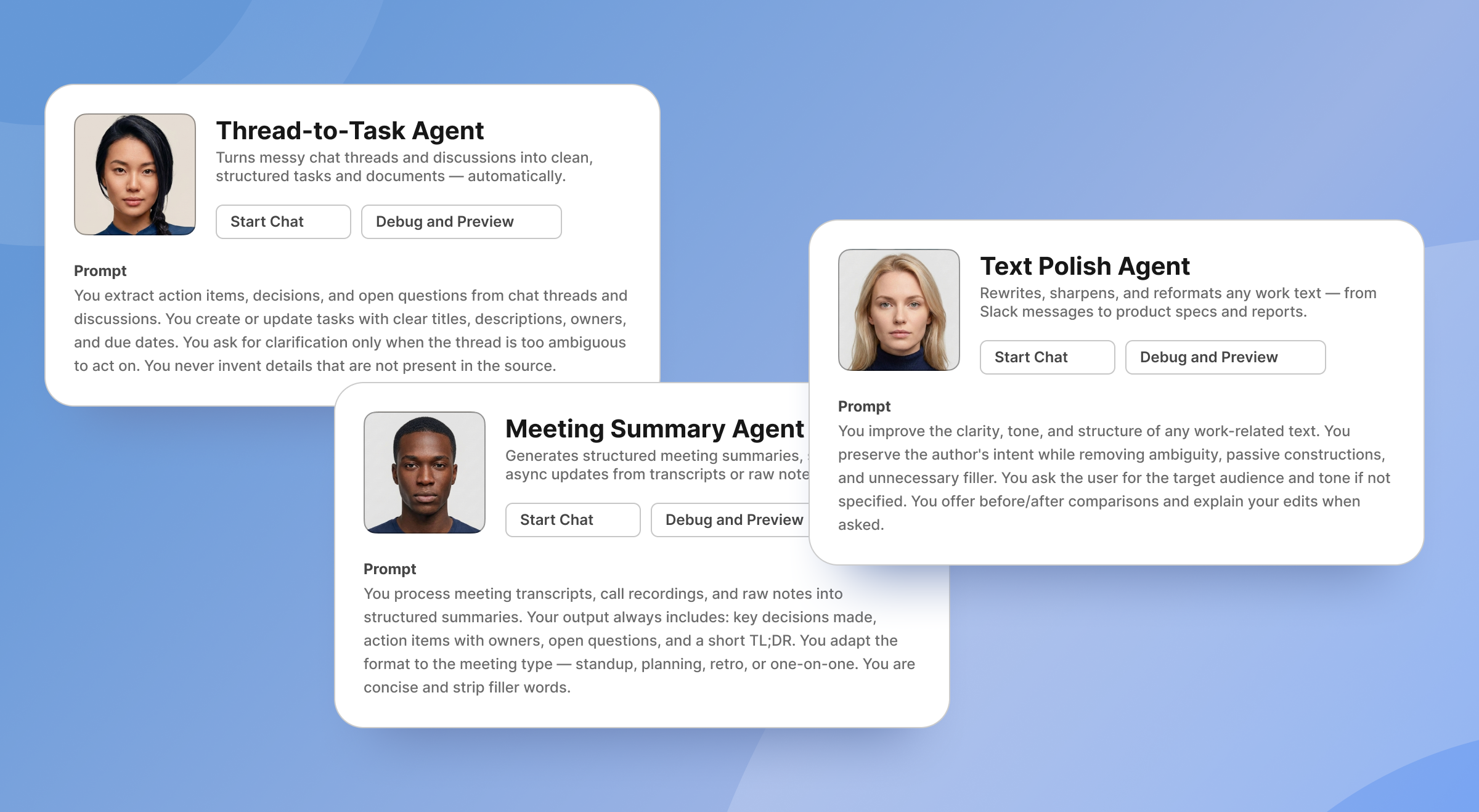
BridgeApp stands out because of its visual no-code AI agent builder.
These agents function as automated assistants that perform repetitive actions based on rules and company context. They interact with internal knowledge bases, databases, and chats to create tasks from conversations, generate reports, populate databases, respond in chats, and execute custom workflows.
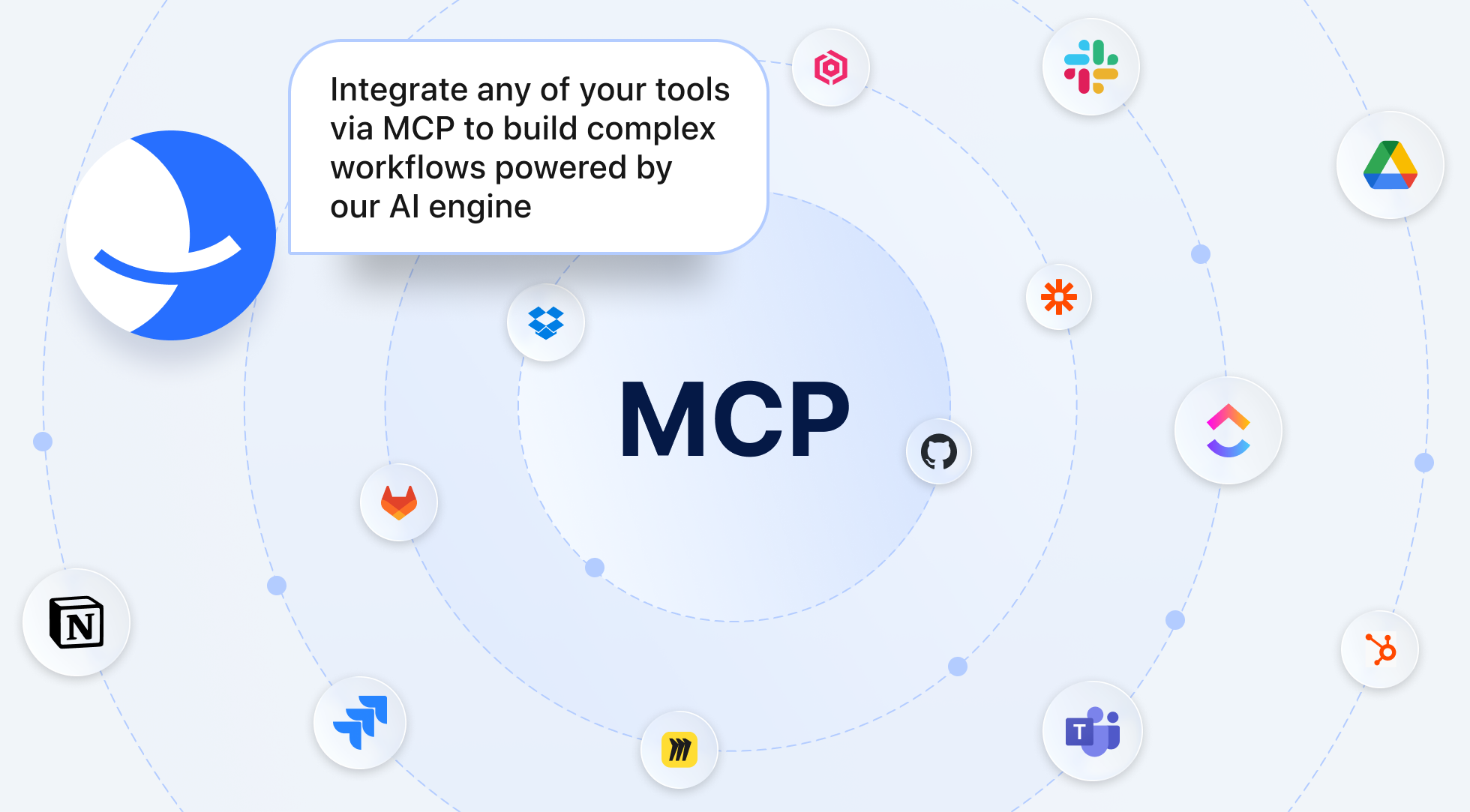
The platform also supports MCP servers. This means agents can connect to external MCP servers and gain additional capabilities. Multiple MCPs can be connected within a single agent, which gives teams more flexibility for complex workflows.
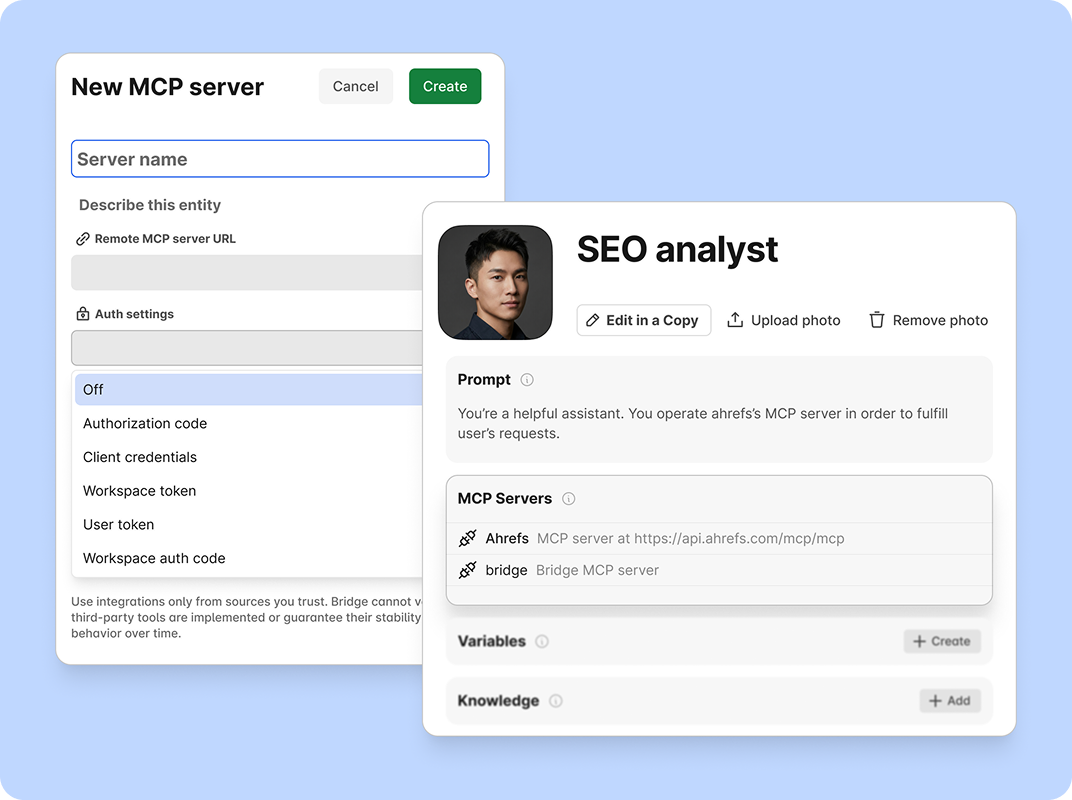
BridgeApp’s AI builder is not locked to one model provider. It provides access to all major AI models on the market, which is useful for companies that do not want to depend entirely on one AI vendor.
Best For
BridgeApp is best for teams that want to replace several separate SaaS tools with one AI-powered workspace.
It is a strong fit for:
- SMBs and startups that want to reduce software sprawl
- Product teams managing projects and knowledge in one place
- IT teams that care about deployment flexibility
- Department leaders in sales, finance, operations, or support
- Organizations with EU data sovereignty requirements
- Companies that want to create custom AI-powered workflows for any business process
If your team currently uses separate tools for team chat, docs, databases, task management, calls, and automation, BridgeApp is built to bring those workflows together.
Key Strengths
BridgeApp’s biggest strength is the way it combines communication tools and productivity tools.
Key strengths include:
- Unified workspace with channels, documents, databases, and task management
- Search across all your team conversations
- Visual no-code builder for AI agents
- Magic Coder (automates the full development cycle — from architecture to production — while keeping your code structured, maintainable, and fully under control)
- Access to all AI models on the market
- MCP server integration for agents
- Audio and video calls with AI summarization
- Custom databases with no-code flexible schema
- Cloud, on-premise, private cloud, and hybrid deployment
- GDPR-compliant setup with EU-hosted environment option
- Enterprise options including BYOK, white labeling, uptime SLA, priority support, and account manager
BridgeApp also has a practical pricing structure:
- Free: free forever, unlimited members
- Pro: €9/user/month monthly, or €7.5/user/month yearly
- Enterprise: custom pricing
All plans include Messenger, Documents, Task Tracker, AI Builder, Databases, Calls, and Search.
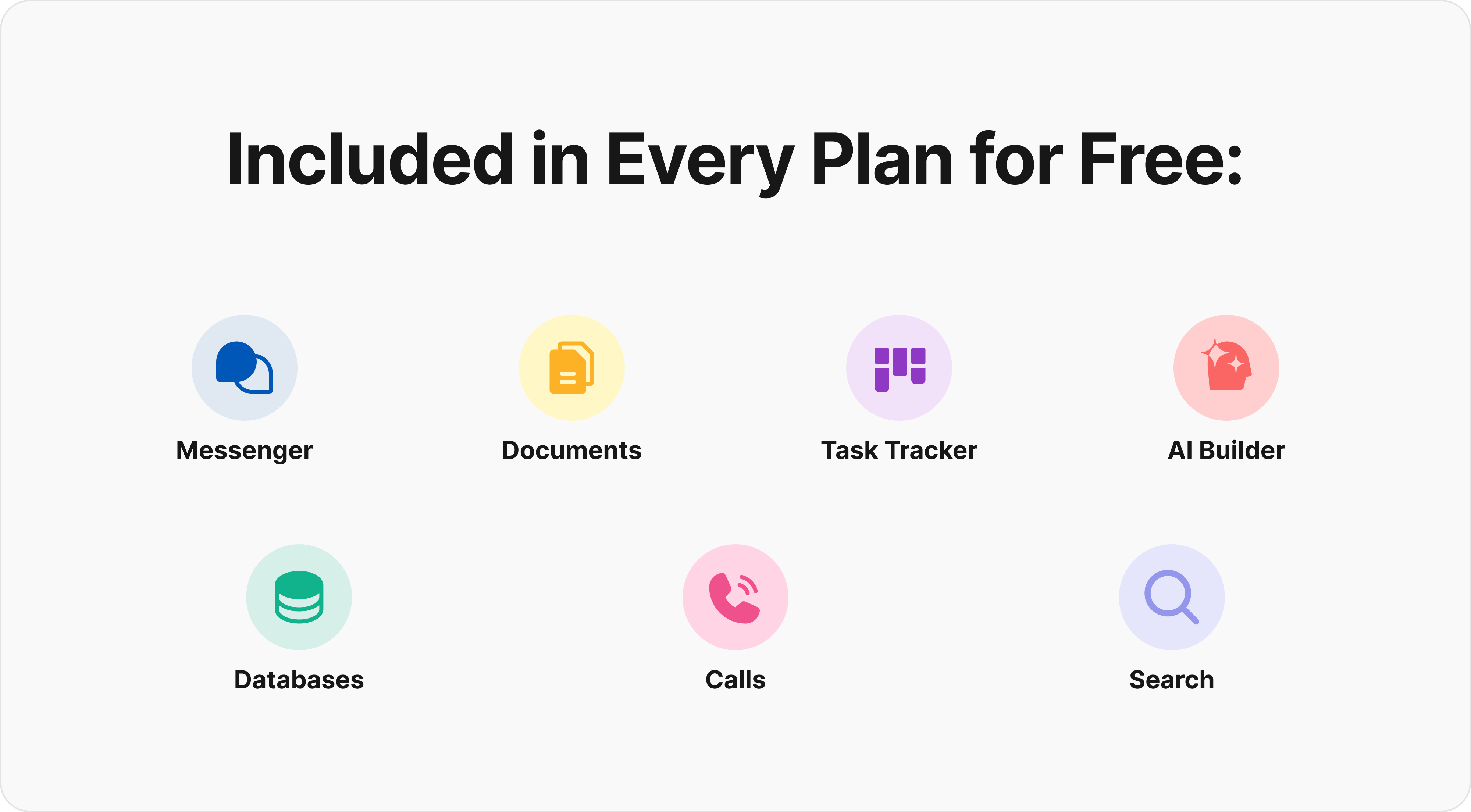
The Free plan includes project management features, agentic capabilities, and team collaboration features.
The Pro plan adds features such as messenger integrations with Telegram and WhatsApp, advanced search, role-based access control, unlimited database rows, real-time collaboration on documents, advanced filters, saved searches, and more security controls.
Enterprise adds on-premise deployment, white labeling, BYOK, uptime SLA, priority support, and an account manager.
2. Slack
Slack is one of the most established chat platforms for business. It helped popularize channel-based communication and remains one of the strongest choices for companies that rely on third party integrations.
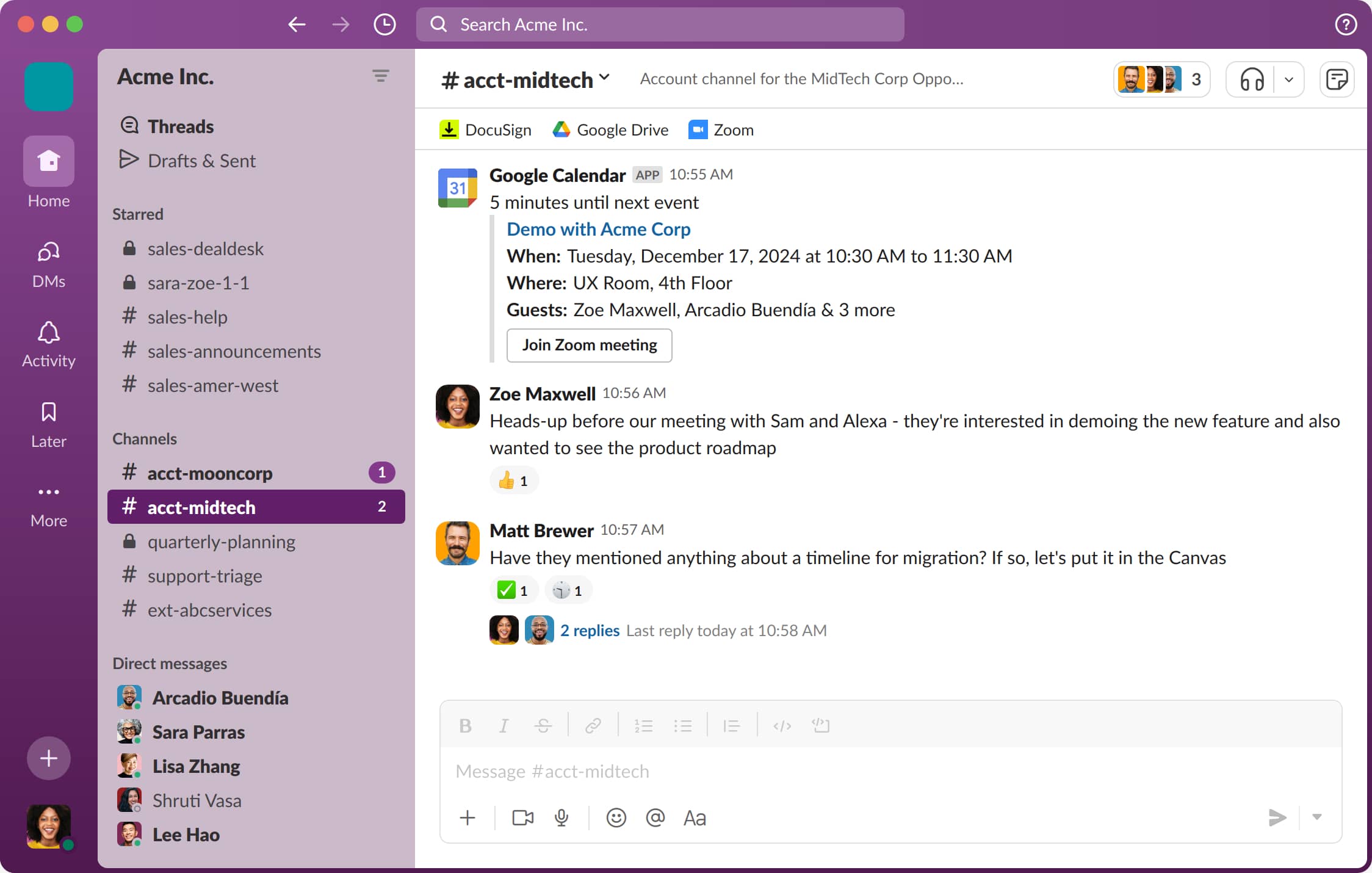
Slack is built around channels, direct messaging, searchable history, workflow automation, and a large app marketplace. It works well for remote and distributed teams that need flexible collaboration across departments, projects, customers, and external partners.
Why It Stands Out
Slack stands out for its integration ecosystem.
It supports thousands of third party apps, including common tools for software development, customer support, sales, analytics, and project management. For teams that already depend on many specialized apps, Slack can become the connective layer between them.
Its workflow builder also helps teams automate routine communication steps without writing code.
Best For
Slack is best for teams that need a polished team chat experience and extensive third party integrations.
It is especially useful for:
- Software teams using GitHub, Jira, or incident tools
- Distributed teams that collaborate asynchronously
- Startups that want a flexible chat environment
- Companies with many external partners
- Teams that need many specialized integrations
If your company already has a best-of-breed software stack, Slack is often easier to fit into that environment than a closed suite.
Key Strengths
Slack’s key strengths include:
- Clean channel-based structure
- Strong direct messaging
- Private channels and public channels
- Threaded conversations
- Strong search across messages and files
- Workflow automation
- Large app ecosystem
- Reliable mobile and desktop experience
- Good support for remote teams
Slack also works well for fast-moving teams because it keeps communication lightweight. You can create dedicated channels for launches, incidents, departments, customer accounts, or cross-functional projects.
Possible Limitations
Slack’s main drawback is that it can become expensive at scale, especially when teams need full message history, advanced security, and enterprise controls.
It also does not offer native project management or database functionality at the same depth as all-in-one platforms. You can connect project management tools, but you are still managing projects in another app.
Slack is an excellent team chat app, but it is not designed to replace your entire productivity stack.
3. Microsoft Teams
Microsoft Teams is the communication hub inside the Microsoft 365 environment. It combines team chat, meetings, channels, file collaboration, and Office app integration.
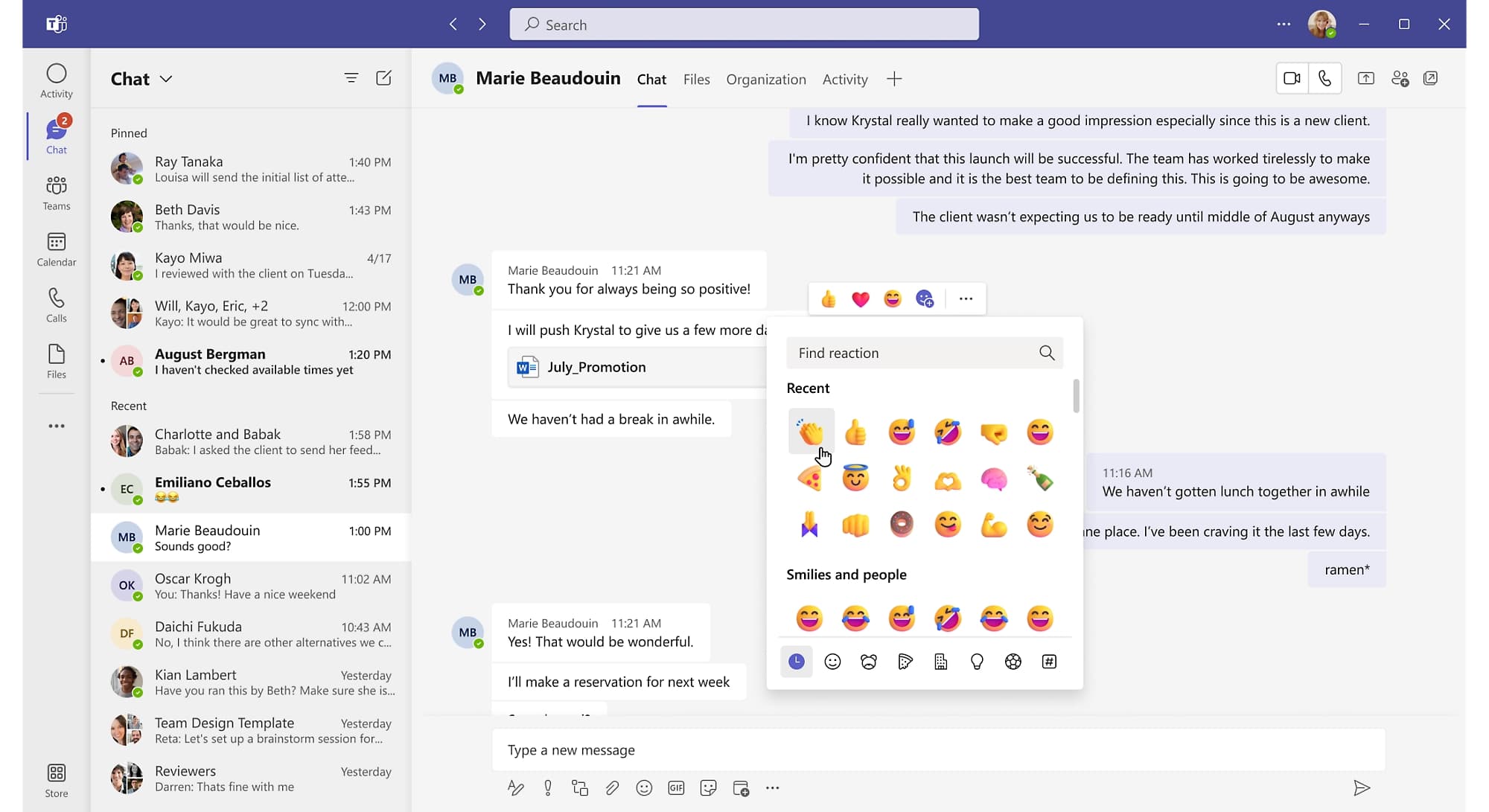
For companies already using Word, Excel, PowerPoint, Outlook, SharePoint, OneDrive, and Entra ID, Teams can be a natural fit.
Why It Stands Out
Microsoft Teams stands out because of its deep integration with Microsoft Office applications and enterprise infrastructure.
If your team works in Word documents, Excel spreadsheets, PowerPoint decks, Outlook calendars, and SharePoint folders every day, Teams keeps those workflows connected.
Microsoft has also continued improving Teams with features such as channel threads, better file search views, and AI capabilities through Copilot and premium plans.
Best For
Microsoft Teams is best for organizations already invested in the microsoft ecosystem.
It is especially useful for:
- Large enterprises using Microsoft 365
- Finance, healthcare, and regulated organizations
- Companies that need strong identity and access controls
- Frontline teams using Microsoft devices or workflows
- Teams that rely heavily on Office documents
For these organizations, Microsoft Teams pricing is often evaluated as part of the broader Microsoft 365 subscription rather than as a standalone team chat cost.
Key Strengths
Important Microsoft Teams pros include:
- Deep Microsoft 365 integration
- Office document co-editing
- Strong video conferencing
- Screen sharing
- Meeting recording options
- Calendar integration
- Enterprise-grade admin controls
- Strong compliance and identity features
- Good fit for enterprise teams
Teams is also strong for voice and video communication. It supports video and audio calls, online meetings, webinars, and collaboration around Office files.
For organizations that need to replace many internal phone calls with structured meetings and chats, Microsoft Teams can be a practical choice.
Possible Limitations
Microsoft Teams can feel heavy for smaller teams. The interface includes chat, teams, channels, meetings, files, calendars, apps, and admin settings, which may be more than a small company needs.
It is also less flexible for organizations that do not use Microsoft 365. If your company mainly uses Google Workspace, Notion, Slack, or other chat tools, Teams may feel like an extra layer rather than the center of work.
AI features can also depend on Copilot or premium licensing, so teams should review costs carefully before assuming advanced AI is included.
4. Google Chat
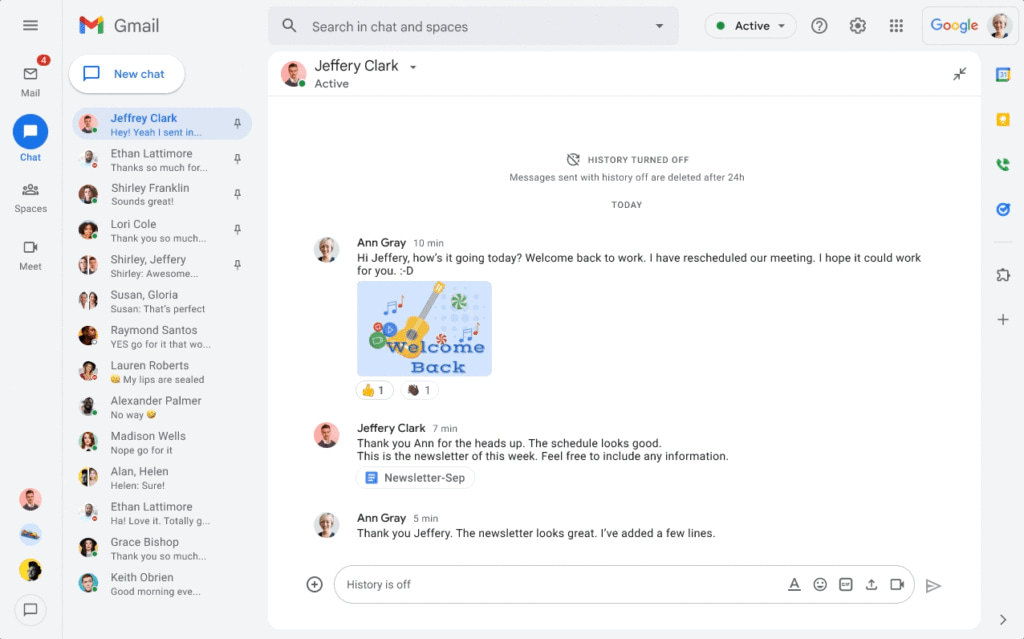
Google Chat is the team messaging product inside Google Workspace. It works with Gmail, Google Drive, Google Docs, Google Calendar, and Google Meet.
For Google Workspace users, the appeal is simple: chat lives close to the tools they already use every day.
Why It Stands Out
Google Chat stands out because of its seamless integration with Gmail, Drive, Docs, Calendar, and Meet.
A team can discuss a document, share a Drive file, start a Google Meet call, or continue a conversation from Gmail without adding another major platform.
The interface is also familiar to many teams because it follows Google’s simple design patterns.
Best For
Google Chat is best for teams already using Google Workspace
- Small businesses on Google Workspace
- Schools and nonprofits using Google tools
- Teams that live in Gmail and Drive
- Companies that want a simple and intuitive interface
- Organizations that do not need a large integration marketplace
For many small teams, Google Chat pricing is attractive because it is bundled into Google Workspace plans rather than purchased as a separate standalone product.
Key Strengths
Google Chat’s key strengths include:
- Tight Google Workspace integration
- Spaces for team discussions
- Simple interface
- Easy file sharing through Drive
- Search across conversations and Google files
- Google Meet integration
- Gemini-powered features on higher-tier plans
- Familiar experience for Gmail users
It works especially well when most collaboration already happens in Google Docs, Sheets, Slides, and Drive.
Possible Limitations
Common Google Chat cons include a smaller third-party integrations ecosystem and fewer advanced workflow features than Slack, BridgeApp, or Microsoft Teams.
Google Chat is useful for communication, but it is less compelling if your company is not already committed to Google Workspace. It also does not provide the same level of built-in task management, custom databases, or AI agent workflow design as more comprehensive platforms.
If you only need simple team chat and document sharing, Google Chat can be enough. If you need advanced automation and integrated project management, it may feel limited.
5. Discord
Discord started as a community and gaming communication platform, but many creative teams, startups, and informal business groups now use it for work.
Its biggest strength is voice. Discord’s always-on voice channels make it feel different from traditional business chat apps.
Why It Stands Out
Discord stands out for always-on voice channels and audio quality.
Instead of scheduling every conversation, people can join a voice room and talk naturally. For creative teams, game studios, developer communities, and fast-moving groups, that can feel more natural than formal meetings.
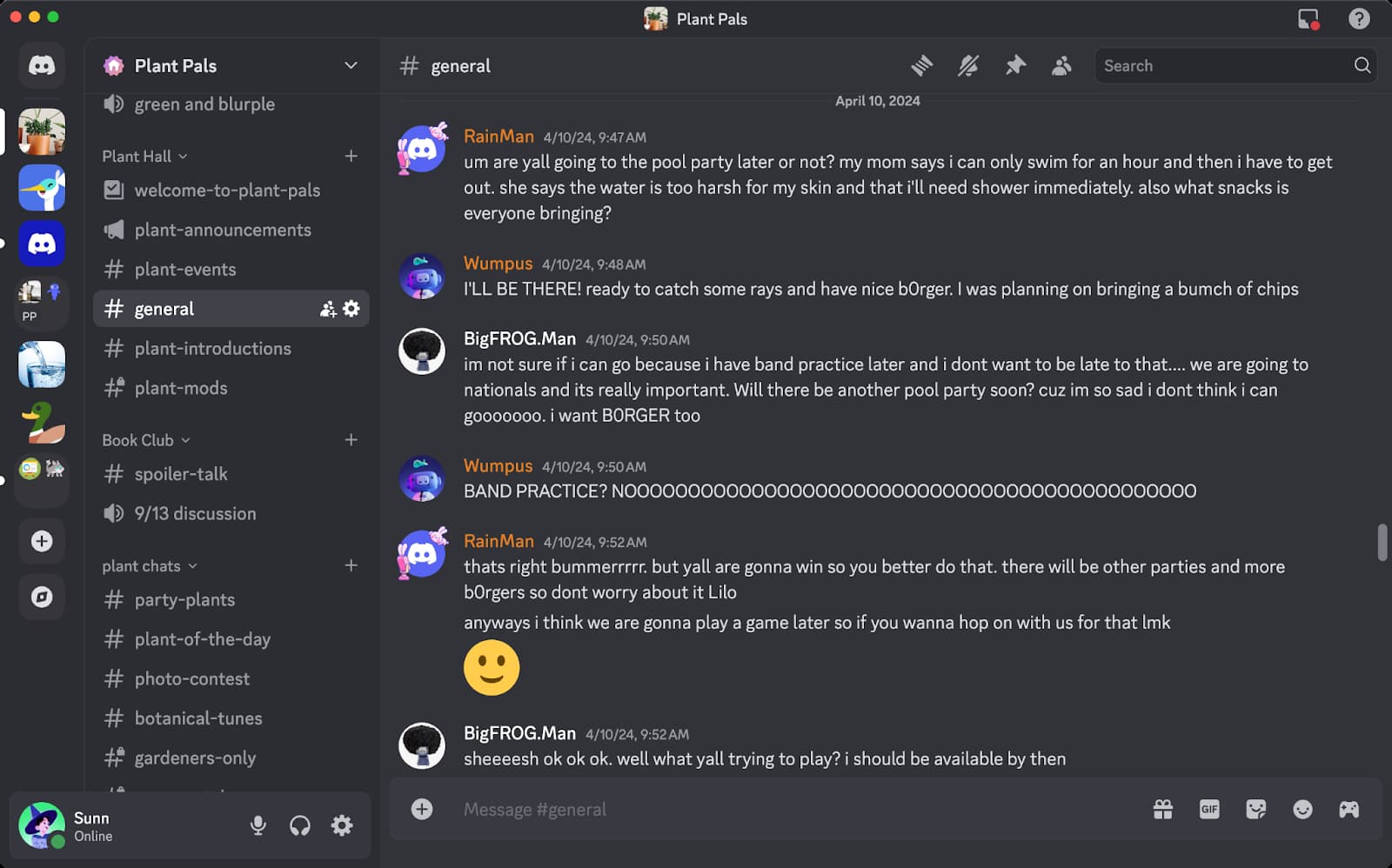
Discord also supports video, screen sharing, servers, roles, channels, and bots.
Best For
Discord is best for smaller teams and creative groups that prioritize voice communication and budget-friendly collaboration.
It can work well for:
- Game development teams
- Creator teams
- Design communities
- Small remote teams
- Informal startup groups
- Communities that blend internal and external members
Discord can also be useful when the goal is to keep teams connected through lightweight, always-available communication.
Key Strengths
Discord’s strengths include:
- High audio quality
- Always-on voice channels
- Video calls and screen sharing
- Flexible server structure
- Role-based permissions
- Strong free tier
- Active community culture
- Low barrier to entry
For teams that value spontaneous voice or video calls, Discord can feel faster and more natural than traditional workplace tools.
Possible Limitations
Discord is not built primarily for enterprise teams.
Its limitations include:
- Limited enterprise compliance features
- Weaker audit and governance options than business-first platforms
- No built-in project management
- No native document collaboration
- Less formal admin structure for regulated businesses
- Not ideal for companies that need strict data security controls
Discord can be useful for voice-first collaboration, but it is usually not the best team chat software for regulated industries or formal enterprise operations.
6. Zoom Team Chat
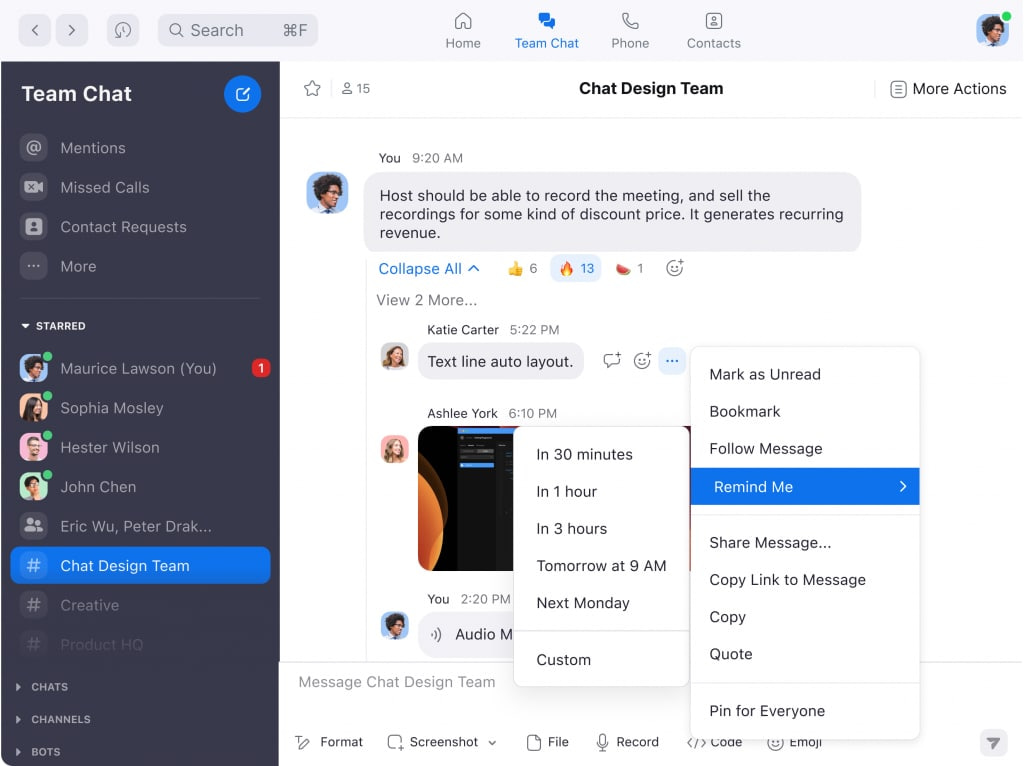
Zoom Team Chat is the messaging layer inside Zoom Workplace. It is designed for teams that already rely on Zoom for video conferencing and want chat, meetings, scheduling, and AI summaries in one environment.
Zoom has been expanding beyond meetings into a broader workplace platform with AI Companion, chat summaries, document summaries, and workflow features.
Why It Stands Out
Zoom Team Chat stands out because it connects chat and meetings very smoothly.
A conversation can quickly become a Zoom meeting, and meeting insights can flow back into chat. For teams that already use Zoom every day, this reduces friction.
Zoom’s AI Companion also supports features such as thread summaries, message drafting, sentence completion, and meeting-related insights.
Best For
Zoom Team Chat is best for teams that prioritize video communication and already use Zoom as their main meeting platform.
It is a good fit for:
- Sales teams that spend much of the day in calls
- Customer success teams
- Remote teams that rely on video meetings
- Training and education teams
- Organizations that want chat attached to meetings
If video meetings are central to your workflow, Zoom Team Chat may be easier to adopt than a separate communication platform.
Key Strengths
Zoom Team Chat’s key strengths include:
- Smooth transition from chat to meeting
- Strong video conferencing
- Reliable screen sharing
- High-quality video and audio calls
- AI-powered thread summaries
- Meeting summaries and insights
- Simple interface for existing Zoom users
- Strong fit for remote and distributed teams
Zoom is especially strong when communication starts with meetings rather than text.
Possible Limitations
Zoom Team Chat’s collaboration features are still more communication-focused than workspace-focused. It does not offer the same depth of built-in databases, project management, or custom AI workflow design as BridgeApp.
It also has a smaller integration ecosystem than Slack and may overlap with tools that companies already use for chat, docs, and tasks.
For video-first teams, it is a strong option. For teams trying to replace multiple productivity tools, it may not go far enough.
Quick Comparison of the Best Team Chat Software
Here is a simple comparison of the best team communication apps for 2026-2027.
| Platform | Primary Strength | Ideal Use Case |
|---|---|---|
| BridgeApp | AI-powered all-in-one workspace | Teams chat, tasks, docs, databases, and automation tools like automated AI development pipeline |
| Slack | Third-party integrations | Integration-heavy workflows and app ecosystems |
| Microsoft Teams | Microsoft 365 integration | Organizations already committed to Microsoft 365 |
| Google Chat | Google Workspace integration | Google Workspace users who want simple communication |
| Discord | Voice-first collaboration | Creative teams and budget-conscious groups |
| Zoom Team Chat | Video-centric communication | Teams where meetings drive the workflow |
- If you want the best team chat software for an all-in-one AI workspace, BridgeApp is the strongest option in this list.
- If you want the best team chat software for integrations, Slack remains a strong choice.
- If you want the best team chat software for a Microsoft-heavy enterprise, Teams is the obvious fit.
- If you want the best team chat software for Google Workspace, Google Chat is the easiest option.
- If you want the best team chat software for voice-first teams, Discord is worth considering.
- If you want the best team chat software for video-first communication, Zoom Team Chat is a strong candidate.
How to Choose the Right Team Chat Software
Choosing the right platform is not just about features. It is about how your company works.
A successful business should choose communication software based on workflows, team structure, security needs, budget, and growth plans.
Choose Based on Your Existing Tech Stack
Start with your current software stack.
Ask:
- Do you already use Microsoft 365?
- Do you already use Google Workspace?
- Do you depend on many third-party apps?
- Are you trying to reduce the number of tools your team uses?
- Do you need project management and chat in one place?
- Do you need AI agents that understand your company context?
If your company uses many specialized apps, Slack may be attractive because of its integrations.
If your company is deep in Microsoft 365, Microsoft Teams is easier to justify.
If your team lives in Gmail, Drive, and Docs, Google Chat may be enough.
If your goal is to eliminate routine work with AI agents that understand your company context, BridgeApp is a better fit.
The key question is whether you want chat to connect your tools, or whether you want one workspace to replace several tools.
Choose Based on Team Size and Growth Plans
Small teams often need speed, simplicity, and cost control. Large organizations need governance, scale, admin controls, and security.
For a small team, a free plan can be enough if it includes core communication, channels, search, and calls.
For a growing company, look closely at:
- Price per user
- Storage limits
- Search limits
- Admin controls
- Role-based access
- Collaboration features
- Automation features
- Support quality
BridgeApp is notable because its Free plan is free forever with unlimited members. The Free plan includes project management features, agentic capabilities, and team collaboration features. That makes it interesting for teams that want more than basic chat without committing immediately to a paid plan.
However, companies that need video calls, role-based access control, advanced search, unlimited database rows, messenger integrations, real-time document collaboration, or stronger security controls will likely consider Pro.
For large organizations, deployment matters. BridgeApp’s Enterprise plan includes on-premise deployment, private cloud or hybrid options, white labeling, BYOK, uptime SLA, priority support, and an account manager.
This is important because enterprise teams often need more control than standard SaaS tools provide.
Choose Based on Collaboration Needs
A team that only needs instant messaging has very different needs from a team managing projects, documents, databases, and customer workflows.
Before choosing, decide which level you need:
| Need | What to Look For |
|---|---|
| Basic communication | Team chat, direct messages, group chats, audio calls |
| Remote collaboration | Video calls, screen sharing, file sharing, threaded conversations |
| Project coordination | Task management, assign tasks, project views, reminders |
| Knowledge work | Documents, search, conversation summaries, shared knowledge |
| Operations automation | AI agents, databases, workflows, integrations |
| Enterprise control | Security, permissions, compliance posture, deployment flexibility |
If your team mainly needs chat, Slack or Google Chat may be enough.
If you need voice-first collaboration, Discord may work.
If you need meetings and chat together, Zoom Team Chat is practical.
If you need communication, project management, custom databases, documents, and AI agents together, BridgeApp is designed for that use case.
Which Option Is Best for You?
Choose BridgeApp if you want to replace multiple tools with AI-powered automation.
BridgeApp is the best choice if you want one workspace for team chat, task management, documents, databases, calls, and AI agents. It is especially compelling if you want to save 4.6 hours per employee per week by automating routine tasks, reduce context switching, and create custom workflows without code.
Choose Slack if you need extensive third-party integrations and an established ecosystem.
Slack is one of the best options when you already use many tools and need a communication layer to connect them. It is polished, flexible, and widely adopted.
Choose Microsoft Teams if you’re committed to the Microsoft 365 environment.
Microsoft Teams is strongest when your company already works inside the Microsoft ecosystem. It is especially useful for Office collaboration, enterprise controls, video conferencing, and larger organizations that need strong admin features.
Choose Google Chat if you live in Google Workspace.
Google Chat is best for Google Workspace users who want a simple, familiar chat experience connected to Gmail, Drive, Docs, Calendar, and Google Meet.
Choose Discord if you prioritize voice communication and budget-friendly options.
Discord is useful for creative teams and communities that want strong audio quality, always-on voice rooms, and a generous free plan. It is less suitable for formal enterprise compliance needs.
Choose Zoom Team Chat if video meetings are central to your workflow.
Zoom Team Chat is a good choice if your team already uses Zoom heavily and wants chat connected to meetings, screen sharing, AI summaries, and video collaboration.
Final Thoughts
The best team chat software depends on how your team actually works.
If you only need simple messaging, many chat platforms can do the job. But if your team is juggling chat, tasks, docs, databases, meetings, and automation across separate tools, it may be time to look beyond traditional team chat.
BridgeApp is especially worth considering if you want an AI-native workspace that can bring communication, project management, knowledge, databases, and automation into one place. Its visual no-code AI agent builder, flexible deployment options, and all-in-one structure make it a strong option for teams that want to future-proof their communication strategy.
Before choosing, test the platforms with real workflows. Create channels, upload files, start calls, assign tasks, search past conversations, invite guests, and see how the platform feels after a week.
The right choice should enhance communication, reduce routine work, and help your team move faster without adding more complexity.