BlogIndustry Insights
Top 7 Coda Alternatives for Enhanced Collaboration and Productivity

BridgeApp Team
10 min read
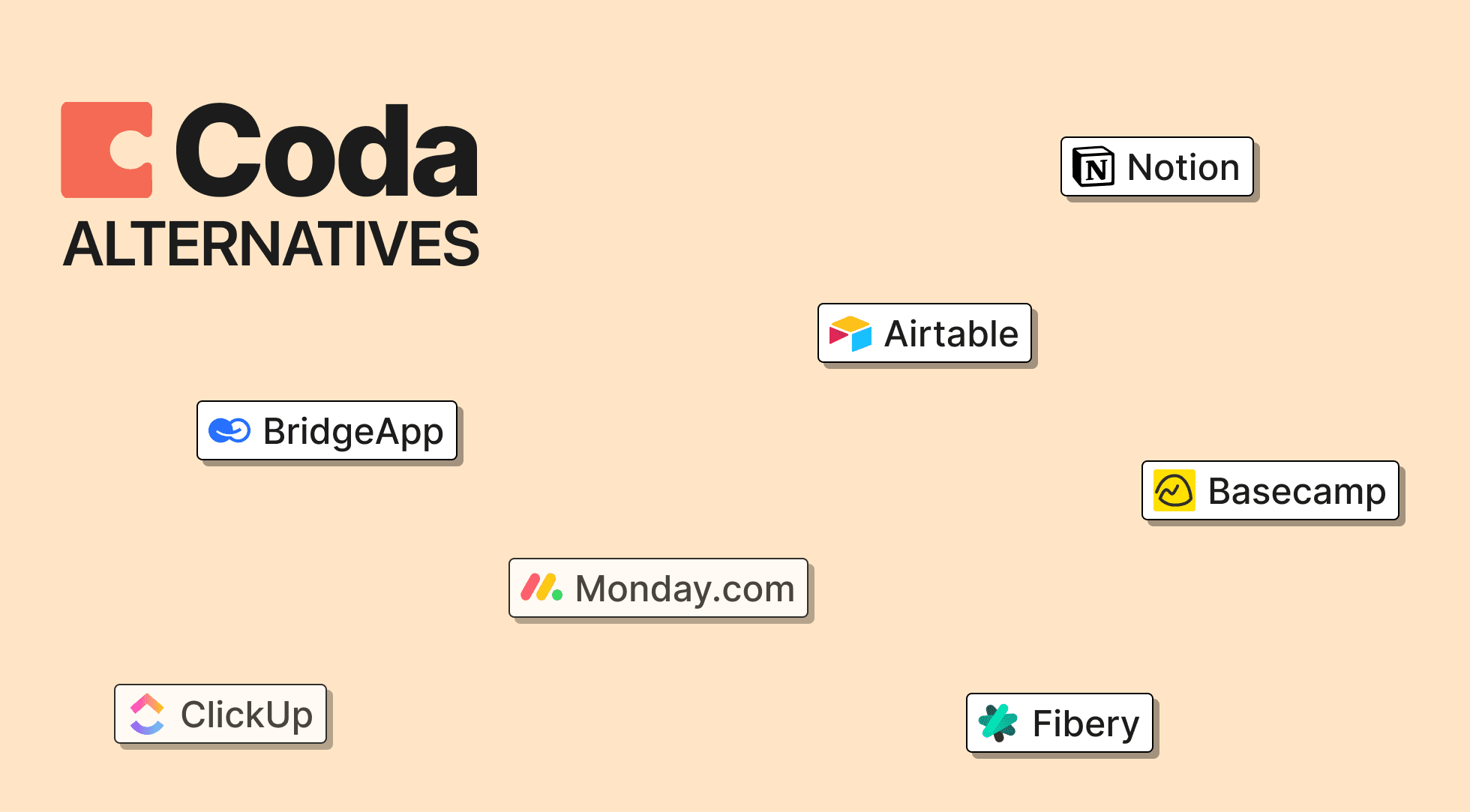
Coda docs combine documents, spreadsheets, databases, and automations into a single canvas—a powerful approach that has attracted over 50,000 paying customers. But that power comes with trade-offs. Teams often find the learning curve steep, particularly when non-technical users struggle with formula syntax and packs. Pricing structures around doc maker seats create bottlenecks, and performance can lag with large datasets.
If you’re looking to migrate from Coda or evaluate alternatives before committing, this post covers seven tools that each handle different aspects of Coda’s functionality—from structured data management to task management to AI-powered automation.
How We Chose the Best Coda Alternatives
No-code platforms allow users to create applications and automate workflows without traditional programming skills, making technology more accessible to non-developers. We evaluated each alternative based on feature depth, ease of use, pricing, integrations, collaboration capabilities, and scalability.
Several direct alternatives to Coda provide similar doc-plus-database functionality, each catering to different workflow styles and team sizes. Many collaboration tools prioritize user-friendly interfaces to reduce the learning curve for teams, and effective collaboration tools provide real-time collaboration features for simultaneous work.
Top 7 Coda Alternatives for Teams and Businesses
1. BridgeApp
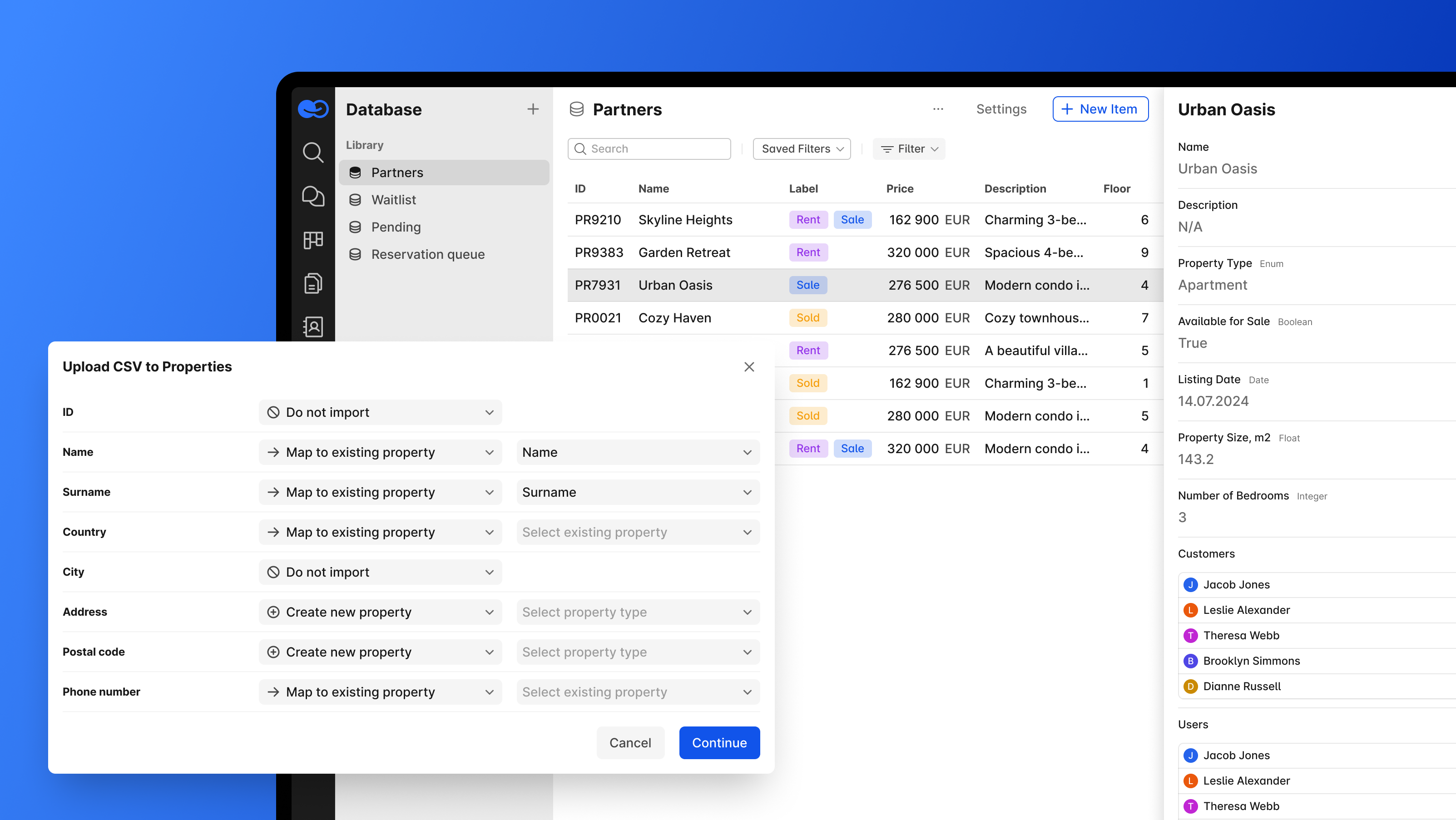
BridgeApp is an AI-native digital workspace that unifies communication, project management, knowledge bases, databases, and AI automation into a single platform. It replaces fragmented software stacks by combining channels, calls, tasks, docs, and custom databases.
Why It Stands Out
The visual no-code AI agent builder gives teams access to all major AI models—not locked to a single provider. Agents work with the internal company context and support MCP (Model Context Protocol) for connecting external capabilities. Plug in any tool via MCP and watch your workflows run themselves in BridgeApp. Connect your existing tools once. From that point on, we handle the complex, multi-step workflows that used to eat up your team's time: routing requests, updating records, triggering actions across systems, and keeping every department in sync, automatically.
With BridgeApp you can:
- Chat and call your team — follow important threads, search messages, and share your screen in real time.
- Get help from AI Copilot — summarize long texts, create tasks from conversations, and generate simple reports.
- Automate routine work with AI agents — build custom automations using a visual no-code interface.
- Manage tasks easily — track work with different task views.
- Work with your whole team — invite teammates, partners, or freelancers to public or private channels.
- Store knowledge and data — create flexible knowledge bases and databases with custom fields.
Best For
Teams wanting AI-first automation with unified workspace functionality, particularly startups and enterprises with EU data sovereignty requirements.
Key Strengths
- Custom AI agents save 4.6 hours per employee weekly on routine tasks
- Deployment flexibility: cloud, on-premise, hybrid, or private cloud
- Free plan includes unlimited members with core features
- Built-in audio/video calls with AI summarization
Possible Limitations
- Newer platform compared to established alternatives
2. Notion
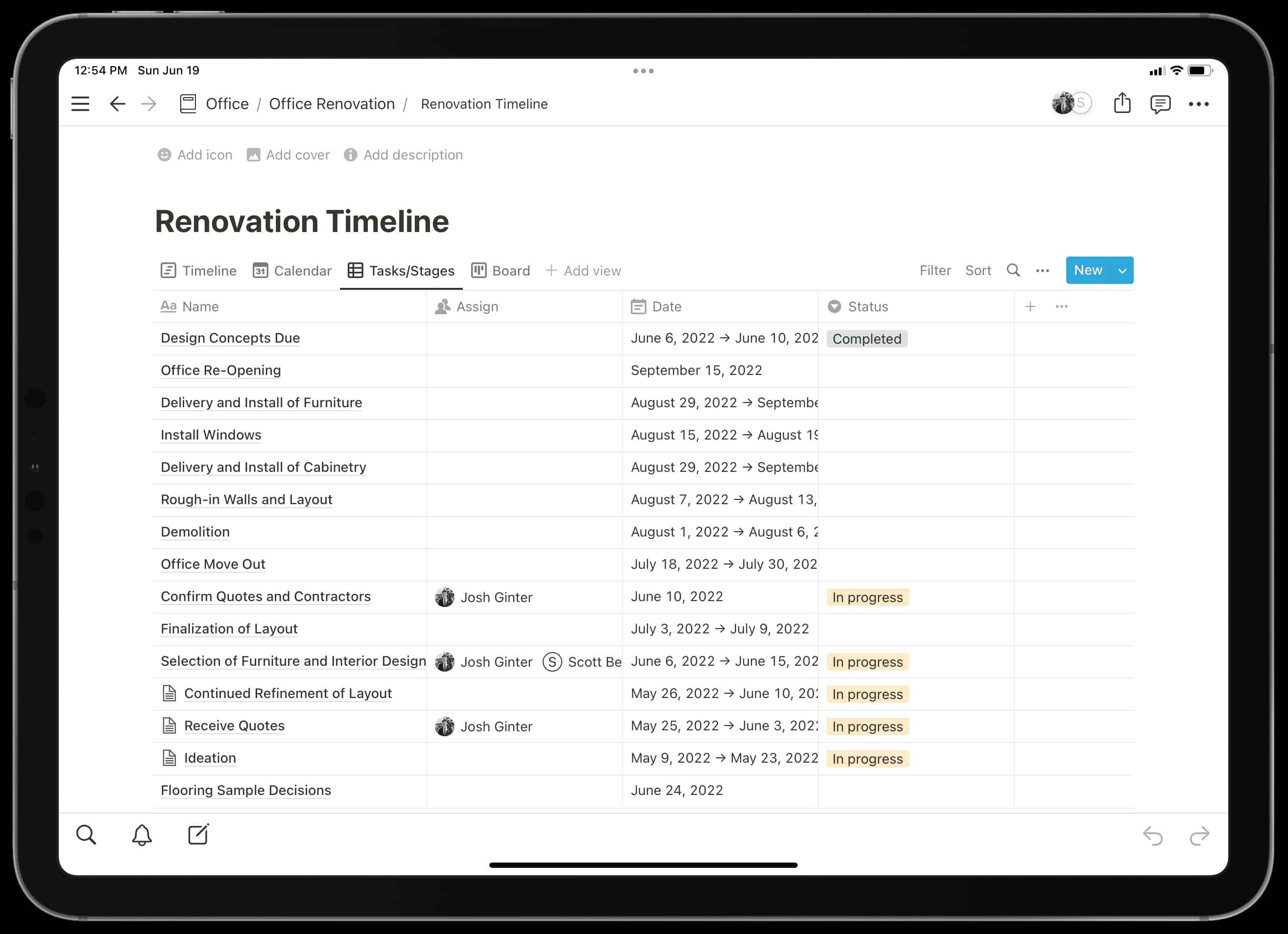
Notion combines documents, wikis, and databases into one workspace, often regarded as the closest competitor to Coda. Its block-based editor and 10,000+ templates make it intuitive for teams to adapt quickly.
Why It Stands Out
The clean interface feels approachable, with 85% of users finding it easier than Coda for basic workflows. The template ecosystem covers everything from project dashboards to personal wikis.
Best For
Personal knowledge management and team wikis where ease of use matters more than advanced formulas.
Key Strengths
- Free plan with unlimited blocks
- Strong writing and document collaboration
- Per-user pricing at $10/month for Plus tier
- Extensive integrations and embeds
Possible Limitations
- Formulas are simpler than Coda—no cross-doc capabilities
- Performance dips with datasets over 5,000 rows
3. Airtable
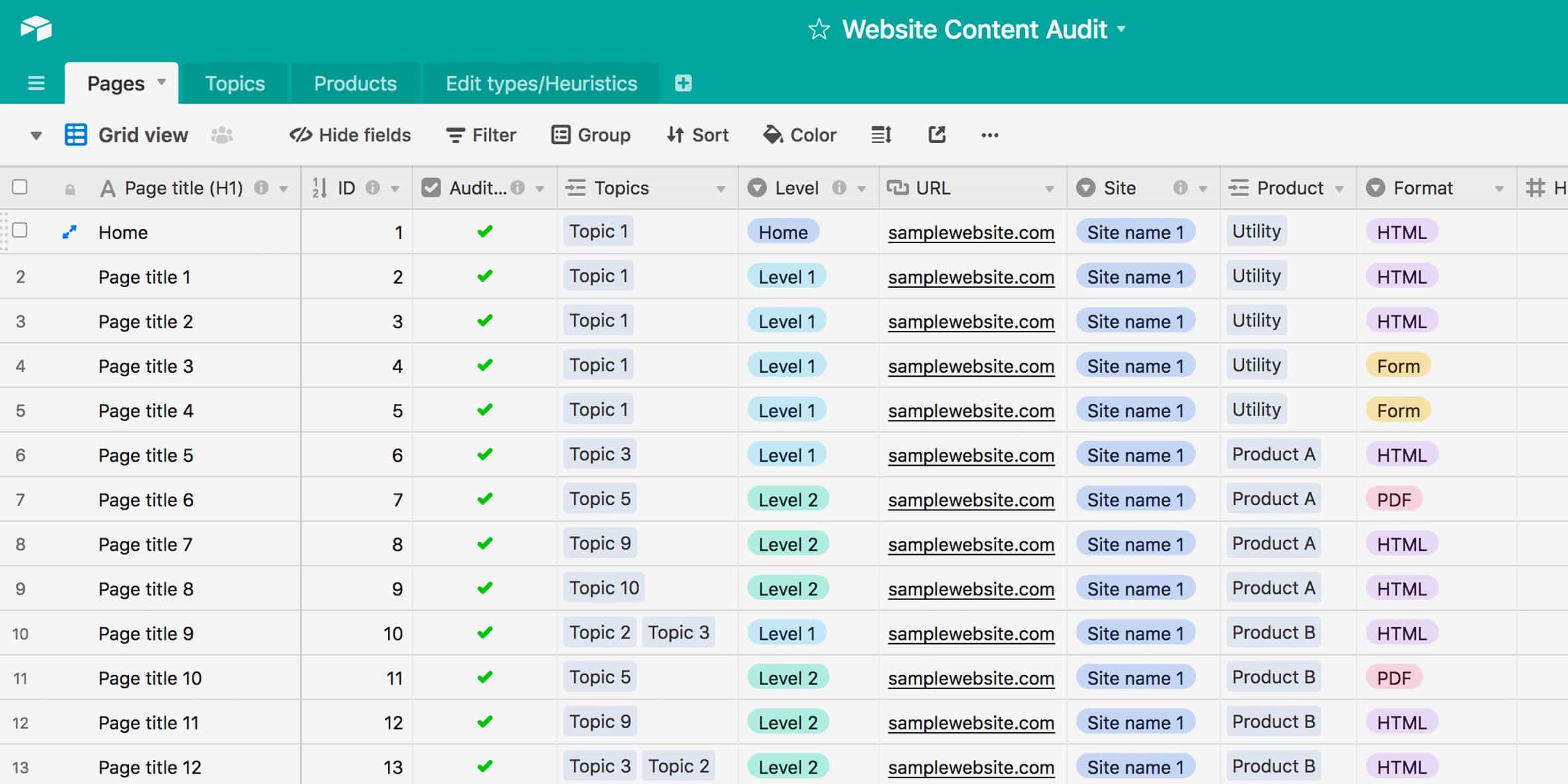
Airtable is recognized as a spreadsheet-database hybrid that allows users to organize, link, and visualize data with rich field types and custom views, making it ideal for managing structured data. It offers 14+ view types including Gantt and Map views.
Why It Stands Out
Superior database functionality with 300+ integrations. The Interface Designer lets teams build polished dashboards without code.
Best For
Structured data management, CRM-like workflows, and teams needing relational databases with a spreadsheet-familiar interface.
Key Strengths
- Rich field types and attachments
- Automations with extensive triggers
- Custom views for different team needs
- Strong API for developers
Possible Limitations
- Limited document features—embeds only, no native text editor
- Row limits scale pricing quickly at enterprise levels
4. ClickUp
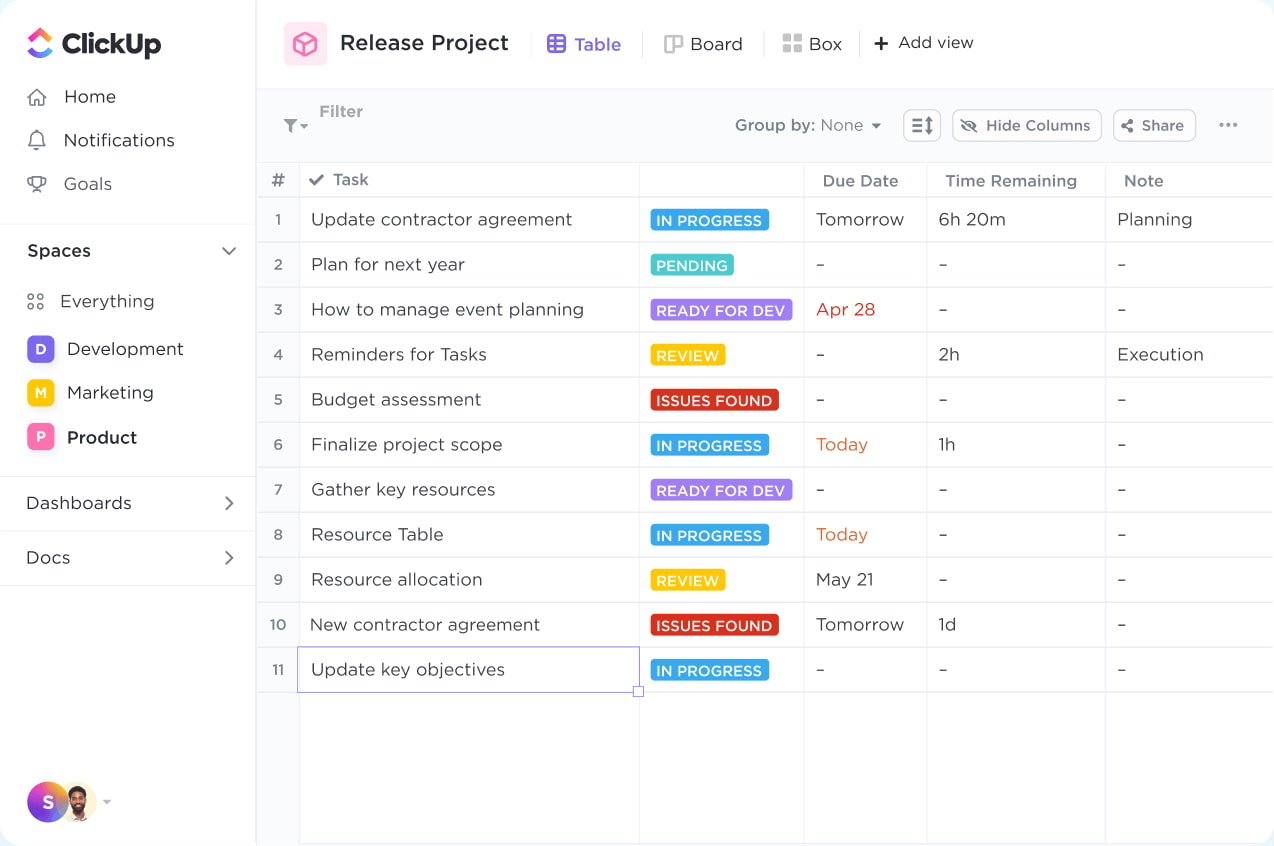
ClickUp is recognized as an all-in-one productivity platform that combines tasks, docs, goals, time tracking, dashboards, and whiteboards, making it suitable for full-scale project management with 10M+ users.
Why It Stands Out
Built-in project management features without requiring custom setup. Native Gantt charts, timelines, and time tracking work immediately.
Best For
Full-scale project management and task tracking where out-of-box PM features replace Coda’s build-it-yourself approach.
Key Strengths
- Unlimited tasks on free plan
- Comprehensive hierarchy: spaces, folders, lists
- Dashboards and notifications built-in
- $7/user/month Unlimited tier
Possible Limitations
- Interface complexity can overwhelm new users
- Docs less flexible than Coda’s canvas
5. Fibery
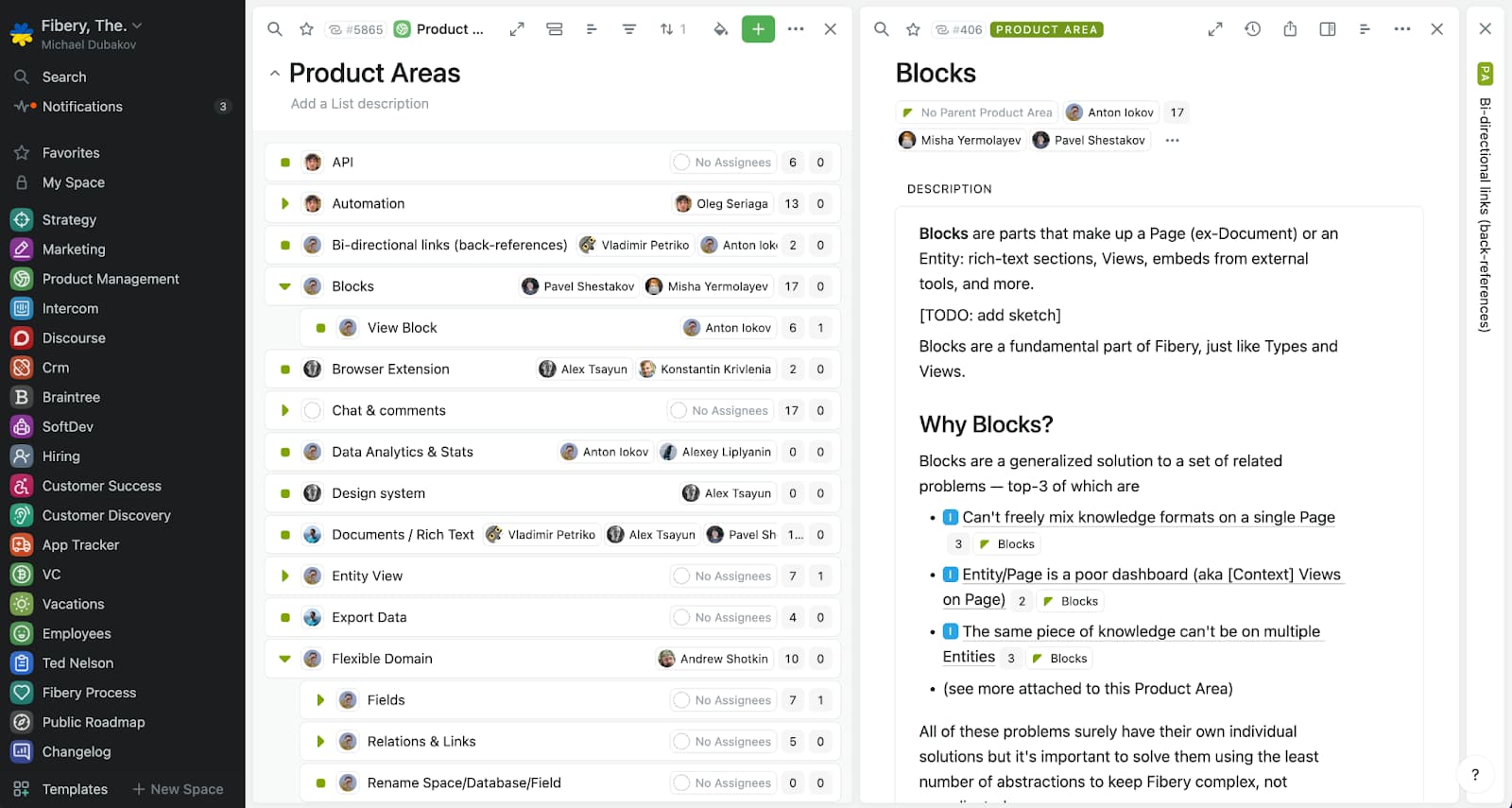
Fibery is a work management platform that integrates relational databases, documentation, workflows, and automations, making it suitable for teams that need a connected workspace for project management.
Why It Stands Out
Deep customization through graph-based entities with bidirectional relationships. The AI assistant helps automate queries and find connections.
Best For
Product teams needing connected workflows and data relationships across projects.
Key Strengths
- Bidirectional links between any entities
- Powerful relational database structure
- AI assistant for queries
- Flexibility to replicate complex workflows
Possible Limitations
- Setup takes 10-20 hours per workspace
- Steep learning curve for full customization
6. Monday.com
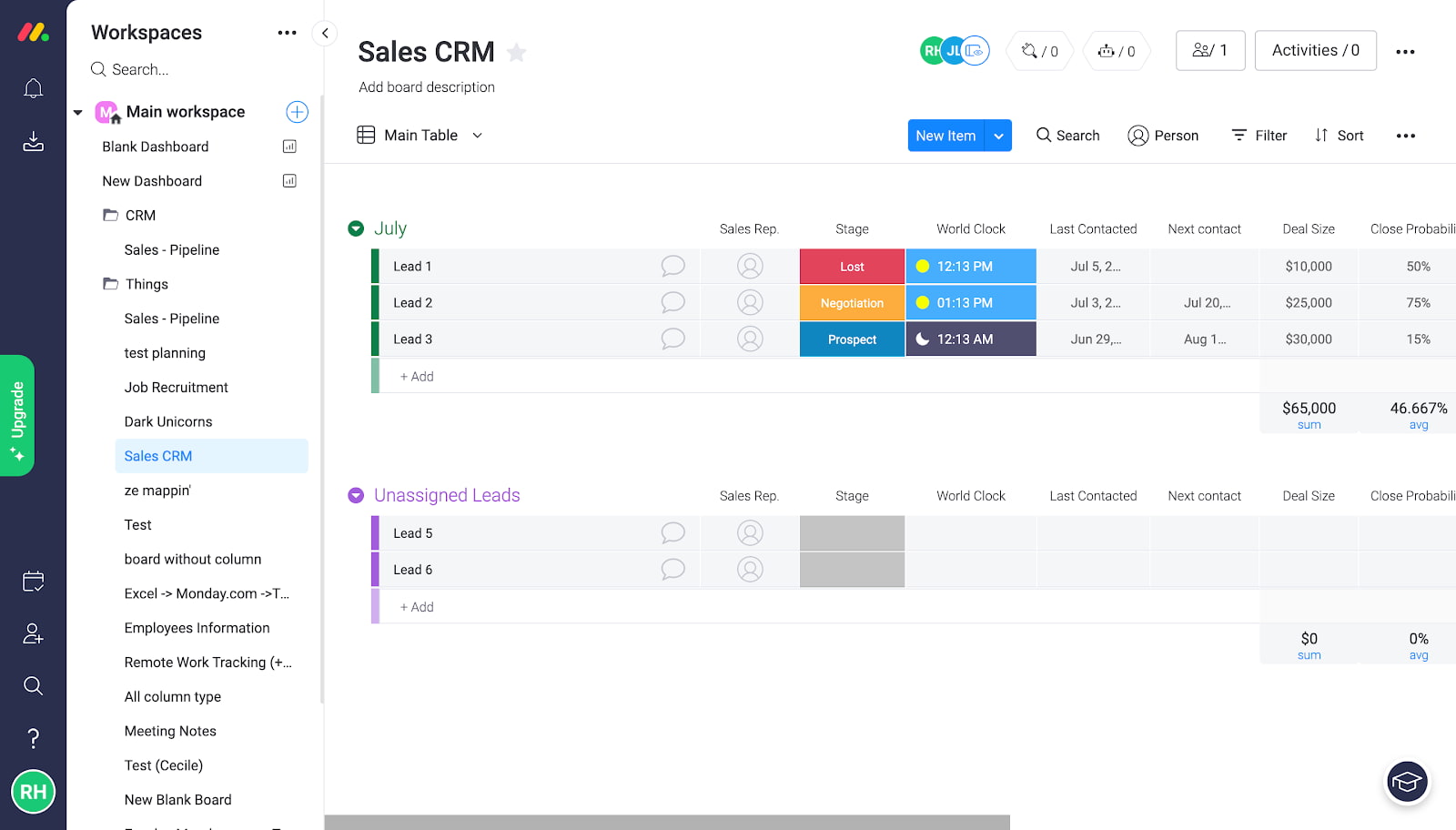
Monday.com offers a visual interface with color-coded boards and an intuitive no-code automation builder. The platform serves 1B+ revenue worth of customers globally.
Why It Stands Out
Visual project boards make workflow status immediately clear. Drag-and-drop automations require no formula knowledge.
Best For
Visual project tracking and team collaboration where board-based management fits naturally.
Key Strengths
- 1,000+ templates for quick deployment
- Visual automations without code
- Strong permissions and calendar views
- Integrations with popular tools
Possible Limitations
- Document features are basic
- Pricing scales hard at enterprise levels
7. Basecamp
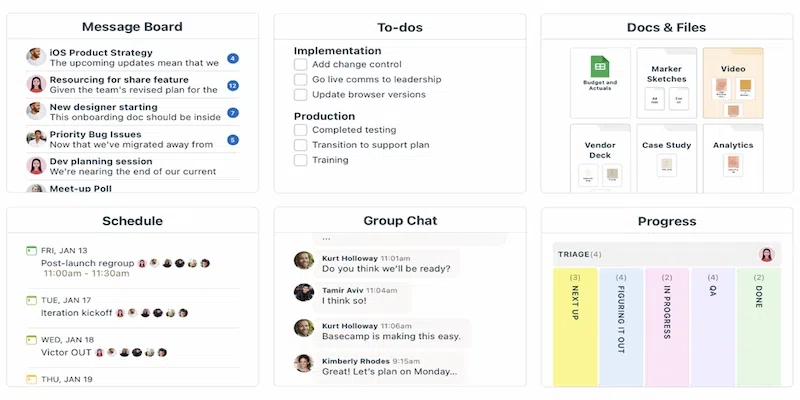
Basecamp is a project collaboration platform that focuses on task lists, team messaging, file sharing, schedules, and project discussions, providing a simpler environment for project coordination.
Why It Stands Out
Simplicity and flat $299/month pricing for unlimited users. No feature bloat or complex configuration required.
Best For
Simple project coordination and team communication where ease beats customization.
Key Strengths
- Flat pricing regardless of team size
- Zero learning curve
- Built-in chat (Campfires) and message boards
- Works directly without setup
Possible Limitations
- No database or table functionality
- Limited customization and automations
Quick Comparison of the Best Coda Alternatives
- BridgeApp – Best for AI-powered automation and unified workspace with deployment flexibility
- Notion – Best for knowledge management, wikis, and ease of use
- Airtable – Best for structured data and database management with rich views
- ClickUp – Best for comprehensive project management out of the box
- Fibery – Best for custom workflows and deep data relationships
- Monday.com – Best for visual project tracking with no-code automations
- Basecamp – Best for simple team collaboration with predictable pricing
How to Choose the Right Coda Alternative
Choose Based on Your Primary Use Case
Document-focused teams should consider Notion. Data-focused workflows point toward Airtable or Fibery. Project management needs align with ClickUp or Monday.com. AI automation requirements with network effects across communication and data make BridgeApp the strongest fit.
Choose Based on Team Size and Technical Skills
Small teams under 10 people often find value in Basecamp’s simplicity. Growing teams benefit from ClickUp’s scalability. Enterprise organizations with sovereignty requirements should evaluate BridgeApp’s on-premise deployment options.
Choose Based on Integration and Deployment Needs
The rise of no-code platforms has led to increased flexibility in how teams deploy tools. Consider whether cloud-only works or if you need self hostable options. BridgeApp offers the most deployment flexibility with GDPR-compliant EU hosting.
Which Option Is Best for You?
Choose BridgeApp if you need AI automation providing value across unified communication and workspace functionality. BridgeApp offers both the usability of modern collaboration tools and the trust of on-premise deployment, making it highly relevant for governments, regulated industries, and organizations seeking independence from American cloud monopolies. Choose Notion if your priority is knowledge management with ease of use. Choose Airtable if you want powerful database capabilities with spreadsheet familiarity. Choose ClickUp if you need comprehensive project management from scratch. Choose Fibery if deep customization and data relationships matter most.
Final Thoughts
No-code platforms often focus on specific functionalities, allowing users to choose tools that best fit their needs without the complexity of full-code solutions. The best Coda alternative depends entirely on your workflow requirements, team size, and technical comfort level.
Several platforms serve as strong alternatives to Coda, focusing on specific strengths such as user interface and specialized databases. Slite focuses on team knowledge management with AI-powered question-answering. Grist offers a data-first approach with strict data typing to prevent formula errors.
Start with free trials—most alternatives offer generous free tiers. Test your actual workflows, not just feature lists, and you’ll find the right fit faster than any comparison post can recommend.