BlogProduct Updates
Best Free Task Management Software

BridgeApp Team
7 min read

Free task management software can help you create tasks, assign tasks, organize deadlines, and manage important tasks without paying before you know what works. The best free task management software in 2026 is not just a stripped-down trial; it gives individuals, solopreneurs, and teams enough functionality to plan real work.
Completely free tools usually offer basic lists forever, while freemium tools provide a free version with limits on users, files, automation, storage, or advanced views. This post focuses on tools with genuinely useful free tiers, not basic trials that force a separate subscription after a few days.
How We Chose the Best Free Task Management Software?
We judged each task management app by what the free plan actually includes. Essential functionality in free task management software includes lists and Kanban boards, while more advanced tools add a calendar view, recurring tasks, comments, notifications, templates, and mobile sync.
Choosing the right task management tool depends on team size and workflow complexity. Task management apps focus on individual tasks without complex structures, while project management tools manage budgets, resources, and schedules. Project management apps include Gantt charts for complex tasks, but those features are usually paid. Task management apps are simpler and cost less than project management software.
We also considered collaboration options because collaboration options are essential in task management apps. Free plans often restrict how many collaborators can join, and many free plans limit users to a small amount of file storage. Advanced functions like time tracking are often restricted to paid tiers, and free users are generally limited to self-serve forums for support.
Finally, we looked at platform compatibility. Most task management software syncs across mobile, desktop, and web apps, including Android, iOS, iPhone, Windows, browser, and computer access. User-friendly onboarding is common in free task management software, but security matters too: some providers may monetize user metadata or offer weaker security protocols, so always review the pricing page, security details, and account controls before moving clients or company resources into a platform.
Top 6 Free Task Management Software Options for 2026
1. BridgeApp
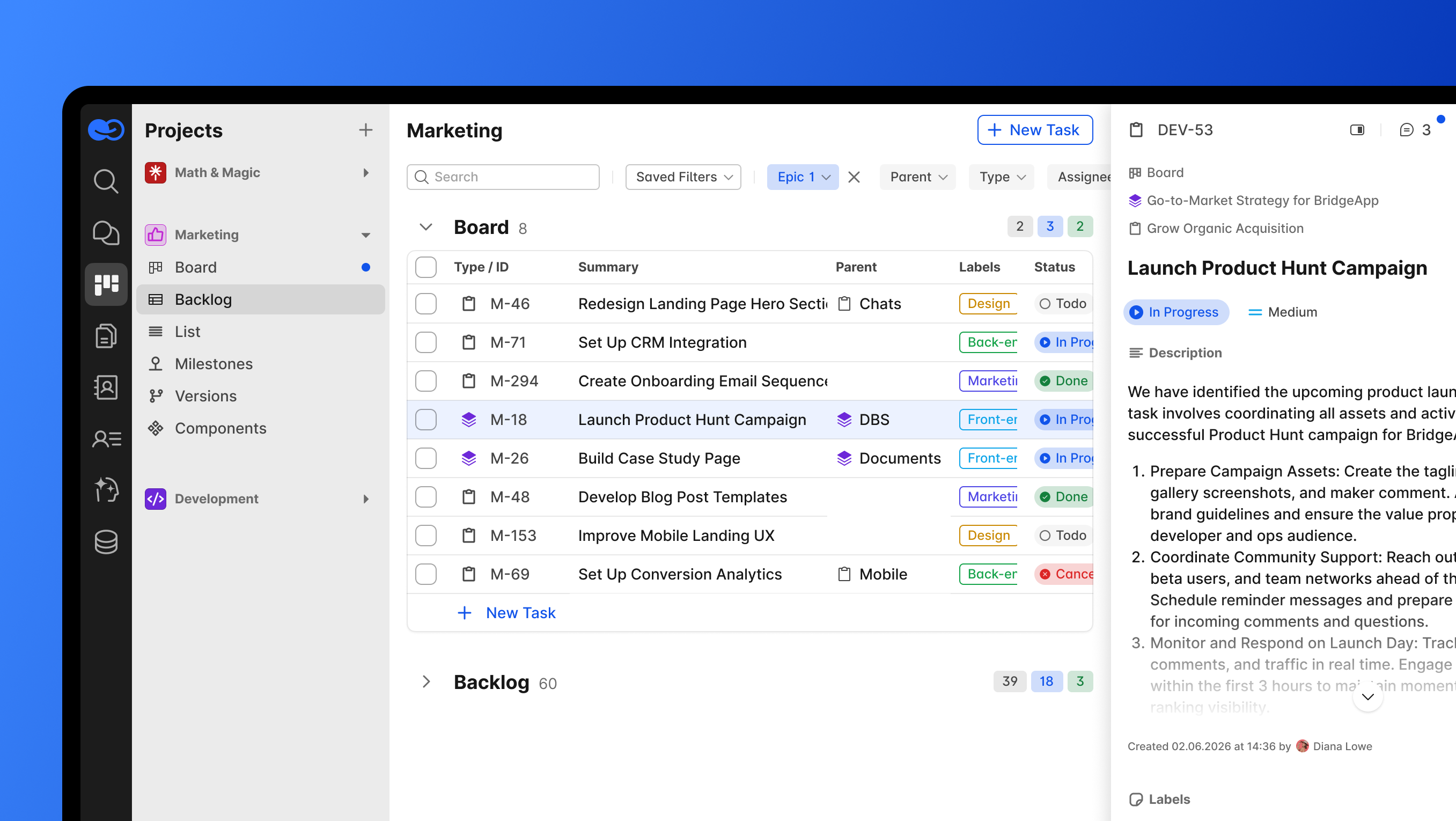
BridgeApp is an AI-native digital workspace that combines task management, team communication, documents, databases, and AI automation in one platform. Its free forever plan includes unlimited members, which is rare in this category.
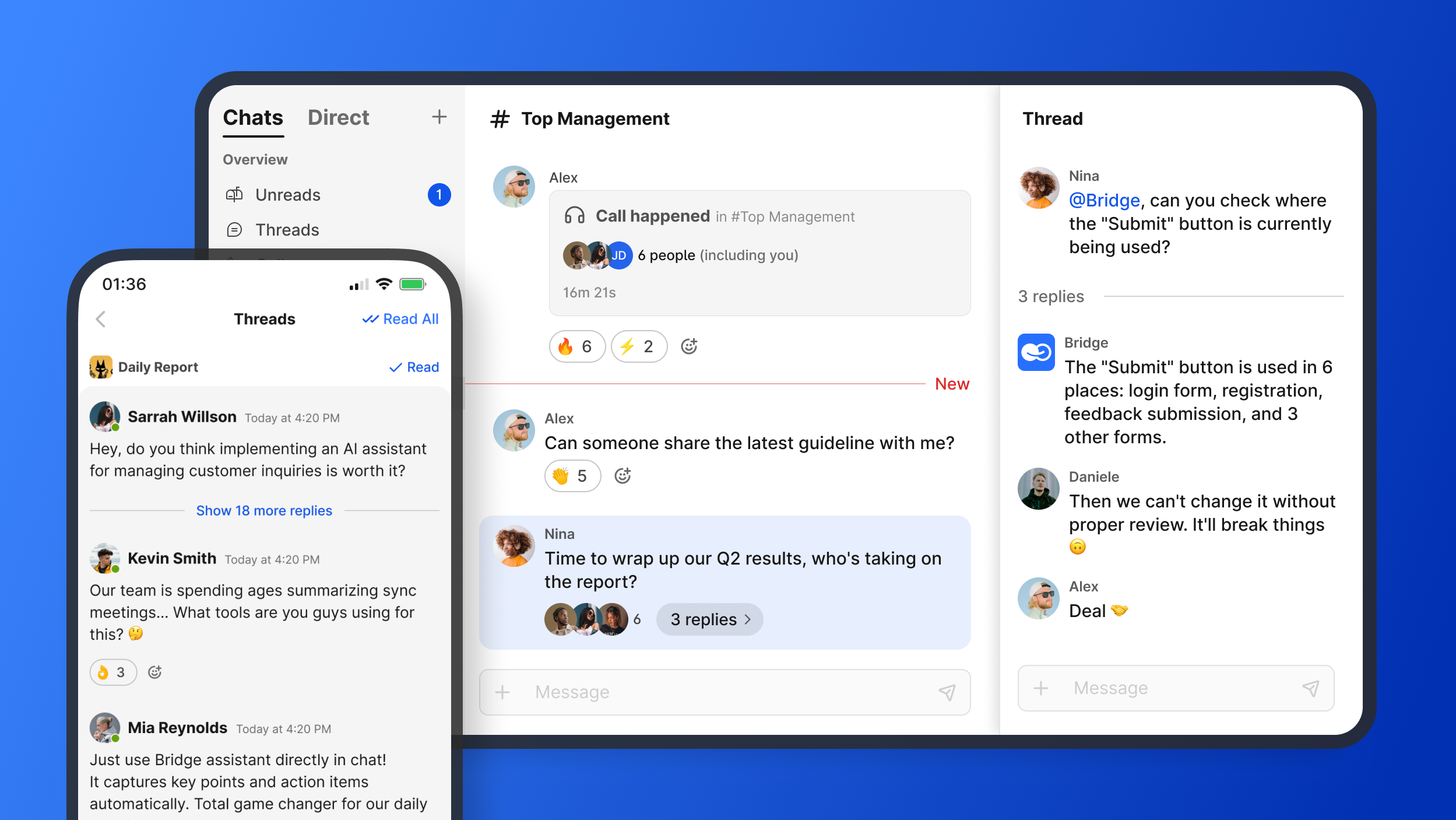
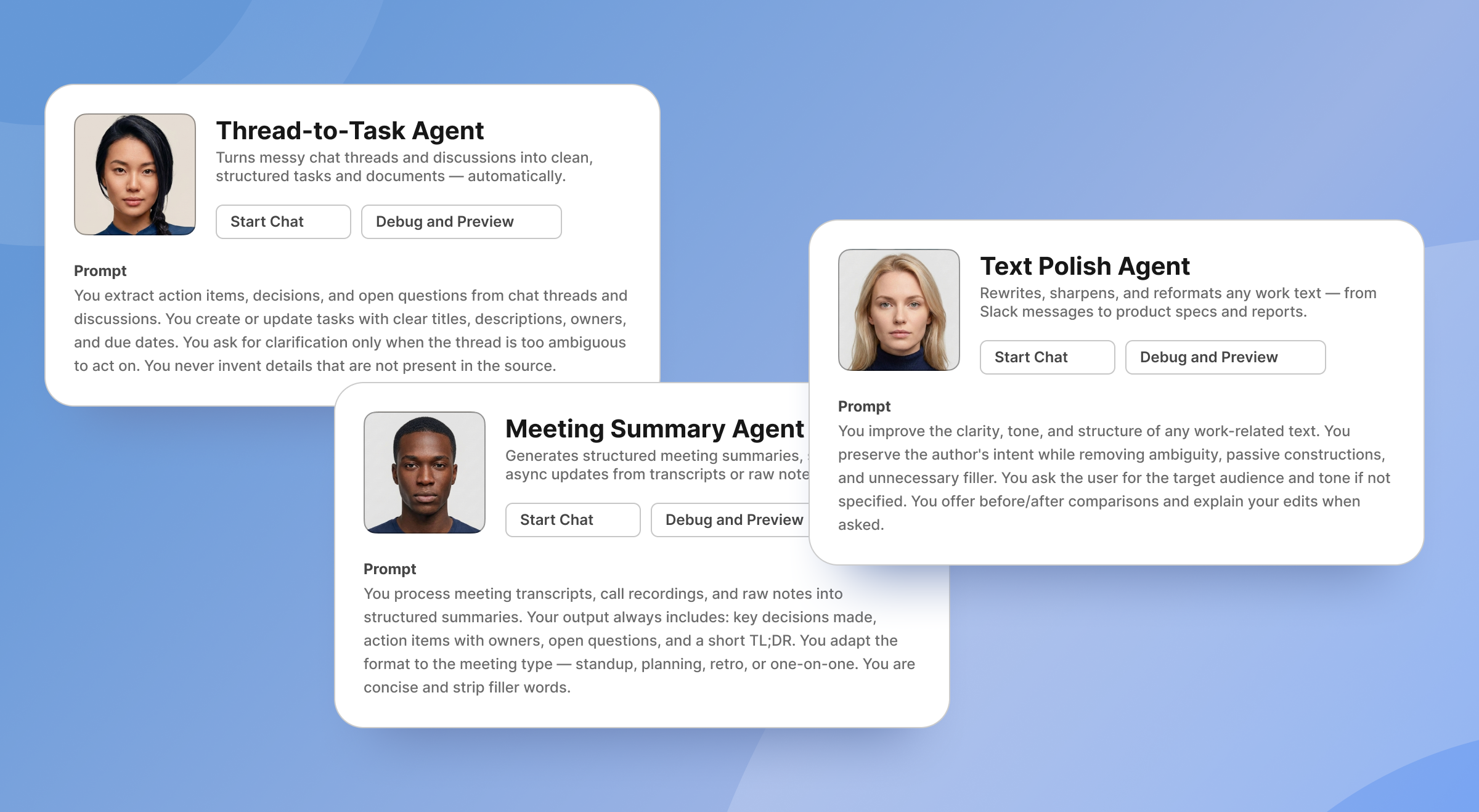
What stands out is the visual no-code AI Agent builder. BridgeApp agents are described as “automated digital assistants” that can create tasks from conversations, generate reports, populate databases, respond in chats, and execute custom workflows. Agents can access all major AI models on the market and connect to MCP servers, including multiple MCPs within a single agent.
Best for: teams that want one system for tasks, chat, docs, databases, and automation. The free plan includes project management features, agentic capabilities, team collaboration features, task tracker views including Kanban, List, Calendar, and Table, document creation, basic search, custom agents creation, and databases up to 1,000 rows.
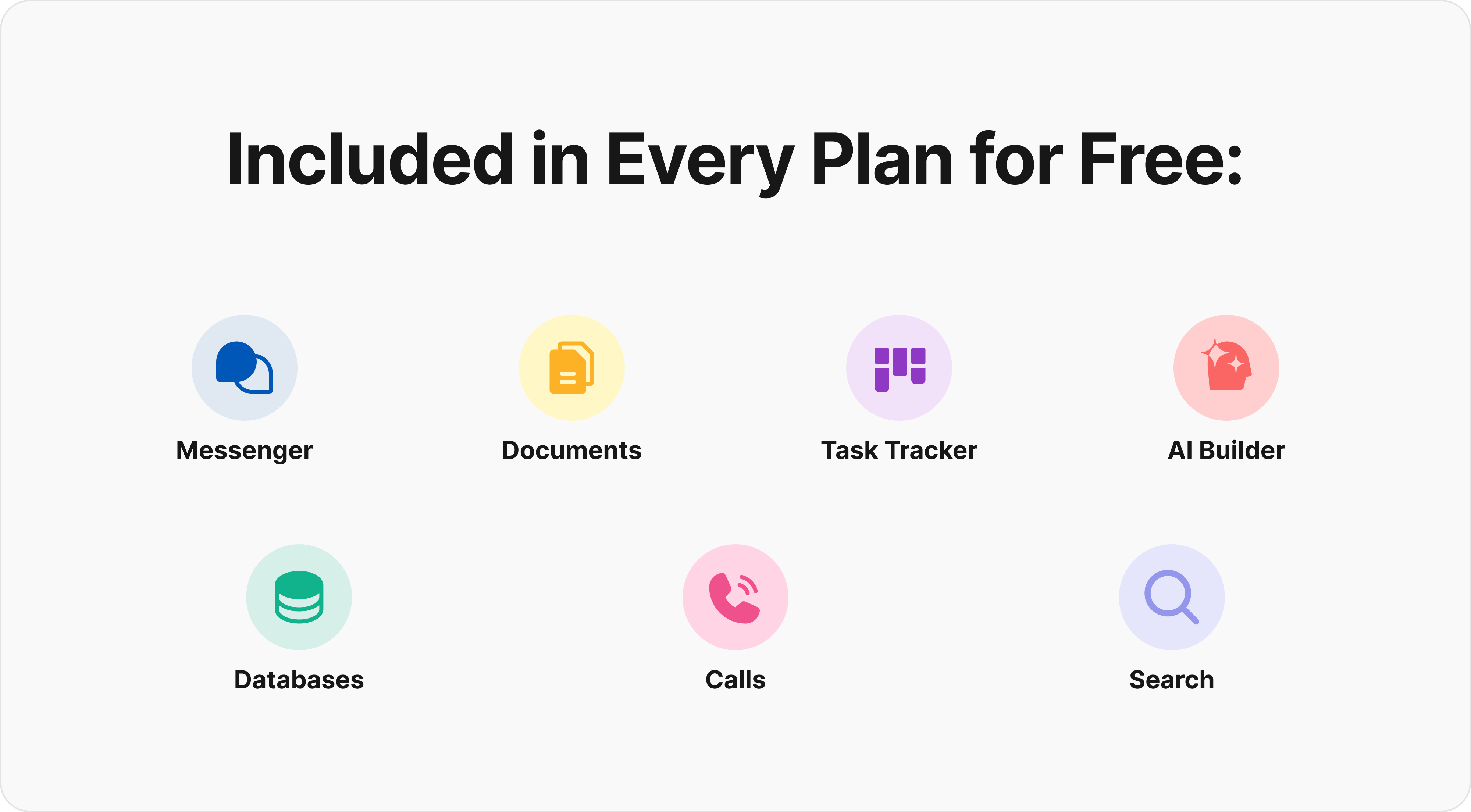
Key strengths include unlimited members, channels and threads, audio calls on the free plan, custom databases, and a method to create custom AI-powered workflows for any business process. Approved BridgeApp metrics include a 40% productivity increase, 60% context switching reduction, 4.6 hours saved per employee per week, $1.656M annual savings for a 250-person team, and a typical ROI timeline of 3 months.
2. Asana
Asana is a mature task management and project management platform. Asana functions as both a task and project management tool, and Asana is best for managing complex teamwork. Asana is also known for its simple checklist interface, which makes onboarding fairly intuitive.
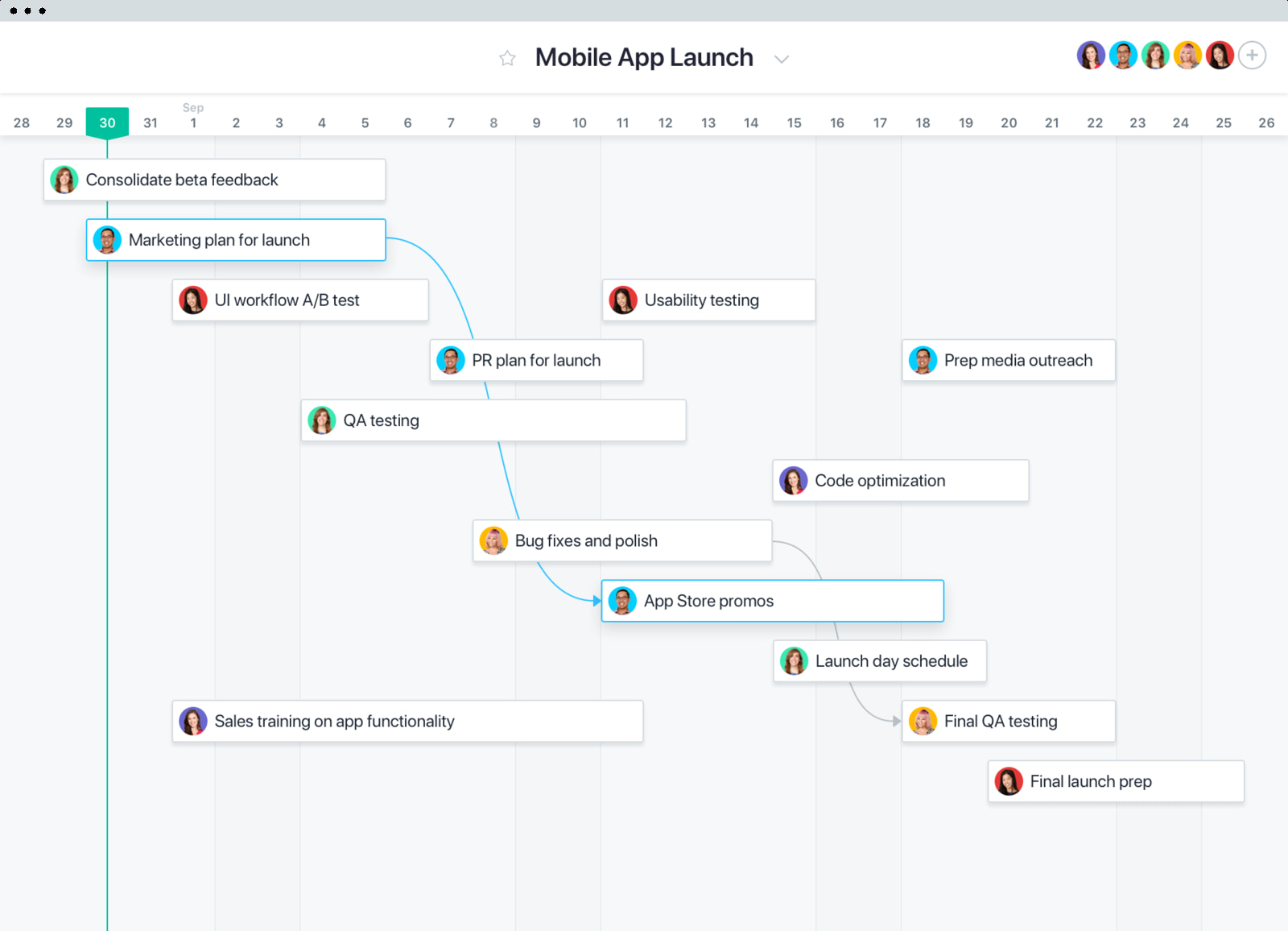
Asana provides a free plan with essential features such as tasks, projects, list view, board view, and calendar view. Older comparisons often highlighted larger free teams, but current 2026 pricing information has tightened free collaboration limits in many markets, so check the displayed details on Asana’s website before committing. Asana’s pricing starts at $10.99 per user per month.
Best for: established teams that need reliable project tracking and are willing to pay when complexity grows. Possible limitations include paid access for timeline-style planning, custom fields, dashboards, advanced reporting, and automation.
3. Todoist
Todoist is a popular personal task manager with a clean interface and fast natural-language task creation. Todoist has over 50 million users worldwide, which gives it one of the largest user bases in the to do list app market.
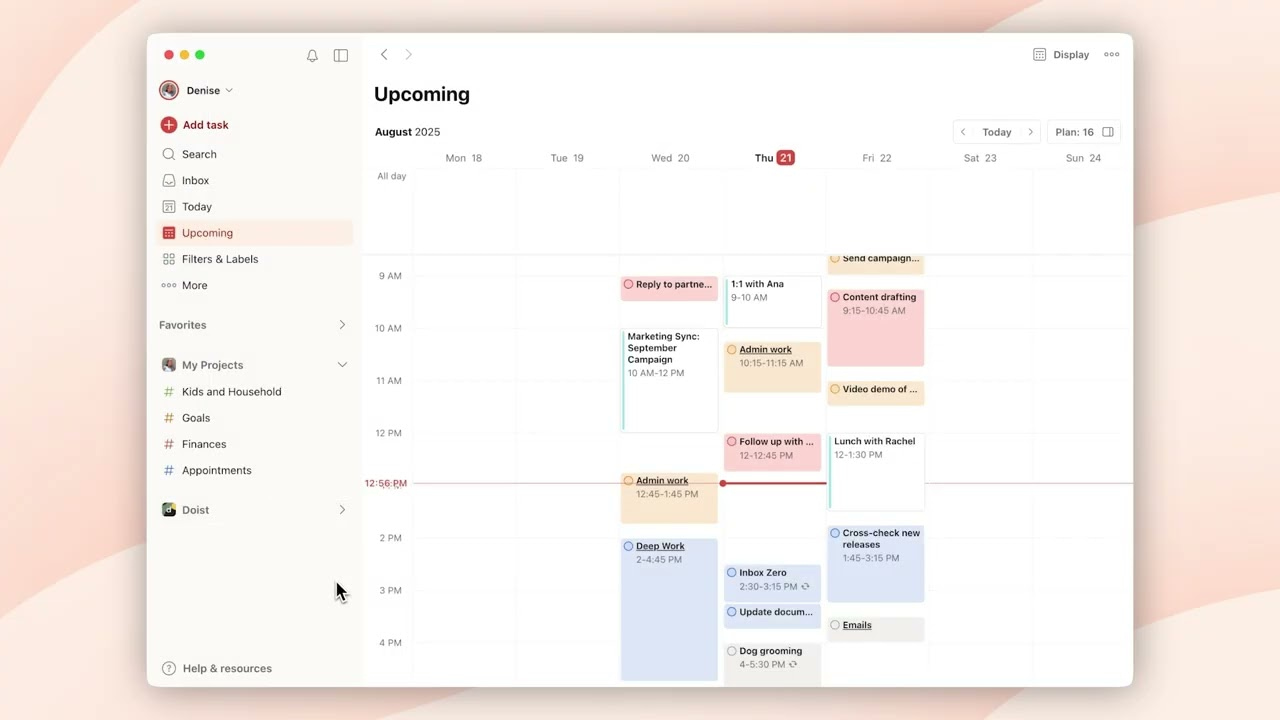
Todoist offers a robust free service tier with projects, tasks, subtasks, labels, priorities, natural-language due dates, and recurring tasks. Todoist is ideal for small groups with simple tasks, and it works well for freelancers who want a reliable to do list across devices.
Best for: personal productivity, freelancers, students, and small groups. Some task management tools offer gamified productivity reports, and Todoist’s productivity system can help users stay motivated. Possible limitations: the free plan has limits around active projects, reminders, filters, file uploads, and collaboration.
It is worth repeating for scale: Todoist has over 50 million users worldwide. That does not automatically make it right for all the things your team needs, but it proves the app has broad adoption.
4. Trello
Trello popularized the Kanban style of task management with cards, lists, and boards that feel like digital sticky notes. It is one of the most intuitive tools for visual project organization.
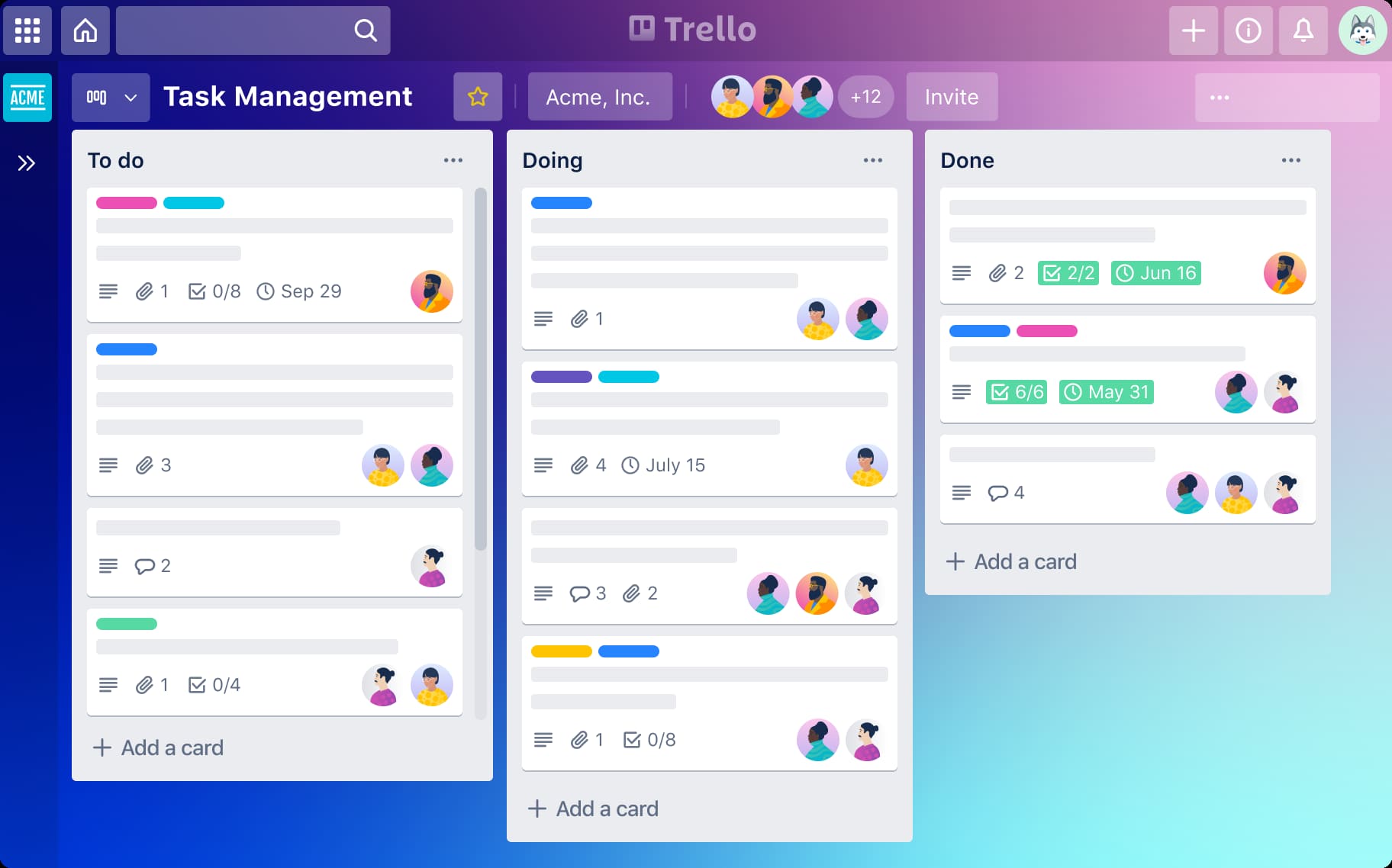
Best for: visual learners, content teams, simple product boards, and small businesses that want fast setup. The free version supports unlimited cards and simple collaboration, with Power-Ups and Butler automation available within limits.
Possible limitations: Trello’s free plan is limited to 10 boards per workspace, attachments are limited, and timeline, dashboard, table, and advanced reporting features require paid tiers. It is excellent for simple boards, but it can feel wrong for complex dependencies or resource planning.
5. ClickUp
ClickUp is a highly customizable productivity platform with tasks, docs, goals, dashboards, multiple views, and automation. ClickUp is highly customizable but can be overwhelming, especially for users who want a simple to do list.
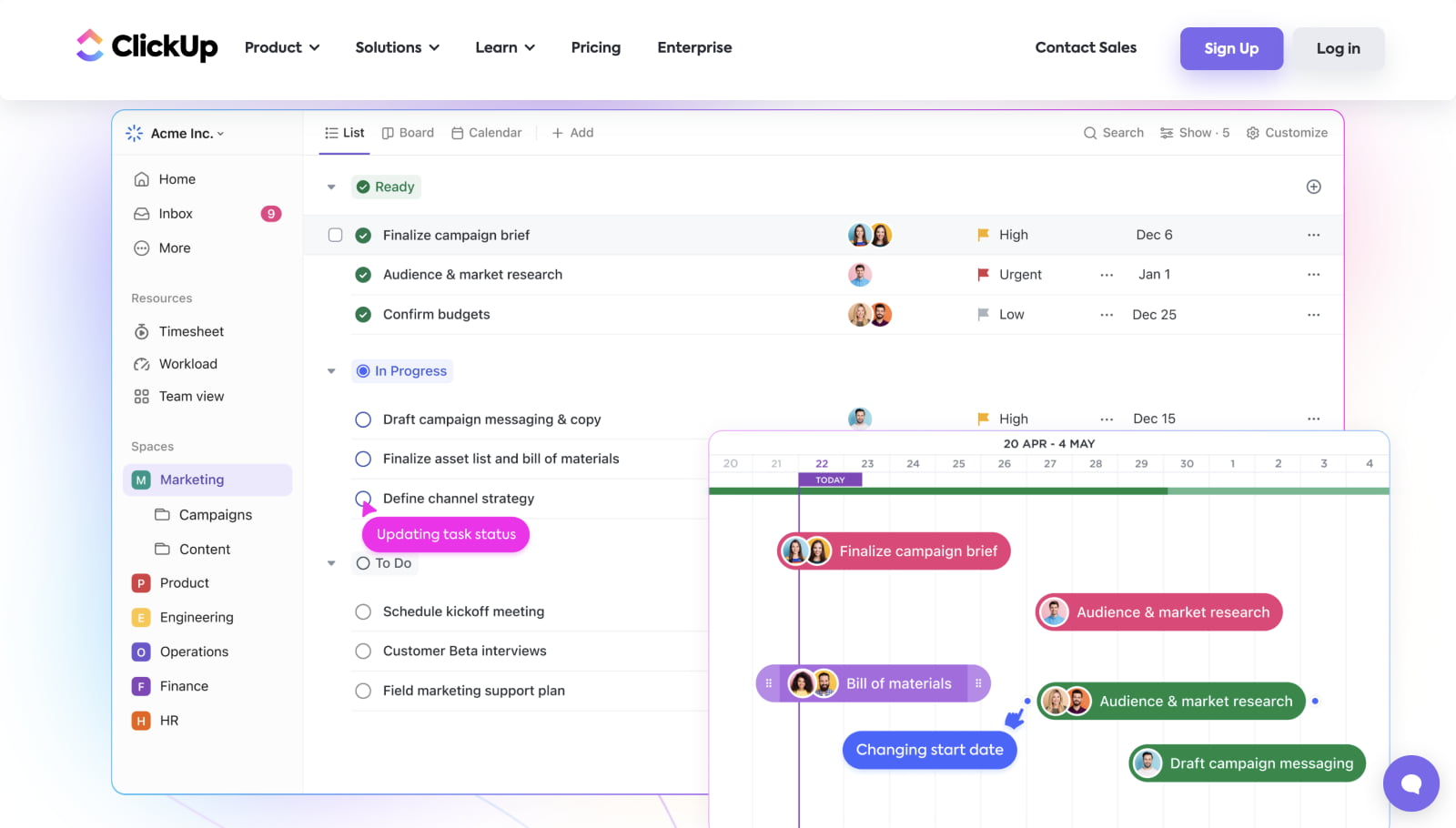
Best for: small teams that want comprehensive features and do not mind a learning curve. Key strengths include multiple view types, unlimited tasks, collaboration, docs, and 100MB storage on the free plan.
Possible limitations: complexity can slow adoption. The interface has many features, settings, and template options, so new users may need a short course or internal onboarding plan to focus the team.
6. Google Tasks
Google tasks is a simple task management app built into the Google ecosystem. It integrates with Gmail and Google Calendar, which makes it convenient if your work already lives in Google Workspace.
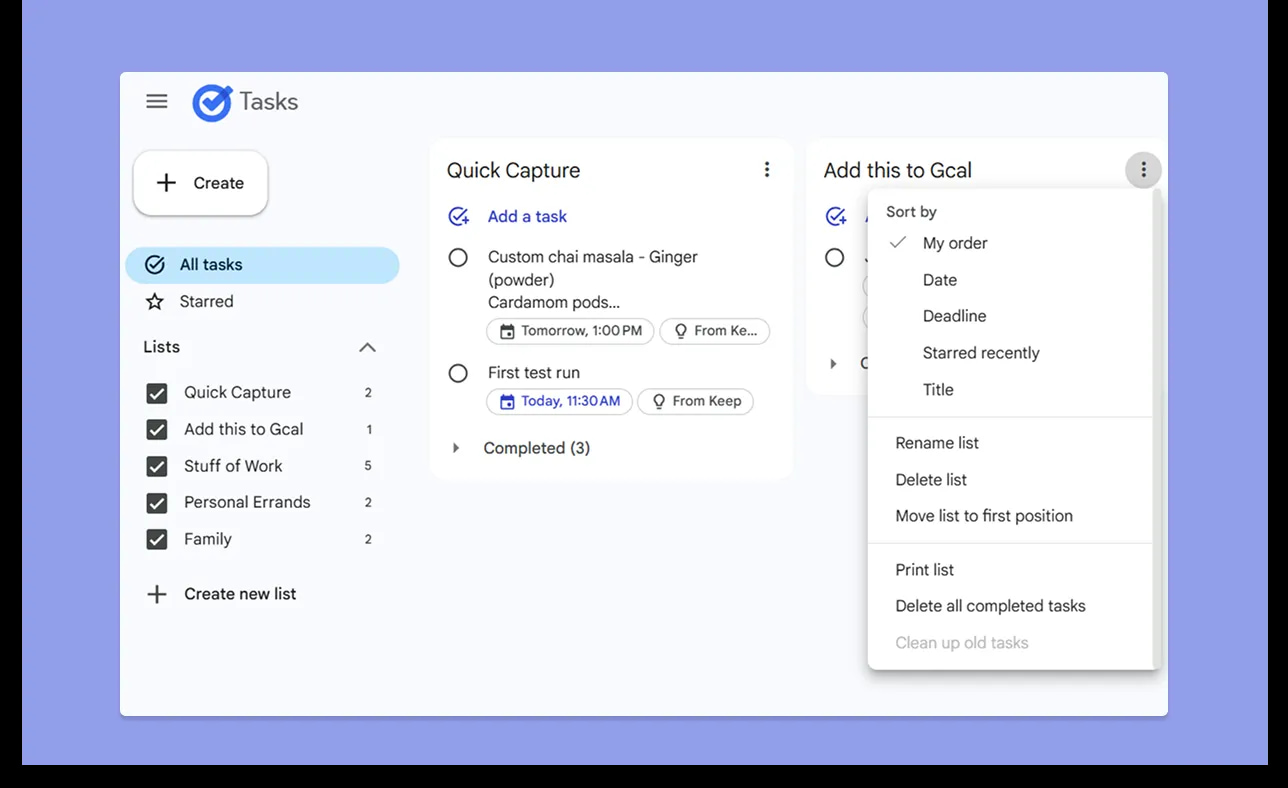
Best for: Google Workspace users who need lightweight task management without another website, app, or separate account. It is completely free, syncs quickly, and is easy to use on mobile and desktop.
Possible limitations: google tasks is basic. It does not offer advanced collaboration, Kanban boards, reporting, detailed project structures, or automation. It is useful for personal tasks, but not enough for most teams.
Quick Comparison of the Best Free Task Management Software
| Tool | Best for | Free-plan highlight | Main limit |
|---|---|---|---|
| BridgeApp | Teams wanting AI automation and unlimited members | AI agents, chat, docs, databases, task views | Newer platform; some features soon |
| Asana | Established small teams needing reliable project management | Essential task and project views | Advanced features and larger teamwork require paid plans |
| Todoist | Personal productivity and individual task management | Fast natural-language tasks | Limited collaboration and project volume |
| Trello | Visual project organization | Simple Kanban boards | 10-board workspace limit |
| ClickUp | Comprehensive features and customization | Many views and unlimited tasks | Can be overwhelming |
| Google Tasks | Google Workspace users | Gmail and calendar integration | Very basic organization |
PCMag has reviewed task management software for over a decade, and its long-running coverage reflects a broader point: the best free task management software is not the same for every person or team. A free plan should create transparency in responsibility for tasks, help users complete work, and avoid hiding core features behind artificial limits.
How to Choose the Right Free Task Management Software
Choose Based on Team Size and Collaboration Needs
Individual users, small teams, and larger groups need different tools. Free plans are sufficient for most new solopreneurs, especially when the goal is to create a simple to do list, organize ideas, and track deadlines.
Teams should look harder at user caps, comments, permissions, and whether external clients can join. Task management software can create transparency in responsibility for tasks, but only if the free plan allows the right people to see, assign, and update work.
If you see a security service page while signing up, it may say it is performing security verification to protect the site from malicious bots. A security verification page may display a bot check, respond ray id, and finally show verification successful when it verifies your browser. That is normal, but strong vendors should also explain their broader security controls clearly.
Choose Based on Complexity and Feature Requirements
If you only need a to do list, Google Tasks or Todoist may be enough. If you need boards, comments, files, calendar, and recurring tasks, Trello, Asana, ClickUp, or BridgeApp may fit better.
If you need to manage budgets, resources, schedules, dependencies, and reporting, you may be crossing from task management into project management. In that case, a free task manager may help you start, but paid plans often become necessary.
Outside this top six, TickTick offers a free version with in-app purchases, and TaskManager allows up to 200 tasks on its free plan. Those can be worth exploring if your use case is narrow, but always compare limits before you import real work.
Choose Based on Integration and Ecosystem Preferences
Your existing tools matter. If your team works in Gmail all day, google tasks may be enough. If your team needs docs, databases, chat, AI agents, and project tracking in one place, BridgeApp is stronger.
Also consider whether you need standalone software or a broader platform. Most tools offer web, mobile, and desktop access, but the details vary across android, ios, iphone, windows, and browser versions.
Free task management software typically offers highly visual interfaces, but visual does not always mean simple. A clean board can still become messy if nobody owns the plan, updates the details, or keeps the system complete.
Which Option Is Best for You?
Choose BridgeApp if you want AI automation, unlimited team members, and an all-in-one workspace. It is especially useful for businesses that want to eliminate routine work with AI agents that understand company context.
Choose Asana if you need proven project management with reliable team collaboration and are comfortable upgrading as complexity increases.
Choose Todoist if you prioritize personal productivity, recurring tasks, natural language task creation, and a fast task manager for everyday life.
Choose Trello if you prefer visual organization, Kanban workflows, and simple collaboration without heavy structure.
Choose ClickUp if you want comprehensive features, deep control, and customization, and you do not mind a learning curve.
Choose Google Tasks if you live in Google Workspace and need basic task integration with Gmail and Google Calendar.
A Few Final Notes
The best free task management software can enhance productivity without upfront investment. Free task management software saves money and provides immediate accessibility, which is why it remains useful for individuals, startups, and growing teams.
The right choice depends on team size, workflow complexity, integrations, and how long the free version can support real work. BridgeApp stands out because it offers unlimited users and AI capabilities on the free tier, while Todoist, Trello, Asana, ClickUp, and google tasks each serve a clear category of user.
Start with one free platform, test it with a real project for two weeks, and track whether your team can plan, assign tasks, manage deadlines, and reduce scattered work. If the tool helps people focus and complete work with fewer meetings, you have found the right fit.