BlogCase Studies
Non-Technical Team Building Software With AI: From Ideas to Internal Tools

BridgeApp Team
15 min read

This case study demonstrates how a non-technical Revenue Operations manager can transform a static 12-page sales playbook into an automated Deal Desk application using AI app builders. By replacing manual PDF reviews with visual AI agents and persistent databases, teams can eliminate "shelfware," reduce revenue leakage, and build production-ready tools in under a week. Learn more about the citizen developer revolution here on the BridgeApp blog.
In 2026, you don't need a development team to build the software your business runs on. Non-technical teams across operations, marketing, HR, and customer success are using AI-powered app builders to create the internal tools they used to beg engineering for. This guide walks you through exactly how to go from an app idea to a production-ready internal tool, even if nobody on your team has ever written a line of code.
What You’ll Learn Inside
- In 2026, small teams and cross-functional teams can build internal tools and AI apps using a collaborative AI app builder, without hiring full-time developers or waiting in IT queues.
- Platforms like BridgeApp (with its no code AI agent builder) and Magic Coder by BridgeApp let teams turn strategy docs and workflows into working internal tools using natural language and visual flows.
- Modern AI app builders support real team collaboration with shared workspaces, role-based access, and version history so non technical users can safely prototype and ship tools together.
- Non technical users can build web and native mobile experiences, automate workflows, and keep everything in one platform instead of juggling disconnected spreadsheets and SaaS subscriptions.
- This article provides a concrete, step-by-step framework (with examples from 2024–2026) to go from first team prototypes to production-ready internal tools, plus guidance on team pricing and platform selection.
Why Non-Technical Teams Are Now Shipping Real Software (Without Developers)
Since around 2024, AI app builders have crossed a critical threshold. Small, cross functional teams can now build internal business tools and AI apps that previously required full engineering squads. By 2026, 16.2 million citizen developers globally are building software without traditional technical knowledge, and that number keeps climbing.

Here's what changed:
- A collaborative AI app builder now combines no code UIs, AI agents, and automation so non technical team members in operations, marketing, and product can build CRMs, approval workflows, and client portals themselves.
- By 2026, it's normal for 5–20 person teams to run core processes on custom apps they built via an AI app builder, not custom code. Gartner-adjacent research projects that 70% of new enterprise applications will be built using low-code or no code platforms this year.
- Tools like BridgeApp give teams a unified workspace (chat, tasks, docs, databases, and AI agents) so internal tools live where collaboration already happens, reducing friction for non technical users.
- A 6-person B2B SaaS team can replace google sheets with an internal subscriptions dashboard built in a week, instead of filing a ticket and waiting two months.
What Is a Non-Technical, AI-Powered Team App Builder?
A collaborative AI app builder is a platform that lets non technical teams create internal tools and AI apps with natural language, drag-and-drop logic, and templates instead of writing code.
Here's what distinguishes a real AI app builder from a generic chatbot or a simple form tool:
- Shared team workspace. Multiple team members can edit, comment, and review changes with role-based permissions. This isn't a single-user "AI wizard" building alone.
- Visual app builder. Drag-and-drop components for forms, dashboards, and data views. No backend logic to configure manually.
- AI agent layer. An AI assistant that turns plain-English AI prompts into data models, workflows, and UI components. You describe your process, and the system proposes a data structure and app logic.
- Deployment. Output goes to a web app or native mobile clients so teams can use internal tools on the go.
- Persistent data and permissions. Unlike a one-off AI chat, these platforms persist structured data, enforce access controls, and integrate with team processes.
Common things non technical teams build: internal tools for ticket triage, client portals for status updates, inventory dashboards, approval flows, and onboarding trackers. These aren't toy prototypes. They're working apps that run daily operations.
Core Capabilities Non-Technical Users Should Expect
Not all "no code" tools are genuinely friendly to non technical users. Some still demand technical setup or obscure configuration. Here are the key features that make a no code platform truly usable for people without a development background:
- Natural language app creation. Describe your process in plain English using natural language prompts to generate a scaffold. For example: "Build a simple ticketing tool for our 10-person support team with priorities and SLAs." The system proposes fields, views, and app behavior you can tweak visually.
- Drag-and-drop workflow builder. Visual interfaces for building conditional logic, approvals, and notifications without touching code.
- Pre-built templates. Starting points for common internal tools: CRMs, onboarding checklists, content calendars, approval queues.
- AI agents for logic and data mapping. AI assistance that suggests data sources, field types, and automation rules based on your description.
- Guardrails. Role-based access, version history, and environment separation (draft vs. production) so mistakes don't break live workflows.
- Native mobile and responsive web. Many app builders output only a web app, but some also support native mobile apps or full-feature native mobile clients. Your operations teams shouldn't be locked to a desktop when they need data access in the field. BridgeApp, for example, ships clients for web, mobile (full-feature), and desktop (Windows and macOS), so teams can access internal tools anywhere.
- Multi-model AI access. Platforms like BridgeApp provide access to all major AI models so teams aren't locked into a single provider's capabilities.
BridgeApp specifically combines these capabilities inside one workspace: databases for structured data, rich documents for Knowledge, and a no code AI agent builder with visual flows to automate processes across chat, tasks, and data.
From Strategy Documents to Working Internal Tools
Teams have historically written 30-page strategy decks that sit in shared drives and never translate into daily operations. In 2026, AI app builders let non technical teams turn those docs into internal tools within days.
Here's a concrete process:
- Collect existing docs. Gather your strategy and SOP documents (e.g., a 2026 sales playbook, an onboarding guide, a compliance manual).
- Load them as Knowledge. In a workspace like BridgeApp, assign these docs as Knowledge for an AI agent. The agent can now reference them when building or answering questions.
- Define key workflows. Identify 2–3 critical workflows embedded in those docs: lead intake, approval chains, client onboarding steps.
- Generate first prototypes. Use natural language to describe these workflows. The AI co-builder proposes a data structure (e.g., "Lead," "Account," "Renewal"), form layouts, and dashboards.
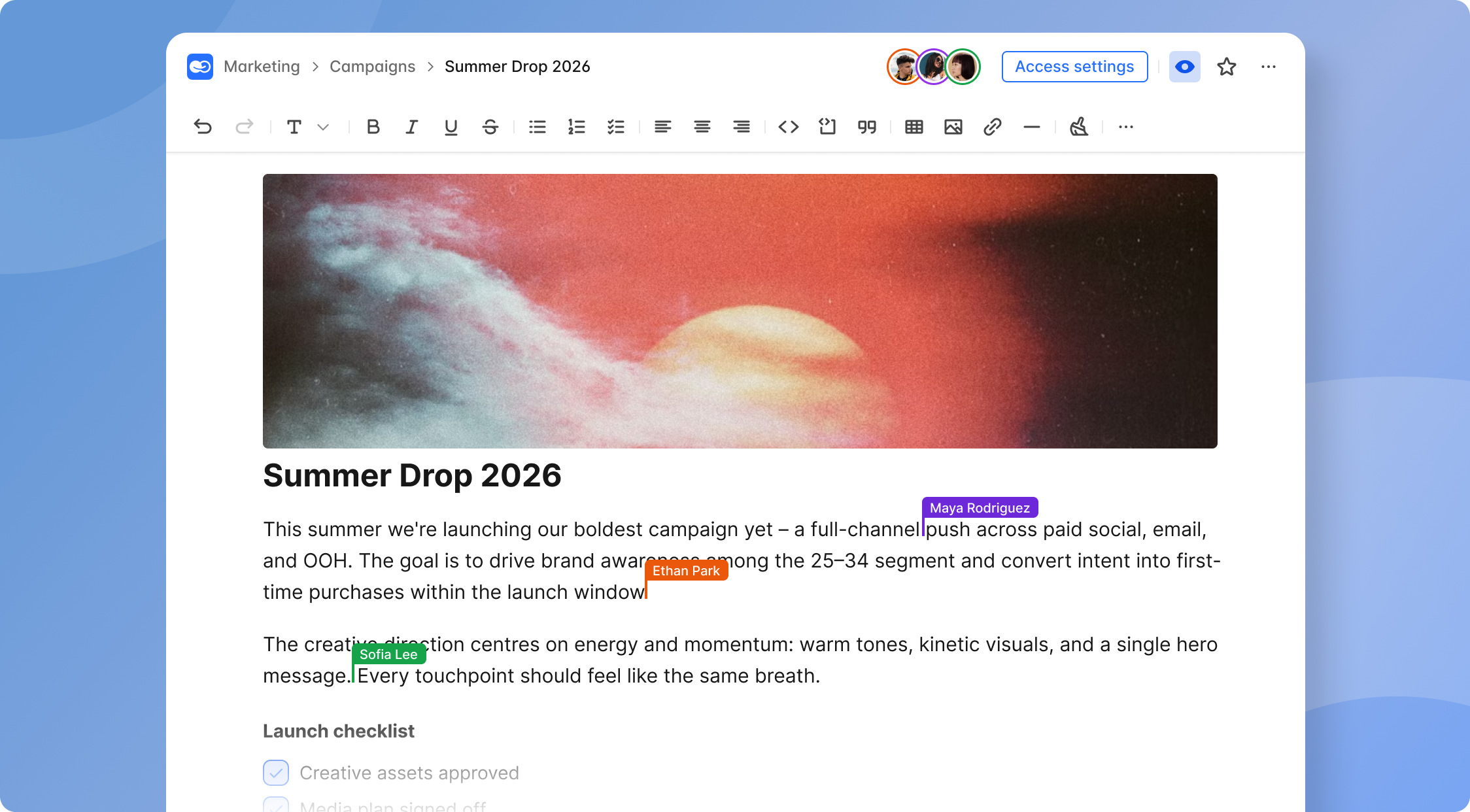
Team collaboration works naturally here: a PM writes the intent in natural language, operations reviews the data fields, and leadership validates KPIs, all inside the same workspace with comments and change history.
A 5-person customer success team can go from static 2026 onboarding guidelines to an internal onboarding tracker app in one week, no developer involved.
Example: Turning a 2026 Sales Playbook into a Deal Desk Tool
A 12-page sales playbook (updated Q4 2026) covering qualification criteria, pricing approvals, and discount policies gets transformed into a deal desk internal tool by a non technical revenue ops manager in early 2026.
- Upload the playbook into BridgeApp as an agent's Knowledge source.
- Use the AI agent to propose database fields: deal size, customer segment, stage, discount percentage, and approval status.
- Build a visual workflow for approvals: "if discount > 20% and ARR > $50,000, route to VP review." This is built with natural language prompts and the visual flow builder, not by writing code.
- Expose it to the team as a simple form and dashboard. Sales reps submit deals; the system routes them automatically.
- Collaborate on rules. Sales leaders adjust thresholds, finance comments on margin rules, and every change is logged through version history for auditability.
No custom code is written. The ops manager uses AI prompts and visual blocks. The result is a working app that replaces email threads and spreadsheet-based approvals.
From IT Dependency to Self-Sufficient, Non-Technical Builders
The traditional pattern: small teams queue behind IT or external agencies for basic internal tool requests, often waiting weeks or months. A marketing team needs a campaign tracker. An operations team needs an approval form. Each request becomes a ticket that competes with product roadmap priorities.
AI app builders flip this dynamic. "Citizen builders" (non technical team members) can now create and iterate on their own custom tools themselves, with IT focusing on governance and data integration instead of ticket work.
Typical non technical roles now building internal tools:
- Operations managers designing approval workflows and status dashboards
- Marketing leads building campaign trackers and content calendars
- HR teams creating onboarding checklists and policy bots
- Customer success managers building client portals and renewal trackers
BridgeApp and similar platforms still allow technical teams to plug in advanced logic or APIs when needed, but non technical users handle 70–80% of day-to-day tool creation and updates. This reduces shadow IT: instead of rogue spreadsheets and one-off SaaS signups, teams build governed internal tools in a shared workspace with auditable flows.
Visual Workflows Instead of Code
Non technical users think in flowcharts, not code. Steps, decisions, outcomes. A visual workflow builder aligns with this mental model.
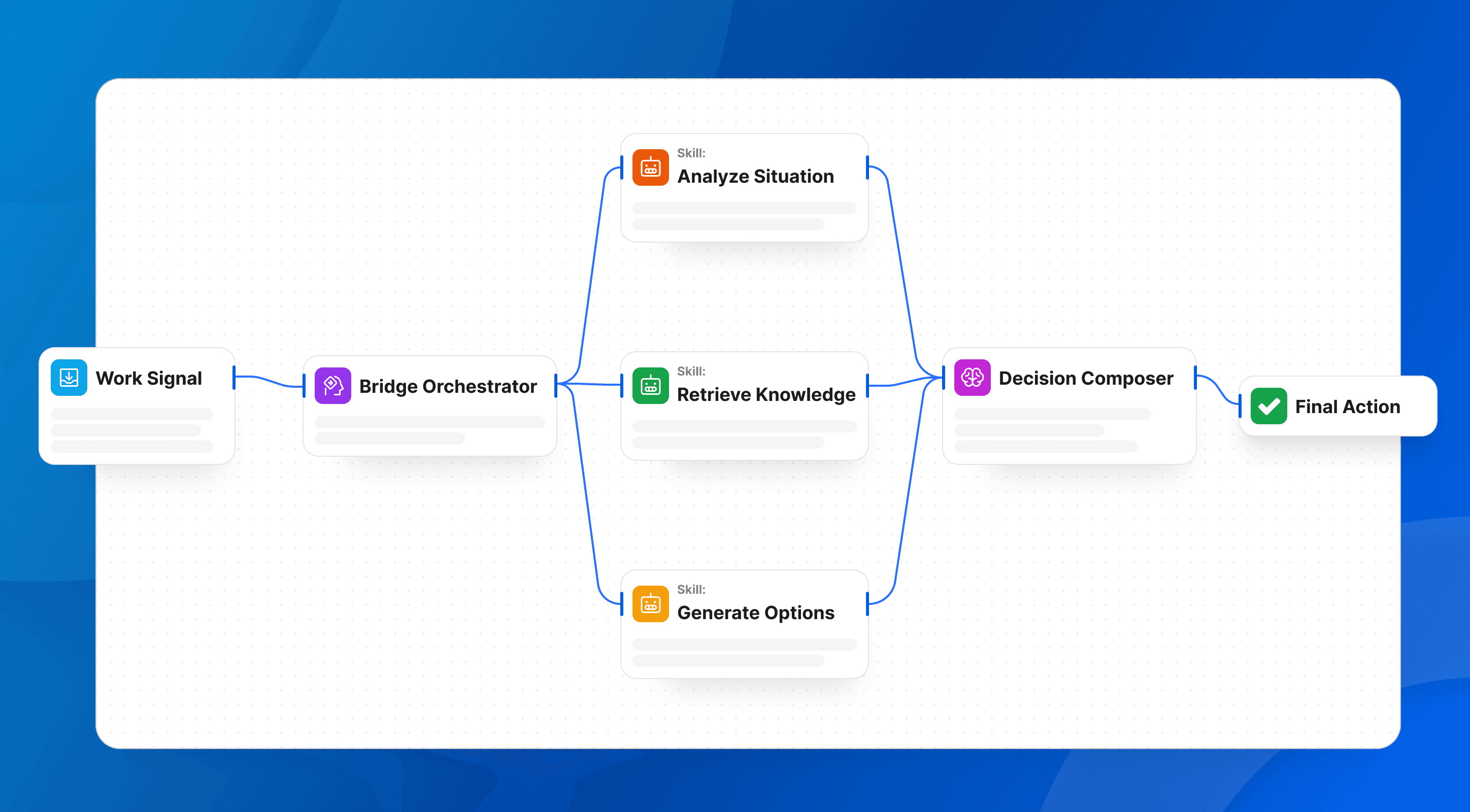
In BridgeApp's flow editor, each block corresponds to an action:
- Database – Create Entry: add a new record to a customer issues database
- Chats – Send Message: notify a channel or team member
- Agents – Generate Message: ask an AI agent to summarize, classify, or recommend
- Logic – Iterator / Template Renderer: loop through records or format outputs
Users drag these blocks, set conditions with dropdowns (e.g., status = "Pending"), and connect them visually. No if/else statements in a programming language. No backend logic to debug.
This approach enables cross-team review. Everyone can see the logic, comment on it, and suggest changes, even if they've never written a line of code. Visual interfaces make app logic transparent and collaborative.
Collaborative AI App Builders vs. Solo Tools
There's a meaningful gap between single-user AI tools (a copywriting assistant, a data analysis chatbot like notion ai, or a standalone AI co-helper) and a collaborative AI app builder designed for entire teams to build, review, and govern internal tools together.
Collaboration features to look for:
- Multi-user editing. Multiple team members working on the same tool simultaneously.
- Role-based access. Viewer, editor, admin tiers protecting sensitive app logic.
- Version history. A clear record of who changed what and when.
- Comments and annotations. Inline feedback on flows, forms, and data models.
- Environment separation. Staging vs. production so experiments don't break live workflows.
Solo tools often lack these. One person's prompt can overwrite logic, there's no visibility into who changed what, and governance is an afterthought. That's risky for internal tools running critical operations across multiple apps and workflows.
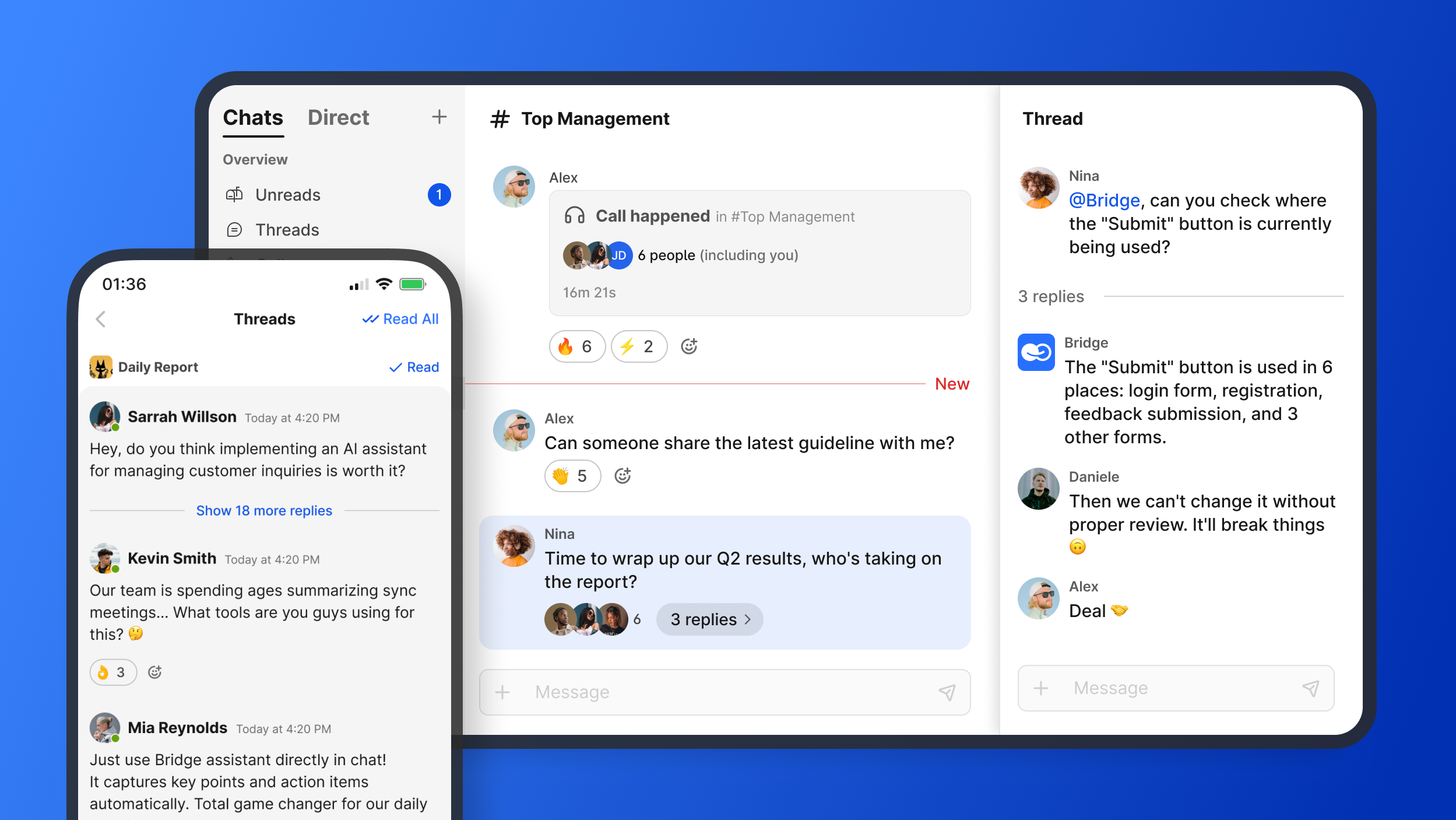
BridgeApp is intentionally structured as a unified workspace where teams co create: team chat, tasks, documents, databases, and AI agents live together, giving everyone context when collaborating on internal business tools. The result is fewer miscommunications, shorter feedback loops, and better alignment between business users and the people implementing processes.
Team Collaboration: Roles, Permissions, and Governance
In a typical non technical team build, roles look like this:
| Role | Responsibility | Access Level |
|---|---|---|
| Builder | Operations or PM creating flows and forms | Edit flows, databases, agents |
| Reviewer | Team lead validating logic and thresholds | Comment, approve, but not deploy |
| Contributor | Team members giving feedback | Use apps, submit feedback |
| Admin | IT, ops leader, or compliance | Change data models, manage permissions, publish to production |
Governance features to prioritize:
- Audit logs tracking every change to flows and data
- Approval workflows for publishing changes to production
- Environment separation so draft agents stay in testing until validated
- Version control on AI agents (draft vs. published states)
BridgeApp's project and database permissions, combined with AI agent versioning, support this kind of governance for non technical teams. Between 2024 and 2026, governance expectations increased significantly due to security and compliance needs, especially in regulated industries. Enterprise grade security isn't optional; it's table stakes.
BridgeApp: Unified Workspace Plus No-Code AI Agent Builder
We built BridgeApp as an AI-native unified workspace that combines team collaboration, task management, documents, databases, and a no-code AI agent builder, specifically for B2B teams.
Core collaboration modules:
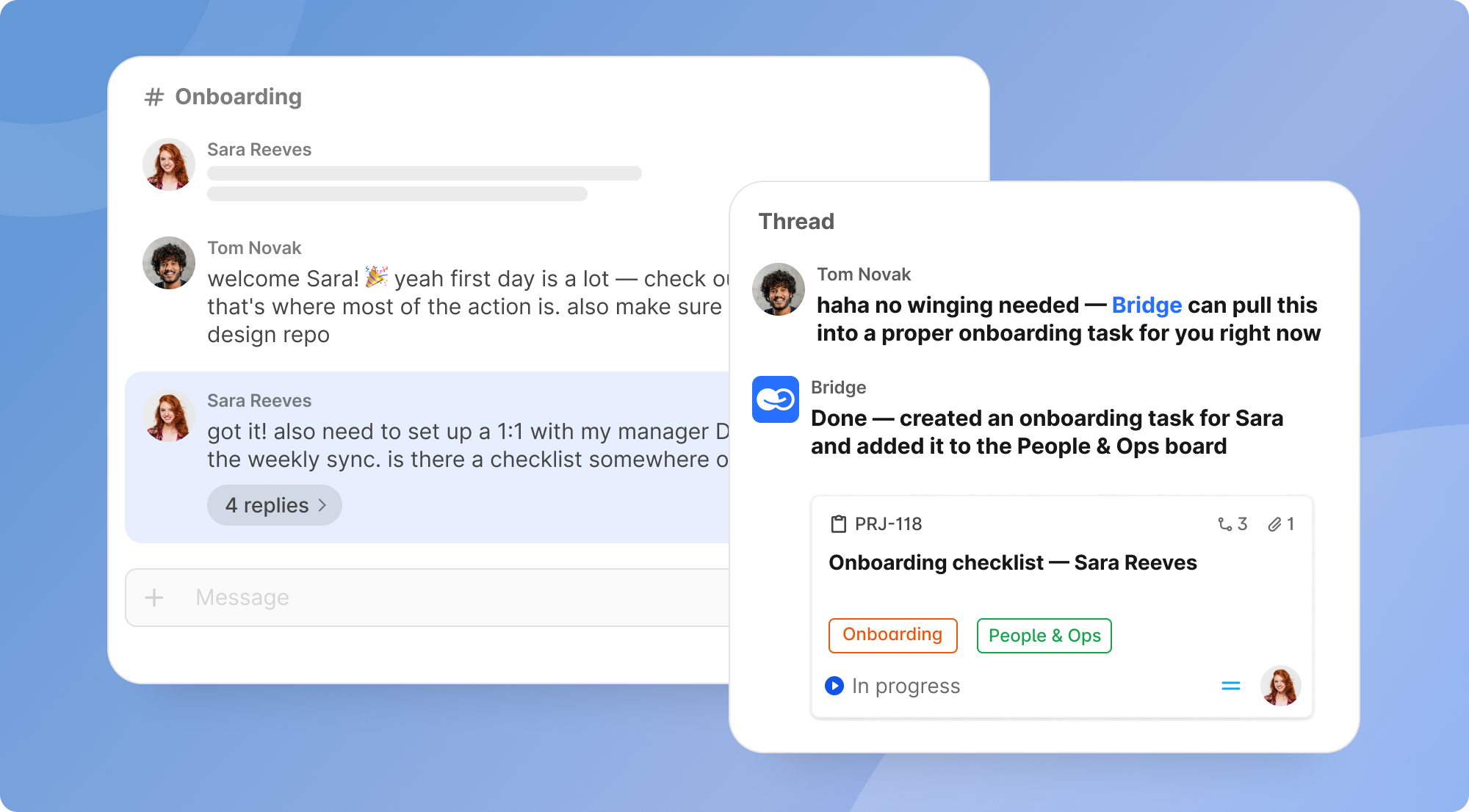
- Smart chats: channels (public/private), DMs, group chats with audio/video calls. Internal users, external Contacts, and AI agents can all be messaged and @-mentioned in the same AI chat thread.
- Projects & tasks: Kanban boards, backlogs, milestones, with task types (Task/Bug/Epic), dependencies, bulk editing, filtering, and full change history.
- Documents: rich-text editor with headings, lists, tables, code blocks, and attachments. Any document can be assigned as Knowledge for an AI agent.
- Databases: custom databases with typed attributes (text, date/time, boolean, attachments), record forms, views, filtering, and API access via service accounts.
- AI agents & flow editor: modular agents with visual no code flows, version control, and integrations inside BridgeApp and via Telegram.
Non technical users build internal tools inside BridgeApp by combining databases (for structured data) with AI agents and flows (for logic and automation) without writing code.
Deployment options: cloud SaaS, private cloud, on-premise, and hybrid. This matters for enterprises and regulated industries needing control over data access and AI usage. Access to all major AI models is abstracted behind simple choices, and AI usage runs on pay-as-you-go Compute Credits, so small teams can start on a free tier and scale gradually.
No-Code AI Agents as "Internal Teammates"
BridgeApp's agent model is built for non technical users:
- Prompt: defines the agent's behavior (e.g., "You are an onboarding assistant that helps new hires understand company policies").
- Variables: inputs the agent expects (e.g., employee name, department, start date).
- Knowledge: documents and databases the agent can reference for context.
- Flows: actions the agent can perform, built visually.
A non technical HR manager can create an AI agent that reads HR docs, answers policy questions, and automatically creates task lists and database entries for each new hire. The flows are built visually: "Database – Create Entry" → "Chats – Send Message" → "Agents – Generate Message," chained into end-to-end automations.
Version control is built in. Agents stay in draft while being tested, then get published so the broader team can use them in channels, group chats, or dedicated agent chats. This means AI powered workflows can evolve safely without breaking live processes.
These AI agents function as specialized tools that automate workflows, answer questions, and route requests, effectively becoming internal teammates that handle repetitive tasks around the clock.
Databases and Internal Tools for Non-Technical Users
BridgeApp's databases let non technical teams define structured data types (text, number, date, attachments) and build data driven apps around them without any technical setup.
A practical example:
- Create a "Customer Issues" database with fields for priority, category, assignee, and status.
- Link it to a simple intake form accessible via the workspace.
- Use an AI agent to triage incoming issues and route them to the right project or channel automatically.
Service accounts and APIs exist for advanced teams, but non technical users never need to touch them. They work entirely through forms, views, and AI-assisted flows.
This unified approach avoids the typical patchwork of google sheets, shared drives, and separate ticketing tools. One workspace, one source of truth. Common use cases for small teams: customer onboarding trackers, bug intake forms, content calendars, and approval queues.
Magic Coder by BridgeApp: When Your Non-Technical Team Needs Developer Help
While this article focuses on non technical builders, many teams eventually need custom integrations or advanced logic. That's where Magic Coder comes in.
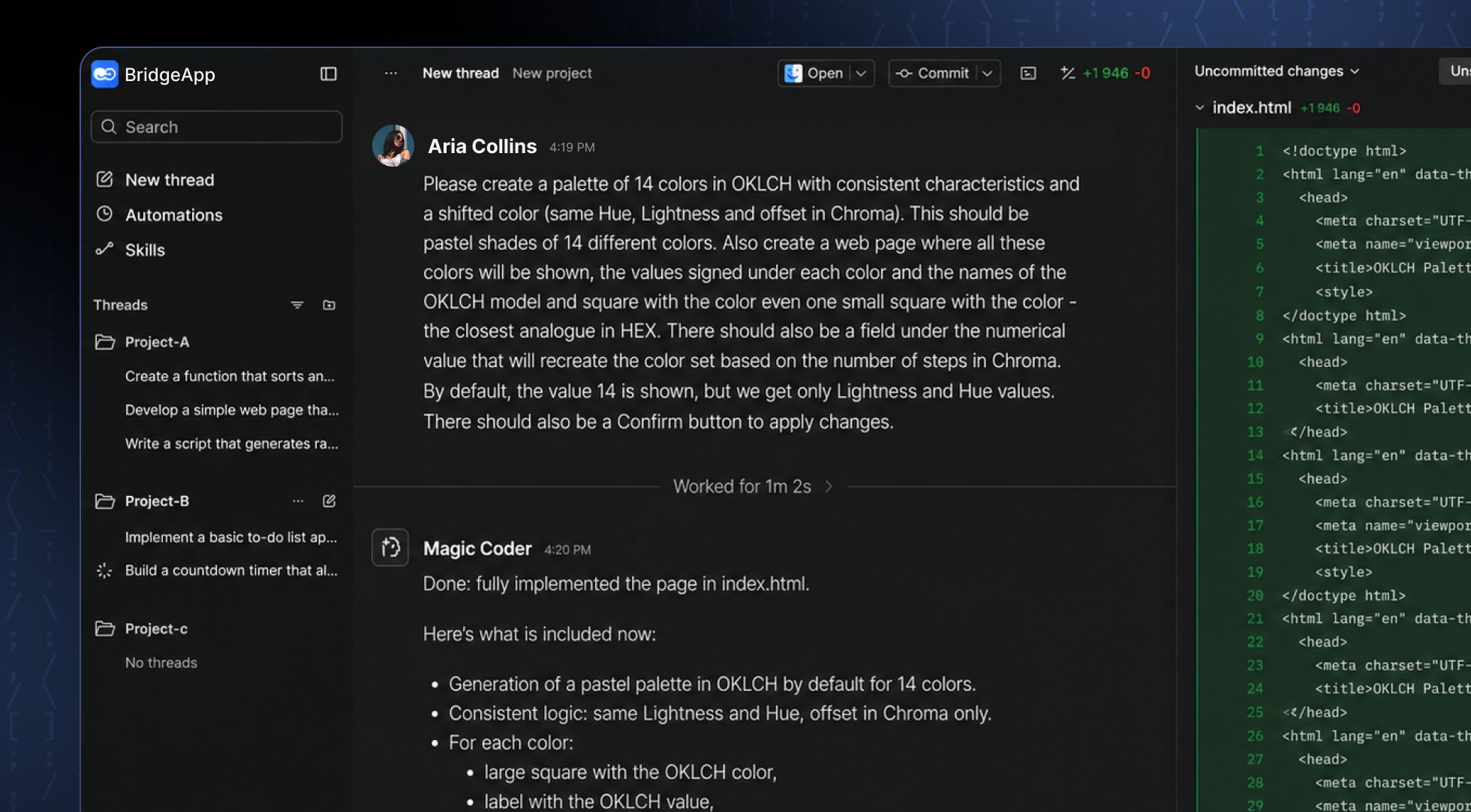
Magic Coder is an autonomous coding agent in the BridgeApp ecosystem, designed for engineers and tech leads but deeply connected to the same workspace context (tasks, docs, team rules).
How it works at a high level:
- Runs in the terminal, reads a repo, and proposes a plan ("Plan mode") before changing anything
- Applies diff-based changes and runs shell commands while following workspace standards
- Operates in automagic mode (hands-off) or manual confirmation mode
- Resumes sessions and maintains context across work
The key benefit for non technical teams: non technical users build flows and internal tools; engineers use Magic Coder to extend them or integrate with external systems, while staying aligned with team processes documented in BridgeApp. AI powered development becomes a shared effort where business users own the workflow and developers handle the edges, all within the same AI-native environment. No context lost, no handoff gaps.
Practical Framework: Your First AI-Powered Internal Tool in 7 Days
Here's a concrete, week-long framework for a non technical team to go from idea to live internal tool using a collaborative AI app builder like BridgeApp.
Day 1–2: Identify and Document
- Pick one repetitive workflow that eats at least 2–3 hours per week (e.g., weekly client reporting, expense approvals, support ticket routing).
- Collect existing docs and spreadsheets describing the process.
- Write a simple problem statement: "We spend X hours doing Y manually. We want an own app that does it automatically."
Day 2–3: Build the First Prototype
- In the app builder, describe the workflow in natural language. Let the AI propose a database structure and simple UI.
- Adjust fields and layouts visually. Don't overthink it.
- Invite 1–2 teammates to review in the shared workspace.
Day 4–5: Add Automation
- Use the visual workflow builder and AI agents to add notifications, task creation, or summary reports.
- Test with sample data. Iterate based on feedback in comments.
- This is where AI features like automatic classification or routing come alive.
Day 6–7: Deploy and Measure
- Roll out to your team (keep it small at first).
- Write clear usage instructions in a doc within the workspace.
- Set basic metrics: time saved, errors reduced.
- Schedule a 30-day review to refine the tool based on real usage.
The goal isn't perfection. It's replacing a painful manual process with a working app in one week, then improving it continuously.
Avoiding Common Pitfalls for Non-Technical Builders
Common mistakes that derail non technical team builds:
- Starting too big. Building a massive, vague app instead of a narrow workflow. Start with one internal tool that replaces a specific spreadsheet or email thread.
- Ignoring collaboration. Picking a platform that doesn't support multi-user editing, comments, or governance. Solo tools break down the moment a second person needs to make changes.
- Over-automating. Adding automation without clear ownership. Every flow needs an owner who understands it and can fix it.
- Ignoring integrations. Not thinking about data integration needs until the tool is live and teams realize it doesn't connect to their existing apps or data sources.
- Skipping version control. Test the platform's version history and rollback before going live. Make sure non technical users know how to revert changes if an AI-generated modification breaks a workflow.
Write down simple guardrails in a shared doc: who can edit what, how often changes are reviewed, and how issues are reported. This maintains reliability as usage grows and the team scale expands.
Choosing the Right Collaborative AI App Builder for Your Non-Technical Team
This section is a buyer's checklist focused specifically on non technical teams building internal tools, not a generic "best tool overall" roundup.
Evaluation criteria:
| Criterion | What to Look For |
|---|---|
| Natural language support | Can business users describe workflows and get a scaffold? |
| Visual workflow builder | Drag-and-drop logic, conditions, triggers without code? |
| Multi-user collaboration | Real-time co-editing, comments, role-based permissions? |
| Team pricing | Affordable per-seat or usage-based model for small teams? |
| Internal tools focus | Databases, workflows, forms, dashboards built in? |
| Deployment | Web app + mobile apps? Cloud, private cloud, on-premise? |
| Learning curve | How fast can a non technical team member build their first tool? |
Map your own roles first. Can PMs, operations teams, finance, and customer support each build or safely contribute via comments and testing? If you need to be a data scientist to configure it, it's not truly non technical.
Consider data integration needs: does the other tool or platform connect to your CRM, ticketing system, or data warehouse now, or can those come later? Non technical teams should avoid platforms requiring heavy coding just to connect basics.
BridgeApp is a strong choice when teams want collaboration, internal tools, and AI agents all in one place with options for cloud, private cloud, or on-premise deployment. For B2B organizations in 2026, it's designed to be the only platform where chat, tasks, docs, databases, and AI live together. If you compare it to other platforms that require stitching together four or five separate services, the difference in friction is significant.
Understanding Team Pricing and Long-Term Costs
Common pricing models in 2026:
- Per-seat: you pay per active editor/builder. Viewers may be free or cheaper.
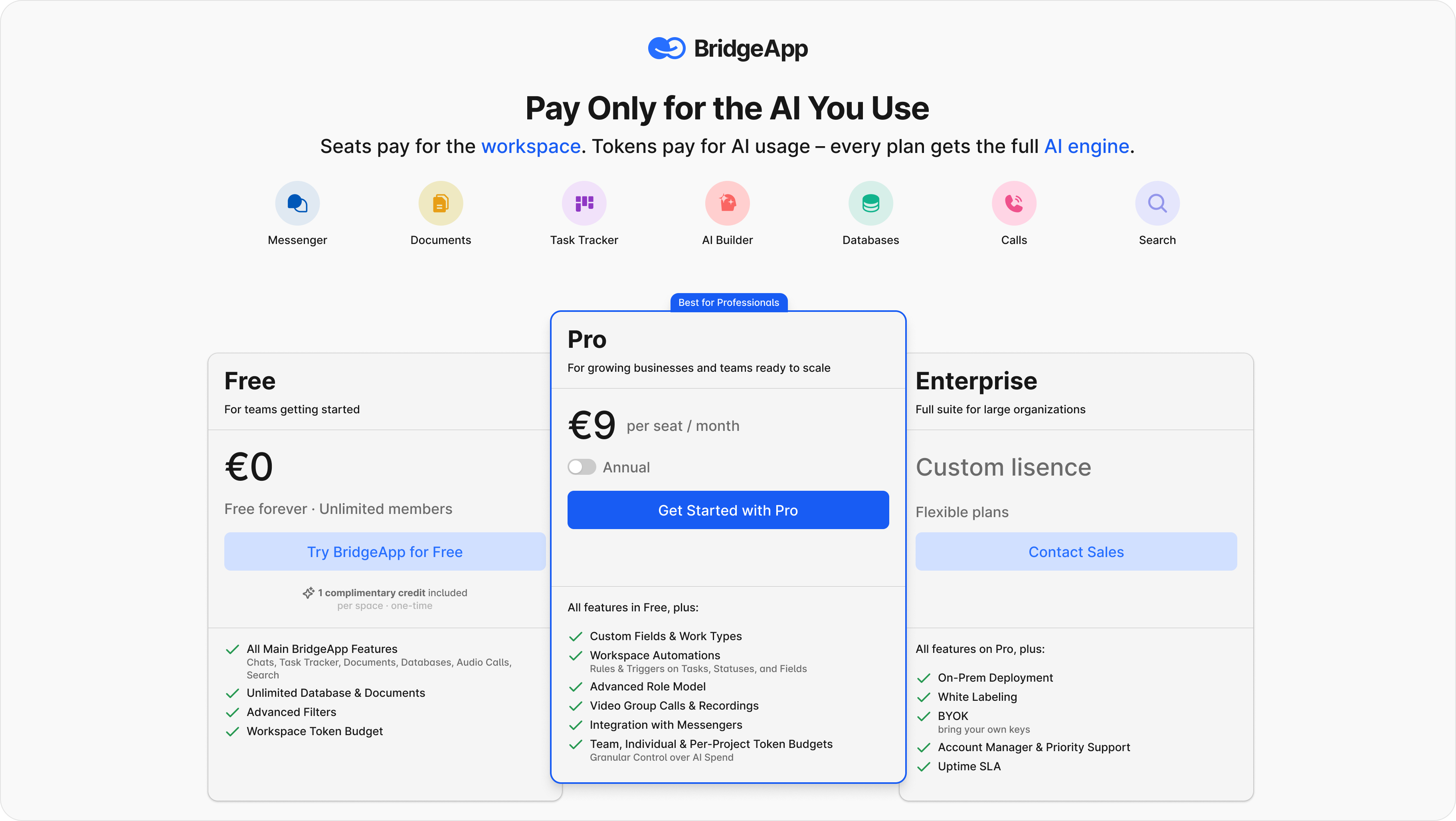
- Usage/credit-based: AI operations and workflow runs consume credits. BridgeApp uses pay-as-you-go Compute Credits.
- Hybrid: per-seat base plus usage-based AI consumption. Paid plans start at different tiers depending on team size and needs.
Calculate "real" costs before committing:
- How many active builders vs. viewers?
- Expected AI usage (monthly summaries, daily automations, agent queries)?
- Storage growth for databases and documents?
BridgeApp offers a free plan (with 5 GB storage) suitable for early experiments. Pro and Enterprise tiers serve larger teams or regulated industries. BridgeApp uses pay-as-you-go Compute Credits. The no-code AI platform market was valued at USD 6.56 billion in 2025 and is forecast to reach approximately USD 75.14 billion by 2034, so pricing models across the industry are actively evolving.
Avoiding lock-in matters. Ensure you can export core data and avoid proprietary formats. Run a 30-day pilot with 1–2 workflows and a small team segment before upgrading. Use concrete metrics like hours saved and error reductions to justify budget.
Real-World Patterns: How Small Teams Use AI App Builders
By 2026, clear patterns have emerged in how non-technical teams use AI app builders. They start with simple internal tools and evolve toward cross-department workflows.
Pattern 1: Support teams building ticket triage and FAQ agents. A support team replaces Slack-thread-based escalation with a triage dashboard that routes issues by priority and SLA. An AI agent handles first-response classification, and the team reviews only flagged cases. The learning curve is minimal because the workflow mirrors what they already do manually.
Pattern 2: Operations teams automating approvals and dashboards. A 4-person fintech operations team replaces email-based KYC checks with an internal review app. Documents upload into a database, an AI agent flags missing fields, and a visual flow routes cases to reviewers. What took days now takes hours.
Pattern 3: Marketing teams tracking campaigns and content. A marketing team builds a content calendar with approval chains (draft → review → publish) using built-in databases and AI agents. No more lost files or missed deadlines in scattered tools. Mobile apps let team members approve content from their phones, whether on Android apps via Google Play or through app stores on iOS.
Pattern 4: Leadership creating KPI dashboards. Executives use AI agents to generate weekly summary reports from databases. Dashboards replace static slide decks. Multiple apps serve different departments, all fed from the same workspace data.
These aren't experiments. They're production workflows running daily, with non-technical owners responsible for iterating them. Research confirms that systems combining natural language input with visual workflows and multi-agent collaboration are technically feasible and increasingly mainstream.
Scaling From Team Prototypes to Organization-Wide Internal Tools
Successful team prototypes evolve predictably. A small team tool that works reliably gets generalized, templated, and rolled out to more departments, becoming a standard internal tool across the company.
At this stage, governance becomes critical:
- Enforce role-based permissions as more collaborators join.
- Document flows so new users understand the app logic.
- Use version history to track changes across teams.
Collaborative AI app builders designed for team scale (like BridgeApp) provide project organization, per-project settings, and database APIs so central IT can oversee integrations while teams continue owning their workflows.
Non technical ownership should remain. The teams closest to the process keep responsibility for app behavior and updates, with IT supporting security, data architecture, and compliance. Team prototypes become stable internal tools without requiring a full rebuild in a separate system.
The best internal tools are built by the people who use them daily, governed by the people who understand the risks.
FAQ
Can non-technical users really build production-ready internal tools with AI?
As of 2026, yes. Non technical users regularly build production-ready internal tools using collaborative AI app builders that offer natural language interfaces, visual workflow builders, and templates. Success depends on starting with clear, well-understood workflows and using platforms with guardrails like role-based permissions, staging environments, and version control. BridgeApp is designed so non technical teams can safely build and iterate on internal tools, with IT or technical partners stepping in only when deeper integrations or compliance requirements arise. These aren't prototypes; teams building internal tools this way run them in production daily.
What kinds of apps are best suited for non-technical AI app builders?
Internal tools are the best fit: approval workflows, CRMs, onboarding trackers, support dashboards, internal knowledge bots, and simple client portals for sharing status or documents. Highly specialized, performance-critical systems (e.g., low-latency trading engines or custom mobile consumer apps requiring deep platform-specific work) still require traditional development. Target repetitive tasks and rules-based workflows first, where logic is clear and currently implemented in spreadsheets or email chains. These are where non technical teams see the fastest ROI and the strongest case for replacing an existing manual process with a custom tool.
How does security and compliance work when non-technical teams build tools?
Security and compliance come from the platform's architecture, not from individual users writing secure code. Data encryption, access controls, audit logging, and deployment model are handled at the platform level. Choose platforms like BridgeApp that support cloud, private cloud, or on-premise deployments with granular permissions and enterprise grade security features. Set clear rules on who can publish flows to production, how data access is granted, and how changes are reviewed for sensitive workflows. Data scientists and compliance officers should be involved in defining these guardrails, even if they don't build the tools themselves.
Do these tools replace developers entirely for small teams?
AI app builders dramatically reduce the need for developers for many internal tools, but developers remain essential for complex integrations, advanced data processing, and core product code. Non technical builders and developers become complementary: non technical users own workflows and custom tools; developers (with tools like Magic Coder by BridgeApp) extend and harden the system when needed. This division lets developers focus on high-impact work instead of low-level automation tickets. The collaborative AI model means both sides work from the same context in one platform.
How do we know if a collaborative AI app builder is the right fit for our team?
Run a 2–4 week pilot. Pick one or two concrete workflows, give 2–3 non technical teammates access, and measure time saved, error reduction, and satisfaction. Evaluate collaboration features (multi-user editing, comments, permissions), natural language support, and ease of teaching new users. If multiple team members can build or modify a tool without technical knowledge after a short onboarding, the platform passes. Choose a platform like BridgeApp if your priority is combining team collaboration (chat, tasks, docs) with internal tools and AI agents in a single, governed workspace rather than scattering processes across many disconnected apps.