BlogIndustry Insights
What Is Claude Tag? (Full Guide for 2026)

BridgeApp Team
10 min read
If your team already lives in Slack, the idea of an AI teammate that works alongside you inside channels - rather than in a separate browser tab - is hard to ignore. Claude Tag is Anthropic's answer to that exact need: a persistent AI agent you summon with a simple @-mention. This guide covers how Claude Tags work, where they shine, and how they compare to workspace-native alternatives like BridgeApp.
Key Takeaways
A Claude Tag is an AI participant you @-mention in tools like Slack to automate work. Think of it as a new kind of teammate with its own identity - one that reads, responds, and acts inside your existing Slack channels
- One Claude Tag instance can own long-running tasks that stretch across hours or days, remember channel history, and act asynchronously for a whole team. It does not forget the conversation once you close a tab.
- Administrators configure each Claude Tag's access, connected tools, and data scope. The feature is currently available only on paid Team and Enterprise plans, so individual free users cannot enable it.
- Typical use cases include automated code creation, data analysis, support triage, debugging, and cross-time-zone project coordination - all happening inside the message threads your team already uses.
- The rest of this article explains how Claude Tags work step by step, how they differ from ordinary chatbots, and how teams can safely deploy them alongside platforms like BridgeApp that offer deeper, cross-tool automation.
What Is a Claude Tag?
A Claude Tag is a persistent AI "member" you can @-mention - for example, @Claude - in a channel or conversation to assign tasks and receive threaded responses. Unlike one-off prompts in a browser, a Claude Tag keeps shared context from the channel (files, earlier messages, decisions) and draws on it in future replies.
The word "tag" here refers to the @-mention mechanic inside platforms like Slack, not a programming tag or HTML element - it is an AI agent the organization has invited into its channels to add structure and speed to daily work.
Consider a quick scenario: a product team @-mentions Claude to summarize yesterday's discussion and propose the next sprint plan. Claude reads the thread, references linked documents, and posts a checklist - visible to everyone, including teammates in other time zones who open Slack hours later. That shared visibility is the core difference from a traditional chatbot, which only responds inside a single, private chat window.
How Claude Tags Work in Slack and Similar Tools
The basic workflow starts with an admin installing the Claude app in Slack, granting it access to selected channels, and defining which tools it may call. From that point, any team member can type @Claude followed by a request, and the agent picks it up.
Each channel typically has a single Claude Tag instance that everyone can see and interact with. When tagged, Claude breaks a request into steps, calls the tools it has been granted (internal APIs, data dashboards, document stores), and posts updates as threaded replies. You can think of each thread as a running table of progress - transparent to the whole channel.
Claude can operate in public channels, private channels (if explicitly invited), and direct messages. However, shared context is strongest in channels where many team decisions live. Admins can restrict where Claude Tags appear and what resources they can see, ensuring only specific information reaches the agent and aligning activity with company security policies. For further information on permissions, Anthropic's support documentation provides granular details.
BridgeApp starts from the same premise - an agent you bring into the conversation, with real context instead of a blank slate - but the surface is wider by design. A BridgeApp agent sits inside a workspace where chats, tasks, documents, and databases already live together, so the context it draws on isn't limited to one channel's message history: it can reference a linked task, a spec sitting in Documents, or a record in a database without anyone switching tools.
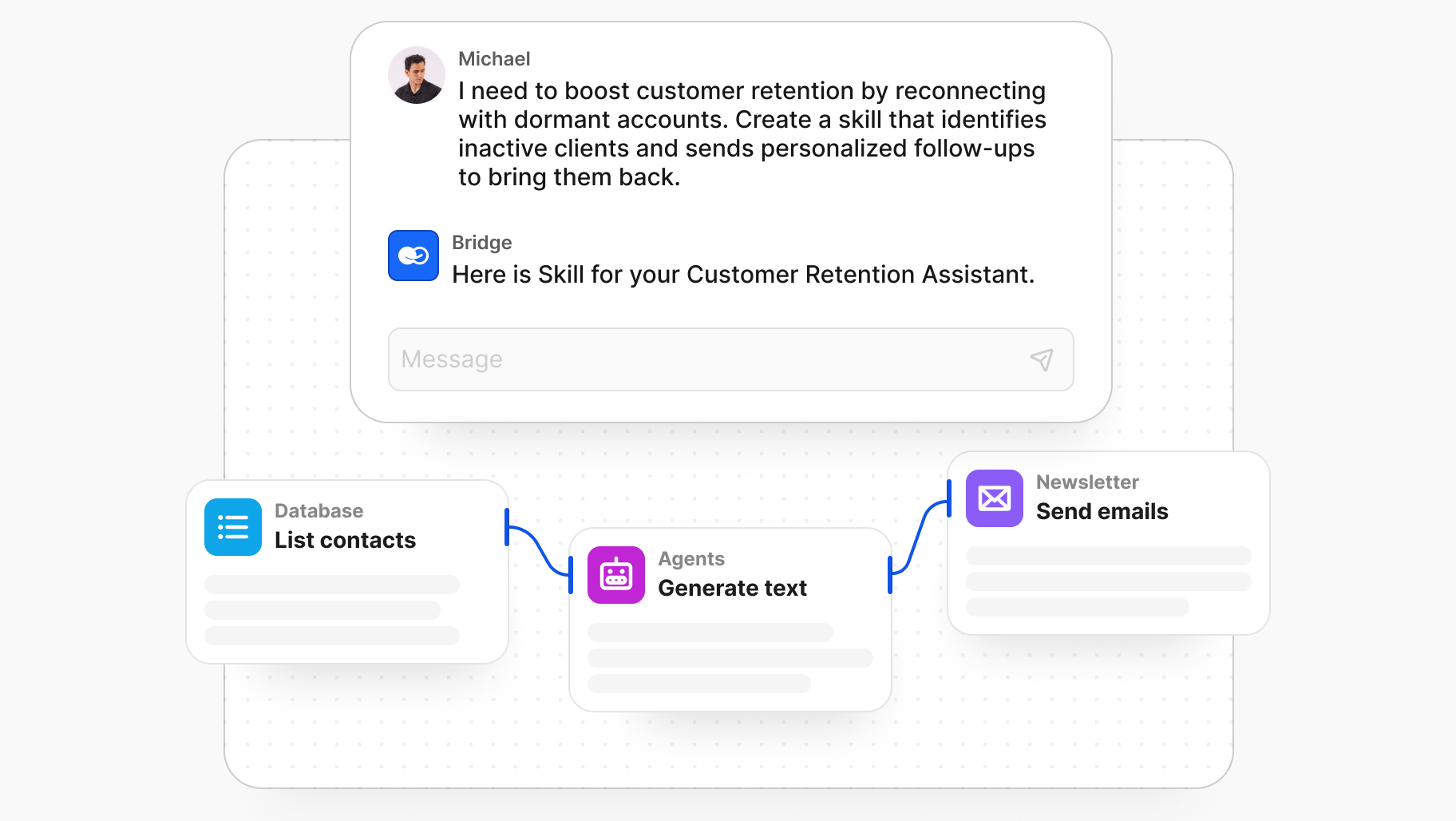
Agents are also configured individually rather than as one shared instance per channel, so a team can run several side by side - one handling support threads, another maintaining internal documentation, another (Magic Coder) working directly against a repository - each assignable to tasks the same way a human teammate would be.
BridgeApp has a free plan to start on, and for teams that need the workspace itself to stay on their own infrastructure rather than a vendor's servers, it also runs fully self-hosted.
Core Use Cases for Claude Tags
Claude Tags are most useful for repetitive, text-heavy, or data-heavy tasks that benefit from accumulated context. Below are the primary categories, each with concrete examples and additional possibilities that teams discover as they adopt the tool across the world.
Automated Code Creation and Engineering Workflows
Engineers can @-mention Claude in a shared channel like #backend to generate boilerplate code, refactor functions, or propose tests drawn from existing repository snippets. This is just what many teams need to cut down on repetitive scaffolding without context-switching to a separate tool.
Anthropic reports that roughly 65% of its own product team's code is now created via an internal version of Claude Tag - a data point that signals real-world scale. Claude posts code blocks, TODO lists, and review comments in threads so anyone in the channel can inspect and modify them. Long-running tasks like refactoring a module over several days can be resumed in the same thread, preserving earlier discussion and diffs.
The key difference between using Claude Tags inside chat versus a dedicated terminal agent is scope. A Claude Tag handles conversational, in-channel tasks, while a tool like BridgeApp's Magic Coder focuses on deeper repo-level automation - reading architecture, applying diffs, and running shell commands with the ability to plan before changing anything.
Data Analysis and Product Metrics
Product and analytics teams can tag Claude to pull metrics from dashboards or exports and summarize trends directly in the channel. For example, every Monday a Claude Tag in #product-metrics posts a five-bullet summary, two anomaly call-outs, and one takeaway such as "with higher engagement among trial users."
The degree of detail depends on connected data sources. Claude can watch multiple channels (experiments, support, infra-alerts) to cross-reference qualitative feedback with numerical metrics. Because updates arrive asynchronously, the matter of scheduling live meetings across time zones becomes less pressing. Team members read the news from Claude's summary and react when convenient.
Support Ticket Triage and Knowledge Building
Customer support teams can mirror helpdesk tickets into a channel like #support-inbox and let Claude group similar issues, draft suggested replies, and prioritize escalations. Over time, Claude accumulates product knowledge from solved cases and internal documents, making future suggestions more accurate.
A typical workflow: a new ticket arrives → Claude summarizes it in three lines → proposes a response from the knowledge base → flags rare cases for human review. It can also maintain a running list of unresolved tickets in a pinned thread, updating statuses when team members react with keywords. Without this, issues pile up unassigned, and customers feel the impact when something slips through the cracks.
Debugging and Root-Cause Investigations
Engineering or SRE teams describe an incident to Claude - error logs, screenshots, metrics links - and ask it to propose hypotheses, checklists, or experiment plans. The true nature of many production bugs only emerges after correlating deploy notes, dependency maps, and recent config changes, a task perfectly suited to an agent that never loses track of thread context.
Claude breaks complex incidents into steps: review logs, map dependencies, check recent deploys. It can even schedule follow-up checks (re-inspecting metrics 30 minutes later) and post updates asynchronously. This frees senior engineers to focus on higher-level architectural decisions while Claude Tag handles the repetitive log-reading side of incident response. The idea is leverage, not replacement.
Coordinating Asynchronous Projects and Tasks
Picture a team spread across San Francisco, London, and Singapore - synchronous stand-ups are a scheduling nightmare. A Claude Tag collects daily updates from members in different time windows and posts a consolidated summary ("what happened today") for the entire channel.
It tracks open questions, decisions, and deadlines in a single running thread with clear headings, and references date and time markers like "by 30 June 2026" to clarify hand-offs and deadlines. Anyone can skim the structured summary and know exactly where the project stands - a sharp contrast to traditional email chains where context gets buried.
Access, Eligibility, and Installation
Claude Tags are available only to paying organizations on Anthropic's Team and Enterprise plans, not individual free users. Deployment starts with an admin installing the Claude app in Slack, approving the required permissions, and enabling it in selected channels. The importance of this admin-first model is that it keeps the rollout controlled.
The existing "Claude in Slack" integration is being replaced by Claude Tag on August 3, 2026, so workspaces using the older app should prepare to migrate. Once installed centrally, regular users simply @-mention Claude where it is allowed - no separate logins needed.
Tip for admins: Start with a few pilot channels (e.g., #ai-sandbox, #eng-helpdesk) before enabling Claude Tags across the entire workspace.
Admin Controls and Data Access
Workspace administrators decide which channels Claude can join, what internal tools it can call, and what categories of data it can access. Each Claude Tag instance is logically isolated per organization, so context from one company never leaks to another - a point of respect for data boundaries that matters greatly in regulated industries where doctors, financial analysts, and government officers handle sensitive records.
Admins can turn off direct messages while keeping channel usage, remove Claude from any channel, or disconnect the integration entirely. After disconnection, conversations on Claude's side are deleted within 30 days. For organizations requiring stricter data sovereignty - think finance or healthcare - platforms like BridgeApp offer on-premise and private-cloud deployment, keeping AI workflows entirely within company infrastructure.
Direct Messages vs. Channel Usage
The key distinction: personal messages (DMs) are private spaces tied to a single user, while channels are shared spaces where Claude's answers benefit everyone. In DMs, Claude behaves more like a traditional assistant for private drafts. In channels, it acts as a persistent teammate.
Admin dashboards typically show DM usage as individual consumption and channel usage as organization-level consumption for billing. The best rollout order is to learn and experiment in DMs first, then move core workflows into channels once guardrails are established.
Claude Tag, Language, and Prompting
Language nuance matters more than most teams realize. AI quality depends heavily on clear prompts, and grammatical structures like prepositional phrases, well-formed sentences, and precise words carry outsized importance when directing an agent's behavior. The meaning behind your instructions directly shapes the output, whether written in formal or casual register.
Claude Tags perform best when users write specific, concise instructions that clearly mark inputs (logs, URLs, tickets) and desired outputs (bullets, tables, timelines). In multi-lingual channels, explicit language instructions keep summaries consistent. Even the usage of small contextual clues - dates, audience labels, format preferences - dramatically reduces ambiguity.
Prepositional Phrases and Clear Instructions
Consider the difference:
- Vague: "Summarize the metrics."
- Precise: "Summarize the metrics from Q2 2026 for the executive team with a focus on churn."
The added scope - timeframe, audience, focus - eliminates ambiguity and cuts the chance of a wrong-track answer.
Team tip: Pin a short "prompt style guide" in each channel with preferred output formats and a reminder to avoid vague instructions.
Working Across Languages and Regions
Teams specify regional preferences like "Summarize this in British English with UK spelling" to keep customer-facing content consistent - the same applies to release notes, tickets, and documentation.
Claude also handles prompts in German, Japanese, Chinese, Greek, Swedish, Danish, Finnish, Romanian, and Norwegian - useful for distributed teams that need translations or localized summaries. Specifying the target language and register in the prompt is enough to get it right.
How Claude Tags Compare to Other AI Workflows (Including BridgeApp)
Claude Tags represent one pattern in a broader shift toward persistent AI teammates embedded directly into collaboration tools. BridgeApp starts from the same premise - an agent you bring into a conversation - and extends it across the rest of the workspace, where a single agent, or several working in sequence, can carry a conversation through to finished work without anyone re-typing context into a new tool.
A common pattern: a team runs a planning call inside BridgeApp, and the discussion continues in a thread for a couple of days as people weigh in asynchronously. An agent summarizes the call and the thread into a scoped task, which is picked up by the next agent in the chain - one drafts the technical plan, another implements it, another reviews the diff against that plan - each handing off inside the same task, until a pull request is ready and waiting on a human to merge it.
Coding is where this chain is most visible (that's Magic Coder's part in the sequence), but the same handoff pattern works for a support ticket, a report request, or a database update - the meeting-to-merge case is simply the one where the most steps show up end to end.
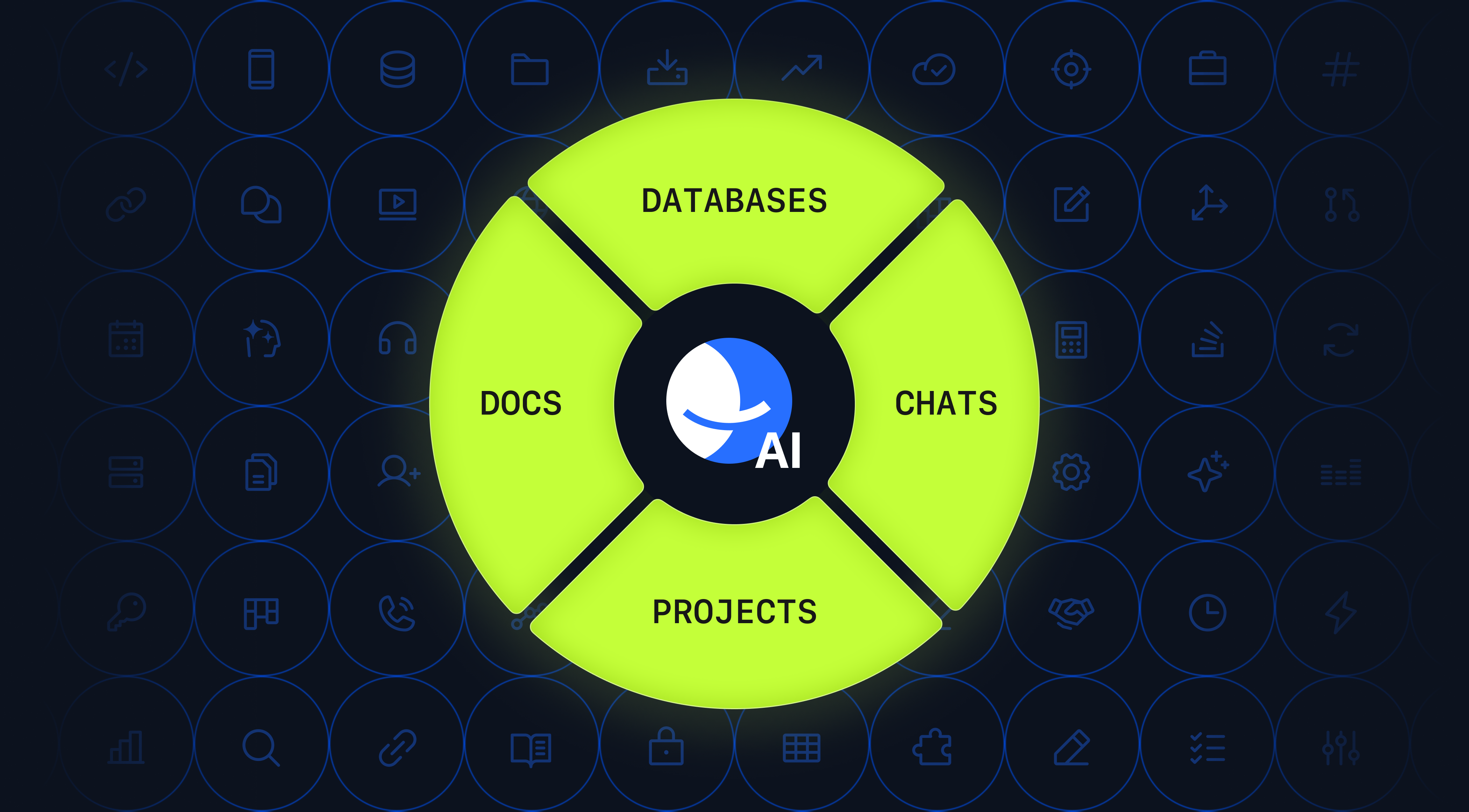
BridgeApp lets teams create custom AI agents with prompts, variables, knowledge, and visual no-code flows - all living alongside chats, tasks, documents, and databases in a unified workspace. Unlike a single Claude Tag confined to a Slack channel, a BridgeApp agent can trigger workflows such as database updates, task creation, or cross-channel notifications from inside the same platform.
When to Use a Claude Tag vs. a BridgeApp Agent
| Criteria | Claude Tag | BridgeApp Agent |
|---|---|---|
| Best for | Lightweight, conversation-centric workflows in Slack | Deep integration with tasks, docs, databases |
| Deployment | SaaS (Slack-dependent) | Cloud, private cloud, or on-premise |
| AI models | Claude models | Access to all major AI models |
| Automation scope | Channel threads, connected tools | Visual flows, database entries, cross-channel actions |
| Data sovereignty | Provider-managed | Full on-premise option available |
Example: A quick incident summary fits a Claude Tag in Slack. A BridgeApp flow, on the other hand, can open a post-mortem document, create follow-up tasks, and update an incident database - all triggered by a single agent with no manual hand-offs. The cost of fragmentation drops when everything lives in one workspace.
Best Practices, Governance, and Rollout Tips
Claude Tags can be powerful, but they need clear rules to avoid accidental data exposure or low-quality outputs. Here are practical steps:
- Start with pilots. Pick two or three channels and define approved use cases before expanding.
- Create prompt and style guides. Pin them in each channel so every person writing a prompt follows consistent patterns.
- Appoint AI champions. Have one team member per squad collect successful prompt patterns and share them.
- Set spend limits. Anthropic provides organization-wide and per-channel caps with alerts at 75% and 95% thresholds - use them to avoid money surprises.
- Review and refine. Build feedback loops where humans review Claude's outputs, especially in sensitive domains like legal, HR, or finance.
Teams using BridgeApp can centralize many of these practices by storing guides in documents, linking them as knowledge to agents, and tracking related tasks in projects - turning governance from an afterthought into an integrated part of the workflow.
FAQ
Below are common practical questions not fully covered in the sections above.
Is a Claude Tag the same as just chatting with Claude in a browser?
No. A Claude Tag lives inside team tools like Slack, keeps long-term channel context, and is visible to all members. A browser chat is usually private and session-based. Claude Tags suit shared workflows and recurring tasks; browser chats suit ad-hoc, individual research. Most organizations use both - quick exploration in the browser, operational work via tags in channels.
How much does using a Claude Tag typically cost organizations?
Exact pricing depends on the plan. Anthropic's Team and Enterprise tiers include per-seat subscriptions, and Claude Tag work in channels is billed to the organization on a usage basis. Direct-message usage is billed to the individual user's account. Plan for an experimentation budget first, then adjust based on observed consumption. Setting spend limits early prevents unexpected overruns.
Are Claude Tags safe for sensitive or regulated data?
Safety depends entirely on configuration. Admins must control which channels Claude can access and what external tools it can see. Anthropic provides encryption and enterprise data isolation, but organizations must still align use with internal compliance policies. Highly regulated teams should consider running primary AI workflows on platforms like BridgeApp that support private-cloud or on-premise deployments, using Claude Tags more cautiously in SaaS chat tools.
Can Claude Tags replace human team members?
Claude Tags automate repetitive, text-heavy work and surface insights - they do not fully replace human judgment or accountability. Humans remain responsible for decisions involving customers, legal commitments, or safety-critical systems. Frame Claude Tags as autonomous teammates that handle routine chores so specialists focus on creative, strategic, and interpersonal work.
What happens to Claude Tag data if our organization disconnects the integration?
When the integration is removed, Claude's side of the conversation is typically deleted after 30 days. Slack retains channel messages according to its own workspace retention settings, so review both policies together. Organizations with strict data requirements should document their offboarding process - including exporting or deleting relevant channels - before disconnecting.