BlogHow-To Guides
Build an MVP Faster: From Idea to Secure Launch in Weeks, Not Months

Valentin MisheninProject Manager
8 min read
Diving Inside
- A faster MVP comes from ruthless scope cutting, reusing proven components, and automating every repeatable step in your pipeline.
- BridgeApp, with Magic Coder and the developer execution pipeline, can compress both coding and coordination time dramatically by keeping specs, tasks, chat, and code changes in one place.
- Performing security verification early in the build prevents costly rework and emergency patching right when you need to be growing.
- Launching a real, testable product in 4–8 weeks with verification successful is the goal - not an endlessly polished prototype nobody ever uses.
- Speed without discipline creates waste; the techniques below show how to move fast and still ship something stable, secure, and worth scaling.
Introduction: Why Speed Matters When You Build an MVP
Picture this: a three-person founding team in San Francisco has 14 months of runway, a validated problem statement, and zero shipped product. Every week of waiting is a week their competitors close the gap, their funding shrinks, and their energy drains. This scenario plays out in London, Berlin, and every startup hub worldwide.
The question is never whether to build an MVP - it is how to build an MVP faster without cutting the things that actually matter.
A Minimum Viable Product is the smallest version of a product that delivers real value to real users so you can test foundational assumptions: Does anyone care? Will they pay? Does the core workflow actually work? It is not a prototype locked inside a demo. It is not a pitch deck. It is a live product, however simple, that a person outside your company can use.
Typical MVP cycles still stretch to 3–6 months for many teams. Yet teams with tight scope, modern AI tooling, and disciplined execution now regularly ship in 4–8 weeks. The gap between those two timelines is not talent - it is method.
This article walks through the full life cycle: idea, scope, design, build, security verification, launch, and iteration. Along the way, you will see how BridgeApp - an AI-native unified workspace - paired with Magic Coder and the developer execution pipeline, helps teams building modern SaaS and AI products compress every phase without sacrificing what matters.
Clarifying the Problem: What Your MVP Is Actually Solving
Before you write a single line of code, you need to identify the exact problem your product exists to solve. Not three problems. Not a vision statement. One problem, stated clearly enough that anyone on the team can repeat it from memory.
Here is how to get there:
- Write a one-sentence problem statement. Force yourself into a template: "For [persona], the problem is [specific pain], which costs them [measurable consequence]." Example: "For project managers at 10–50 person construction companies, the problem is that on-site issues are tracked in spreadsheets and group chats, which costs them an average of 6 hours per week in rework coordination."
- Choose a narrow target persona. Do not try to serve every company in every industry. Pick one type of person at one type of business. You can expand later. A ceo and a field worker have wildly different needs; pick one.
- Run 5–10 quick customer interviews in one week. Ask open-ended questions: "Walk me through the last time this problem cost you time or money." Look for patterns - repeated frustrations, workarounds, tools they have tried and abandoned.
- Summarize findings in a simple table. Columns: interviewee role, top pain point, current workaround, willingness to try something new. This becomes your decision artifact.
- Store everything in one place. Interview notes, the problem statement, and early decisions all belong in a shared document that product, design, and engineering can access. BridgeApp docs work well here because they sit alongside tasks and chats - no context switching, no hunting through email threads.
If your team cannot agree on the problem in a single sentence, you are not ready to develop anything yet.
Defining a Ruthless MVP Scope
Scope creep is the single largest source of MVP delays. Late changes, one more feature added at the request of a new stakeholder, misaligned expectations - these things push timelines from 6 weeks to 12 or more. Your job here is to construct a scope so tight that there is nothing left to cut.
Here is a reusable checklist:
- Translate the problem into user stories. Use the format: "As a [persona], I want [capability] so that [value]." Write as many as you want, then ruthlessly cut to 3–5 that prove your core value proposition.
- Apply the "one workflow" test. If a user can complete the single most important workflow end to end, the MVP is viable. Everything else is a nice-to-have.
- Use the "MVP v1 / v1.1 / v1.2" roadmap. Create three buckets: v1-critical (ships now), v1.1 (ships in the next sprint after launch), and parked/discarded (maybe never). This way you never lose ideas - you just defer them.
- Mark everything explicitly. In BridgeApp's task boards, use Backlog and Roadmap views to tag each story as "v1-critical," "later," or "discarded." When someone asks "what about multi-currency support?" you can point to the board instead of reopening a debate.
Real examples of extreme scope cutting:
Slack's initial MVP was internal only - simple messaging, channel creation, and search. No video calls, no app ecosystem, no integrations. It proved the core value proposition inside a single team. A common pattern in early fintech MVPs: one payment flow, one country, one customer type, and an outsourced payments provider to minimize regulatory scope-with reports, reconciliation, and multi-currency deferred until post-launch.
Designing for Speed: Workflows, Not Pixel-Perfect Screens
The goal of MVP design is fast validation, not winning awards. If you spend three weeks polishing animations and pixel-perfect screens for a product nobody has used yet, you have wasted three weeks.
- Map 3–4 key workflows first. Before opening any design tool, write out the steps a user takes to complete the core tasks. For a construction issue tracker, that might be: (1) report on-site issue, (2) assign issue to contractor, (3) contractor marks fix complete, (4) project manager verifies fix. Each workflow becomes a page or screen sequence.
- Time-box design to 3–5 days. Use low-fidelity wireframes in tools like Figma or Penpot. Gray boxes, placeholder text, no custom illustrations. The wireframes exist to answer layout and flow questions, not aesthetic ones.
- Capture decisions in a single document linked to tasks. When a design choice is made - "the issue list uses a table, not cards" - write it down in a BridgeApp document and link it to the relevant task. Developers should never have to ask "where is the latest design?" because it is displayed right next to the work item.
- Stick to standard UX patterns. Consistent navigation, standard form components, and minimal custom animations. Every piece of custom UI you create is a piece you have to build, test, and maintain. Use existing component libraries wherever possible.
Building Faster With AI and Reusable Components
This is where next generation tooling makes the biggest difference. The gap between a team that starts from scratch and a team that reuses proven parts can be 4–6 weeks of development time.
- Start from a modern template stack. Pick a well-documented framework (Next.js, Rails, Django) with a managed database (PostgreSQL, PlanetScale) and an established auth provider (Auth0, Clerk, or a vetted open-source library). Do not build your own authentication. Do not build your own ORM. These are solved problems.
- Use BridgeApp Magic Coder to bootstrap the repo. Magic Coder runs from the terminal, points at your repo, and executes tasks - setting up auth flows, generating CRUD APIs, scaffolding database schemas, and writing initial tests. It reads your codebase, edits files via diffs, and runs shell commands until the task is done. A developer can assign a coding task directly from a tracked issue in BridgeApp, and Magic Coder operates against the same context the team sees in docs and tasks.
- Generate standard components early. Buttons, forms, modals, data tables - create a simple component library in the first day or two. This prevents five developers from solving the same UI pattern five different ways.
- Leverage AI for code generation of routine parts. Research from Ant Group found that AI coding tools increased code output by over 50% among junior developers for well-scoped tasks. Research tracking task complexity finds a similar spread: AI tools save 30-40% of time on simple, greenfield work, but that drops to 10-15% on complex tasks or legacy codebases-the gains are real, but not uniform. The power of these tools is real - but so are the caveats (more on those in the pitfalls section).
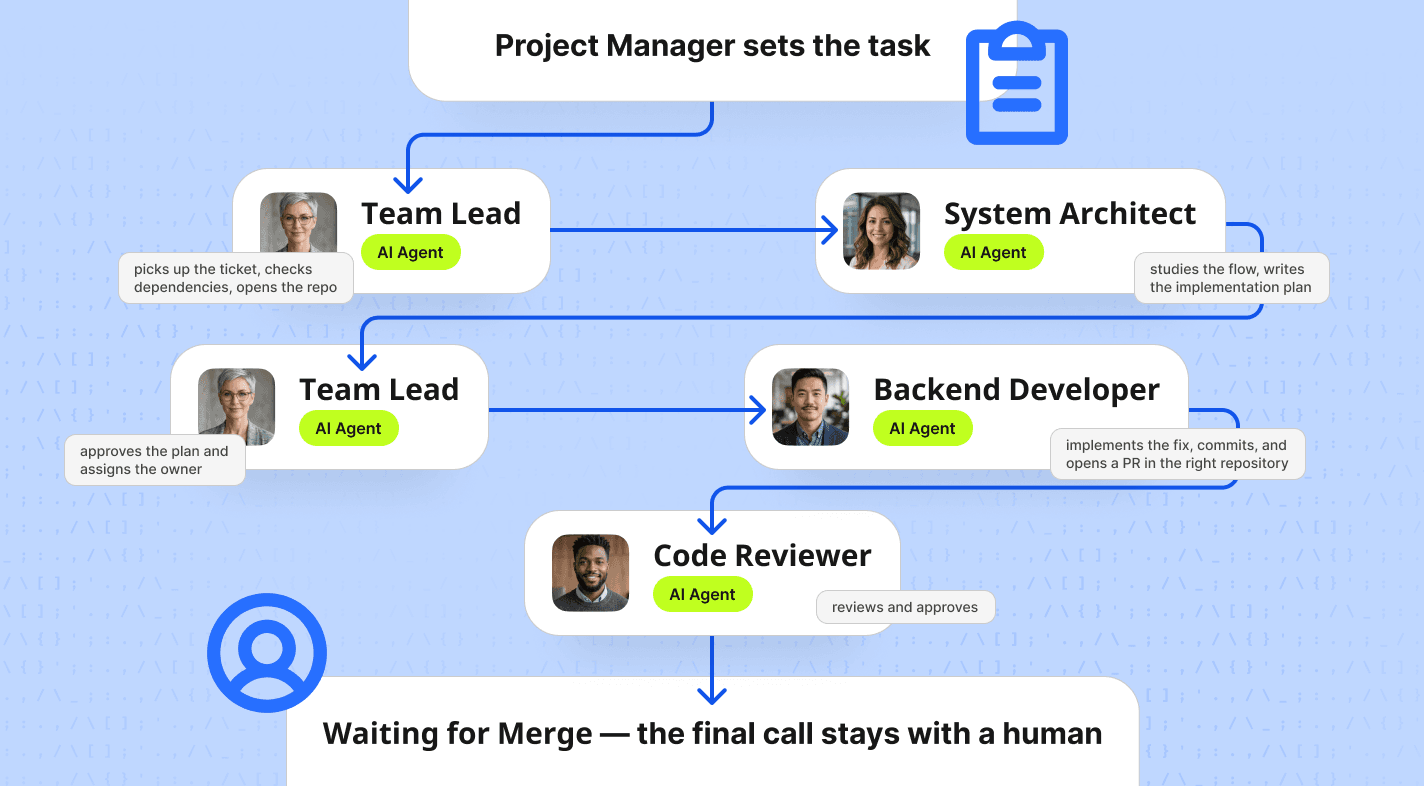
- Follow the developer execution pipeline.
The fastest teams are not the ones who write the most code. They are the ones who write the least code that still solves the problem.Performing Security Verification Without Slowing Down
Many founders treat security as something to worry about "later." That is how you end up pausing growth for emergency patching, losing user trust, or facing regulatory fines in markets like germany where GDPR enforcement is aggressive. Performing security verification early is not about slowing down - it is about avoiding a much bigger slowdown later.
What security verification means for an MVP:
It means verifying that authentication, data access, and external integrations work correctly and safely before real users onboard. You are not building a fortress. You are putting up the walls, locks, and smoke detectors of a house before anyone moves in.
Critical checks for every MVP:
- Secure password storage (hashed, salted - never plaintext)
- OAuth or OpenID Connect flows using vetted libraries, not custom implementations
- Role-based access control - can a regular user access admin endpoints?
- Rate limiting on login and API endpoints to protect against credential stuffing and malicious bots
- HTTPS/TLS enforced on every endpoint - no exceptions
- Encryption at rest for PII and credentials
- Dependency scanning to identify vulnerable libraries (use software composition analysis tools)
- Secrets management - no API keys in source code, no credentials in environment files committed to git
Automate what you can:
- Add basic SAST (static application security testing) and dependency scanners to your CI pipeline. Every commit should trigger these checks. When they pass, you get a verification successful signal automatically - no manual review needed for routine items.
- Run infrastructure checks: is your database publicly accessible? Are unused ports open? Does your cloud configuration follow least-privilege principles?
- Model basic abuse cases. What happens if a bot tries to create 10,000 accounts? What if someone manipulates a request to access another user's data? Add minimal protections for these scenarios now; harden them later.
Pre-launch checklist:
Before launch, the product owner or tech lead must sign off on a security verification checklist. Store this inside BridgeApp as a document linked to your launch milestone. The checklist verifies that auth flows are correct, data handling meets baseline standards, backups exist, monitoring is active, and rollback plans are documented. This is a property of a well-run launch, not optional paperwork.
Instrumenting, Launching, and Getting to "Verification Successful" in the Market
Verification is not just technical security - it also means verifying that the market wants what you have built. Without instrumentation, you are flying blind.
- Install analytics before launch day. Track events for every step of your core workflow: did the user start the flow? Complete it? Return the next day? Tools like PostHog, Mixpanel, or even simple event logging to your own database work. Measure retention at day 1, day 7, and day 30.
- Plan a limited beta launch. Start with 10–50 users from your target companies. Set a clear start date and a 2–4 week feedback window. Give users a direct channel to report issues - a BridgeApp channel works well because feedback sits next to tasks and code context.
- Define what verification successful looks like before you launch. Set explicit criteria: "At least 60% of beta users complete the core workflow in their first session," or "NPS above 30 after two weeks," or "At least 5 users engage with the product more than twice per week." Write these down. If you do not define success, you will never know when you have achieved it.
- Centralize launch operations. BridgeApp can serve as your launch command center: team chat for live incident response, tasks for bugs and feature requests, databases for structured user feedback, and custom AI agents to summarize daily findings so the team starts each day with a clear picture.
Confidence to scale comes from data, not gut feeling. When your metrics hit the thresholds you set and users start asking for features beyond what you sold them, you have a strong signal. When a product is sold on its core promise and users still come back - that is when you know the MVP has legs.
Iterating Quickly: Turning Feedback Into the Next Build
The work does not stop at launch. In fact, the most important work starts after users touch the product. Here is a simple loop:
Collect → Prioritize → Ship → Measure. Repeat.
- Collect feedback systematically. Capture input from user calls, in-app surveys, error logs, and analytics into a BridgeApp database with fields for category, impact (high/medium/low), effort estimate, and supporting evidence. Do not let feedback live in scattered email threads.
- Run a weekly ritual. Every Monday at 09:00 (or whatever day works for your team), review the data. The whole team - product, engineering, design - looks at what users are actually doing versus what you expected. Decide on the top 3 changes for the next sprint. No more than 3.
- Use Magic Coder for fast iterations. Small improvements - an alternative onboarding flow, copy changes, an extra report view - are exactly the kind of well-scoped tasks where AI coding agents excel. Assign the task in BridgeApp, let Magic Coder draft the implementation, have a senior developer review, and ship.
- Ship meaningful updates every 1–2 weeks. In early MVP life, iteration speed matters more than big releases. Each new build should address real user friction, not internal assumptions. Keep the cycle tight.
The goal is not to build everything users ask for. It is to learn what matters most and ship that first.
How BridgeApp, Magic Coder, and the Developer Execution Pipeline Help You Build Faster
When you are trying to build an MVP faster, tool sprawl is a silent killer. Conversations happen in Slack, specs live in Notion, tasks sit in Jira, code context is in GitHub - and the connections between them exist only in people's heads. BridgeApp eliminates that fragmentation.
- One place for product discussions, specs, and decisions. BridgeApp's smart chats and documents let you run daily standups, async discussions, and spec reviews in the same workspace where tasks and data live. When a developer needs context on a task, they do not need to search three tools - everything is in one place.
- Projects and task boards mirror your MVP scope. Use Board (Kanban), Backlog, and Roadmap views to track every user story, assign owners, set due dates, and update status. Product managers and engineers see the same board. No syncing required.
- Connect Magic Coder to your repo. Tech leads can assign coding tasks directly from tracked issues. Magic Coder reads the codebase, understands the architecture, edits files via diffs, and runs shell commands - all from the terminal. It supports Plan mode (proposes a plan before changing anything) and Automagic mode for hands-off execution of trusted tasks. Senior experts still review pull requests and own architecture decisions.
- Custom AI agents automate repetitive reporting. Build agents using BridgeApp's no-code flow builder to generate daily build summaries, surface test results, or flag security verification status. These agents use flows - reusable blocks like Database Create Entry, Chats Send Message, and Logic Iterator - chained into automations. No coding required for the automation layer.
- Deployment flexibility for regulated projects. Teams in construction, finance, healthcare, or government often need tighter data control. BridgeApp offers cloud, private cloud, on-premise, and hybrid deployment. Data sovereignty is a core property of the platform, not an afterthought.
BridgeApp is not just another project management tool bolted onto a chat app. It is an AI-native workspace where the infrastructure for building, communicating, and shipping lives in one connected system.
Common Pitfalls That Slow MVPs Down (and How to Avoid Them)
- Over-engineering the architecture. Building microservices, Kubernetes clusters, and event-driven systems for a product with zero users is putting the car before the road. Start with a simple modular monolith or a single service. You can refactor when you actually need to scale.
- Vague requirements. If a feature does not have a clear user story and a measurable success metric, it should not enter the sprint. "Make the dashboard better" is not a requirement. "Display the three most recent issues on the dashboard so project managers can triage in under 30 seconds" is a requirement.
- Skipping security verification. Teams that skip security checks before launch often face a painful reckoning: a vulnerability discovered in production, an urgent patch cycle, or a compliance audit that freezes growth. Invest a few days now or lose weeks later.
- Tool sprawl. Chat in one tool, docs in another, tasks in a third, code reviews in a fourth. Every tool boundary is a place where context gets lost and miscommunication happens. Consolidating in BridgeApp removes that friction.
- Ignoring analytics. If you launch without tracking core events, you have no way to know whether the product is working. You end up relying on anecdotes and gut feelings, which extend MVP validation far beyond the original timeline.
- Letting stakeholders override scope. When the ceo or an investor says "can we also add X before launch?" the answer should almost always be "that is on the v1.1 roadmap." Protect your scope like you protect your runway.
- Not reviewing AI-generated code. Research backs this up: a Carnegie Mellon study found that after Cursor adoption, static analysis warnings rose 30% and code complexity rose 41%-and that added complexity measurably slowed future development velocity. AI code generation is a force multiplier, but only when paired with human review, tests, and architectural oversight. AI code generation is a force multiplier, but only when paired with human review, tests, and architectural oversight.
FAQ
How fast can a small team realistically build an MVP in 2026?
A focused web or mobile MVP with 2–5 developers can realistically ship in 4–8 weeks when scope is tight and AI tools are used well. Industry data confirms that narrow-scope SaaS MVPs with senior devs and minimal integrations consistently hit the 4–8 week window. Using BridgeApp and Magic Coder can shave days or weeks off setup, boilerplate, and coordination work because the developer execution pipeline eliminates hand-off gaps between specs, tasks, and code.
That said, hardware-dependent products, or those in heavily regulated sectors like healthcare or financial infrastructure, may still need 12–20 weeks due to compliance requirements and physical constraints.
What should absolutely be in the first version of an MVP?
Non-negotiables for any MVP:
- One core workflow solved end to end
- Secure login (OAuth or well-vetted auth library)
- Basic error handling so users do not hit blank screens
- Minimal analytics tracking core actions and errors
Do not include advanced reporting, complex multi-role permissions, or multiple user types unless they are part of the core problem you identified. Label everything else as "post-launch" in your BridgeApp roadmap and resist the temptation to add "just one more thing."
How much security is "enough" for an MVP?
MVPs must still protect user data. HTTPS, secure authentication, access control, and safe credential storage are mandatory - these are not optional even for a day-one beta. Performing security verification with automated checks in your CI pipeline and a human review of authentication and authorization flows is the minimum standard.
Teams in financial services, healthcare, or critical infrastructure may need an external security review before launching, even for an MVP. The cost of a breach - in trust, legal exposure, and lost momentum - far outweighs the cost of a few days of verification.
Can AI agents really write reliable production code for an MVP?
AI coding agents like BridgeApp Magic Coder are best used for scaffolding, boilerplate, refactors, and guided feature work - the routine parts that eat developer hours without requiring deep architectural thinking. They power through repetitive tasks and free senior engineers to focus on the hard problems.
However, senior engineers should still review pull requests, own architecture decisions, and run tests before merging. Code generation of this kind is a speed multiplier, not a replacement for technical leadership. Teams that treat it as a way to eliminate code review entirely tend to accumulate fragile, hard-to-maintain codebases.
How do I know my MVP has reached "verification successful" and is ready to scale?
Set explicit goals before launch: a target activation rate, weekly active users, and at least one repeat-usage pattern you want to observe. For example, "50% of beta users complete the core workflow at least twice in their first week."
Consistent positive feedback, users trying to push the product beyond its current limits, and organic word-of-mouth within your target network are all strong signals. Capture these metrics and user stories inside BridgeApp so the whole team can see the evidence. When the data says the product works and users engage with it repeatedly, you have reached successful verification - and it is time to invest in the next stage of growth.