BlogIndustry Insights
Best Self-Hosted Slack Alternatives for Secure Team Communication

BridgeApp Team
10 min read
Self-hosted Slack alternatives are collaboration platforms you deploy on your own infrastructure, private cloud, or hybrid environment instead of relying only on a public SaaS workspace. Teams choose them when data control, privacy, customization, and long-term cost matter more than convenience alone.
Unlike Slack, a self-hosted solution can give your organization complete control over where messages, files, calls, and user records live. Self-hosting gives complete control over data storage, and self-hosted platforms allow control over data residency for compliance. For regulated teams, self-hosting ensures compliance with GDPR and HIPAA standards when the environment is configured properly. Self-hosted platforms can comply with GDPR and HIPAA standards, and self-hosting prevents unauthorized access to sensitive data by reducing exposure to third-party services.
Cost is another reason teams compare hosted slack alternatives. Slack charges $12.50 per user per month for the Business+ plan, and cloud services like Slack can become costly as teams scale. Self-hosting often has fixed costs, reducing long-term expenses, and self-hosted solutions avoid per-user fees as teams grow. That can make self-hosting more economical for larger teams.
How We Chose the Best Self-Hosted Slack Alternatives
Before you pick a Slack alternative, it helps to separate “nice features” from operational requirements. The best self-hosted alternatives should support real-time messaging, direct messaging, group chats, threaded conversations, file sharing, searchable history, mobile apps, desktop access, and dependable notifications.
Security came first. We looked at security features such as encryption in transit, encryption at rest, end-to-end encryption, access controls, audit logs, retention policies, and whether the system remains secure in private cloud, on-premise, or air-gapped deployments. Open-source platforms provide complete data ownership and enhanced privacy for organizations, especially when the team can inspect, modify, and self host the stack on an own server.
We also considered data sovereignty. A self-hosted platform should help organizations decide where the team's data is stored and processed. This is especially important for government agencies, healthcare companies, finance teams, and any business handling sensitive information or sensitive data.
Feature completeness matters too. Real-time messaging is essential for effective team communication. Video and voice calling features are integral for remote teams. Searchable archives help retrieve important messages quickly. Mobile and desktop apps ensure communication on the go. We also checked whether each communication platform supports screen sharing, file management, custom integrations, and cross platform support.
Finally, we looked at deployment effort, documentation, community strength, paid plans, and support team options. Some platforms are excellent for technical teams, but not ideal for small teams without DevOps capacity. Mattermost and Matrix can require more DevOps skill to maintain compared to other platforms, especially when you scale calls, federation, backups, and compliance logging.
Top 6 Self-Hosted Slack Alternatives
1. BridgeApp
BridgeApp is an AI-native digital workspace that unifies team communication, project management, knowledge bases, databases, and AI automation into one integrated platform. It is sometimes described as the next generation corporate operating system because it combines communication and operations in the same workspace.
Why It Stands Out
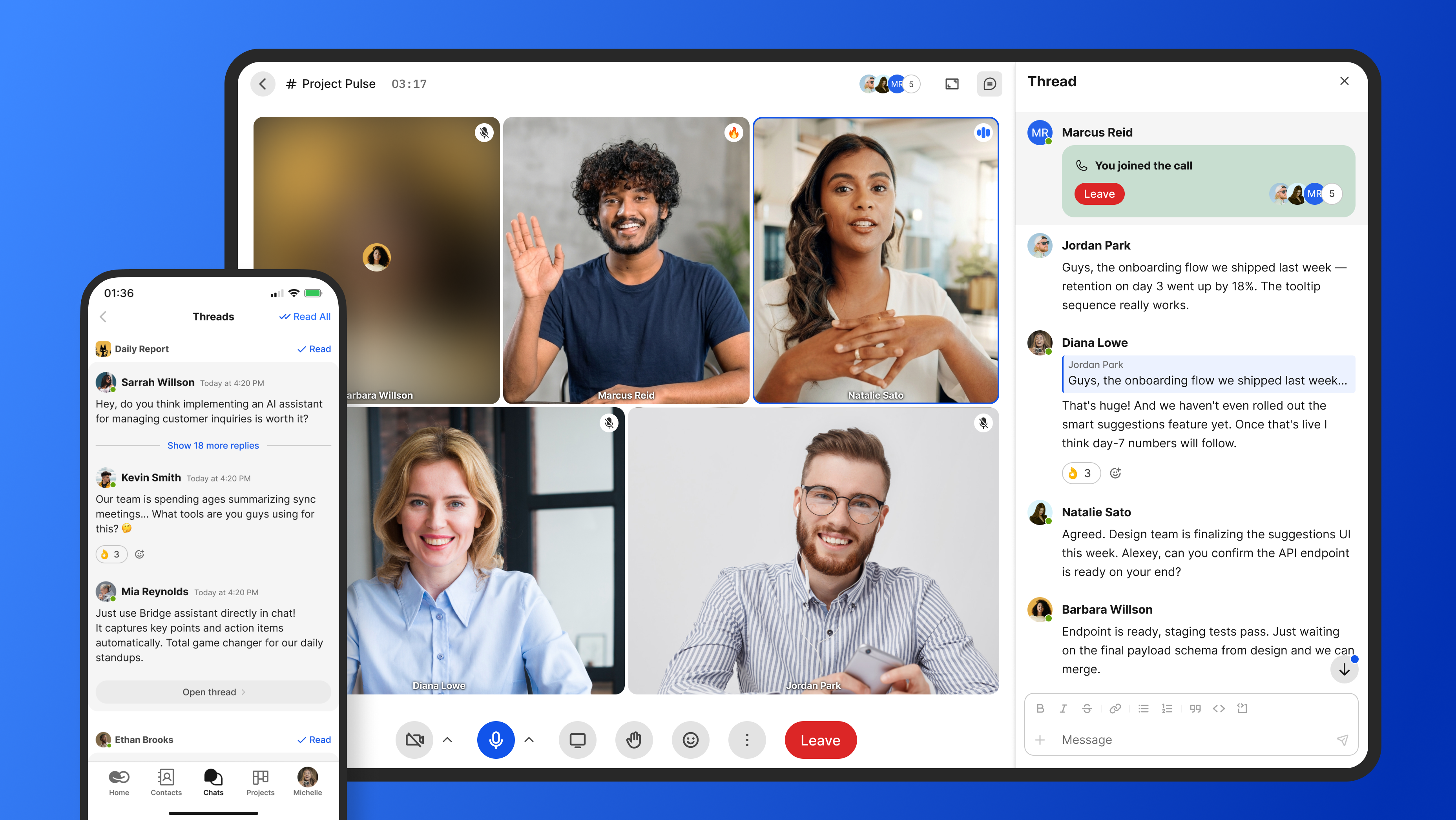
BridgeApp stands out for its AI-first and all-in-one approach. Instead of using a separate messenger, task board, document editor, database tool, and automation layer, BridgeApp brings those modules into one collaborative platform.
Its core modules include channels and threads, built-in audio and video calls, a task tracker with Kanban, Backlog, and List views, a collaborative document editor, custom no-code databases, and a visual no-code AI Agent builder.
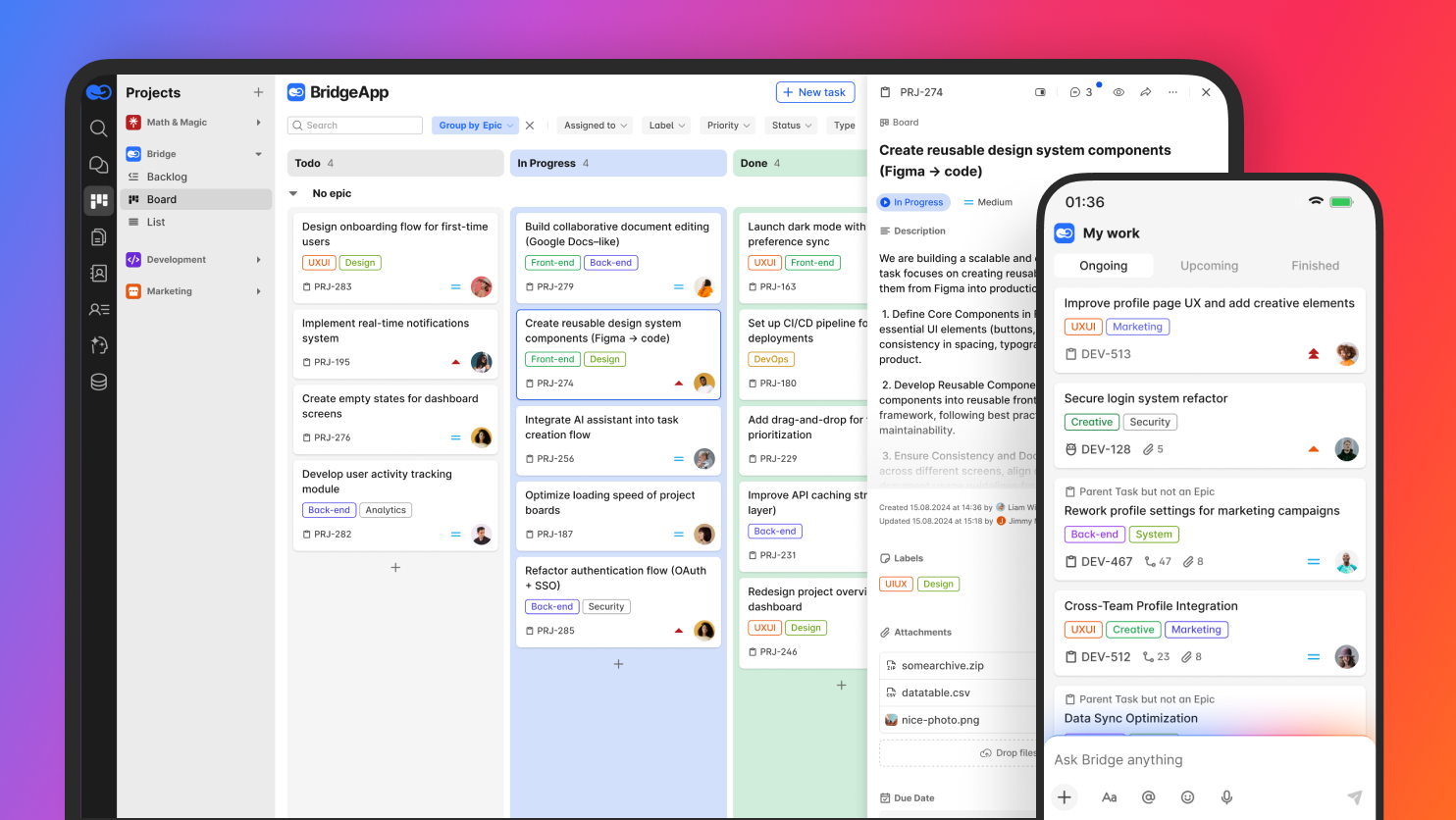
BridgeApp’s AI agents handle real work, not just chat. They can create tasks from conversations, generate reports, populate databases, respond in chats, and execute custom workflows. The platform gives agents access to all major AI models on the market, so teams are not locked into one provider. Agents can also work with internal company context from knowledge bases, databases, and chats.
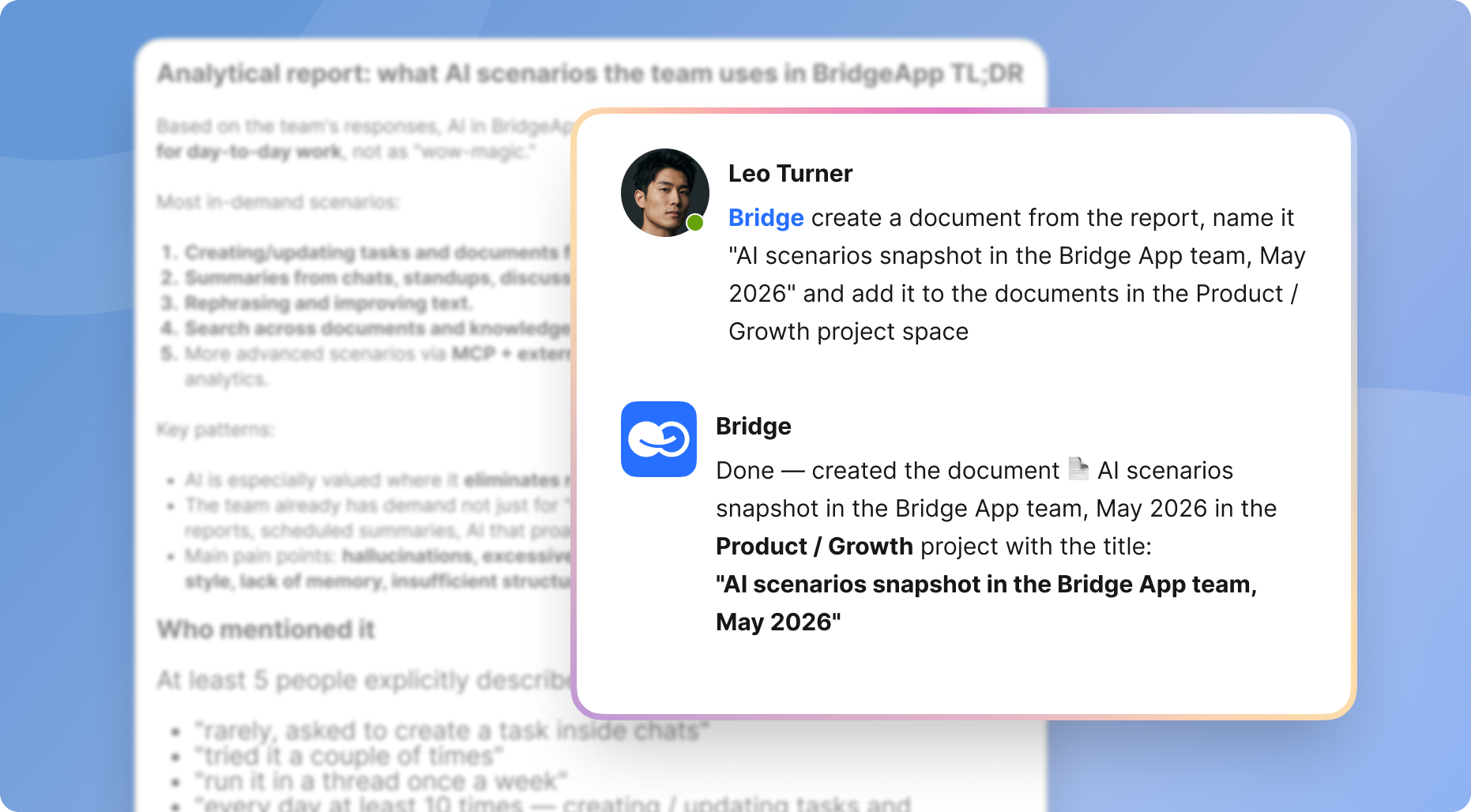
BridgeApp also supports MCP server integration for agents. Multiple MCPs can be connected within a single agent, which lets teams connect external capabilities and create custom AI-powered workflows for any business process.
Best For
BridgeApp is best for teams that want to consolidate team collaboration, task management, databases, documents, calls, and AI workflow automation. It is a strong fit for SMBs, startups, product teams, IT teams, enterprises, and organizations with EU data sovereignty requirements.
Key Strengths
- Built-in task tracking, databases, and document collaboration
- Visual no-code builder for AI agents
- Audio and video calls built in-house, not on third-party SDKs
- Search across all your team conversations
- Cloud, private cloud, on-premise, and hybrid deployment options
- Enterprise plan includes on-premise deployment, white labeling, BYOK, account manager, priority support, and uptime SLA
BridgeApp’s approved productivity metrics are also notable: 40% productivity increase through a unified workspace and AI automation, 60% context switching reduction, 4.6 hours saved per employee per week, $1.656M annual savings for a 250-person team at $30/hr average routine operations cost, and a typical ROI timeline of 3 months.
The free plan includes unlimited members, project management features, agentic capabilities, and team collaboration features. Pro costs €9/user/month monthly or €7.5/user/month yearly and adds integrations with messengers such as Telegram and WhatsApp, advanced search, role-based access control, unlimited database capabilities, security control, real-time collaboration on documents, and other advanced features.
2. Rocket.Chat
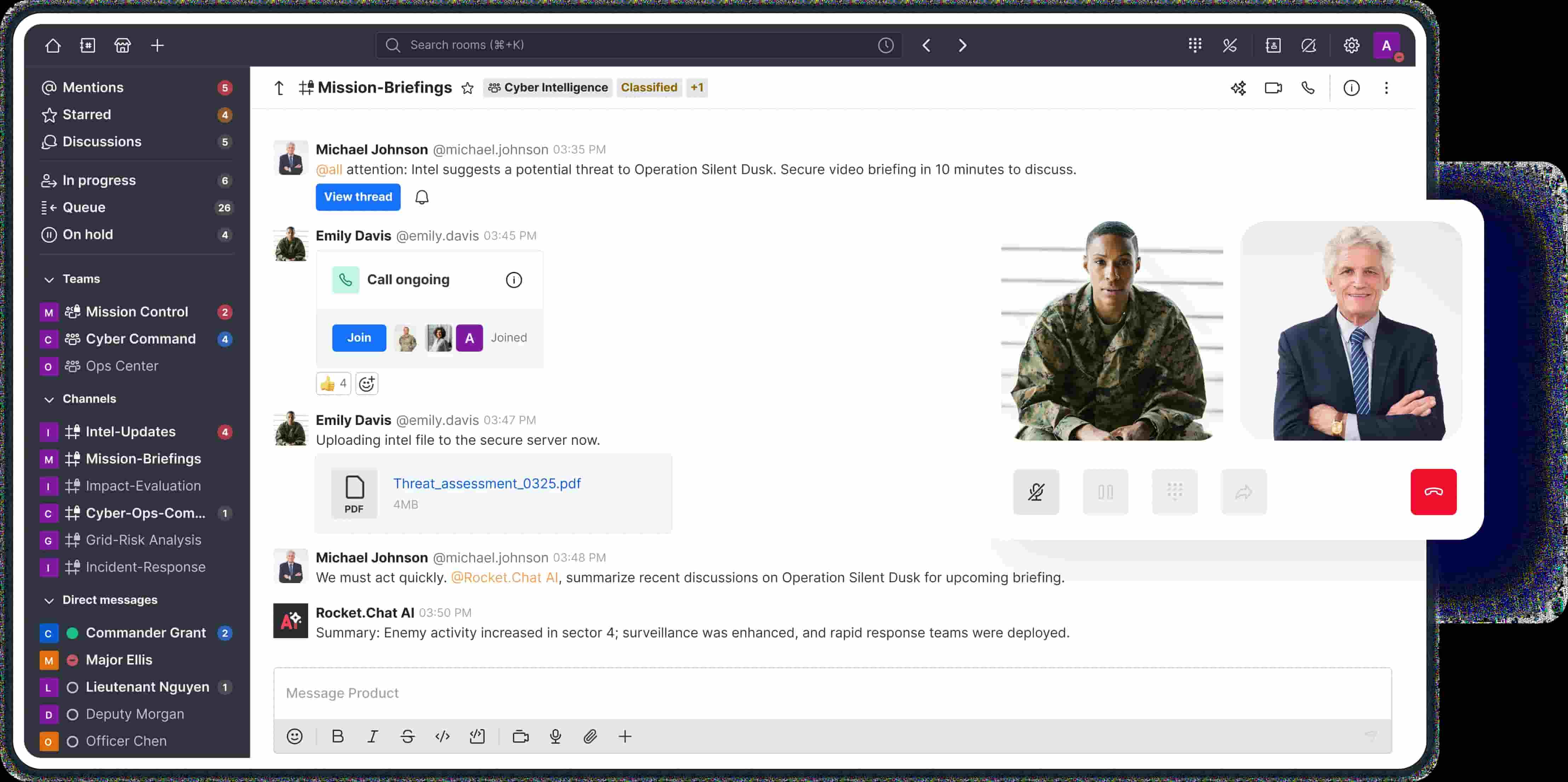
Rocket.Chat is a feature-rich open-source communication platform used for internal collaboration, customer support, and omnichannel messaging. It can work as a self hosted slack replacement, but it also reaches beyond team communication into customer-facing workflows.
Why It Stands Out
Rocket.Chat stands out because it combines instant messaging, team chat, video calls, file sharing, and omnichannel customer service capabilities. Rocket.Chat is considered one of the most secure messaging apps, particularly for organizations that configure it carefully and keep the stack updated.
Best For
Rocket.Chat is best for teams that need customer support integration, external messaging channels, and extensive customization of the messaging environment.
Key Strengths
- Built-in video conferencing and screen sharing
- Omnichannel customer service features for support teams
- Active open-source community
- Apps, bots, and third party apps for custom workflows
- Rocket.Chat offers extensive customization options for messaging environments
Self-hosted platforms provide freedom from vendor lock in for custom features, and Rocket.Chat is a good example of that flexibility. Self-hosted platforms allow extensive customization of features, and customization options include branding and workflow adjustments. Self-hosted tools enable modifications to source code for unique features.
Possible Limitations
Rocket.Chat can be resource-intensive for small teams if you run calls, omnichannel routing, and multiple integrations. It also has a steeper learning curve for configuration, especially when strict security and high availability are required.
3. Element (Matrix)
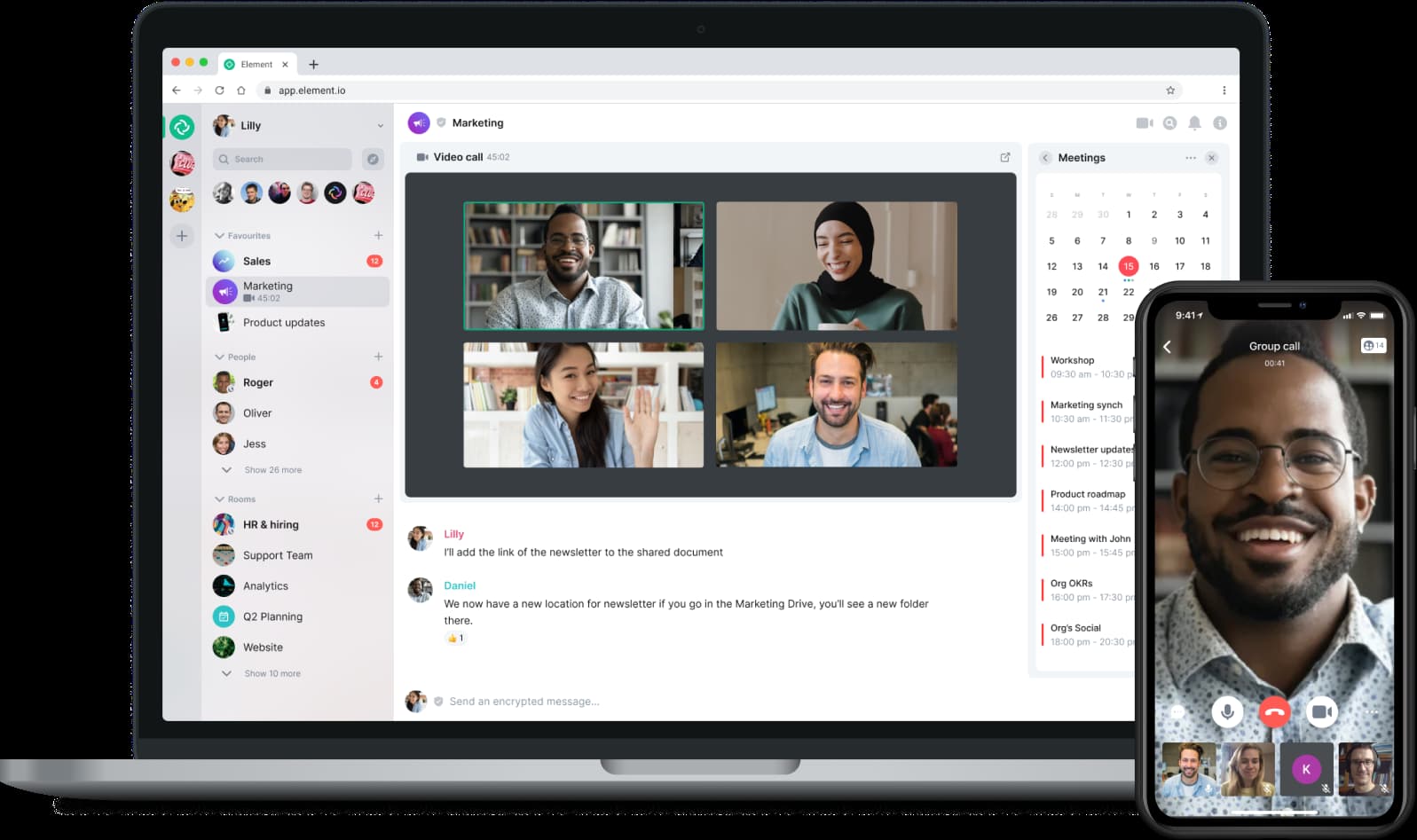
Element is a Matrix-based communication tool focused on decentralized communication, privacy, and encrypted messaging. Instead of relying on one central provider, Matrix lets organizations run their own homeserver and federate with others when needed.
Why It Stands Out
Element provides end-to-end encryption for secure communications. Element offers end-to-end encryption for secure communication, making it a strong choice for privacy-first teams. The Matrix architecture also supports federation, which means different servers can communicate while remaining independently controlled.
Best For
Element is best for privacy-focused teams, public-sector organizations, and businesses that want decentralized communication with strong encryption controls.
Key Strengths
- End-to-end encryption by default in many conversations
- Federation capabilities across different servers
- Strong privacy and security focus
- Good fit for organizations avoiding vendor lock in
- Useful for secure collaboration across independent groups
Element can be a very modern approach to team collaboration software because it treats communication as a distributed network instead of a single hosted slack workspace.
Possible Limitations
Matrix homeserver setup and maintenance can be complex. Federation, media handling, bridges, backups, and performance tuning require planning. The user interface may also feel less intuitive for non-technical users who are used to Slack and Microsoft Teams.
4. Zulip
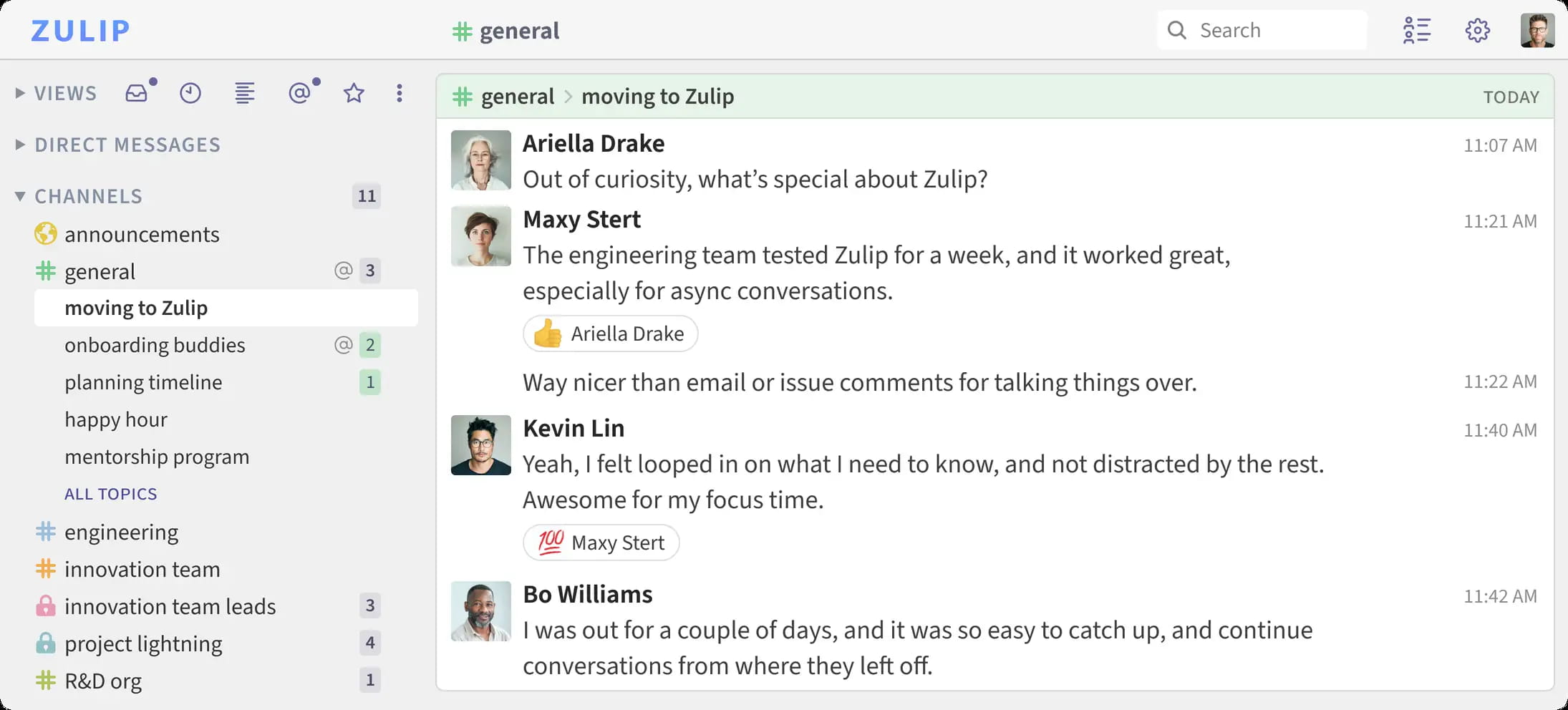
Zulip is a topic-based chat server that combines real-time chat with an email-style threading model. Every message belongs to a stream and a topic, which makes it easier to follow multiple discussions without losing context.
Why It Stands Out
Zulip combines real-time chat with a threaded email-style format for organized discussions. It is designed for asynchronous communication, which makes it useful when distributed teams work across time zones.
Best For
Zulip is best for distributed teams managing multiple parallel discussions and projects. It is especially useful for open source projects, research groups, product teams, and engineering teams that need structured conversation history.
Key Strengths
- Topic-based threading reduces conversation chaos
- Excellent for asynchronous communication
- Lightweight and efficient compared with heavier collaboration tools
- Strong search and organized history
- Zulip is suited for detailed project management with topic-based threading
If your team regularly jumps between product bugs, roadmap planning, support issues, and release coordination, Zulip helps everyone collaborate efficiently without forcing every conversation into one noisy channel.
Possible Limitations
Zulip’s conversation model may require adjustment. It also has limited built-in project management features compared with broader team collaboration tools. You may need additional tools for task management, calls, or more advanced workflow automation.
5. Mattermost
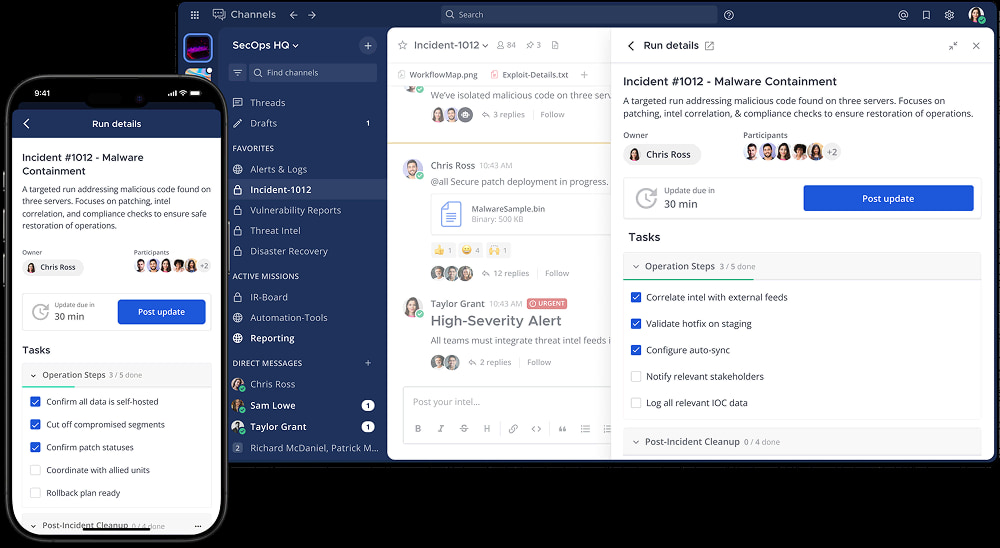
Mattermost is an enterprise-focused open source platform built for secure collaboration, DevOps coordination, incident response, and high-compliance environments. It is one of the most mature options if you want an open source slack alternative with enterprise administration.
Why It Stands Out
Mattermost emphasizes security and compliance for high-compliance organizations. It supports on-premise, private cloud, and air-gapped deployments, which makes it a strong fit for teams that need full control over infrastructure.
Its key features include team chat, channels, direct messages, file sharing, calls, screen sharing, playbooks, boards, search, integrations, and compliance-oriented admin controls.
Best For
Mattermost is best for large enterprises, government agencies, defense contractors, healthcare companies, and technical teams that need strict security, auditability, and extensive customization.
Key Strengths
- Advanced security and compliance features for regulated environments
- Extensive third-party integrations with DevOps, monitoring, and incident tools
- Strong enterprise support options and administration controls
- Good fit for secure communication across engineering and operations teams
- Useful for teams that need to track projects alongside communication
Possible Limitations
Mattermost can be complex for smaller deployments. The more advanced features, such as compliance exports, legal hold, and some enterprise administration capabilities, are usually tied to paid plans.
If your organization only needs a simple chat tool, Mattermost may feel like more platform than you need.
6. Wire
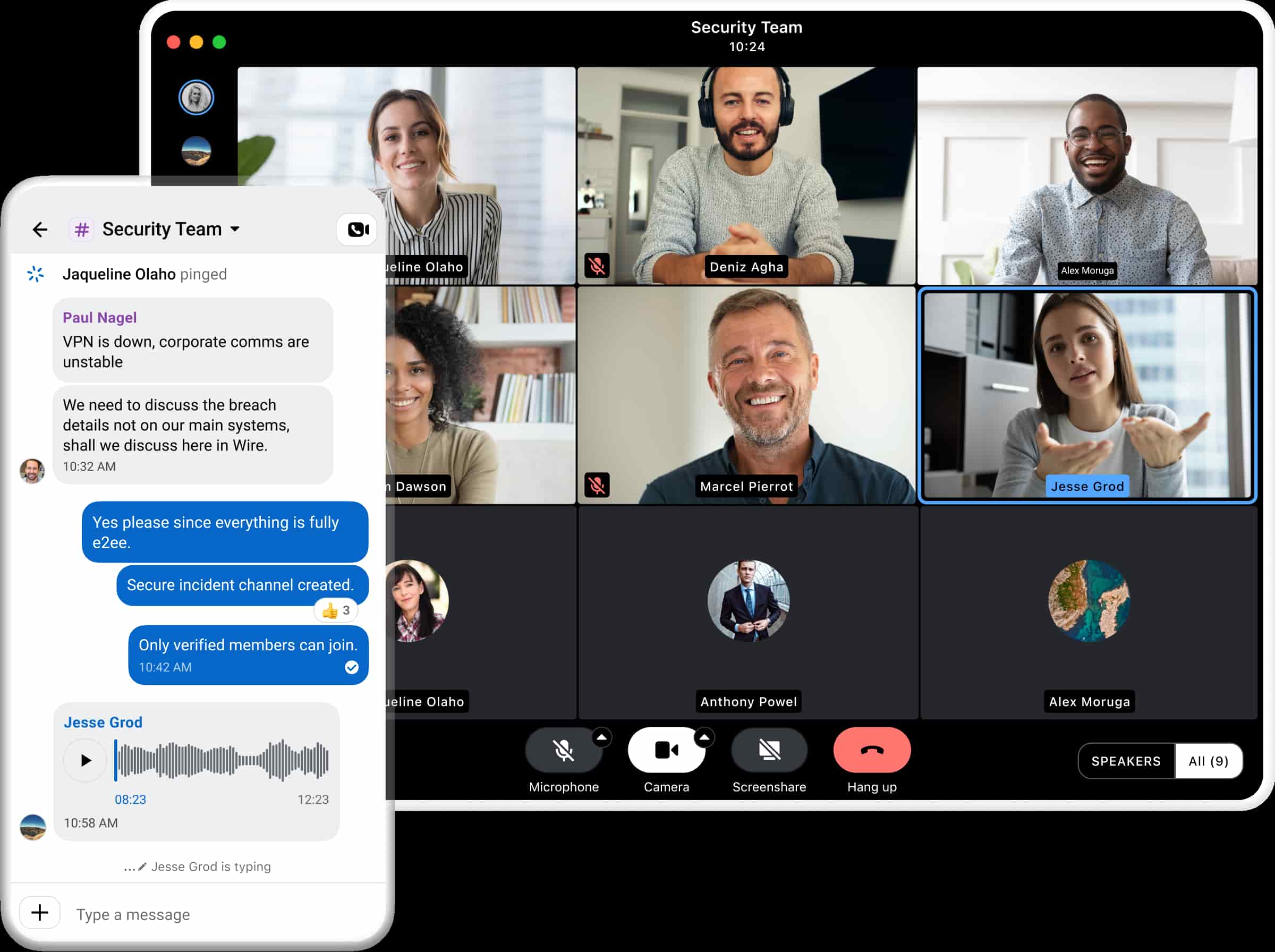
Wire is a security-first communication platform built for enterprises and regulated industries. It focuses on encrypted messaging, secure calls, guest collaboration, and administrative control.
Why It Stands Out
Wire’s main strength is enterprise-grade secure communication with a clean user interface. It supports strong encryption for messages, files, voice, and video calls, and it is designed for organizations that need strict security without making everyday communication painful.
Best For
Wire is best for regulated industries requiring compliance with strict data protection standards, including teams that need secure collaboration with external partners.
Key Strengths
- Strong encryption and security features
- Clean, intuitive user interface
- Secure file sharing, calling, and guest collaboration
- Good option for privacy-conscious large teams
- Useful where ease of use and security must work together
Wire is often attractive when a company wants a polished communication platform but does not want to sacrifice data sovereignty.
Possible Limitations
Wire’s enterprise features can come at a higher cost. It also has more limited customization options than platforms such as Mattermost, Rocket.Chat, or BridgeApp. If you need deep workflow customization, source-level changes, or advanced project operations, Wire may require third party tools.
Quick Comparison of the Best Self-Hosted Slack Alternatives
Here is a simple way to narrow your shortlist:
| Platform | Primary Use Case | Best Fit |
|---|---|---|
| BridgeApp | AI-powered all-in-one workspace | Teams combining communication, projects, databases, and automation |
| Mattermost | Compliance-heavy collaboration | Large enterprises with compliance needs |
| Rocket.Chat | Internal chat plus customer communication | Teams needing customer support integration |
| Element | Encrypted, federated communication | Maximum privacy and decentralized communication |
| Zulip | Structured topic-based chat | Organized, topic-based team discussions |
| Wire | Secure enterprise messaging | Regulated industries requiring security compliance |
If you want the closest same features to Slack, start with Mattermost or Rocket.Chat. If privacy is the main concern, compare Element and Wire. If team productivity and tool consolidation matter most, BridgeApp is the more integrated collaboration solution.
There are also other tools worth knowing. Nextcloud Talk is integrated with the Nextcloud Hub ecosystem for private cloud communication. Chanty is fully compliant with HIPAA, FINRA, and GDPR standards. Teams using OmniVault need enhanced privacy and customizable integrations, so they should prioritize platforms with strong APIs, strict access controls, and flexible deployment.
How to Choose the Right Self-Hosted Slack Alternative
Choose Based on Security Requirements
Start with your compliance needs. A startup handling routine internal updates has different requirements than a bank, hospital, defense contractor, or public agency.
If your organization handles sensitive information, look for secure collaboration features such as audit logs, MFA, role-based access control, retention controls, encryption, backups, and private deployment. If you need maximum privacy, Element’s end-to-end encryption and Wire’s security-first architecture are strong candidates. If you need enterprise compliance operations, Mattermost is often easier to justify.
Make sure your team documents how the system remains secure over time. Self-hosting gives you full control, but it also gives you responsibility for patching, monitoring, backup testing, incident response, and access reviews.
Choose Based on Team Size and Technical Expertise
Small teams should be realistic about maintenance. A self hosted options shortlist should include not just software features, but also the people required to run the environment.
If you have a DevOps team, Mattermost, Rocket.Chat, Element, and Zulip can all work well. If you have limited technical capacity, consider whether you need vendor support, managed private cloud, or enterprise onboarding.
Large teams should think about high availability, database scaling, file storage, search indexing, call infrastructure, mobile access, and disaster recovery. The cheapest software license is not always the cheapest deployment.
Choose Based on Feature Requirements
Ask what your team actually needs every day.
If you only need a communication tool, prioritize messaging quality, notifications, mobile apps, and search. If you need a broader workspace, look for tight integration between chat, documents, tasks, databases, and automation.
For example:
- Choose Mattermost if you need DevSecOps workflows and compliance controls.
- Choose Rocket.Chat if support channels and customer messaging matter.
- Choose Element if decentralized communication and privacy are essential.
- Choose Zulip if threaded conversations and multiple discussions are your biggest pain.
- Choose BridgeApp if you want team collaboration software with built-in task management, databases, documents, calls, and AI agents.
- Choose Wire if secure communication and usability are your top priorities.
Self-hosted platforms allow extensive customization options, but customization creates maintenance work. The right choice is not the platform with the longest feature list. It is the platform your team can run safely and use consistently.
Which Option Is Best for You?
Choose Mattermost if you need enterprise compliance, advanced administration, and extensive integrations for technical teams.
Choose Element if privacy, federation, and decentralized communication are top priorities.
Choose BridgeApp if you want AI automation and an integrated workspace that combines team communication, task management, documents, databases, calls, and custom agents.
Choose Zulip if your team handles many parallel discussions and wants a calmer structure for asynchronous communication.
Choose Wire if you are in a regulated industry and need strict security with a polished user experience.
Choose Rocket.Chat if your team needs internal messaging plus customer support workflows, omnichannel routing, and deep customization.
The best self hosted slack choice depends on whether your biggest problem is compliance, privacy, cost, workflow fragmentation, or conversation overload.
To Conclude
Self-hosted platforms are not just copies of Slack. They give organizations more data control, more customization, better data sovereignty, and greater freedom from vendor lock in.
But they also require maintenance. Someone must manage updates, backups, infrastructure, monitoring, and access policies. That responsibility is the trade-off for complete control.
Start by listing your non-negotiable requirements, then test two or three platforms with real users. The right hosted slack alternative is the one that helps your team collaborate efficiently while keeping your data, workflows, and security under your control.